-
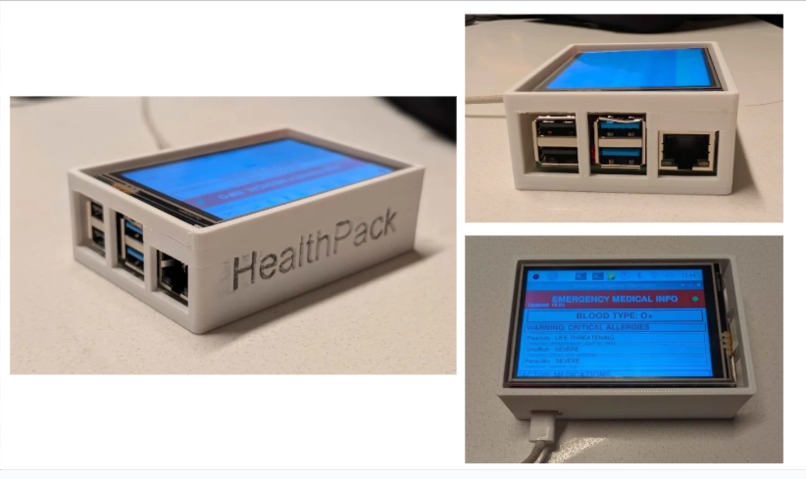
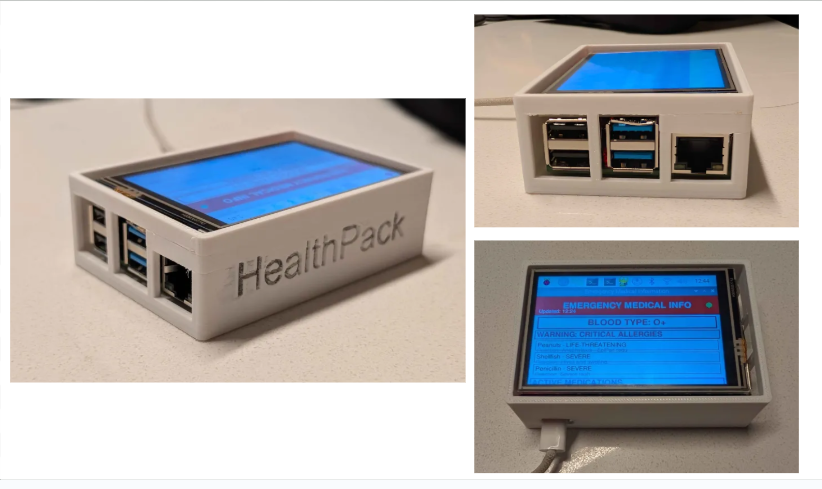
Hardware Demo
-
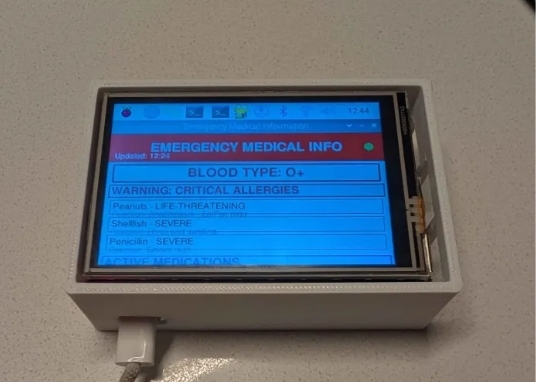
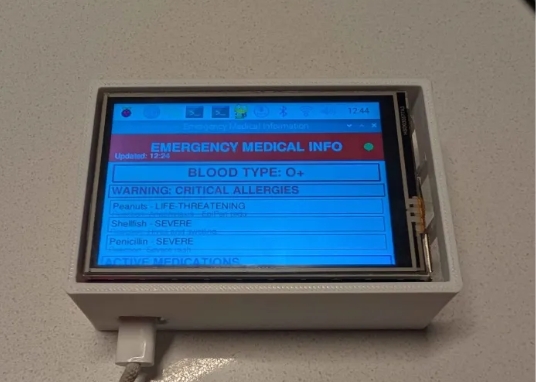
Information on Screen
-
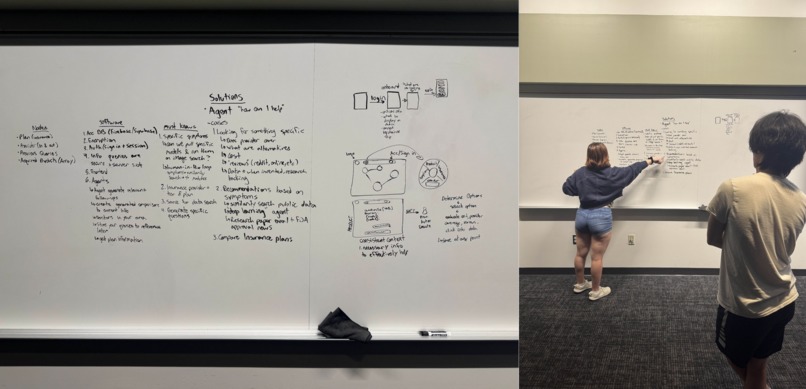
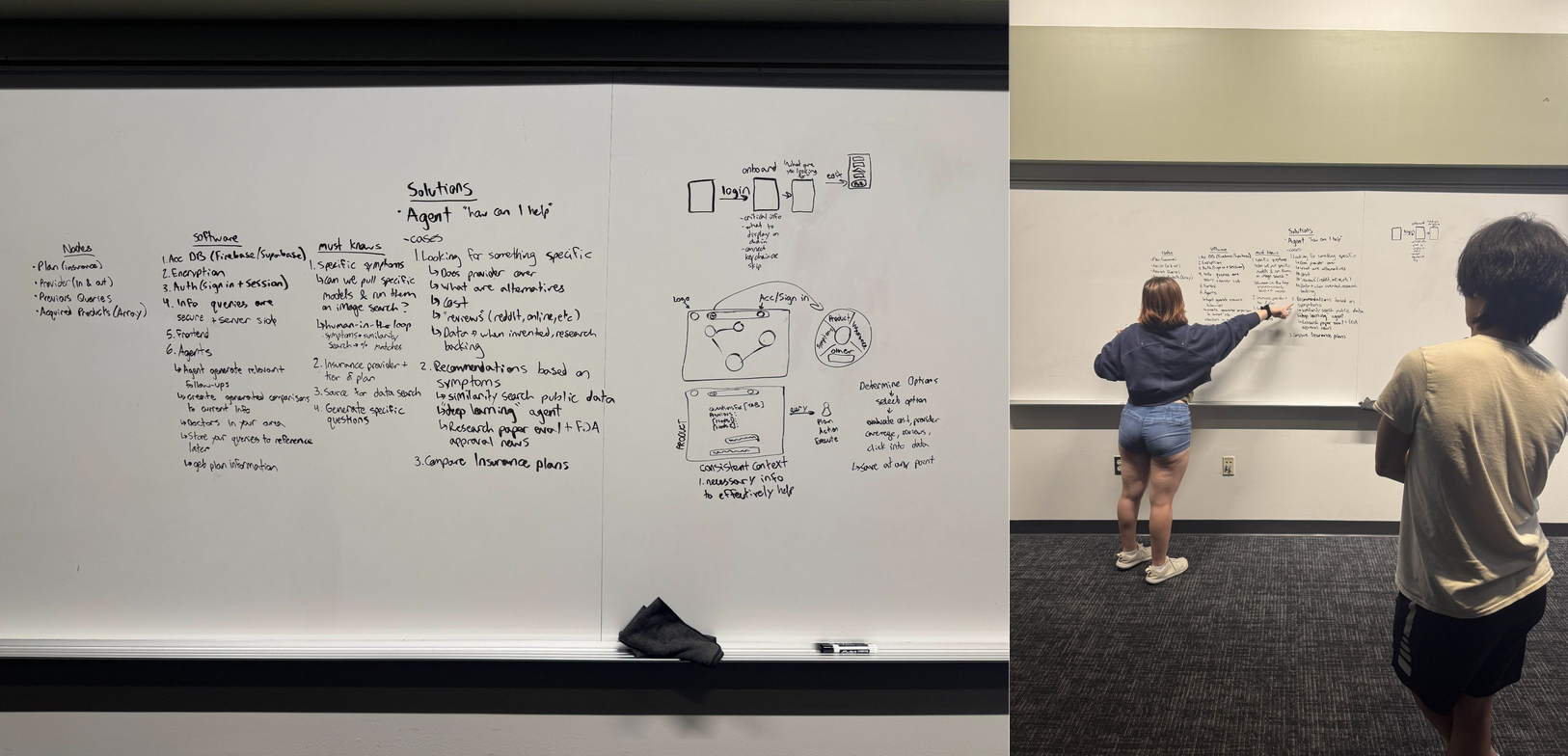
Inital Roadmaps
-
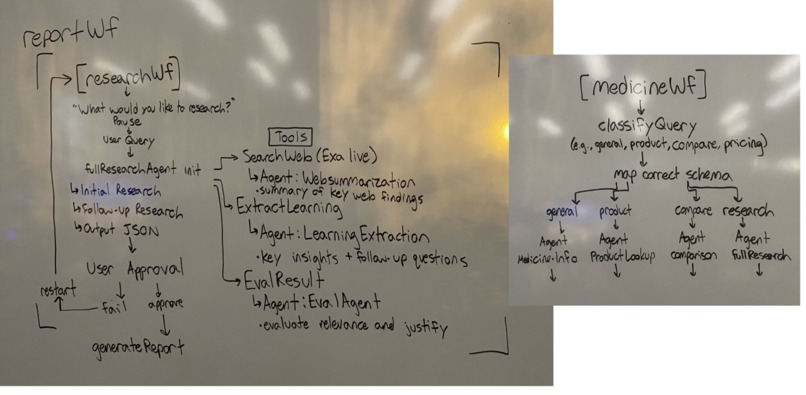
Workflow Mapping
-
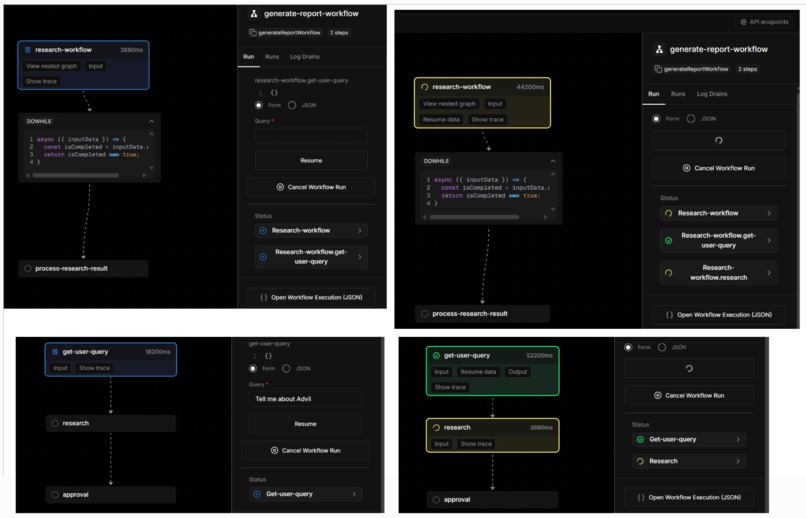
Workflows
Inspiration
We were inspired to create Health Pack by the lack of a universal, standardized way for first responders to quickly access crucial medical information during emergencies. The current existing solutions like bracelets, cards, and apps, are fragmented, inconsistent, and often limited. We wanted to create a reliable, everyday carry device that would solve these problems while also being a hub of convenience for medical info.
What it does
Our device stores user inputted medical emergency info that can be quickly accessed by first responders. While connected to the internet, it acts as an agent that can quickly answer questions regarding personal health, insurance, hospital care, and inform the user to new relevant medical advancements.
How we built it
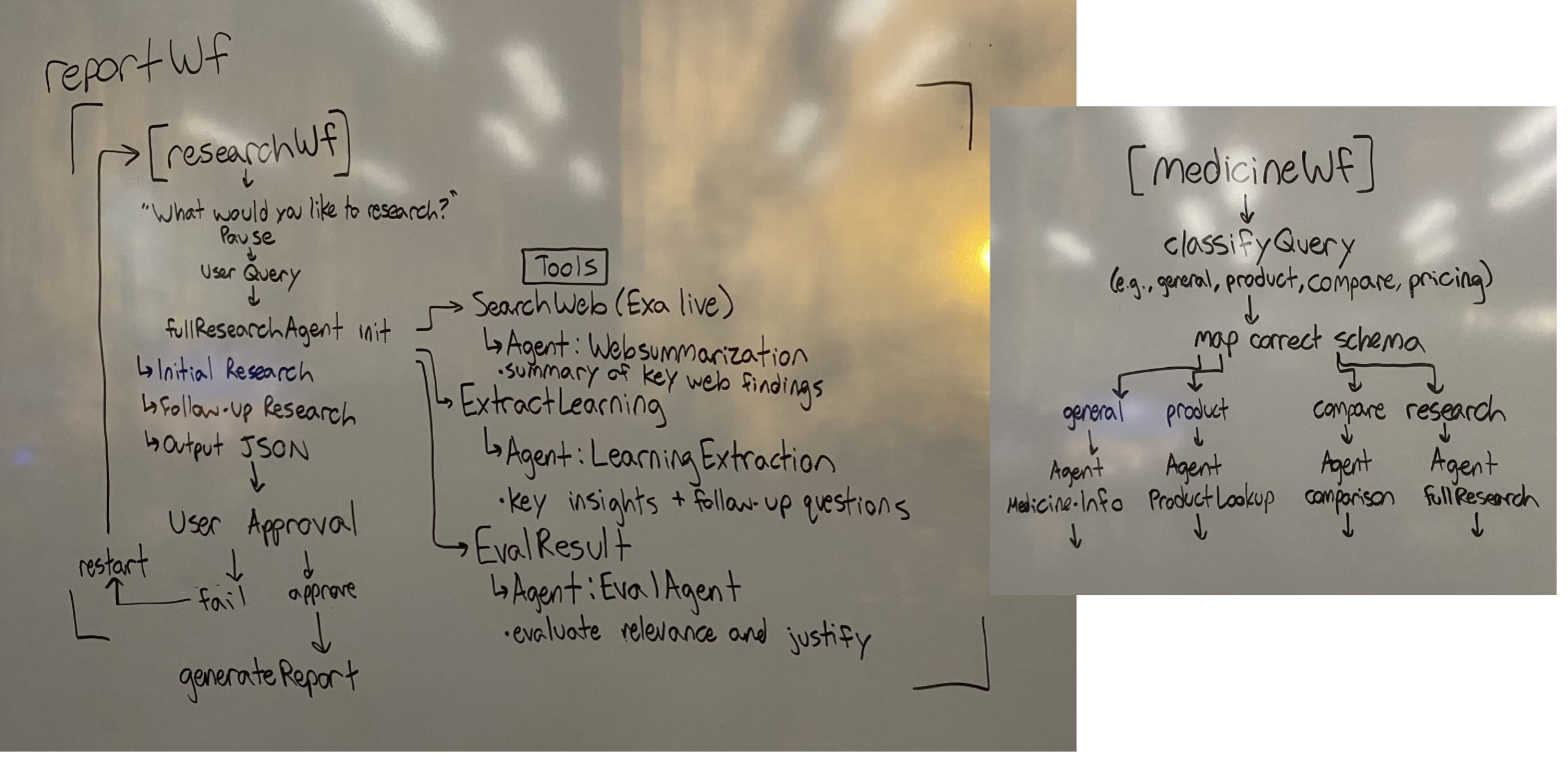
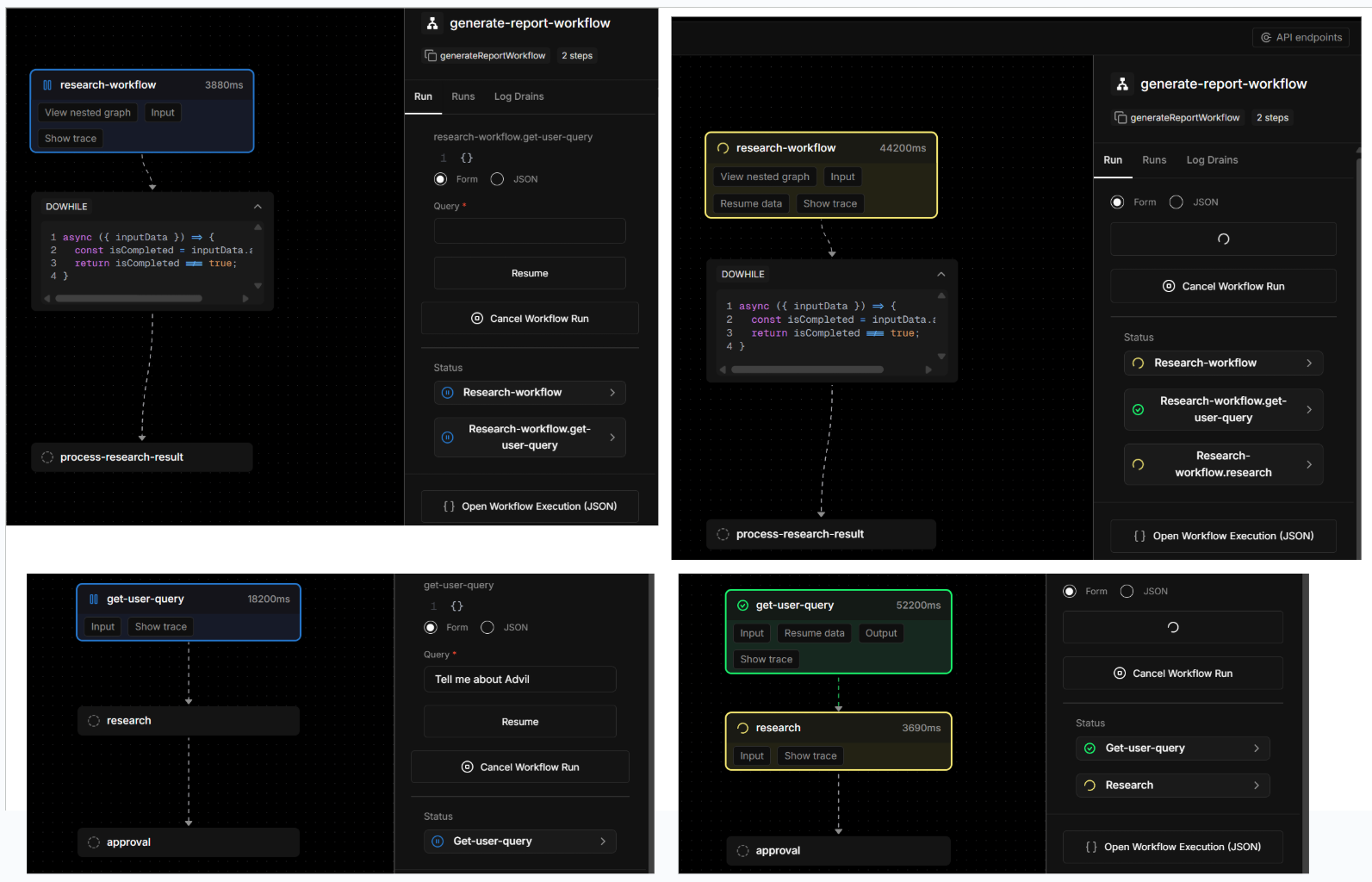
We mapped out our main goals and problems we hoped to solve with our device then split the team into the software and hardware subgroups. The backend team worked on the Mastra framework to create agentic workflows with tooling and MCP. The workflows connect with multiple APIs such as OpenFDA, EXA, and NHI to provide the user with up to date and relevant information. It also uses firebase for account encryption and storing of user auths to make sure no two users have overlapping data. The frontend and hardware team focused on creating good presentation and housing for the device as well as setting up the raspberry pi to work with a screen display. Our housing was 3d printed and sanded down to allow for the ports to be accessed while still providing the raspberry pi some cover from being completely exposed. We are trying to achieve a display that shows all the relevant information when it’s online, but once it goes offline, it stays static with the last available data. I parsed the necessary information using the Raspberry Pi by running a script that is built into the web app itself. This allows the screen to display all the important health information for first responders. The backend was focused on creating an agentic workflow with Mastra to allow users to easily interact with the website and connecting that with components in the frontend to allow seamless user interaction and data transmission to the hardware device.
Challenges we ran into
Some prevalent challenges were using Fusion 360 to model a container for the raspberry pi without proper measuring tools or great access to the dimensions of the product. This led to an initial case that was too small and could not house our device.
One of the large problems we faced was trying to figure how to properly implement CedarOS. It says in the documentation that Cedar should easily comply with Mastra so that there is seamless interaction between frontend and backend to allow the user to properly query the workflow. The problem we were facing was trying to implement Cedar into the frontend. After reading through the docs, we learned what the components were but not how to use them or where to deploy them for front/backend interactions.
Our first obstacle eas regarding hardware, There weren’t any Raspberry Pi 4s available, so we had to dig through the hardware supplies and only found one. The software team ran into errors installing the correct Raspberry Pi OS since it required a micro HDMI to HDMI cable, which we didn’t have on hand. Because of that, we had to SSH into the Pi, which is tricky at first setup since it doesn’t have Wi-Fi enabled. We ended up borrowing an adapter from the library to connect it via Ethernet with the help team's TV Display.
After downloading the OS, we hit our first major issue. We had ordered a screen that fits perfectly on top of the Pi and displays output, but it requires a specific OS to be compatible. At first, we tried installing all the necessary drivers, but the Pi’s firewall made it impossible. So we had to manually track down an OS image that already had the drivers installed. After that, we were finally able to start testing.
SSH brought another problem: the password just wasn’t working. We had to reformat the Pi and manually set the password since it can’t be left blank by default. Setting the password resolved this issue, and SSH access functioned as expected.
Another issue that occured was with the microSD. Our microSD card got corrupted because the Pi didn't have sufficient cooling. We had a fan but could not add them in as the screen blocked access to the pins and airflow for the fan even if installed. We went to the hardware station to grab another microSD card, but they didn’t carry any. Instead, we had to rent a Raspberry Pi and take the microSD card from that one. The first two we tried showed 0GB of storage, so they didn’t work. On our third attempt, we finally found a Pi with a working microSD card. we reformatted it, set it up, and finally got it to work.
Accomplishments that we're proud of
We are proud to have completed a comprehensive working prototype within 36 hours.
We are especially proud of our different workflows which each contained unique specialized agents and customized tools that made a more effective and personal end product
Along with that we experimented with many different APIs so that we could choose the one that best fit our use case.
We utilized APIs that gave a large set of data to our agents which allowed us to better control the agent AI to assist users with accurate and relevant medical and prescription information.
What we learned
We learned the challenges of making a physical product including creation of housing, working with hardware, and of course coding. This experience taught us the strengths of 3D printing in prototype and product creation but also the limitations of the medium. With our raspberry pi 4, we learned how difficult it was to set up the required technology to work with our screen and bridge the connection with our backend. In regards of the software team, we learned how to create and work with agents to make an agentic workflow. We also learned how to transmit information from the websites database to a raspberry pi 4 and display it.
What's next for Health Pack
The next steps for Health Pack would be to refine the product to be smaller and easier to carry as well as work with first responders to better understand their needs, priorities, and workflows within emergency situations. Their feedback would guide improvements to the device's interface and the type of medical information to be displayed. Along with this improvement, we would refine the hardware aspect to be more compact allowing for a more comfortable and portable end product. We would also work at improving the software to run more efficiently and without issue especially in times without an internet connection. We would also add in more human in the loop options down the line for more input and more specified outputs. It would be important to optimize the software through running our agents in parallel to improve run times. Future iterations would also explore deeper possibilities for housing information while in parallel working with HIPAA and other medical information compliance laws to give a better overall safer experience for all users. Ultimately, these steps would set the foundation for a broad adoption across a large majority of the population. We would further fight for that adoption through continuous improvement on the reliability, convenience, and, of course, safety along with its backing from the trusted professionals who rely on it.
Built With
- exa
- firebase
- mastra
- node.js
- openfda
- react
- typescript


Log in or sign up for Devpost to join the conversation.