-
-
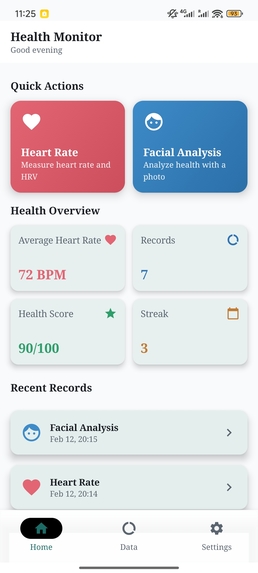
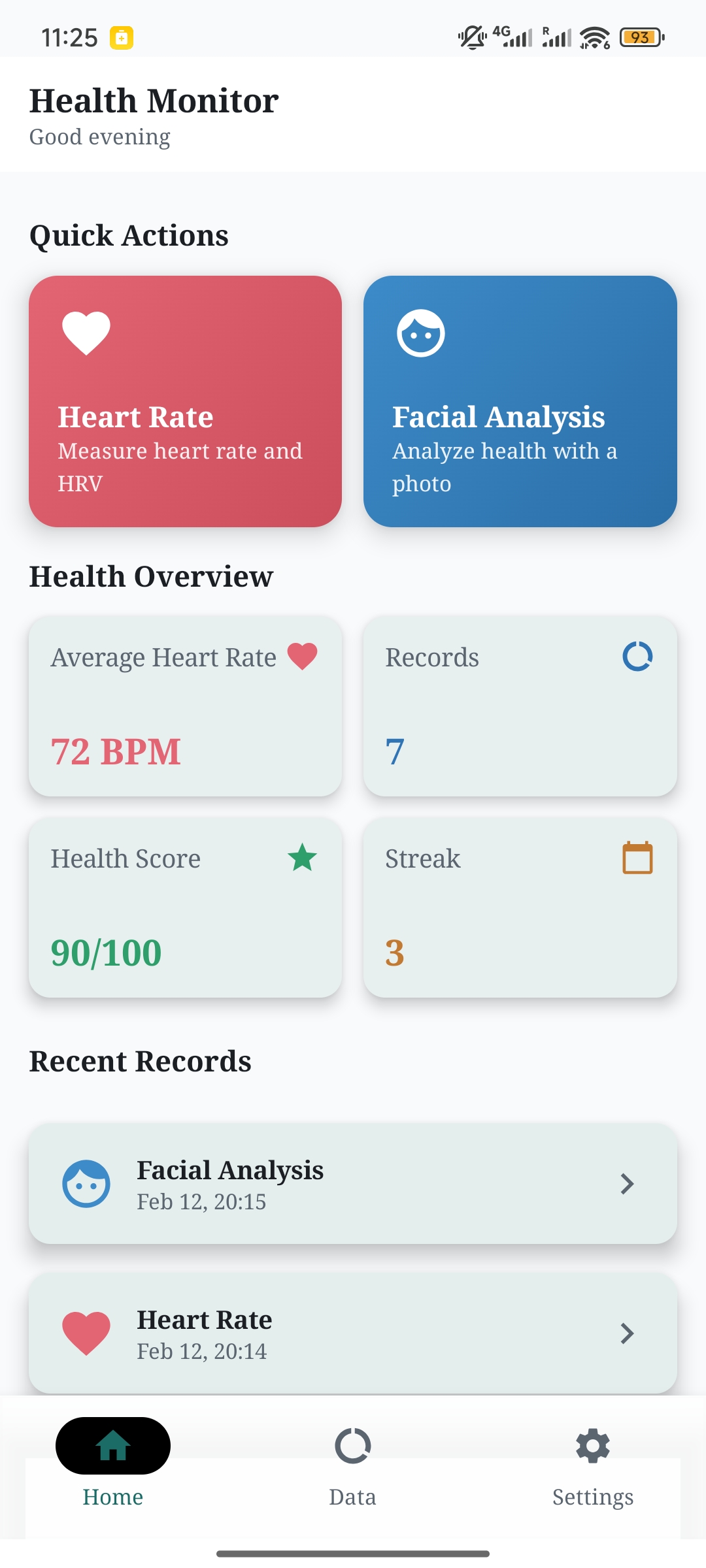
Home Page
-
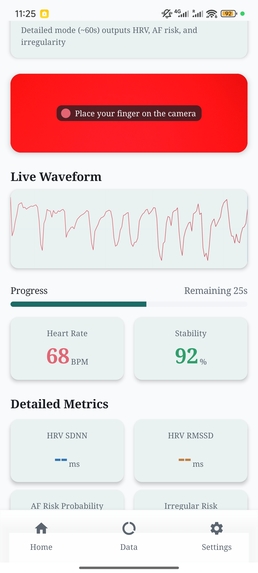
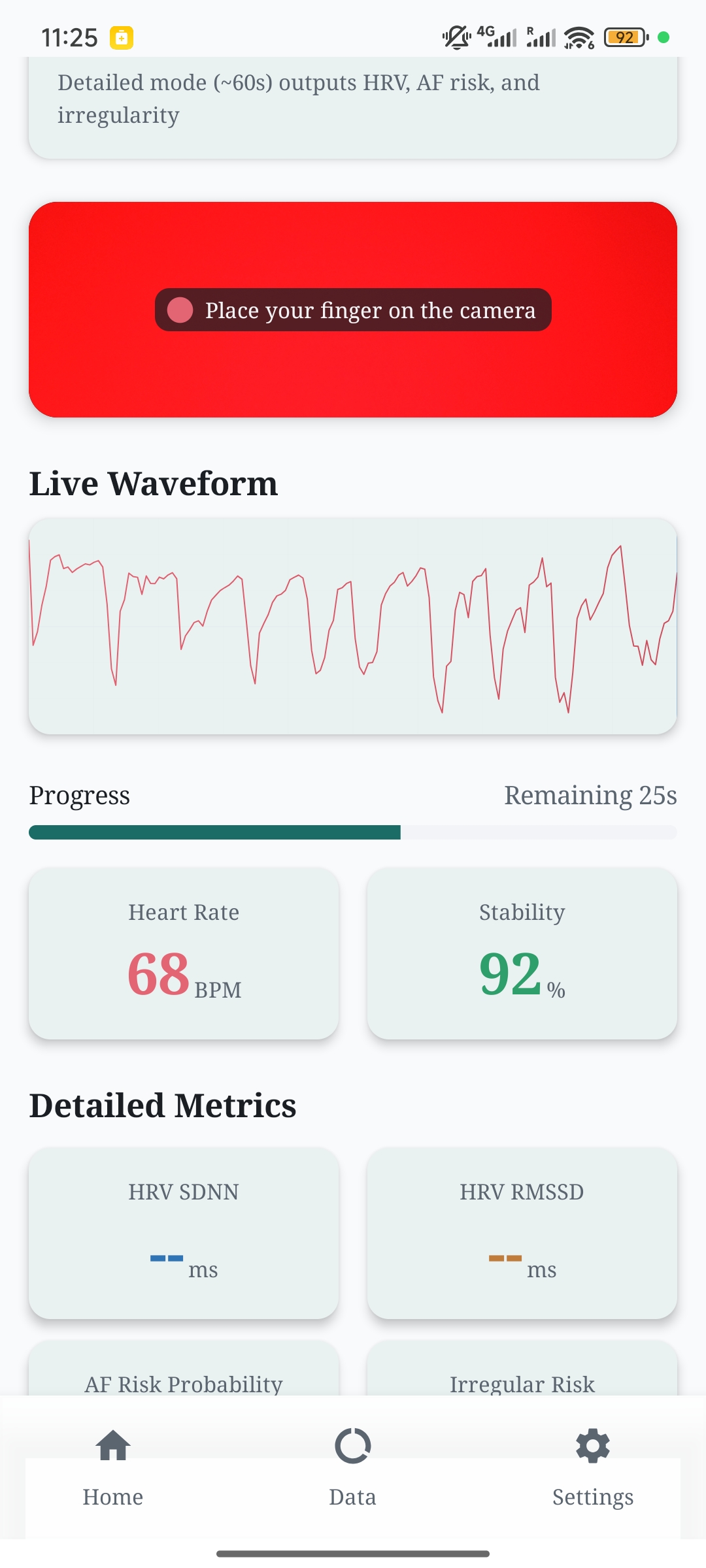
Heart Rate
-
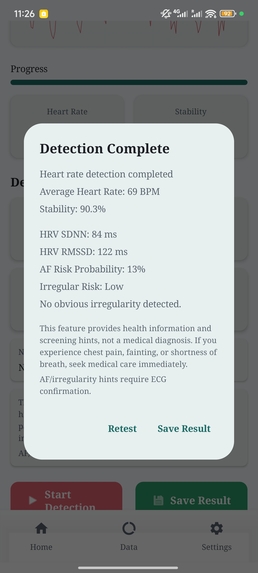
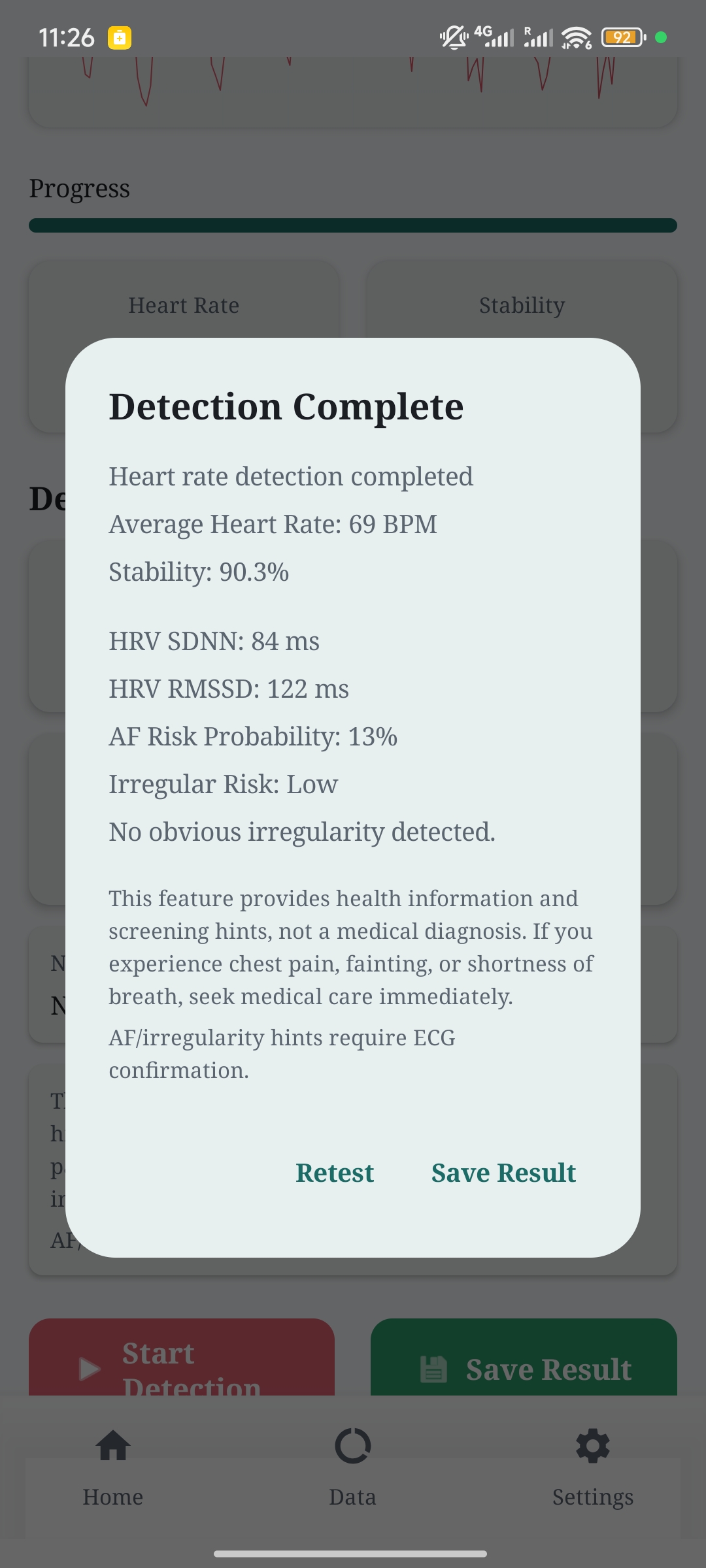
Result
-
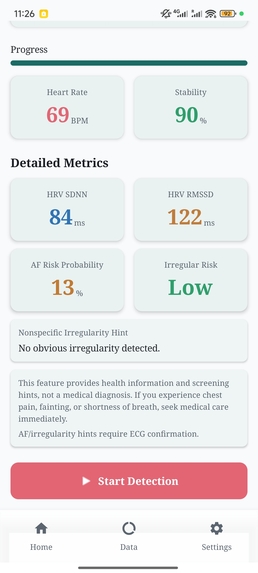
Result
-
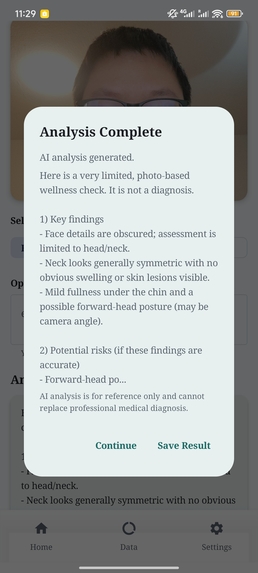
Facial Analysis
-
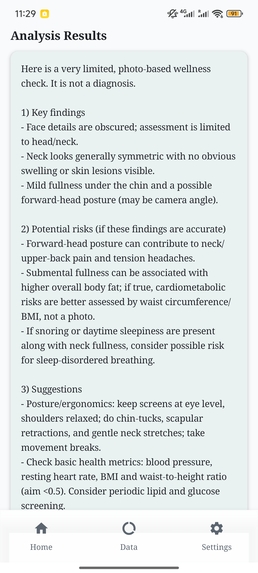
Result
-
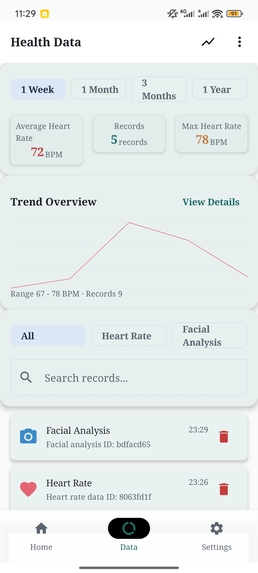
Data
-
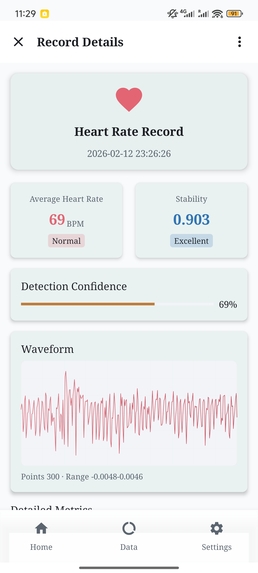
Data
-
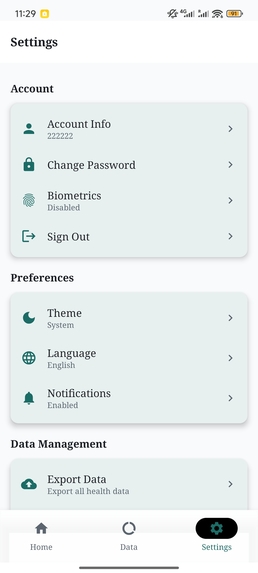
Settings
Inspiration
We noticed that when most people want to do a quick health self-check, they either rely on peripherals like fitness bands or pulse oximeters, or they can only get very rough information. Meanwhile, the cost, portability, and compatibility issues of external devices make “continuous monitoring” unrealistic. So we wanted to build a truly grab-and-go health measurement tool: no external hardware needed—just a phone to measure basic metrics like heart rate, and to turn the results into understandable, trackable long-term records. Our core motivation wasn’t to “build a more complex platform,” but to make “measurable anytime” simple enough and reliable enough. What makes HM different is that it treats the smartphone itself as the only sensor: instead of pairing with wearables, we focus on extracting usable physiological signals from camera footage on-device and packaging them into a repeatable self-check workflow. The goal is not just a single BPM number, but a measurement that comes with quality feedback and can be tracked over time, so users can compare trends across days and contexts using nothing but their phone.
What it does
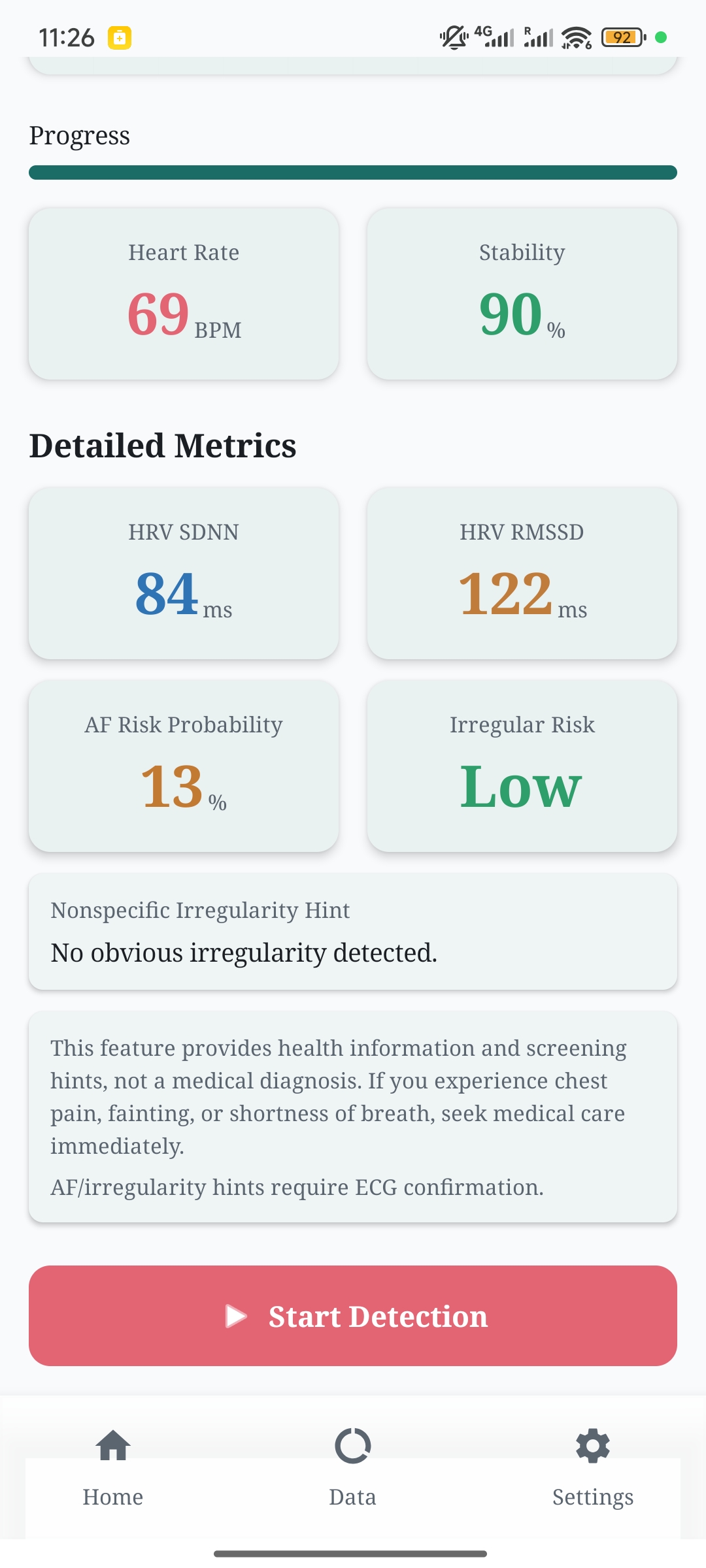
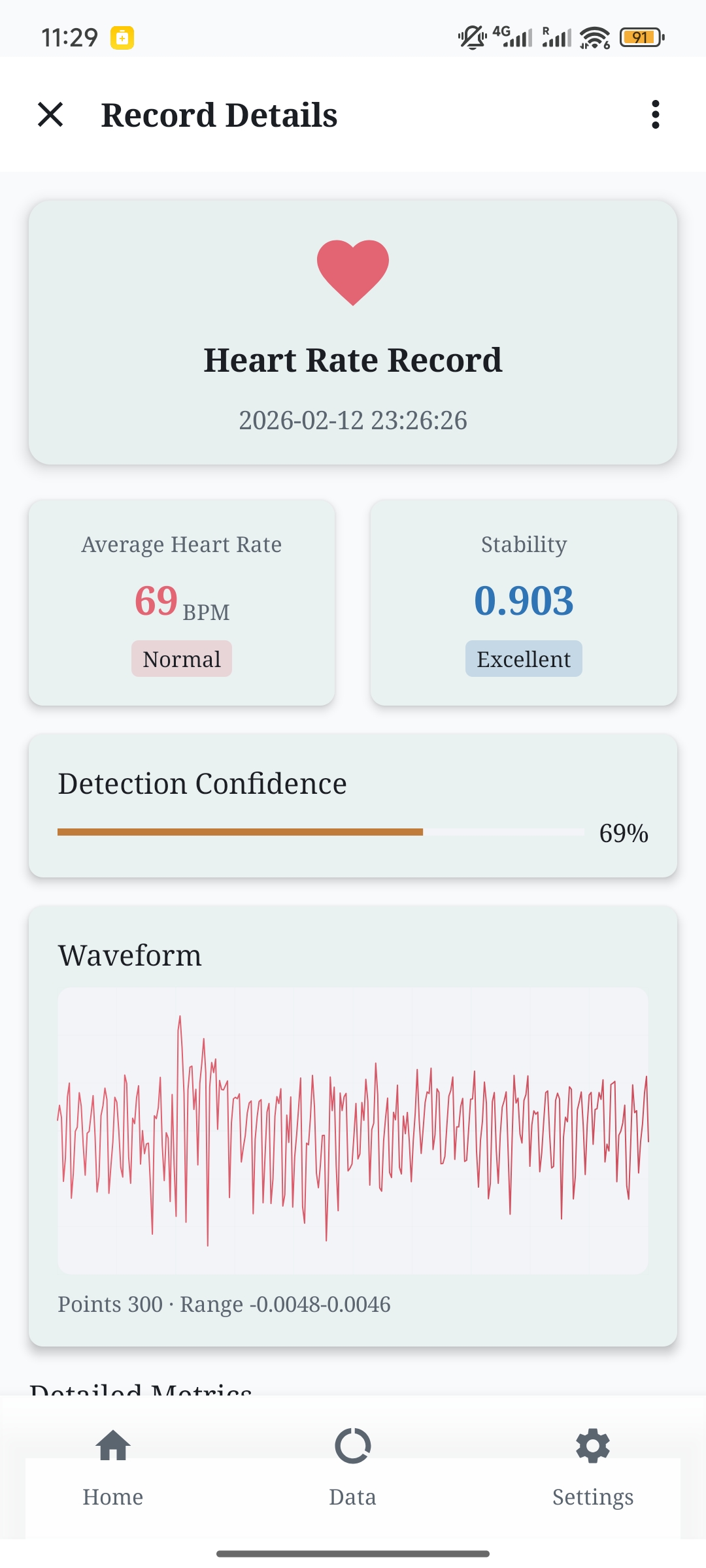
Health Monitor (HM) is an Android app whose core value is “health measurement using only the camera, with no peripherals at all.” It supports fingertip heart-rate measurement with the phone camera: the user lightly places a finger over the camera and flash, the app records a short sequence of video frames, and extracts subtle fingertip color changes caused by differences in light absorption as blood pulses. This produces a waveform-like signal (PPG). By smoothing/filtering the signal and performing peak detection, the app can compute the interval between heartbeats and output BPM (heart rate), along with a stability/quality assessment for that measurement.
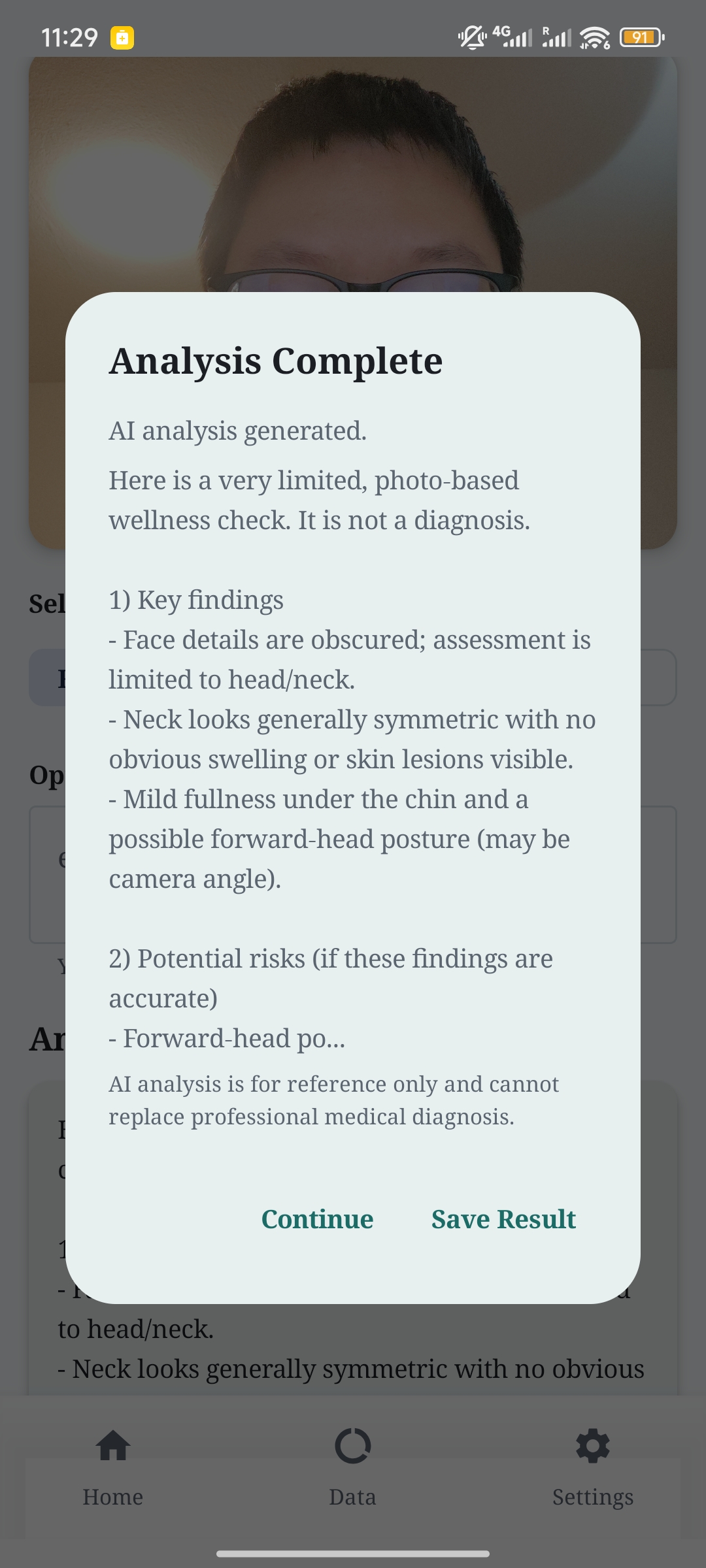
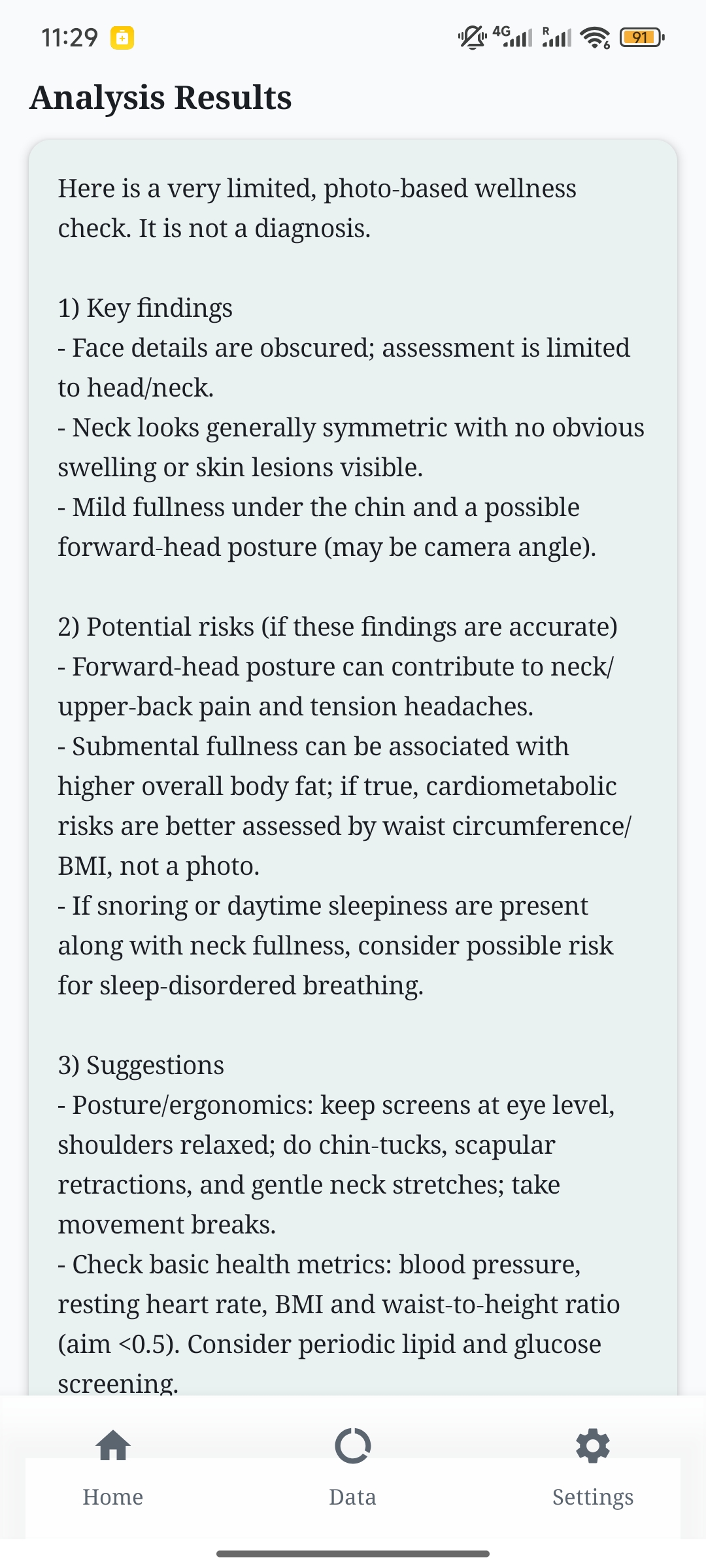
In addition to quick checks, the app offers a longer, detailed measurement mode. Based on heart rate, it further computes HRV metrics (such as SDNN and RMSSD) from the heartbeat-interval series, and provides a “possibly irregular” risk prompt (for awareness and observation only, not for medical diagnosis). These irregularity prompts are screening-style hints derived from beat-to-beat variability patterns and signal stability, and they are intentionally conservative; they are meant to encourage re-measurement and trend observation (or medical follow-up if symptoms exist), not to diagnose any specific condition. HM also includes an on-device facial analysis module that records basic statistical features of facial images (such as brightness, symmetry, and color statistics) to support long-term comparison and self-observation.
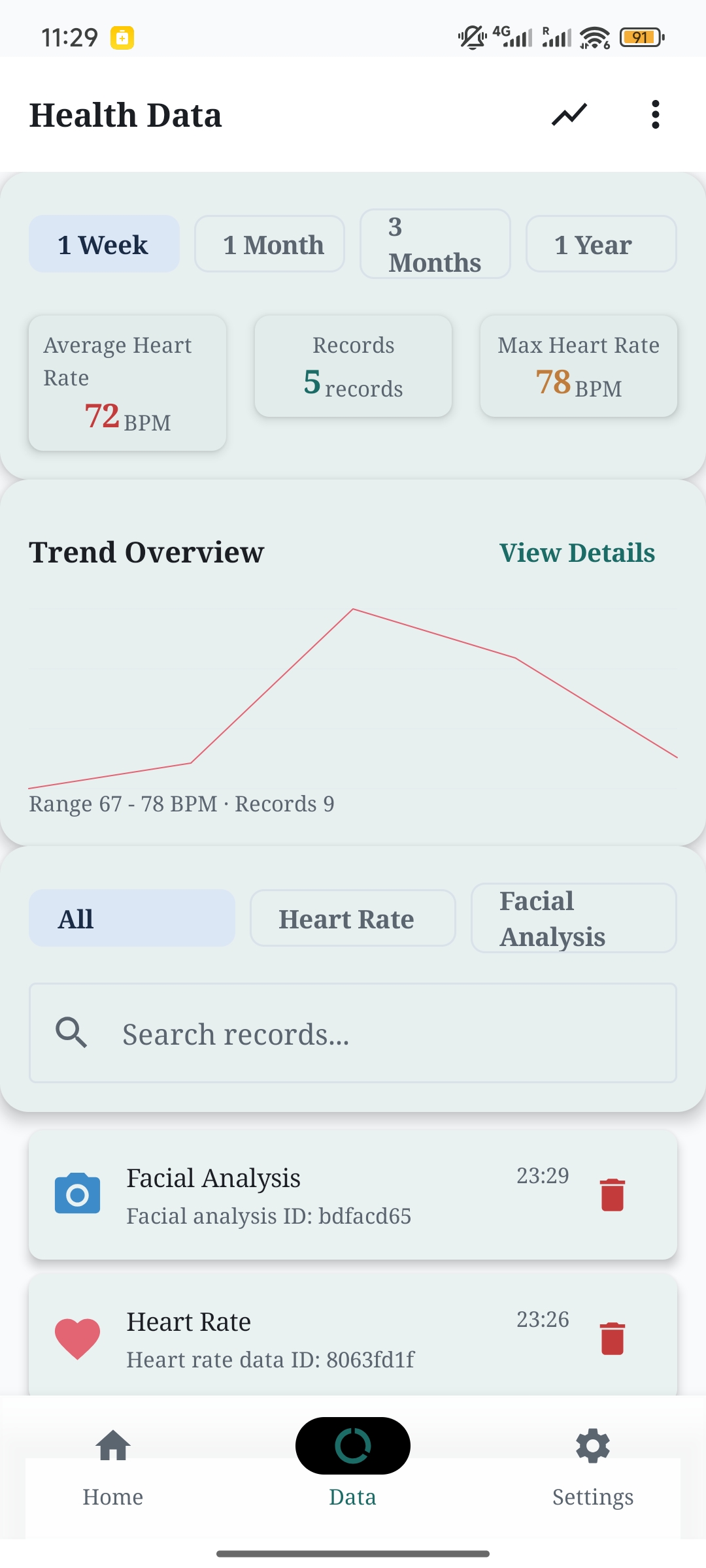
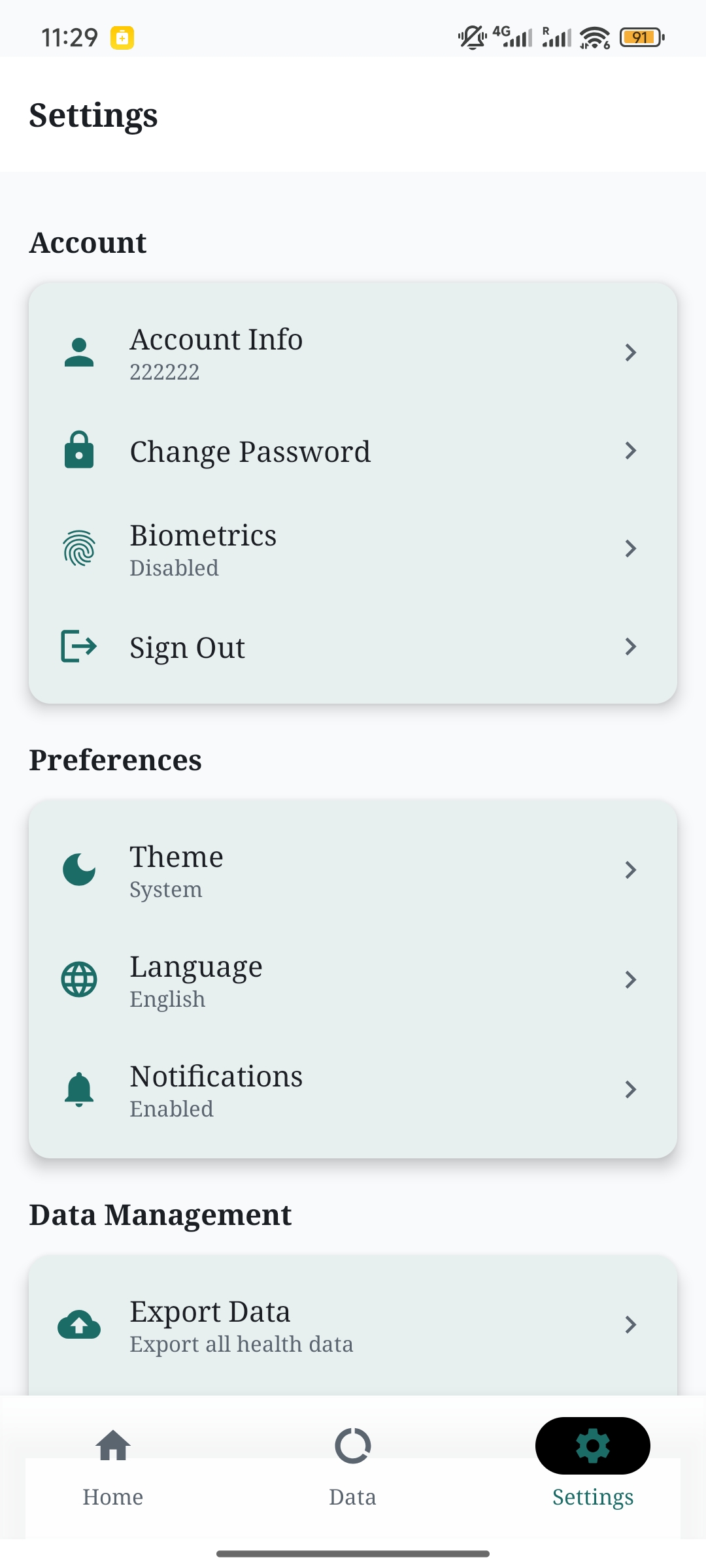
All measurement results are saved as time series so users can view history and trends, and export data for backup or further analysis. HM is also useful in real-world situations where wearables are unavailable or inconvenient—quick self-checks after exercise, during stressful days, or when users simply want to build a personal baseline over time. By saving results as a timeline and allowing export, the app supports trend-based self-monitoring rather than one-off readings, which is often the more practical way to interpret consumer-grade measurements. We also implemented necessary privacy protections: data is primarily stored locally, with basic access control and optional encryption.
Important notice: This app provides health information and screening hints only. It is not a medical diagnosis. If you feel unwell, seek medical care. Any irregularity hints require clinical confirmation.
How we built it
Health Monitor is developed in Kotlin. The UI is built with Jetpack Compose, and we organized measurement, analysis, data, and presentation into layers to make the app easier to extend and maintain.
Heart-rate measurement uses CameraX to capture real-time camera frames. When the fingertip covers the lens, we extract the color intensity from a specific region in each frame (the red channel is usually more sensitive), concatenate it over time to form a PPG sequence, then denoise and smooth the sequence and find periodic peaks. The time difference between successive peaks corresponds to the heartbeat interval, which we use to compute BPM. The detailed mode collects a longer interval series, computes HRV metrics (e.g., SDNN and RMSSD), and combines waveform stability and interval variability to generate a risk-level prompt. Conceptually, the heart-rate pipeline is: camera frames → fingertip ROI intensity signal → filtering/smoothing → peak detection → inter-beat intervals → BPM, quality/confidence, and (in detailed mode) HRV metrics. This explicit pipeline helps us separate signal acquisition, signal quality estimation, and metric computation, which improves both robustness and explainability.
For facial analysis, we use ML Kit for face detection and landmark localization, then compute features such as brightness, symmetry, and color statistics within the face region. The data layer uses Room to manage records and history queries, and includes a JSON export module. To avoid unnecessary complexity, we implemented lightweight security measures (e.g., local encrypted storage and optional biometric unlock).
Challenges we ran into
The biggest challenge is that “camera-only measurement” is extremely sensitive to the environment and user gesture. Unstable finger coverage, lighting changes, and slight movement can introduce heavy noise into the PPG signal, which then affects peak detection and heart-rate calculation. To address this, we added a measurement quality evaluation and guidance mechanism: during capture we assess whether the signal is stable enough and whether the finger might not be covering the lens adequately, and we present uncertainty to users via quality/confidence indicators—so they don’t end up with numbers that look precise but aren’t reliable.
Another challenge was turning “algorithm outputs” into results users can understand. We present heart rate, HRV, and quality scores clearly, and add short explanations for the meaning and limitations of the detailed mode (e.g., risk prompts are not diagnoses). On the engineering side, we also had to balance real-time frame processing with UI smoothness. We optimized sampling frequency, compute overhead, and UI refresh behavior to keep the app running smoothly even on low-end devices.
Accomplishments that we're proud of
We’re most proud of building a usable on-device prototype for “peripheral-free health measurement.” The full pipeline—from camera frames to a PPG waveform to BPM/HRV—runs entirely on the phone, and we provide measurement-quality feedback to improve trustworthiness. The app supports not only one-off measurements but also saving results into history and trends, with export functionality for long-term observation. The facial analysis module offers an additional self-observation path that doesn’t rely on external devices, serving as an extensible capability for future research and feature iterations.
What we learned
The most important lesson we learned is that in “camera-only physiological measurement,” data quality and user guidance are almost as important as the algorithm itself. Without stable capture conditions, even sophisticated metrics will be drowned out by noise—so quality detection, prompts, and fault tolerance must be part of the design. We also gained a better understanding of how to present signal-processing results in a more intuitive way, so users can tell whether “this was a high-quality measurement” or “you should re-measure.”
At the same time, implementing real-time processing on mobile helped us understand the trade-offs between performance and accuracy: deciding which computations must be done live and which can be deferred has a direct impact on the user experience.
What's next for Health Monitor
Next, we’ll continue improving the reliability and interpretability of “peripheral-free measurement,” for example with more robust motion-artifact suppression, more stable peak detection and quality scoring, and adaptive parameters for different phone models and optical differences.
For the detailed mode, we plan to make HRV and irregularity risk prompts more transparent by providing clearer explanations, more reference ranges, and trend comparisons—helping users understand changes rather than focusing on a single result. We’ll also refine the choice and presentation of facial analysis indicators so they become more meaningful for long-term trends.
Third-party libraries & references
This project does not use any external training dataset. All measurements are derived from on-device camera frames and local signal/statistical processing. We do not train or fine-tune any ML models in this project; face detection relies on the ML Kit SDK, and all other outputs (PPG waveform extraction, BPM/HRV computation, and quality scoring) are produced via on-device signal processing and statistical calculations.
Third-party libraries and tools used in this project (declared in app/build.gradle.kts) include Kotlin/AndroidX Jetpack components (Compose, Navigation, Lifecycle, Activity), CameraX for camera frame capture, ML Kit Face Detection for on-device face detection, Hilt for dependency injection, Room for local persistence, SQLCipher for encrypted local database storage, OkHttp for optional networking, Kotlin Coroutines for async processing, MPAndroidChart for charts, Coil for image loading, Gson for JSON serialization, AndroidX Biometric for optional biometric unlock, and AndroidX DataStore for preferences.
Key external documentation / references for concepts and APIs include CameraX documentation (https://developer.android.com/media/camera/camerax), ML Kit Face Detection documentation (https://developers.google.com/ml-kit/vision/face-detection/android) and ML Kit terms (https://developers.google.com/ml-kit/terms), PPG background (https://en.wikipedia.org/wiki/Photoplethysmogram), and HRV standards for SDNN/RMSSD interpretation (https://www.ahajournals.org/doi/10.1161/01.cir.93.5.1043).

Log in or sign up for Devpost to join the conversation.