-
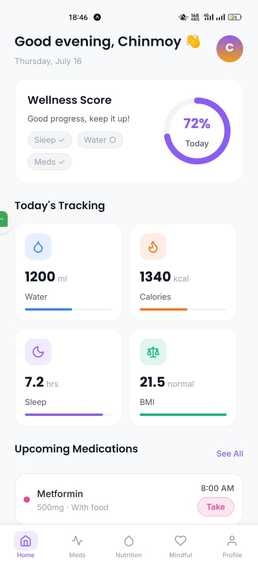
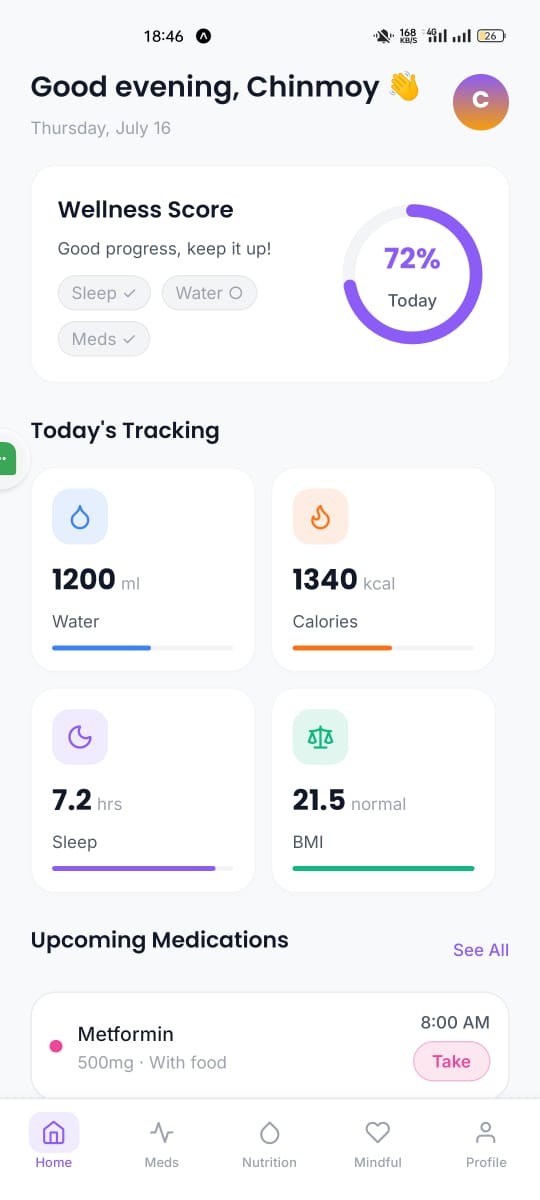
App Dashboard
Step-by-Step Guide: Testing with Expo Go
Expo Go is a sandboxed environment that allows you to quickly run and test your React Native application on a physical device without needing to configure native build environments like Android Studio or Xcode.
Prerequisites A mobile device (Android or iOS). A computer with Node.js installed. Both the computer and the mobile device must be connected to the same Wi-Fi network.
Step-by-Step Instructions
Step 1: Install Expo Go on your mobile device Download and install the Expo Go application from your device's app store:
iOS: Apple App Store Android: Google Play Store Step 2: Start the Development Server On your computer, open a terminal, navigate to your project directory, and start the Expo server by running:
bash
npx expo start
This command will start the Metro bundler and display a large QR code in your terminal. (I can see this is already running in your terminal!)
Step 3: Scan the QR Code Depending on your mobile operating system, use the following method to scan the QR code generated in the terminal:
Android: Open the Expo Go app and tap on "Scan QR Code" from the Home tab. Point your camera at the terminal. iOS: Open the built-in iOS Camera app and point it at the QR code in your terminal. A prompt will appear at the top of the screen; tap it to open the project in Expo Go. Step 4: Wait for the Bundle to Load Once scanned, the Expo Go app will begin downloading and building the JavaScript bundle for your application. You will see a loading screen with a percentage indicator at the bottom.
Step 5: Begin Testing After the bundle reaches 100%, your app will render on the device. Any changes you make and save in your code editor will automatically trigger a Fast Refresh, instantly updating the UI on your mobile device.
What it does Healix is a comprehensive, all-in-one health tracking mobile application. It empowers users to take control of their well-being by providing intuitive logging for:
Medications & Reminders: Keep track of prescriptions and get timely reminders so you never miss a dose. Sleep Quality: Log sleep duration and quality to understand rest patterns. Mood & Stress: Daily check-ins for emotional well-being, complete with journal entries. Hydration & Nutrition: Monitor water intake and daily calorie consumption against personalized goals. Exercise: Record workouts, sets, reps, and active minutes. Daily Scheduling: Organize health-related activities and routines into a manageable schedule. By consolidating these metrics, Healix provides users with a centralized dashboard to understand their body and mind better.
How we built it Healix is built with a modern, robust, and scalable tech stack:
Frontend: Developed using React Native and Expo, ensuring a smooth, native-like experience across both iOS and Android platforms from a single codebase. State Management & Data Fetching: Powered by Zustand for lightweight global state and React Query for seamless data fetching, caching, and synchronization. Backend & Database: We utilized Supabase (built on PostgreSQL) for secure authentication, real-time database capabilities, and Row Level Security (RLS) to ensure user data remains private and secure. UI/UX & Animations: Designed with beautiful typography (Inter and Poppins fonts), interactive icons via Lucide, and fluid micro-animations powered by Reanimated and Moti. Data Visualization: Integrated Victory Native to render insightful charts and graphs for tracking progress over time. Challenges we ran into One of the main challenges was designing a unified user interface that could handle diverse types of data—from simple water logs to complex medication schedules—without overwhelming the user. Ensuring that the app remains performant while rendering charts and handling complex state synchronization between the offline-first local state and the Supabase backend was also a significant hurdle.
Accomplishments that we're proud of We are incredibly proud of the seamless integration between the frontend and Supabase, particularly the implementation of secure data access through Row Level Security (RLS). We also successfully created a beautiful, engaging user interface that encourages users to log their daily metrics without feeling like a chore. The smooth animations and intuitive navigation make Healix a joy to use.
What we learned Throughout the development of Healix, we deepened our understanding of React Native's performance optimization techniques. We learned how to effectively structure complex relational databases in PostgreSQL/Supabase to handle diverse health metrics efficiently. Additionally, we gained valuable experience in crafting inclusive and accessible mobile interfaces.
What's next for Healix We plan to introduce advanced analytics using machine learning to provide users with personalized insights—such as correlating sleep quality with mood or exercise. We also aim to integrate with wearable devices (like Apple Health and Google Fit) for automatic data syncing, and add a social or community feature for shared challenges and support.


Log in or sign up for Devpost to join the conversation.