About Our Project: The Personal Health Navigator
Inspiration: Why We Built This
The core inspiration for the Personal Health Navigator app arose from recognizing common points of anxiety and friction in managing personal health: uncertainty about symptoms and confusion regarding complex prescriptions.
We realized that many people face two critical challenges:
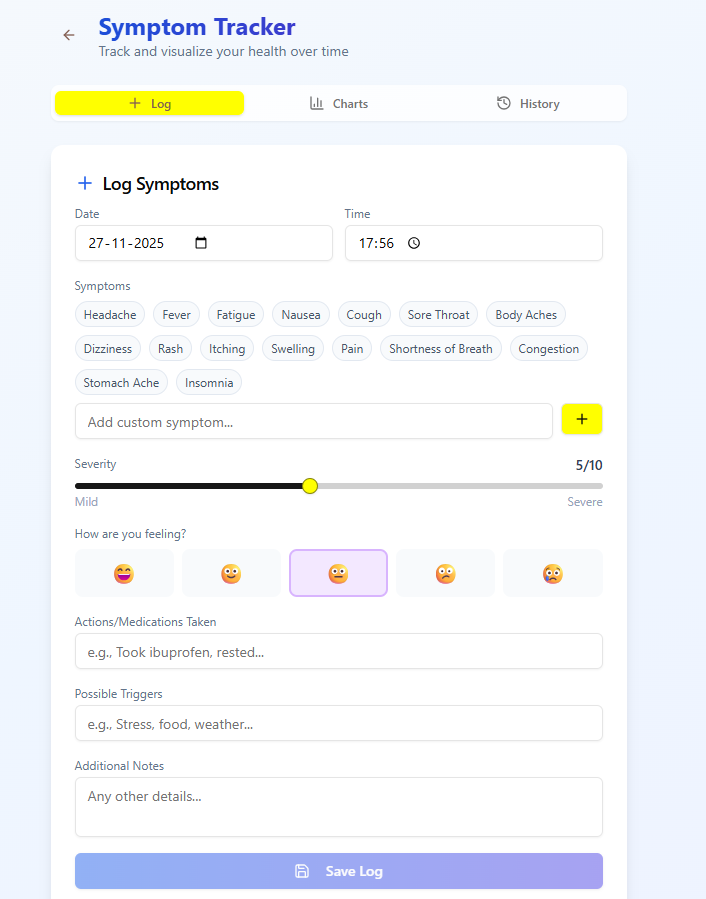
Symptom Anxiety: When a new symptom appears, finding reliable, immediate guidance often involves sifting through overwhelming online information or waiting for a doctor's appointment. We wanted to bridge that gap with fast, reliable, and grounded insights.
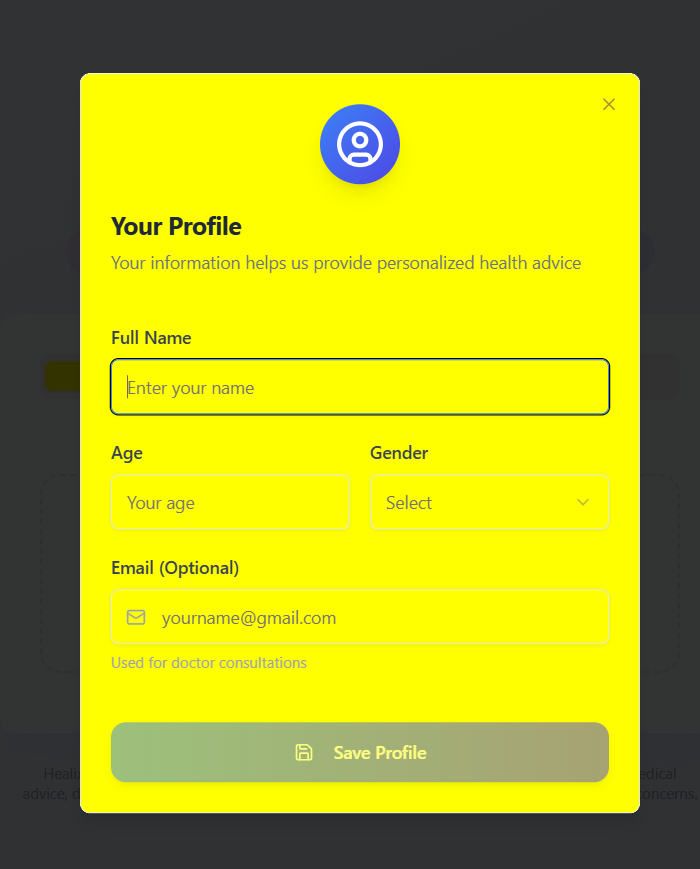
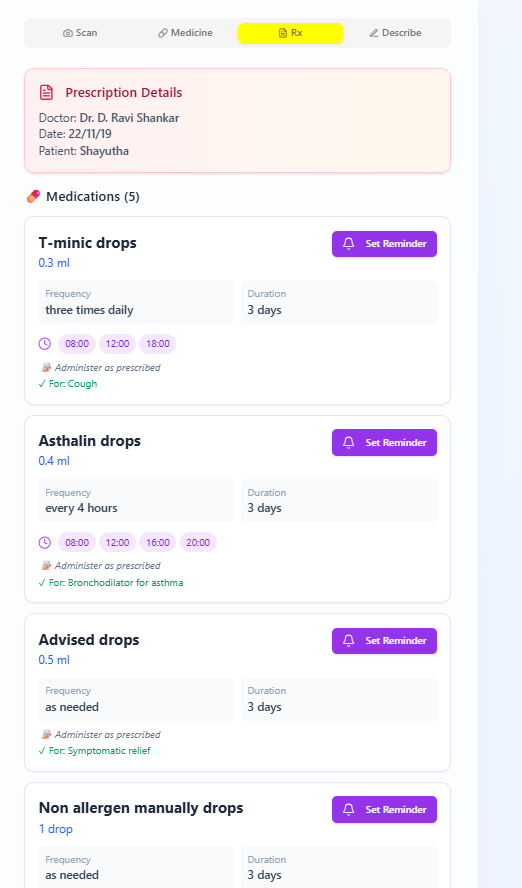
Medication Non-Adherence: Prescription slips are often handwritten or filled with jargon, leading to errors in dosage, timing, or duration. Missing a dose or taking a tablet incorrectly compromises recovery. We aimed to create a solution that translates cryptic medical instructions into crystal-clear, actionable steps, ensuring patients know what to take and when to take it, complete with mandatory reminders.
Our mission became simple: democratize access to timely health information and radically simplify medication management, making healthcare a proactive, less stressful experience.
Building the Navigator: Technology and Implementation
This project required integrating several powerful technologies to handle image processing, large language models (LLMs), and persistent data management.
Key Technological Components:
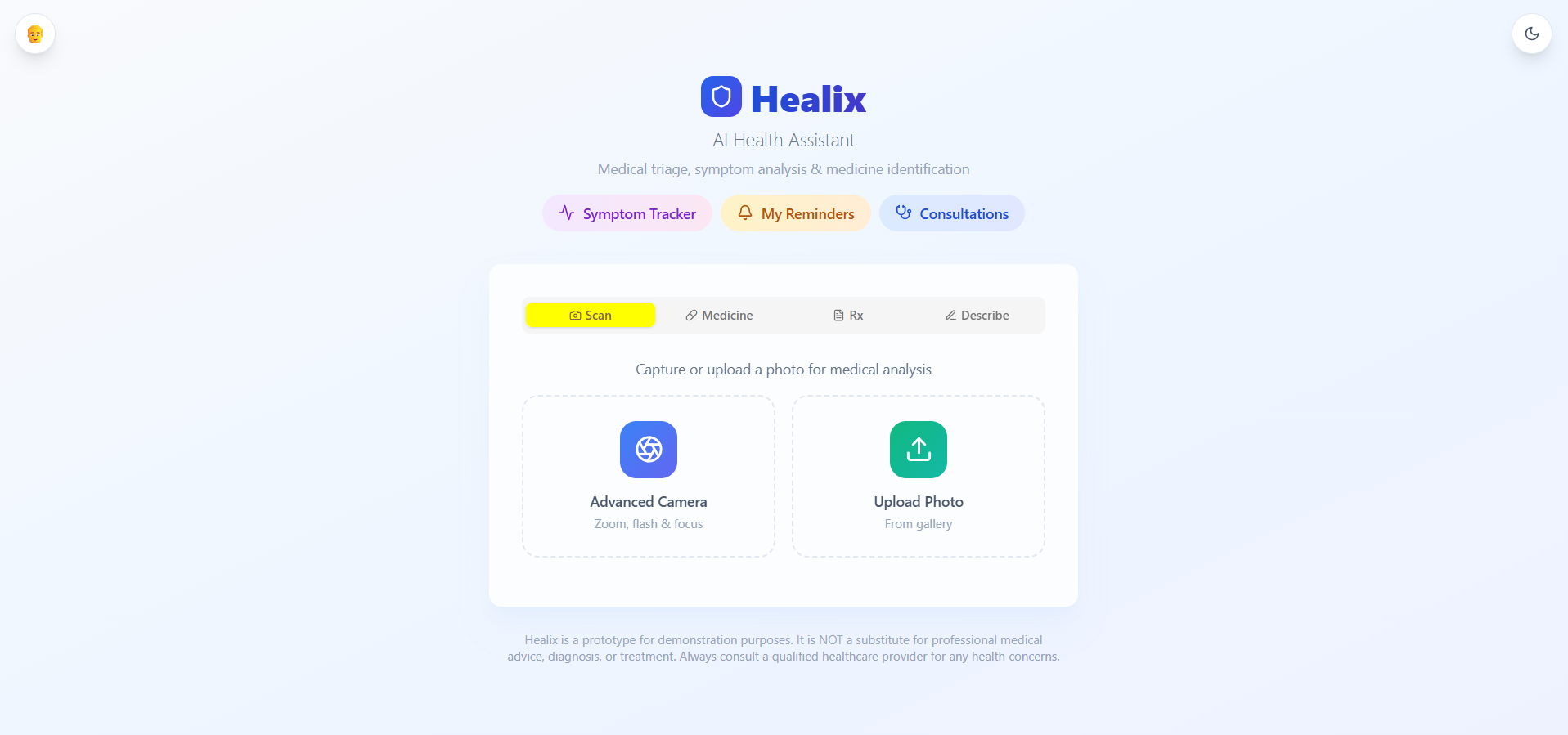
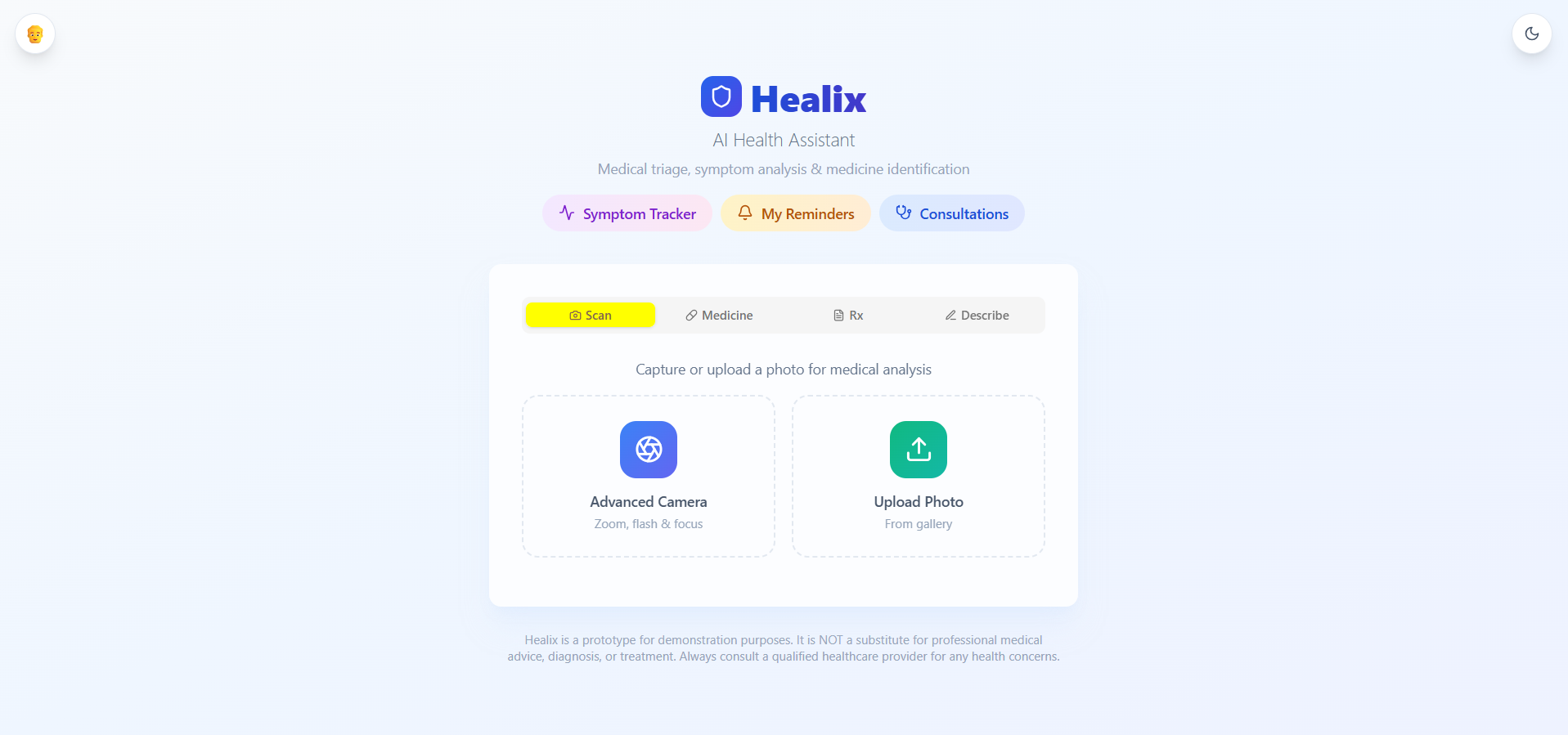
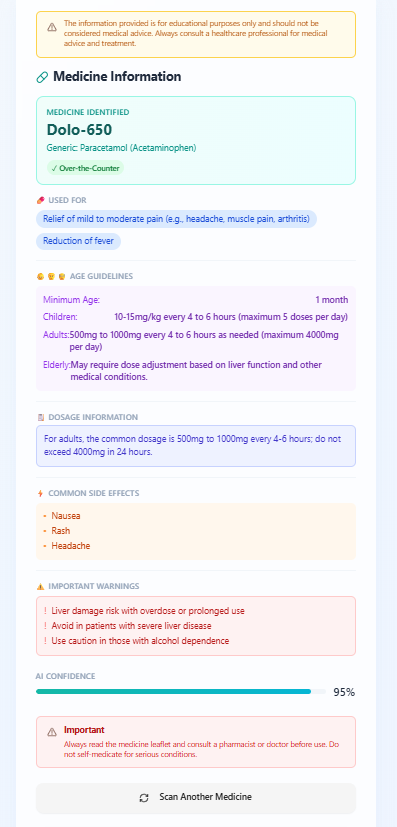
Image Analysis (Computer Vision & LLMs): The functionality to scan a photo of a skin condition (for diagnosis) or a prescription slip (for interpretation) is powered by the Gemini API (gemini-2.5-flash-preview-09-2025). We leveraged its multi-modal capabilities:
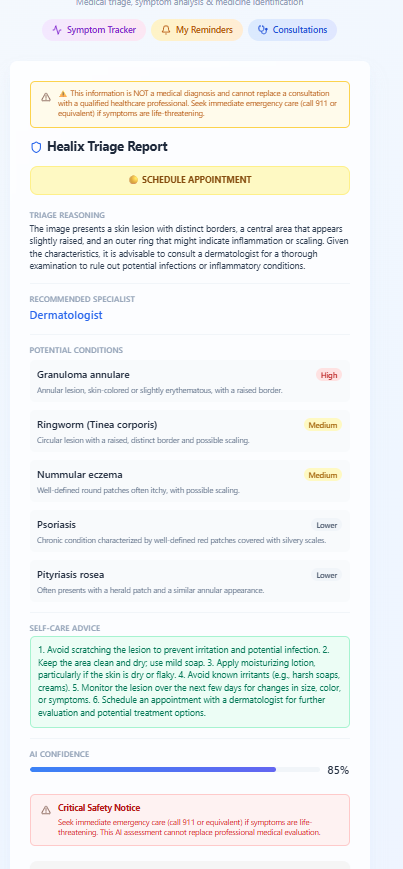
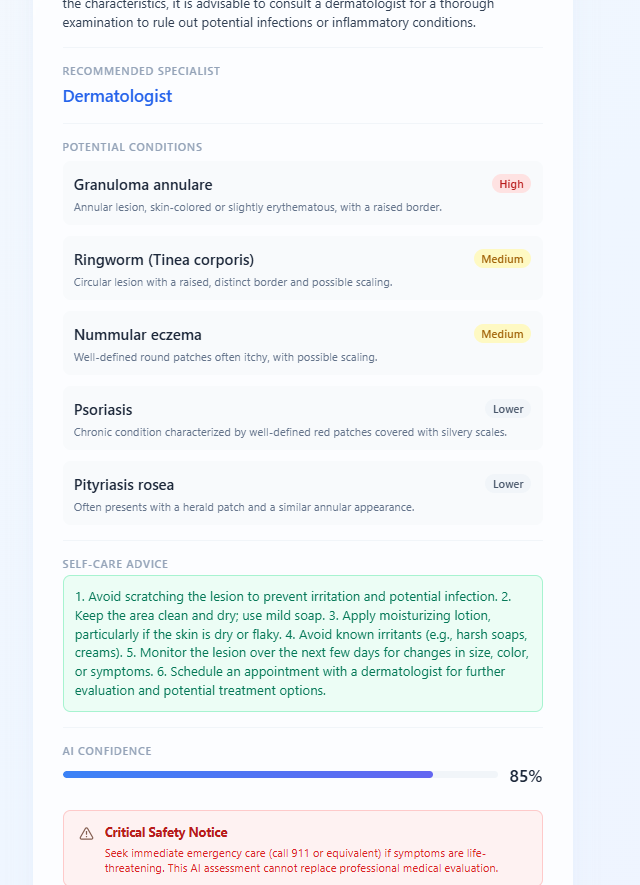
Symptom/Disease Analysis: By passing the image of the affected area and a textual query to the LLM, the model provides a preliminary assessment and recommends the appropriate specialist (e.g., Dermatologist, General Practitioner).
Prescription Interpretation: The app captures the prescription image and uses the model to extract and structure critical data points like drug name, dosage ($\text{mg}/\text{mL}$), frequency, and duration.
Data Persistence and User Management: All user data, including stored prescriptions, consultation history, and reminder schedules, is securely managed using Google Firestore. This ensures data integrity, real-time sync across devices, and secure, personalized storage following the structure: /artifacts/{appId}/users/{userId}/....
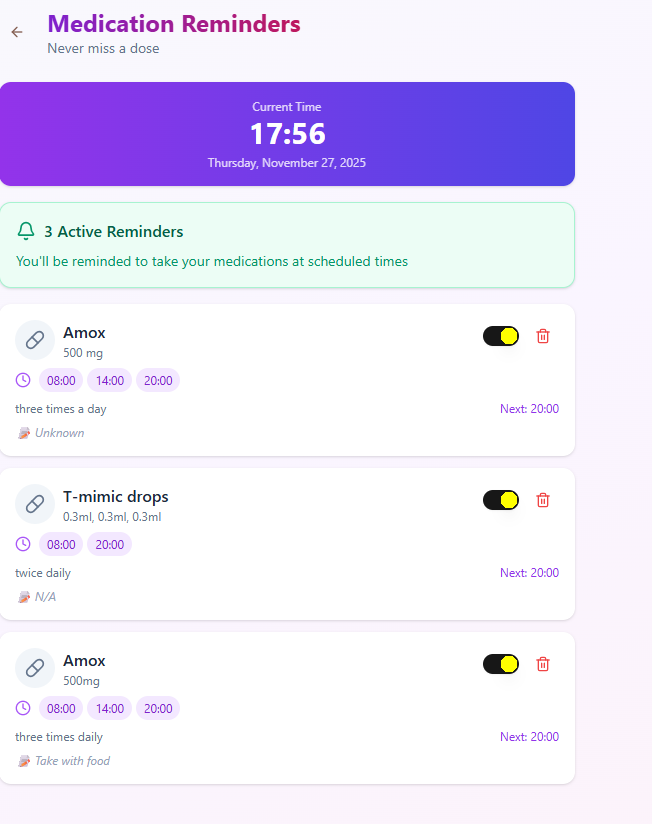
Reminder System: The parsed medication schedules trigger a persistent, time-based reminder system to notify the user exactly when to take their medicine.
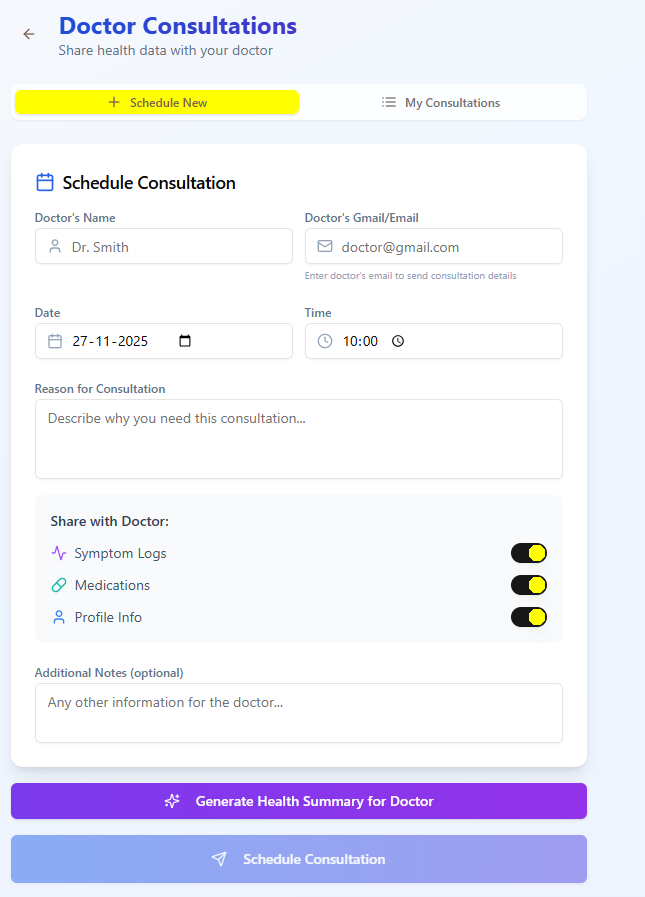
Doctor Consultation Integration: We created a simplified interface for initiating a consultation, routing the user's initial analysis and prescription history to a simulated doctor (or external consultation service).
Lessons Learned
The journey of building this app provided invaluable lessons in technical implementation and user experience design:
The Power of Structured Output: We learned that accurate prescription parsing requires more than just generating text. We implemented structured JSON output schemas in the LLM calls to force the model to return medication data (e.g., dosage, time, pillName) in a reliable, machine-readable format, significantly improving the accuracy of the reminder system.
Handling Ambiguity: Medical input is inherently ambiguous (bad handwriting, poor photo quality). We had to implement robust error handling and confidence scoring mechanisms to flag uncertain results and prompt the user for clarification, prioritizing safety over instant, unverified answers.
Real-Time Data is Key: Utilizing Firestore's real-time listeners (onSnapshot) was crucial. It ensured that if a user updated a prescription on one device, the medication reminders updated immediately on all devices, which is non-negotiable for critical health applications.
Challenges Faced
Several challenges tested our approach during development:
API Latency for Image Processing: Initial image for diagnosis and parsing were slow. We implemented aggressive caching and asynchronous loading indicators to manage user expectations, ensuring the app felt responsive even during complex LLM processing.
Security and Privacy: Handling sensitive health data (personal photos, prescriptions) required rigorous attention to security. We ensured all data was secured under the user's authenticated ID (userId) and strictly adhered to the security rules of our Firestore database.
OCR vs. Contextual Understanding: While standard Optical Character Recognition (OCR) could read the words on a prescription, only the multi-modal LLM could truly understand the context (e.g., realizing "TDS" meant "three times a day" and translating that into specific reminder times). Fine-tuning the LLM prompt to prioritize medical terminology and time-based interpretation was a continuous challenge.
Interface for Complex Scheduling: Designing a simple UI for setting up complex medication schedules (e.g., "Take twice a day for 5 days, then once a day for 7 days") was tricky. We opted for a visual, step-by-step wizard guided by the parsed prescription data to simplify the process for the user.
Built With
- base44
- cnns
- css
- gemini
- html
- javascript


Log in or sign up for Devpost to join the conversation.