-
-
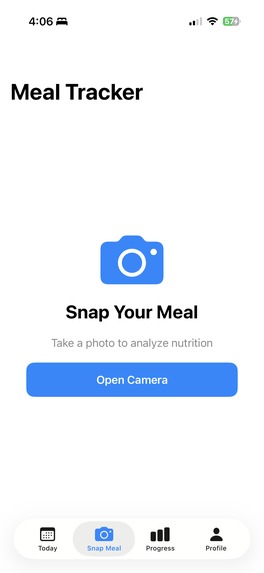
Snap Meal Function
-
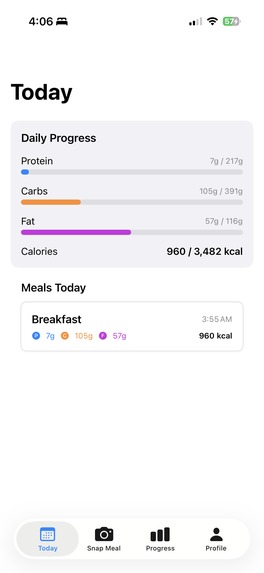
Today's Meal Record
-
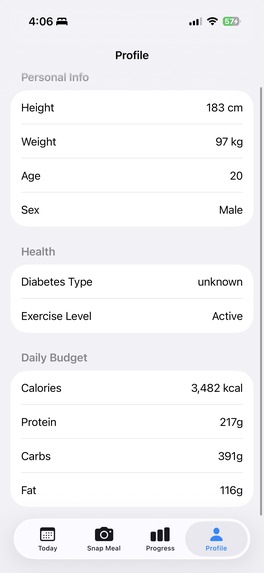
Profile
-
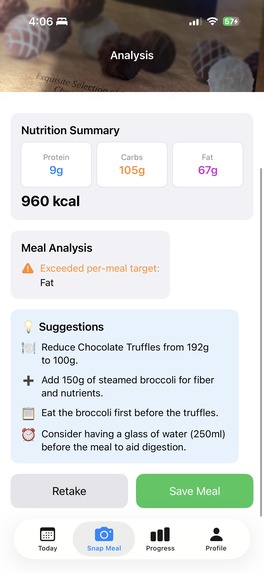
Meal Analysis 2
-
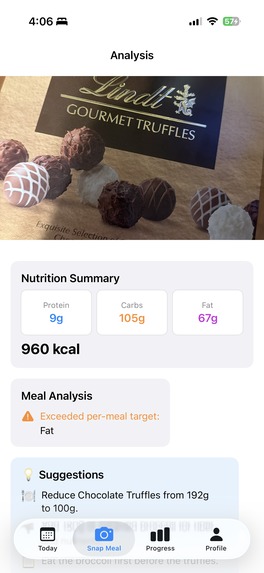
Meal Analysis
-
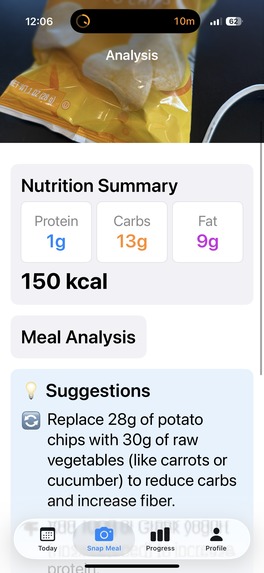
Larger Text
-
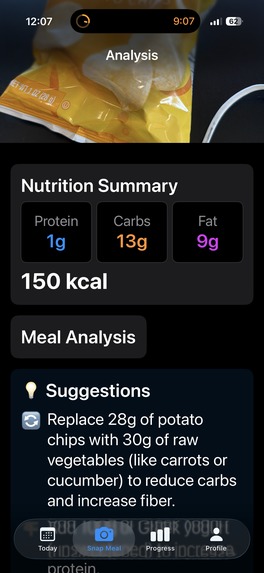
Automatic Dark Mode


Inspiration
Managing diabetes requires constant attention to nutrition—counting carbs, tracking macros, and making split-second meal decisions. Traditional food tracking apps require tedious manual entry, making them impractical for daily use. I wanted to create something effortless: just snap a photo and let AI do the rest.
What it does
Heal is an AI-powered nutrition assistant specifically designed for people with diabetes:
Personalized Profile: During registration, the app calculates your daily calorie and macro targets using the Mifflin-St Jeor equation based on your height, weight, age, activity level, and diabetes type (T1D/T2D).
Photo-Based Tracking: Take a photo of your meal, and GPT-4o vision analyzes it to identify foods, estimate portions, and calculate macros (protein, carbs, fat, calories).
Real-Time Feedback: Instantly compare your meal against per-meal and daily targets, with visual progress bars showing how you're tracking.
Actionable Suggestions: GPT-4o-mini generates specific, implementable tips like "reduce rice by 50g" or "add 100g steamed vegetables."
Daily Insights: At the end of each day, receive a summary of your eating patterns and 3-4 focus points for tomorrow.
The goal: zero manual tracking, maximum health impact.
UI/UX Excellence Highlights
Apple-Native Design Language
- Dynamic Type Support: Full integration with iOS Dynamic Type—users can adjust font sizes from 12pt to 34pt+ for perfect readability
- Automatic Dark Mode: Seamless system-wide dark/light mode switching that adapts to user preferences and time of day
- SF Symbols Integration: Native Apple iconography for consistent, familiar visual language
- Haptic Feedback: Subtle vibrations that provide tactile confirmation for important actions
One-Tap Photo Analysis
- Seamless Camera Integration: Full-screen camera experience with instant photo capture
- Smart Visual Feedback: Real-time macro breakdown with beautiful, easy-to-read progress bars
- Intuitive Gestures: Swipe to dismiss, tap to retake—natural mobile interactions
Intelligent Data Visualization
- Color-Coded Progress Bars: Green (on track), yellow (approaching limit), red (exceeded)
- Adaptive Dark Mode: Perfect contrast and readability in any lighting condition
- Micro-Interactions: Smooth animations that provide immediate visual feedback
AI-Powered Smart Suggestions
- Contextual Recommendations: "Add 1/2 cup of vegetables" instead of generic advice
- Visual Portion Guidance: "Remove 2 slices of bread" with clear visual indicators
- Personalized Insights: Tailored to individual diabetes type (T1D vs T2D)
How we built it
Architecture
Backend (Python/FastAPI):
- Modular design with separation of concerns (routes → handlers → services)
- OpenAI GPT-4o for vision-based food analysis
- OpenAI GPT-4o-mini for text generation (comparisons, suggestions, summaries)
- Structured JSON outputs using OpenAI's schema validation
- Pydantic for type-safe request/response validation
iOS App (Swift/SwiftUI):
- Native camera integration for seamless photo capture
- MVVM-inspired architecture with
@Publishedreactive state - URLSession for async networking
- Custom JSON decoders with
CodingKeysfor Python ↔ Swift compatibility - Dark mode support and adaptive UI
Challenges we ran into
iOS Multipart Upload: FastAPI wasn't receiving images from iOS's
URLSession. Solved by debugging with test endpoints and manually parsingrequest.form()to identify field names.JSON Decoding Mismatches: Python's
snake_casevs Swift'scamelCaserequired customCodingKeysfor every struct. One missing mapping caused silent failures.
Accomplishments that we're proud of
End-to-End AI Integration: Successfully integrated GPT-4o vision for food analysis and GPT-4o-mini for intelligent suggestions, creating a truly automated nutrition tracking experience.
Robust Error Handling: Debugged and solved complex iOS ↔ FastAPI multipart upload issues, JSON decoding mismatches, and OpenAI schema validation errors.
Production-Ready Architecture: Clean modular backend (7 files) and iOS app (11 files) with proper separation of concerns, making it easy to maintain and extend.
Dark Mode Native: Properly implemented adaptive colors and layouts that work seamlessly in both light and dark modes.
Real Device Testing: Got the app working on actual iPhone with camera, network debugging, and real-world photo analysis—not just simulator testing.


Log in or sign up for Devpost to join the conversation.