-
-
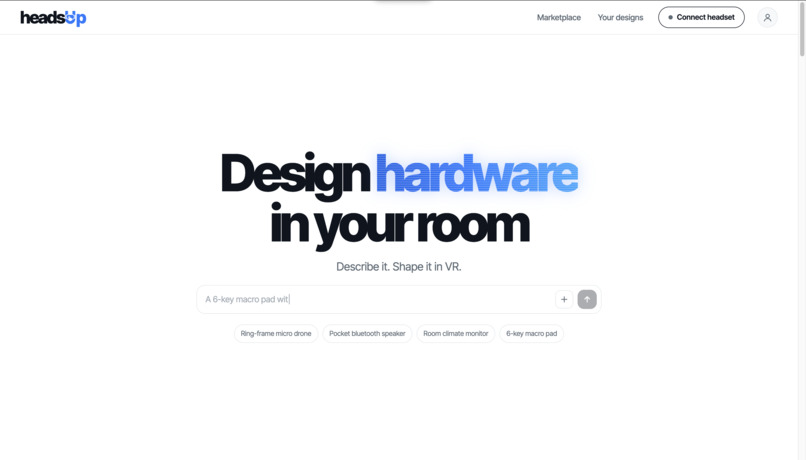
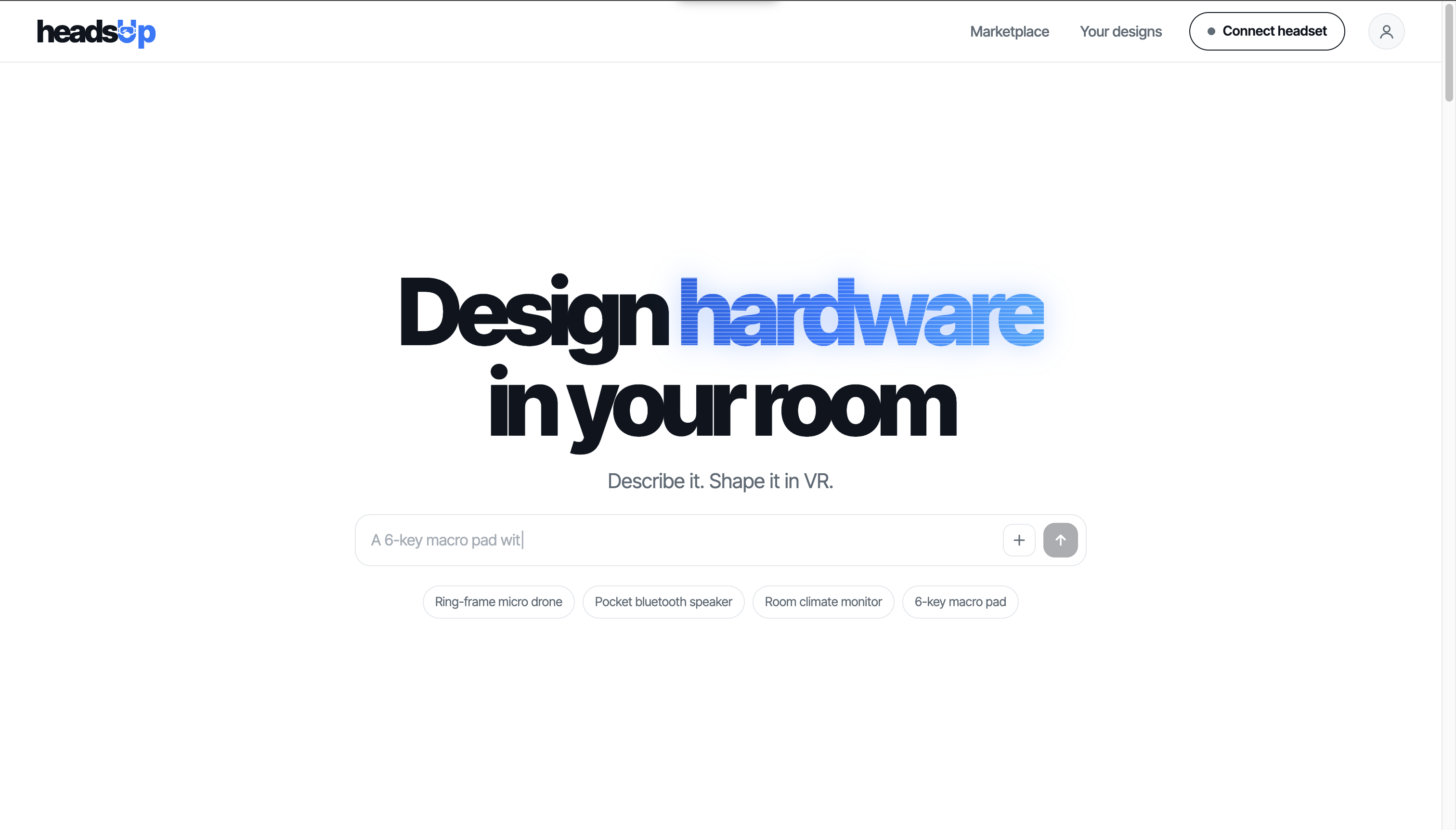
Enter you imagination
-
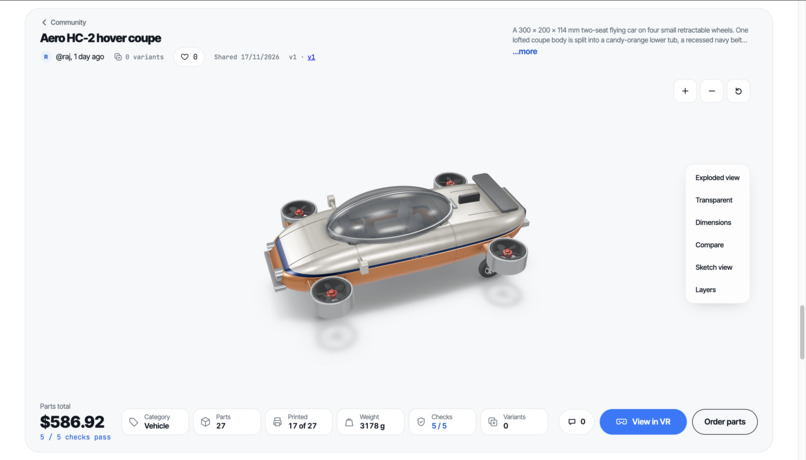
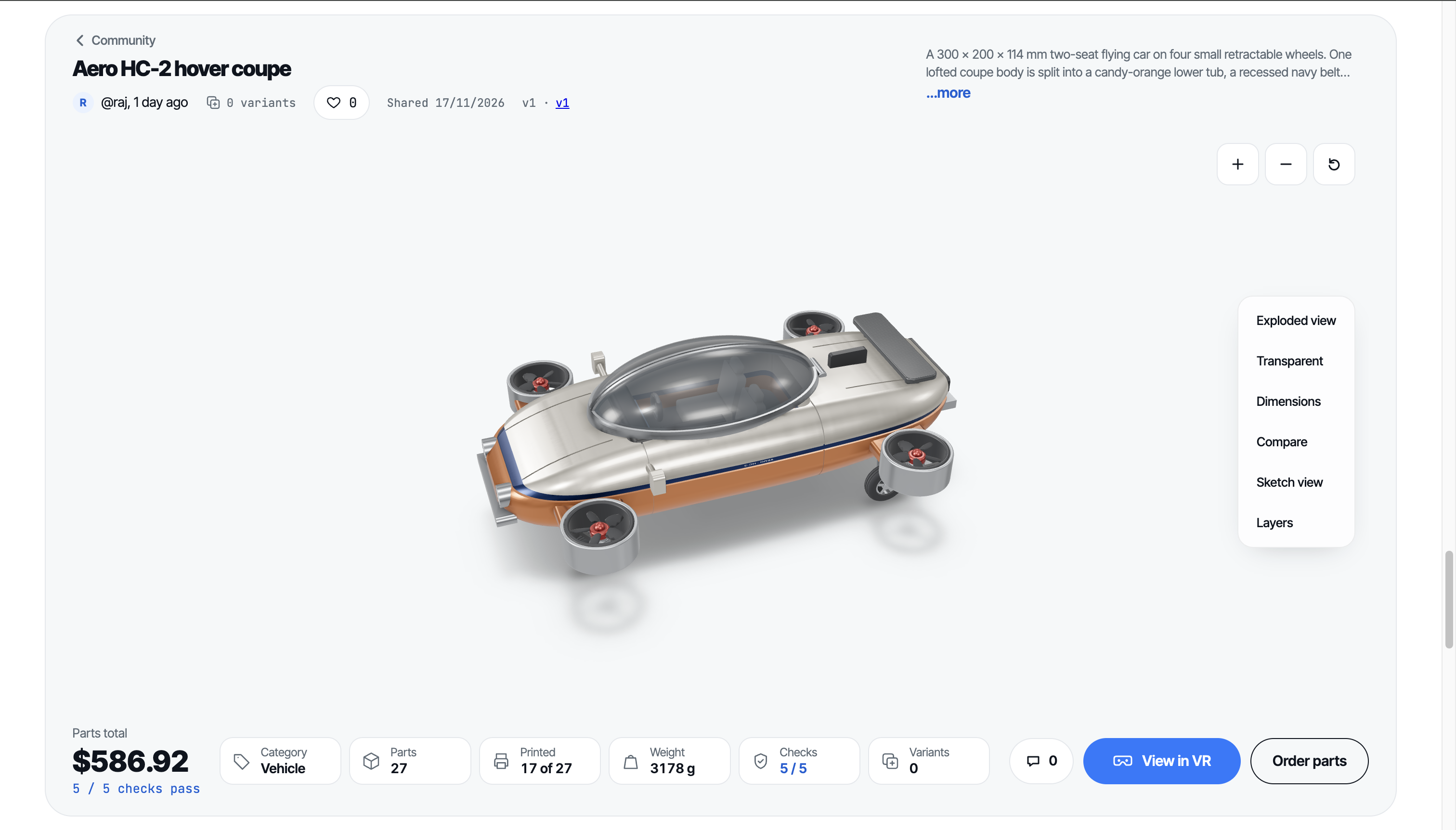
Generated 3d model
-
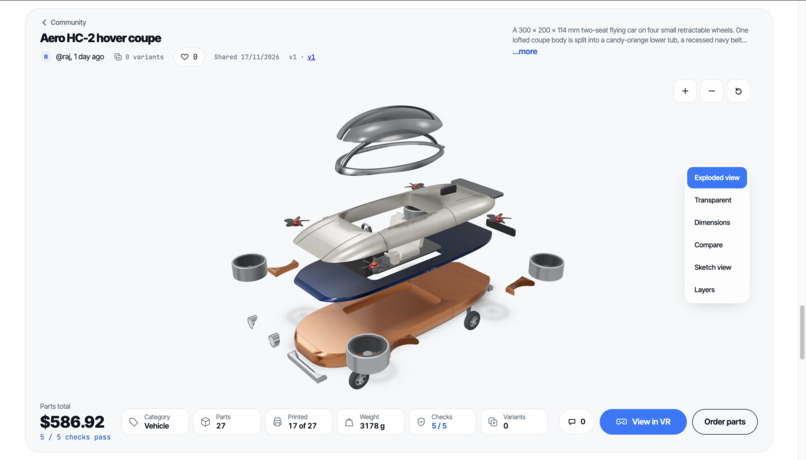
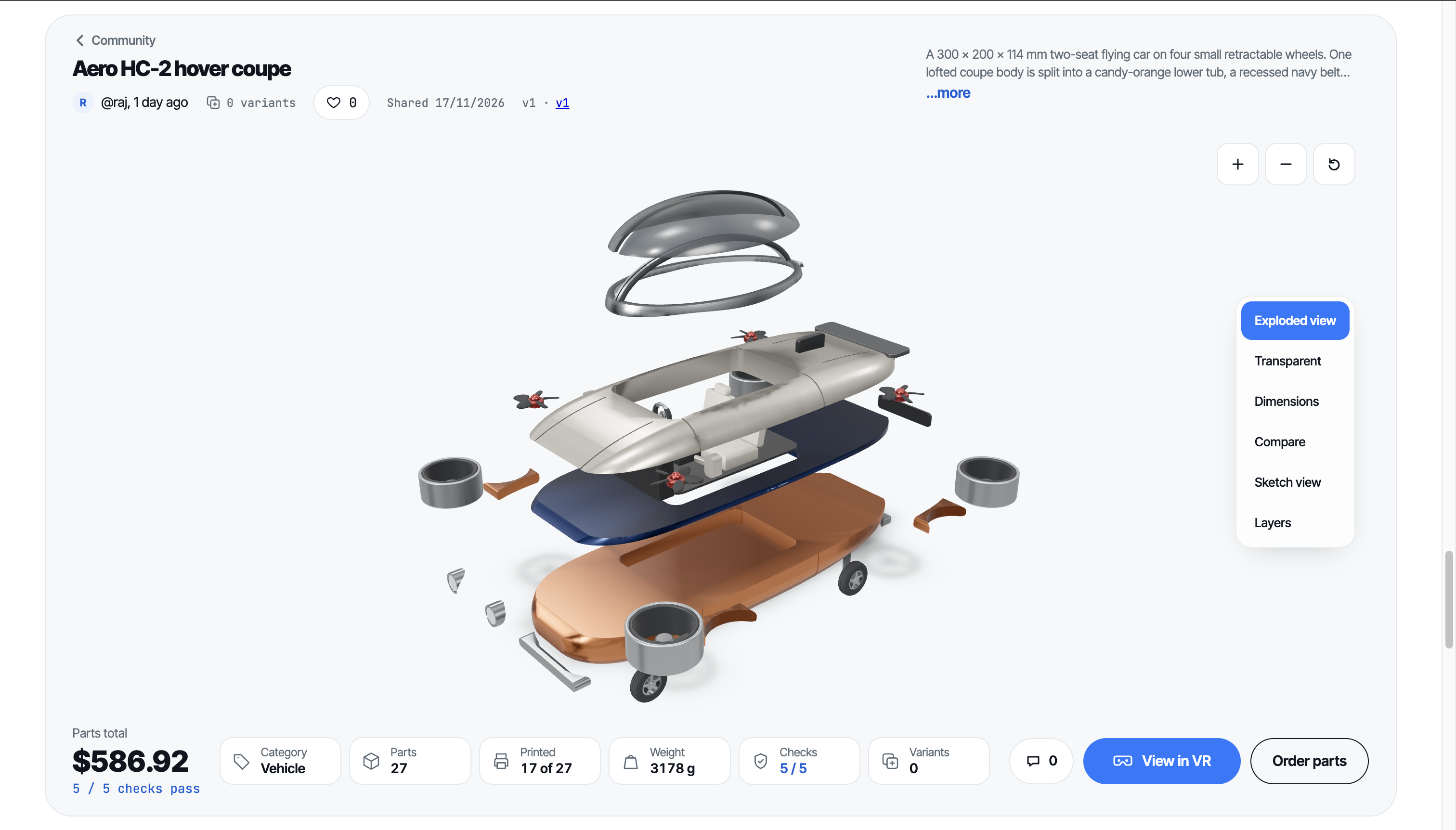
Exploded view
-
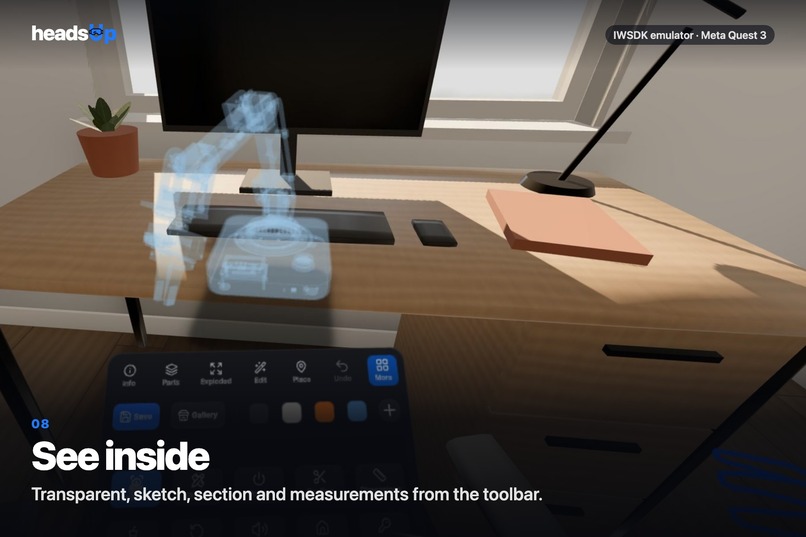
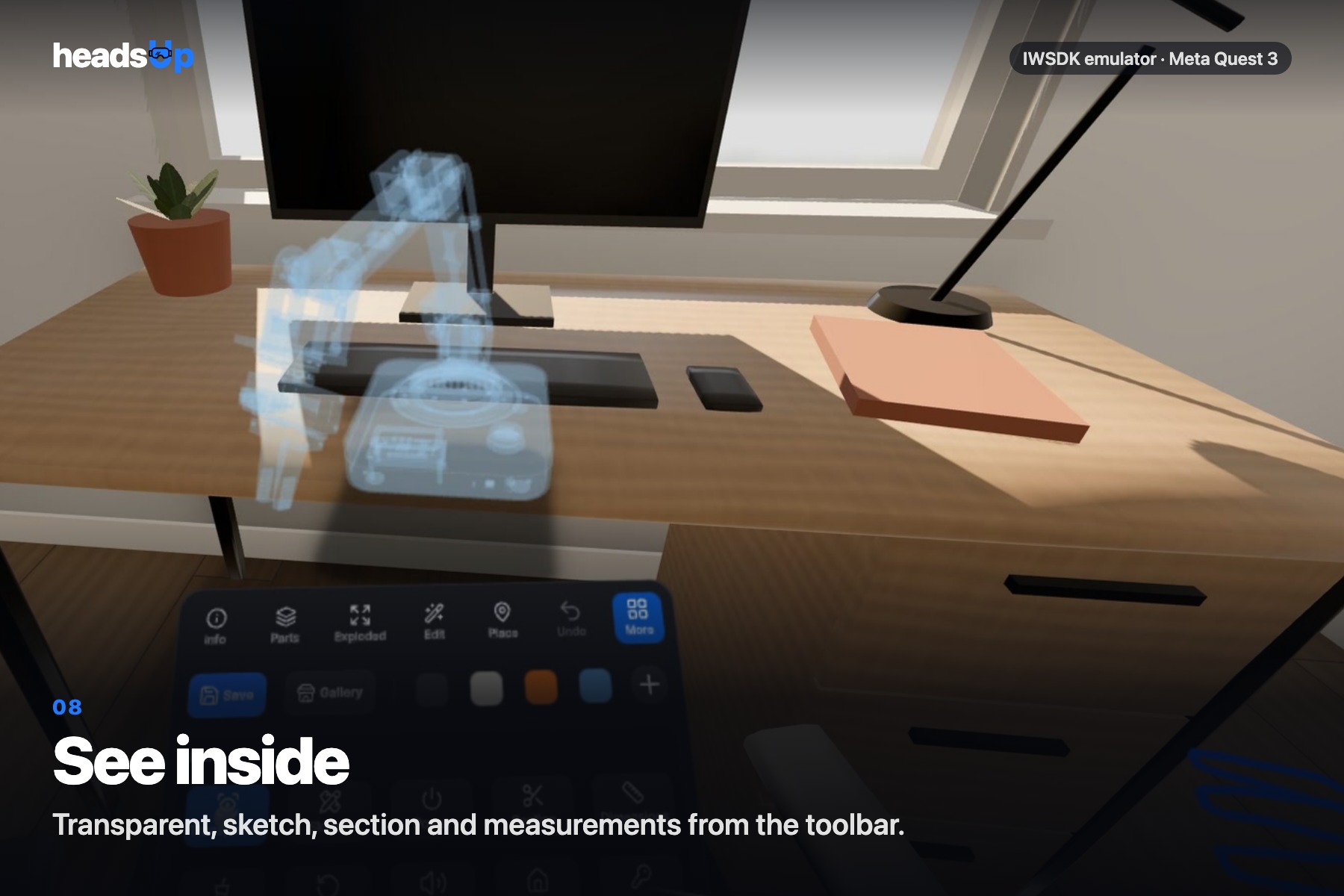
Transparent Mode
-
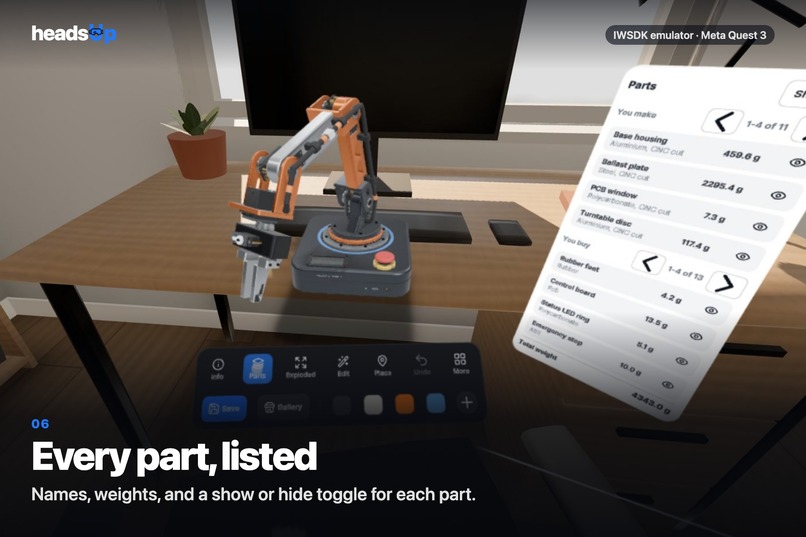
Edit inside VR
-
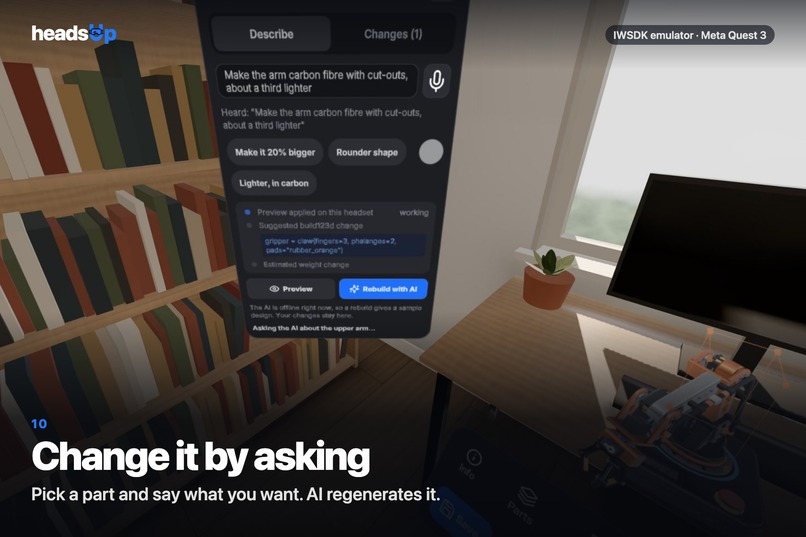
Rebuild using AI
-
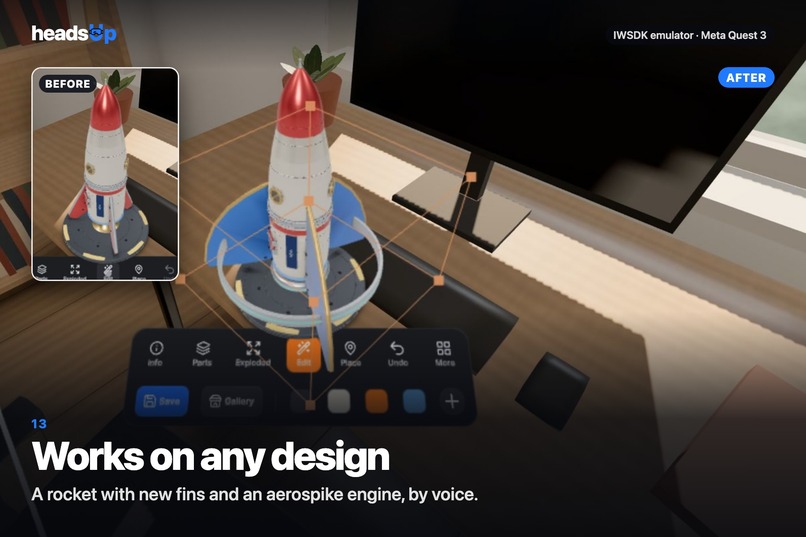
Verify updated design
-
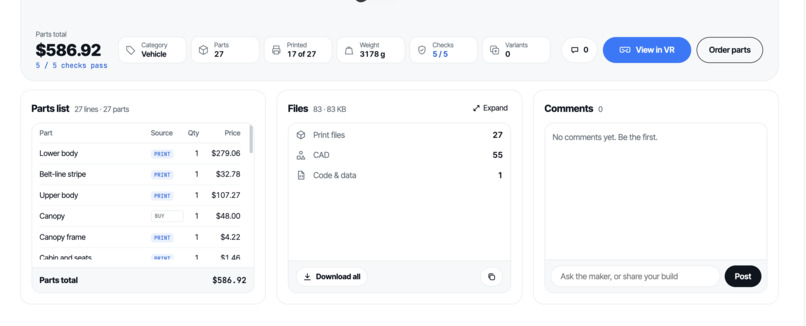
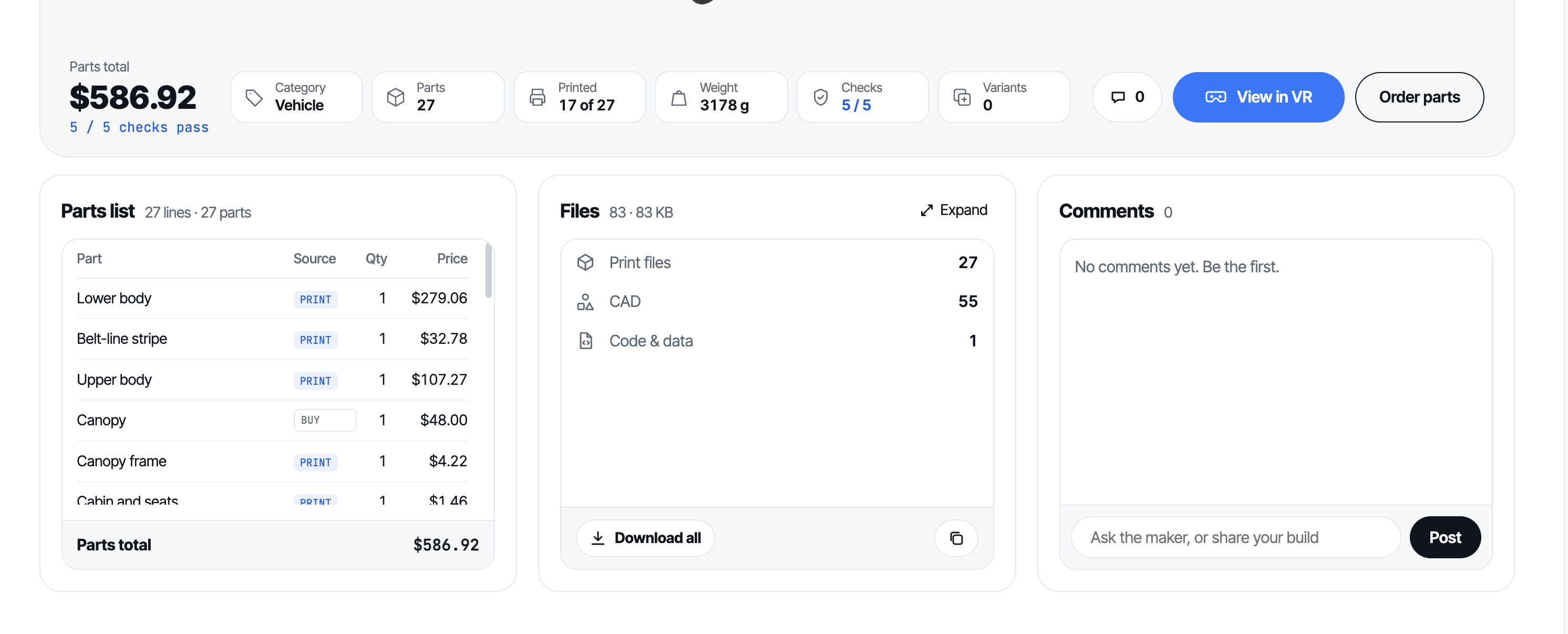
Order parts, download artifacts, publish in marketplace and create variants
Inspiration
Anyone who has built hardware knows the frustration: you assemble a product only to discover that the battery doesn't fit, the frame is too weak, or the final dimensions are completely different from what you imagined.
Traditional screens make it difficult to understand how a design will exist in the physical world. CAD software solves this, but comes with a steep learning curve and requires considerable time and expertise.
We wanted to change that.
What if you could describe an idea, see it take shape, and explore it at its actual size before building anything?
That vision led to headsUp, a hands-first mixed-reality design studio that transforms natural-language ideas into interactive, real-scale product designs on Meta Quest.
What it does
headsUp provides an end-to-end workflow, from an initial idea to an interactive, modifiable product design.
Idea to CAD: Describe a product on the website, such as "a compact drone with a ring frame." Gemini converts the description into a structured design using dimensioned CAD components, with build steps presented in plain language.
Community marketplace: Discover designs across five product categories, explore creations, like and comment, or create remixes of existing designs.
Send to Quest: Transfer your design from the website to your headset with a single action.
Place in your room: Using plane detection and hit testing, headsUp identifies real surfaces and places designs at their intended physical scale. If no surface is detected, point and pinch to place manually.
Hands-first interaction: No controllers required. Pinch to grab and move, use both hands to rotate and resize, point and touch to select components, and access tools through the toolbar beneath the design.
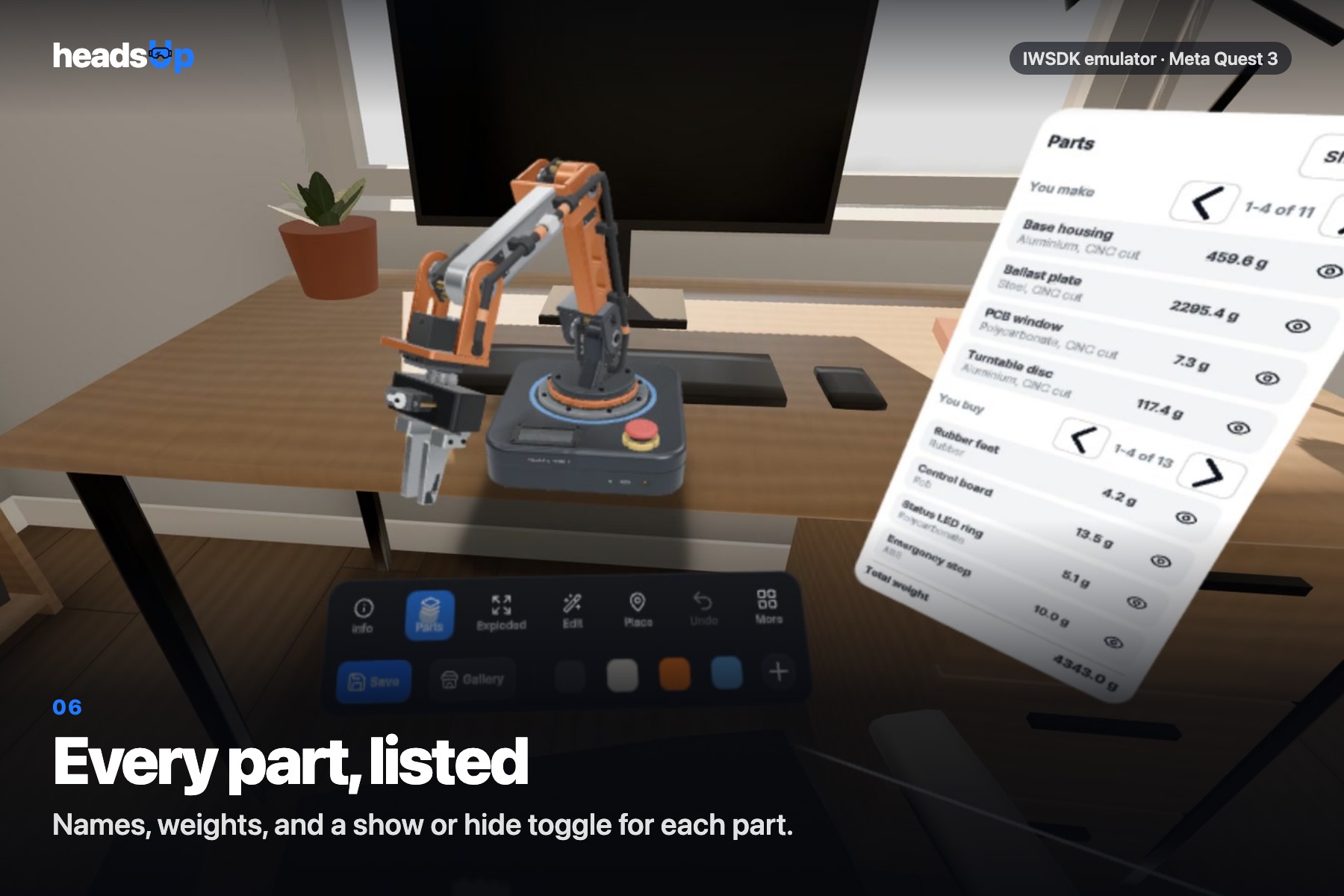
Explore internal structures: Use exploded view, X-ray, section views and millimetre measurements to inspect individual components and understand the product's construction.
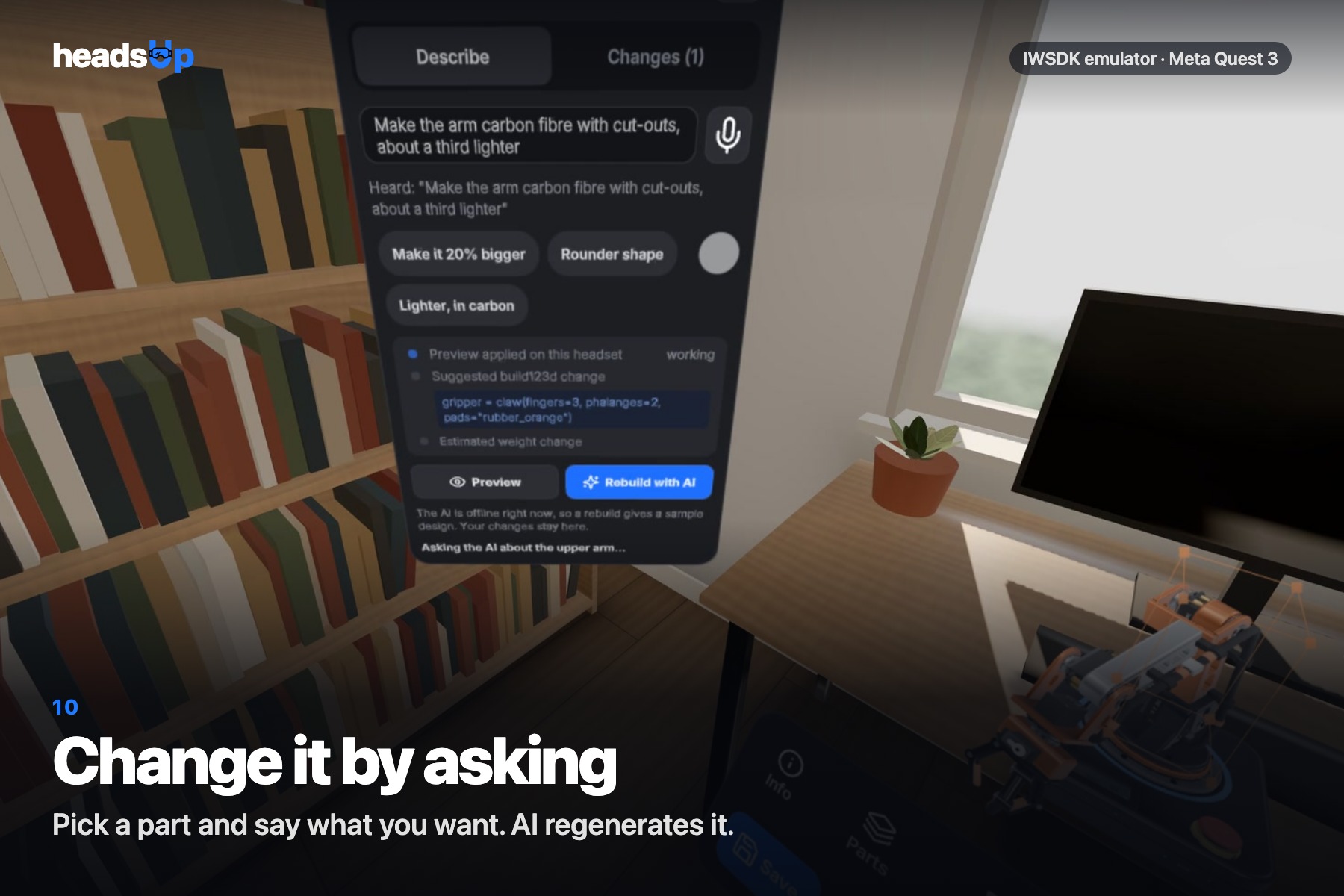
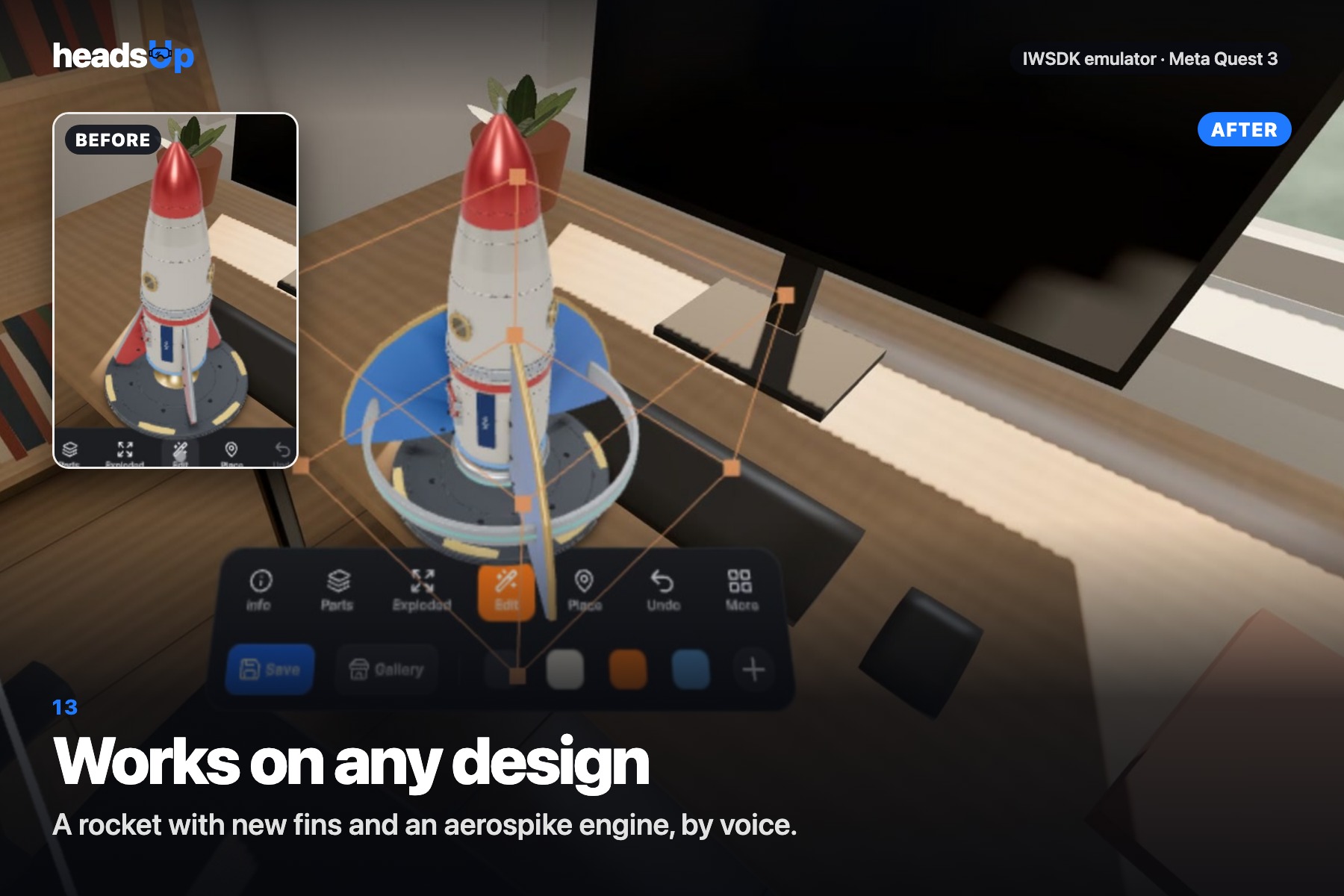
AI-powered modifications: Select a component and request changes through voice or text, such as "make the protective guard thicker." AI regenerates the selected part.
Engineering checks: Evaluate component fit, collisions, estimated weight and cost, with flight-time estimation for drone designs.
Version and share: Create variants, maintain versions, publish under a community nickname, and export printable files for complete designs or individual components.
Spatial persistence: Spatial anchors help keep designs associated with their original locations, allowing users to return to their workspace.
How we built it
In the headset — WebXR
- IWSDK + Three.js: Entity-component-system architecture with independent systems for placement, gestures, UI, sound and onboarding.
- Spatial computing: WebXR passthrough, plane detection, hit testing and anchors for real-world placement and persistence.
- Hand tracking: Custom pinch, poke and two-hand gestures, with interaction safeguards and grab feedback.
- Spatial UI: UIKit (
@pmndrs/uikit) with a Horizon-inspired interface and contextual toolbar. - Voice and onboarding: Browser speech recognition, text fallback, interactive gesture tutorials and audio feedback.
Backend — AI-powered CAD
- Python + FastAPI: Design-generation service deployed on Google Cloud Run.
- Gemini + Vertex AI: Converts natural-language prompts into build123d CAD scripts.
- build123d + trimesh: Generates dimensioned components, processes geometry and supports mesh and CAD exports.
- Execution and reliability: Sandboxed CAD execution, geometry checks, failure recovery and model fallbacks.
- Supabase + Google Cloud Storage: Authentication, catalog, version management and model storage.
- Vercel: Hosts the website and headset application.
Testing
Used IWER, IWSDK's browser-based Quest 3 emulator, with automated scripts simulating hand poses, gestures and room geometry. Unit tests cover gesture recognition and placement logic.
Challenges we ran into
- Generating buildable geometry: Making AI produce dimensioned CAD components instead of visual-only meshes, while handling invalid scripts and geometry failures.
- Reliable hand interactions: Managing noisy gestures, accidental touches and conflicts between selection, poking and two-hand manipulation.
- Real-world placement: Combining plane detection, hit testing and spatial anchors to make designs feel naturally positioned in physical spaces.
- Spatial UI constraints: Keeping essential tools accessible within the headset's limited field of view.
- Hardware-independent testing: Using IWER and automated XR simulations while accounting for behaviours that can only be validated on a real headset.
Accomplishments we're proud of
- Built an end-to-end workflow from a natural-language idea to an interactive CAD design in mixed reality.
- Created a controller-free experience using custom hand tracking and spatial UI.
- Enabled AI-generated, dimensioned CAD components rather than just visual 3D meshes.
- Integrated web-based creation with Meta Quest exploration and modification.
- Implemented spatial placement, internal inspection tools, AI-powered editing and manufacturing-oriented exports.
- Established automated XR testing using IWER.
What we learned
- True scale changes everything: Seeing a product beside everyday objects communicates proportions better than a conventional screen.
- Natural interaction needs forgiveness: Reliable hand interfaces require careful handling of accidental gestures and clear feedback.
- Code-generated geometry is powerful: AI-generated CAD scripts provide a foundation for editable, dimensioned and manufacturing-oriented designs.
- Emulation has limits: Automated testing accelerates development, but real hardware is essential for validating the experience.
What's next for headsUp
Our vision is to make physical product design accessible to anyone with an idea, while bridging the gap between digital design and physical creation.
Our next priorities include:
- Component purchasing: Link individual CAD components to compatible products and vendors, allowing users to purchase the actual parts used in their designs.
- Multiple AI models: Let users choose between different AI models, such as Gemini and Claude, for CAD generation and design modifications.
- Bring Your Own Model: Allow users to connect their preferred AI models and use their own API keys.
- MCP integration: Support Model Context Protocol (MCP) to connect external AI models and tools to headsUp's design workflow.
- Usage-based monetization: Introduce token-based pricing tiers with free and paid plans based on design generation and AI usage.
- Collaborative design: Enable multiple users to explore and modify designs together in a shared physical space.
- Assembly guidance: Provide step-by-step assembly instructions anchored to real-world components.
- Expanded design capabilities: Support more product categories, complex designs and direct integrations with 3D-printing services.
Our target is a public web beta, followed by a Meta Horizon Store release.
We believe designing physical products shouldn't require mastering complex CAD software. It should begin with an idea and the ability to explore it in the world around you.
Describe it. Place it. Explore it. Build it.
Built With
- 3d-modeling
- ai
- build123d
- cad
- fastapi
- gemini
- generative-ai
- google-cloud
- google-cloud-run
- google-vertex-ai
- hand-tracking
- iwsdk
- javascript
- meta-quest
- mixed-reality
- plane-detection
- python
- spatial-computing
- supabase
- three.js
- trimesh
- uikit
- vercel
- webxr


