-
-
Head-Light app icon — the uncropped 1024 x 1024 icon used on the App Store.
-
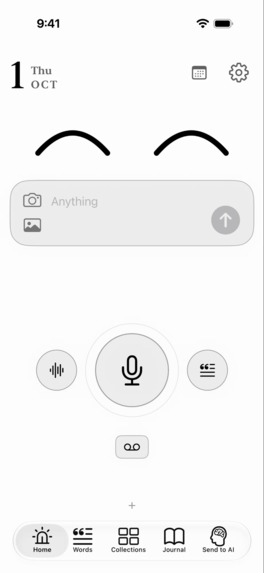
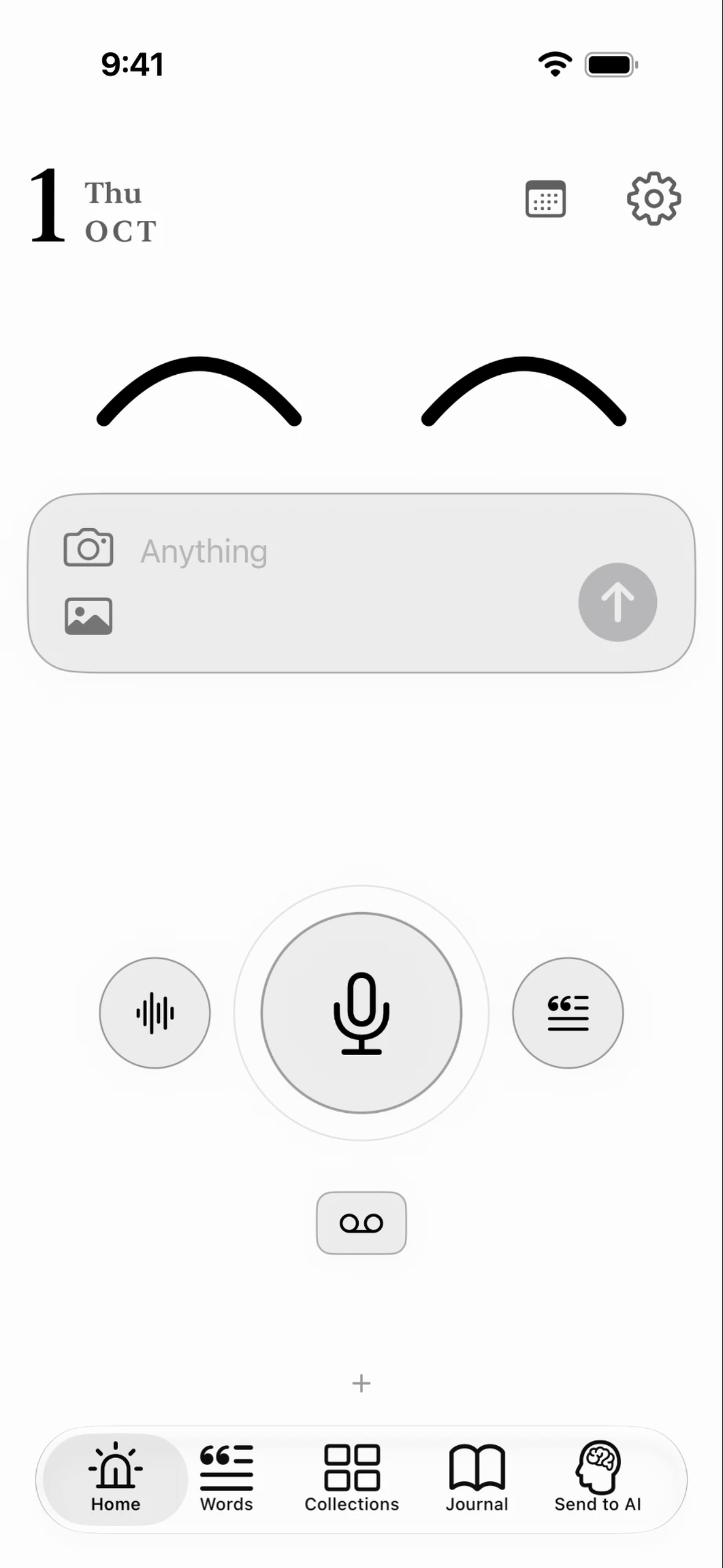
Home — a smiling face and a large microphone for capturing ideas.
-
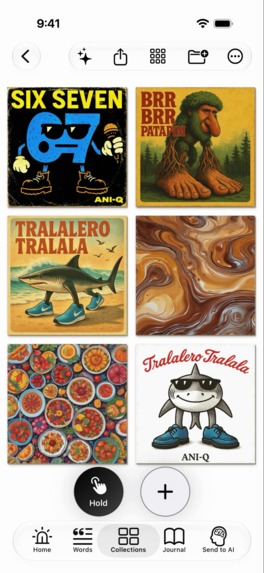
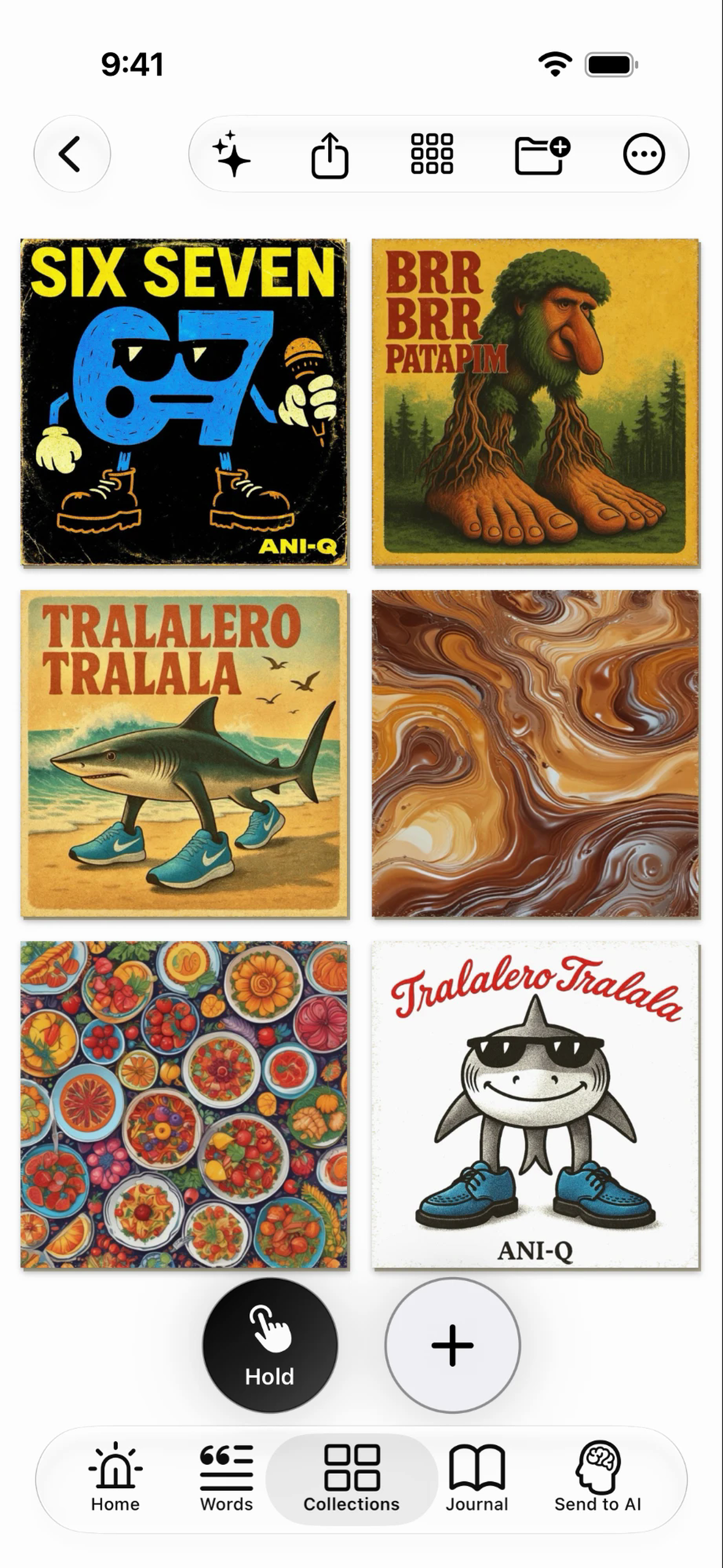
Music collection — browse saved album artwork as cards on a shelf.
-
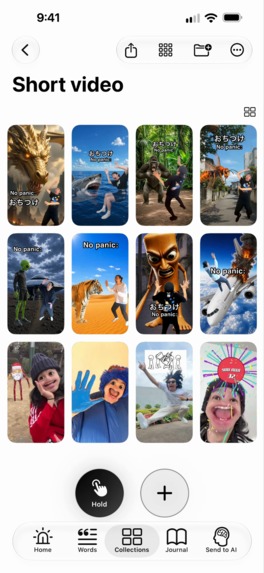
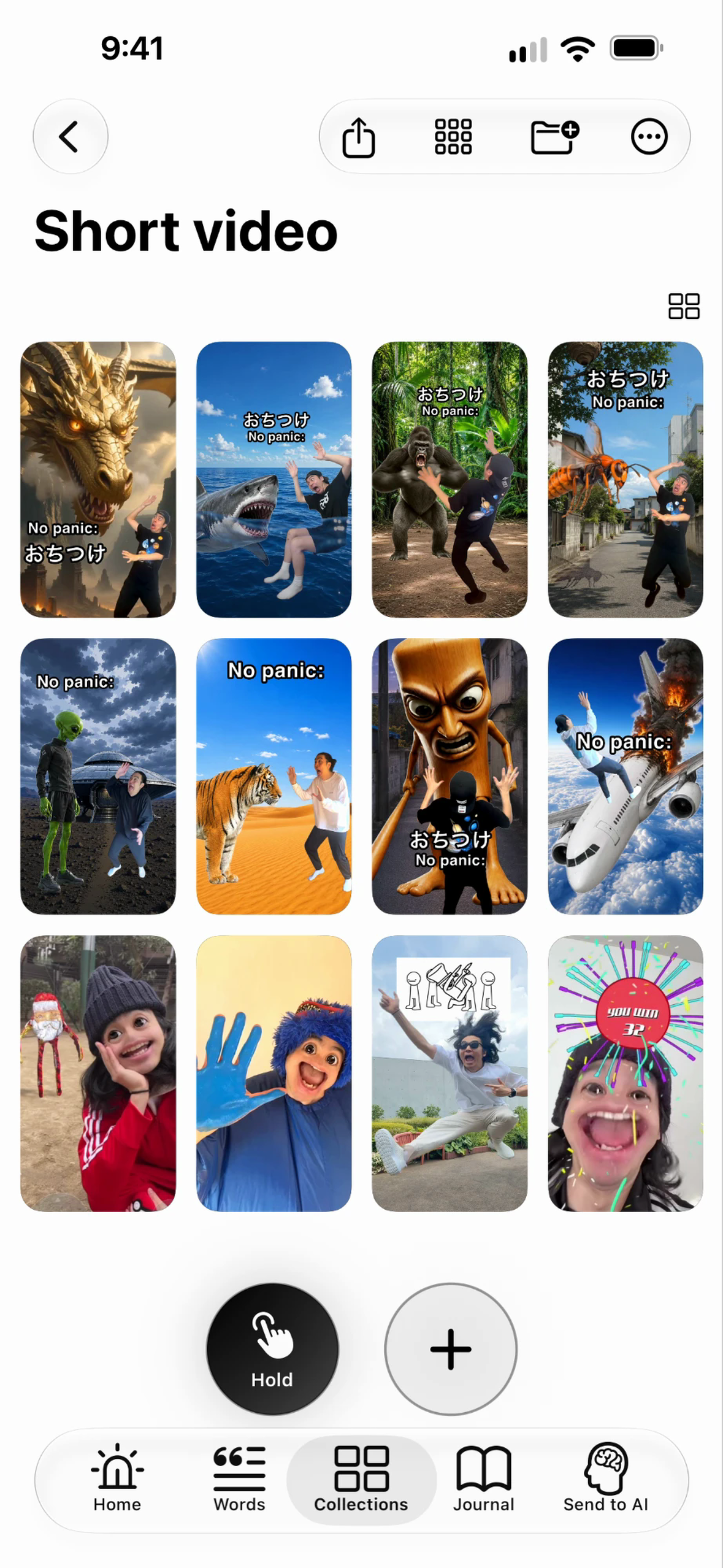
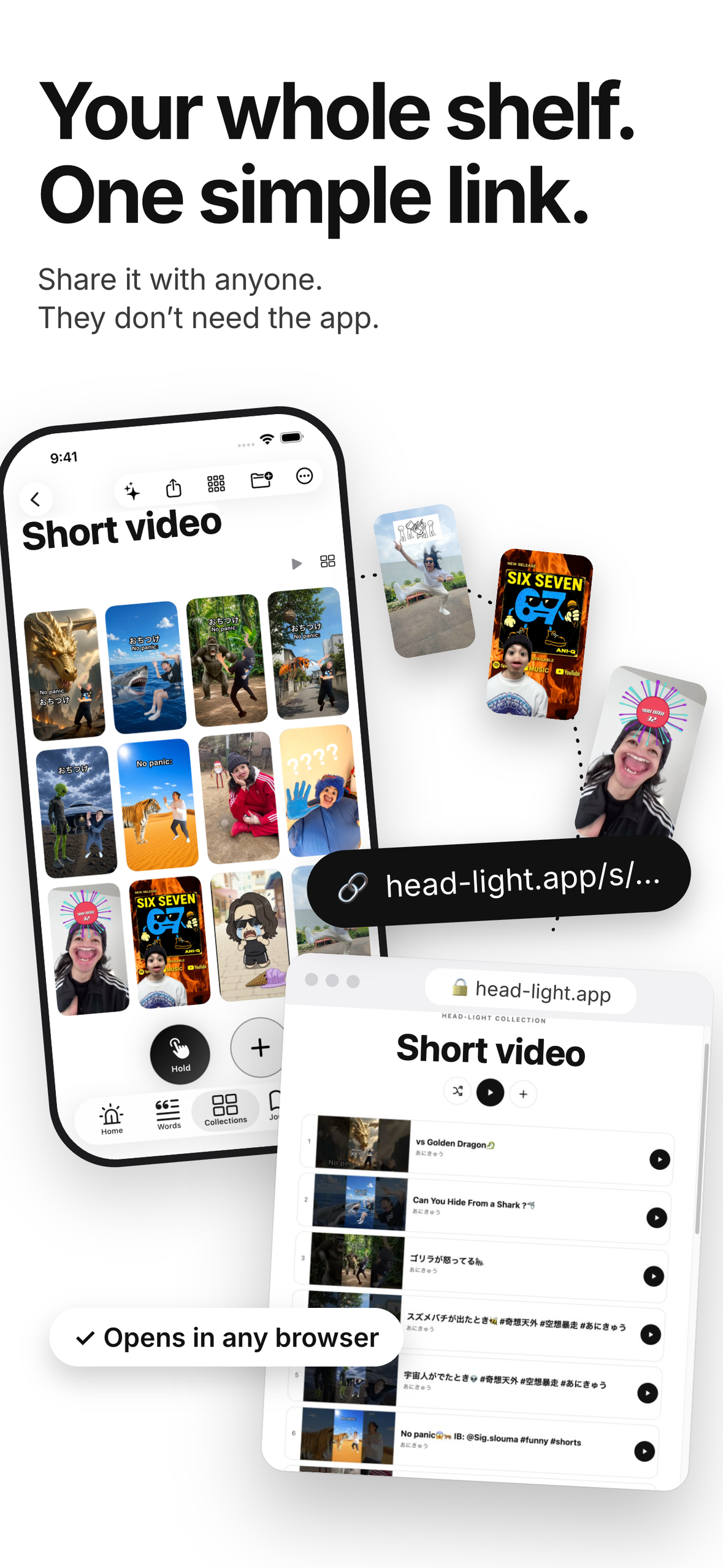
Short video collection — browse saved video links by portrait thumbnails.
-
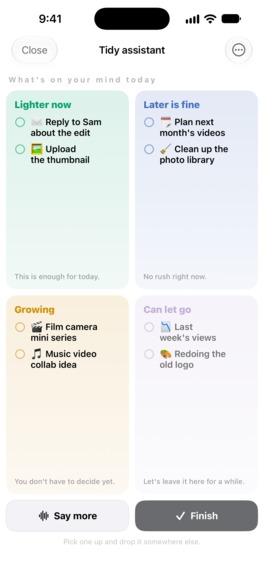
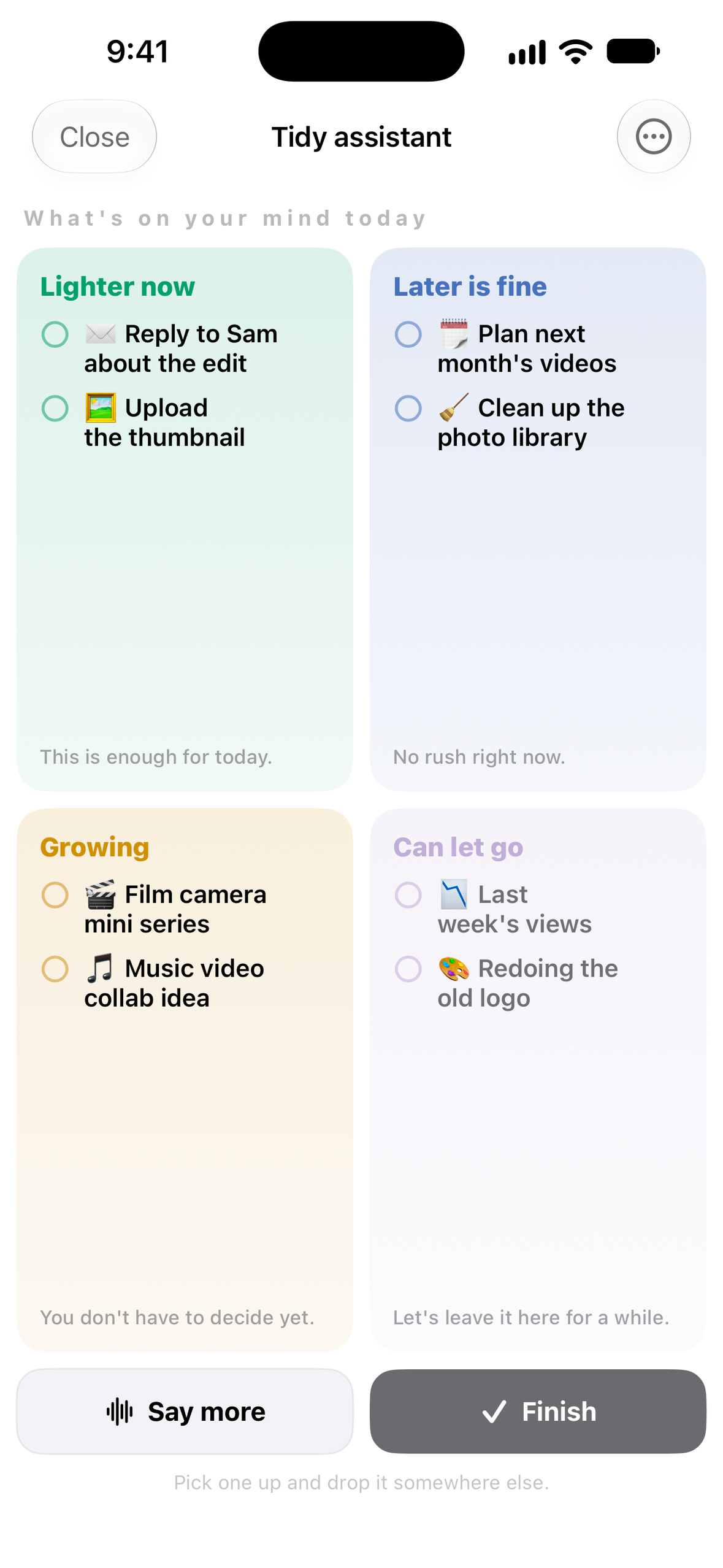
Tidy assistant — sort thoughts into Lighter now, Later is fine, Growing, and Can let go.
-
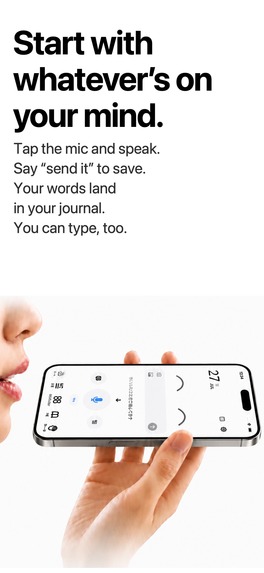
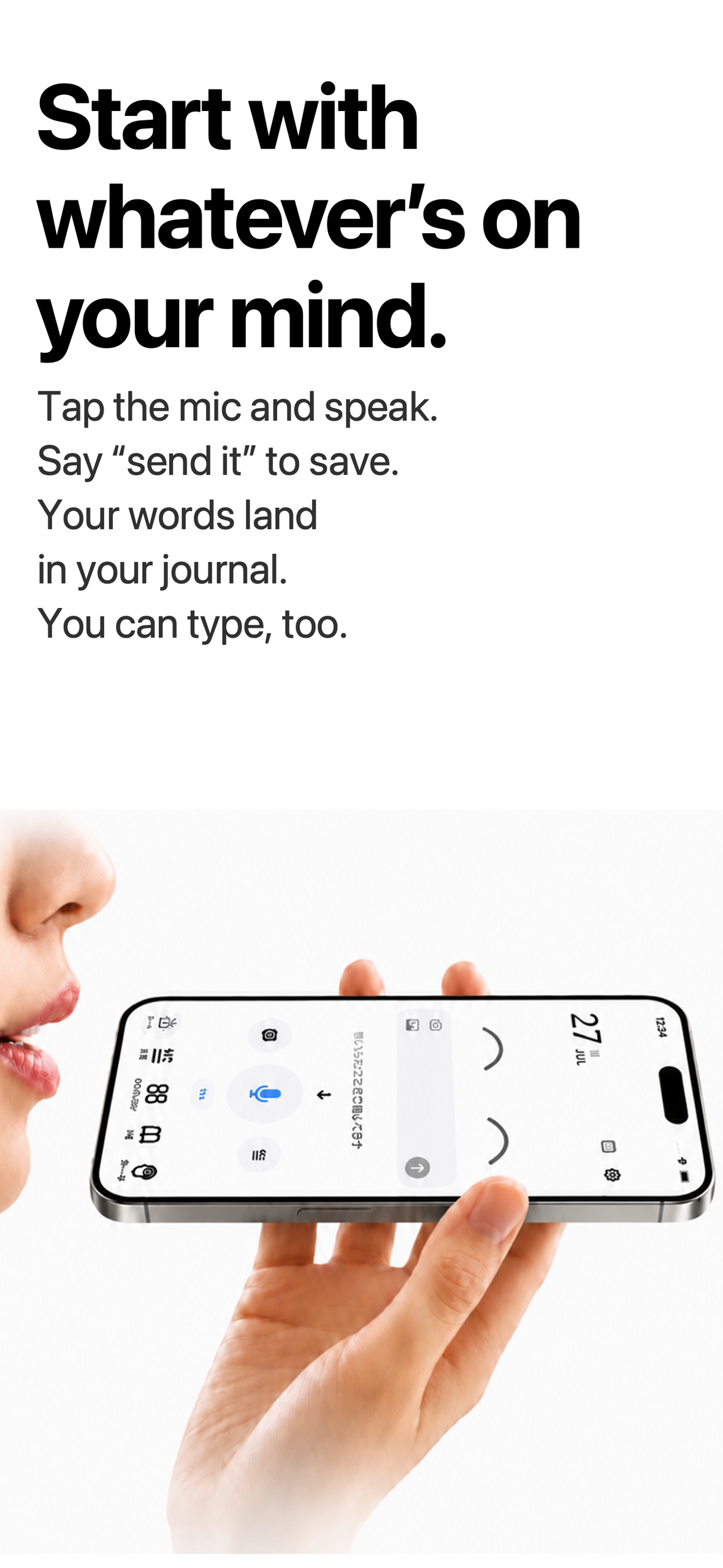
Voice capture — tap the mic, speak, and say “send it” to save your words.
-
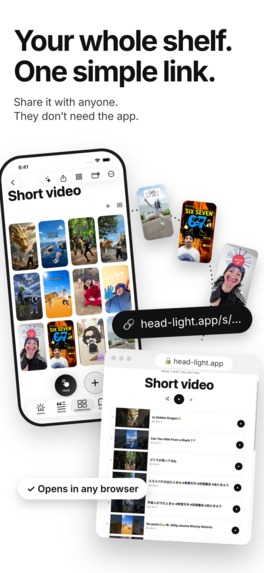
Link sharing — share collected links with one URL; browse on the web or add them to your own Head-Light collections.
-
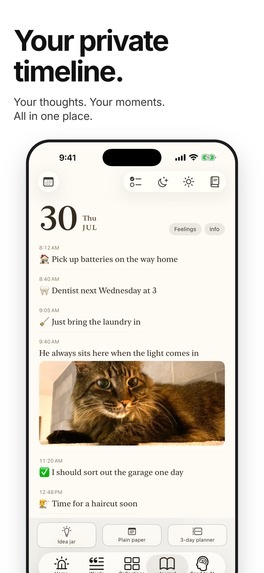
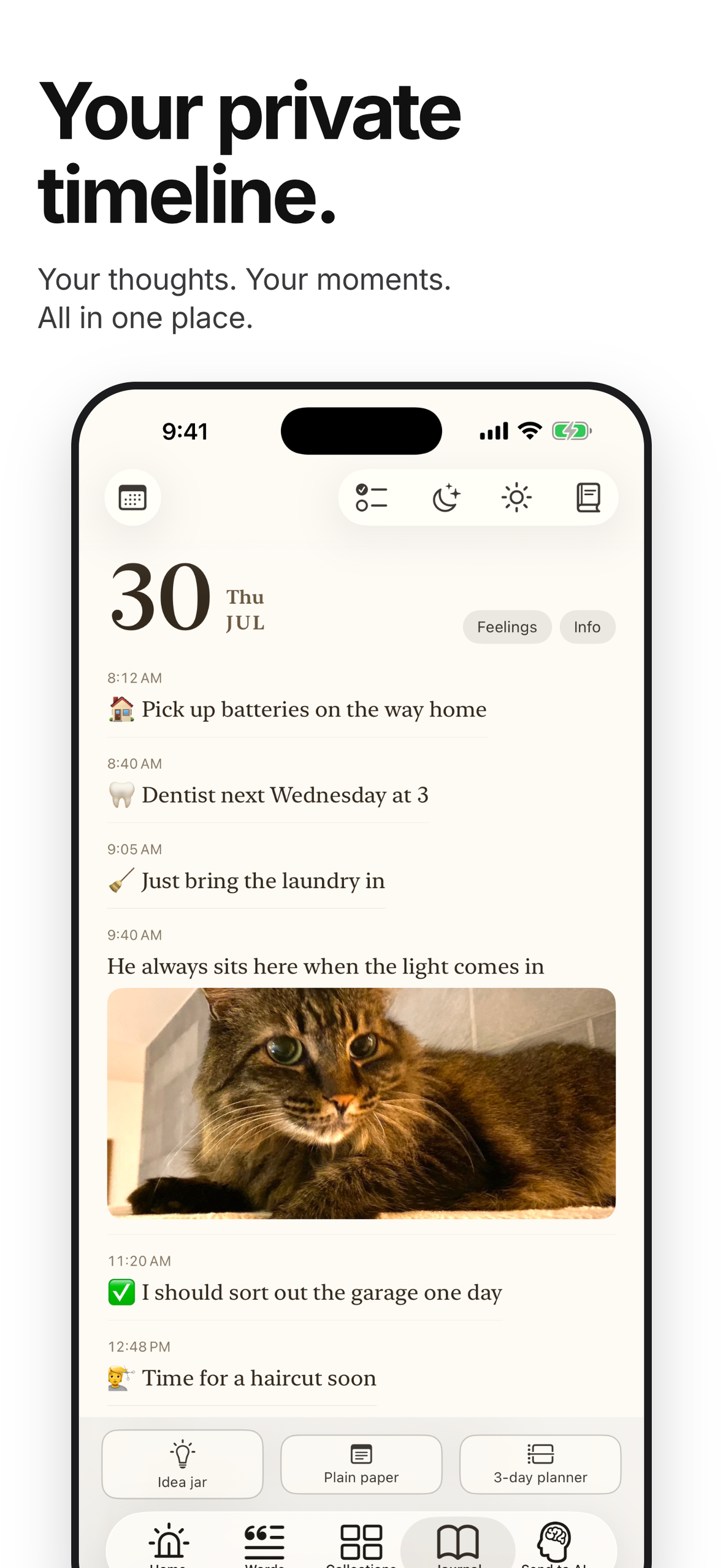
Journal — a daily timeline of saved words, photos, and completed activities.
-
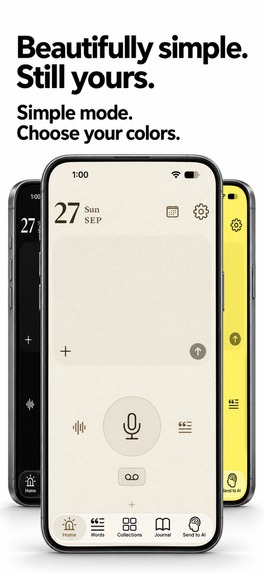
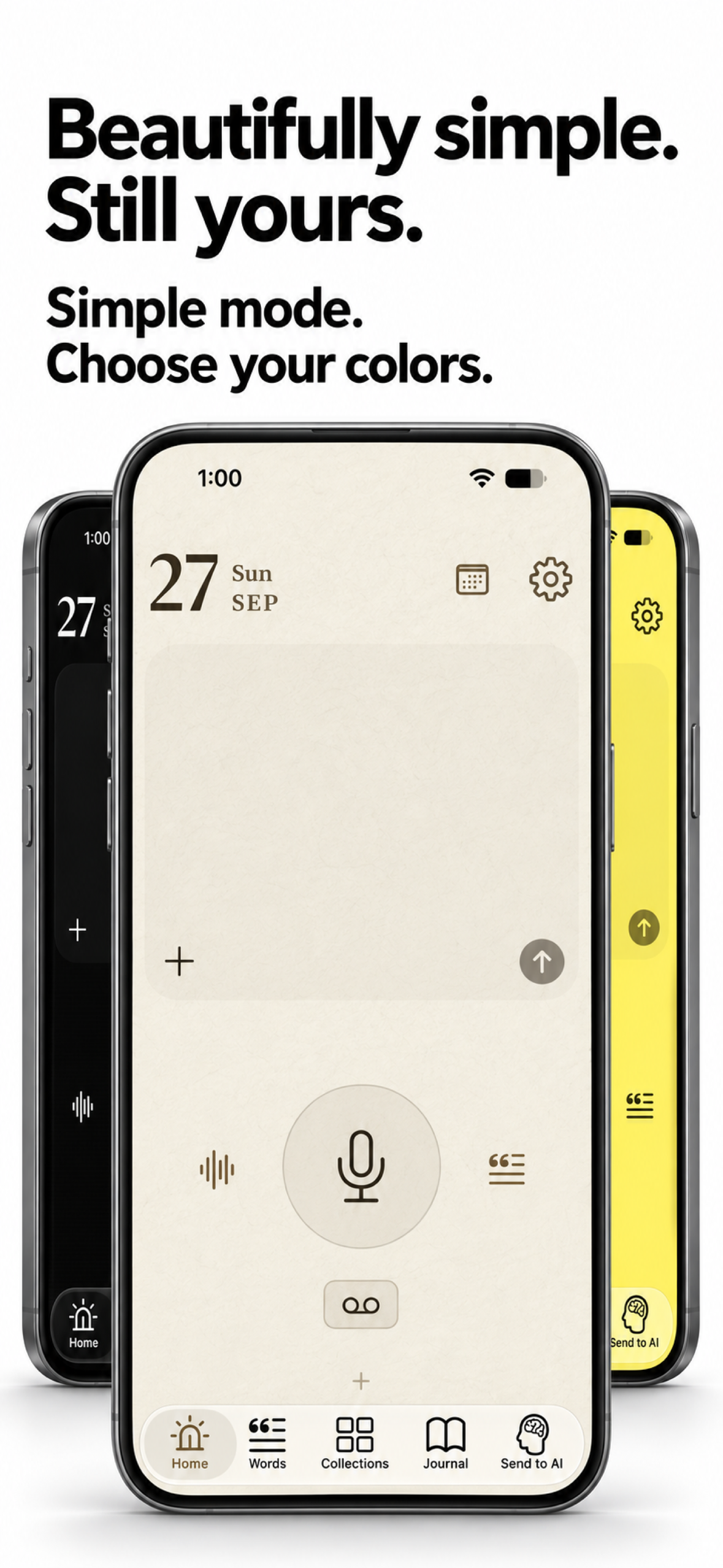
Simple mode — personalize a minimal home screen with different colors.
-
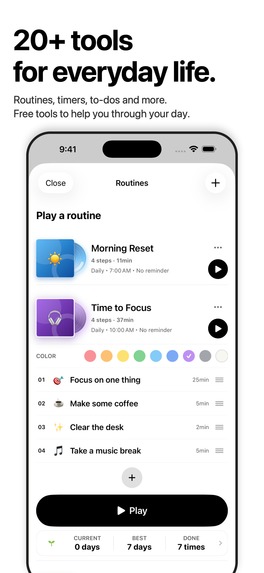
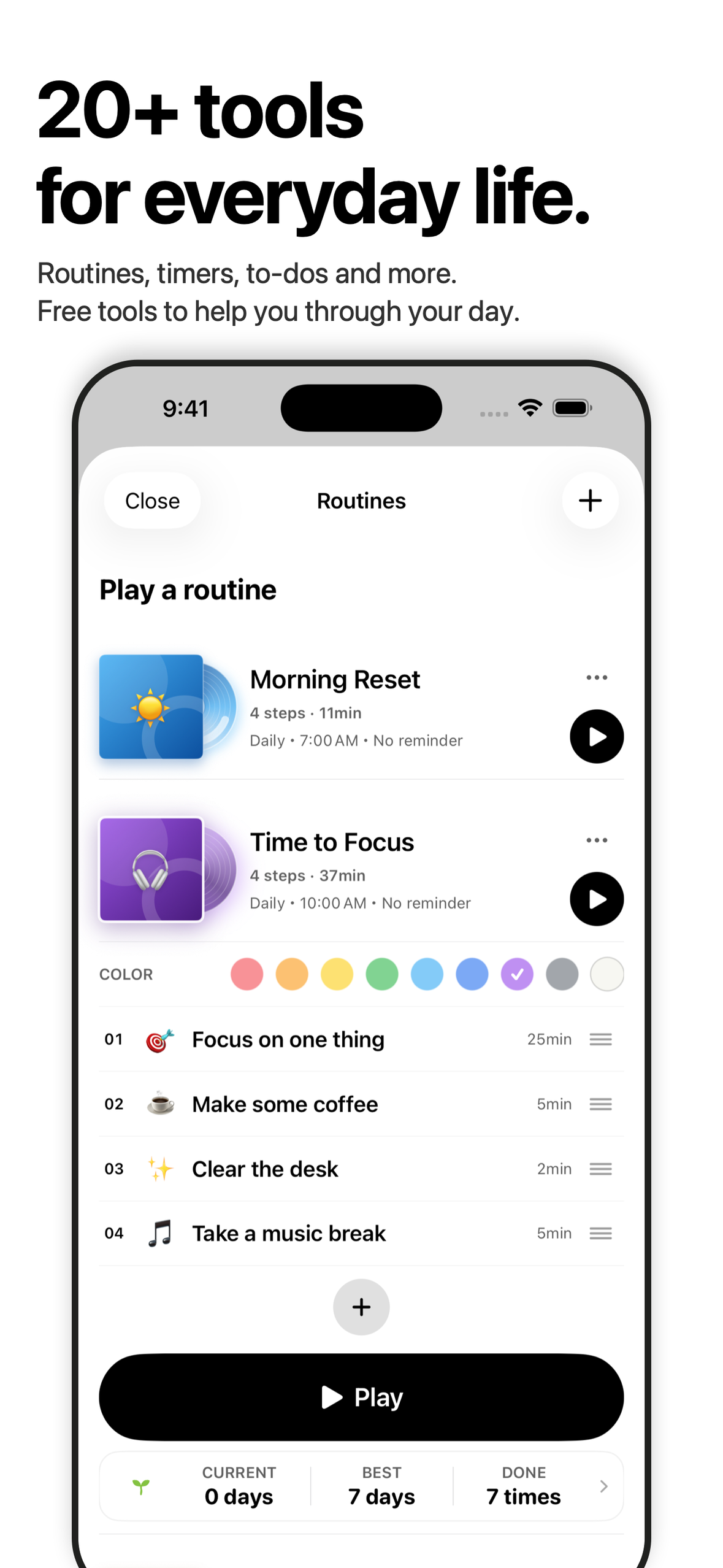
Everyday tools — routines with timed steps alongside timers and to-dos.
-
Head-Light — the app icon and its promise to lighten your load.

Inspiration
I handled every part of video production for a client's YouTube channel, from planning and appearing on camera to filming and editing. The videos I created continue to attract viewers, and the channel has now grown to 1.78 million subscribers.
Every day, I'd dive into a sea of videos, music, and social posts on my smartphone, looking for the spark of my next idea. When something moved me, I'd turn it into something real right away. I think that habit was a big part of what made it work.
But the things that inspired me kept piling up. Things I wanted to save. Things I wanted to keep close. I have ADHD, and finding the right thing at the right moment has never been easy. Before I knew it, my inspiration was scattered everywhere.
I wanted an inventory for my creative life. A place where I could see what I'd collected, pick something up, and make something from it.
That brought me back to my days at a record label, delivering records to stores. Lining up the covers. Browsing them. Picking one out by hand. Could I bring that same pleasure to my phone? That was the beginning of Head-Light.
Video links, music, social posts, and files become cover-art cards on shelves. Familiar covers make browsing feel personal. A shelf of links can be shared with one URL, so someone else can explore what caught your eye, too.
And when an idea hits, I want to catch it while it's still fresh. For me, the quickest way is to say it out loud. So I put a big microphone button on the first screen. Open the app, and it's right there.
Speak a spark into the big mic.
The shelf holds what inspires you. Your voice captures what it sparks. Together, they help you find your way from collecting to creating.
Don't just pin — make from it.
A lighter head. A light on the road ahead. So you can take the next step. That's why I named it Head-Light.
What it does
Head-Light is an inventory for creators: what moves you, and the words it inspires.
Turn links and files into cards on a shelf
Videos, social posts, albums and playlists, web links. I built Head-Light so that things found all over the place become cards with covers, lined up on a single shelf. Photos and PDFs can also be added to these shelves. Shelves can be viewed in different ways, from a grid to flipping through one card at a time. I wanted to bring back the joy of lining up record covers and looking through them.
Just talk to save an idea
When an idea hits, voice is the fastest way to catch it. That's why I put a big microphone on the very first screen. Tap it, talk, and say "send it" at the end to save. Typing works too. If a note includes a date and time, Head-Light offers to add it to the calendar. Saved words and photos line up, day by day, in the Journal.
Speak freely. Organize later.
With High Beam (called AI Pro in version 1.0.6), you can use AI to organize and summarize the words you’ve saved. You don’t need to have everything clear in your head before you start. Speak, save it, and come back to make it easier to read. This optional paid subscription supports the step from capturing your thoughts to making sense of them.
Play albums from Side A or Side B
With records, there was a joy in flipping one over and starting from Side B. In Head-Light, you choose albums by their covers and can play supported tracks from Apple Music or your on-device music library from Side A or Side B. It’s a way to meet a familiar album again. Supported songs saved on a shelf can also be shuffled together. The music service’s own library is never modified.
Share what you love with one URL
Collect videos around a theme and share them with a friend or your creative team. Gather recipes to try with your family or partner. Line up your favorite albums and share your taste in music with the world. Share the links you’ve collected through a single URL. People without the app can browse the links in a web browser. Those who use Head-Light can also add them to their own collections.
Find what you saved, and put it to use
What I struggled with was finding what I needed, when I needed it. So I made every shelf searchable at once, including the text inside supported PDFs and images. Cards can be copied or moved to another shelf and put straight to work. Siri and Spotlight lead to saved cards, too. Saved words can also be copied all at once and handed to whatever AI the user already uses.
No ads, no tracking. Privacy by choice
What people collect and write here is personal. So I left out ads and tracking and made personal records protectable with Face ID. Personal records are stored on your device. When you choose to share a collection, its name and link-card information are stored on a server so others can view it. Nothing is sent to a cloud AI unless the user chooses that feature. Before anything is sent, a screen explains what will leave the device and who receives it, and the user can say no and keep using Head-Light.
Make it your own
Beyond that, I included 20+ everyday tools. Users pick only the ones they need and keep them on the home screen, so they can take the next step without hesitation.
I filled Head-Light with things I love and details that matter to me. Its appearance, the way it responds to touch, and each of its tools all reflect that.
You can customize its look to suit your taste. The tutorial unfolds like a game, with a secret item waiting when you complete it all. I wanted learning how to use the app to be enjoyable, too.
One of my favorites is a bottle for letting go of frustrations. The words you let out become little balls that collect inside the bottle. When you’re ready, blow it up and let them go. It’s very simple, but that playfulness matters to me. Try the tornado icon at the top left of the Words page.
How I built it
Head-Light is my first app, built entirely through vibe coding. I was surprised by how much building an app felt like making a video. Bringing an idea to life, trying it out, and refining it was a process I genuinely enjoyed.
I built Head-Light as a solo developer using Swift and SwiftUI, with SwiftData for local records. Apple Speech supports voice capture; WidgetKit, App Intents, notifications, and the Watch app provide quick entry points. MusicKit and the official YouTube player bring media into routines. Native text recognition supports the paper-to-journal flow.
I integrated the RevenueCat SDK with StoreKit to manage subscriptions and consumable purchases. Optional cloud AI runs through a Cloudflare Workers relay to Anthropic after a consent screen explains the data and recipient. Personal records are stored on the device; the app has no ads or behavioral tracking.
Claude Code, Codex, and ChatGPT supported development, debugging, and localization. I used a shared project memory to keep implementation decisions and user feedback consistent across sessions, then checked the resulting behavior with builds, simulator workflows, and device testing.
Monetization
Basic capture, the Journal, tools, and up to three shelves are free. On top of that, there are two options:
- High Beam (optional paid subscription): AI sorting, conversation, and summaries. Includes unlimited shelves during an active paid subscription (excluding the free trial). Eligible new subscribers can start with a seven-day free trial.
- One-time purchase: add shelves 10 at a time.
Challenges
The hardest part was making the idea behind Head-Light simple. It began as a tool to organize my own thoughts. “An inventory for creators” was not a concept I started with.
Through daily conversations with AI and using what I built myself, I kept asking what was genuinely needed. Gradually, the concept became clearer: connecting the things I collect with the ideas they spark.
With so many tools, I had to decide which ones to bring forward and where to place them. I wanted the functions people needed to be easy to find, while carefully shaping how the app looked and felt. Finding that balance was both enjoyable and difficult.
I spent the most thought on refining what the app was for, beyond what I could build.
Accomplishments
I’m proud to have finished my first app and released it on the App Store.
My father, a screenwriter, has taken to Head-Light and uses it in his own creative work. Friends who collect records have also enjoyed its unusual touches, such as playing an album from Side B.
A tool filled with things I care about has become part of other people’s creativity and enjoyment. That has been a rewarding result for me.
What I learned
I learned the value of watching someone use the app for the first time, right in front of me. Each time, their feedback revealed things I had missed while using it myself. What feels obvious to the maker is not always obvious to a new user. Seeing how people actually used Head-Light gave me concrete ideas for improving it.
What's next
I’ll keep listening to the people who use Head-Light and refining its feel and reliability.
I also want to draw on my experience in video production and social media to reach the people who need it. I’ll keep using Head-Light myself to collect fresh ideas and turn them into things I share.
Awards entered
- RevenueCat Design Award
- Influencer Award — Productivity: Christopher Lawley
Version availability
Version 1.0.7 is now available on the US App Store. In version 1.0.7, AI Pro is renamed High Beam. The update adds unlimited shelves during an active paid subscription (excluding the free trial). Version 1.0.6 uses the AI Pro name and does not include subscription-based unlimited shelves. Free users can start with three shelves and purchase additional shelves in packs of ten.


Log in or sign up for Devpost to join the conversation.