Inspiration
Every haze season in Singapore, I found myself opening three different sites just to check if it was safe to go for a run or bring the kids out. The official data is there, but it's not easy to read on a phone when you're about to leave the house. I wanted something I could open in two seconds and immediately understand.
What it does
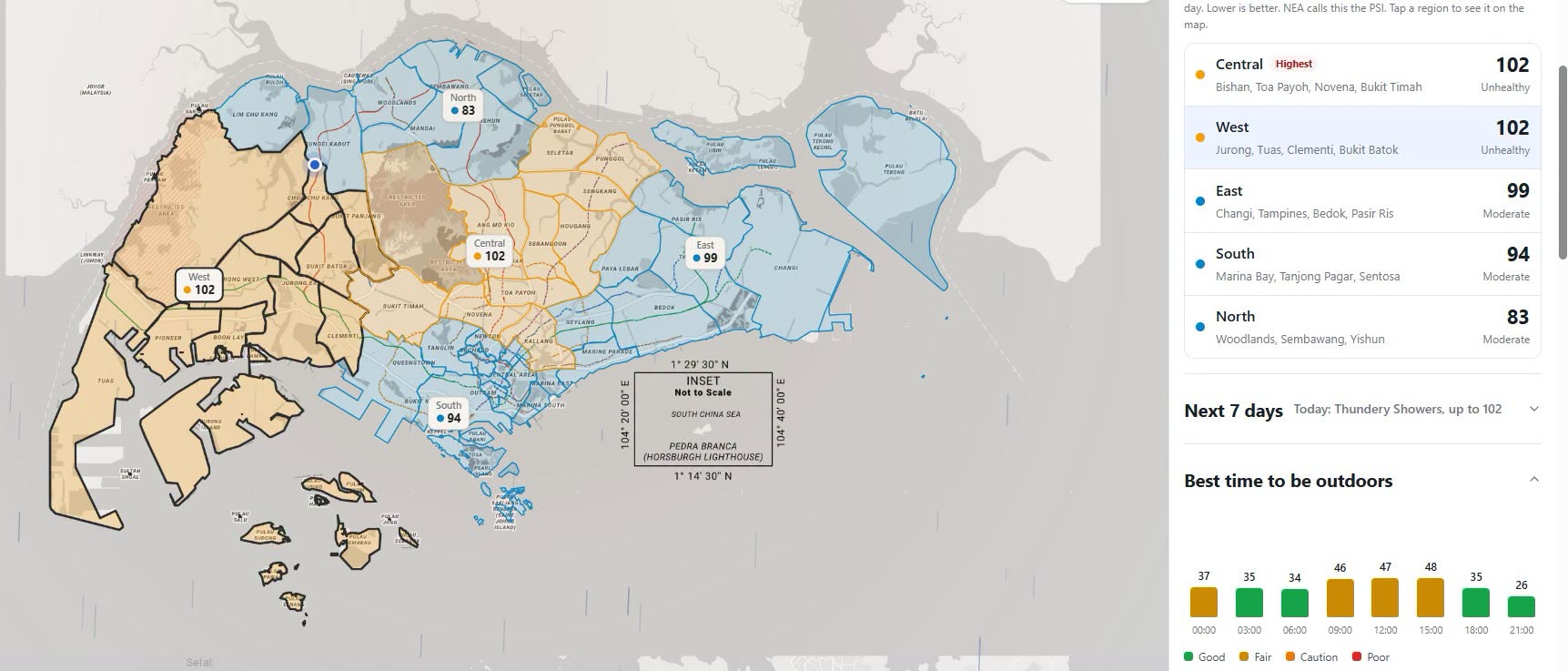
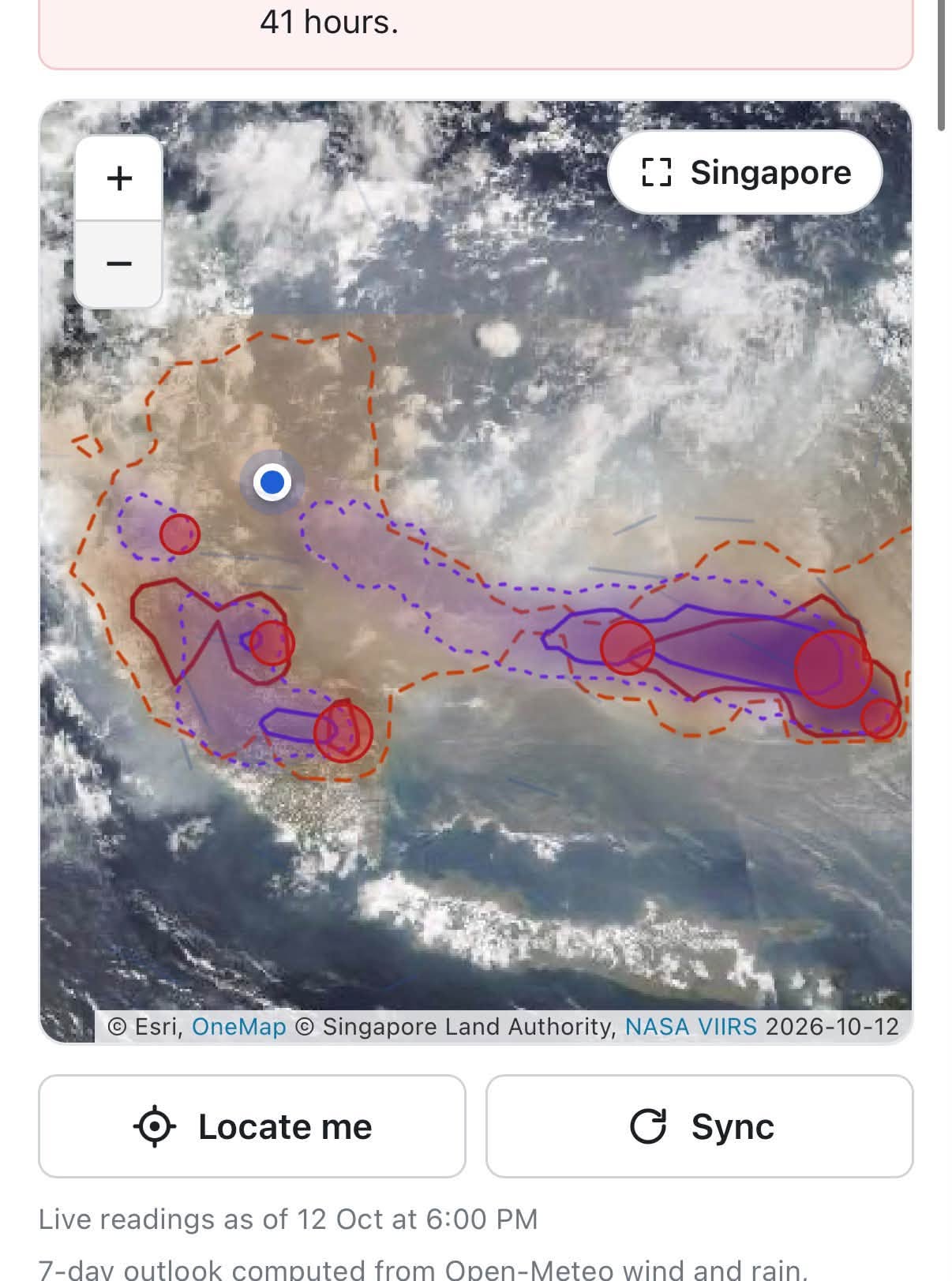
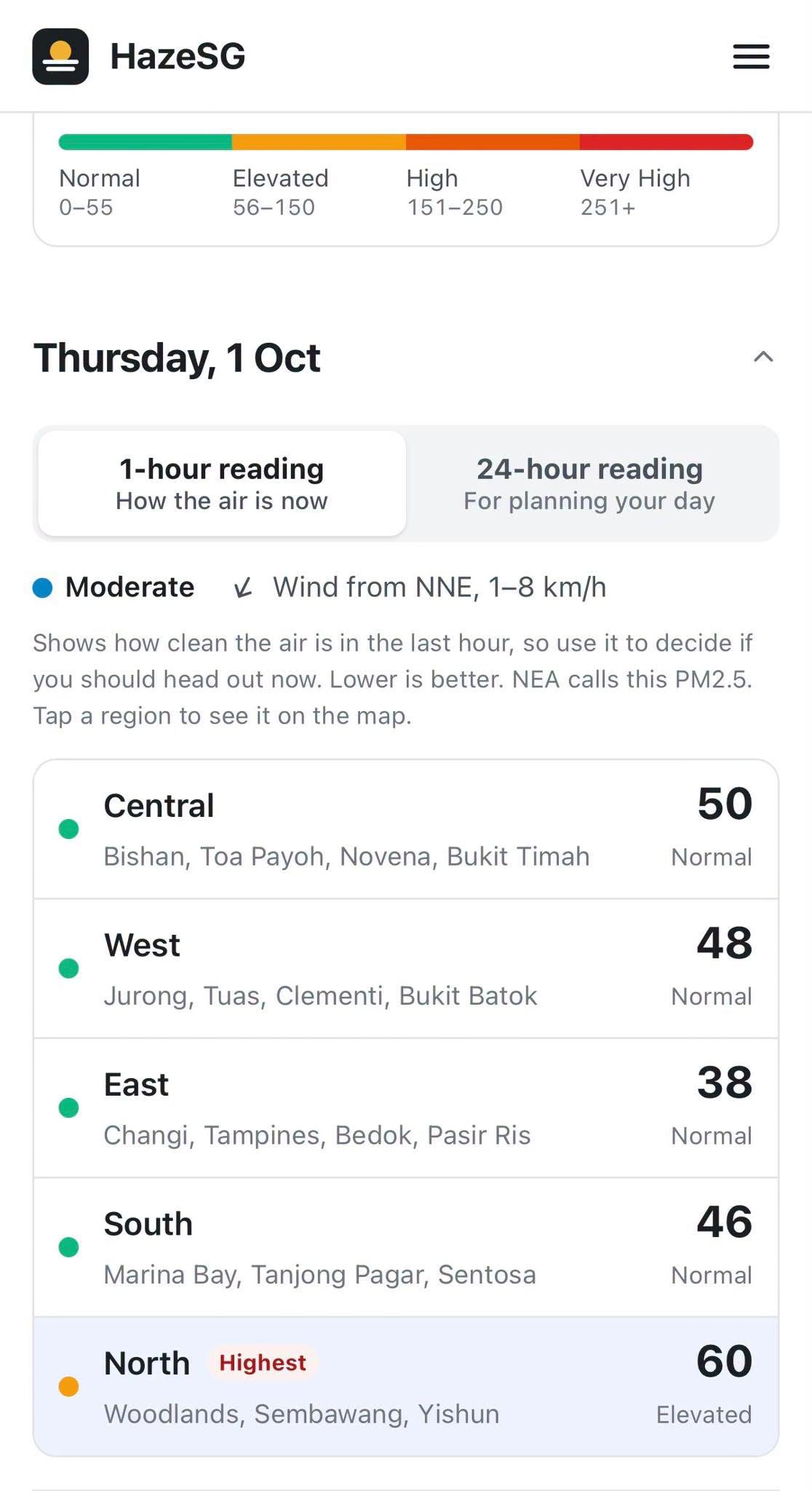
HazeSG Live shows current air quality across Singapore on a simple map. It uses your location to show the reading closest to you, so you don't have to figure out which region you're in. The design is clean and white on purpose, so the numbers and colors stand out and anyone can understand it at a glance.
How we built it
It's a lightweight web app built with HTML, CSS and JavaScript, deployed on Netlify. It pulls live air quality readings from Singapore's public data and uses the browser's location feature to find the nearest reading. I designed it mobile first, since most people check haze on their phone.
Challenges we ran into
Making it feel instant on mobile was the main challenge. I had to keep the page light, handle cases where people deny location access, and make sure the map still made sense on a small screen.
Accomplishments that we're proud of
It's live, it's fast, and people who aren't techy can use it without any explanation. Keeping it simple was harder than adding features.
What we learned
Good design often means removing things. I also learned a lot about working with live public data and handling location on different phones and browsers.
What's next for HazeSG Live
Alerts when air quality turns unhealthy, a short forecast so people can plan ahead, and simple health tips based on the current reading.

Log in or sign up for Devpost to join the conversation.