-
Project Logo!
-
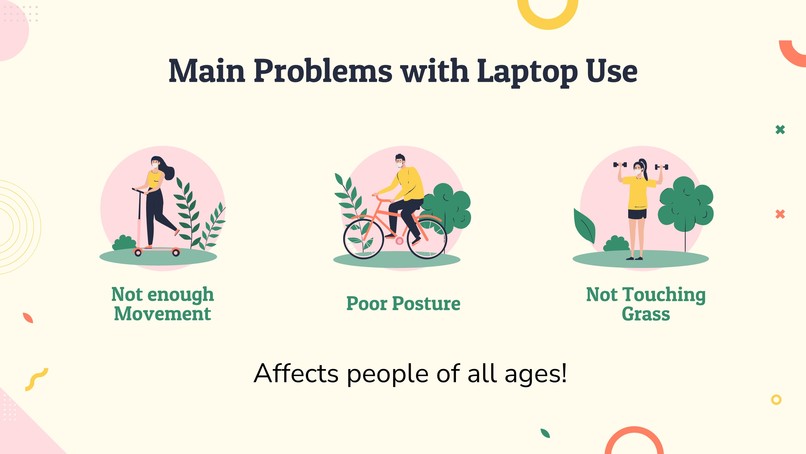
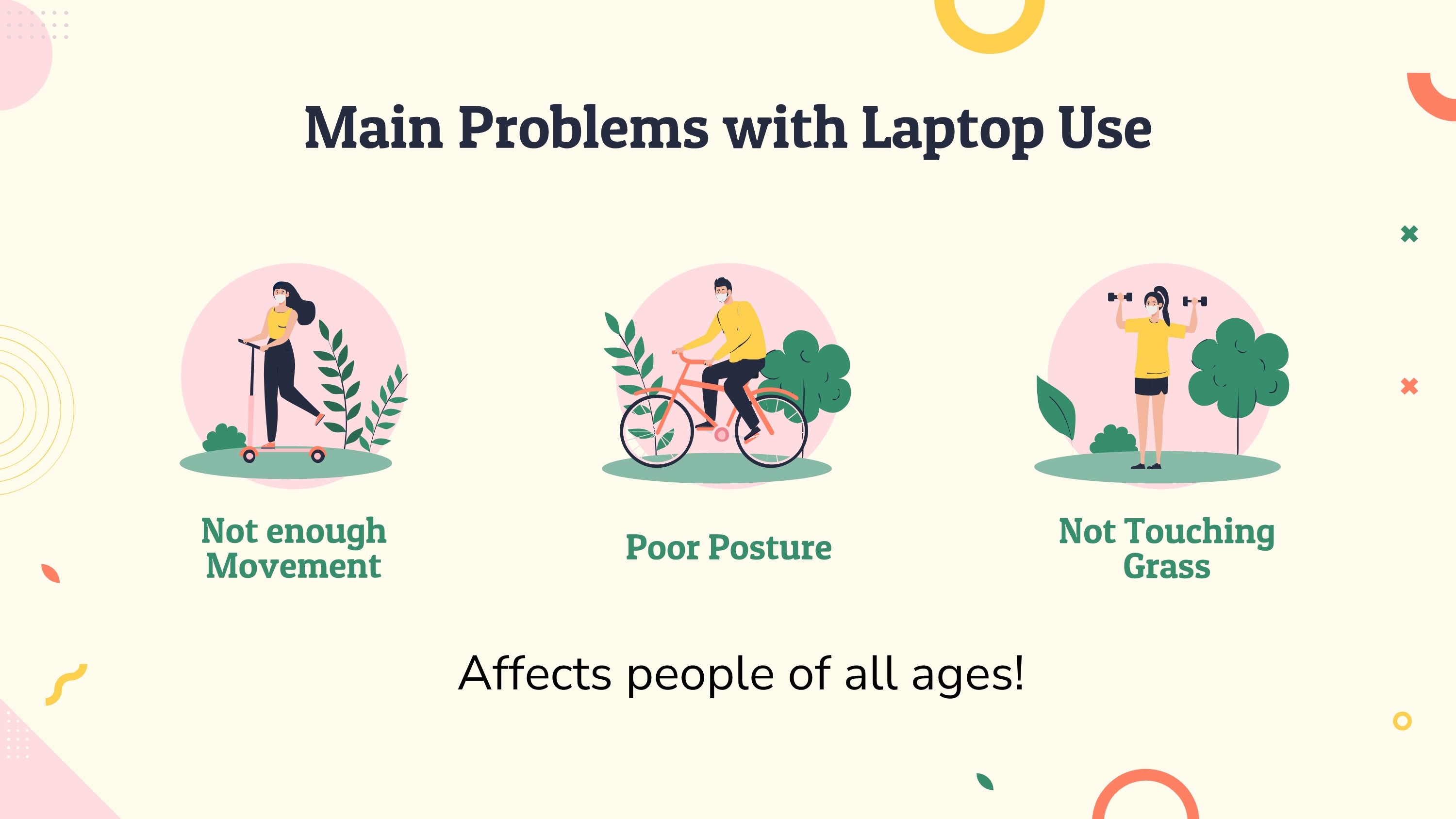
The problems we identified
-
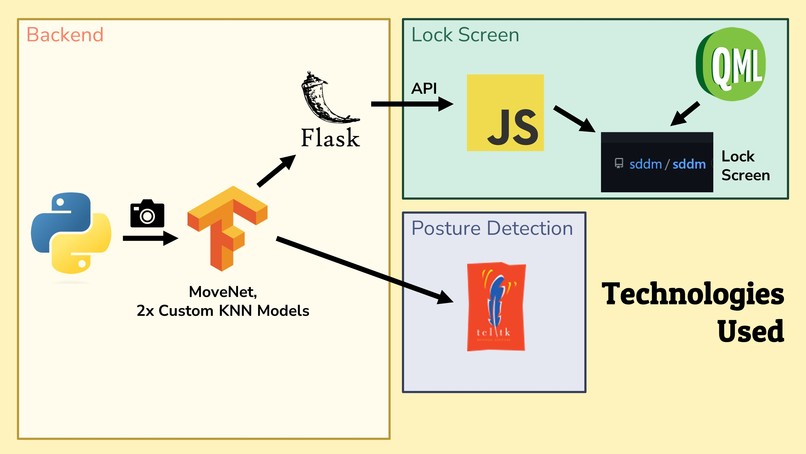
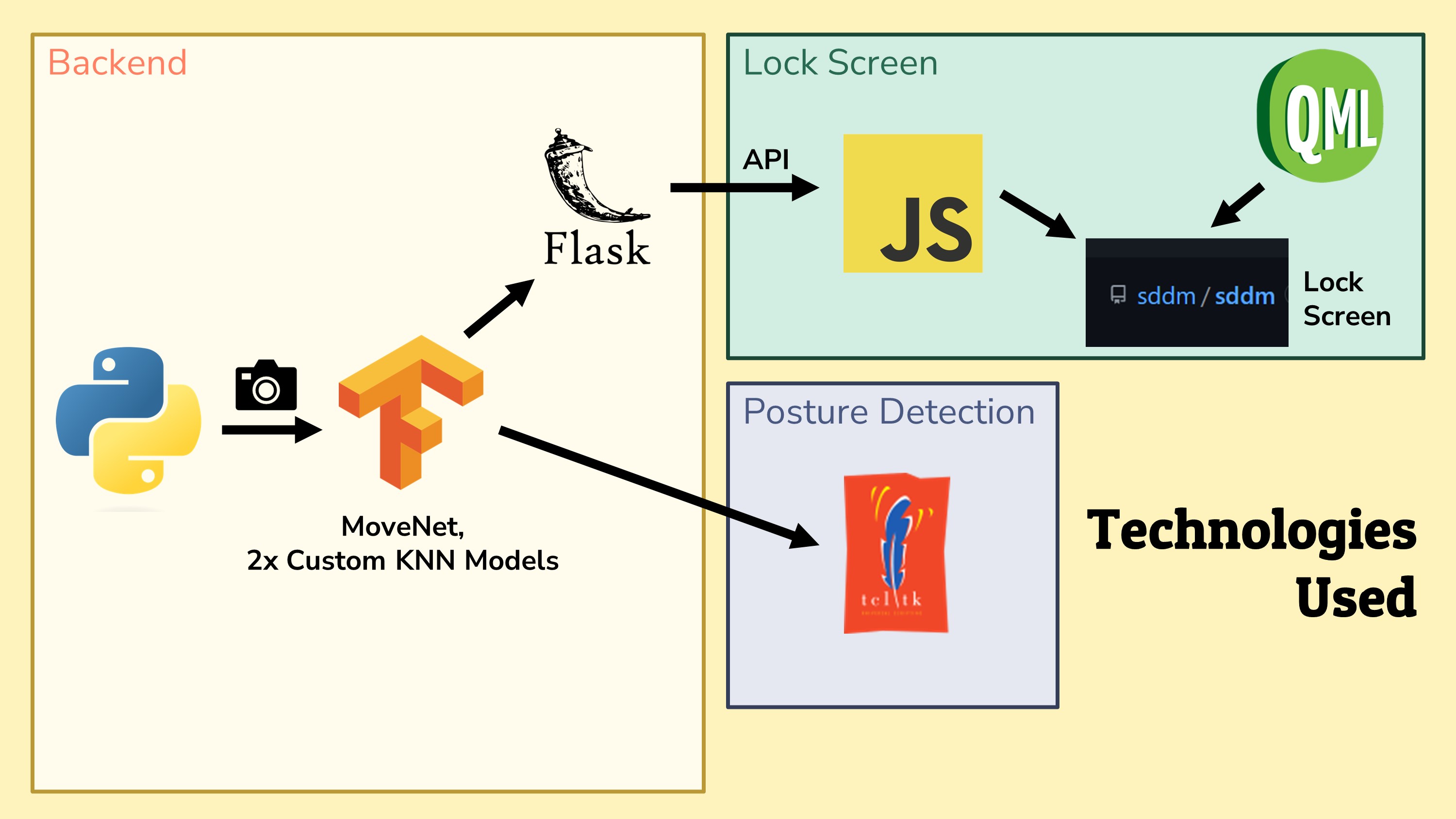
The tools we used
-
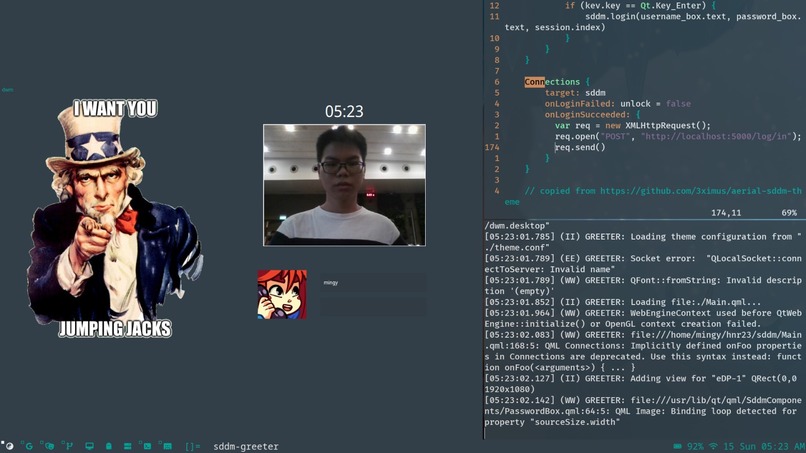
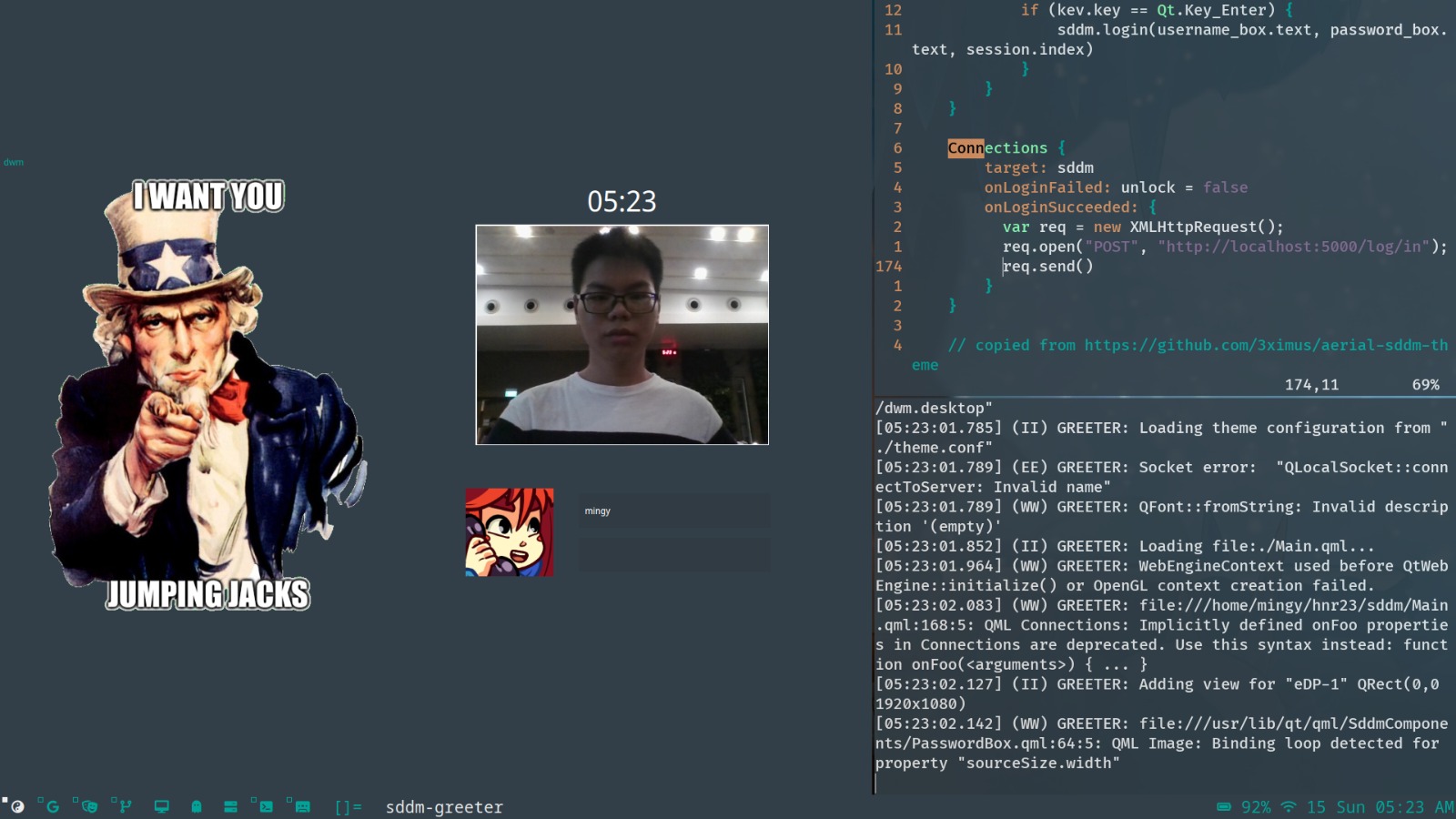
Lock Screen, in debugging
-
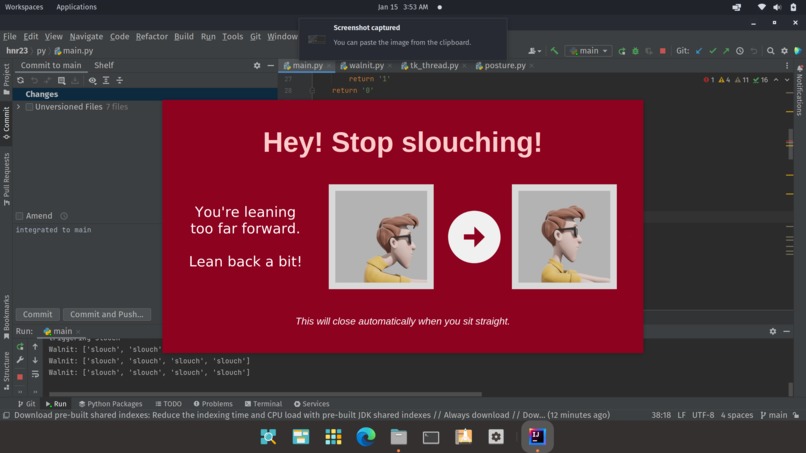
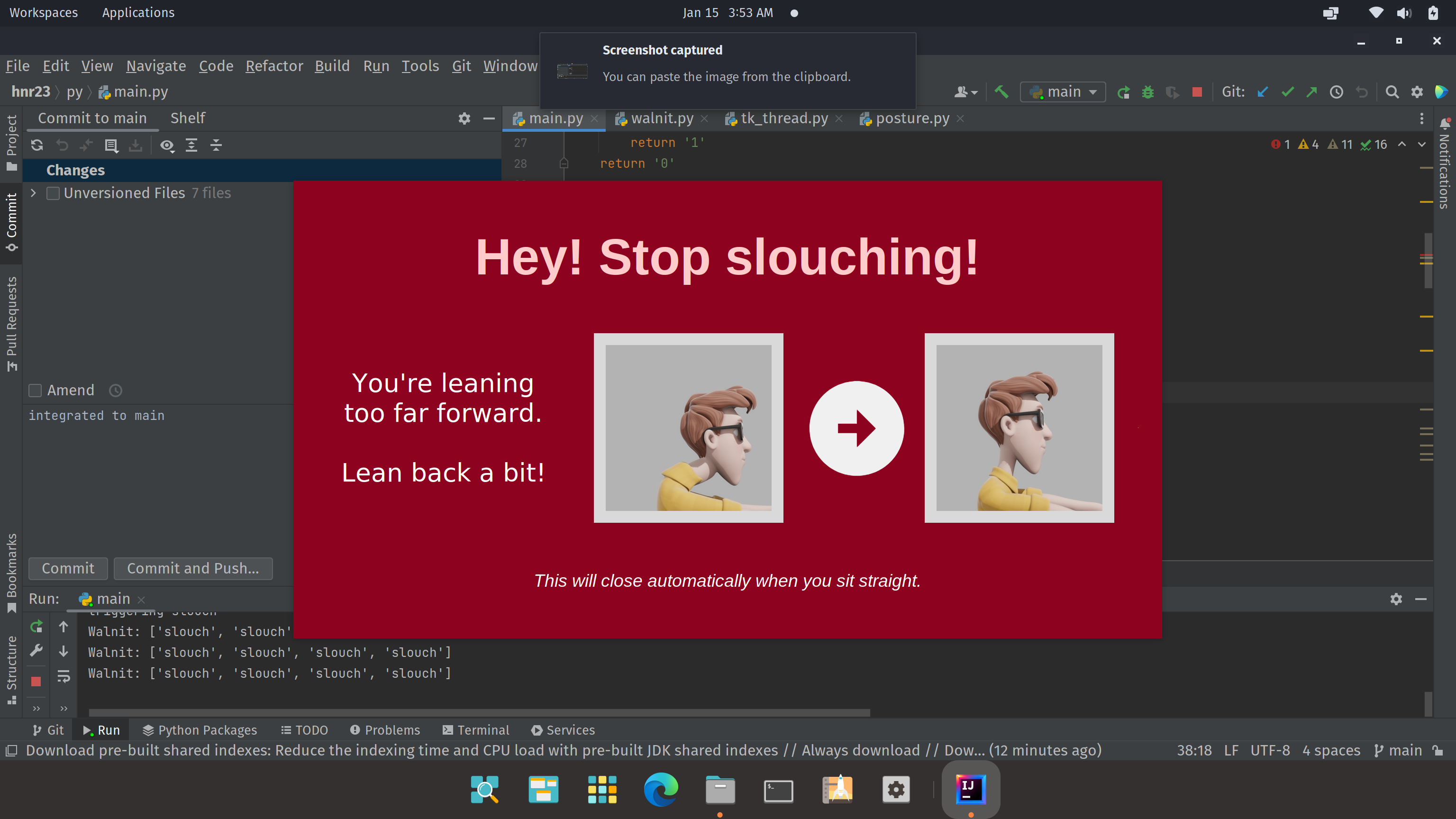
Anti-posture Popup
Inspiration
The countless time your mom, without warning, storms into whatever room you were using a laptop and reprimands you for using it wrongly. Ugh!
More seriously, improper laptop use is an easy way to multiple health aliments, caused by several bad issues when using laptops. These issues include:
1) Not enough movement/exercise 2) Poor posture 3) Not touching grass (not enough social interaction/sunlight)
This affects everyone from adults, to CS students, to children.
What it does
The application checks your posture and corrects you continuously until you fix it; and locks your screen every 30 minutes and forces you to do jumping jacks to unlock it.
All using the built-in webcam, allowing everyone to experience this... torturous treatment.
How we built it
We used Flask and Python for our main backend, which served as an API for the hardest component to code, which was the custom lock screen based on SDDM (Simple Desktop Display Manager), which has a frontend designed in Qt QML and a backend based on JavaScript. The Flask server also runs some background tasks when the user is logged in to detect posture, and uses tkinter to communicate to the user.
For the SDDM Lock Screen, a video feed from the webcam is livestreamed to the lock screen for the user to see. At the same time, the video feed is run through MoveNet Lightning, an open source pose detection model that returns 17 basic keypoints on a body. These keypoints are then run through the K-Nearest Neighbours (KNN) AI algorithm using techniques learned from the Machine Learning Workshop (:D) to detect if the user is doing jumping jacks. After a certain duration of doing jumping jacks, the lock screen will allow the user to log in.

After logging in, the posture detection feature comes into play. The same video feed and keypoints are passed to another KNN model to detect if the user has a good posture, or one of several defined bad postures. If a bad posture is detected, a glaring, always-on-top, un-removable window made in tkinter appears in the center of the screen, which tells the user what they are doing wrong and how to correct it, including instructional images, and does not go away until the user fixes their posture.

Challenges we ran into
As this is one of our first times using AI, the model we ended up with was quite finnicky and depended a lot on the position (or angle) of the webcam, but when correct, was surprisingly accurate (more on that later). The SDDM lock screen was also a hassle to set up, taking over 5 hours to set up. Also, the issue of having many people in the background of video feed caused MoveNet to detect more inaccurate keypoints, although this would not be an issue in homes where there would not but many others in the background.
Accomplishments that we're proud of
Learning enough about SDDM to complete the lock screen on time! The AI models were also surprisingly easy and accurate to use, despite our amateurish implementations.
What we learned
AI is a powerful tool to use, we have posture issues, and abstraction over the network is cool (whatever that means idk why my teammate said that)
What's next for hax0rcise
Training better AI models to be able to use across multiple laptops and webcam positions.


Log in or sign up for Devpost to join the conversation.