-
-
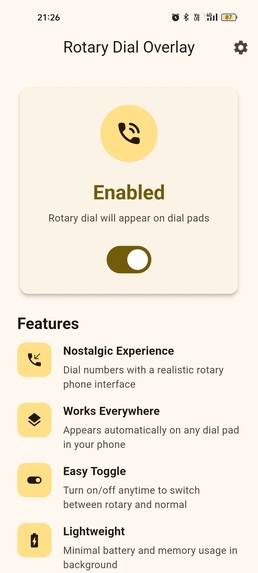
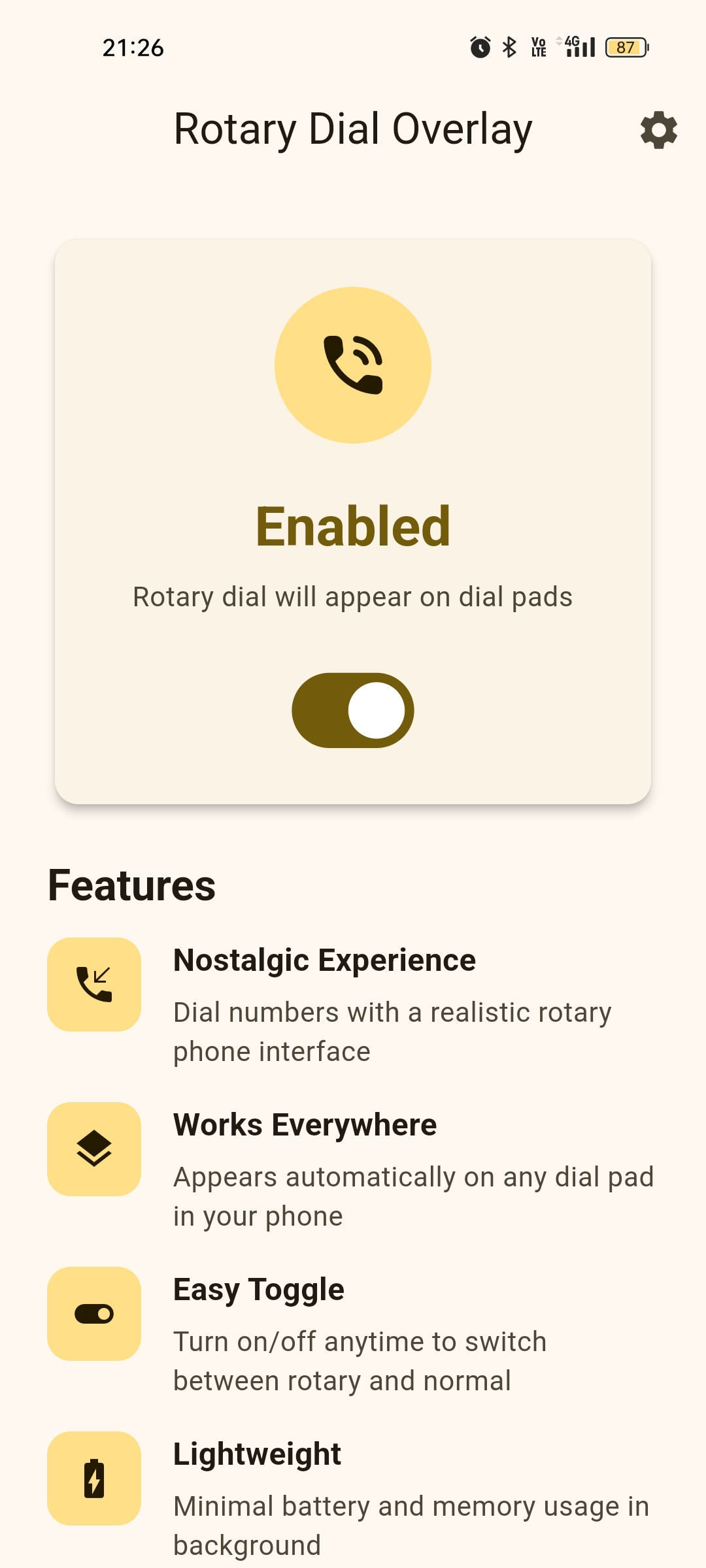
The Main App Screen
-
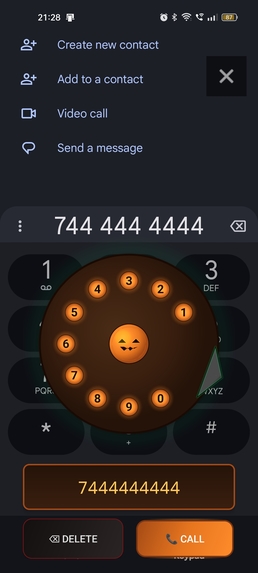
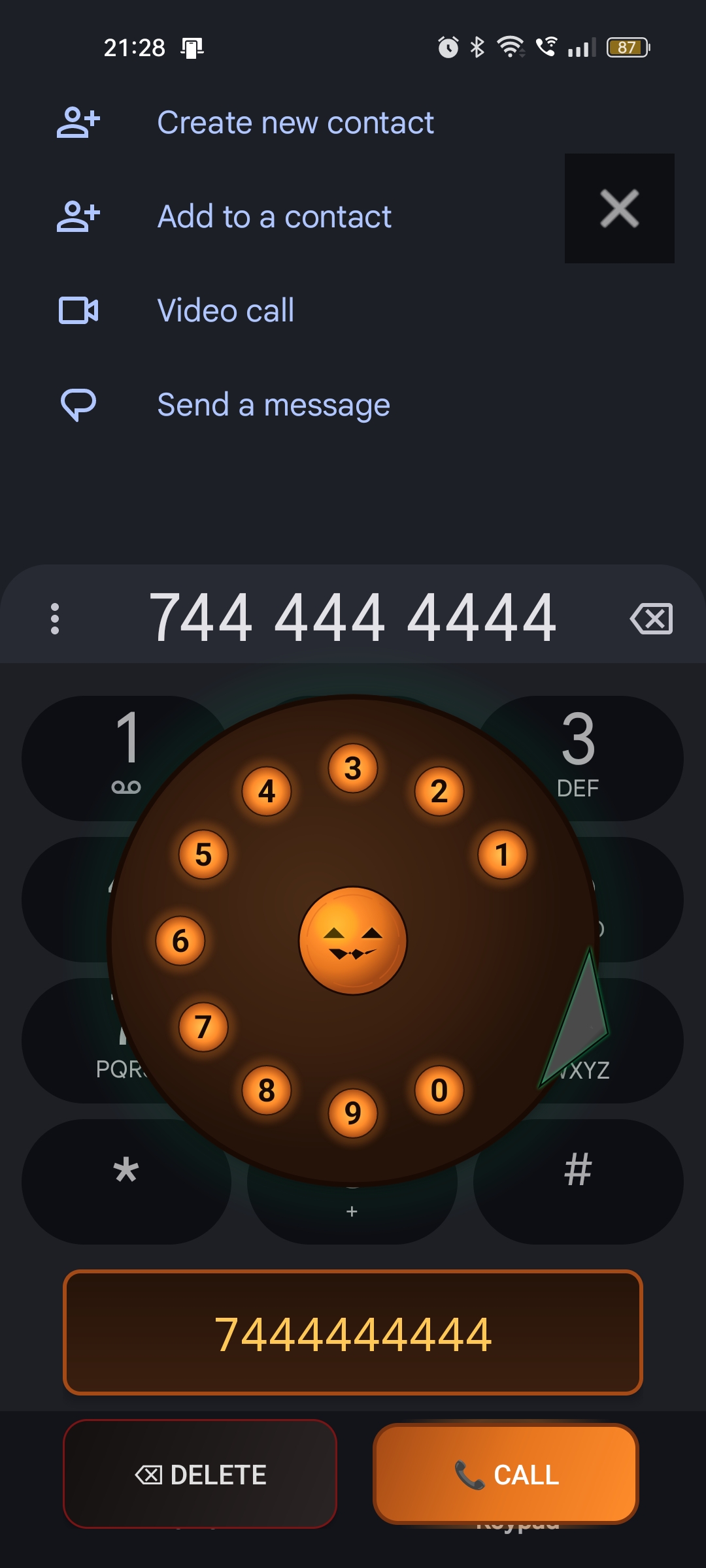
The Rotary Dial in Action
-
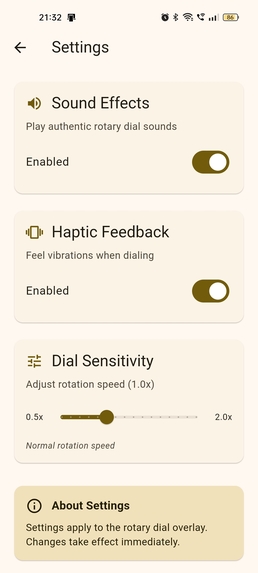
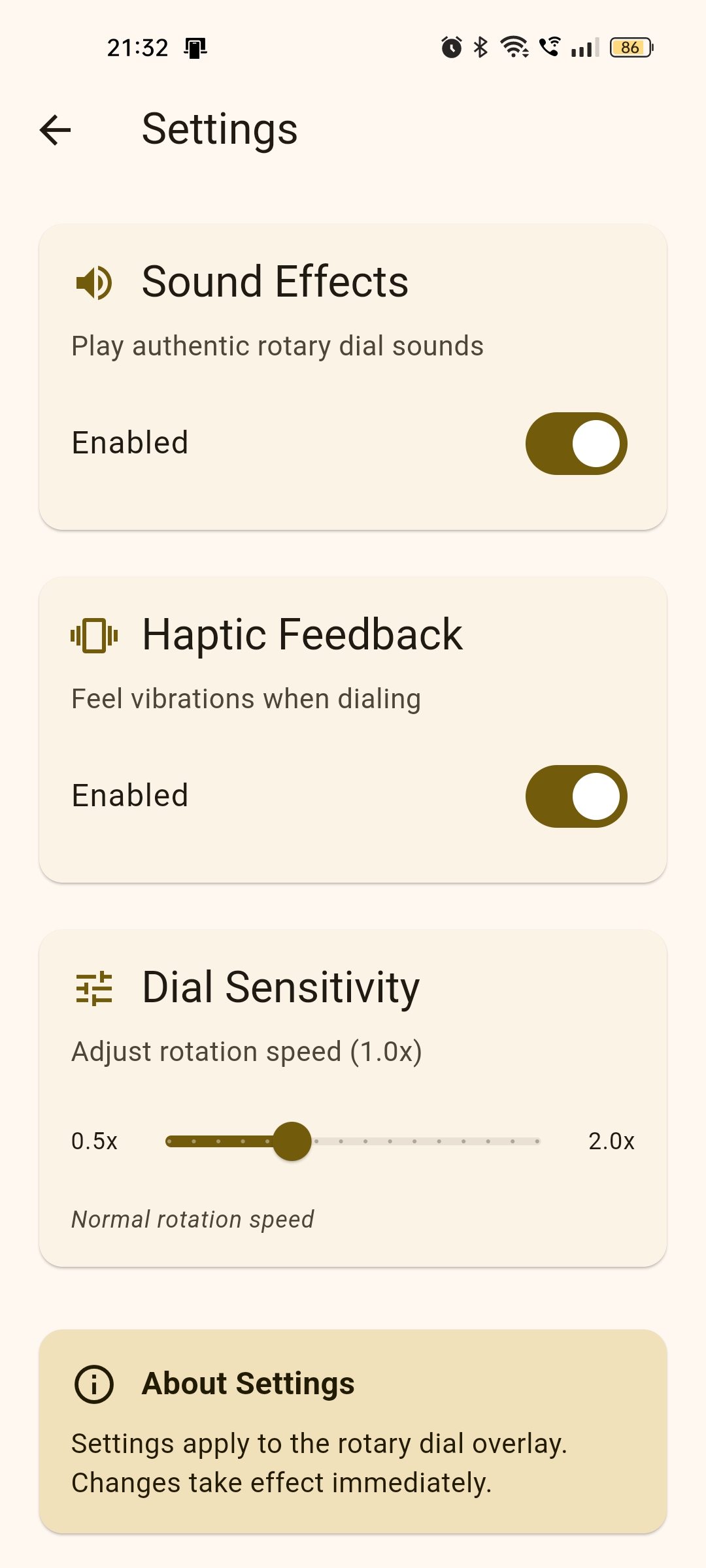
Settings screen
Inspiration
The Haunted Rotary Dialer was inspired by a mix of nostalgia and Halloween creativity. Rotary phones have a tactile charm that modern smartphones completely lost—the spinning disk, the mechanical clacks, the ticking return sound. For Kiroween, I wanted to resurrect this classic technology and give it a spooky twist: a floating jack-o’-lantern-themed rotary dial that works on top of a real Android phone dialer.
Instead of building a standalone simulator, I wanted something truly magical: an old-school rotary dial fused with modern Android calling, brought back from the dead with Halloween personality.
This perfectly fit the “Resurrection” theme—breathing new life into vintage tech for today’s devices.
What it doesThe Haunted Rotary Dialer overlays a fully interactive Halloween-themed rotary dial on the real Android phone keypad. It:
Detects automatically when the phone dialer opens
Shows a floating rotary dial with glowing Halloween visuals
Lets users dial numbers by physically rotating the dial
Plays authentic mechanical rotary sounds while dragging
Inserts digits directly into the phone app
Allows users to call directly with the system call button
Provides haptics, return animations, and themed UI elements
Has a spooky jack-o’-lantern center, glowing orange number holes, and Halloween-styled buttons
It feels like using a vintage haunted telephone on a modern smartphone
How we built it
We built the entire project end-to-end with Kiro as our AI development partner.
Accessibility Overlay System Kiro helped design an AccessibilityService to detect when the phone dialer UI appears, trigger the overlay, and manage safe interactions.
Custom Rotary Dial View Using vibe coding, Kiro generated:
circular digit geometry
angular drag tracking
rotation physics
return-to-rest animation
hit testing
drawing primitives
- Authentic Rotary Sound Engine Kiro helped construct a SoundPool manager that:
loops mechanical rotation sounds
prevents overlapping playback
adds clack + vibration on release
- The Halloween UI Using steering docs, we instructed Kiro to refine:
glowing orange holes
jack-o’-lantern center
spooky dark theme
themed call/delete buttons
a subtle spectral green aura
- Integration with Modern Dialer Kiro generated the logic for sending digits into the real phone keypad and initiating calls via the system dialer. ## Challenges we ran into Overlaying on top of the protected phone app Android dialer UIs are not designed for modification, so it required careful accessibility handling.
Syncing rotation with real mechanical audio SoundPool decoding delays caused false “not ready” errors. Kiro helped debug this at a low level.
Rotary physics Making finger motion feel like a real dial required refining the angle math, thresholds, and animation curves.
Maintaining stability during UI modifications When applying Halloween themes, Kiro initially altered geometry—steering docs helped lock behaviors down.
Ensuring the dial inserts numbers correctly We had to make the overlay non-obstructive while still sending digits into the underlying dialer.
Accomplishments that we're proud of
Built a functional rotary dial that works seamlessly on top of the modern Android dialer
Achieved authentic rotary sound behavior with drag-looping and clack timing
Created a polished, spooky Halloween theme UI that feels magical and interactive
Implemented physics-accurate rotation and animations
Used multiple advanced Kiro features (vibe coding, specs, hooks, steering) effectively
Delivered a concept that is both nostalgic and genuinely usable
Brought “dead” rotary technology back to life in a way that feels supernatural
What we learned
How to combine Accessibility Services with custom overlays
How to synchronize UI animations with looping sound assets
Advanced trigonometry for angle detection and rotational motion
Managing SoundPool audio readiness and decoding timing
How steering docs significantly improve AI development stability
How to structure multi-file systems with specs so Kiro generates consistent, connected code
The importance of preserving behavior while modifying visuals
What's next for Haunted Rotary Dialer
Adding multiple spooky themes (witch, ghost, skeleton, neon Halloween, etc.)
Allowing users to customize the center icon (pumpkin, skull, haunted house)
Adding vintage phone ringing effects
Adding haptic intensity customization
Light/dark Halloween mode
Optional full-screen “Haunted Phone Mode” experience
Publishing the app on GitHub with detailed documentation
Built With
- docs)
- github
- kotlin-android-sdk-android-accessibilityservice-custom-view-/-canvas-soundpool-gradle-kiro-(vibe-coding
- specs
- steering


Log in or sign up for Devpost to join the conversation.