-
-
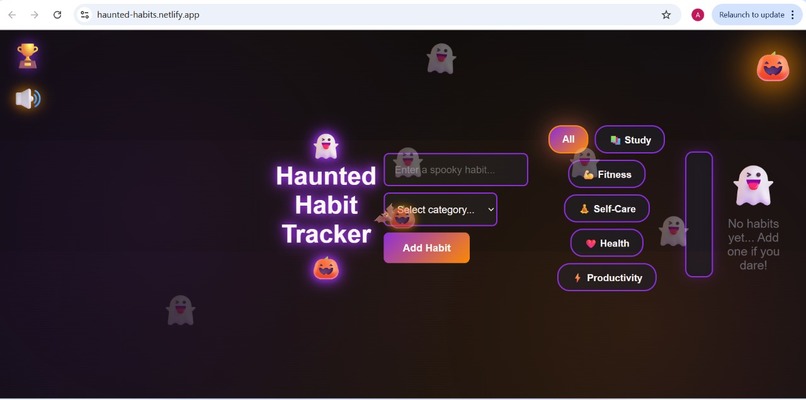
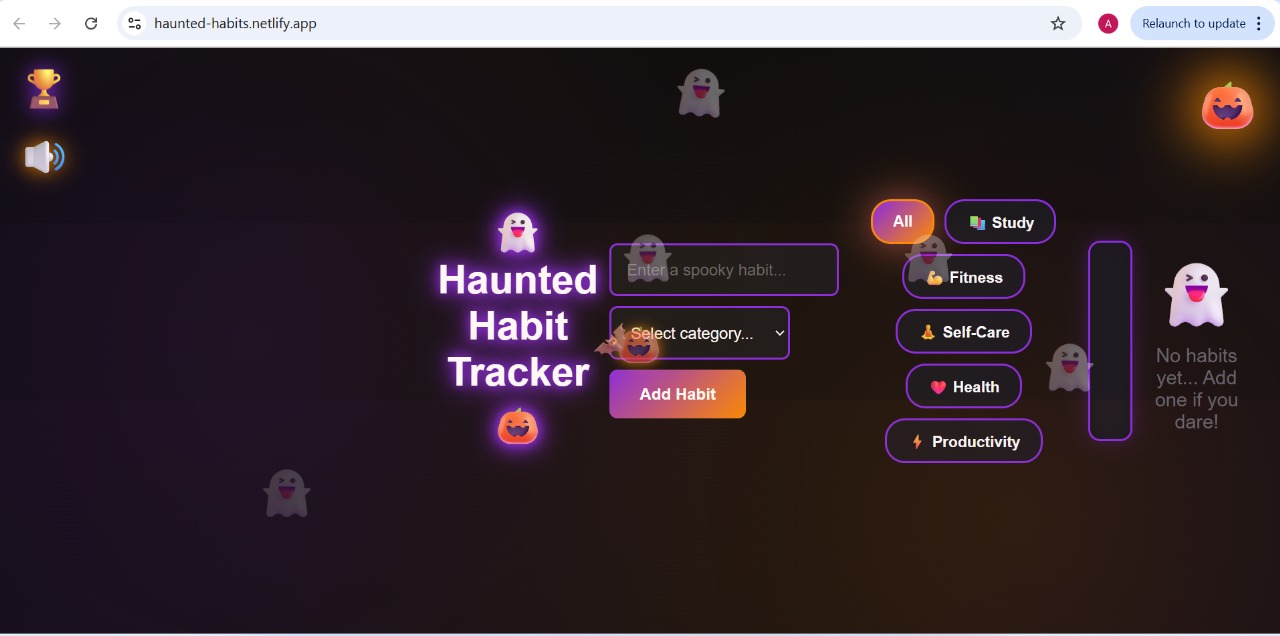
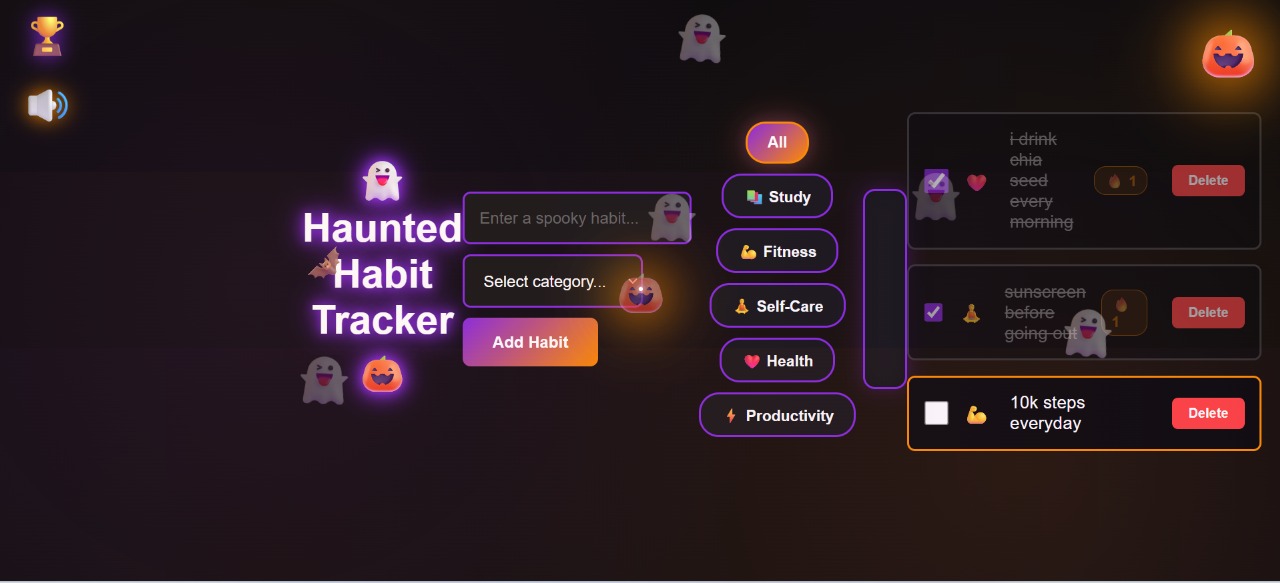
The main dashboard featuring the dark Halloween theme, animated ghosts, floating pumpkins, and category filters.
-
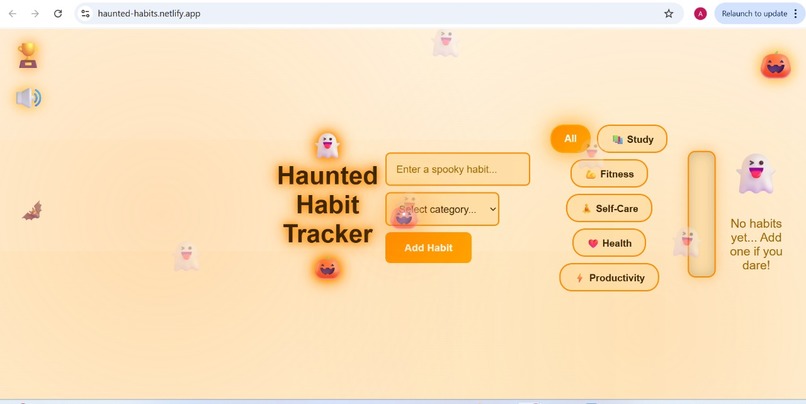
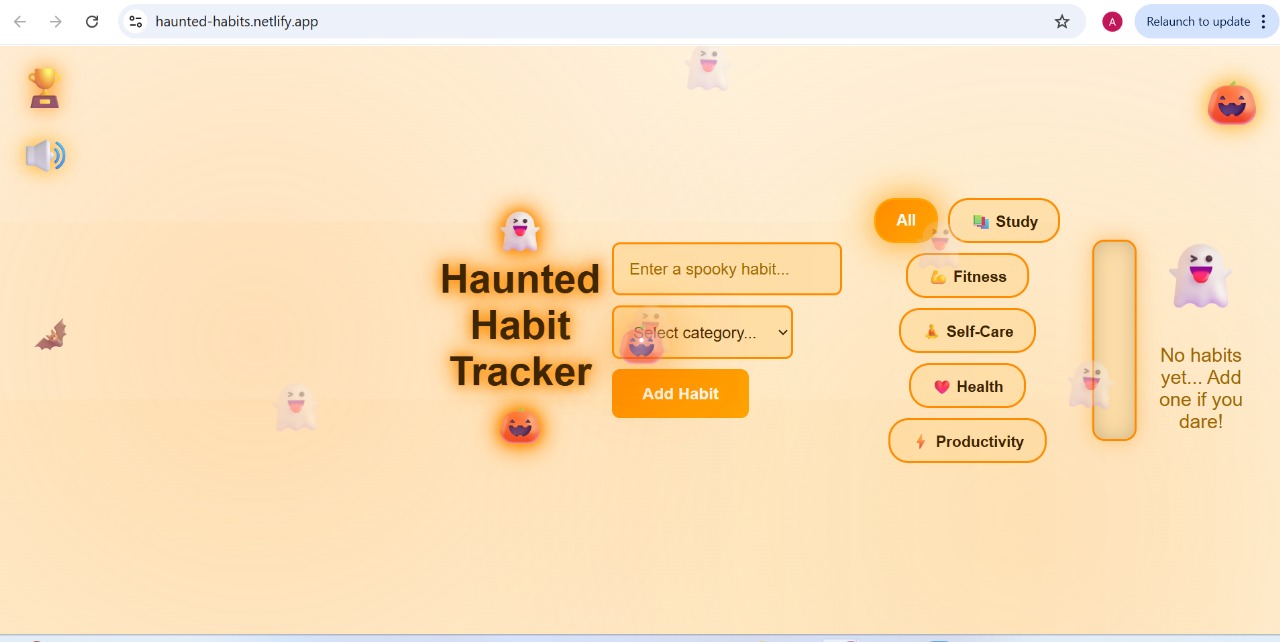
The alternate light (pumpkin) theme with glowing UI elements and the same animated Halloween environment.
-
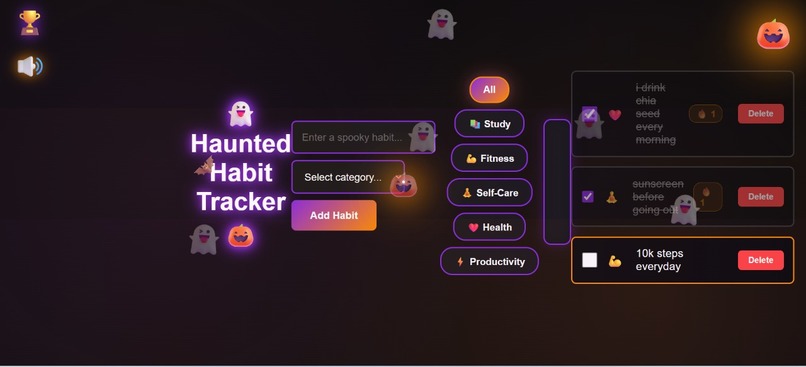
Users can add habits, assign categories, filter them, and track progress with streak counters and emoji-based visuals.
-
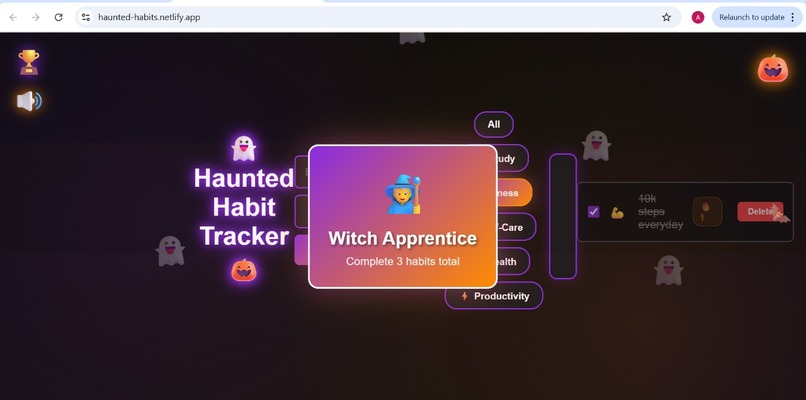
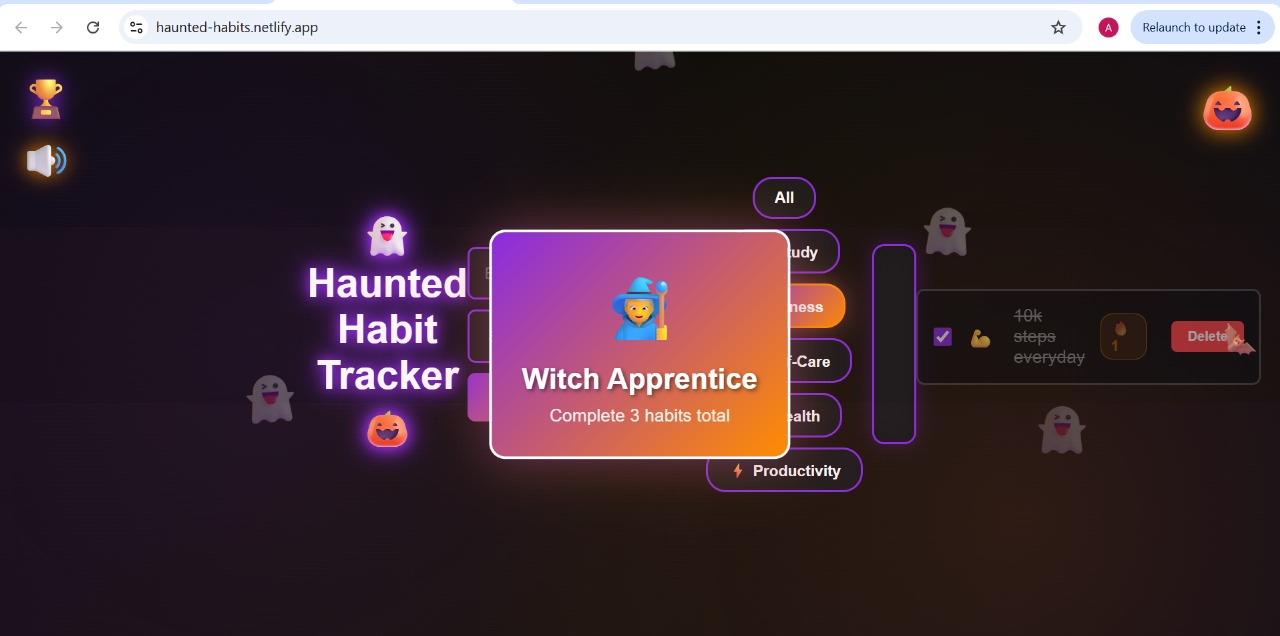
A spooky animated popup that appears when the user unlocks an achievement such as completing 3 habits.
-
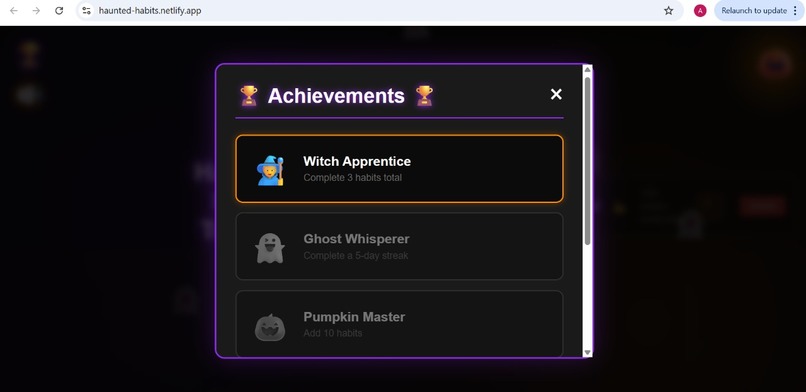
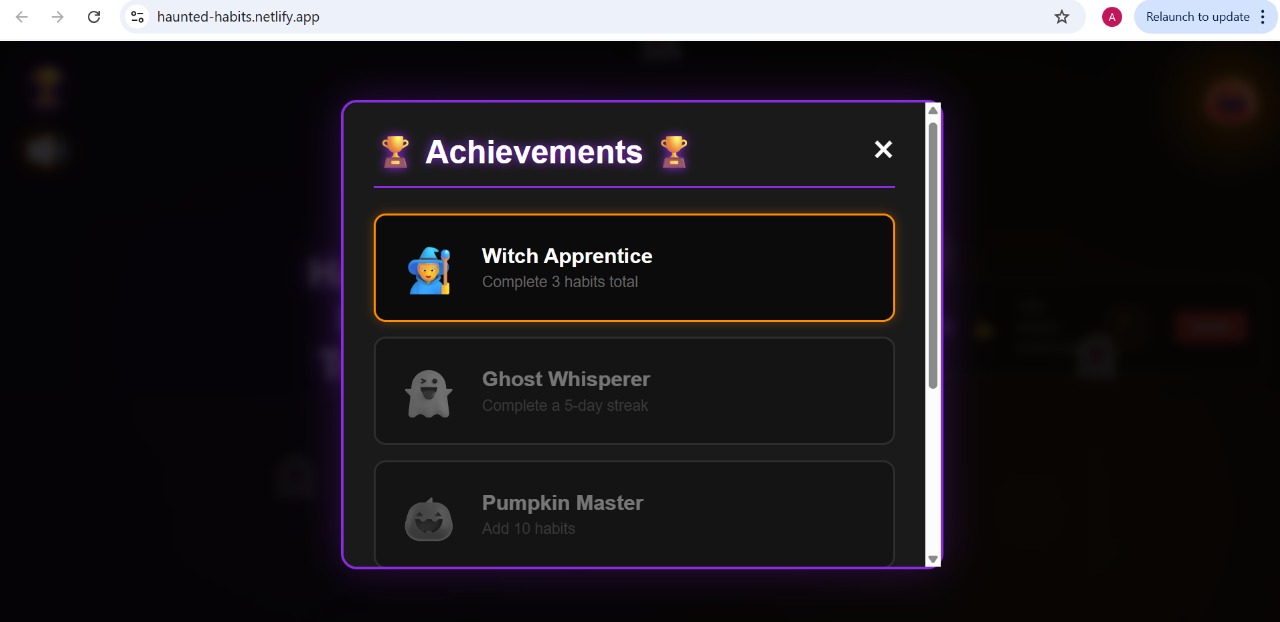
The full Achievements panel where unlocked badges glow and locked badges remain greyed out.
-
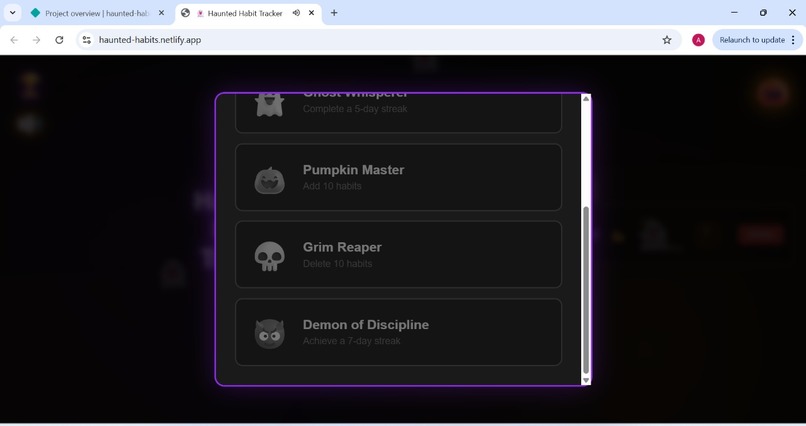
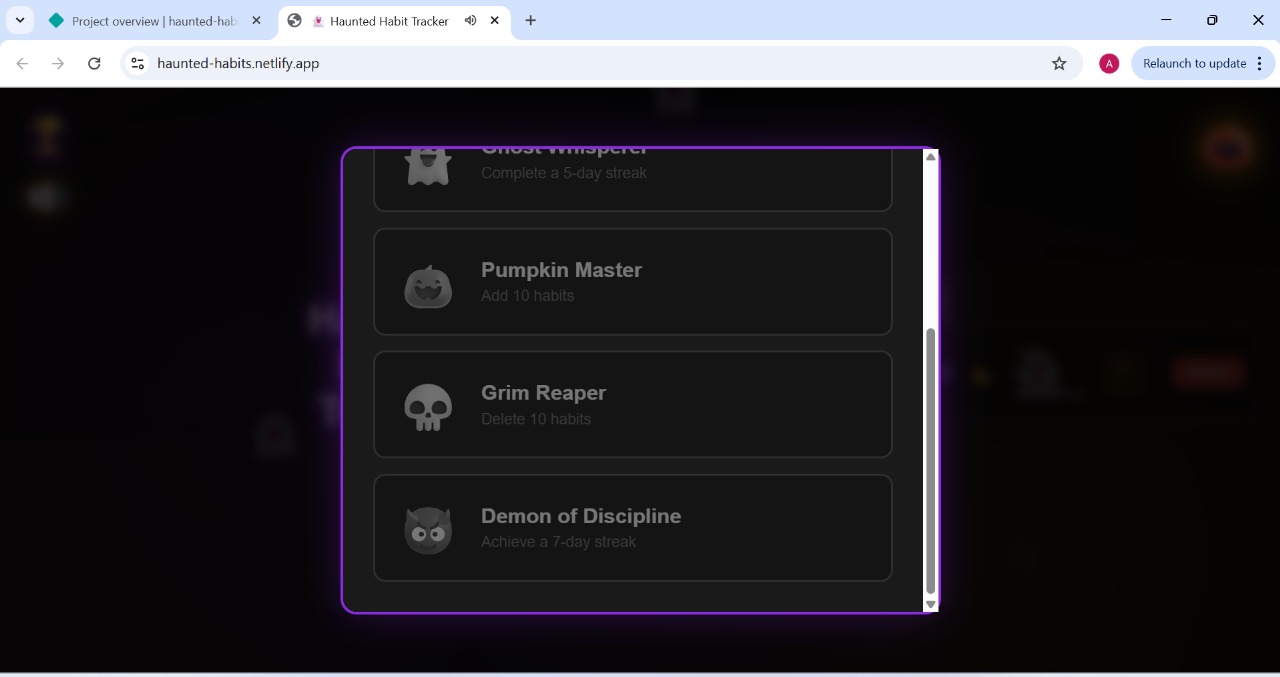
Additional achievements like Pumpkin Master, Grim Reaper, and Demon of Discipline displayed in the scrollable badge list.
Inspiration
I wanted to build a habit-tracking app that didn’t feel boring or repetitive. Since this hackathon’s theme is Kiroween, I thought—what if building good habits felt spooky, fun, animated, and alive? That idea led to Haunted Habit Tracker: a Halloween-themed productivity tool with floating ghosts, fog, bats, glowing UI, sound effects, achievements, and streaks.
The goal was to take something everyday (habit tracking) and turn it into an immersive, delightful experience.
What it does
Haunted Habit Tracker is a gamified Halloween habit app where users can:
• Add, complete, and delete habits
• Track daily streaks with fire animations
• Unlock spooky achievements
• Filter habits by category
• Toggle between dark/light mode using a glowing pumpkin
• Hear fun sound effects with each action
• Enjoy a fully animated haunted background
All data is stored in localStorage, so habits and streaks persist even after closing the app.
How we built it
The app was built using HTML, CSS, and JavaScript, with every part of its development assisted by Kiro’s agentic IDE.
Kiro helped generate:
• Project structure
• UI layout and styling
• Ghost/fog/bat animations
• Streak system logic
• Achievement system
• Sound effects using Web Audio API
• Theme toggle
• Category filtering
• Popups, modals, and transitions
I used Vibe coding for major features, specs for structured logic, and steering prompts to refine animations and UX. Kiro acted like a collaborative co-developer throughout the entire project.
Challenges we ran into
• Coordinating multiple animations (ghosts, fog, bats) without affecting usability
• Designing a clean UI while keeping the Halloween theme strong
• Implementing accurate streak logic that resets correctly
• Designing an achievements system with popups and visual feedback
• Managing sound effects without overwhelming the user
• Ensuring theme toggle and sound toggle persist smoothly in localStorage
• Keeping the code clean and structured with many moving parts
Accomplishments that we're proud of
• Built a fully animated, spooky UI that feels fun and polished
• Created a working streak + achievement system
• Designed a clean category filter system
• Implemented all sound effects without external files
• Used Kiro effectively to structure and generate complex features
• Finished a complete solo project from scratch
• The entire experience feels smooth, delightful, and immersive
What we learned
• How to break down large features into smaller tasks
• How to collaborate with Kiro through Vibe, Specs, and Steering
• How to design UI animations without hurting usability
• How to use the Web Audio API for custom sound effects
• How to organize a project cleanly for GitHub and Devpost
• The importance of UX polish in hackathon submissions
What's next for Haunted Habit Tracker
• Adding more achievements and spooky animations
• Adding a calendar view for habit history
• Adding user profiles
• Hosting the app as a live website for public use
• Adding spooky seasonal themes (Christmas, New Year, etc.)
• Converting the project into a PWA (installable app)
Built With
- css
- html
- javascript
- kiro
- web-audio-api


Log in or sign up for Devpost to join the conversation.