-
-
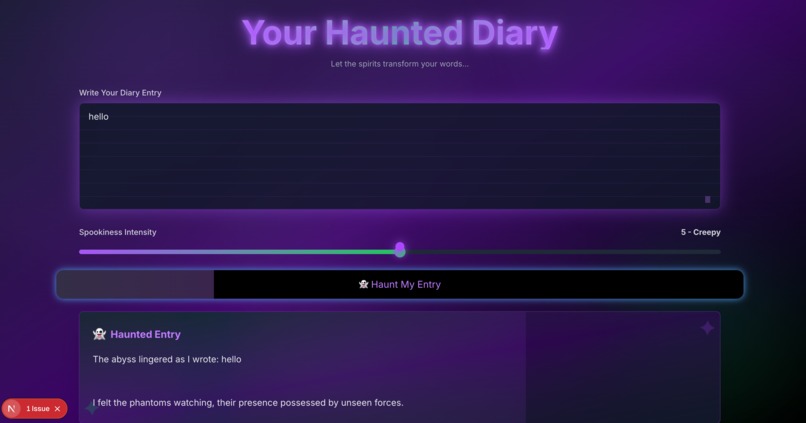
when user for first log in and click for the first time "click to enter" button
-
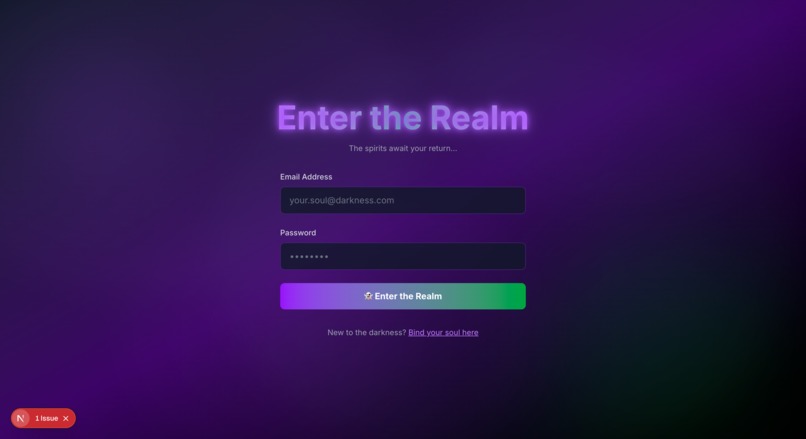
login page
-
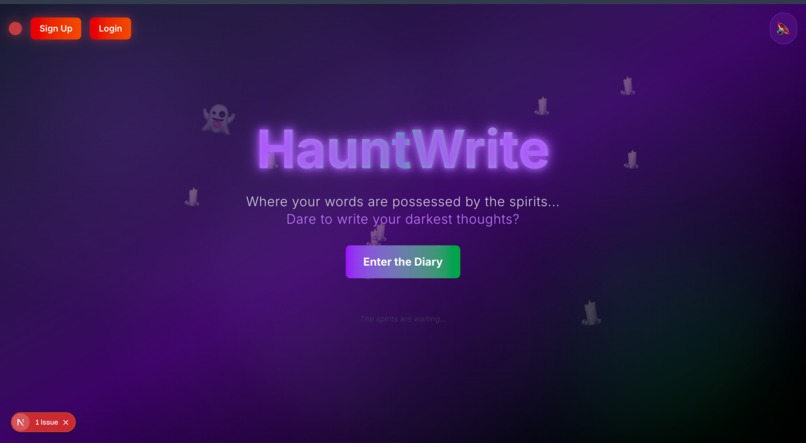
This is a first page for user


Inspiration
The idea for HauntWrite came from the desire to blend storytelling with immersive digital experiences. We wanted a place where users could feel a cinematic sense of mystery the moment they opened the website—dark transitions, eerie sounds, smoky animations, and a diary that feels alive. The core inspiration was to turn a simple journaling or note-taking experience into something atmospheric, almost like stepping into a haunted room where every interaction tells a story.
What it does
HauntWrite is an interactive spooky diary web app. It welcomes users with: A black, smoky animated intro screen A creepy sound effect that plays on first visit Smooth transitions revealing the main homepage A diary interface for writing, saving, and viewing entries The goal is to turn writing into an immersive adventure—something between a horror game and a journaling tool.
How we built it
We built HauntWrite using: Next.js for front-end routing and fast rendering React for components, state management, and UI interactivity TailwindCSS for styling and smooth animations Framer Motion for cinematic transitions and smoke effects Node.js / Express (optional backend) for user storage and APIs For audio logic, we used the Web Audio API to trigger the spooky sound only on the user’s first visit, using: localStorage.setItem(“visited”, true) localStorage.setItem(“visited”, true) to track if the intro should play again or not.
Challenges we ran into
Creating smooth smoky animations without hurting performance Syncing transitions between audio, animations, and page routes Ensuring the spooky sound didn’t autoplay in a way that browsers block Making the UI look scary but still readable and functional Organizing the project folder structure during setup Getting the Next.js app running cleanly inside the project directory We also faced challenges coordinating design + code to ensure the first-visit experience feels magical and not glitchy.
Accomplishments that we're proud of
Built a fully immersive horror-themed UI (rare on web apps) Designed smooth fading smoke animations that feel cinematic Implemented a “first-visit spooky reveal” that users love Created a brand identity for HauntWrite with a spooky logo and theme Made a clean and scalable architecture using Next.js + modern tools Successfully synced visual transitions with audio behaviour Most importantly, the project went beyond “just a diary” and became an experience.
What we learned
Advanced animations using CSS and Framer Motion Best practices for structuring a Next.js project Handling first-visit logic using localStorage Improving UI/UX through atmospheric design How audio autoplay restrictions work across browsers Seamlessly integrating animations without increasing load time We also gained a deeper appreciation for combining design + storytelling through code.
What’s next for HauntWrite
We plan to expand HauntWrite into a full storytelling platform: Add user accounts and cloud syncing Introduce AI-generated spooky prompts Add background atmospheric loops and soundscapes Allow users to create horror-themed notebooks Add a “dark mode inside dark mode” where the page reacts to typing Build mobile-responsive animations Add multiplayer horror writing sessions (co-op storytelling) Add jump-scare–free but eerie microinteractions Ultimately, we want HauntWrite to become the most immersive writing environment on the web.
Built With
- css
- express.js
- framer
- git
- github
- html5
- javascript
- kiro
- next.js
- node.js
- react
- rest
- tailwind
- typescript
- vercel

Log in or sign up for Devpost to join the conversation.