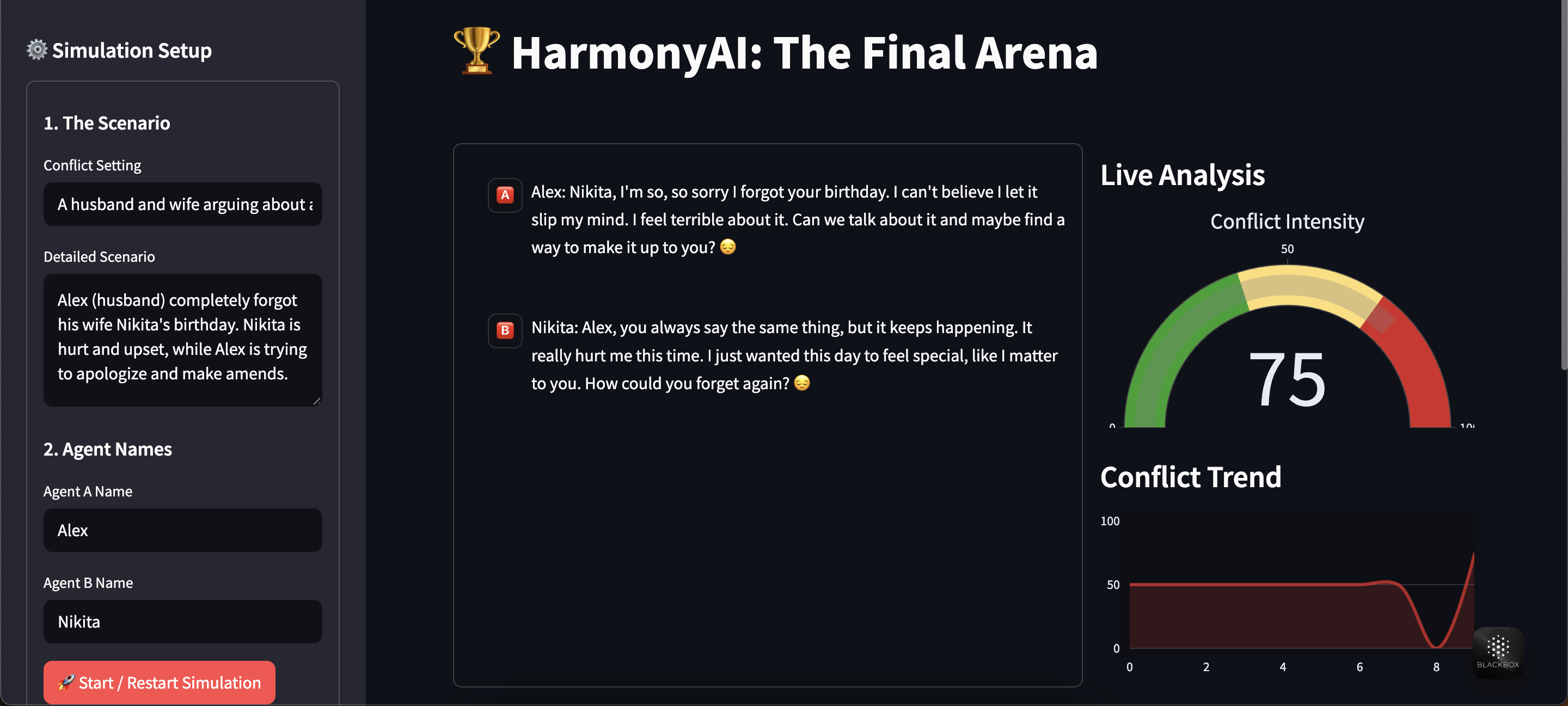
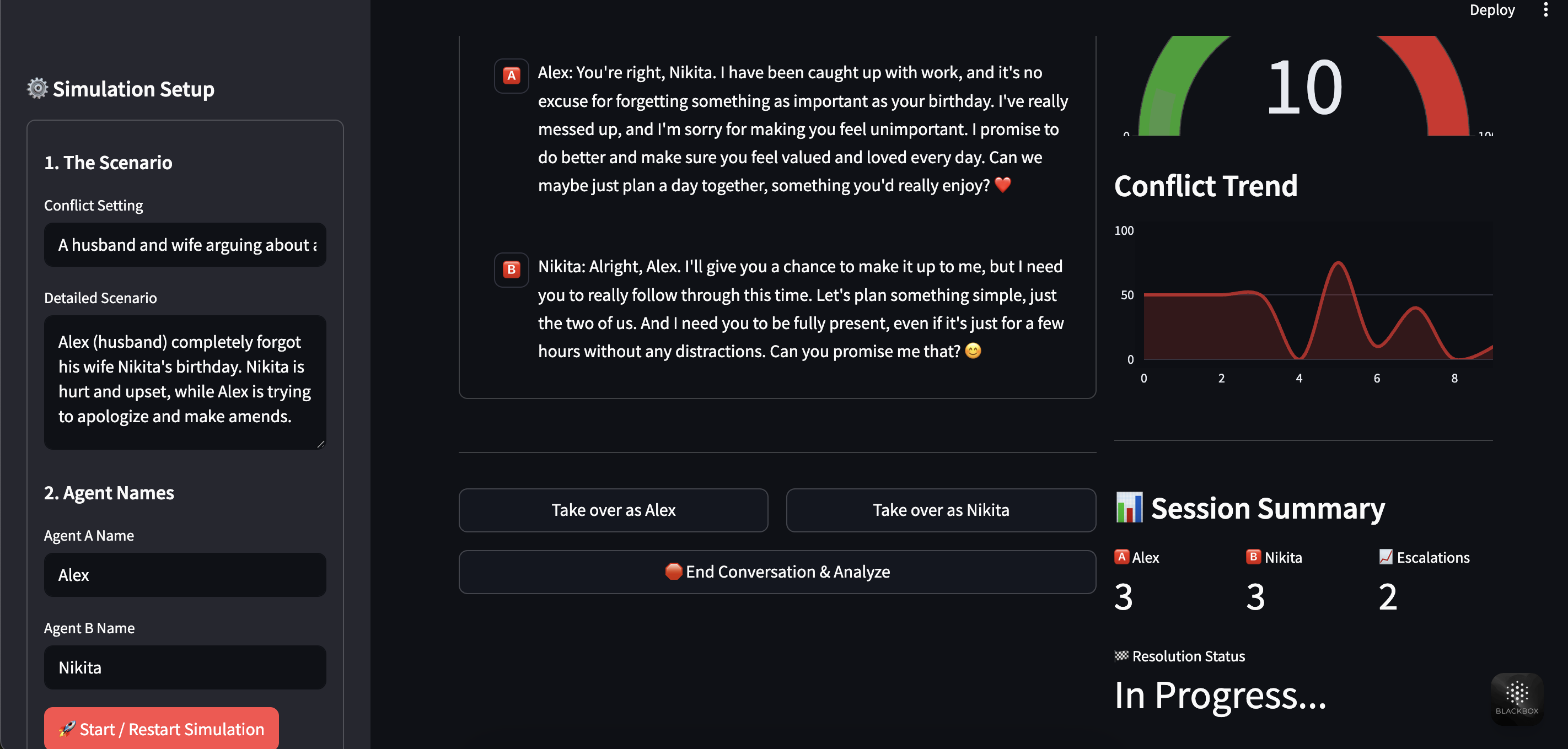
HarmonyAI Project Our platform allows users to step into the shoes of a character, role-play through a challenging scenario with an AI counterpart, and receive live, data-driven feedback on the conversation's emotional landscape.
✨ Core Features
HarmonyAI was built to exceed the hackathon challenges, incorporating a wide array of beginner, intermediate, and advanced features into a single, cohesive application.
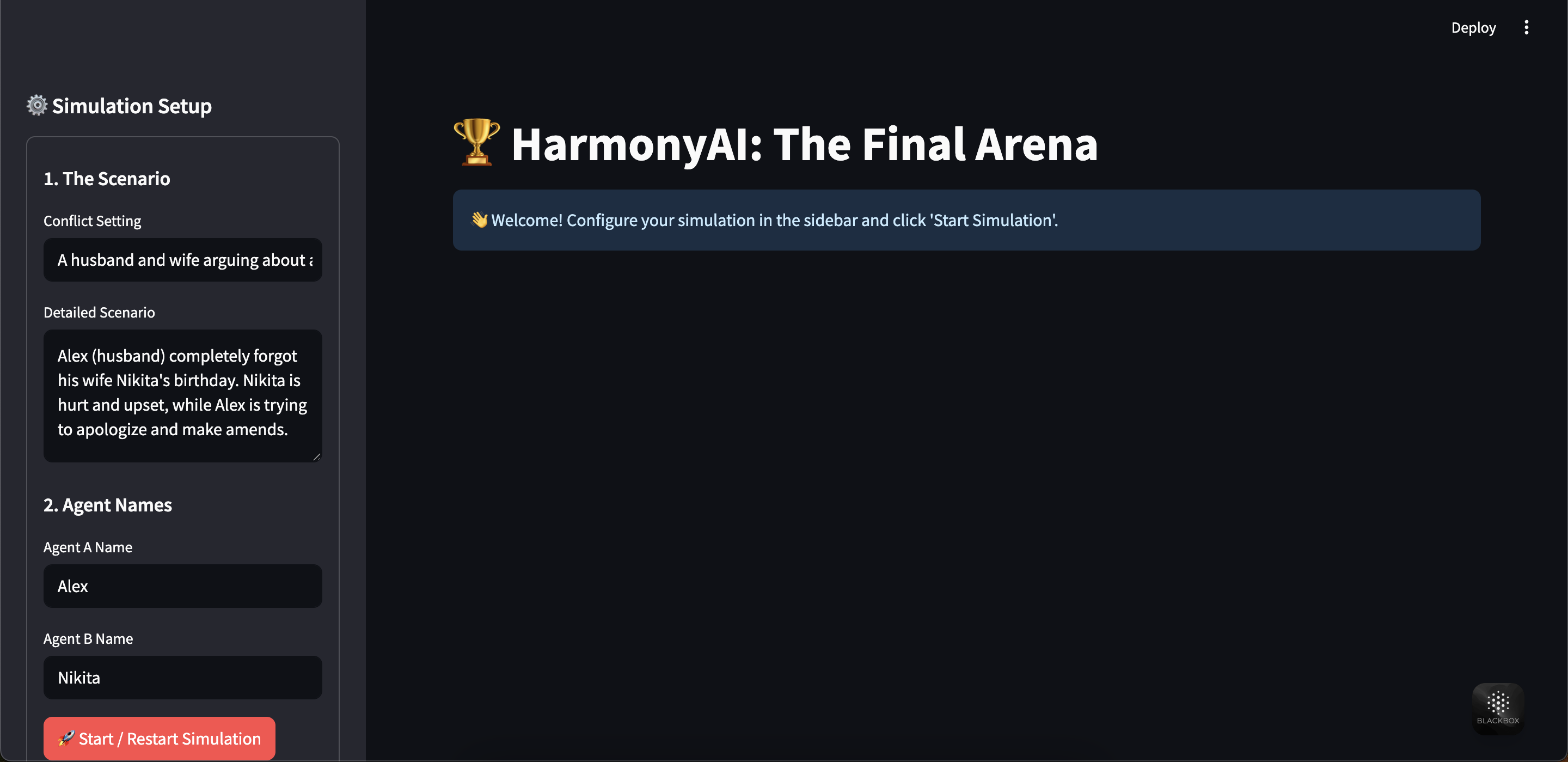
Core Simulation Engine Dynamic Scenario Builder: Configure any conflict scenario imaginable, from workplace disputes to family arguments, directly in the sidebar.
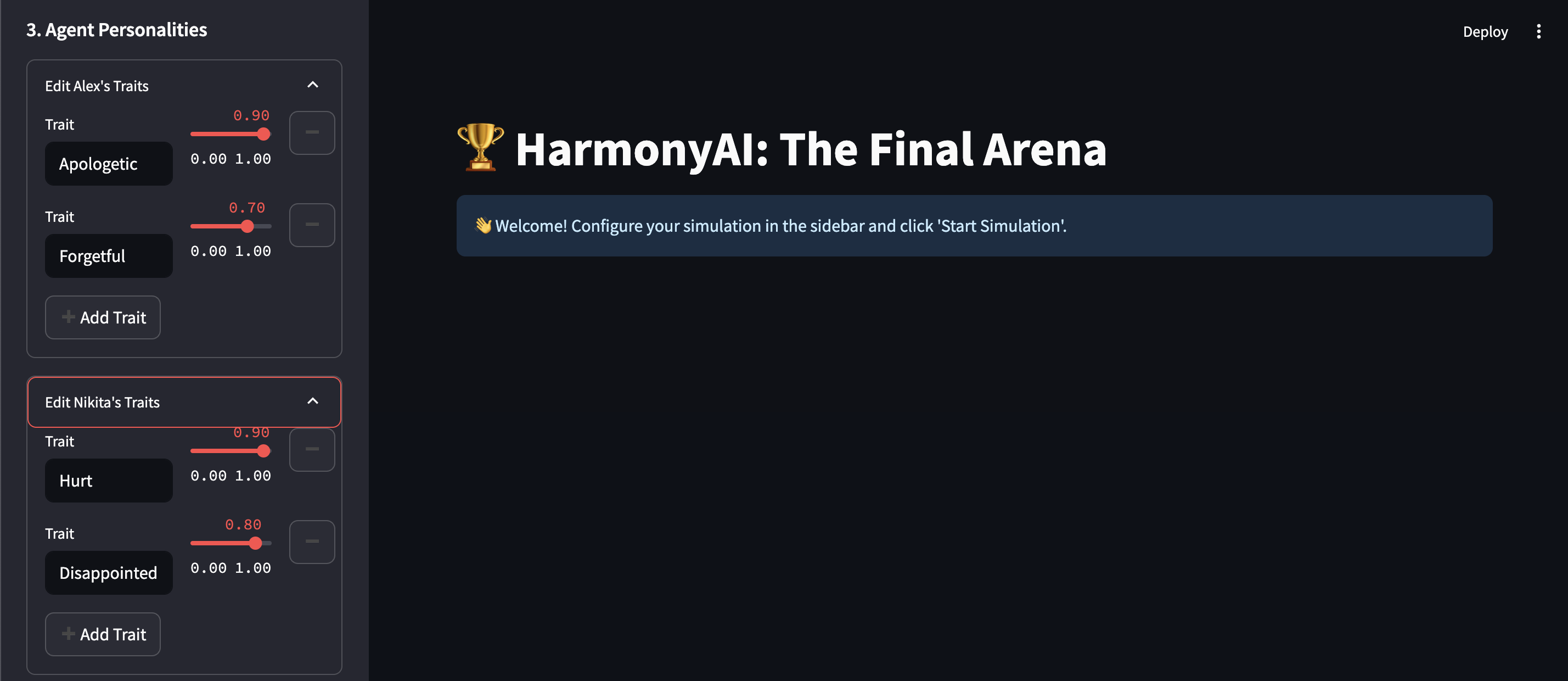
Customizable AI Agents: Define unique agent personalities by adding, removing, and weighting any number of character traits.
Human-in-the-Loop Role-Play: After a 6-turn AI-vs-AI demonstration to establish the scene, the user is prompted to take over one of the agent's roles for an engaging, interactive experience.
AI & Behavior Modeling Agent Memory & Background: Give each AI agent a "database" of memories and background information via the sidebar. The AI will reference this knowledge to provide more consistent and logically sound responses.
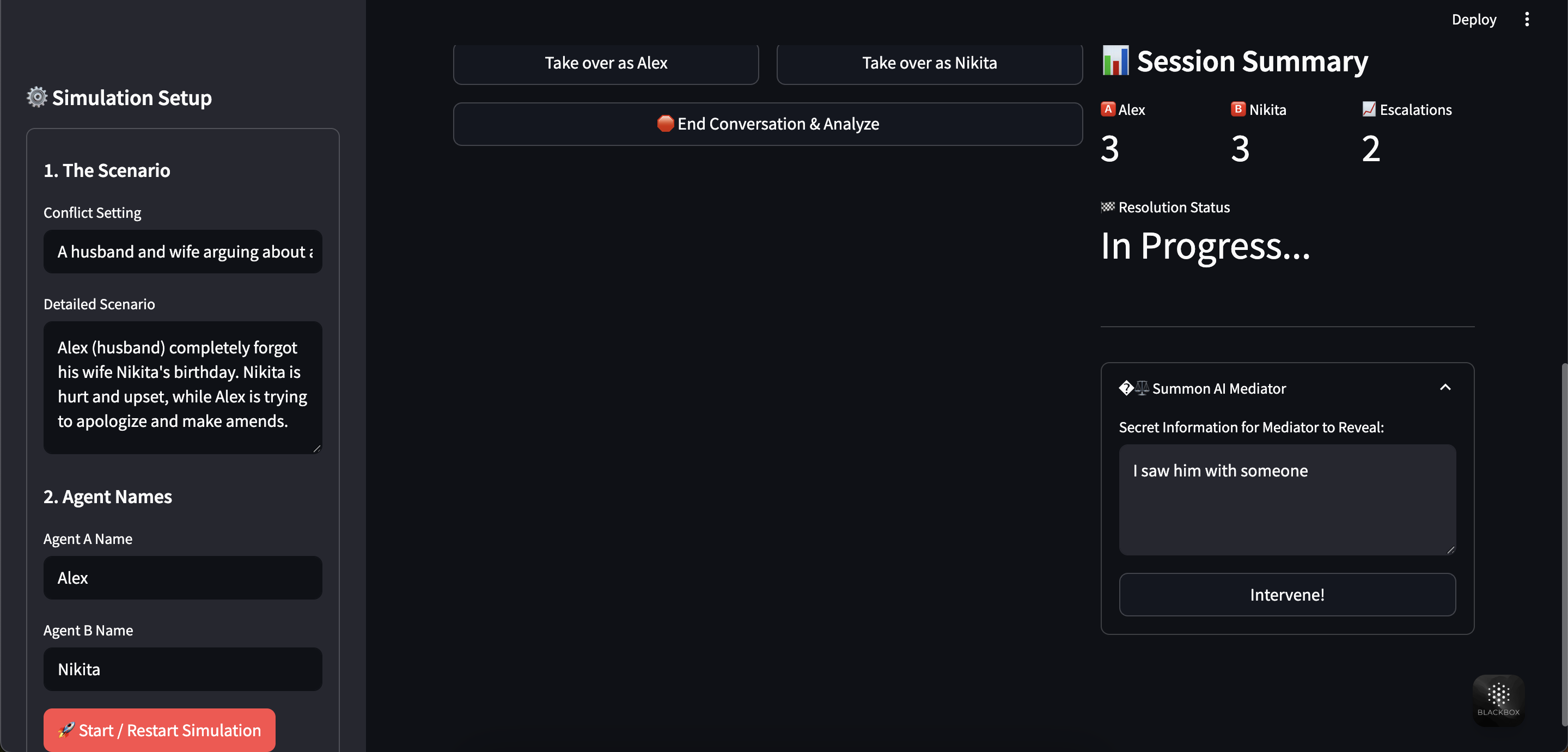
Summonable AI Mediator: Introduce a dramatic twist by summoning a neutral third-party AI to intervene. You can provide the mediator with a "secret" to reveal, instantly changing the dynamic of the conflict.
UI & Experience Live Analytics Dashboard: A professional, real-time dashboard visualizes the conflict's key metrics.
Adaptive Background Music: An immersive soundtrack, generated in-browser, that dynamically shifts between calm, neutral, and tense loops based on the live conflict intensity score.
Emoji Sentiment Analysis: Every message is analyzed for its emotional content, and a corresponding emoji is displayed next to it, providing at-a-glance insight into the tone of the conversation.
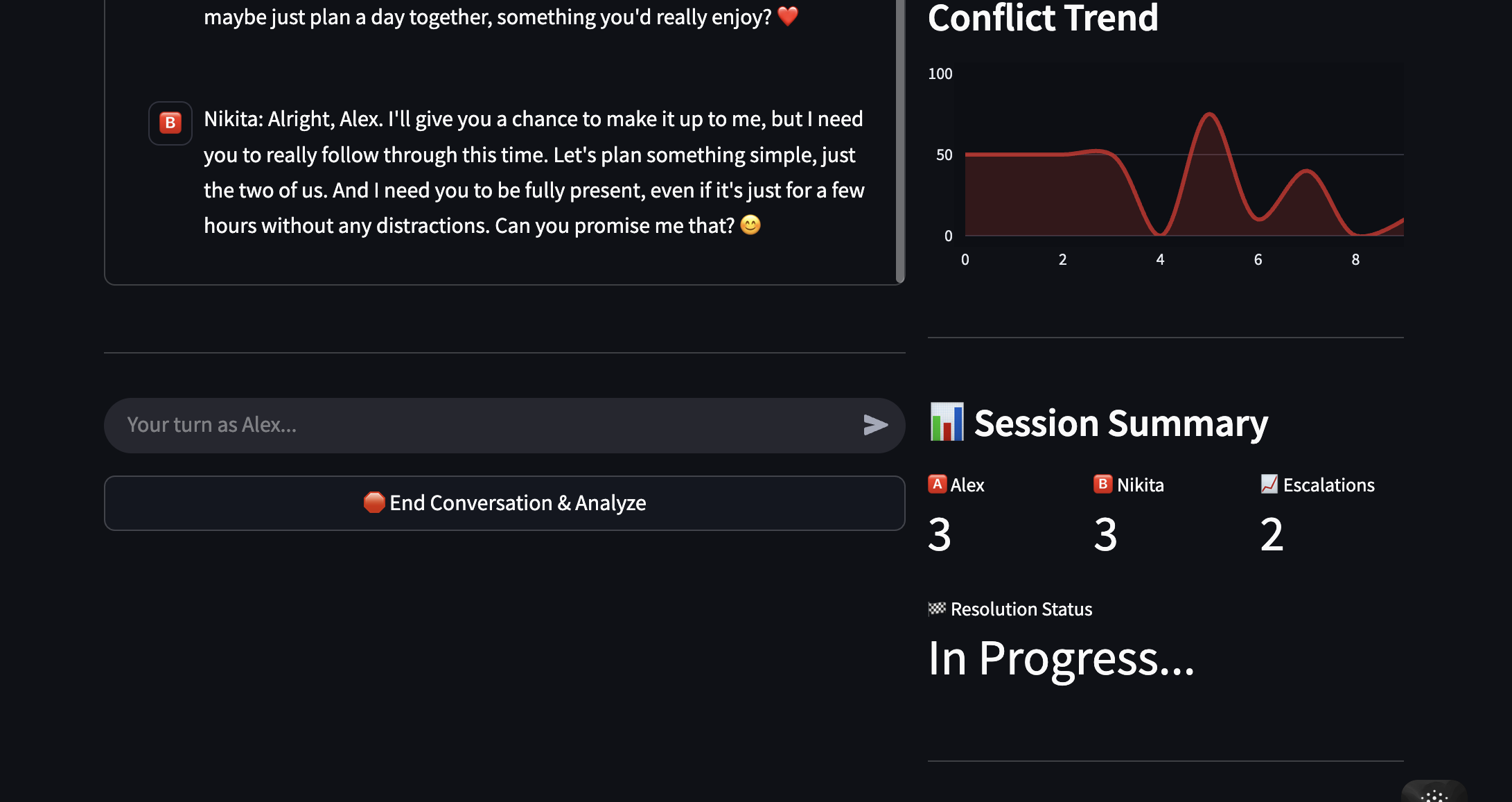
Advanced Analytics Conflict Intensity Gauge: A live "Conflict-o-Meter" shows the current tension level.
Conflict Trend Chart: A polished area chart visualizes the history of conflict scores, clearly showing escalations and de-escalations over time.
Session Summary: The dashboard tracks the number of responses per agent, counts conversation escalations, and provides a final, AI-generated resolution status when the simulation concludes.
🛠️ Technology Stack Framework: Streamlit
Core AI: OpenAI GPT-4o & GPT-3.5-Turbo
Data Visualization: Plotly
Data Handling: Pandas
Language: Python 3.11+
🚀 Getting Started Follow these steps to get HarmonyAI running on your local machine.
- Prerequisites Python (version 3.9 - 3.11 recommended)
pip (Python package installer)
An OpenAI API Key
- Installation First, clone the project repository to your local machine:
git clone https://github.com/your-username/HarmonyAI.git cd HarmonyAI
Next, it is highly recommended to create a virtual environment to avoid package conflicts:
Create a virtual environment
python3 -m venv venv
Activate it (on macOS/Linux)
source venv/bin/activate
On Windows, use: venv\Scripts\activate
Now, install the required dependencies from the requirements.txt file:
pip install -r requirements.txt
- Configure Your API Key Streamlit uses a built-in secrets management system.
Create a folder named .streamlit in your project's root directory.
Inside that folder, create a file named secrets.toml.
Add your OpenAI API key to this file like so:
OPENAI_API_KEY = "sk-YourSecretKeyGoesHere"
- Run the Application With your virtual environment active, run the following command in your terminal:
streamlit run app.py
Your web browser will automatically open a new tab with the HarmonyAI application running.
💬 How to Use the App Configure: Use the sidebar to define the conflict setting, scenario, and the names of the two AI agents.
Customize: Expand the "Agent Personalities" sections to add, remove, and weight the traits that will define each character's behavior.
Start Simulation: Click the "Start / Restart Simulation" button.
Observe: Watch the first 6 turns as the two AI agents interact based on your setup. Notice the analytics dashboard and background music change in real-time.
Take Over: When prompted, choose which agent you want to role-play as.
Engage: Type your responses in the chat box. The remaining AI agent will now react directly to you, informed by its personality and the flow of the conversation.
Mediate (Optional): At any point, you can use the "Summon AI Mediator" panel to introduce a dramatic twist.
Conclude: When you are finished, click the "End Conversation & Analyze" button to receive a final summary and resolution status.
Enjoy exploring the complexities of human interaction with HarmonyAI!
Built With
- api
- llm
- python
- streamlit

Log in or sign up for Devpost to join the conversation.