-
-
Harmony font checker
-
-
-
Overview Harmony Font Checker is an add-on for Adobe Express that helps users check the harmony of font combinations in a design. With an automated scoring system, incompatibility warnings, and AI-based pairing recommendations, this tool helps anyone, even novice designers, create designs that look consistent, professional, and typographically harmonious.
Harmony Font Checker solves core font-related problems in Adobe Express by simplifying the design process. With so many font choices available, users often feel overwhelmed, this tool reduces the guesswork by instantly scoring and recommending font pairings. It also detects inconsistencies in visual tone, such as mismatched formal and playful fonts, helping users maintain a professional look. Instead of wasting time on trial and error, the tool automates font evaluation and correction.
Feature:
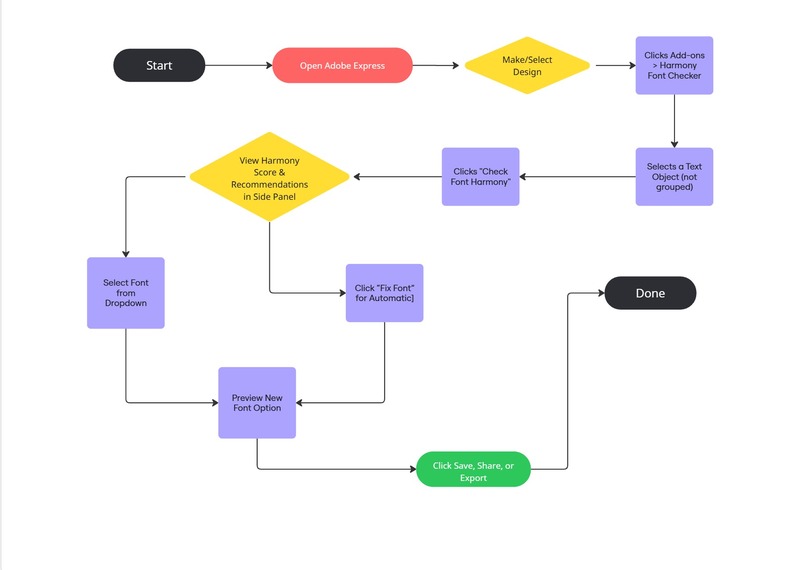
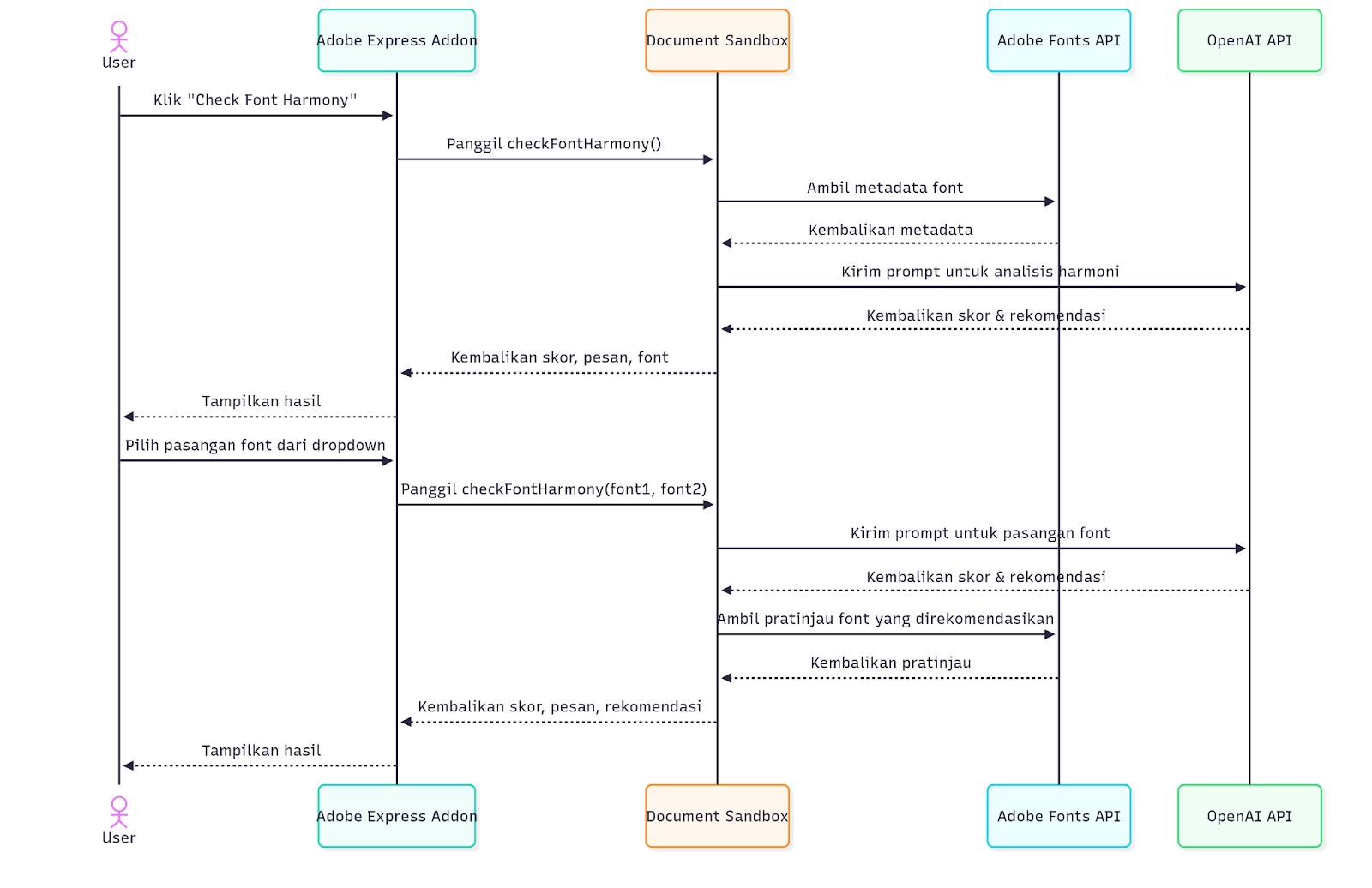
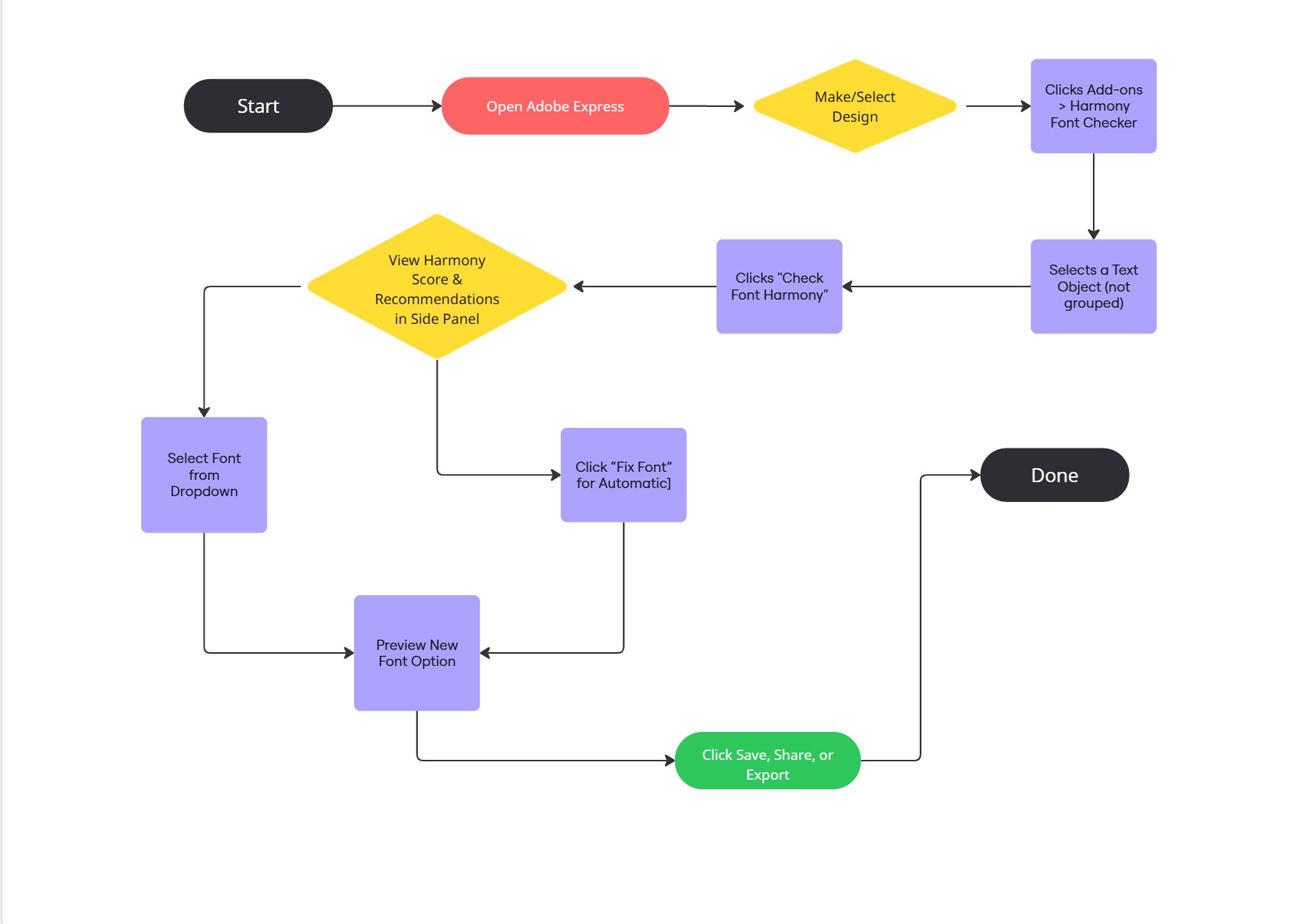
- Font Harmony Score: Automatically rates the compatibility of fonts used in a design based on contrast, tone, and style (scale 0–100).
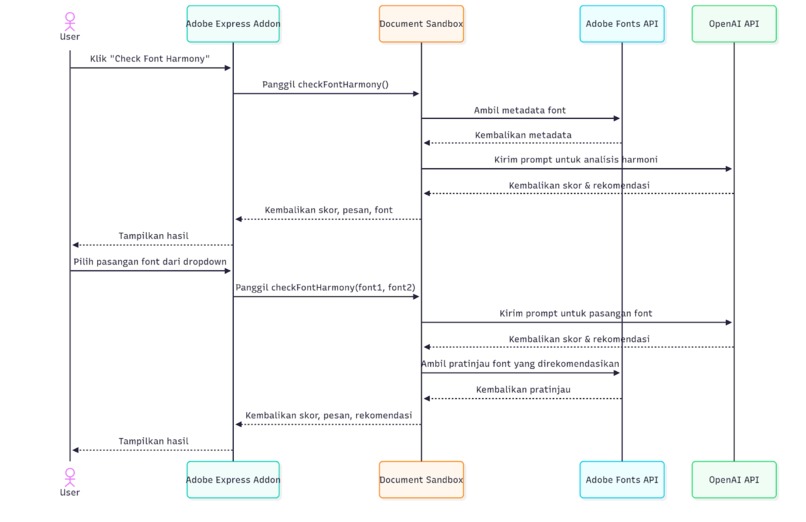
- Parse text object: Tone extractor dan send ke gpt-4 / Gemini AI
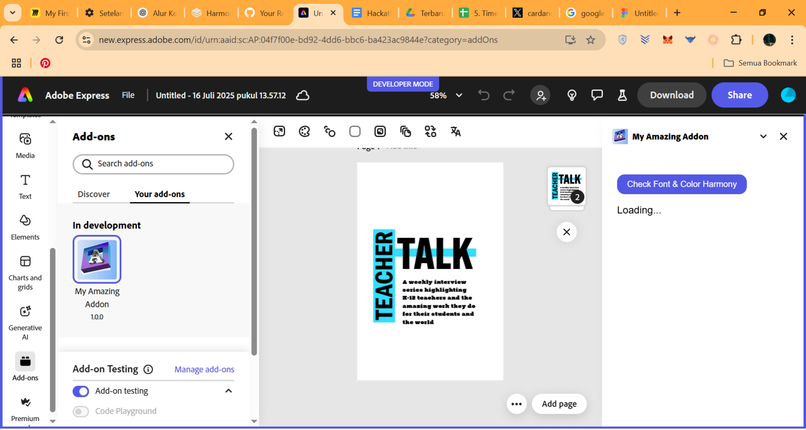
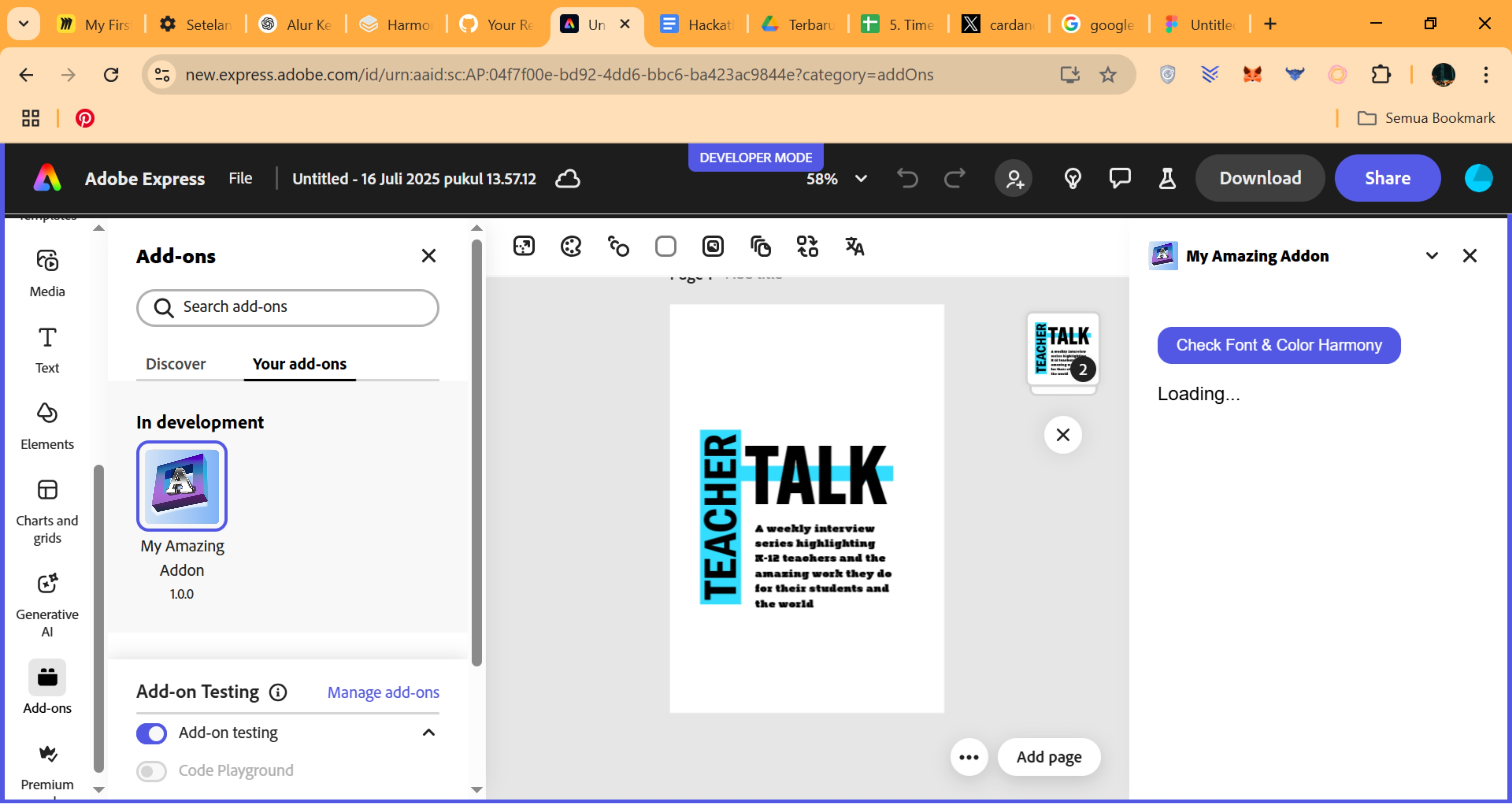
- Visual Feedback Panel: Interactive side panel displays harmony score, mismatch alerts, and actionable recommendations.
- Font Recommendations: Suggests font alternatives that better match the overall design tone and hierarchy.
- Auto Fix Font: Applies a one-click correction to replace all fonts with more harmonious pairings automatically.
This tool is built using the Adobe Express SDK, with AI technology from OpenAI and TensorFlow.js, ensuring accurate results and seamless integration with Adobe Express. With Harmony Font Checker, even beginners can create designs that look professional, consistent, and visually appealing.


Log in or sign up for Devpost to join the conversation.