Inspiration
My grandfather used to cook his own meals and tidy up around the house without ever asking for help. As he got older and his vision faded, I started noticing small things change. He would hesitate before reaching across the dinner table, unsure where each dish was. One afternoon he knocked over a glass of hot water while feeling around for his cup of tea, and I could see how frustrated he was with himself over something that used to be so simple.
What stayed with me was that he never wanted someone to do things for him. He just needed someone nearby to say something like "a little to the left" or "there's a bowl in the way." A few words of guidance were always enough for him to do the rest on his own.
I later learned that most assistive technologies for vision-impaired individuals can describe what is in a scene, such as telling someone that there is an apple on the table, but they stop short of guiding the person's hand to actually reach it safely without disturbing other objects around it. That gap between knowing where something is and being able to physically get to it is exactly where my grandfather kept running into trouble.
I built HaptiSight to fill that gap, so that people like him can get the small bit of guidance they need to keep doing everyday tasks on their own.
What it does
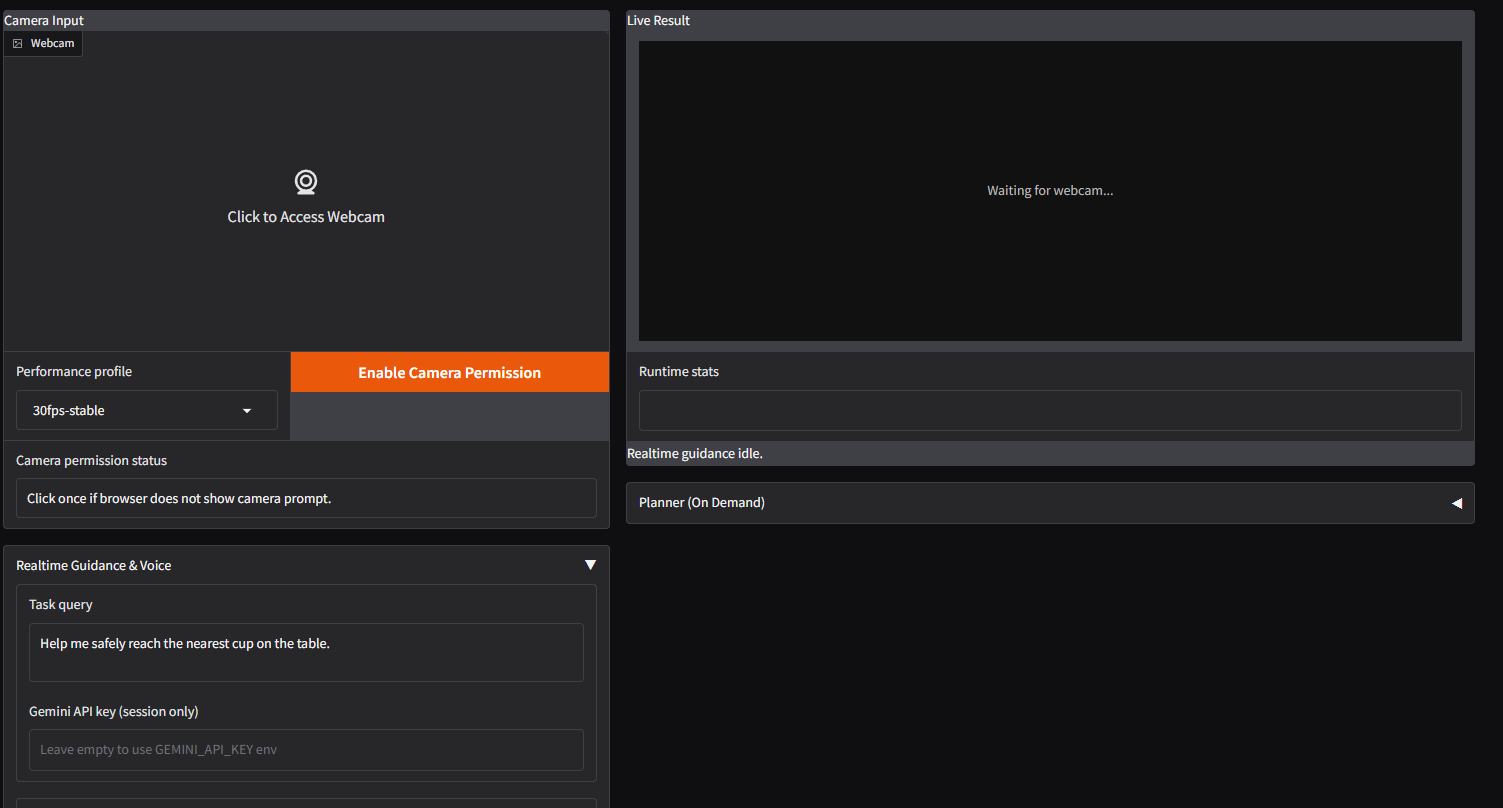
HaptiSight helps vision-impaired individuals reach for objects on a table safely and independently. The user says what they want to pick up, and the system responds with step-by-step spoken instructions to move their hand toward the target while avoiding anything in the way.
The system works in two phases.
Pre-motion planning — Before the hand moves, the system analyzes the scene through a camera to understand what objects are present, where they are relative to each other, and what obstacles might pose a risk. It plans a safe path and tells the user a high-level direction to begin reaching.
Real-time guidance — Once the hand is moving, the system continuously tracks the hand's position relative to the target and nearby objects, providing corrective spoken cues such as "move left" or "slow down, there is a glass nearby" until the hand arrives.
Key features include
- Collision warning — if the hand drifts toward something fragile or hot, the system alerts the user before contact happens
- Continuous tracking — guidance does not stop after the initial direction; the system stays with the user through the entire reaching motion
- Natural spoken instructions — directions are given in intuitive language rather than raw coordinates, so they are easy to follow without thinking
- No special hardware — the entire system runs on a standard webcam, with no depth sensor or wearable required
The whole interaction feels like having a patient person sitting beside you, watching the table, and quietly telling you where to move your hand next.
How I built it
The system is built around three components that work together through a camera feed.
YOLOERv2 handles object detection, identifying and locating objects in the scene in real time. This allows the system to know where the target object is, where the user's hand is, and where surrounding obstacles are at any given moment.
MiDaS v2.1 Small handles depth estimation from a single camera image. This gives the system a sense of 3D space without requiring any special hardware like a depth sensor, so it can reason about whether the user's hand is getting closer to the target or drifting toward something else.
Gemini API handles the reasoning and guidance layer in a multi-agent setup. When the user asks to reach for something, one agent interprets what the user wants, another assesses the spatial layout, another evaluates safety risks based on nearby objects, and a final agent puts all of that together into a clear path plan. These agents pass information to each other so that the guidance accounts for both the goal and the hazards around it.
During the reaching motion, YOLOERv2 and MiDaS continuously update positions and distances of everything on the table, and the guidance agent adjusts its spoken directions accordingly until the user's hand reaches the target.
Challenges I ran into
Depth calibration. MiDaS produces relative depth rather than absolute measurements, so I had to find ways to calibrate and normalize its output for meaningful comparisons between how far the hand is from the target versus how far it is from a nearby obstacle. Small inconsistencies sometimes caused the system to misjudge which object the hand was approaching, and tuning this took a lot of trial and error.
Multi-agent coordination. Each agent handles a different responsibility, but they all need to work from the same understanding of the scene at the same moment. Getting the agents to pass context to each other without losing important details or introducing conflicting interpretations required careful prompt design and a clear information flow between them.
Real-time latency. Running YOLO and MiDaS on every frame while also sending requests to the Gemini API introduced delay, and for a system guiding someone's hand in motion, even a short lag can result in outdated instructions. I had to balance how frequently the system updates its scene understanding with how quickly it can deliver the next piece of guidance.
Natural instruction design. Saying "move 12 centimeters to the left" is precise but not intuitive, while saying "a little to the left" is natural but vague. Finding the right level of specificity so that guidance feels helpful without being overwhelming took many rounds of testing.
Accomplishments that I'm proud of
I managed to build a working system that takes a single camera feed and turns it into spoken, real-time guidance that someone can actually follow to reach an object without knocking things over. Seeing it work end to end for the first time, from the user saying "I want to pick up the apple" to their hand arriving at the apple with nothing disturbed along the way, was a genuinely satisfying moment.
Getting the multi-agent architecture to function coherently through the Gemini API was something I was not sure I could pull off at first. Each agent has a narrow job, but the final guidance has to feel like it comes from one clear voice, and I was able to make that happen without the agents contradicting each other.
I am also proud that the entire system runs without any specialized hardware. There is no depth sensor, no LiDAR, and no wearable device beyond a standard camera. The combination of YOLOERv2 and MiDaS v2.1 Small gives the system enough spatial awareness to guide physical interaction using only a regular webcam, which means it could realistically be used by anyone with a laptop or a phone.
Perhaps the thing I am most proud of is that the system addresses a gap that existing assistive technologies have left open for a long time. Scene description tools can tell someone what is on a table, but they leave the person to figure out how to get to it. HaptiSight stays with the user through the entire reaching motion, and that continuity of guidance is something I have not seen in other tools designed for vision-impaired individuals.
What I learned
I learned that building a system that understands a scene is very different from building one that can guide someone through it. Early on I assumed that if the system could detect objects and estimate depth accurately, the guidance would follow naturally. In practice, converting spatial data into instructions that a person can act on in real time turned out to be its own design problem, one that required me to think carefully about how people process spoken directions while their hand is already moving.
Working with MiDaS taught me a lot about the limitations of monocular depth estimation and how to work within them. I came to appreciate that relative depth can still be useful for guidance as long as the system focuses on comparing distances between objects in the same frame rather than trying to produce exact measurements.
The multi-agent setup taught me how important it is to define clear boundaries between what each agent is responsible for. When the boundaries were vague, the agents would sometimes repeat each other's reasoning or arrive at slightly different conclusions about the same scene, which made the final output confusing. Once I gave each agent a well-defined role and a structured way to pass its output to the next one, the quality of the guidance improved significantly.
I also learned that latency tolerance in a guidance system is much lower than expected. A delay that would be perfectly acceptable in a chatbot becomes a real problem when someone's hand is in motion and the instruction they hear refers to where things were half a second ago. This pushed me to rethink how often I actually need to update the full scene analysis versus when a lighter check is enough.
What's next for HaptiSight
Faster guidance loop. I plan to explore lighter model variants and smarter frame sampling strategies so that the system can deliver instructions with less delay.
Beyond the tabletop. Right now the system works well for objects on a flat surface, but everyday life involves reaching into shelves, opening drawers, and navigating kitchen counters where things are at different heights and partially hidden behind other objects. Supporting these scenarios will require rethinking how the system reasons about space and occlusion.
Haptic feedback. Integrating a simple wearable like a vibrating wristband would let the user receive physical cues alongside spoken guidance, making the system usable in noisy environments and reducing the cognitive load of processing continuous spoken directions.
Real-world testing. I want to test the system with vision-impaired individuals in realistic home settings to understand what kinds of instructions feel most natural and where the guidance still falls short. So far testing has been limited to controlled setups, and I expect real kitchens and dining tables will surface problems I have not anticipated.
Long term, I hope HaptiSight can grow into a general-purpose assistant that helps vision-impaired individuals interact with their physical surroundings across a wide range of daily tasks, bringing them closer to the kind of independence that current assistive technologies have not yet been able to offer.

Log in or sign up for Devpost to join the conversation.