-
-
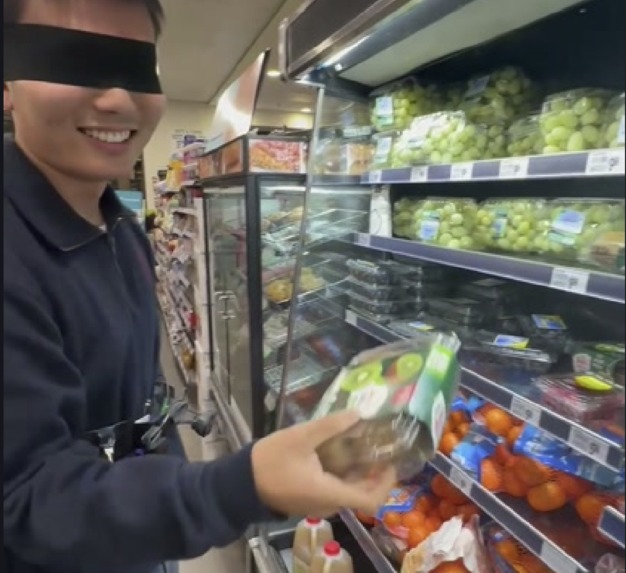
Live clipped camera demonstration of object identification and grabbing for blind and vision-impaired individuals in shopping and tasks.
Inspiration
Andrew had a classmate in high school who was legally blind. She needed an assistant everywhere she went and carried an iPad she used to learn. When the teacher went over slides, her face was right up against the screen. Andrew ate lunch with her a few times a week, and sometimes they talked about how her other senses were heightened, especially touch. She told him she didn't like that a lot of visually impaired people are never taught to take care of themselves. Instead, family and friends are always expected to do it for them. David also saw many blind and low-vision students on campus with white canes, working their way to class. A cane gets you to the store. It doesn't get your hand onto the right item on the shelf. That last few feet is where people still have to ask someone for help. We wanted to build something for that part, so a visually impaired person can do it on their own and live a normal, independent life.
What it does
Crosshair is a camera worn on the body plus a vibration motor. You say what you want: any word, not a fixed list. Our main use case is grocery shopping.
- Find it. The camera finds the object and locks on. Three vibrations mean you're close and the object is in frame.
- Line up vertically. Move your arm up or down until you feel three vibrations again. That means stop and start the next motion.
- Line up horizontally. Sweep your right arm (we assume the dominant hand is the right) counter-clockwise across the shelf. The camera is set up so the object is always in frame in this direction. When your hand crosses the object, it buzzes. On screen, the box changes color as you go. Red means the object is in frame. Yellow means vertically aligned. Green means vertically and horizontally aligned. To be honest about what it does: it gives you a direction, not an exact point. Your search area goes from the whole shelf down to a few inches, and your hand does the last part.
How we built it
• Finding the object: OWL-ViT open-vocabulary detection takes the exact word you say, so "ketchup" and "the blue mug" both work. It takes about 0.9 s, but it only runs once, at lock. • Keeping the lock: the object doesn't move, but the camera does, because it's strapped to a person. A CSRT tracker follows the object at about 9 ms a frame. A background thread re-runs the real detector every 1.2 s and snaps the box back, so the lock never drifts for long. • Finding the hand: MediaPipe Pose, wrist landmark. We tried Hands, but it dropped out at arm's length and with motion blur. Pose didn't. • Calling the crossing: a hand sweeping a shelf crosses the object in under 100 ms, so firing when the wrist reaches the object is too late. We track the wrist's angular velocity and fire early by the measured pipeline latency τ: | θwrist(t) + θ̇wrist(t) · τ − θobj | < ε, τ ≈ 34 ms • Hearing you: faster-whisper, offline, push-to-talk. The room was loud enough that an always-on mic picked up the next table. • Hardware: a Logitech Brio webcam and a vibration motor, both driven by a Raspberry Pi 5. The whole pipeline is 33.6 ms end to end. • Everything runs locally. No cloud, no API key, no internet.
Challenges we ran into
• Hardware that shows up but doesn't work. On a USB 2.0 hub, the webcam enumerated fine, but OpenCV silently handed back a different camera with no error at all. Switching to MJPEG fixed it and doubled the frame rate. OpenCV also lists cameras in the reverse order from macOS, which we found by covering the lens and seeing which index went dark. • Getting the Raspberry Pi up. The SD card arrived blank, a Pi 5 won't boot off a USB port because it needs 5 A, and the campus network blocked the mDNS we were using to find it. A GPIO pin also gives about 16 mA while the motor wants about 200 mA, so the motor needed its own driver. We worked through all of it and the Pi runs the device. • Two libraries that can't share a process. faster-whisper and PyTorch each bring their own OpenMP. Loaded together, they deadlock with no warning. We moved Whisper to its own process. • Tracker drift. "Detect once, the object doesn't move" was right about the object and wrong about the camera. Every step the person takes changes the angle. That's why we added the background re-detect.
Accomplishments that we're proud of
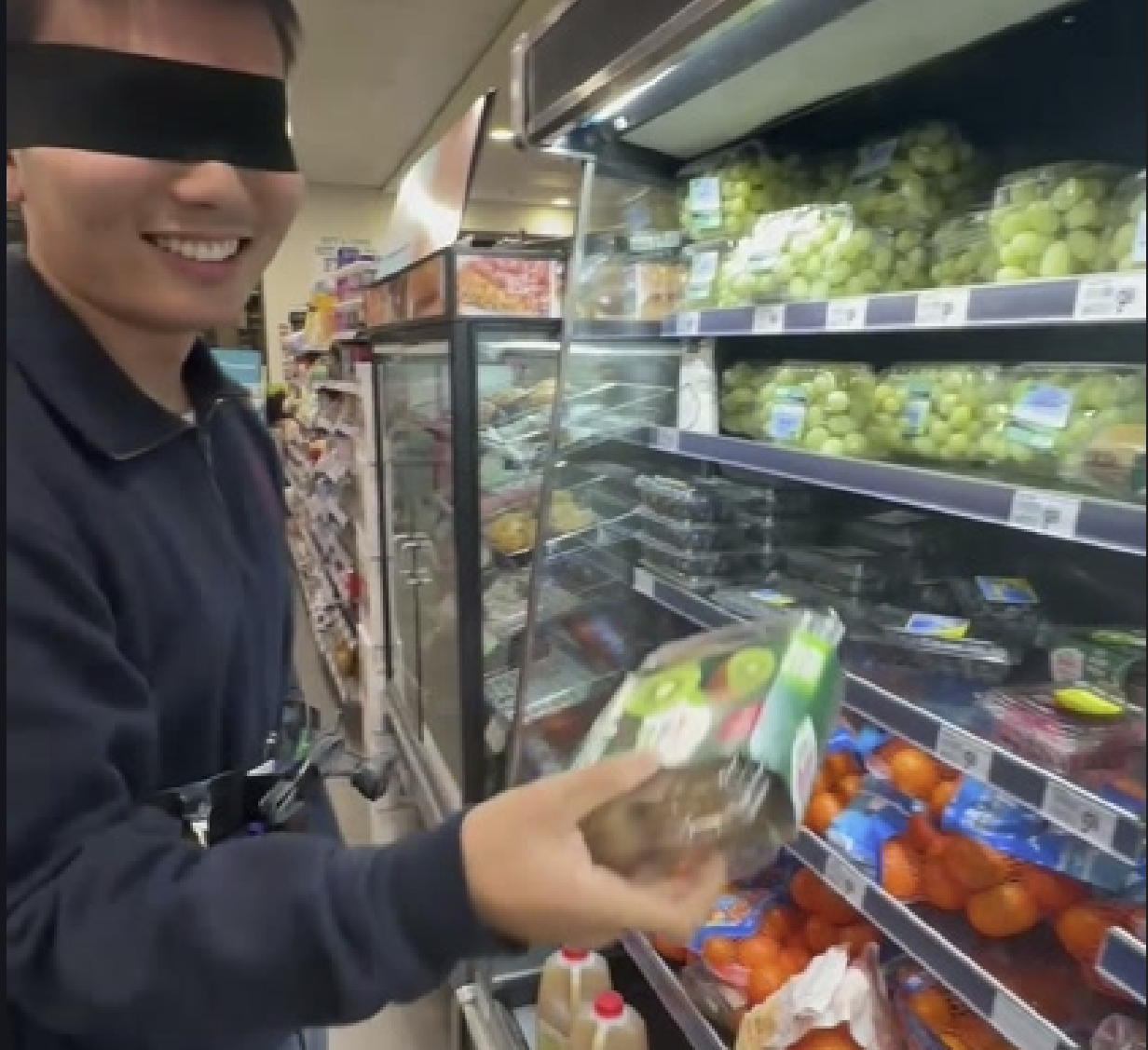
• We connected the Raspberry Pi, vibration motor, and webcam and got them working together, both software and hardware. • Open vocabulary is real. On a random frame of the hackathon room, it found a thermostat at 0.83 confidence. Thermostat is not a COCO class. • 33.6 ms end to end (p95 36.3 ms). We budgeted 125 ms. For this device, timing is the whole feature. • In a blindfolded test in a 7-Eleven, on a shelf he'd never seen, he asked for kiwi and grabbed it.
What we learned
• We learned a lot from wiring the Pi to the motor and webcam and testing that each part actually works. • A device that shows up in the system list is not a device that works. Now we read real frames before trusting a camera. • Timing beats information. Our first idea was to tell the user more: direction, distance, a description. What actually works is one signal at the right moment. Teamwork and good communication is really important for working efficiently
What's next for Crosshair
• Test with blind users. Nobody who is blind has used it yet. Cornell Student Disability Services and the local NFB chapter are the first calls. • Wrong-item check: tell the user if they grabbed the wrong thing. • Depth: an ultrasonic sensor on the wrist, so it can tell the ketchup behind the milk from the milk. • Shrink it: a smaller board and a battery, so the whole thing disappears under a jacket. • Faster lock: 0.9 s from "say it" to "found it" is OK, not great.
Built With
- mediapipe
- opencv
- owl-vit
- python
- pytorch
- raspberry-pi
- shell
- whisper


Log in or sign up for Devpost to join the conversation.