-
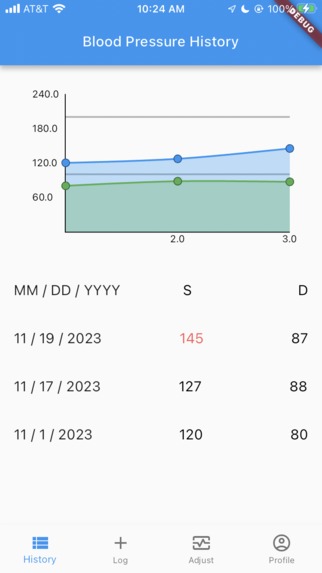
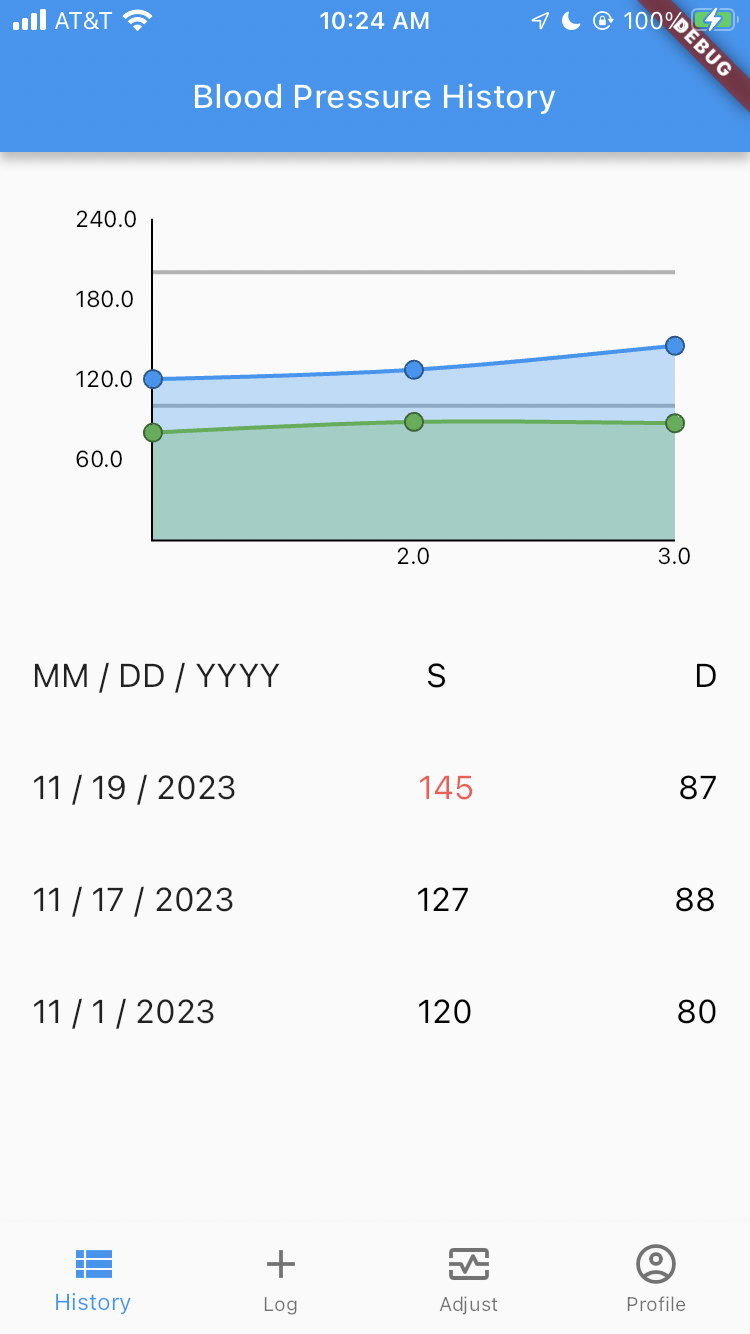
Blood Pressure History: Highlights notable measurements and produces trend graphs to inform physicians in seconds
-
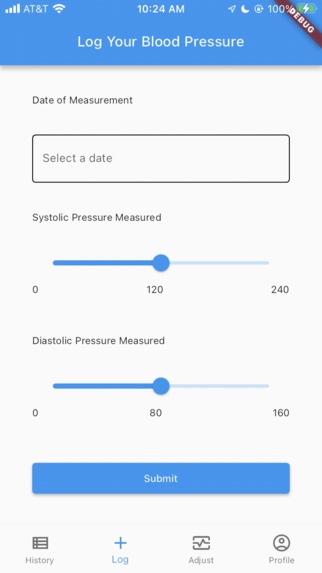
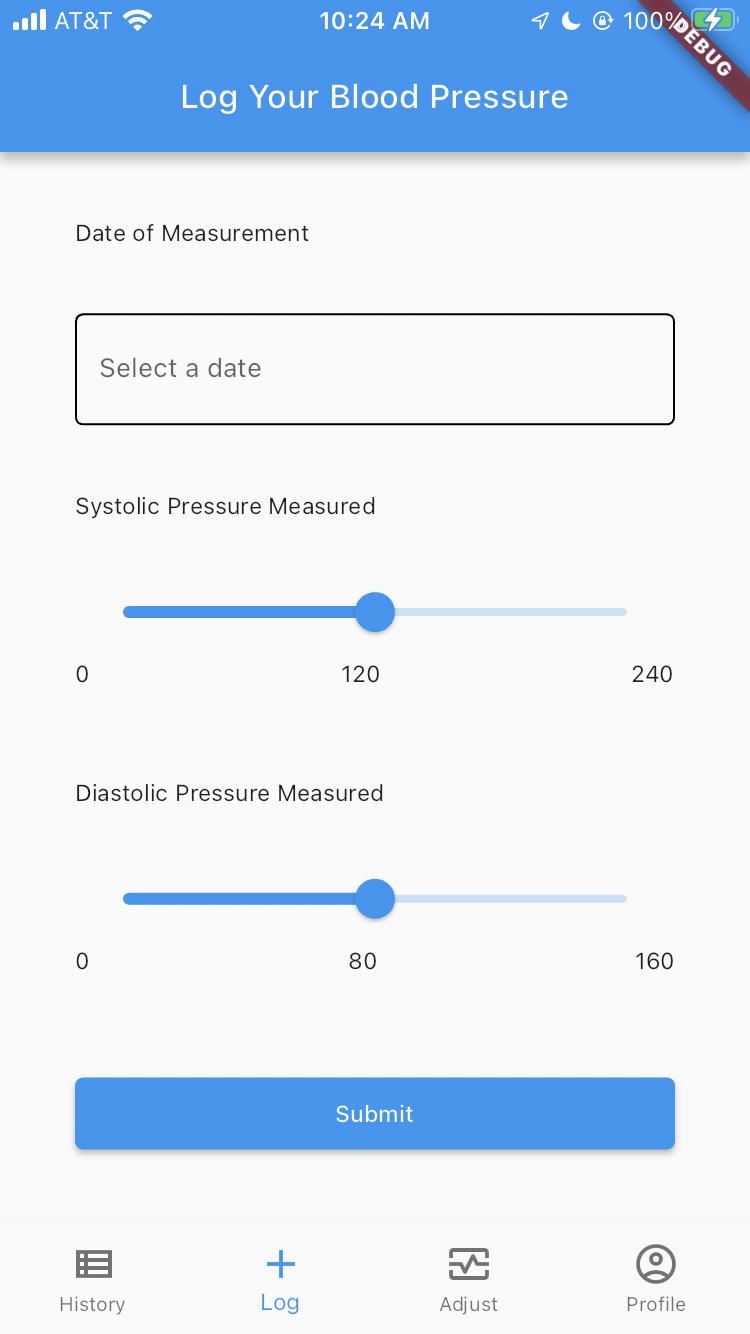
Record Measurement: Documents all BP Measurements digitally (date, systolic pressure, diastolic pressure)
-
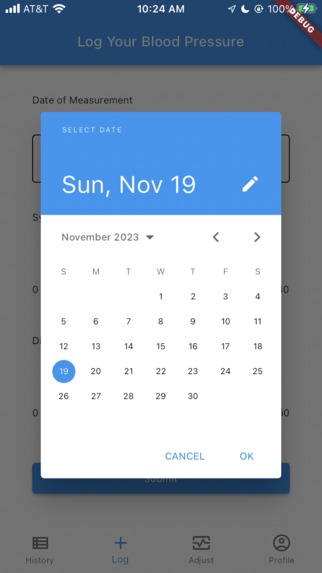
Record Measurement Date Selector: Example of the very intuitive interface for older folks
-
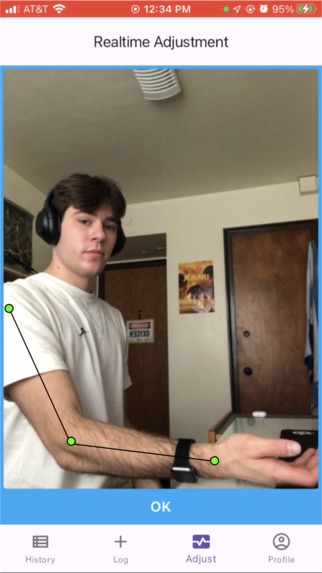
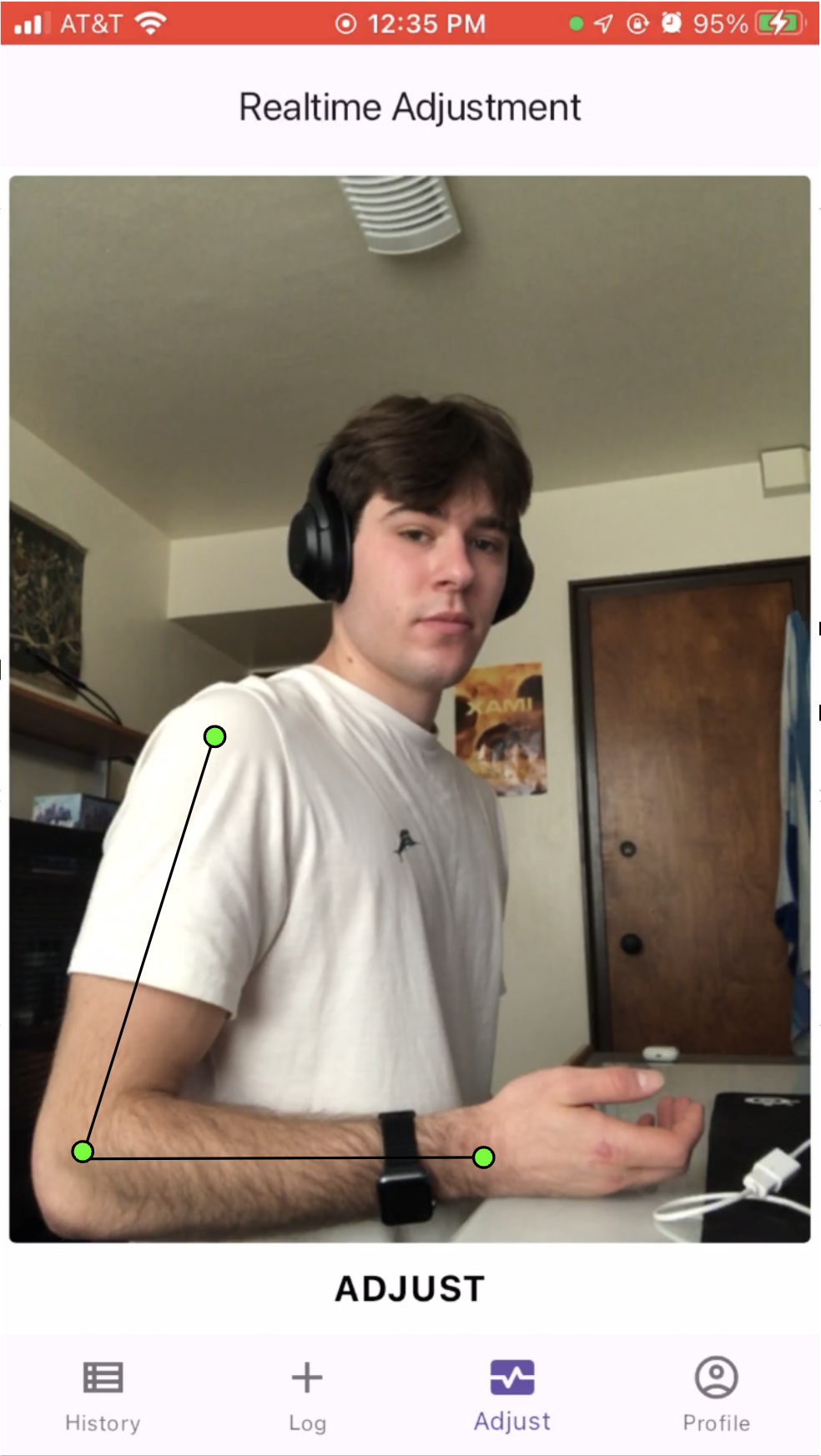
Pose-Estimation Example with Proper Form: Arm positioning is very important to ensure proper blood flow
-
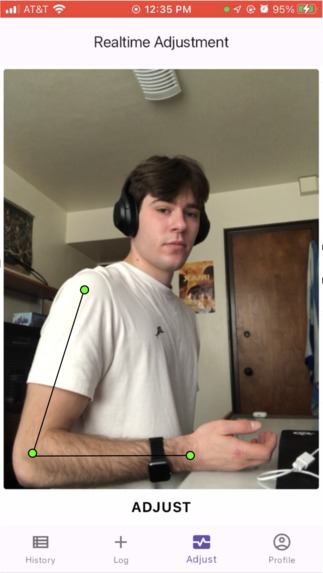
Pose-Estimation Example with Improper Form: User told to ADJUST form


How I Realized There Was Need
I interned at a hospital last year, where I researched the existence of White Coat Hypertension (WCH). To combat the effects of WCH, patients with high blood pressure record their blood pressure at home to review with their physician at their next visit. I saw many patients with hypertension, all of whom were between the ages of 50 and 80—and, all of whom immediately pulled out the pen and scrap paper they had used to scribble down these important measurements...
This shocked me, as it exposed 3 problems: ** 1) a patient's false understanding of how to take blood pressure measurements at home will result in **inaccurate data 2) there exists a serious lack of digital documentation for patient-conducted blood pressure measurements 3) reading through pages of disorganized handwriting is a severely inefficient use of a physician's time
The Functionality
1) Provides live feedback using Pose-Estimation to guide user through proper form for BP Measurement 2) Documents all BP Measurements digitally (date, systolic pressure, diastolic pressure) 3) Highlights notable measurements and produces trend graphs to inform physicians in seconds +Very intuitive to use for target audience of older folks
Under the Hood
Firebase Auth for account authentication Google Cloud (Firestore) for data collection and retrieval (BP Measurements) Google MLkit and camera image stream for pose-estimation (low-latency, using landmark data to calculate the relative locations of limbs)
Flutter / Dart GitHub for version control +Redbull for staying up all night finishing
Challenges I ran into
One particularly annoying bug I ran into came about as I was integrating my pose-estimation model into Flutter: my program would constantly crash after about 2 minutes of runtime. Long story short, I realized that my model had been processing images as fast as the Camera sent them, which, due to the time it takes to process and the speed of the image stream, meant more than one image was processing simultaneously. A simple bool that indicated if the model was currently "busy" or not fixed this, and it was such a relief.
Accomplishments that I'm proud of
I'm really happy with how accurate my pose-estimation model turned— Like, it actually works perfectly as intended. It's always rewarding to start something ambitious and see it turn into to a working solution, I have MHacks to thank for this one. :)
What I learned
I can feel myself becoming a better thinker and developer with every project. Most notably this time around, I discovered Google MLkit to create low-latency ML models on mobile. Using landmark data, I was able to determine the relative positions of various limbs and generate inferences based on my findings. Not to mention, the experience I gained designing and navigating UI using Flutter.
What's next for HappyHeart
An exciting next step is allowing users to add a Doctor, who would be able to see their BP Measurement history as well as that of their other patients through the Cloud. Doctors would also receive notifications if their patients record alarming measurements, significantly reducing response time to potentially acute events.
Built With
- dart
- firebase
- firestore
- flutter
- github
- google-cloud
- google-mlkit
- vscode

Log in or sign up for Devpost to join the conversation.