-
-
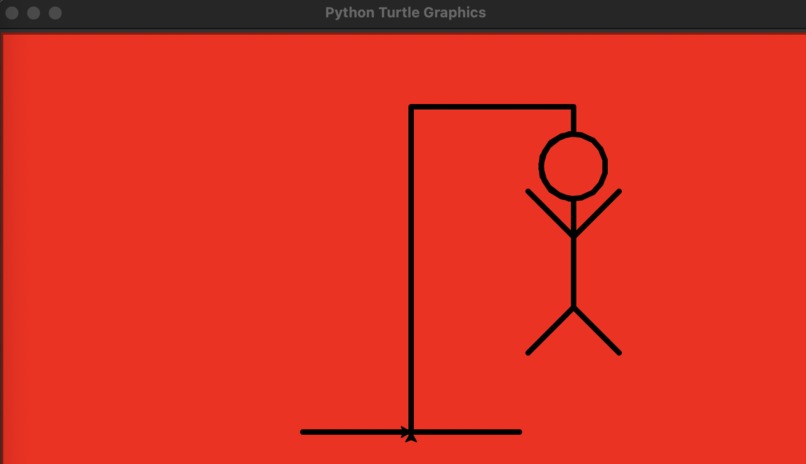
Game over screen, displayed when the player is not able to guess the word but the whole diagram as lost meaning the player has lost the game
-
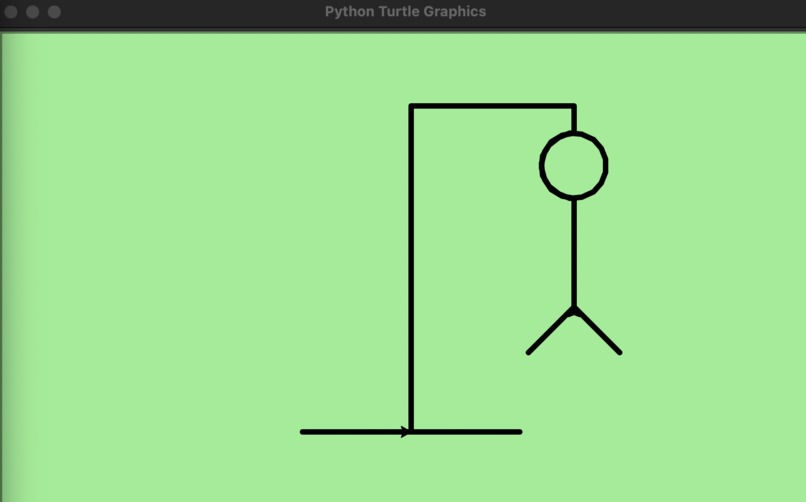
Victory screen, displayed when the player has guessed the word or guessed all the correct letters in the word and won the game
-
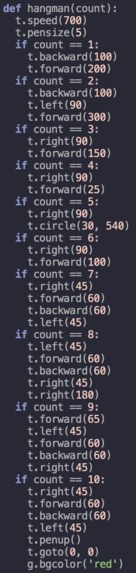
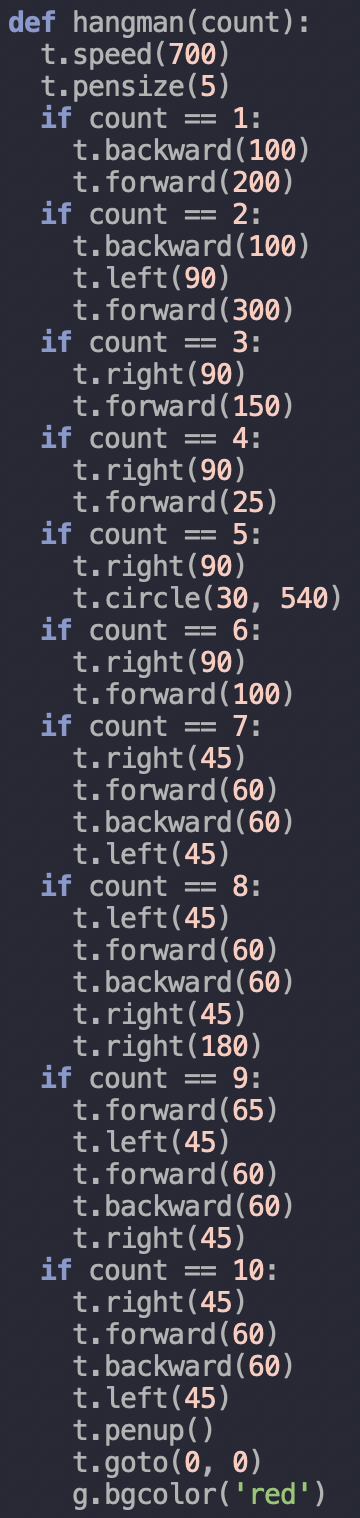
The subprogram python code that makes the turtle draw the hangman diagram based on how many incorrect letters the player has guessed

Inspiration
Learned about Turtle Graphics in Python and found it very interesting. Wanted to program a game that utilized this library. Also recently learned about using txt files in python and wanted to also use that in the game somehow. The idea of programming Hangman in Python meant I needed a dictionary of words. Initially I was going to install a package into my IDE to generate a random word but then had the idea of using a txt file to store a long list of words. This would be how I would have Python generate the word the player has to guess. Hence, PyHangman was developed...
What It Does
- The program will import the random module and turtle library
- It will then open the txt file words.txt which contains the long list of words to choose from
- Following this, the program will then randomly select a word from the txt file since each word is stored on its own line, however, to make the game more interesting, the word must be at least 5 letters long. This word will be assigned to the variable guessed.
- The program will then split the word into a list with each index containing one letter from the word
- It will then create a second list that is the same length as the word but is just underscores. These underscores are displayed to show the user how many letters there are in the word.
- The game instructions will be displayed
- The player will be asked to input a letter or word
- If the user enters a letter, the program will go through the list that is storing the letters and see if the letter matches. If it does, it will store the index where the letter matches and from the list of underscores, replace the underscore in the same index with the letter.
- If the user guesses a word and it is the correct word, the game is over and the turtle graphics screen will go green
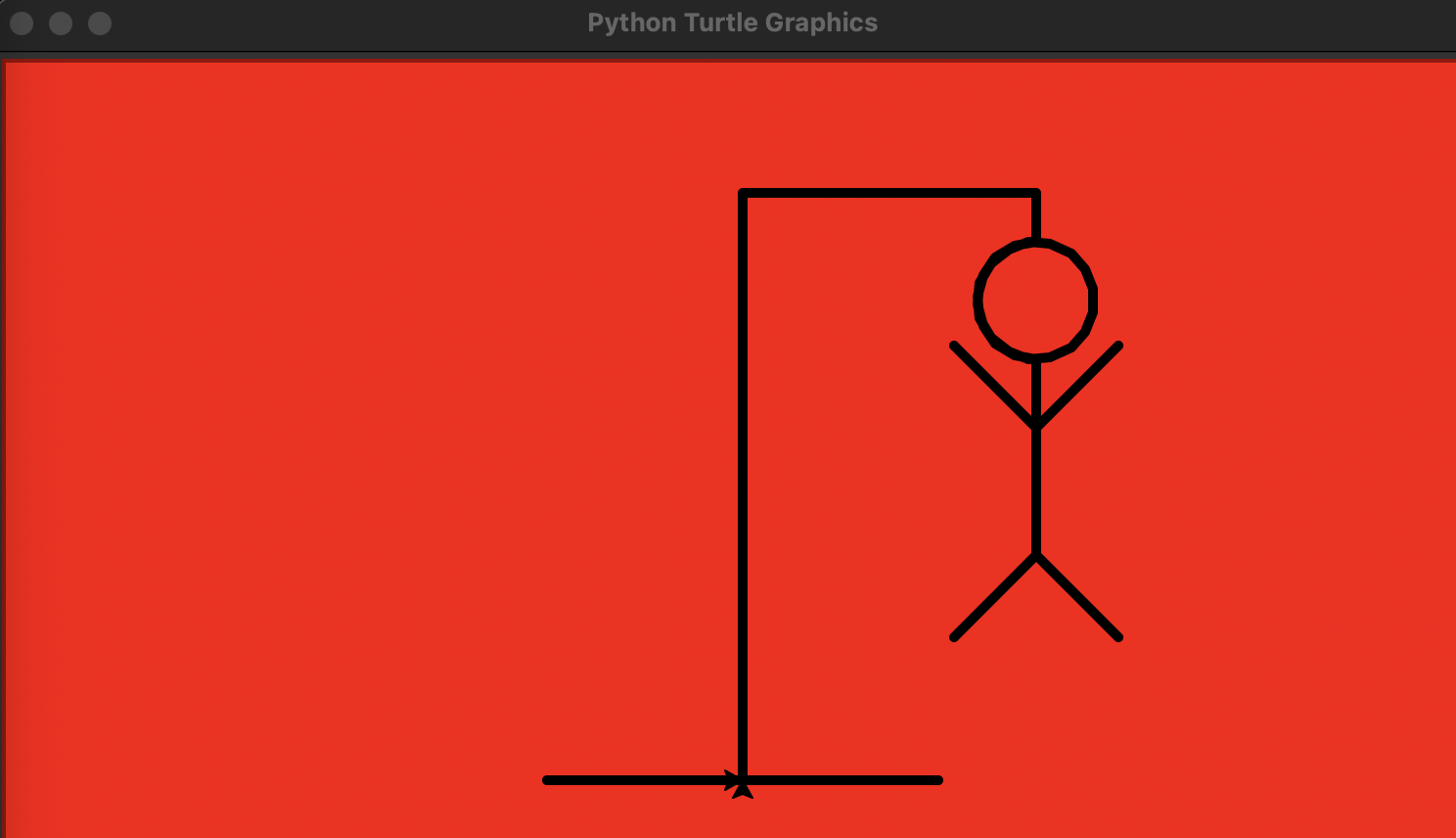
- If the letter the user guessed is not in the word or if they guessed the wrong word then a line will be drawn by turtle in the turtle graphics screen. Since the game ends if the whole diagram has been drawn there is a count variable that counts how many incorrect guesses have been made.
- The value in count will increment by 1 and the turtle function at the top will be referenced. The count value will be compared to all the statements and these turtle commands will be carried out sequentially based on how many incorrect guesses are made. If this number reaches 10 (and the diagram has been completed), the turtle graphics screen will go red.
How I Built Project
Software Used
- Thonny IDE
- Repl.it (To publish project online)
Modules/Libraries
- Python Turtle Library (Used for hangman diagram drawing)
- Random Module (Used for selecting word at random from txt file)
What I Learned
- Learned more about implementing turtle within larger programs in Python rather than simply having Python draw something
- Learned more about manipulating txt files and using them to serve larger programs
- Also learned how to keep track of larger programs and learned about making programs as simple as possible so they are easier to keep track of when coding
- Learned about how to make a program more intuitive for the player such as the layout of at the menu of the game and also the game over screens (green for win/red for lose)
Challenges
- The first challenge was actually trying to figure out who I would be able to get a list of random words in a txt file on Python. Copying every word in the English language dictionary into a txt file would be a waste of time so I went to the Internet and downloaded one that seemed to have every word in it
- The next challenge was the hangman diagram. How would I make sure that every time a player entered an incorrect letter or the incorrect word, a new line was drawn on the diagram? The answer: a subprogram. I was able to write a subprogram that would look at how many incorrect guesses the player has made and every time this happened, it would call this function and reference the variable that counts the number of incorrect guesses. A couple of if statements were all that were remaining and it worked.
- Making sure that if a user entered a letter that was in the word and if that letter occurred in the word more than once the program would show all the spots where the letter occurs, not just the first time was another huge challenge
What's Next
- I will try and fix any bugs or errors that come up in playing the game, potentially trying to make the game more robust
- I will also make the game more intuitive by continuing to improve on the graphical output of the game
- I may try to incorporate this game into another program that has multiple different games, sort of like a Python arcade where the user can choose which game they want to play, PyHangman being one of them
Built With
- python
- repl
- thonny
- turtle

Log in or sign up for Devpost to join the conversation.