-
-
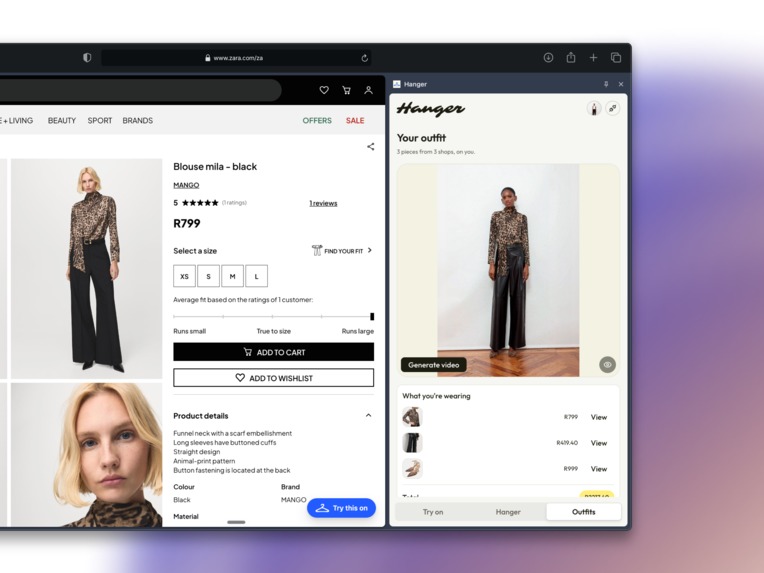
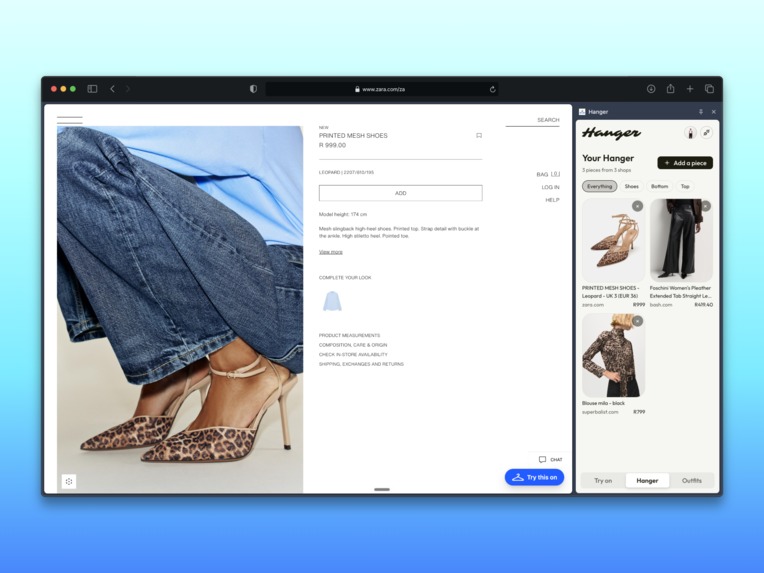
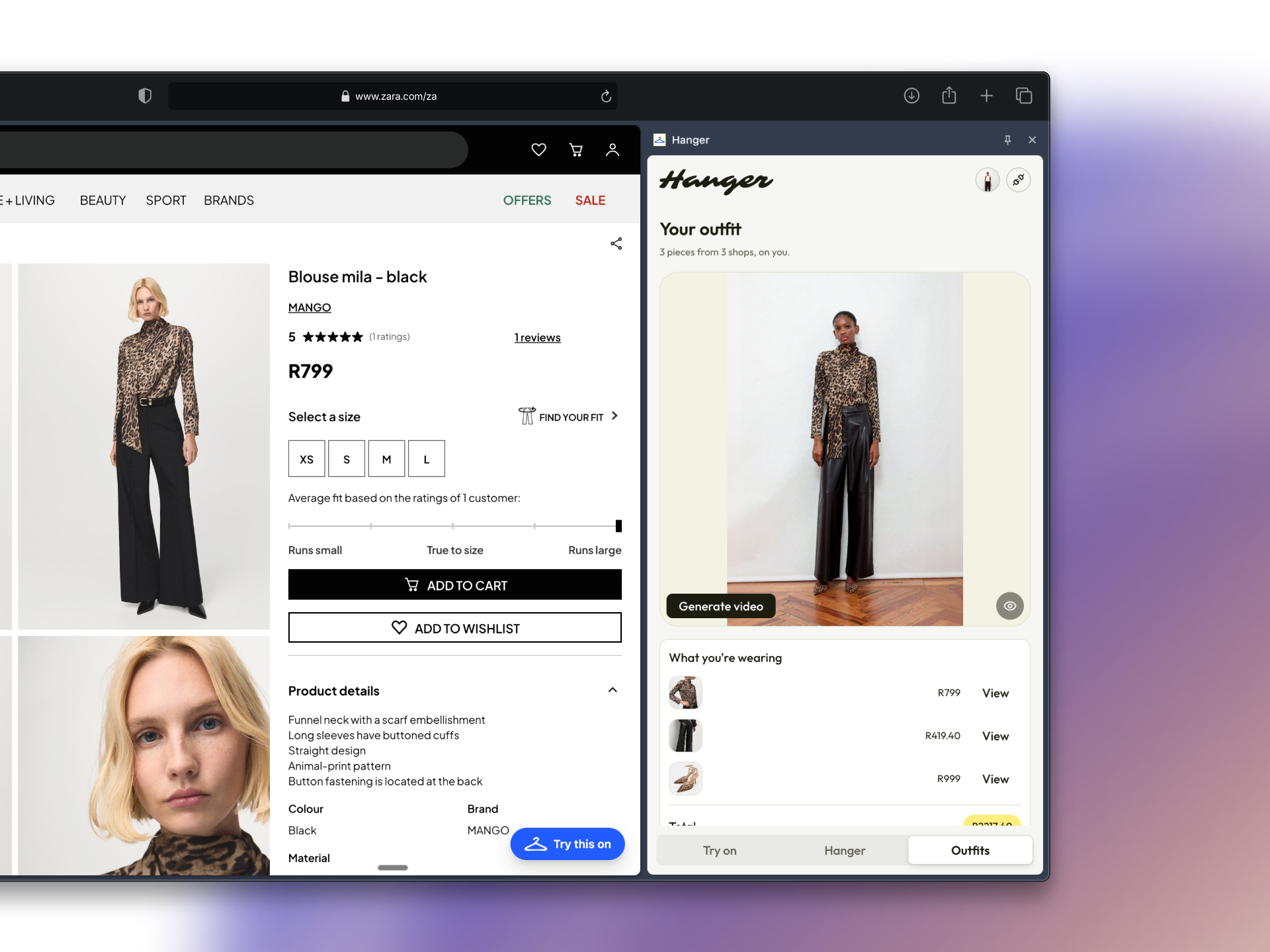
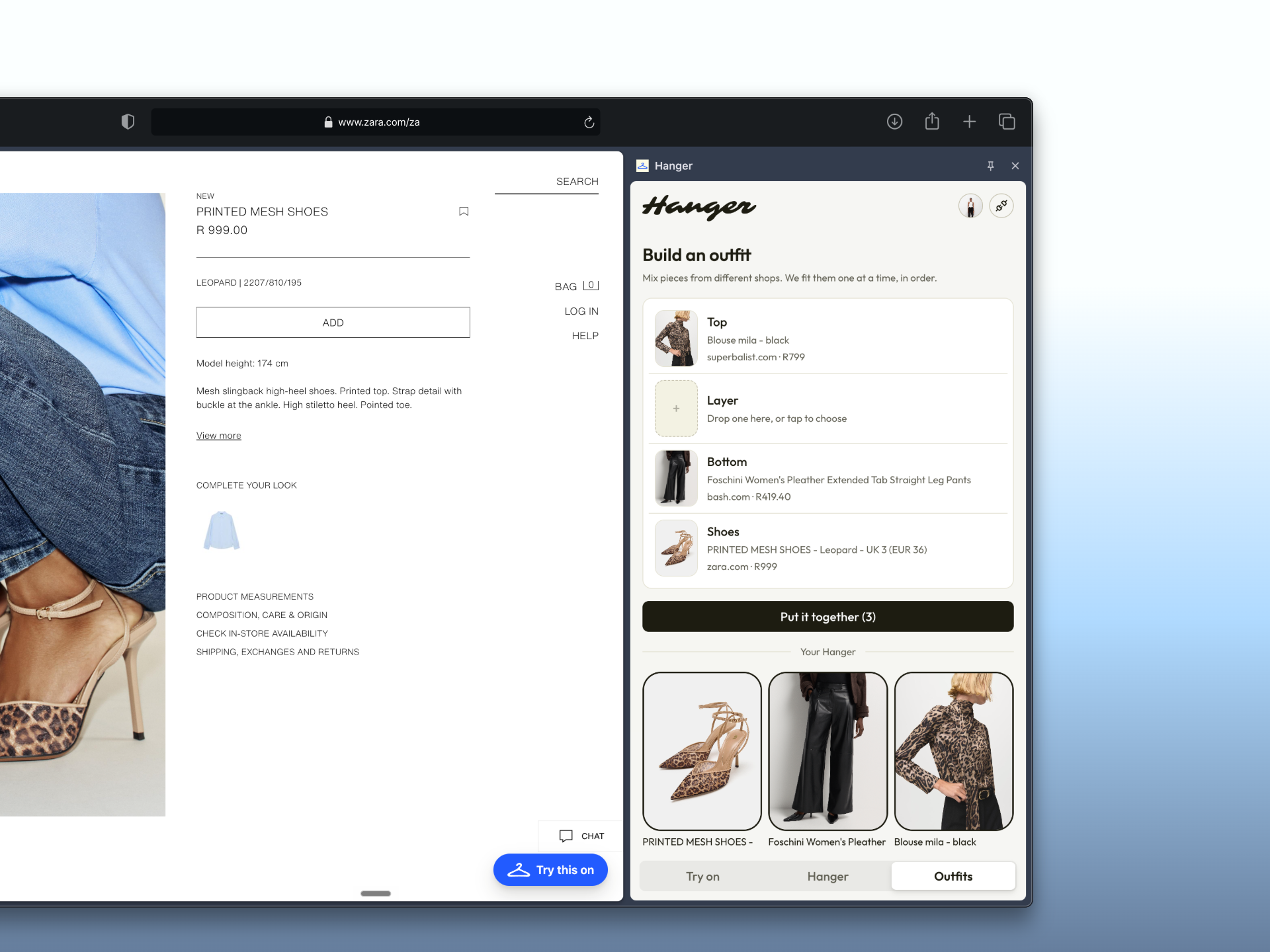
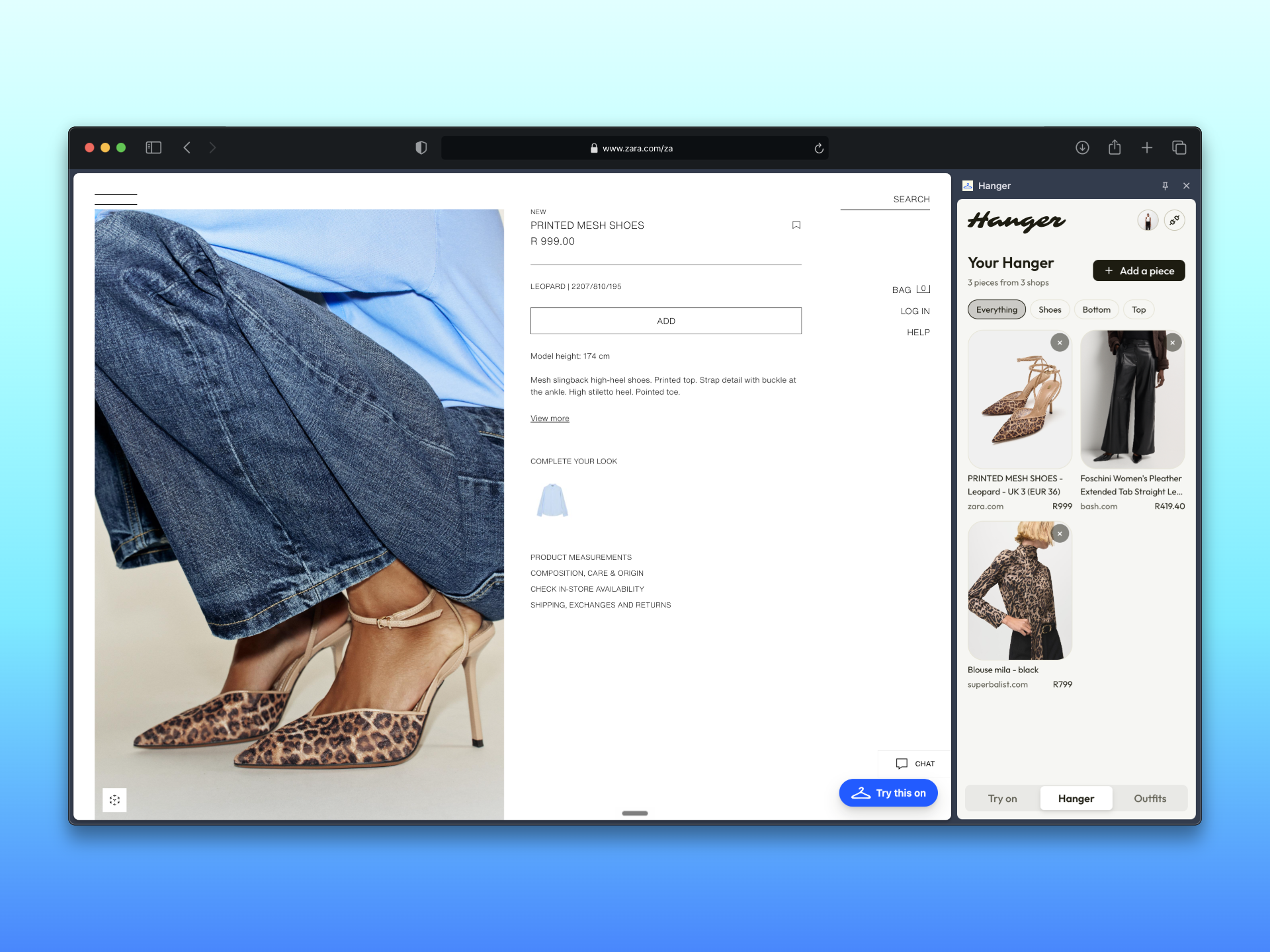
A top from one shop, trousers from another, shoes from a third. One image, one total.
-
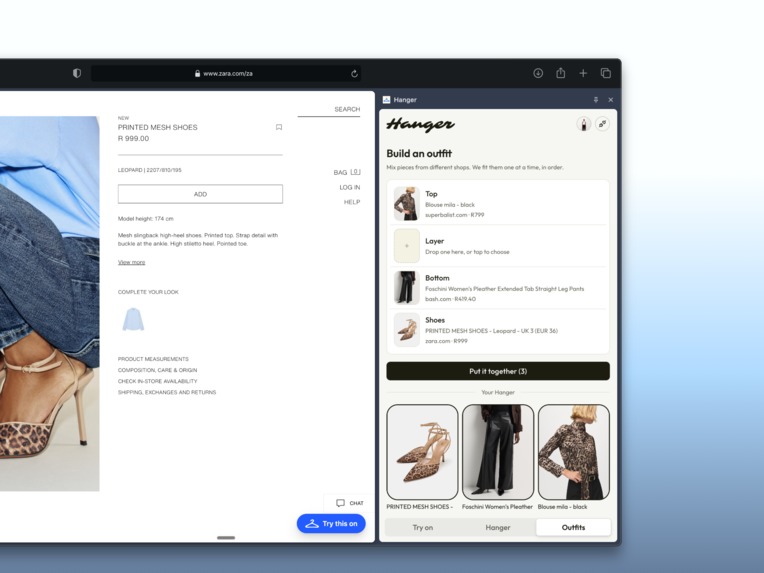
Every piece keeps the shop it came from, its own price and a link back. Nothing here is one retailer's catalogue.
-
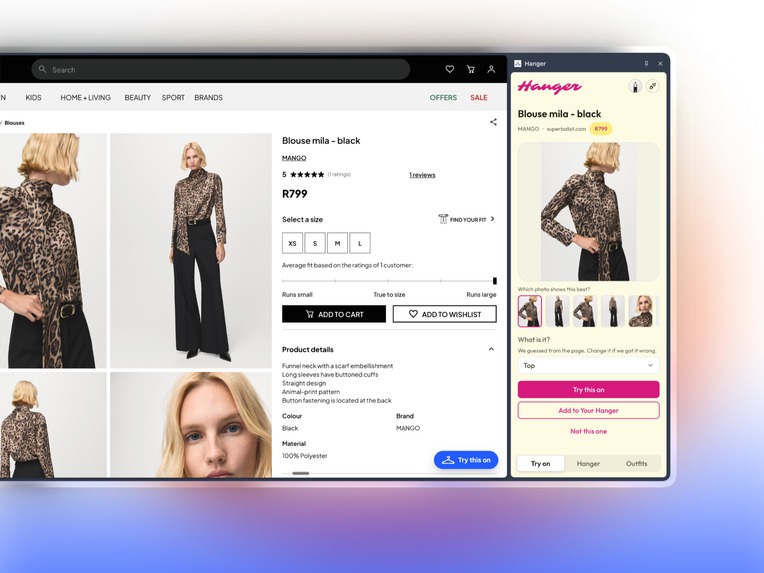
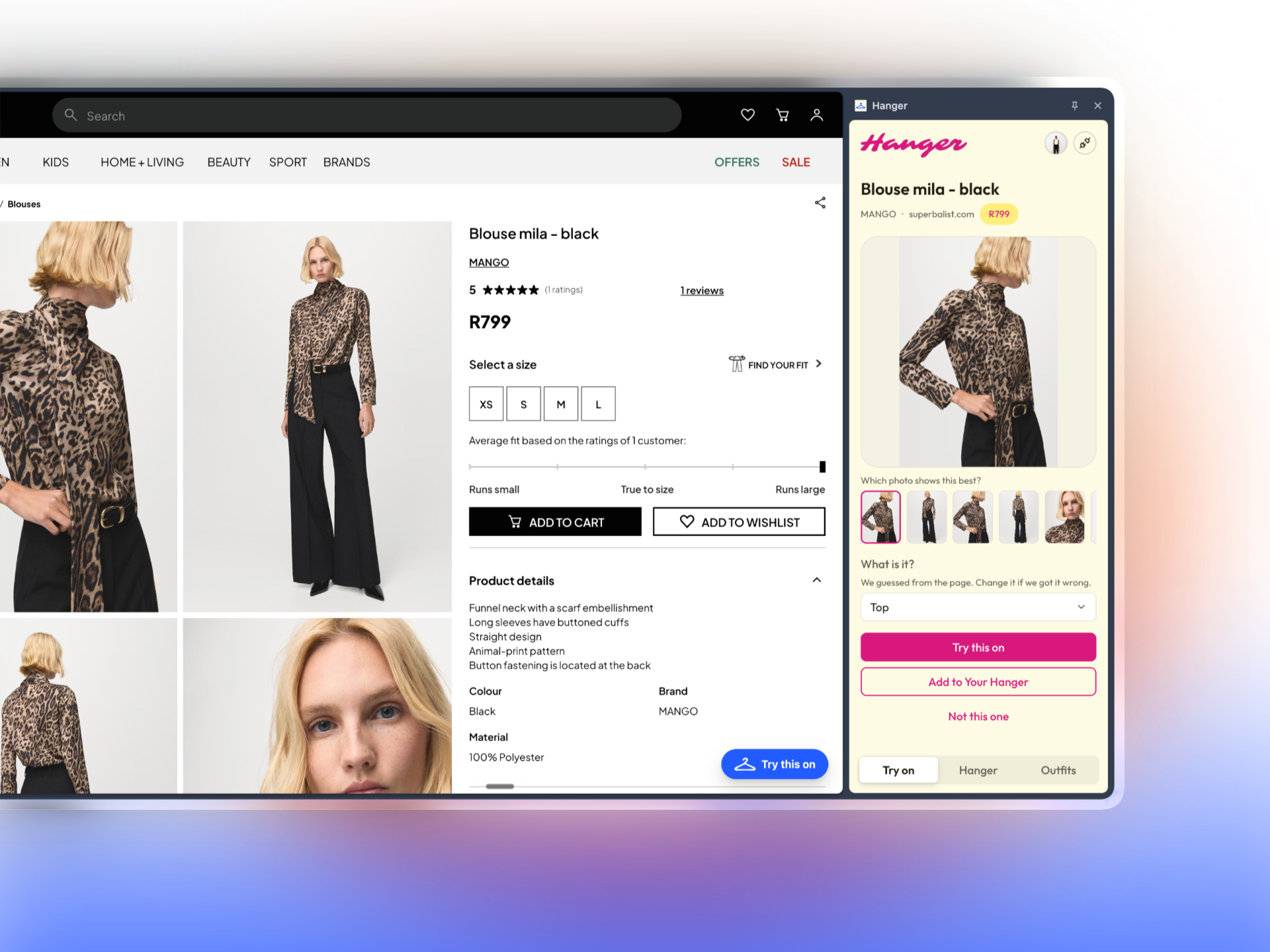
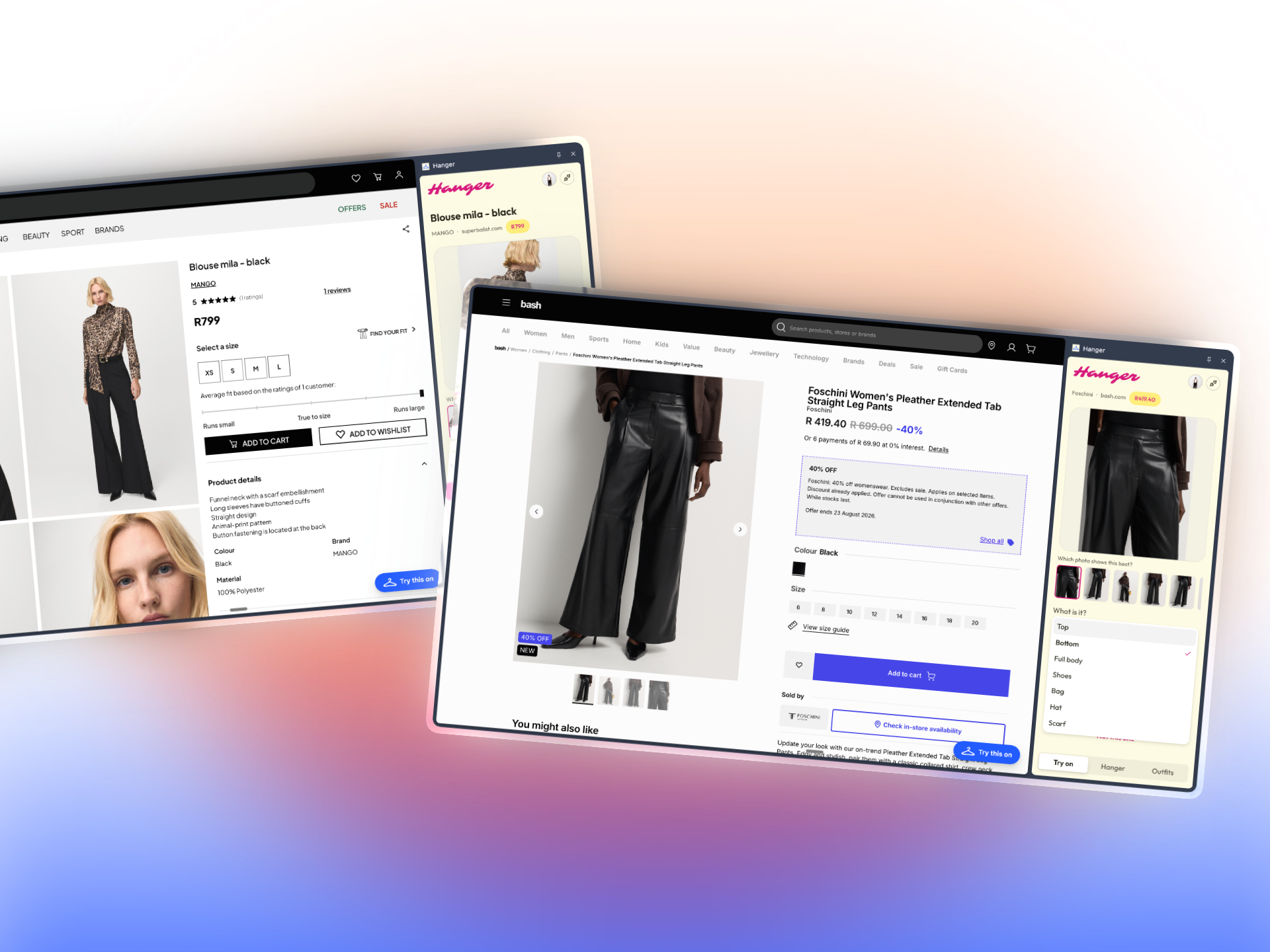
The panel reads the page for you. It picks the photo most likely to show the garment on a person & guesses the category
-
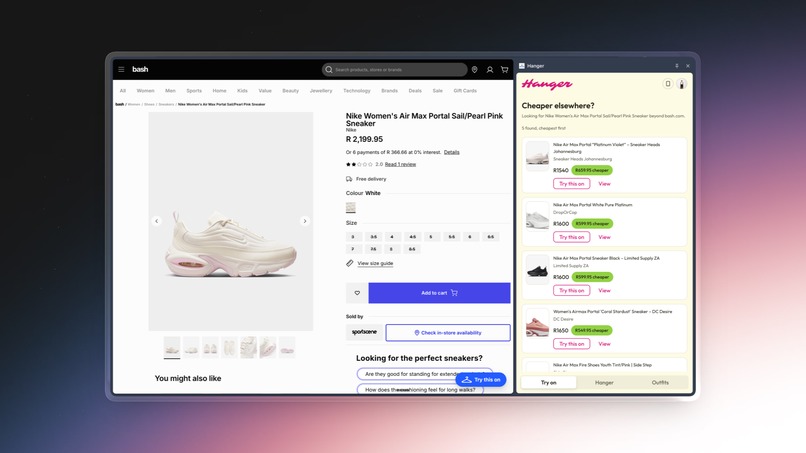
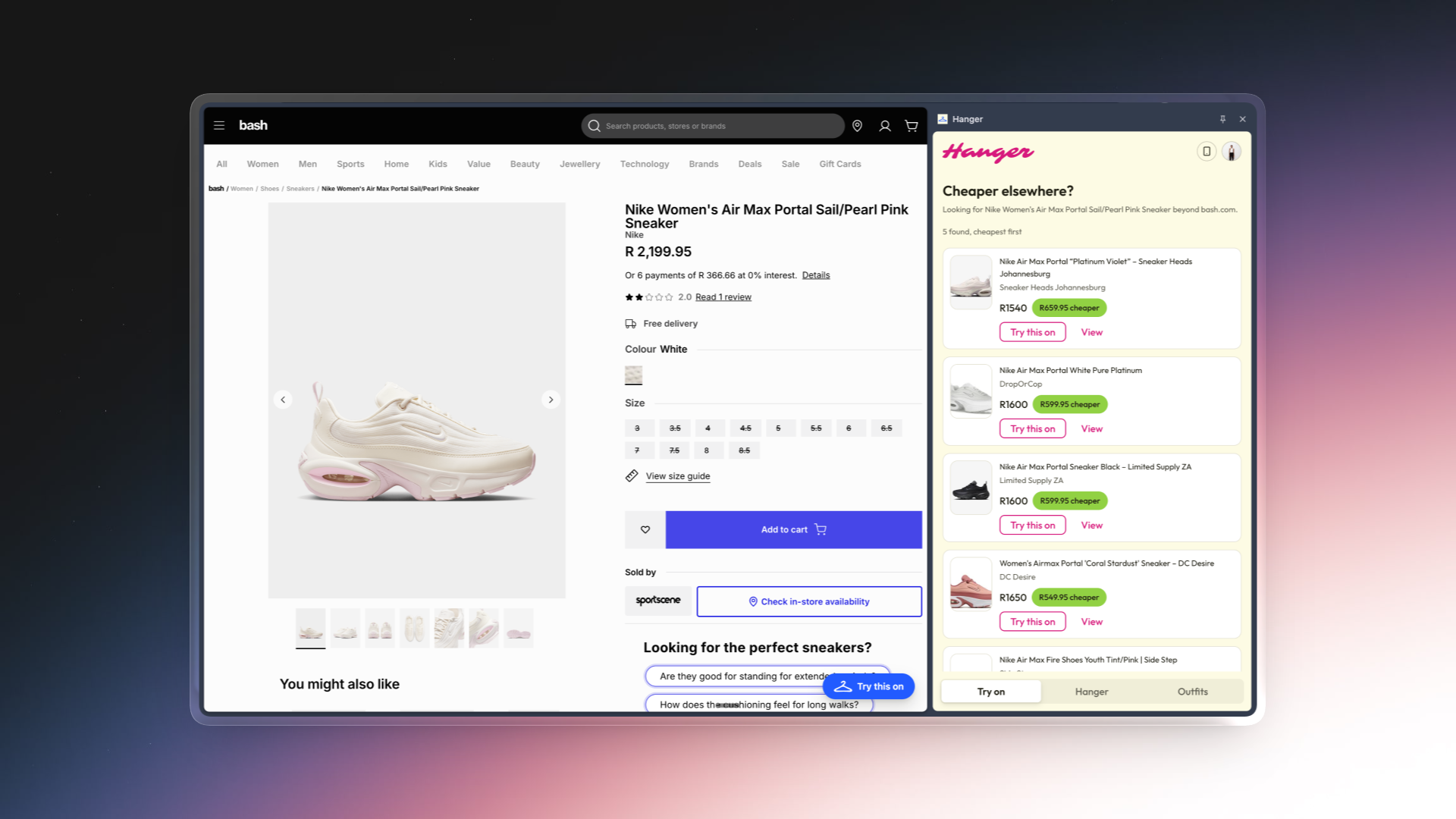
The search runs on the picture rather than the name, which is why it finds the same shoe at different stores.
-
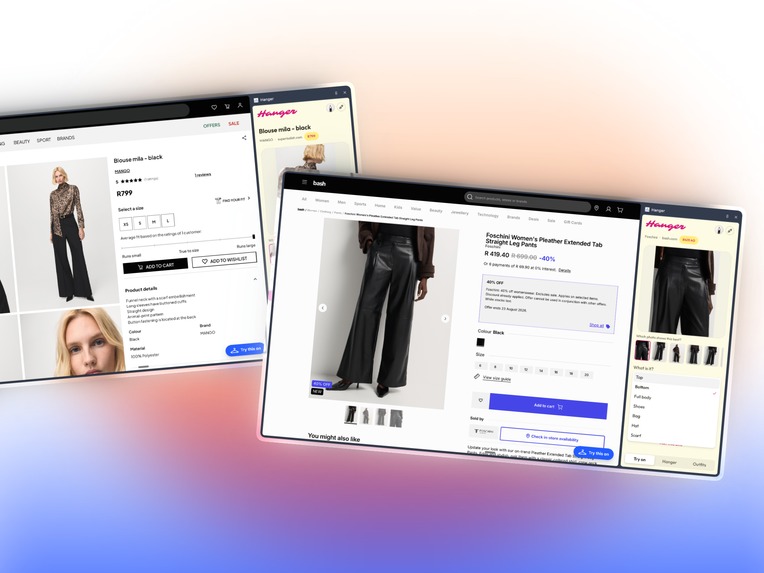
There is no special code for individual shops. The same reader runs on all of them.
-
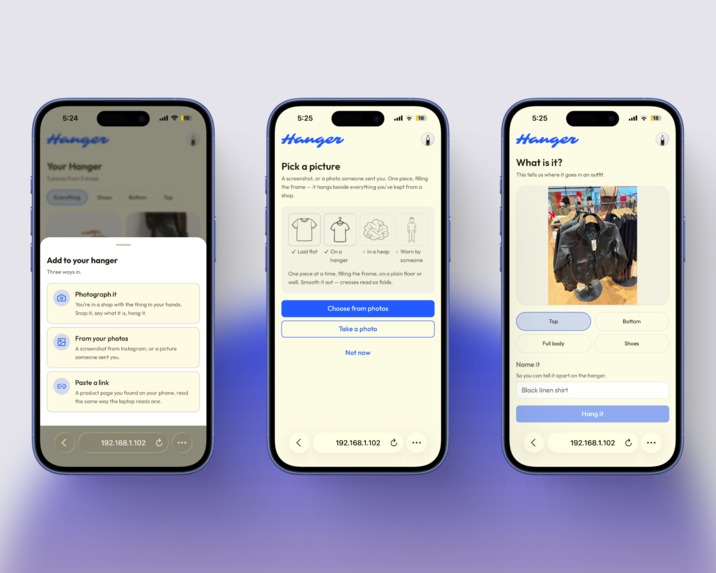
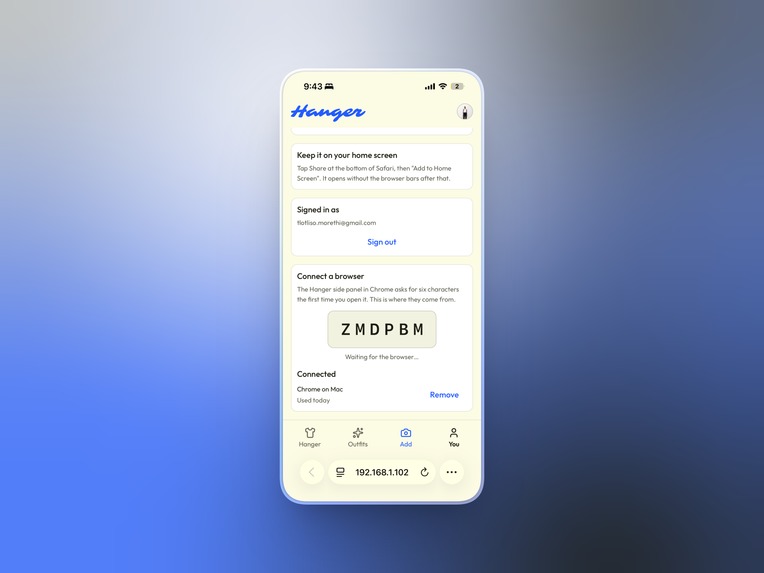
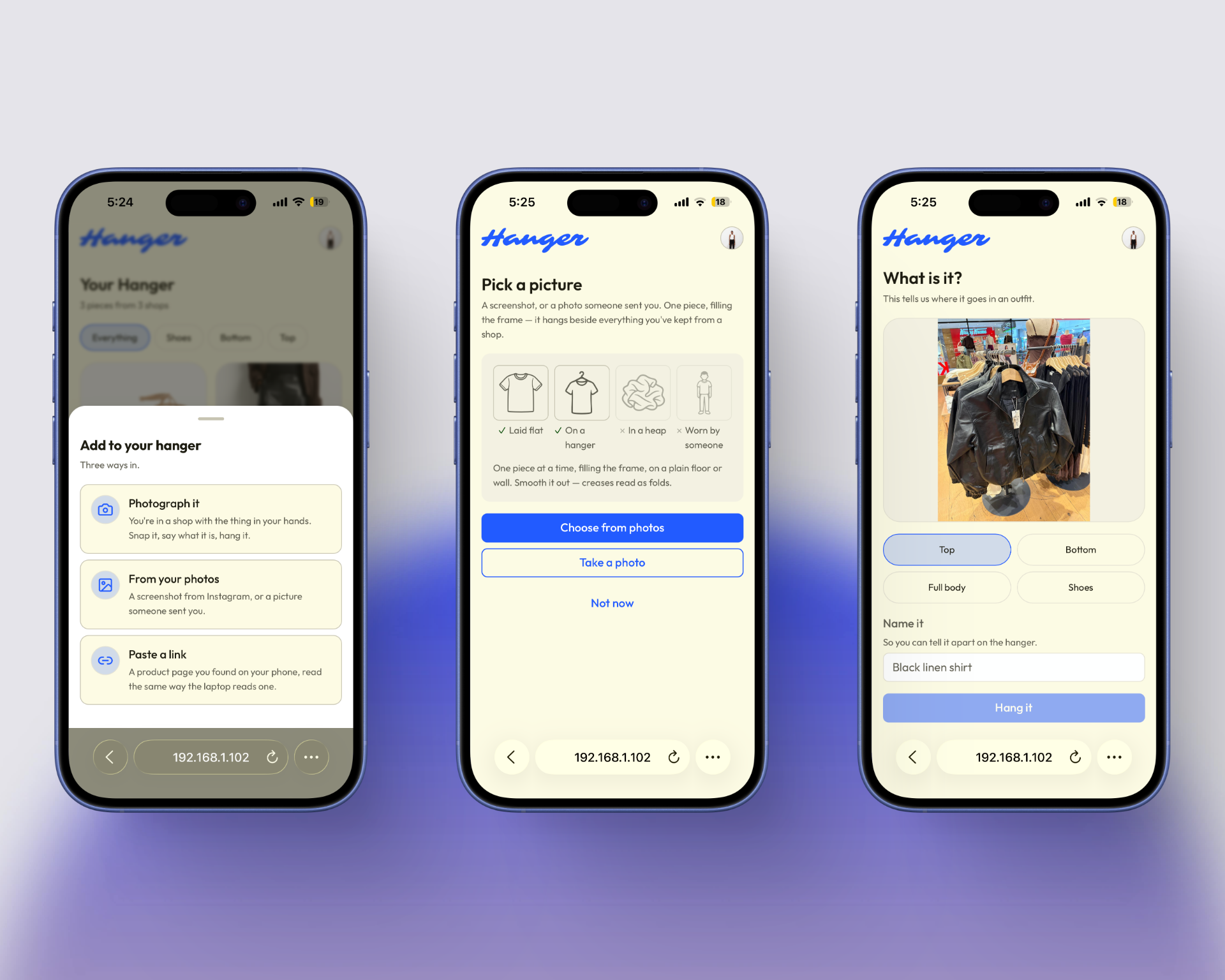
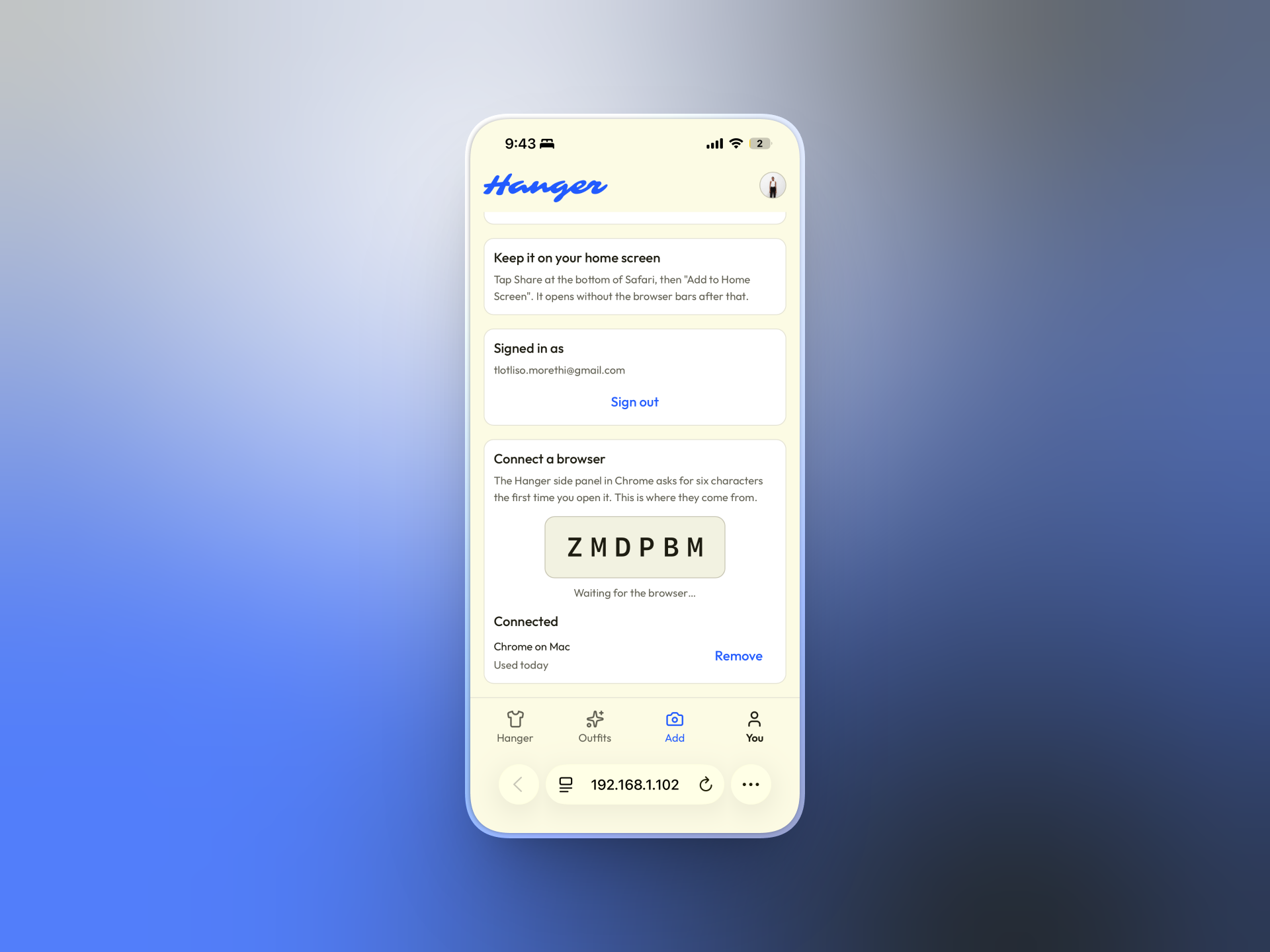
Using the Web App on mobile
-
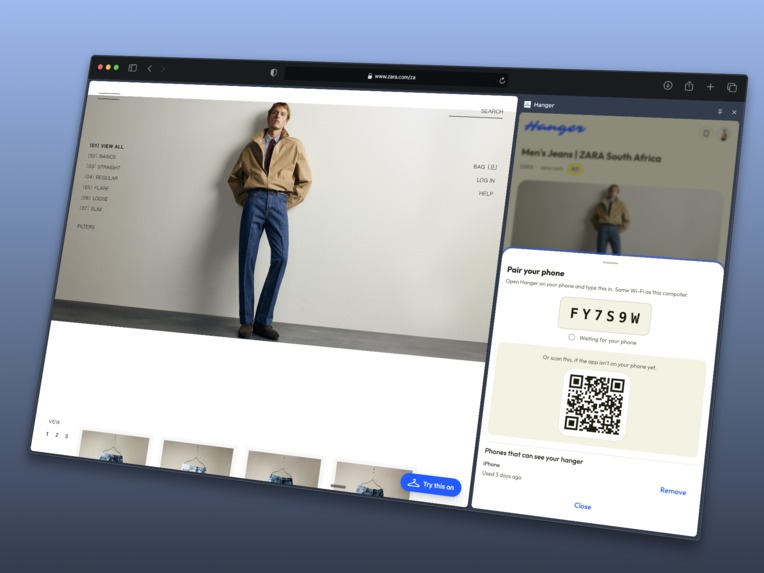
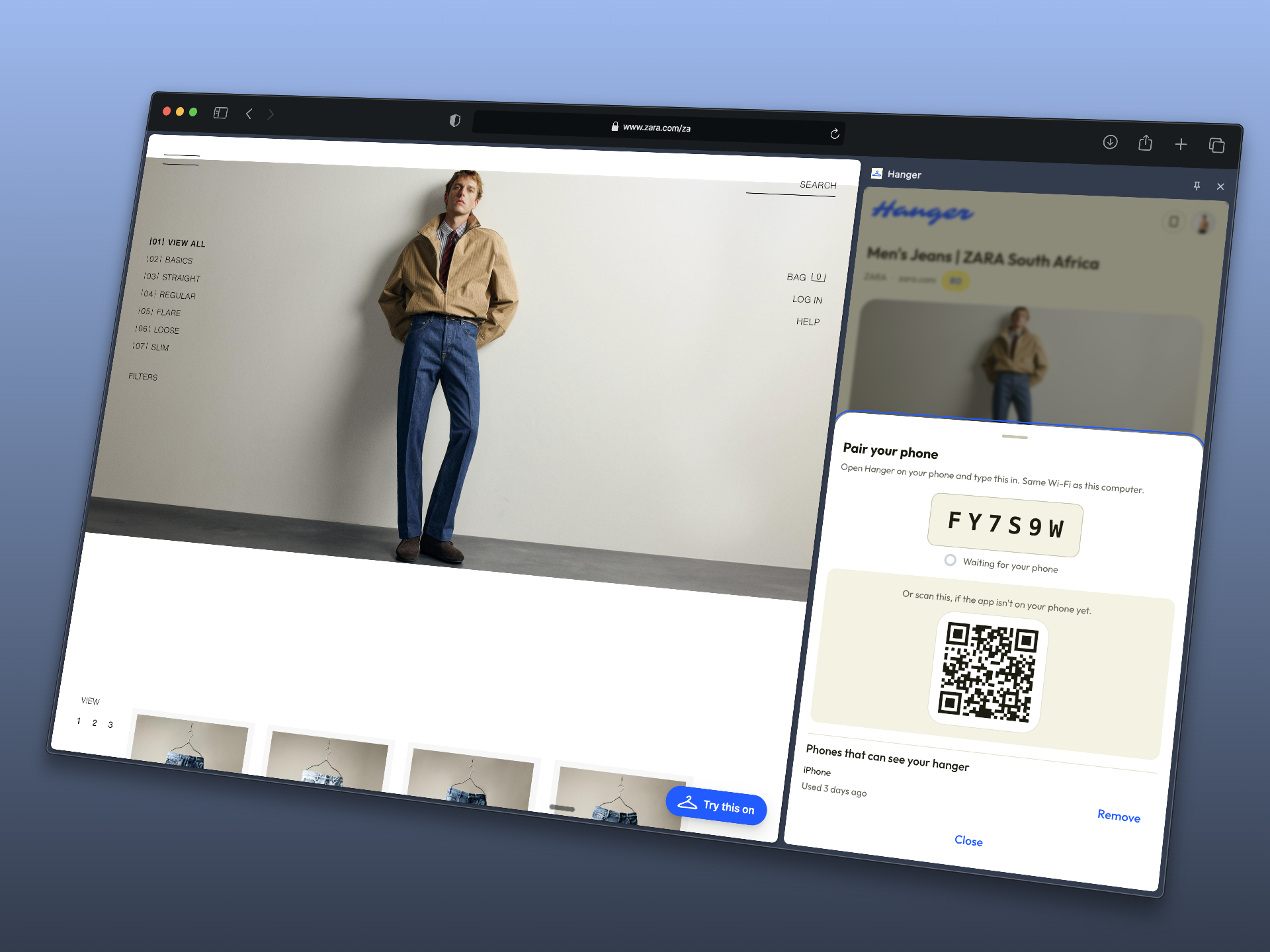
Six characters, typed once. The QR is for a phone that doesn't have the app yet.
-
-
Inspiration
Shopping for clothes online means asking a question no shop will answer for you. Does this go with what I already have, and is there a cheaper one?
Shops have every reason not to answer it. Their try-on shows their clothes, their recommendations show their clothes, and the moment you leave the page all of it is gone. So people order two, try them at home against things they own, and send one back. Returns run between 25% and 40% in clothing, and the freight and the landfill at the end of it are real.
The interesting part is that the missing piece isn't a technical one. The try-on technology exists and it's good. What's missing is somebody standing above the shops instead of inside one of them. A browser extension is exactly that, because it already sits above every website by its nature.
What it does
Hanger is a Chrome extension and a phone app that share one small server.
Try on anything, anywhere. You save one full-length photo, once. After that, a Try this on button appears on any shop's product page you visit. Tap it and a panel opens with the garment already read off the page: its title, its price, and the photos from that page with the most useful one already picked for you. The try-on happens without leaving the shop's site, and you never upload your photo to the shop.
One wardrobe across every shop. Anything you like, you hang. A tee from one shop and a jacket from another sit side by side, each keeping its own price, its own currency and a link back to where it came from. You can also hang things you already own by photographing them, so the wardrobe on screen includes the wardrobe in your bedroom.
Outfits built from several shops at once. Put a top from one shop, trousers from another and shoes from a third into one outfit, and get back a single image of yourself wearing all three, plus a shopping list with a line per item and a total across all the shops. Change one piece and it rebuilds. Turn the finished outfit into a short video and send it straight to WhatsApp.
Finding the same thing cheaper. For anything you're looking at, Hanger searches for it elsewhere using the picture rather than the name, sorts what it finds cheapest first, and lets you try the cheaper one on before you decide.
It works on your phone too. The same wardrobe, over the same server. The phone adds three things a browser can't do: photograph a garment while you're standing in a shop holding it, receive a screenshot shared from Instagram or a link shared from anywhere, and push a finished outfit into WhatsApp or Messages through the phone's own share menu.
Your wardrobe, not their catalogue.
How we built it
TypeScript from end to end. Hono and SQLite on the server, React and Vite in both apps, the Astryx butter design system, and Clerk for optional accounts. The try-on and the video both come from YouCam. Finding the same garment elsewhere uses a picture search rather than a text one.
Four decisions shaped most of the code, and all four came out of reading the API documentation carefully before writing anything.
The API key never reaches the browser. The API is built to be called from a server, and a Chrome extension is a zip file anyone can unpack and read. So every call goes through our own server and the extension never sees a key.
Product images are never handed over as links. The API will fetch an image for you if you give it a link, but only if its servers can download that link. Plenty of shops check who is asking and refuse anyone who isn't a real visitor. So the code that runs inside the shop's page fetches the image there, where the browser is an ordinary visitor because it is one, and sends the raw picture to our server to upload properly. This is the only approach that works across shops in general, and it's the most important detail in the build.
Outfits are built one garment at a time, and the work is remembered. The API fits one garment per call, so an outfit is built in stages: the result of the first garment becomes the starting photo for the second. Each stage is remembered against everything that came before it, which means swapping only the shoes in a three-piece outfit costs one call rather than three. That is what makes editing an outfit feel free instead of expensive.
Every result is saved immediately. Results sit on YouCam's servers for 30 days behind links that expire. Keeping the link would leave a wardrobe full of dead images, so the picture is downloaded into our own storage the moment it's ready.
Two more things worth naming. There is no special code for individual shops. The reader takes the page's own product information first and falls back to reading the page itself, and the same code runs everywhere. It's tested against nine pages saved from real shops. And because the documentation says trousers and skirts need a photo of the garment being worn rather than a flat product shot, the reader collects every photo on the page, ranks them by how likely each is to show the garment on a person, and asks "which photo shows this best?" with the right one already picked.
Challenges we ran into
Shops don't want to give you their images. The obvious approach, handing the try-on API a link to the product photo, worked on the first two shops we tried and then failed on most of the internet. Retail image servers turn away anything that isn't a real visitor, and the failure comes back looking like your own bug. Moving the job into the shop's own page fixed it, and it meant rebuilding a part of the architecture we thought was finished.
Composing an outfit isn't something the API does. It fits one garment. The three-shop outfit, the feature the whole project exists for, is our own work on top of it. A naive version made every small edit cost a full rebuild, which is the difference between something you'd demo once and something you'd actually use.
Signing in from inside a Chrome side panel is close to impossible. Chrome's rules forbid the kind of loaded-in code that sign-in with Google and sign-up security checks both need. We built two versions and threw both away before landing on the answer: the panel shows six characters that only somebody already signed in could be looking at, and gets back a token it keeps. No sign-in form at all.
Some pages simply cannot be read. Gap builds its product pages entirely in the browser, so a server receives an empty shell. H&M refuses a server's request outright. Both are handled by saying what happened in a plain sentence and offering the camera, never by a spinner that ends in nothing.
Credits are finite, and a three-garment outfit is three calls. Sample mode, remembered work and a hard spending limit went in from the first commit rather than as a later optimisation. That's why building the interface cost nothing and the demo account survived.
Accomplishments that we're proud of
- A single image of a person wearing clothes from three different shops, with a shopping list and a total. That image doesn't exist anywhere else, and it can't, because no shop would ever build it.
- A fresh copy of the repo runs the whole product with no credentials at all. Clone it, install, run, and every screen works on sample data.
- The sample results are drawings rather than photographs, a figure that gains one layer of clothing per garment. So sample mode genuinely demonstrates the thing the product is for, and nobody can mistake a sample for a real try-on.
- Every failure has a human sentence and something to do next, and you can force any of them with one command to check.
- A second app on the phone over the same wardrobe, including receiving shared screenshots on Android and sending outfit videos to WhatsApp.
- One drawing behind every icon. The extension icons, the phone icons and the button on shop pages all come from a single file.
What we learned
That the hard part of virtual try-on isn't the try-on. The API is good and it works. The hard parts were all the things around it: getting a usable picture out of a shop that doesn't want to give you one, working out which of a page's twelve photos is the one the model can actually use, making outfits cheap enough to edit freely, and holding one person's identity together across a browser extension, a phone and a server without ever putting a key somewhere a user could read it.
We also learned to write the constraints down before building anything. Three of them would each have cost days if we'd found them late: shops blocking image downloads, the worn-photo requirement for trousers, and the bag API not fitting into the way outfits are built. They went into the specification as "read this before writing code", and that section earned its place.
What's next for Hanger
- Put it online. The hosting configuration is written, so the phone stops needing the laptop switched on.
- Publish the extension, now that connecting a phone works without a hosted sign-in.
- Fix the currency guessing on alternatives. A foreign shop that doesn't say what currency a price is in currently gets stamped with the local one, and on a cheapest-first screen a wrong price sorts straight to the top.
- Identify a shared screenshot instead of asking about it, which needs a different route in, since picture search wants a public link and a photo from a camera roll doesn't have one.
- Hats and scarves as further layers. Bags stay separate, because that API regenerates a whole styled scene rather than adding a bag to an existing image.
- Beyond shopping entirely. The same thing answers a question that has nothing to do with buying: what do the clothes I already own look like together? That's a packing list, and an outfit for tomorrow morning.

Log in or sign up for Devpost to join the conversation.