-
-
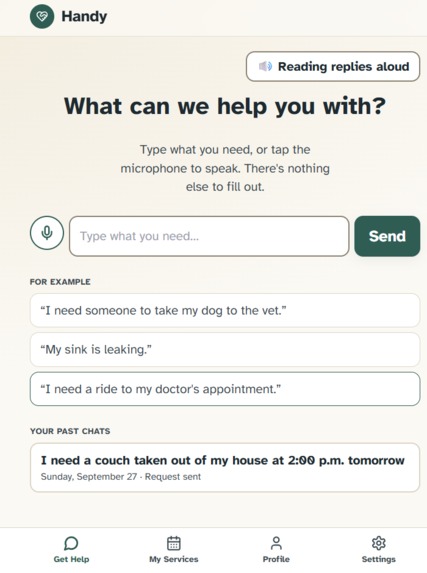
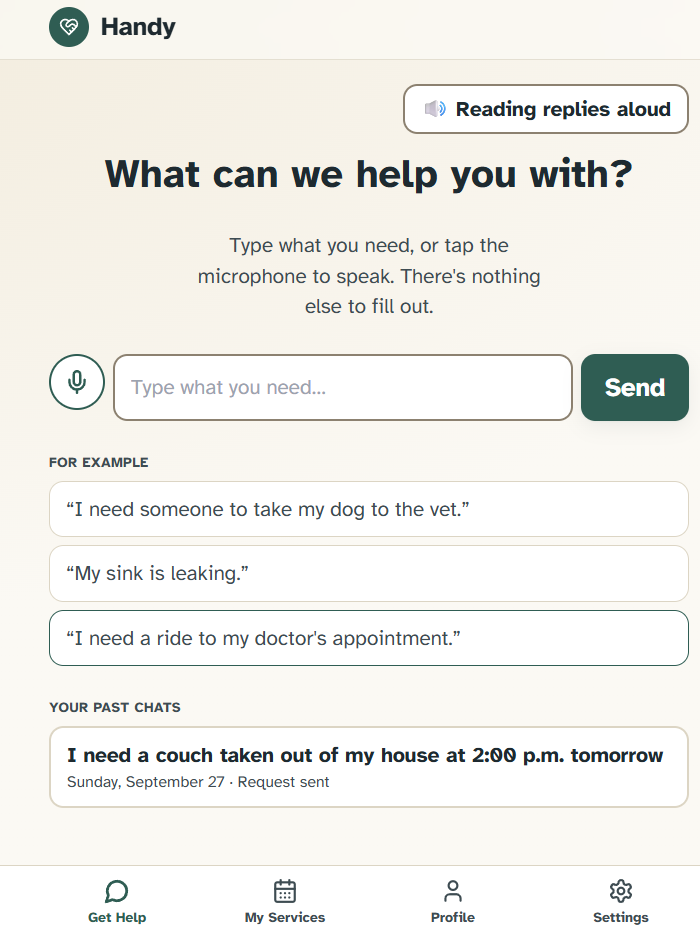
The help section on the customer section features a prompt bar, sample requests, and prior requests. It confirms settings like read aloud.
-
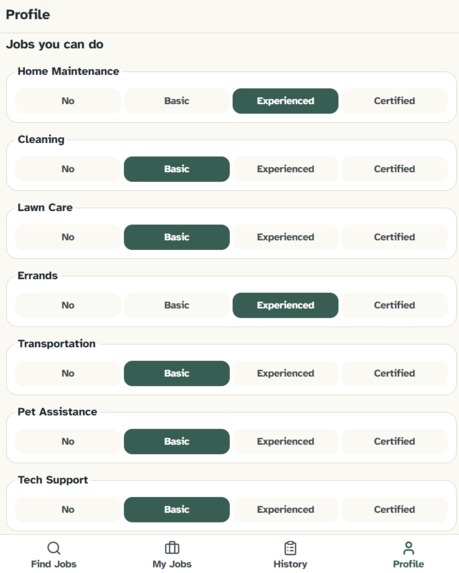
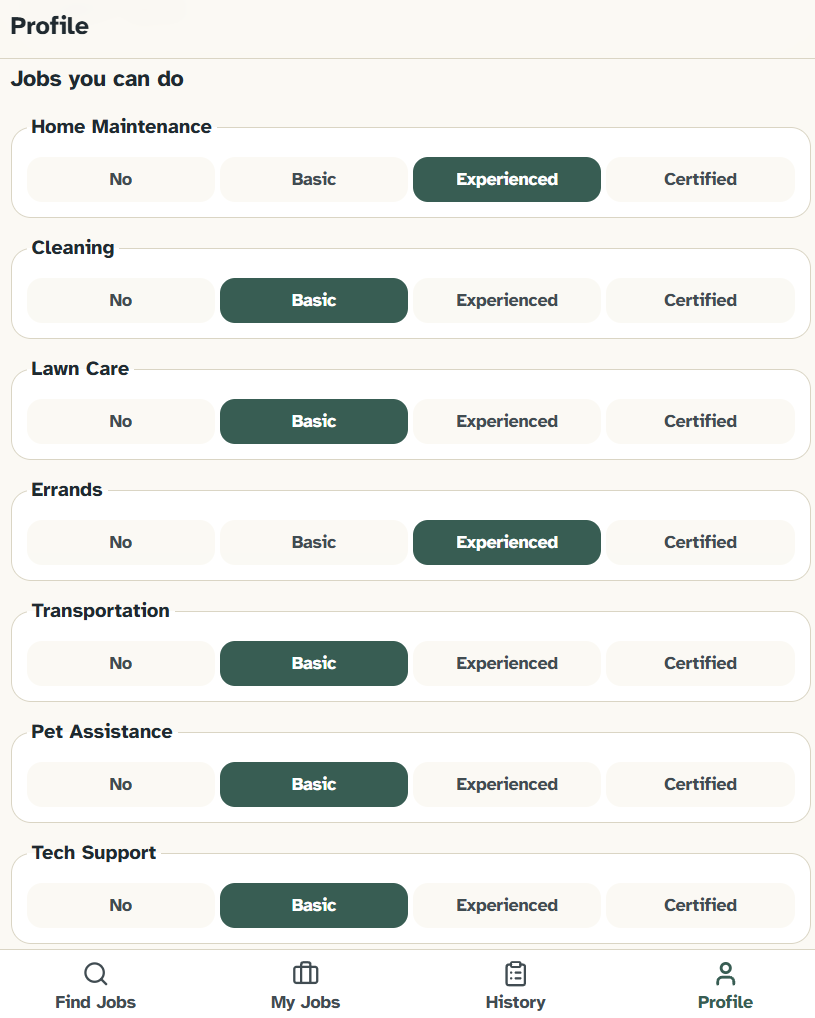
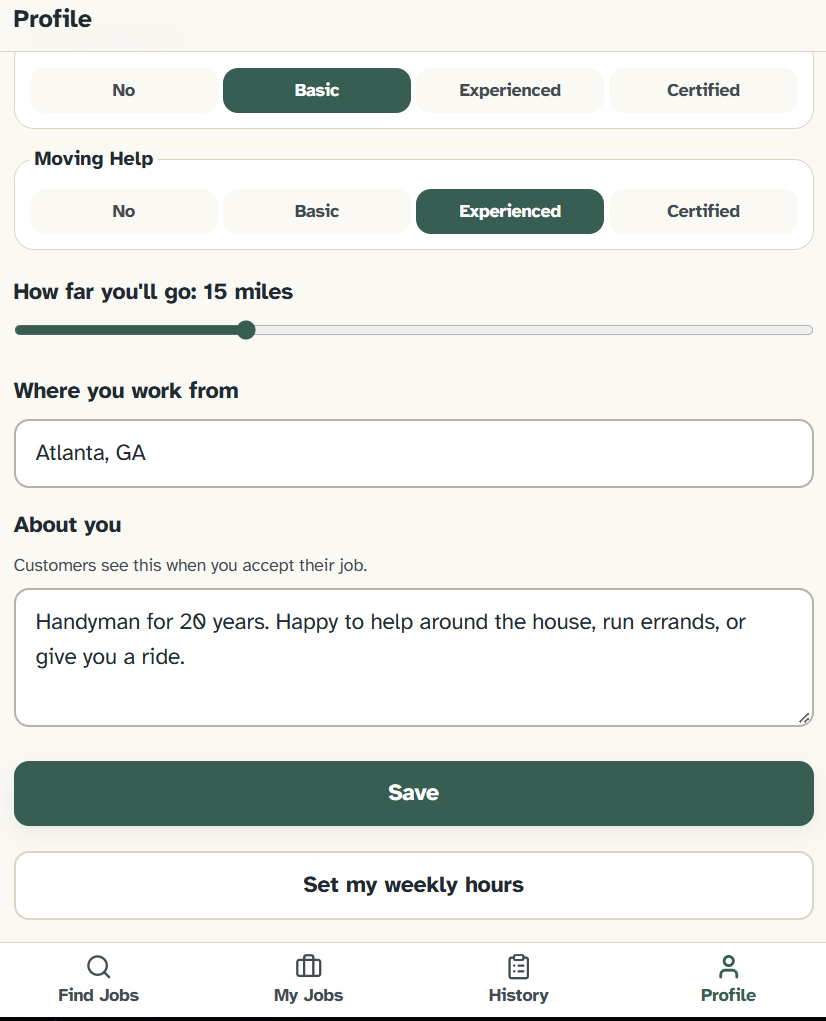
The profile section on the worker dashboard is critical for setting skills. This allows the workers to match to jobs based on these skills.
-
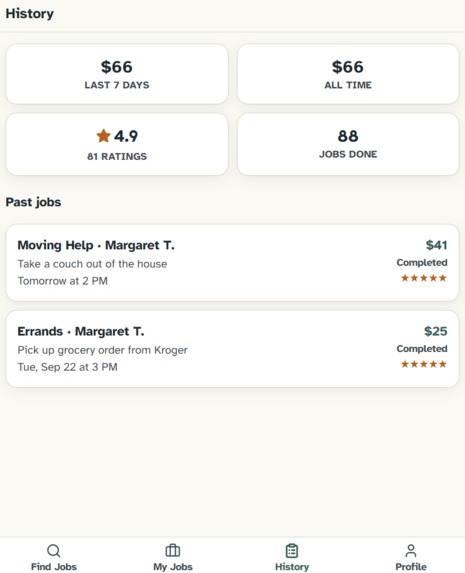
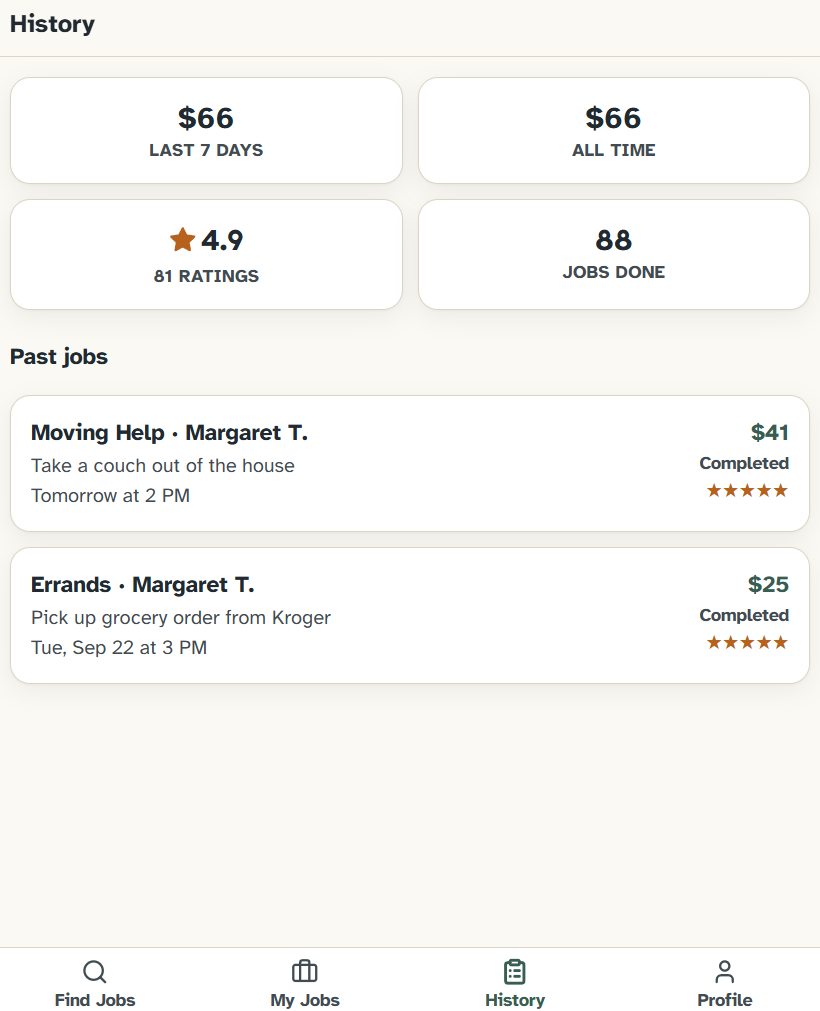
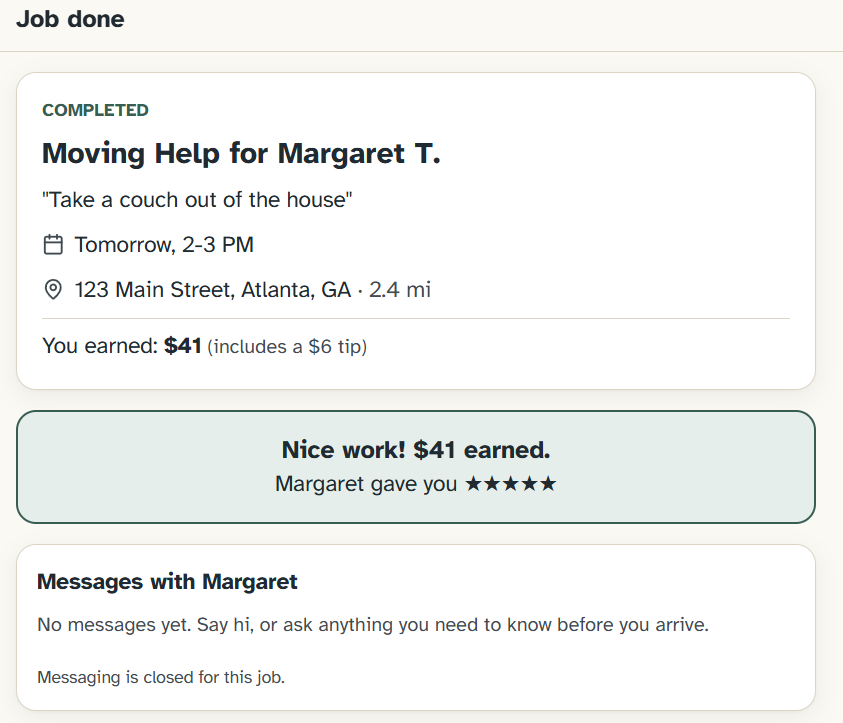
The worker history tab allows them to see recent and total earnings and reviews, and previous jobs with their ratings.
-
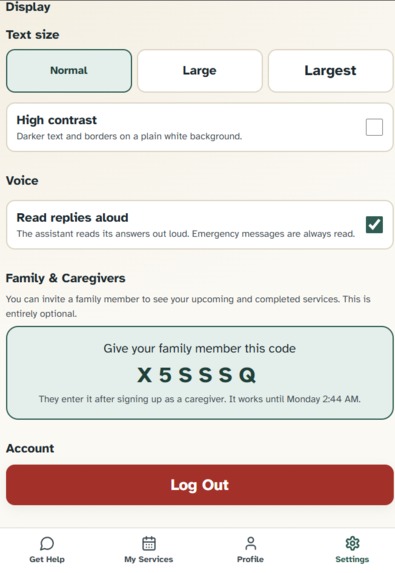
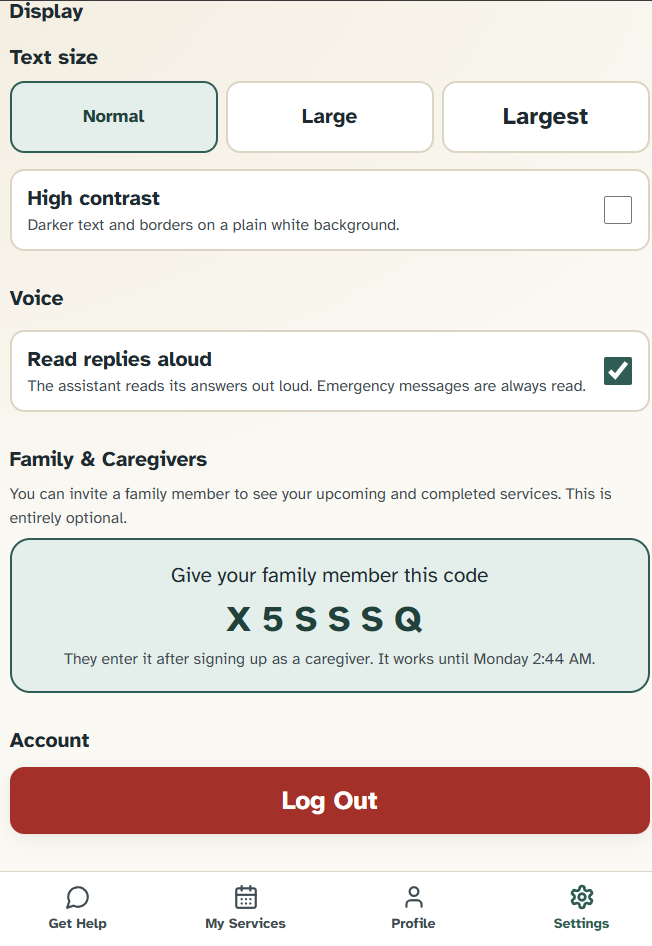
The customer settings section is where users can set accessibility settings and add family members or caregivers to their account.
-
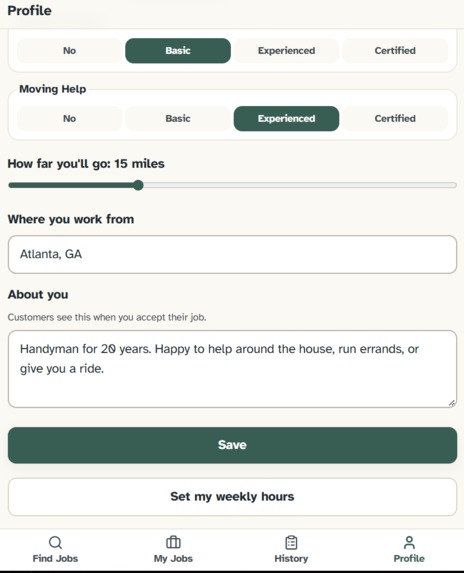
The second section of the worker profile confirms location, distance, and availability that are factored into matching workers with jobs.
-
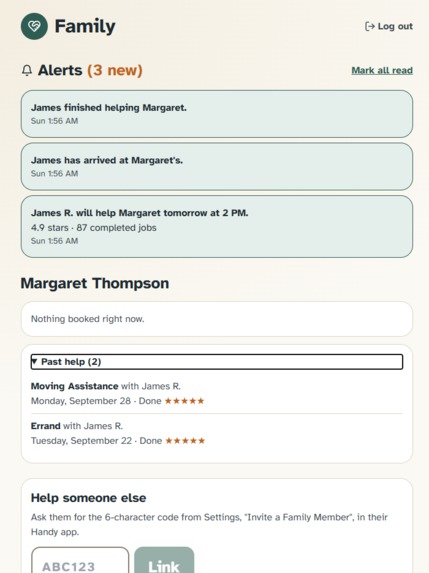
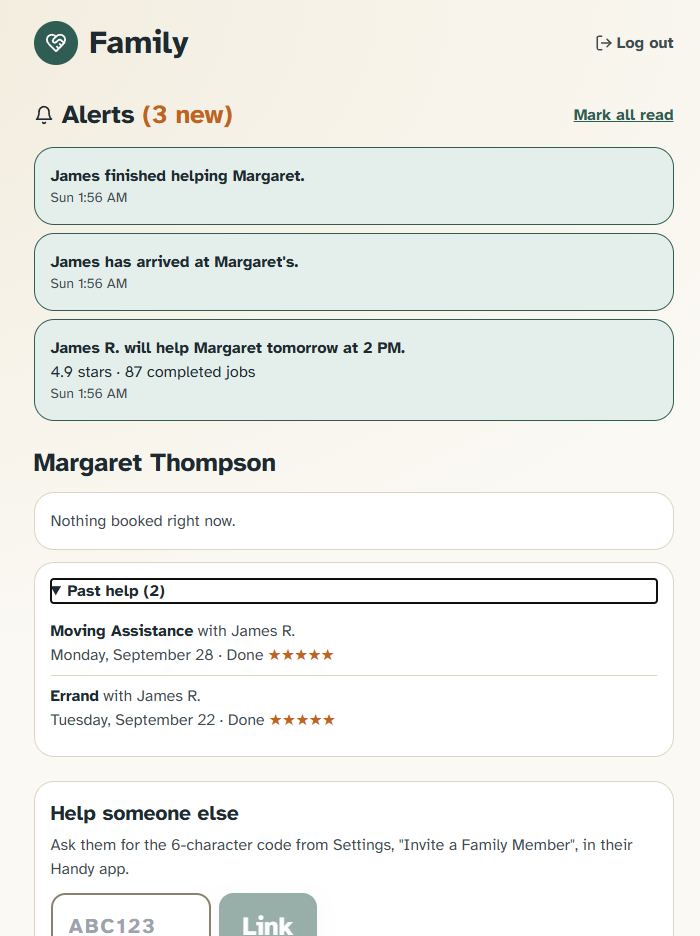
Family members can sign is as customers and put in caregiver codes so they can monitor current and previous jobs with their loved ones.
-
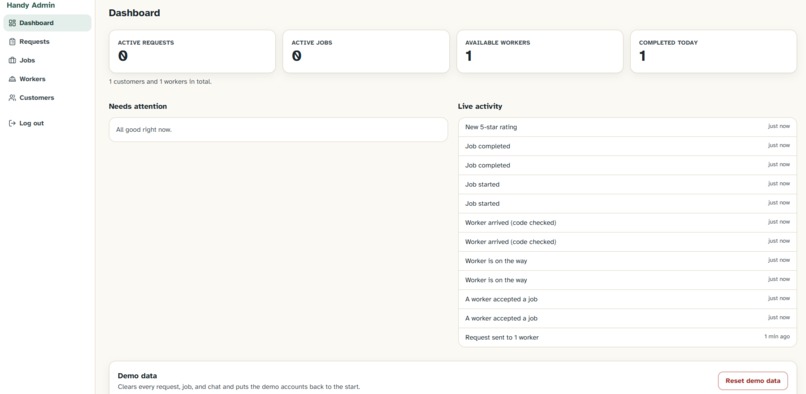
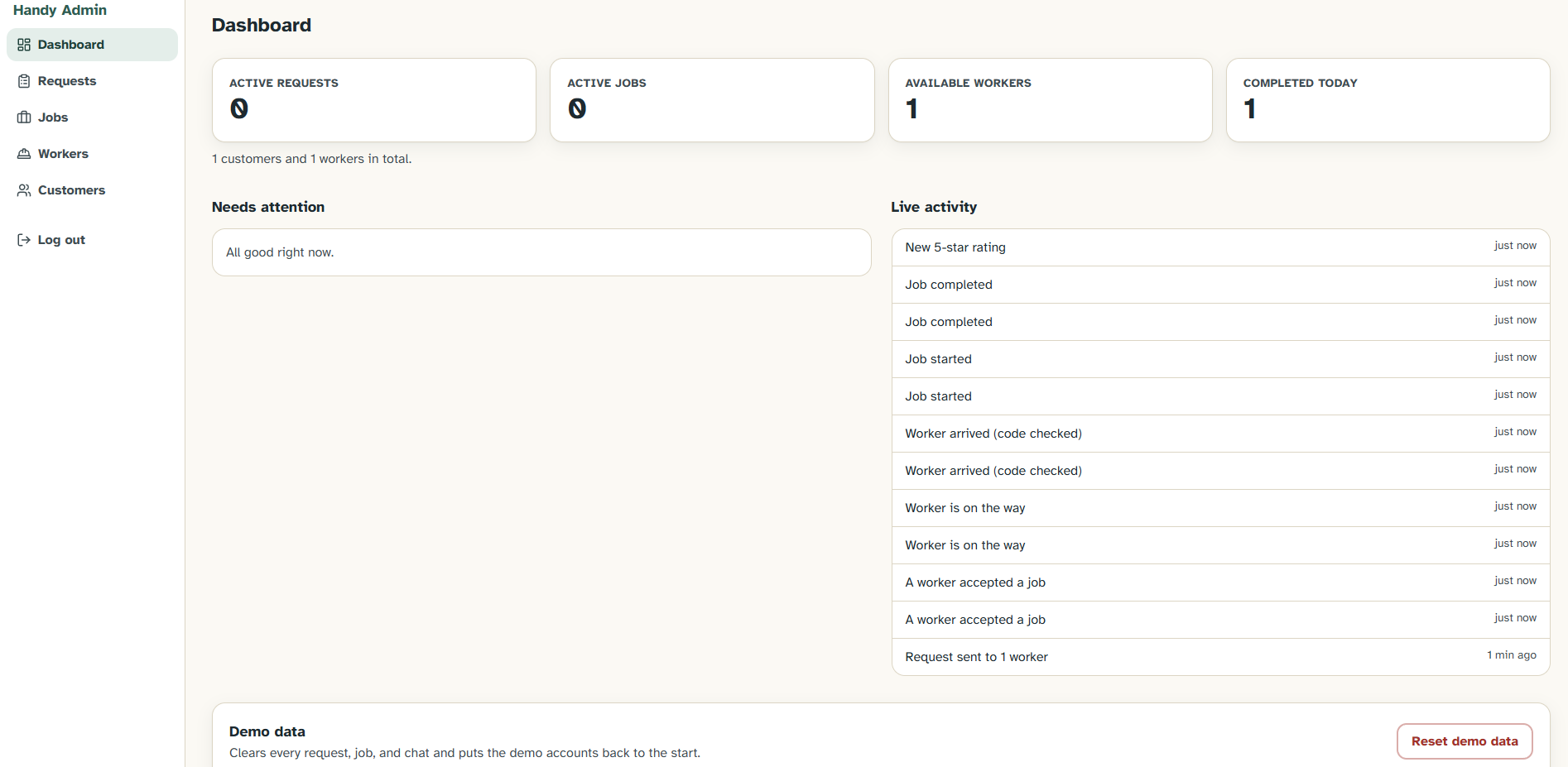
The Handy admin dashboard shows all activities between workers and customers, logs previous activity, and reset demo data.
-
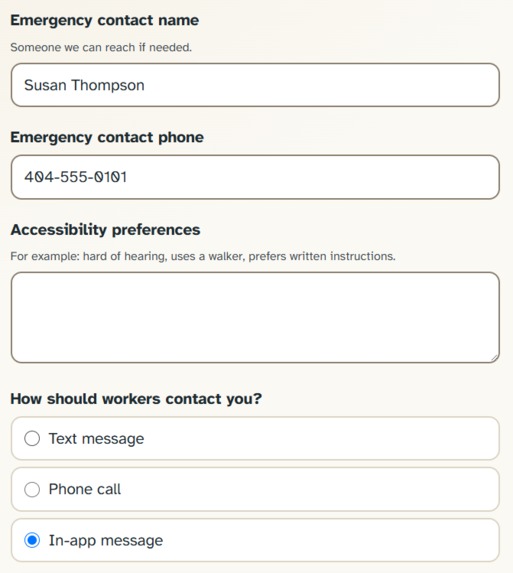
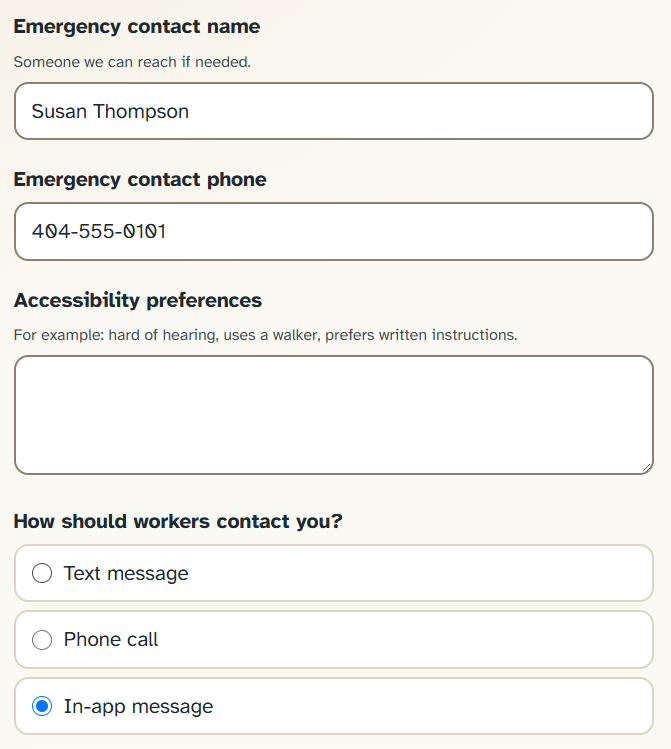
Users can add emergency contacts that are contacted if the chat is prompted with emergencies. They can also add accessibility info.
-
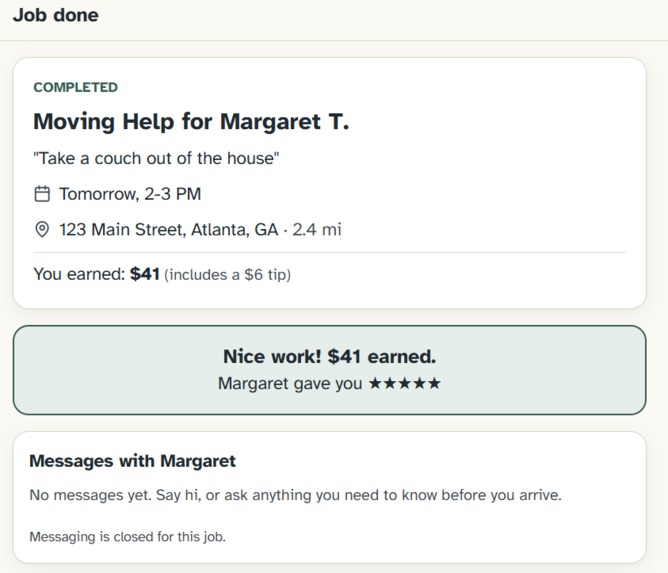
By clicking on a previous job, workers can view job details and summaries including tasks, reviews, and chat history.
-
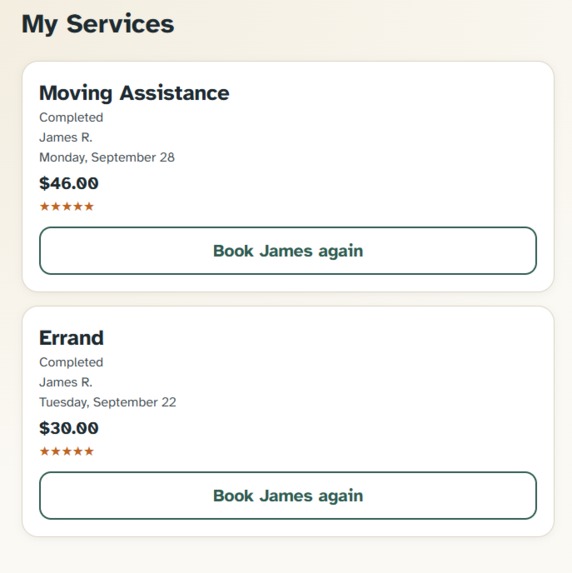
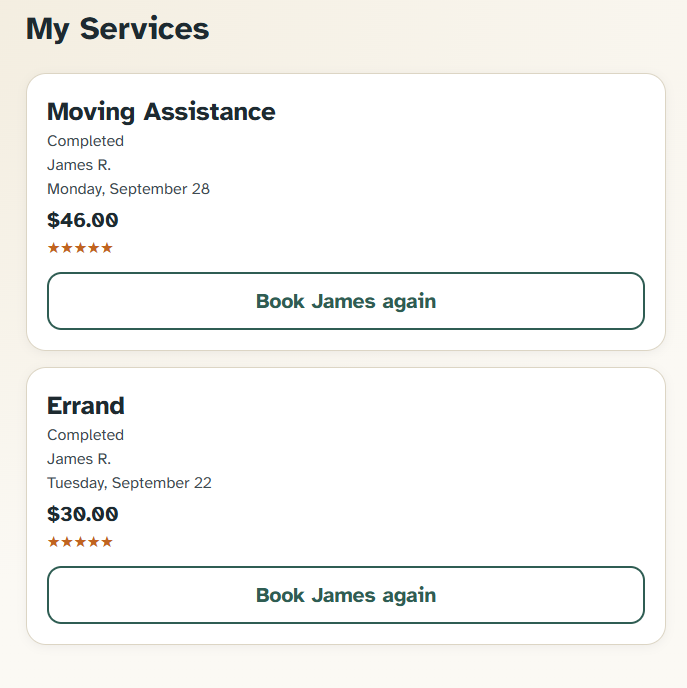
In the services section, customers can look at previous jobs and try to book the same workers if they were satisfied with them.
-

The customers dashboard in the admin panel shows current customers, previous request activity, and emergency info if necessary.
-
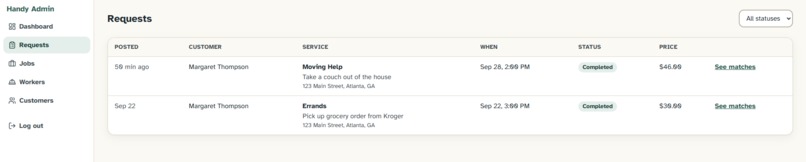
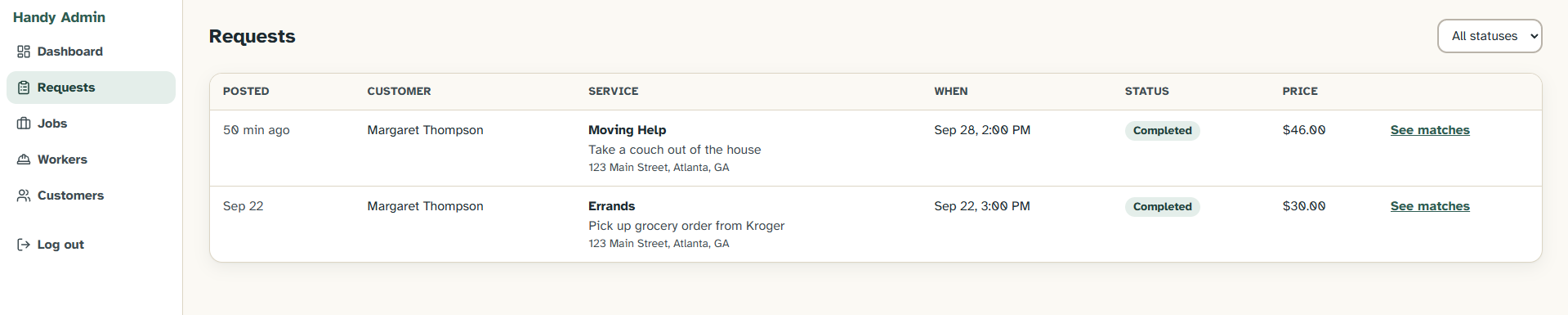
The admin dashboard also features completed and open requests with their details, which can help in case of user disputes or payment issues.
-

The admin dashboard's jobs section features details from the worker's perspective and ratings to track job progress and user feedback.
-

The worker dashboard in the admin panel shows workers and their skills, experiences, and ratings to track worker quality and validity.
-
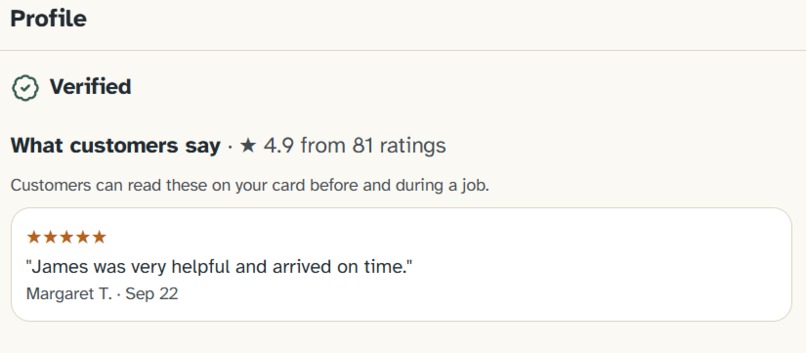
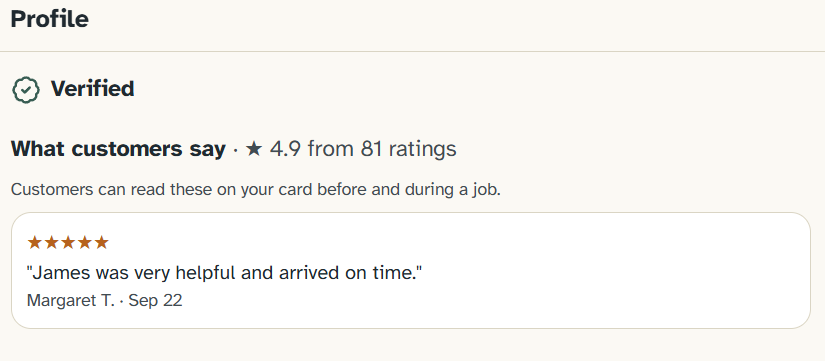
Workers and customers can view reviews from jobs. These include star ratings along with written reviews to improve feedback clarity.



Inspiration
Most of us have a grandparent or older neighbor who needs a little help now and then: a couch moved, a ride to the doctor, or a leaky sink looked at. Even in our regular lives, we’ve all faced strains and stresses that make daily tasks harder, or have seen our parents struggle with chores because of an occasional back pain.
For us, help is often close by in the form of our parents, but many people don’t have similar scenarios where they can simply ask for it. Most apps that could connect these people are built around menus, categories, and long forms, and they assume the user is comfortable with all of it. This often isn’t the case with the elderly and disabled persons, who struggle with stereotypical app interfaces. Thus, the people who would benefit most from these apps are the ones most commonly left out.
We wanted asking for help to feel like asking a neighbor or a friend. You can say what you need in your own words and someone can support you. Handy’s job is to remove the technology barrier amongst other apps, allowing one person to help another whilst rekindling bonds with family or forming new bonds with former strangers.
How Handy Works
Handy’s service request system is usable by all types of people, but uses the Muse Spark 1.2 model to make it accessible to the elderly and disabled persons. You type or speak a request like:
“I need help moving a couch from my garage into the living room tomorrow at 2pm at my house.”
The AI uses information to create a structured job with the type of help, date, time, place, urgency, and any special needs. It asks for missing components one question at a time, allowing for request generation regardless of the initial prompt’s clarity. No requests are sent out until you confirm the final plain-language summary the chat shows you.
The job is then sent out to the best nearby workers who are verified, qualified for the specific job needed, and free at that time. When the worker arrives, you read them a 4-digit code that they have to input to start a job and confirm their identity. You can follow the job status live from Handy, and chat with your worker without sharing phone numbers. To improve usability for people unaccustomed to typical app interfaces and styles, text size, high contrast, and read-aloud replies are changeable settings that can be saved to your profile.
Handy flags scam attempts in chat, such as attempted in-chat payments, and warn you and your listed family. Prompts that involve emergencies never become jobs; you're told right away to call 911.
How We Built It
Handy is a TypeScript monorepo split into four parts, one per teammate:
Customer App: Frontend used Next.js and Tailwind with the browser's built-in speech tools for voice input and read-aloud. This includes adjustable font sizes and an optional high-contrast mode for users who have trouble reading.
Backend: Fastify and Postgres (Drizzle), with live updates, arrival codes, scam screening, reminders, and caregiver alerts.
AI and Matching Services: Utilised the Muse Spark 1.2 model to talk with customers and generate services. This part was then integrated into the backend.
Infrastructure and Deployment. We host everything on Railway: the backend, the database, and the customer, worker, and admin apps. It all redeploys on its own whenever we push to main. Since everyone connects to the same live server, our demo logins Margaret, James, and Susan can each be on their own phones and see bookings, updates, and messages as soon as they happen.
Before beginning our coding, we developed a shared set of rules defined data types, documentations, and paths. This allowed four people to build at the same time without breaking each other's work or causing unnecessary merge conflicts later in our development process.
The assistant runs on Meta's Muse Spark 1.2 Model and returns strict JSON, which is checked against a schema. A deterministic safety layer runs before the model so that emergencies are caught by fixed patterns rather than risking the AI missing one. If the model fails or times out, the backend's built-in assistant answers that message instead, so the conversation never breaks or stalls.
Our request to the worker matching system is deliberately not AI, so every match can be explained logistically. Worker profiles are first passed through hard tests like if they have the right skills, are verified, are at a reasonable distance, and are free at the time. The rest of the categories are scored from 0 to 100:
$$ S = 0.30 \times Q + 0.25\times A + 0.20 \times D + 0.15 \times R + 0.10 \times E $$
where Q is qualification level, A is availability, D is distance, R is rating, and E is experience. Distance falls off linearly across the search radius r, and experience levels off as similar jobs n pile up to prevent veterans from constantly being preferred over newcomers:
$$ D = \begin{cases} 100 - 60 \times \frac{d}{r} & d \leq r \ 40 & d > r \end{cases}
$$
For urgent jobs, the distance weight rises from 0.20 to 0.30 because proximity matters more in such scenarios. Workers the customer rated highly before get asked first, and anyone rated 1 or 2 stars never gets that customers’ jobs again.
We used Claude Code in VS Code primarily alongside the Muse Spark Model to write test prompts for our API, help fix our initial connectivity issues, and to track down bugs quickly during our final phases.
Challenges
AI Memory Retention and Training: Models sometimes leave out fields they already extracted, which would silently impact important details in requests like dates or actions. We built merge rules: a missing field is kept, and only an explicit
nullclears it. Invalid values stored after model transcription like past dates or non-military times are redone and the AI asks again.Speed: To begin, we were experiencing consistent 15-second wait times, which is inefficient and can be demoralizing to someone unsure about the technology. We tested model versions and found that the Muse-Spark-1.2 answered about twice as fast as 1.3 with the same accuracy.
Voice on Real Devices: Voice input stopped the moment the person paused mid-sentence, so we made the program wait for a real pause and allowed users to tap to speak to prevent cut-offs. On iPhone, Safari only allows speech that starts from a tap, so read-aloud has to be done through the tap to speak. Additionally, working on perfecting transcriptions from the voice inputs took a while, as the model would occasionally double or skip certain words that did not impact results, but could confuse users.
Scaling Accessibility: When we originally started, we realized that simply a large text toggle that only changes some of the font sizes wasn’t enough to improve app accessibility. By sizing the whole app in rem units that scales text, buttons, spacing, and icons together, we made uniform features that were easier to scale as a whole. Additionally, we implemented high contrast that swaps a single set of color variables instead of working based on individual screens.
Merge Conflicts: While we did face merge conflicts, we prevented most conflicts by making a shared set of rules on data types, documentation, etc. that made it easier to follow each other’s works and prevent merge errors in advance. We also were able to implement Claude Code to help debug some of our merge conflicts without losing the original intentions of our code.
Lessons Learnt
Implementing AI into our app was the most exciting to demo, but it was by far the hardest part to develop consistency in. As we target an often overlooked community in an attempt to make a difference, ensuring that every piece around their experience is adaptable and accessible is key to making it a successful one. This includes safety checks that run first, schema-checked output, a fallback when the model fails, and a confirmation step so a person always has the final say before confirming a job. We also learned that designing for older adults does not mean Handy can’t be tailored to all types of people. Bigger tap targets, plain language, voice, and fewer steps made the app better for all groups, and changeable accessibility features allows both those who need the accessibility features and those who’d rather not use them to get what they want out of Handy.
Built With
- claude-code
- css
- fastify
- github
- javascript
- meta-muse-spark
- node.js
- postgresql
- typescript
- visual-studio
- web-speech-api

Log in or sign up for Devpost to join the conversation.