-
-
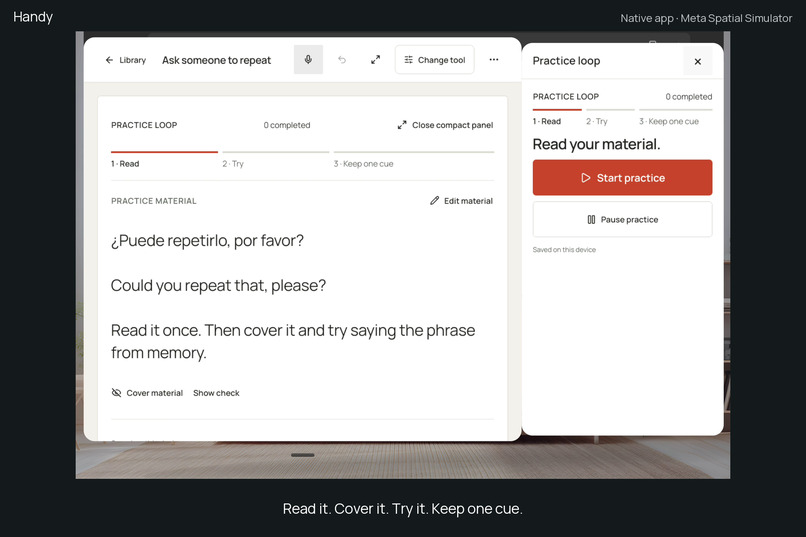
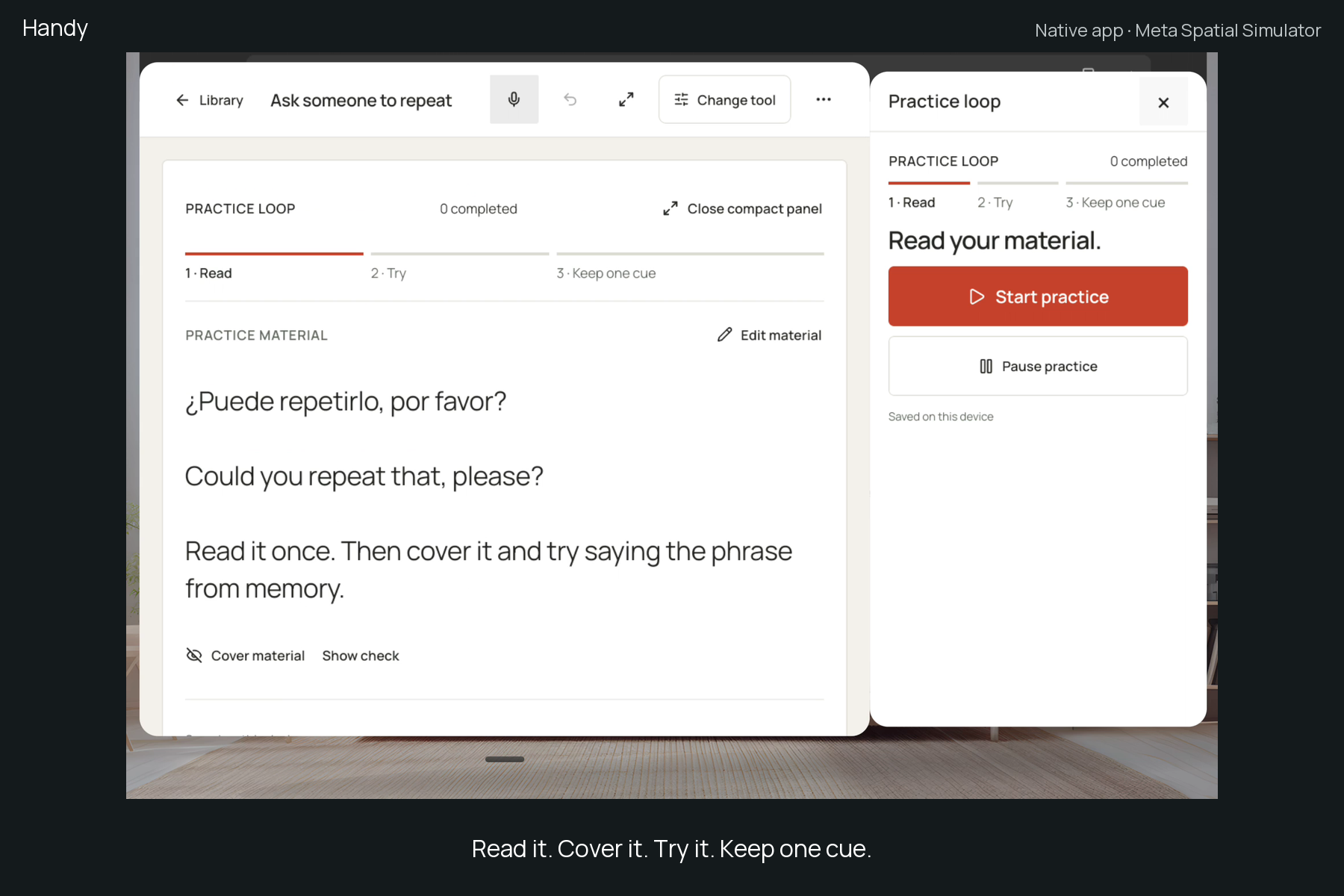
Read, cover, try and self-check a prepared phrase. Actual Handy 0.8/code 9 in Meta Spatial Simulator.
-
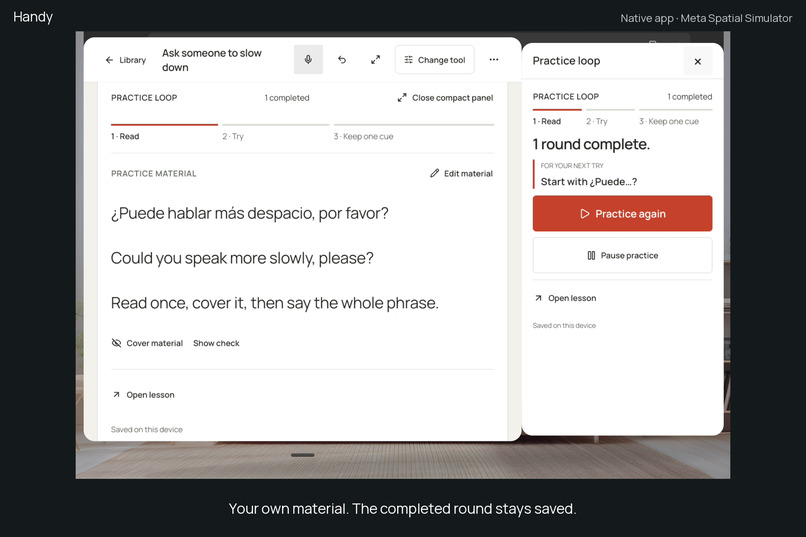
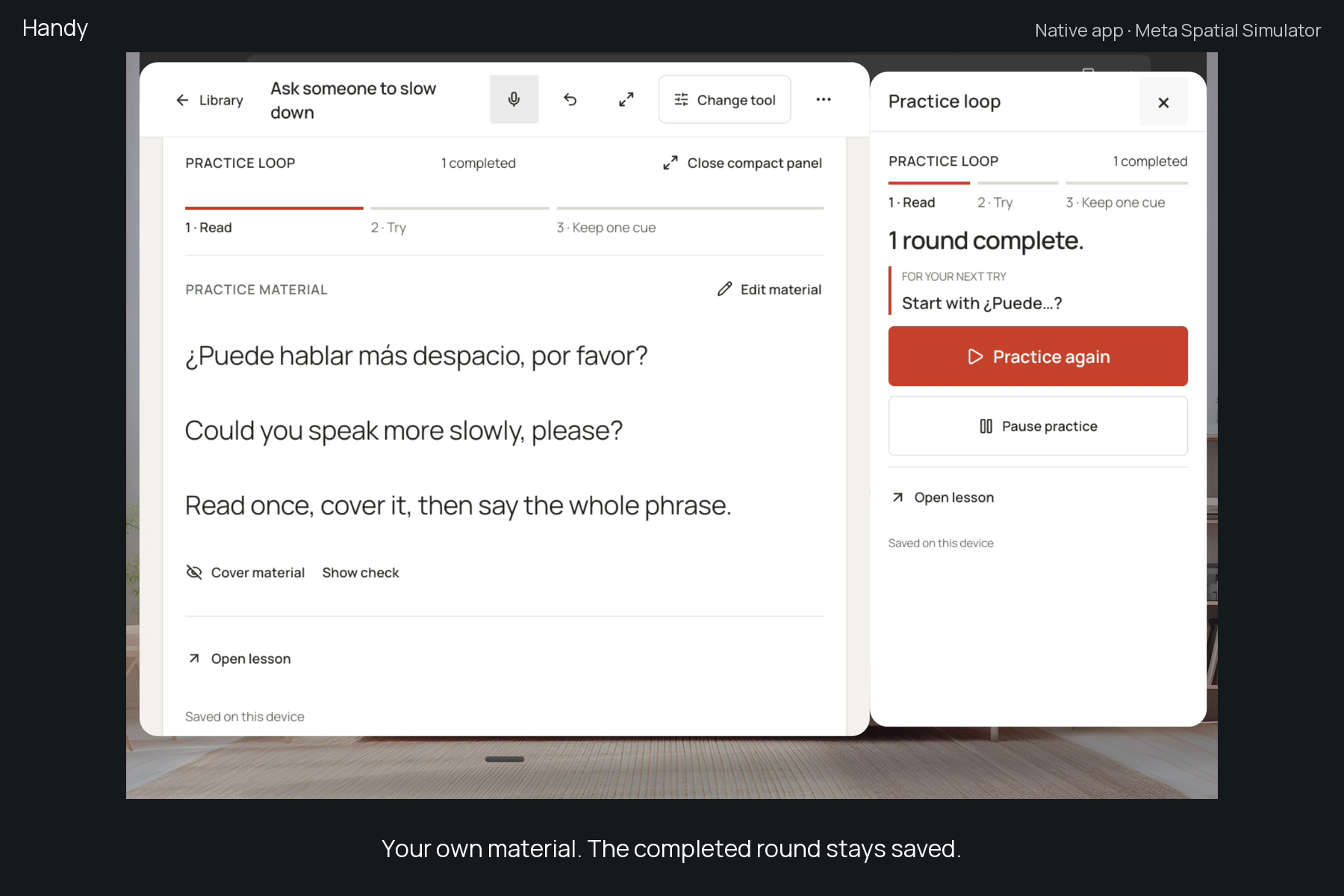
Make this yours: save your own material while keeping the completed round and next cue. Native Handy 0.8/code 9.
-
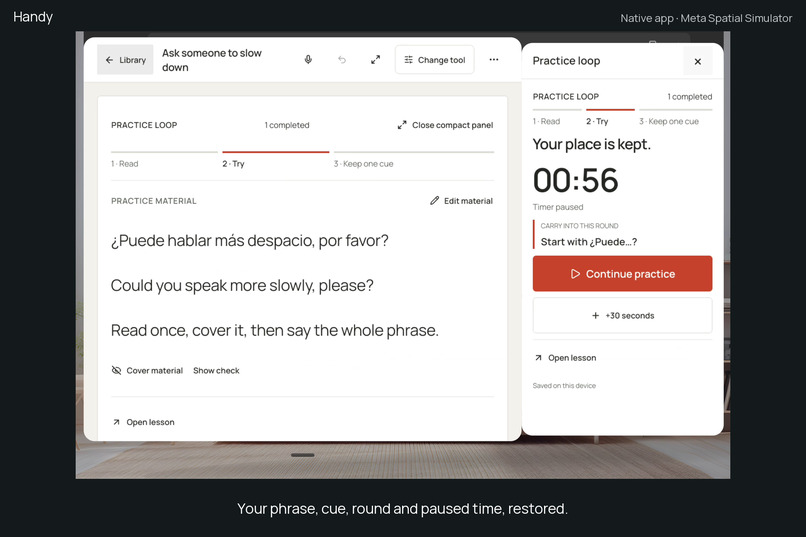
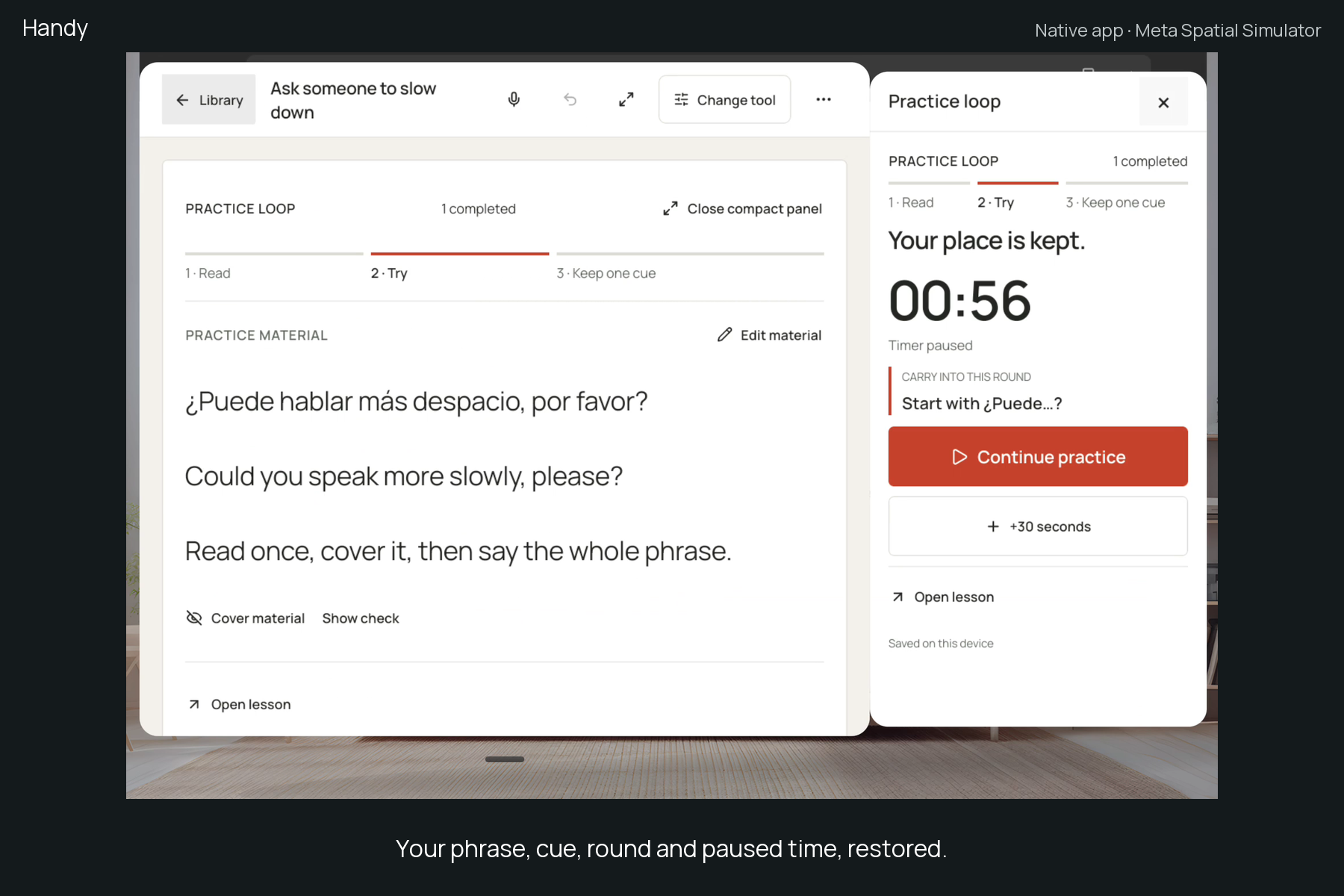
Return to the same personal activity, round, cue and exact paused 00:56. Actual native Handy 0.8/code 9 in the simulator.
Inspiration
Learning from a lesson takes more than watching it. You need to try something yourself, compare it with an example, and remember one useful change for the next attempt. We wanted those small pieces to stay together while using Quest.
What it does
Handy is a native Quest workspace for short practice rounds. Read your material, cover it and try without looking, reveal an optional check, then save one cue for your next try.
On first launch, Try a phrase opens a prepared Spanish phrase with its meaning. Complete a round without typing, recording speech or connecting AI. After that first round, Make this yours opens the same material editor: give the activity your own name, material and optional check. Your completed round and next cue stay saved. Use my material instead starts a separate blank activity.
Keep the material in Handy's main window and optionally open a compact Handy panel for the timer, cue and round controls. Show check brings the revealed text into view. Compact controls report when they are opening and use an inline fallback when a separate window cannot be established. Horizon OS manages native window placement.
You decide when you have tried it. Finish round records a deliberate completion; the timer reaching zero does not assess your work. Add 30 seconds to the current attempt without changing the next attempt's default. Pause and return to the same activity, cue, count and saved remaining time.
You can also save an optional lesson link and open it explicitly in the lesson's own app. Handy keeps the practice state; it does not read the other app, extract linked content, or restore that app's state and window position. Guides and reusable components remain available for other tasks.
How we built it
React Native/Expo and the public Meta VR Layout SDK provide native Android main and companion windows. A shared TypeScript engine validates declarative components and rules, uses deadline-based timers, and preserves compatible state through edits. Main and compact controls share the same activity state.
Material changes merge with the latest cue and timer state while rejecting conflicting stale edits. A revealed check scrolls within its nearest actual scroll host. Compact-window feedback uses the SDK's public placement state. If opening remains unresolved for four seconds, Handy removes the pending spatial request and renders the same controls inline.
The practice path, manual creation and saved tools work offline. Optional AI creation/revision and recorded-speech transcription require a separately configured service. Local development used Qwen through Ollama and Whisper on the developer's computer. Those models are not bundled in the APK, and public hosted AI/voice access is not enabled.
Challenges and what we learned
Finishing a timer and finishing a task are different events. Handy keeps completion explicit. Showing a window request is also different from confirming usable controls, so the main controls stay available while the compact panel opens. Editing practice material should preserve the work already done rather than start a new activity unexpectedly.
Validation and current limits
The 0.8.1 source passed 407 automated tests across 40 files, all workspace/native/web typechecks and its production web build. The exact signed code 10 APK passed 28 package and security-configuration checks. An actual update from code 9 retained personal material, check, lesson link, cue, completed round and exact paused time. Three fresh native practice flows passed in the official Meta Spatial Simulator: automatic full-check visibility without a harness scroll; personalization preserving round and cue with real compact close/reopen; and exact paused-state recovery across a process restart and Quest Browser/OS-launcher return. A local TLS positive control succeeded for a matching trusted host; wrong-host and untrusted certificates were rejected.
The Competition channel now distributes 0.8.1/code 10. This security and build update uses OkHttp 5.5.1’s Android artifact, Expo SDK 58 and React Native 0.88, compiled with API 37. Minimum API 29 and target API 34 are unchanged. Its fresh Basic malware check passed, and Meta’s code 10 SecurityVulnerabilityTest reports All tests passed. The previous HostnameVerifier warning is absent from this new scan. These bounded checks do not establish a complete security audit.
The 72-second demo retains genuine Handy 0.8.0/code 9 native recordings and disclosed synthetic narration; cuts remove setup and waits. Its lesson is an original local test page. The 0.8.1 security update keeps the demonstrated practice workflow unchanged.
Native simulator checks use automated Android accessibility actions. They establish bounded functional behavior in Meta Spatial Simulator. Physical Quest hand accuracy, microphone capture, comfort, sustained hardware performance and physical channel installation remain unverified. There is no external user study or measured productivity or learning improvement. Users assess their own practice; Handy does not record or grade speech.
What is next
Physical-device interaction and accessibility checks remain the next validation step. The proposed public launch target remains 31 January 2027, subject to those checks.

Log in or sign up for Devpost to join the conversation.