-
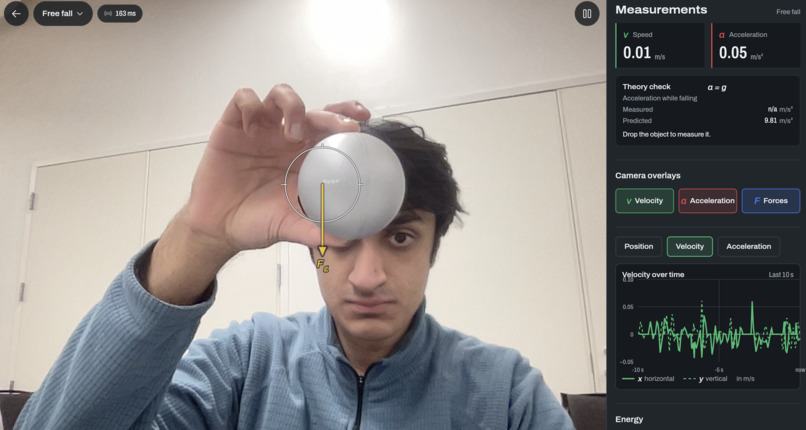
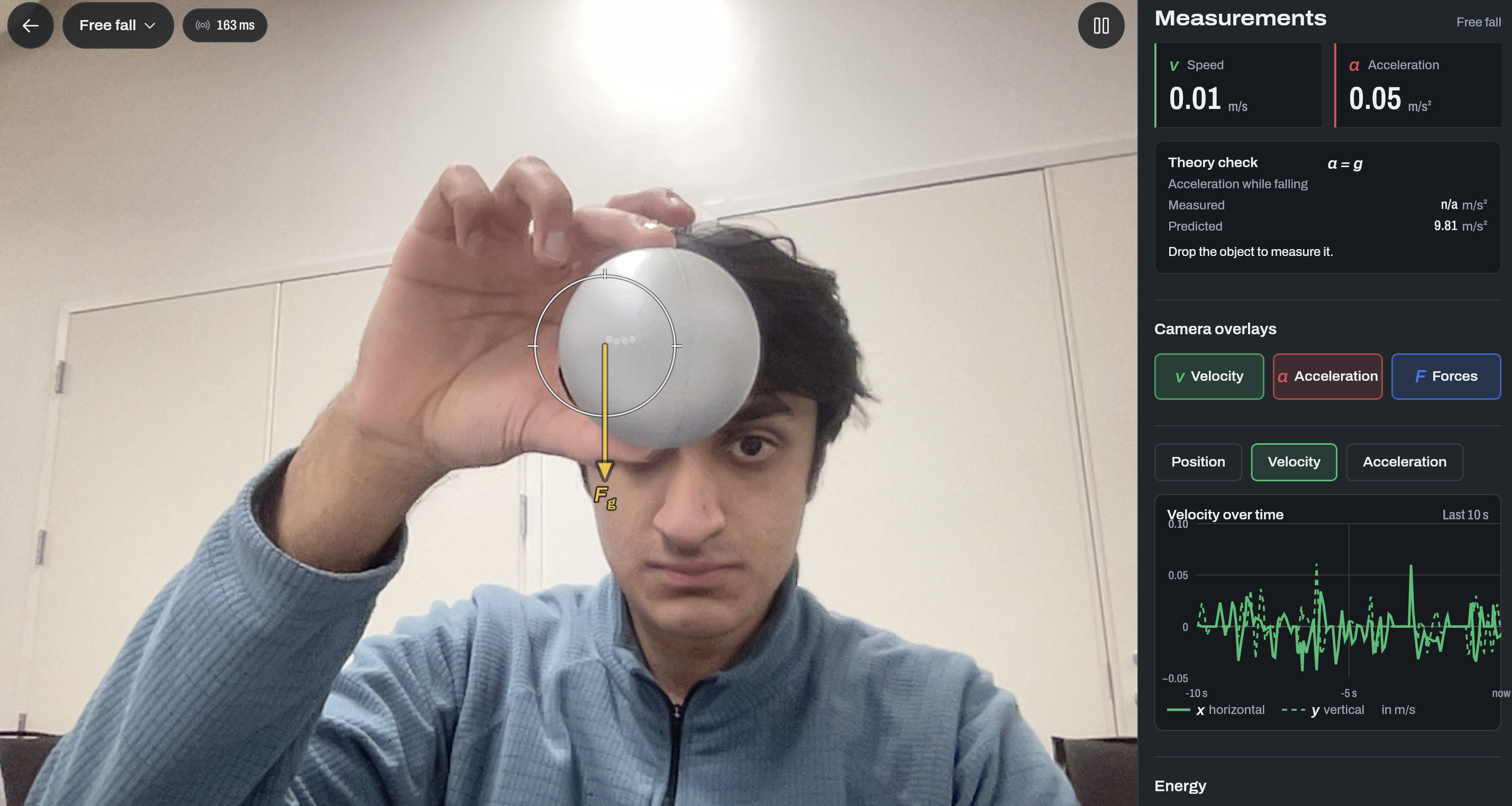
Ball with gravity vector
-
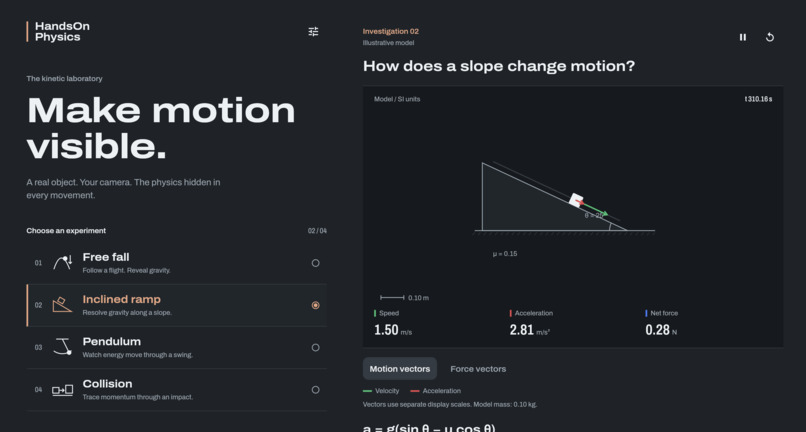
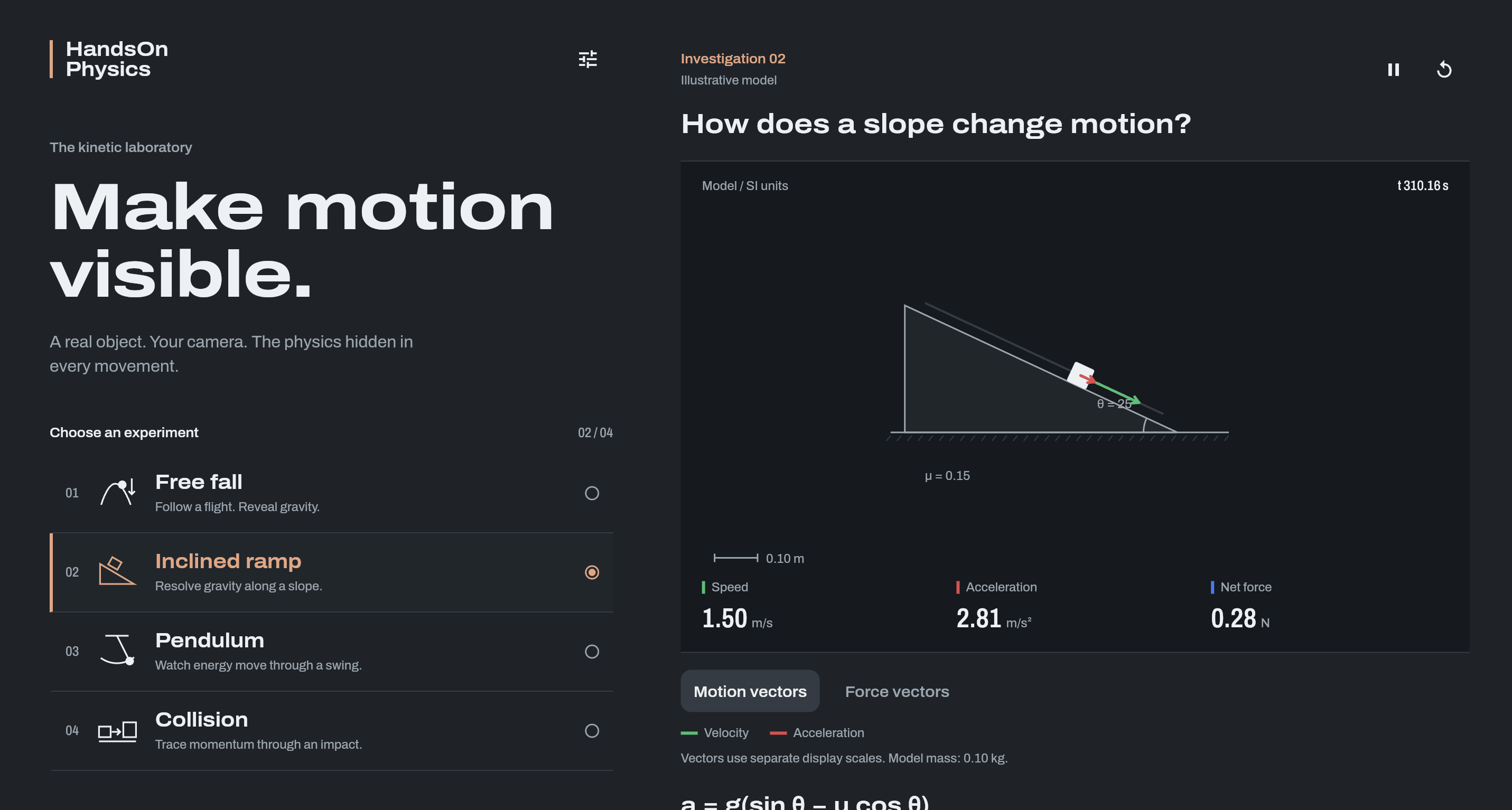
Homepage
-
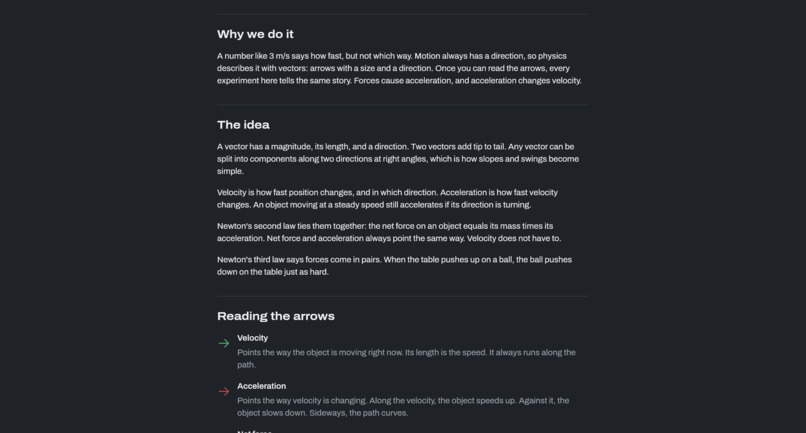
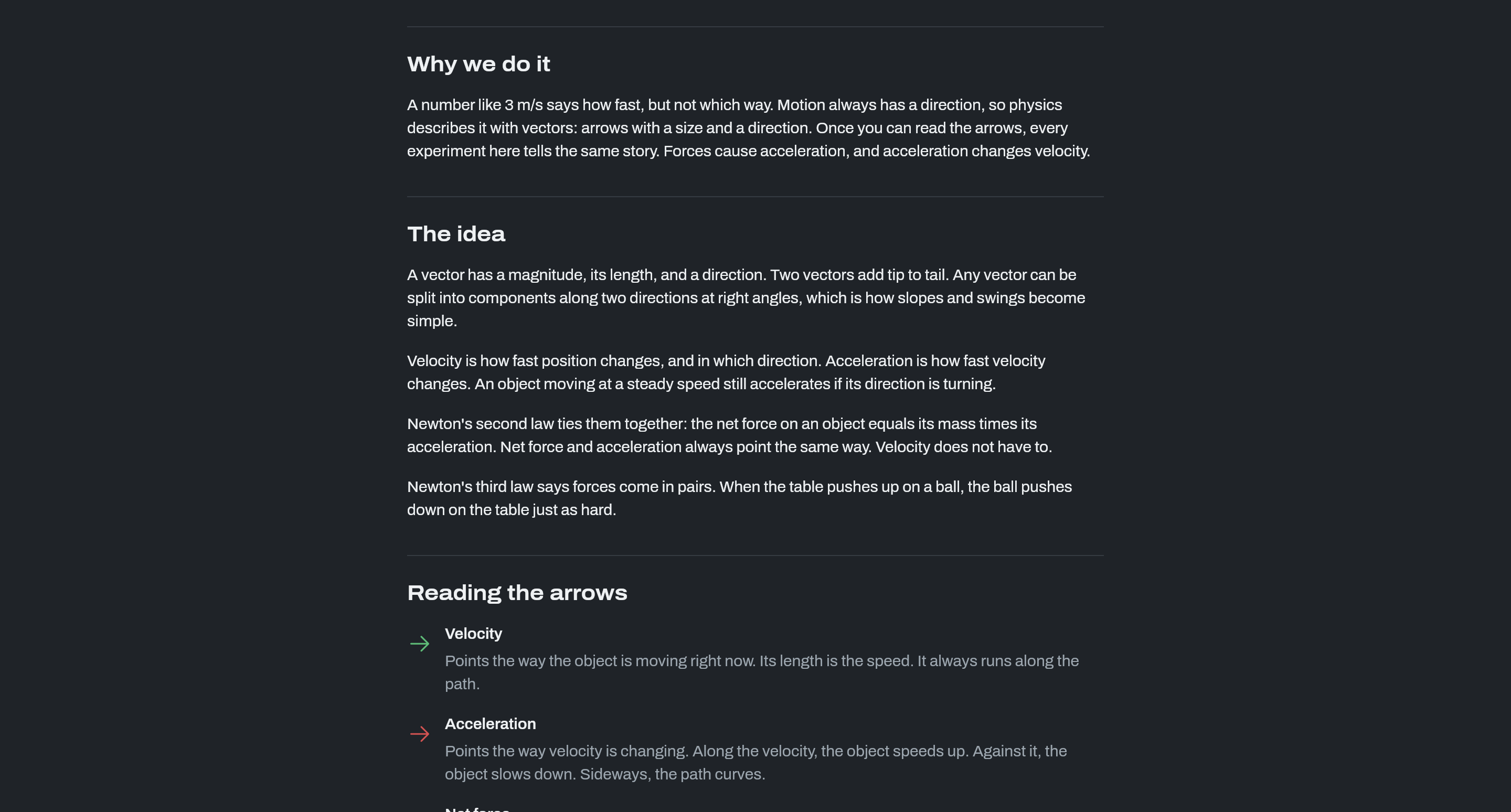
One of the learning pages to help students understand what they are looking at.
Inspiration
Every one of us has sat through a physics lab where the ramp, the pendulum and the carts were right there on the table, but the physics was hidden in a worksheet. We'd time a ball with a stopwatch, plug numbers into a formula, and hope the answer looked close to the textbook. We wanted the forces to be visible. What if you could point your phone at a ball rolling down a ramp and actually see its velocity, acceleration, gravity and normal force drawn on it, live?
What it does
HandsOn Physics turns a phone camera into a physics lab assistant. You set up a real tabletop experiment (free fall, a ball on a ramp, a pendulum, or two carts colliding), tap the object you want to follow, and the app tracks it in real time. It then draws color-coded vector arrows for velocity, acceleration, gravity and normal force directly on the live camera view, and fills a telemetry panel with live graphs, energy bars and readouts like ramp angle, swing angle, momentum and coefficient of restitution.
On iPhone, ARKit anchors the experiment to the real table, so the 3D arrows stay attached to the object as you move the phone around. In the browser, a hosted 2D version (https://vega-77.github.io/HackRU/) works from a laptop webcam. Collision mode tracks two objects at once and compares total momentum before and after impact. A theory check compares each run with the textbook model (a = g, a = g sin θ with the 5/7 rolling factor, \(T = 2π√(L/g)\), momentum conservation), so students can see how close their real experiment came.
How we built it
Mobile app: Flutter, with a native Swift ARKit plugin that streams downsampled frames plus the camera pose and intrinsics over a WebSocket. We used CustomPainter for the 2D overlay, a 3D vector layer for AR arrows, and fl_chart for the live telemetry graphs. Computer vision backend: Python with FastAPI, OpenCV, MediaPipe and NumPy, containerized with Docker and hosted on Render. Each frame is downsampled and color-converted, then run through background subtraction to find moving objects. Tapping an object seeds a region using Lab-color region growing (with grabCut and contour fallbacks), and the tracker follows it through motion, occlusion and lookalike objects. Spatial mapping: a perspective (homography) transform maps pixel centroids onto the tabletop in meters. On iOS, we rebuild that homography every frame from ARKit's camera pose and a ray-cast onto the detected surface. Physics engine: a NumPy kinematics engine smooths noisy positions, takes derivatives for velocity and acceleration, and models forces per experiment, including contact-based normal force on surfaces and between stacked objects. Testing and CI: synthetic ramp, pendulum and cart clips with ground-truth CSVs, replay tooling for real recorded frames, a large pytest suite, and GitHub Actions that deploy the website and compile the iOS app on a Mac runner on every merge.
Challenges we ran into
Tracking only worked on red objects. Our first detector was color-based, so anything that wasn't a red ball got ignored. We switched to background subtraction and made auto-targeting follow the object that moves the most, which works for any color, including gray balls and neutral objects. Fast objects got dropped. When a ball moved quickly, it jumped outside the tracker's search window and was lost. We reworked the tracker to keep fast-moving selected objects locked on. Latency on free hosting. The pipeline runs in 6 to 11 ms per frame on a full CPU core, but our free Render instance gets a fraction of that, and the app only keeps two frames in flight. We had to downsample aggressively (320 px frames) and cut wasted per-frame work. Units that didn't line up. For a while the collision panel's momentum readout always said "n/a" and the pendulum's angle did too, because the app and the physics engine used different field names. We fixed the readouts and lined the app up with the real protocol. Keeping AR arrows readable. Arrows shrank with distance, got hidden by people occlusion, and drifted off the ball. We kept them a constant on-screen size, turned off people occlusion, and added on-device tracking so the 3D arrows stay attached.
Accomplishments that we're proud of
Real-time force vectors drawn on real objects, anchored in 3D with ARKit. A tracker that follows any object you tap, regardless of color, through fast motion and brief occlusion. Four experiments (free fall, ramp, pendulum, collision and normal force on surfaces) running from one pipeline. A working iOS app and a hosted website, both deployed automatically from main. A serious test suite with synthetic ground-truth clips, so we could measure accuracy instead of guessing.
What we learned
Computer vision in the real world is mostly about edge cases: lighting, similar-looking objects, motion blur and occlusion. Pixels aren't physics. Getting from a 2D centroid to meters on a tilted table needed homographies, camera intrinsics and ARKit's world tracking. Taking derivatives of noisy data amplifies the noise, so smoothing matters as much as the math. Latency is a system-wide problem. Frame size, compression, network round trips and server CPU all matter more than any single algorithm. Splitting the work across a Flutter frontend, a Swift plugin and a Python backend only worked because we agreed on a written WebSocket protocol early.
What's next for HandsOn Physics
True 3D motion using LiDAR depth, so objects can be tracked off the table plane (projectiles, things thrown in the air). Friction and tension vectors in the AR view, plus a way to tap two points to mark a surface directly in the app. Running the vision pipeline on-device with Core ML to remove network latency. Classroom features: saved runs, exportable data for lab reports, and guided experiments for teachers. App Store release after testing with real students and teachers. Gamification: compete against your friends to try and get as close as possible to the real vector value.


Log in or sign up for Devpost to join the conversation.