-
-
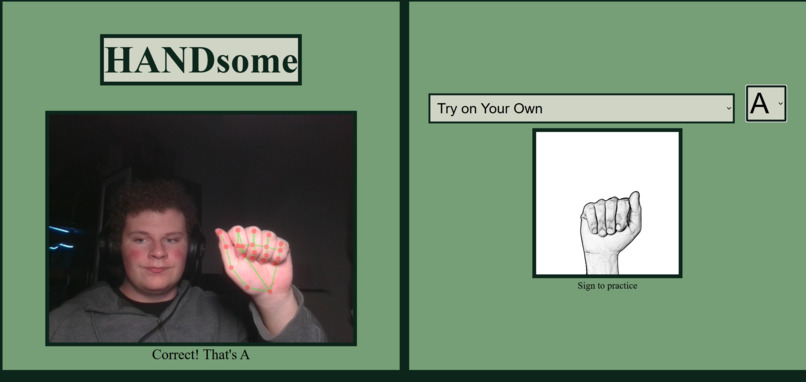
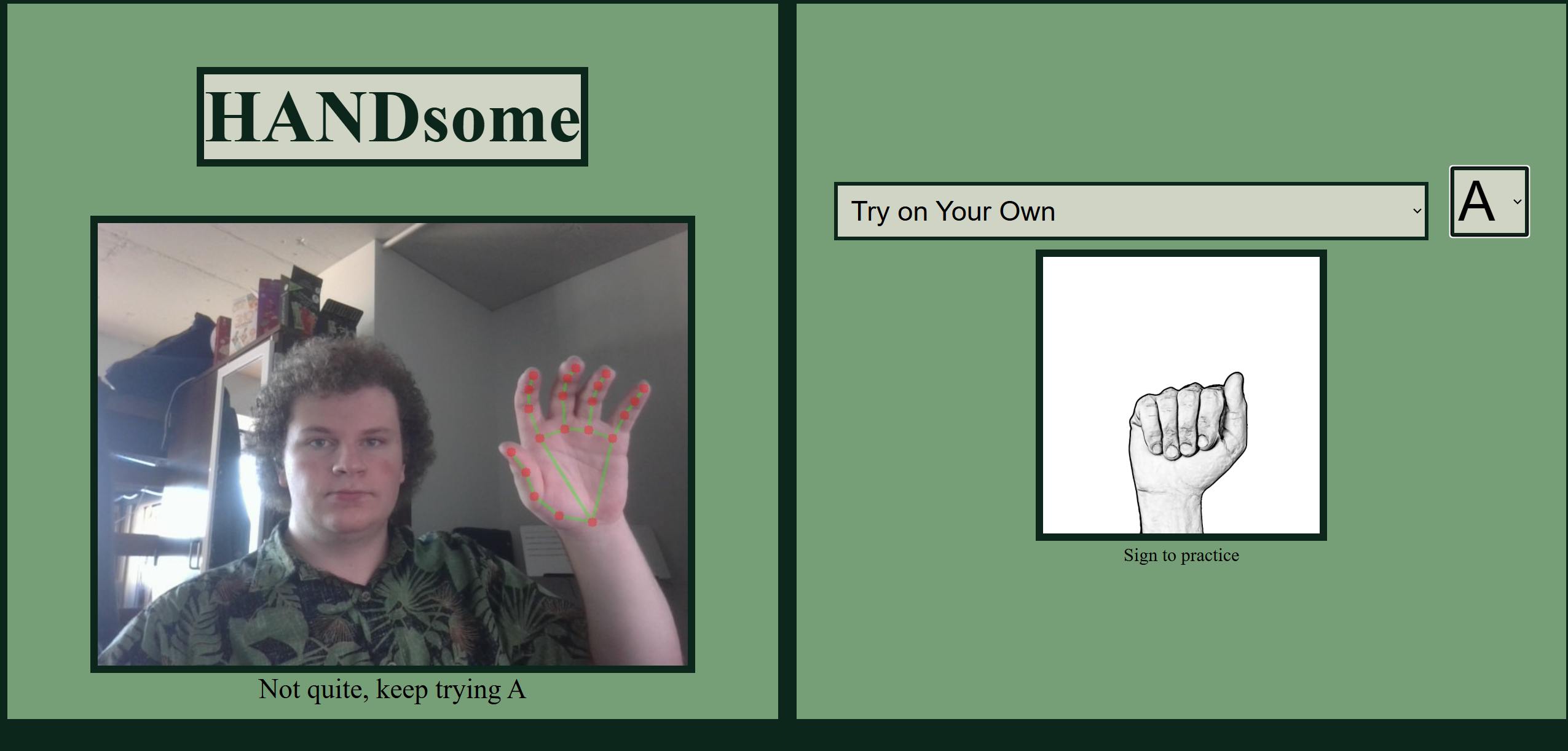
Sign for the letter A
-
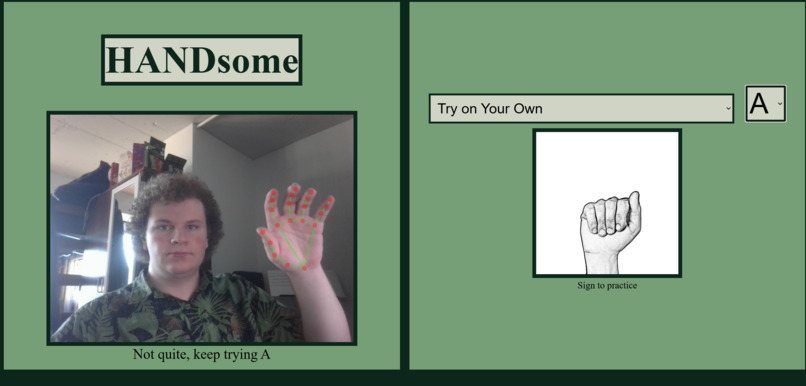
Incorrect sign for the letter A
-
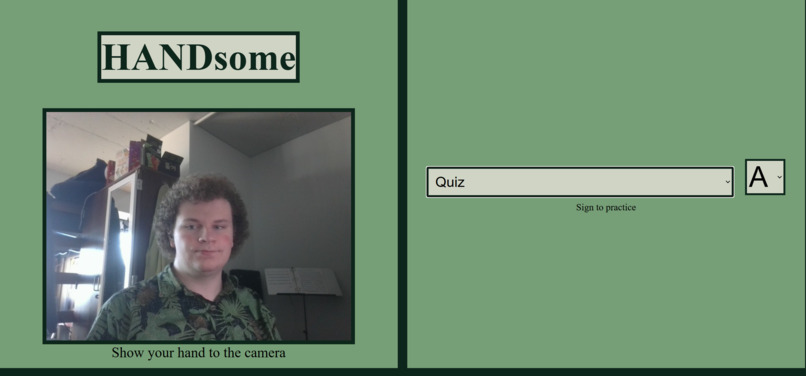
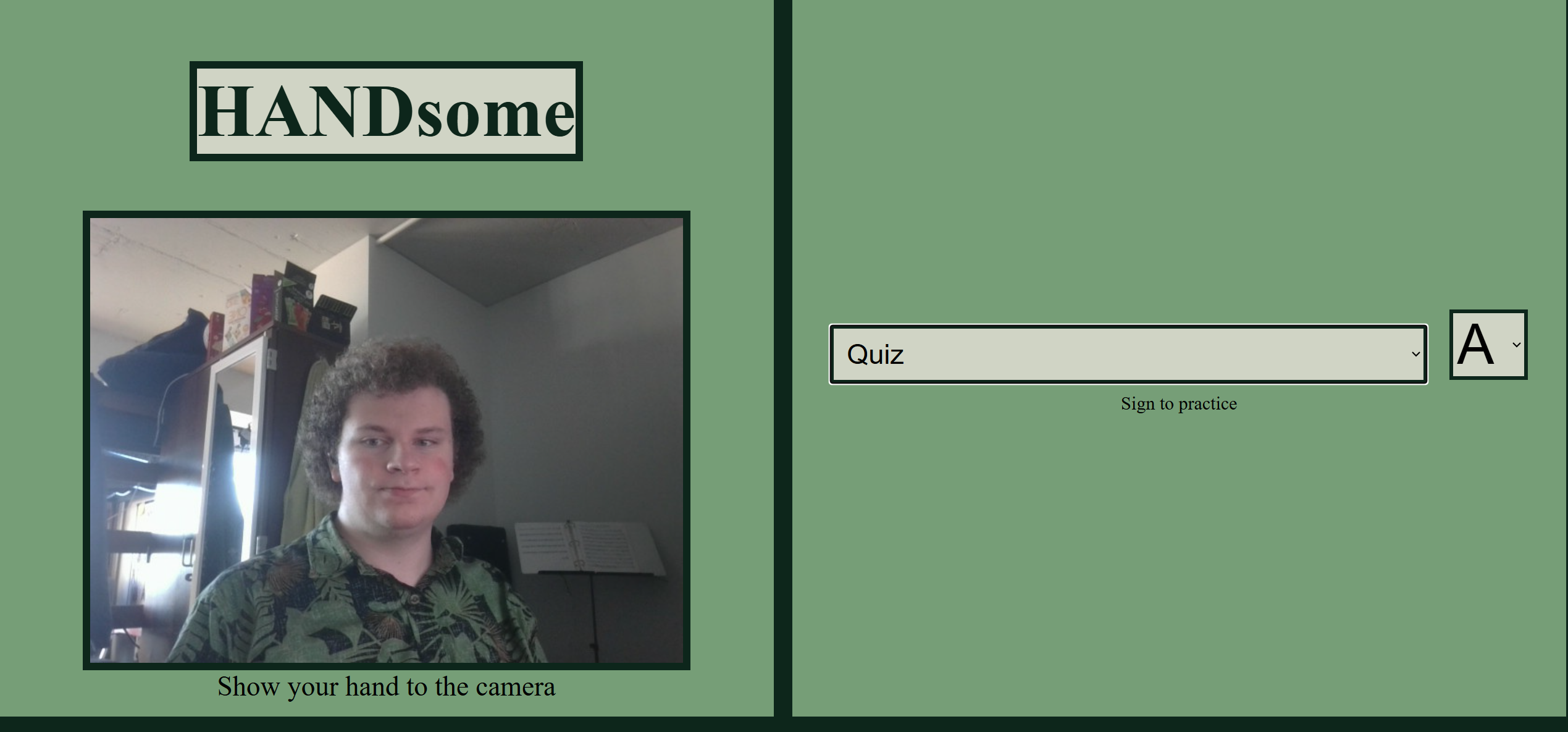
No image in Quiz mode
Inspiration
We were inspired to create HANDsome because we wanted to make learning American Sign Language (ASL) more interactive, engaging, and accessible. Communication is something everyone should have the opportunity to participate in, yet language barriers can sometimes make it difficult for people to connect with one another. We wanted to explore how technology could help bridge that gap by making it easier for people to learn the fundamentals of ASL.
Traditional ways of learning sign language often involve memorizing images, watching videos, or following lessons without having a way to immediately test whether you are performing a sign correctly. We wanted to take a different approach. Instead of simply showing users what a sign looks like, we wanted to give them the opportunity to practice it themselves and receive feedback in real time.
That idea led us to HANDsome: an interactive, camera-based ASL learning application that turns learning into a hands-on experience. Our goal was to create something that was not only educational but also fun, approachable, and encouraging for beginners.
What it does
HANDsome is an interactive camera application that helps users learn and practice American Sign Language letters and numbers by using their webcam to recognize hand gestures.
The application has three main modes, each designed to support a different learning style and level of experience.
- Try on Your Own
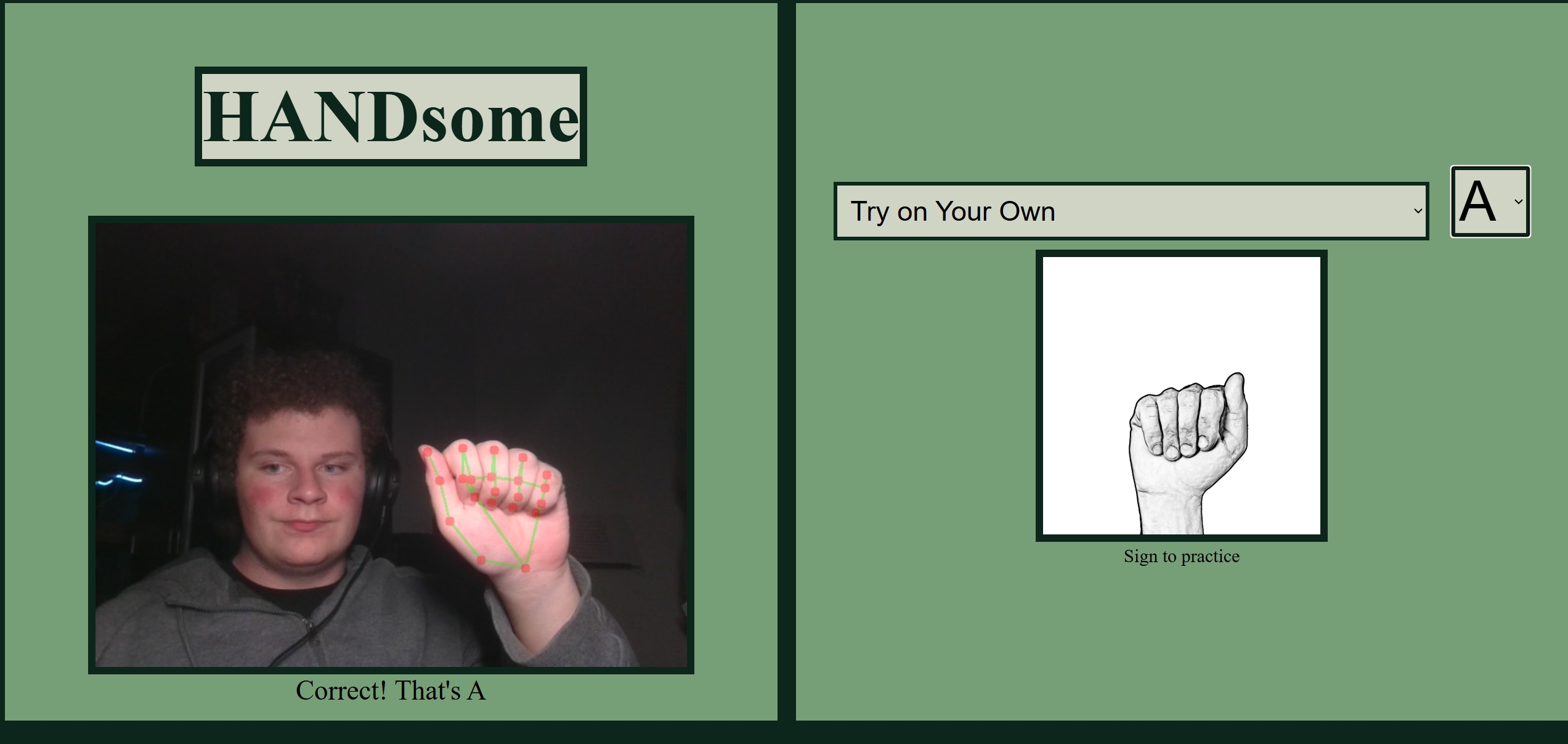
This mode gives users the freedom to practice whichever ASL letters or numbers they want. Rather than following a predetermined lesson, users can choose specific signs they would like to work on and test their ability to perform them in front of the camera. This is especially useful for users who want to revisit signs they struggle with or focus on particular areas.
- Learn Mode
Learn mode provides a more structured, step-by-step learning experience. Users are guided through a sequence of ASL signs, with a visual reference showing them what each sign should look like. They then attempt to recreate the sign in front of the camera. Once the application recognizes that they have performed the sign correctly, it automatically advances to the next one. This creates an interactive learning process where users can progress at their own pace while receiving immediate feedback.
- Quiz Mode
Quiz mode challenges users to demonstrate what they have learned without relying on visual references. Similar to Learn mode, users are presented with signs to identify and perform, but they are not shown an image of the correct hand gesture. This encourages users to recall signs from memory instead of simply copying an example. It provides a way to test their understanding and see how much they have retained.
Together, these three modes create a learning experience that moves from independent practice to guided instruction and finally to independent recall.
How we built it
We built HANDsome using Python for the backend and HTML, CSS, and JavaScript for the frontend. Our goal was to combine a simple, user-friendly interface with real-time hand gesture recognition to create an interactive American Sign Language learning experience.
For the frontend, we used HTML to structure the application, CSS to style the interface, and JavaScript to handle user interactions and connect the different learning modes. We wanted the application to be easy to navigate so users could focus on learning rather than figuring out how to use the technology.
For the backend, we used Python to handle the hand gesture recognition and determine which ASL letter or number the user was performing. The camera captures the user's hand movements, and the backend processes that input to identify the gesture.
We then connected the recognition functionality to the frontend so that the application could respond to the user's performance. For example, when someone correctly performs a sign in Learn mode, the application recognizes the gesture and automatically advances to the next one. In Try on Your Own, users can freely select signs to practice, while Quiz mode tests their ability to remember signs without seeing a visual reference.
One of our main priorities was making the experience feel interactive and responsive. We wanted users to receive feedback as they practiced rather than simply watching demonstrations or memorizing images. Combining Python's backend functionality with a web-based frontend allowed us to bring that idea to life.
Challenges we ran into
One of our biggest technical challenges was recognizing ASL letters that involve movement rather than just holding a specific hand position. In particular, the letters J and Z were difficult for our system to recognize accurately because they require users to move their hands to form the signs.
Unlike stationary letters, these signs require the recognition system to account for movement over time. Our initial recognition settings made it difficult for the system to consistently identify these gestures.
To solve this, we adjusted the recognition threshold to make the system more flexible when identifying the movements. By modifying the threshold, we made it easier for the recognition system to detect and accept the gestures for J and Z.
This troubleshooting process taught us that gesture recognition is not always straightforward. A system that works well for stationary hand positions may need additional adjustments to handle dynamic movements. We learned the importance of testing different signs, identifying where recognition was struggling, and fine-tuning our system to improve its performance.
Another challenge was connecting the recognition functionality to the different learning modes. We needed to make sure the application could correctly identify the sign a user was practicing and respond appropriately. This was especially important in Learn mode, where successful recognition needed to trigger progression to the next sign.
Working through these challenges helped us better understand how the frontend and backend depend on one another and how important testing and collaboration are when building an interactive application.
Accomplishments that we're proud of
One of our biggest accomplishments is that we turned an idea about making sign language more accessible into a functional, interactive learning application.
We are especially proud of successfully bringing together camera input, hand gesture recognition, and an educational interface. Instead of creating a traditional flashcard-style learning application, we built something that requires users to actively participate and physically perform the signs they are learning.
We are also proud of implementing three different learning experiences within one application. Try on Your Own gives users flexibility, Learn mode provides structure and guidance, and Quiz mode encourages independent recall. Together, these features make HANDsome more than just a sign recognition tool; they make it a platform for practicing and reinforcing new skills.
Another accomplishment we value is the opportunity to work collaboratively across different parts of the project. Building the frontend, backend, and recognition functionality required us to bring different components together into one cohesive experience.
Most importantly, we are proud that our project has a purpose beyond simply demonstrating technical skills. We created something that we hope can make learning ASL more approachable and encourage more people to explore a language that helps connect communities.
What we learned
Throughout this project, we learned a lot about the challenges and possibilities of building interactive applications that use computer vision and real-time input.
We learned that computer vision systems need to account for more than just static images. Recognizing dynamic gestures like J and Z requires considering movement, timing, and flexibility in recognition thresholds. This taught us how small adjustments to recognition parameters can make a significant difference in the user experience.
We gained experience working with camera input, hand gesture recognition, and the process of translating physical movements into meaningful application responses. We also learned how important it is to consider real-world conditions when building recognition-based applications, since lighting, camera positioning, and differences in how people perform gestures can all affect the results.
Beyond the technical aspects, we learned a lot about collaboration and problem-solving. We experienced how important it is to communicate between different parts of a project, especially when the frontend and backend depend on one another. We also learned to adapt when something did not work as expected, troubleshoot problems under time constraints, and prioritize the features that mattered most to the final experience.
Perhaps our biggest takeaway was that building an educational tool requires more than making the technology work. The experience also needs to be intuitive, engaging, and designed around how people actually learn. Creating three different modes helped us understand how important it is to support different learning styles, from guided instruction to independent practice.
What's next for HANDsome
We see HANDsome as a project with plenty of room to grow. While our current application focuses on ASL letters and numbers, we would love to expand it into a more comprehensive sign language learning platform.
Some of the improvements and features we would like to explore include:
Expanding the vocabulary: Adding more ASL signs, including common words, phrases, and everyday expressions. Improving recognition accuracy: Making hand gesture recognition more reliable across different lighting conditions, camera angles, backgrounds, and hand positions. Adding progress tracking: Allowing users to track which signs they have mastered, which ones they struggle with, and how much they have improved over time. Introducing personalized learning: Adapting lessons and quizzes based on a user's performance so they can spend more time practicing challenging signs. Adding more interactive challenges: Creating timed quizzes, achievement systems, and other activities to make learning more engaging. Improving accessibility and usability: Continuing to refine the interface so that people with different levels of technical experience can easily use the application. Ultimately, we hope HANDsome can grow beyond a hackathon project into a useful educational resource that encourages more people to learn American Sign Language.
Our vision is simple: make learning sign language more interactive, make practicing more engaging, and help make communication more accessible. HANDsome is our first step toward that goal.


