-
-
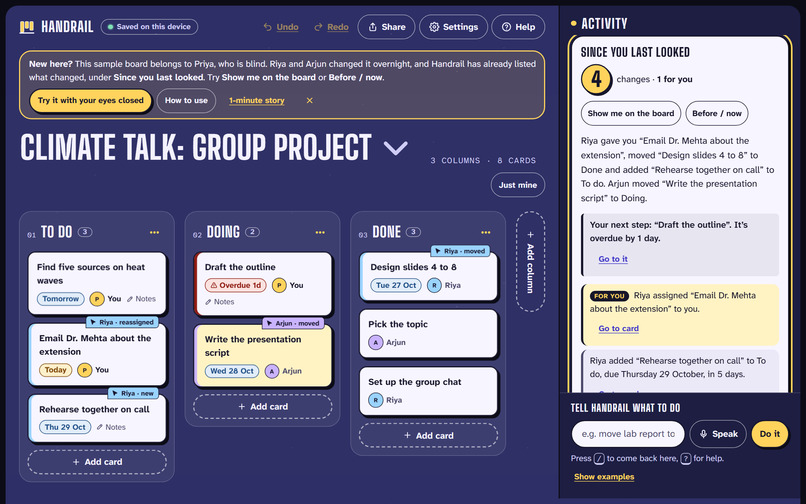
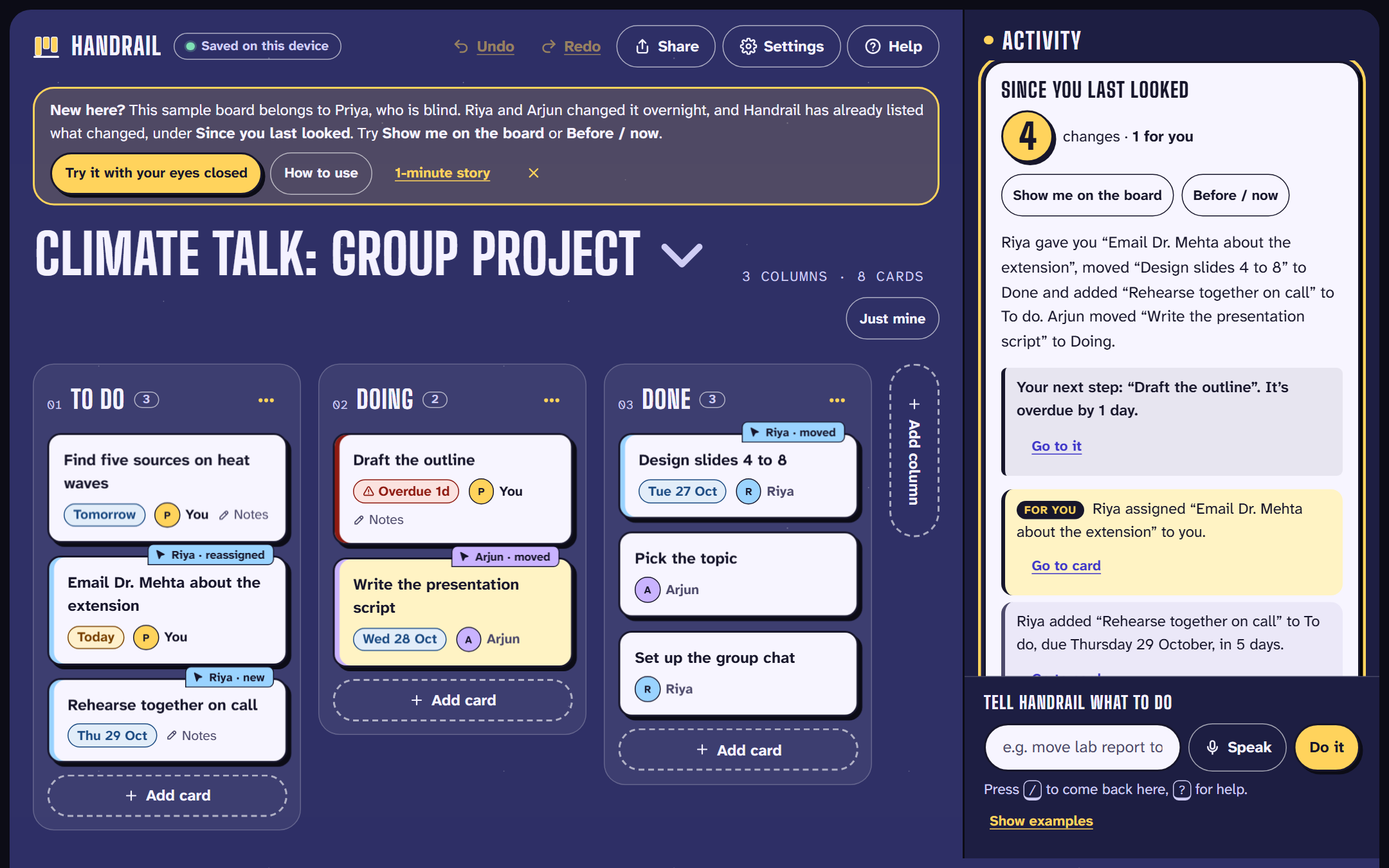
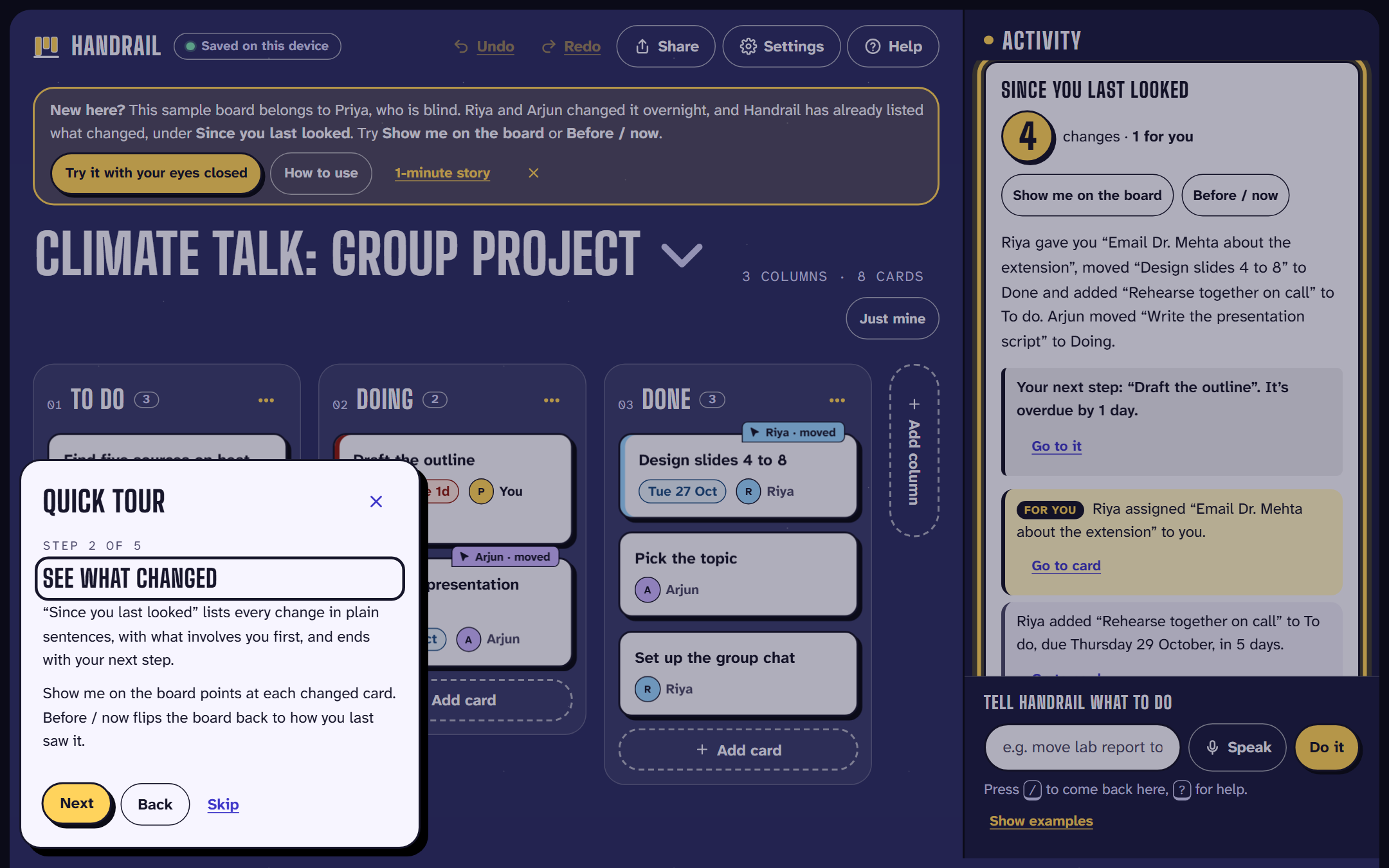
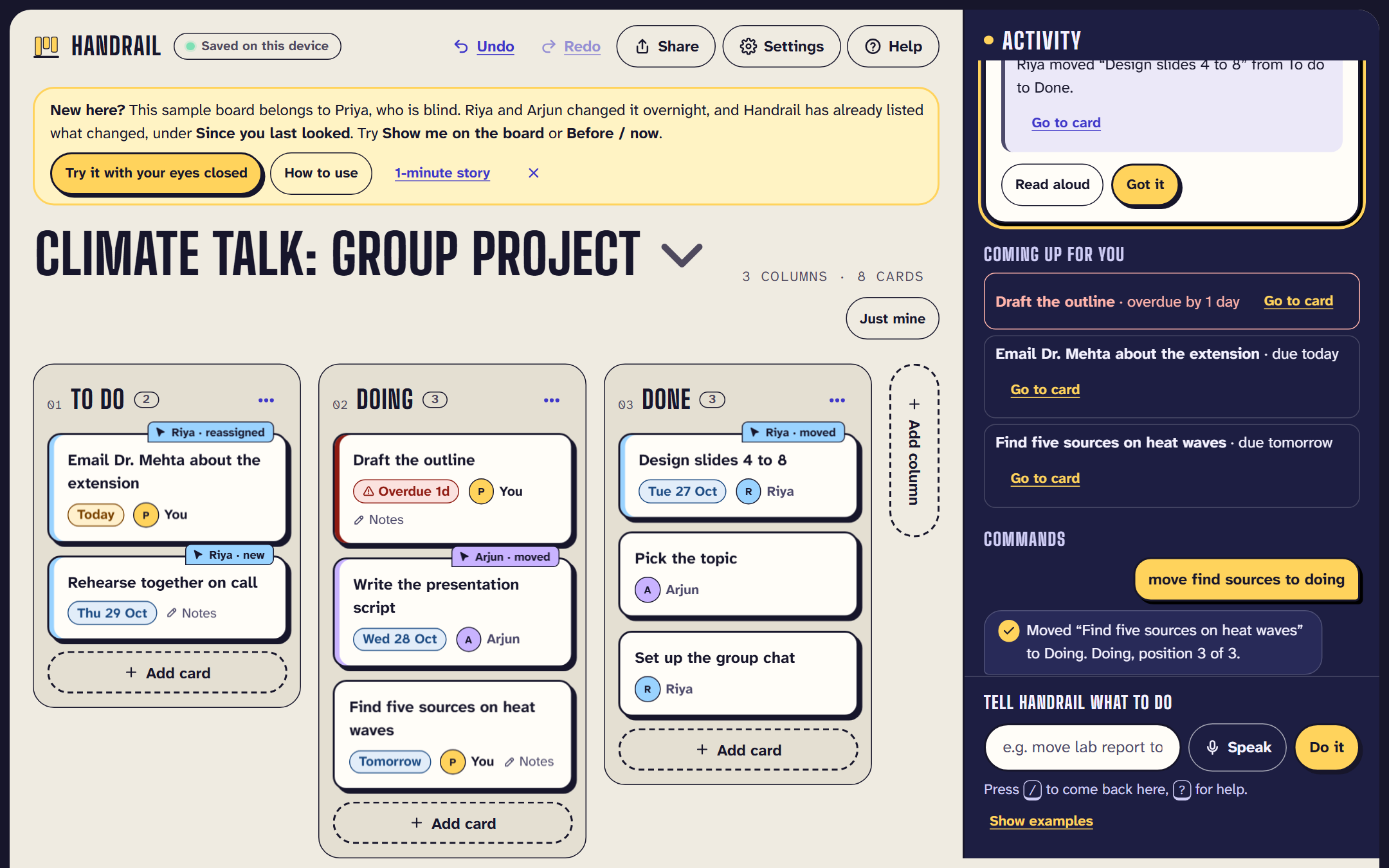
Since you last looked: teammates' changes in plain sentences, yours first, with your next step and changed cards tagged on the board.
-
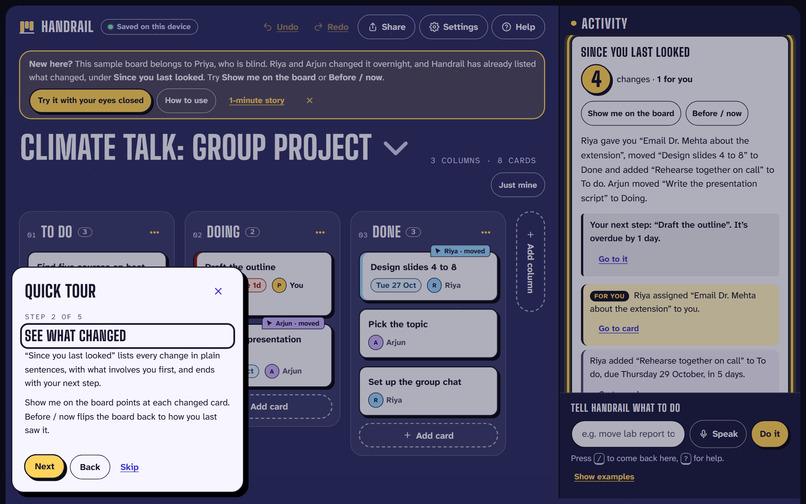
A five-step quick tour on the first visit highlights each part of the screen, and works by keyboard and screen reader.
-
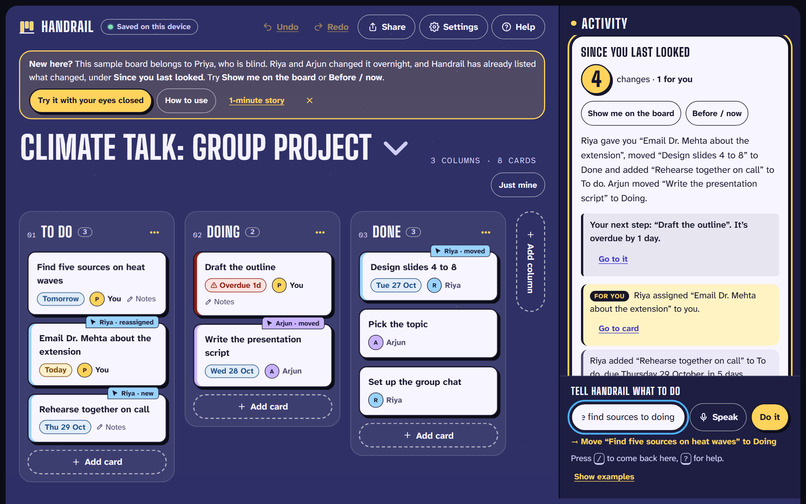
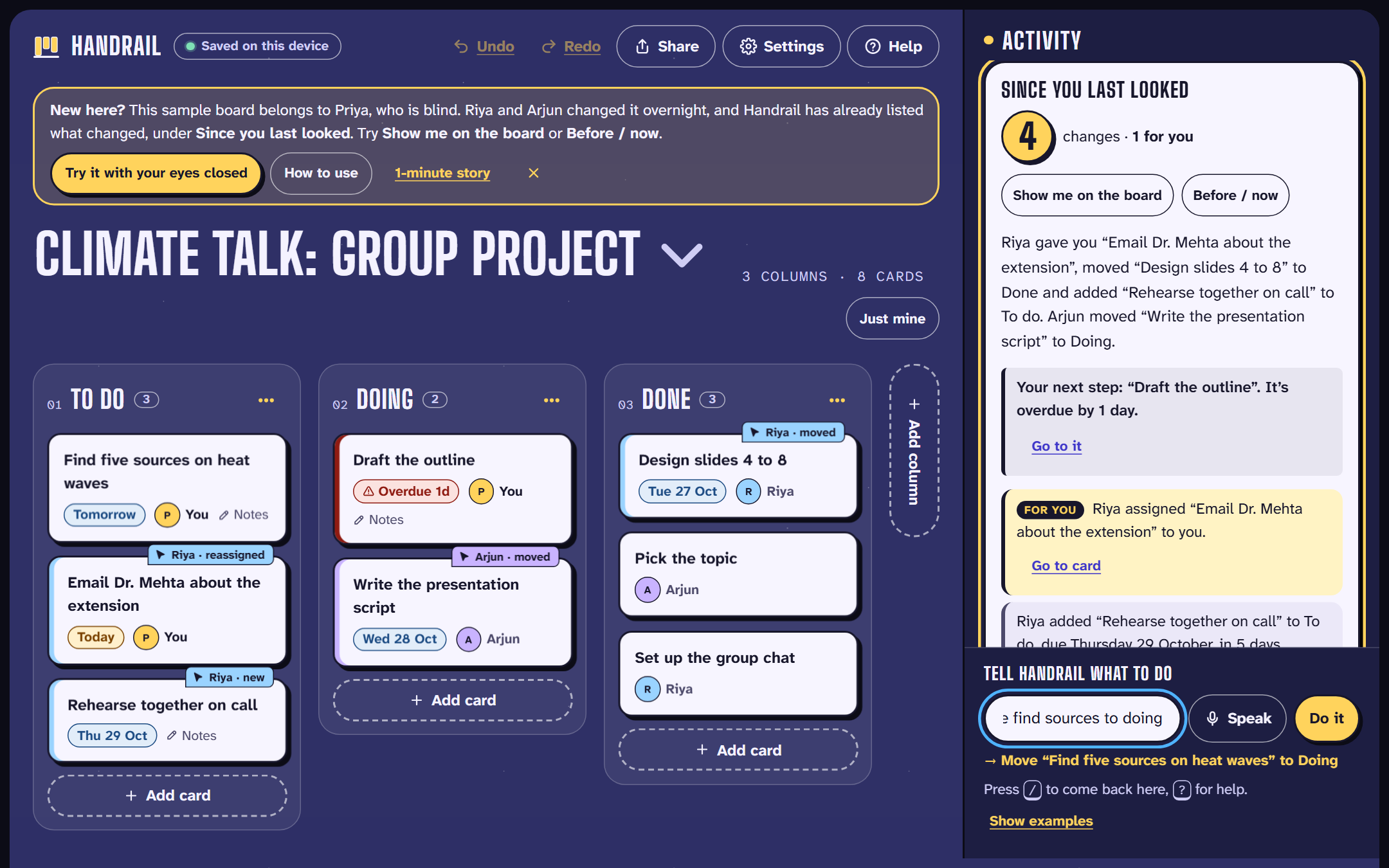
Type or say what you want. Handrail shows what it understood before anything changes.
-
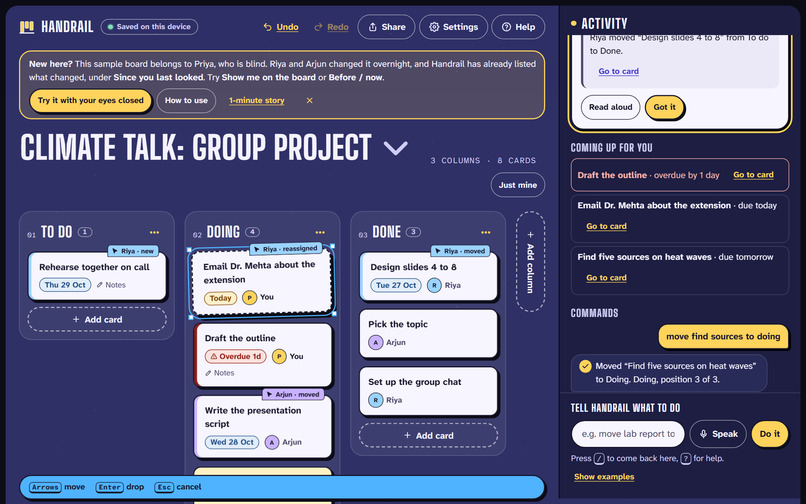
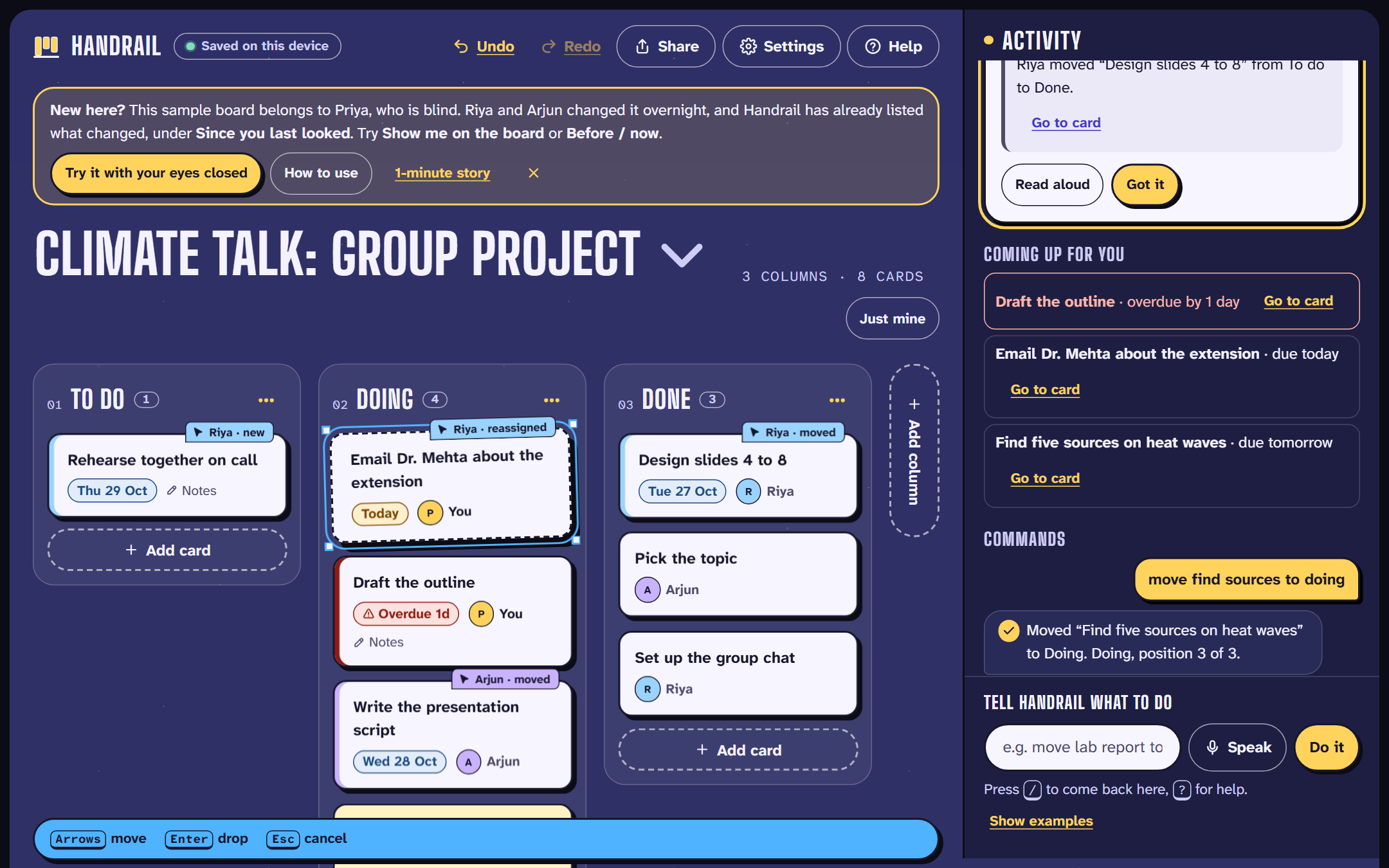
No dragging needed: pick a card up with Space, move it with the arrow keys, and drop it with Enter.
-
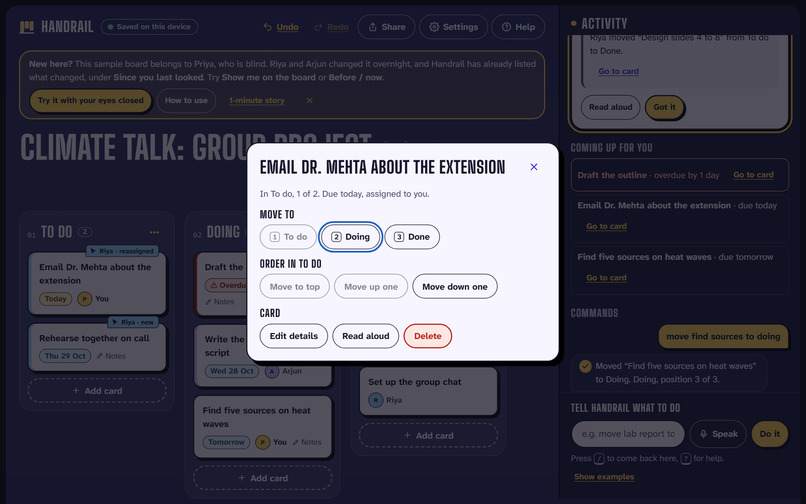
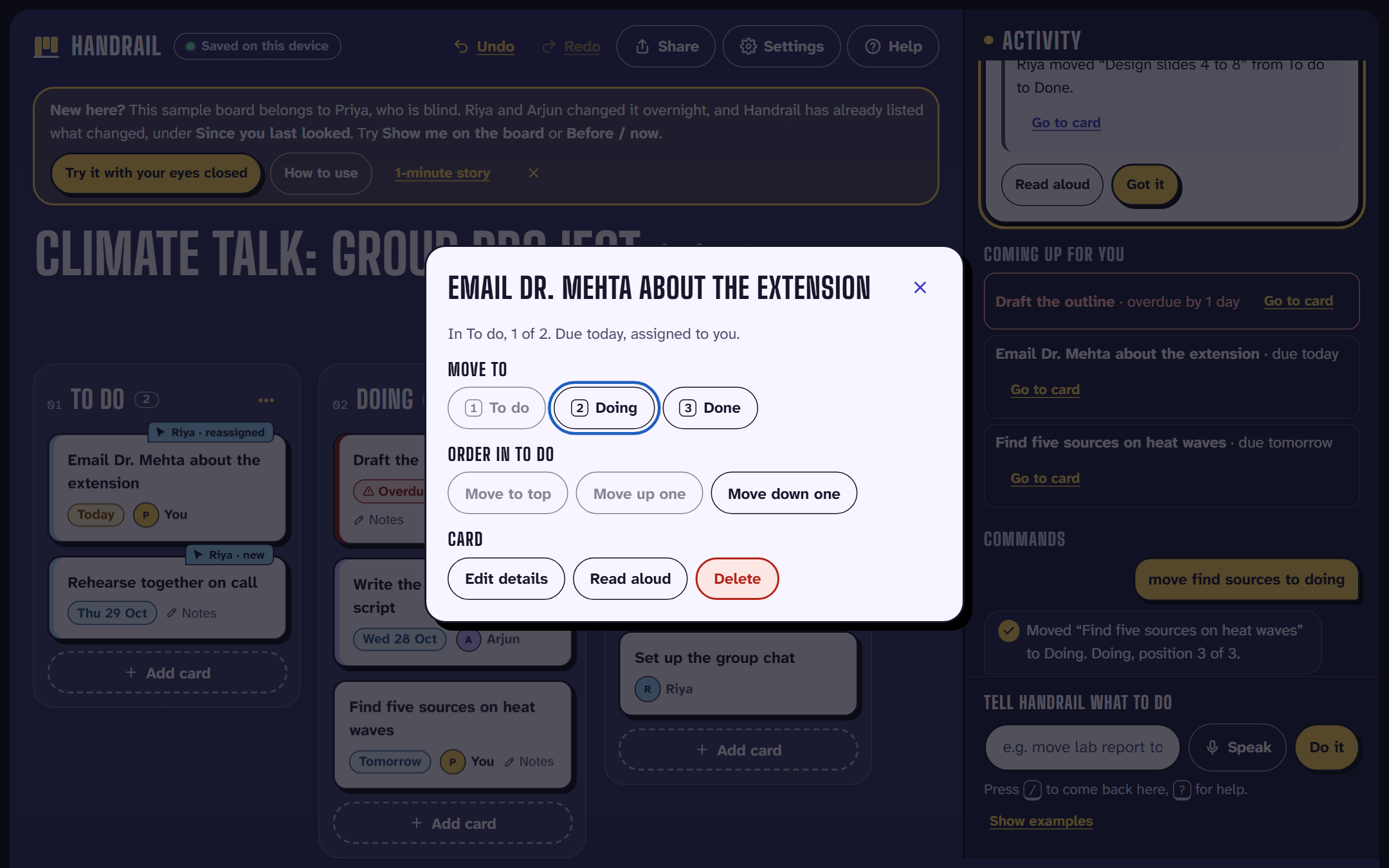
Press Enter on any card for a menu: move it to a column, reorder it, edit it, read it aloud or delete it.
-
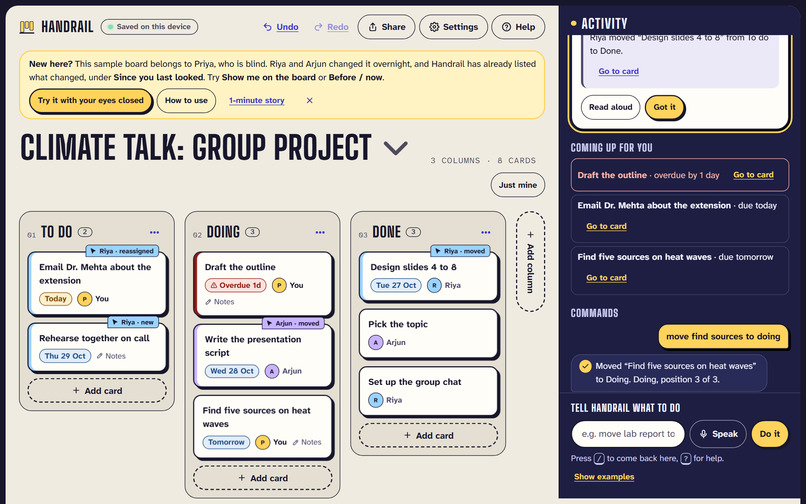
Light theme. High contrast, text up to 200% and dyslexia-friendly fonts are also in Settings.
-
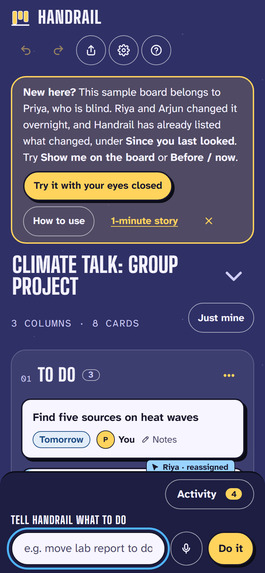
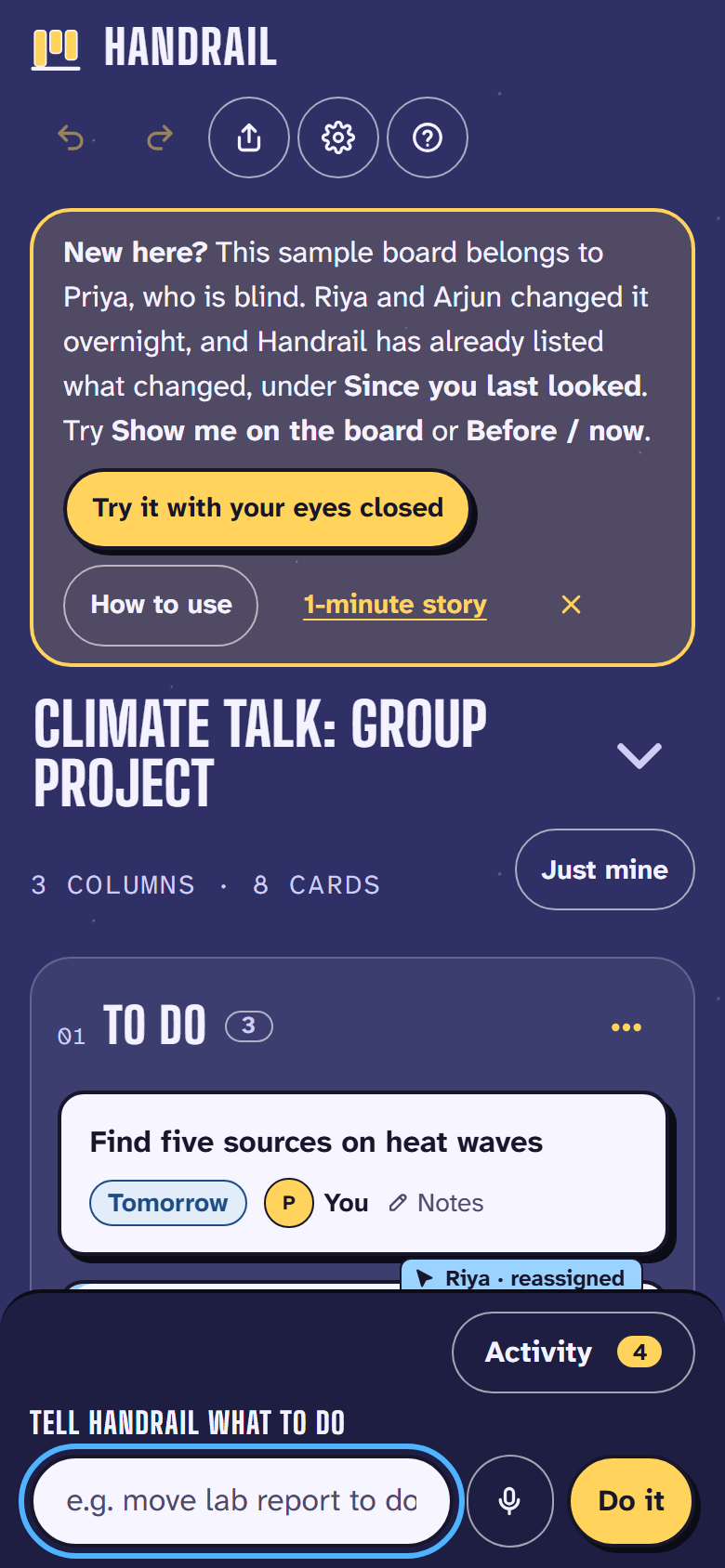
On a phone: stacked columns, an Activity button showing the change count, and the command box docked at the bottom.
Inspiration
In a group project, the hard part is often not your own task. It's finding out what everyone else changed. Sighted teammates glance at the shared board and see it in a second. Priya, a blind student using the NVDA screen reader, can't glance: her screen reader reads every card in every column, one at a time, to find one change. And moving a card means dragging it, which a screen reader can't do.
The problem is documented (sources). Research on blind people in shared tools recommends "accessible awareness" of what others changed (Buzzi et al., 2014). Trello has open NVDA bugs with "no known workaround" (TRELLO-199), and Jira's tracker says its board's drag-and-drop "is inaccessible to screen reader users" (JRASERVER-77297).
What it does
Handrail is a project board built around one loop:
- Changes arrive, from the group's Trello board or a teammate's link.
- Handrail says what changed in plain sentences, with what involves you first: "4 changes since you last looked, 1 for you. Riya gave you 'Email Dr. Mehta about the extension'…" Say "more" for the rest, or "repeat" to hear it again.
- You get one clear next step and act on it without dragging: "Your next step: 'Draft the outline'. It's overdue by 1 day." Move cards with keys, a menu, or a typed or spoken sentence ("move find sources to doing"), with a preview before anything changes and undo for everything.
It also includes:
- Works with Trello. Connect once, read-only. Each time Handrail opens, it tells you what changed in Trello and who did it, so nobody has to switch tools.
- Try it with your eyes closed. A one-minute challenge: the screen goes dark and Handrail talks you through it.
- Reading support. High contrast, text up to 200%, dyslexia-friendly fonts, and normal drag-and-drop for mouse users, so a mixed group shares one board.
Try it: open the board or try it with your eyes closed. No account, no install.
How we built it
- React, TypeScript and Vite. No server, no accounts, no tracking, and it works offline.
- A hand-written language parser. It's instant and predictable: the same changes always give the same words. When a command is ambiguous, it asks instead of guessing.
- CRDT boards. Every board is a conflict-free replicated data type, so copies edited separately merge without losing anyone's work.
- Trello REST API, read-only, straight from the browser. Each change is credited to whoever made it, from Trello's activity log.
- Tested before every deploy: 138 unit and property-based tests (Vitest, fast-check) and 63 browser tests (Playwright), including an axe-core WCAG 2.2 AA accessibility audit.
Challenges we ran into
The automated audit passed with zero violations, but when we recorded Handrail with the NVDA screen reader, it found four real problems:
- it read the whole Activity panel and cut off the summary;
- it repeated a keyboard hint on every card;
- it reacted to every keystroke while a command was typed;
- Ctrl+Z did nothing from the command box.
All four are fixed. We also had to credit every change to the right person, so a comment never takes credit for someone else's move and a teammate who shares your first name is never hidden.
Accomplishments that we're proud of
- The whole board works with no mouse and no screen, and the "what changed" summary helps everyone in the group, not only Priya.
- Focus: one problem, one loop. Extras we built along the way live in Settings → Labs instead of competing for attention.
- Zero automated accessibility violations, plus the four problems only a real screen reader revealed, found and fixed.
What we learned
Accessibility is mostly about information: telling people what happened and what to do next. Automated audits can't tell you whether an experience makes sense; listening to the screen reader can. And designing for the hardest case (no sight, no mouse) produced a feature everyone wants.
What's next for Handrail
- Sessions with blind and motor-impaired students. We tested Handrail ourselves with NVDA, but we are sighted, so this is the most important next step.
- A browser extension that brings "Since you last looked" into Trello itself.
- More languages for commands and dates.
Built With
- github
- github-actions
- gsap
- react
- trello-api
- typescript
- vite

Log in or sign up for Devpost to join the conversation.