-
-
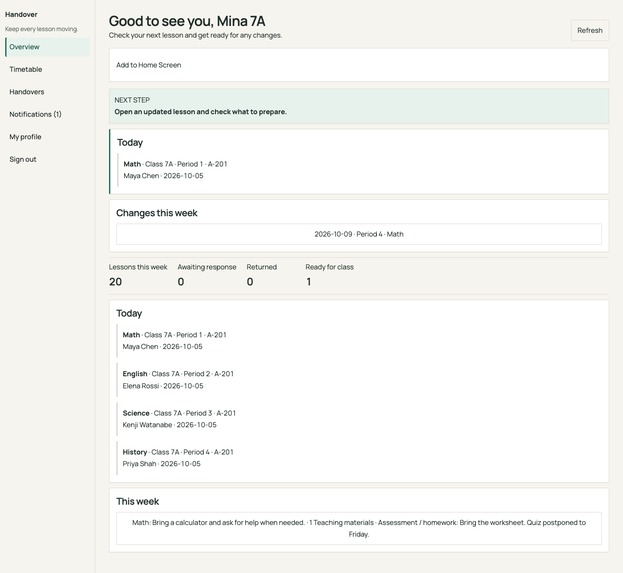
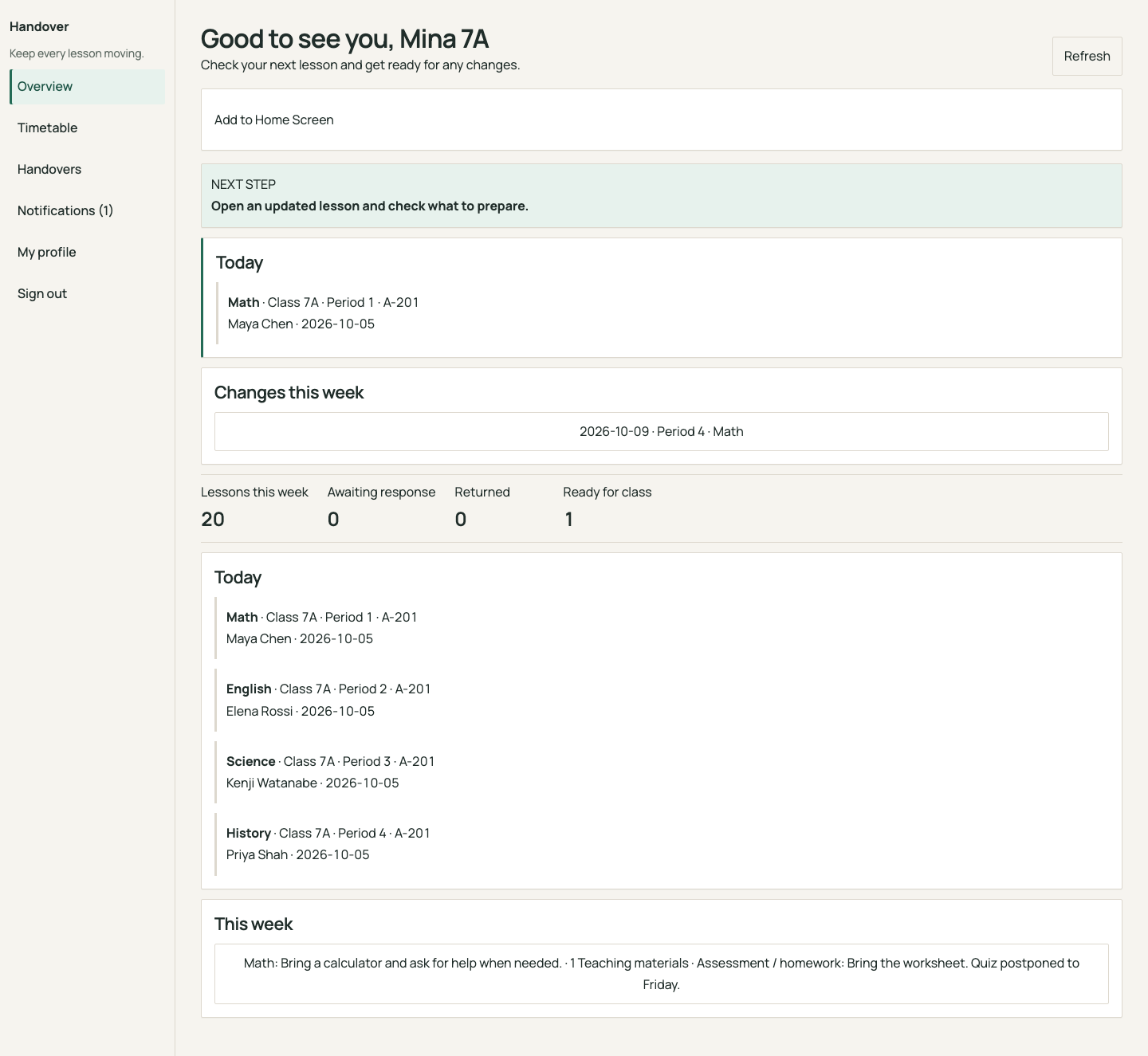
Student overview: today's lessons, timetable changes, and preparation reminders. Synthetic demo data.
-
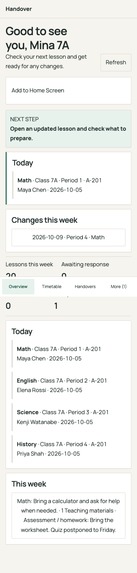
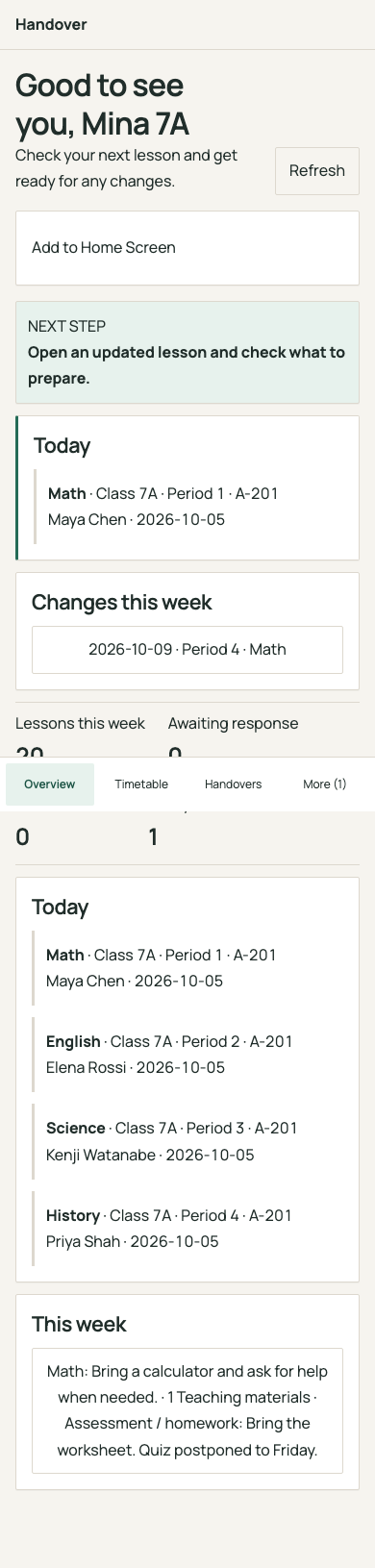
Student home at phone width, with lesson changes and touch-friendly navigation. Desktop browser capture.
-
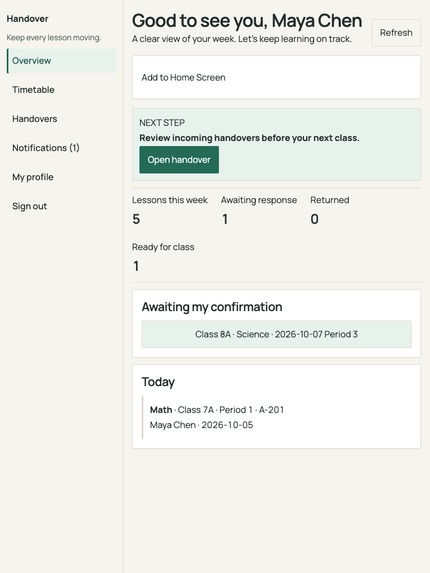
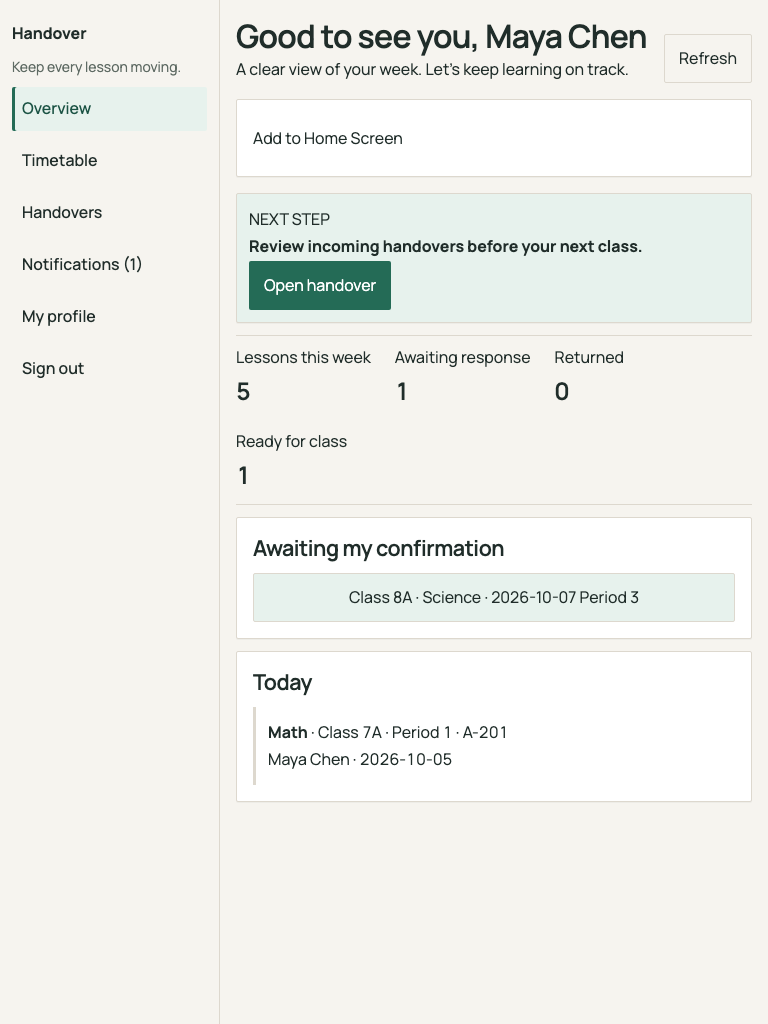
Teacher home at tablet width: incoming handovers and the next action to take. Desktop browser capture.
-
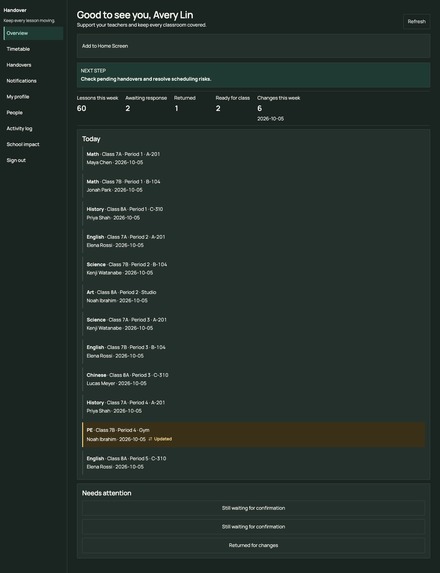
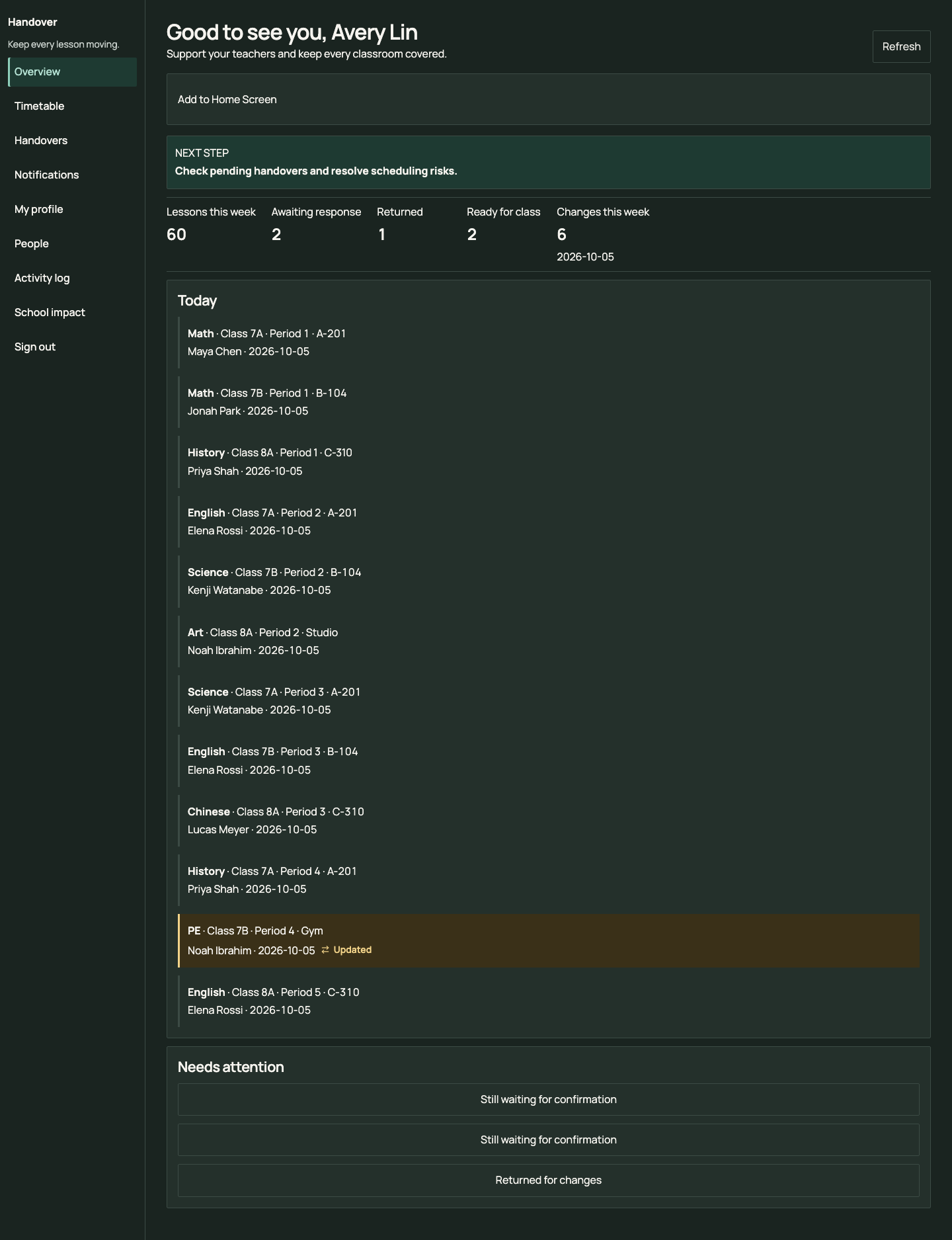
Administrator overview: school timetable, pending handovers, and requests that need attention. Synthetic demo data.
-

Teacher handover detail at phone width: lesson plan, materials, and acceptance or return actions. Desktop browser capture.
-
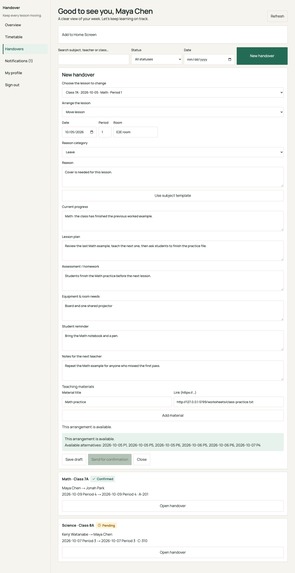
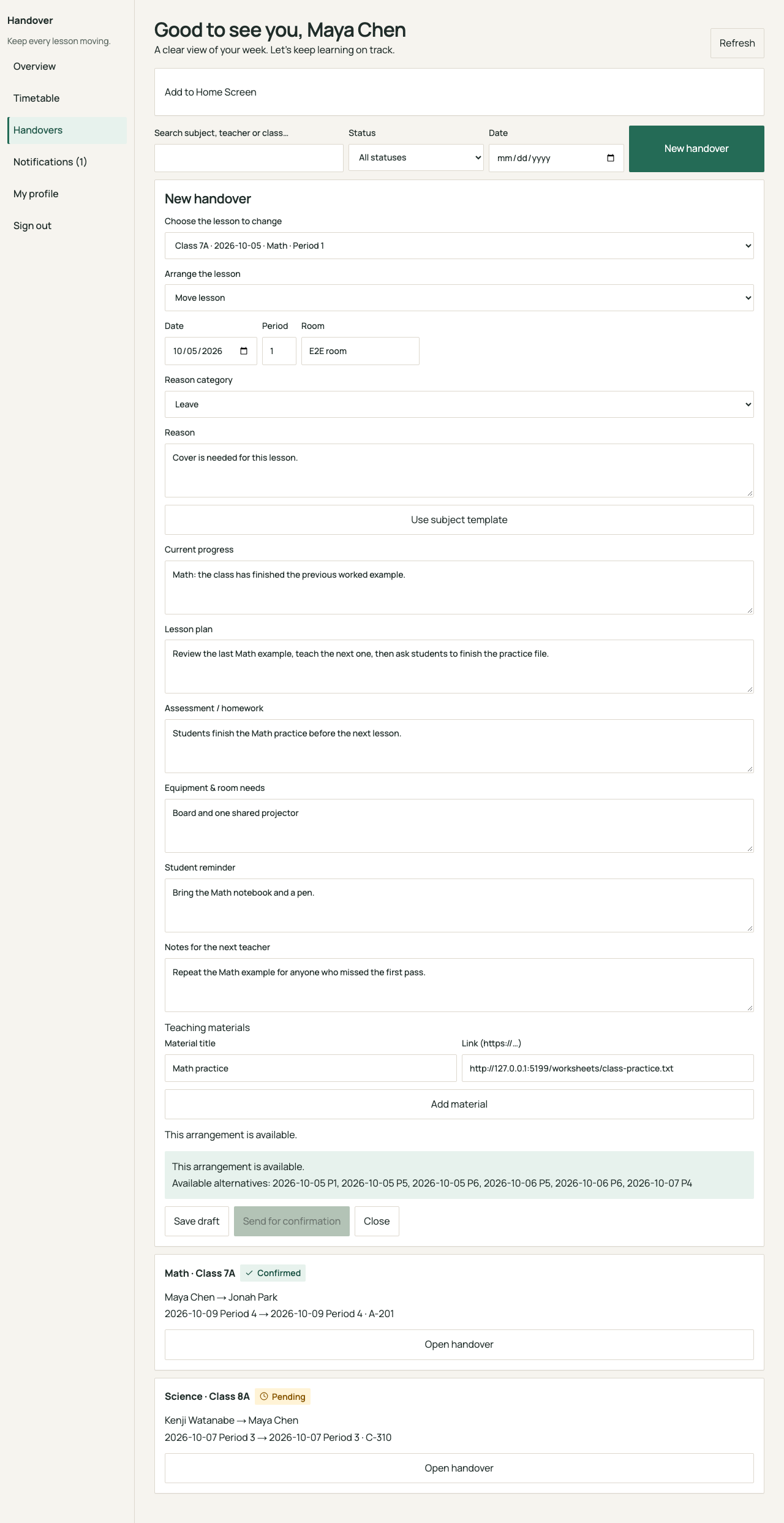
Teacher handover form: lesson progress, teaching plan, materials, and conflict checks. Actual local demo screen.

Inspiration
A timetable change affects more than a calendar. The covering teacher needs a lesson plan, students need to know what to bring, and the school office needs to know whether the handover has been accepted.
Handover brings these details into one shared workflow so a lesson change comes with the information people need to act on it.
What it does
Handover is an English-language web app for coordinating school timetable changes and teaching handovers.
Teachers create a request with lesson objectives, materials, a teaching plan, and preparation instructions. The covering teacher can accept it or return it for revision. Confirmed requests update the timetable, and cancellation restores the original lesson.
Students see changes for their own class and can track preparation tasks. Private teacher notes stay hidden from students. Administrators can review requests across the school.
The live app includes four demo sign-in options: Student, Original teacher, Covering teacher, and Administrator. Users can also add the app to their home screen.
How we built it
The interface uses React and TypeScript, with Vinext providing a Next.js-compatible application structure. Cloudflare Workers runs the backend, and Cloudflare D1 stores school records, sessions, and handover requests. Drizzle manages the database schema and migrations.
The backend checks permissions, timetable conflicts, and request transitions. Authentication uses salted password hashes and HttpOnly session cookies.
The visual design pairs warm white with deep green, clear typography, and layouts suited to phones, tablets, and desktops. A service worker provides a public offline page without caching private school data.
OpenAI Codex and Cursor assisted substantially with design, implementation, debugging, documentation, and testing. The app does not generate lesson content with AI at runtime.
Challenges we ran into
The main challenge was keeping the timetable and handover workflow consistent. Accepting a request must update the correct lesson, while cancelling it must restore the original details.
Privacy was another challenge: students need preparation instructions, but should never receive private teacher notes.
App updates also needed care. Reloading during an unfinished form or a pending save could interrupt the user, so updates wait until those actions are finished.
Accomplishments that we're proud of
We deployed a working app to Cloudflare with persistent database storage and real backend sessions.
Validation passed 34 unit tests, 13 development browser tests, and six built-worker browser tests. A live four-session walkthrough verified request submission, rejection, revision, acceptance, cancellation, student privacy, and timetable restoration.
A hosted Chromium test also verified an actual offline reload. Physical-phone installation remains to be tested.
What we learned
A useful school app needs clear responsibilities as much as a clean interface. Each role should understand what changed and what to do next.
We also learned to test transitions and failure cases, not just successful button clicks. Conflict rejection, expired sessions, failed requests, and interrupted updates all affect whether users can trust the app.
What's next for Handover
Next steps include testing home-screen installation on physical iPhone and Android devices, gathering feedback from teachers and students, and improving school account provisioning.
We would also explore isolated demo sessions, background notifications, and live calendar subscriptions. The current prototype uses shared synthetic demo data; reminders appear when the workspace loads, and calendar export is a downloadable file.
Built With
- cloudflare
- css
- d1
- drizzle
- orm
- playwright
- react
- sqlite
- typescript
- vinext
- workers

Log in or sign up for Devpost to join the conversation.