-
-
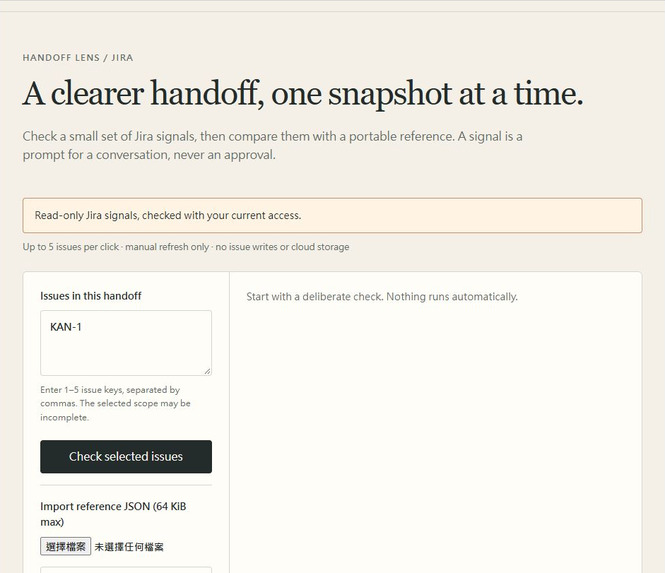
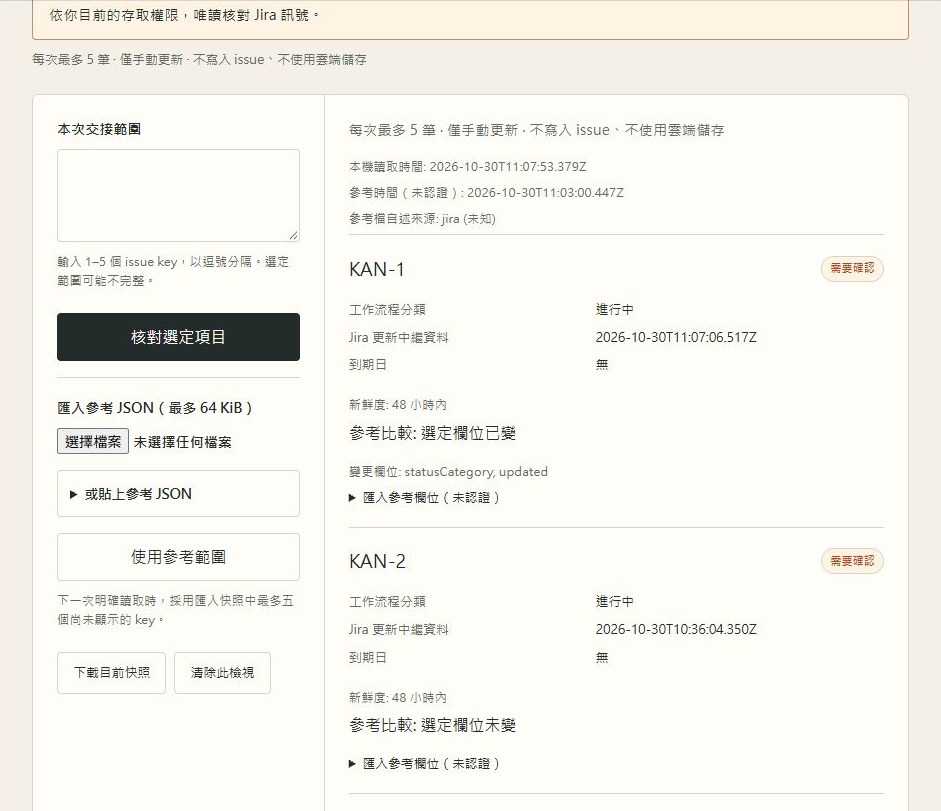
Actual production UI with authored synthetic Jira issues. Account and workspace details are cropped.
-
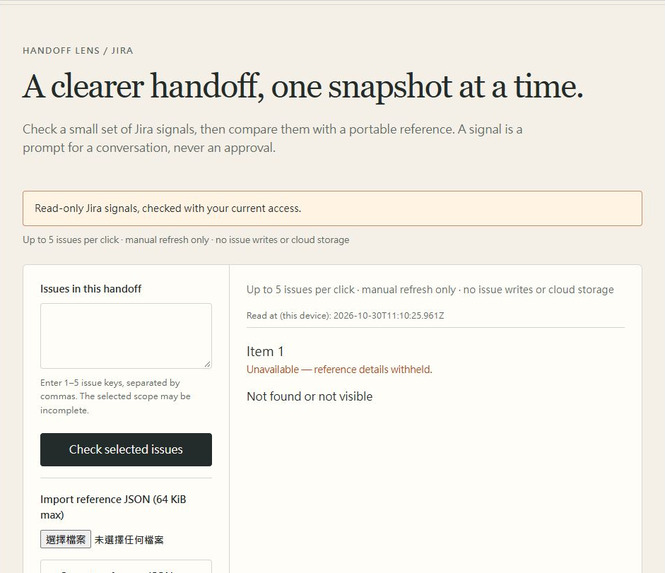
Actual production UI with authored synthetic Jira issues. Account and workspace details are cropped.
-
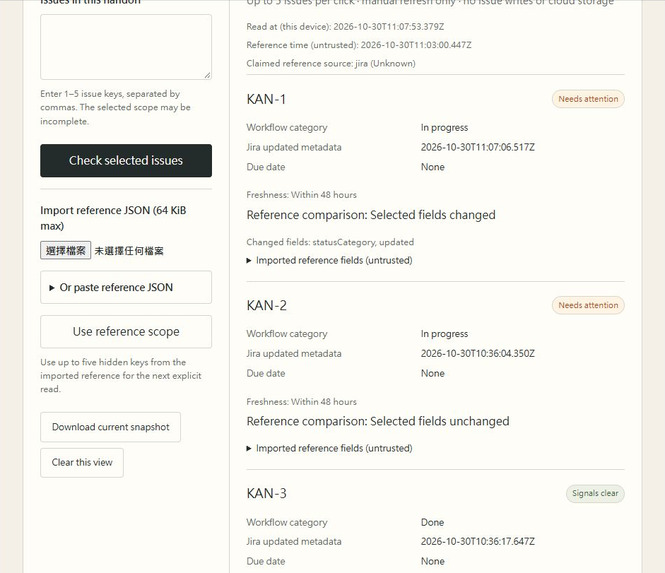
Actual production UI with authored synthetic Jira issues. Account and workspace details are cropped.
-
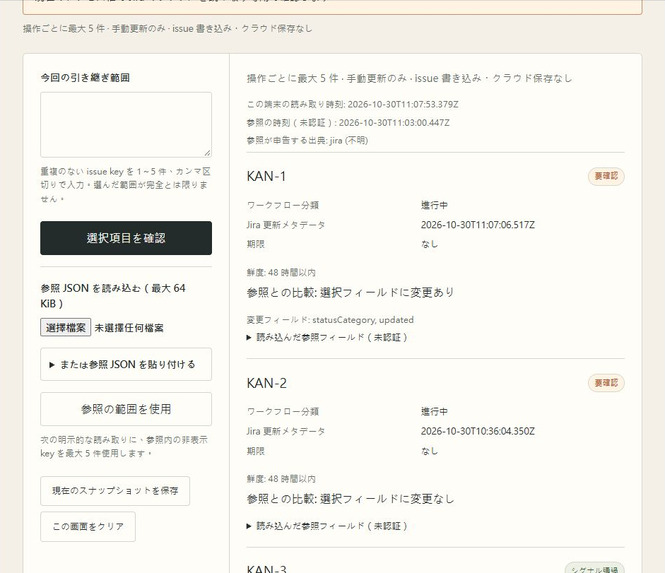
Actual production UI with authored synthetic Jira issues. Account and workspace details are cropped.
-
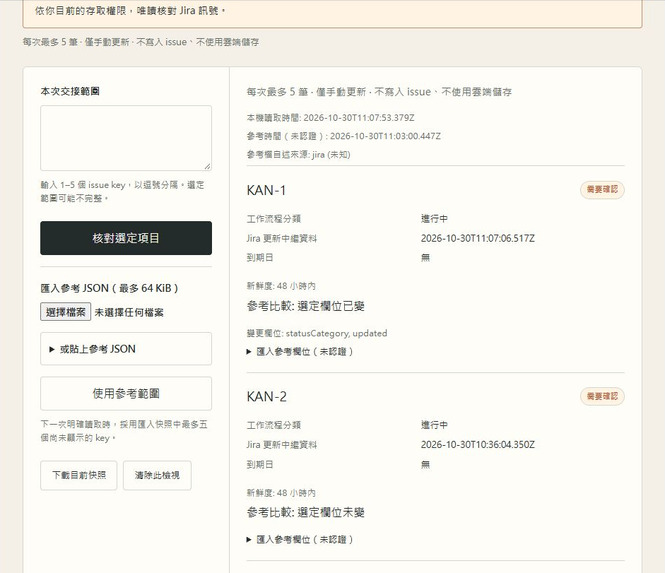
Actual production UI with authored synthetic Jira issues. Account and workspace details are cropped.

Inspiration
A handoff can outlive the information behind it. An issue may change after a conversation, while an unchanged issue can simply become older. A saved screenshot cannot check either current access or current state. Handoff Lens starts with a small question for software teams: what deserves another conversation before we continue? The design keeps that question separate from approval, completion and ownership of the work.
What it does
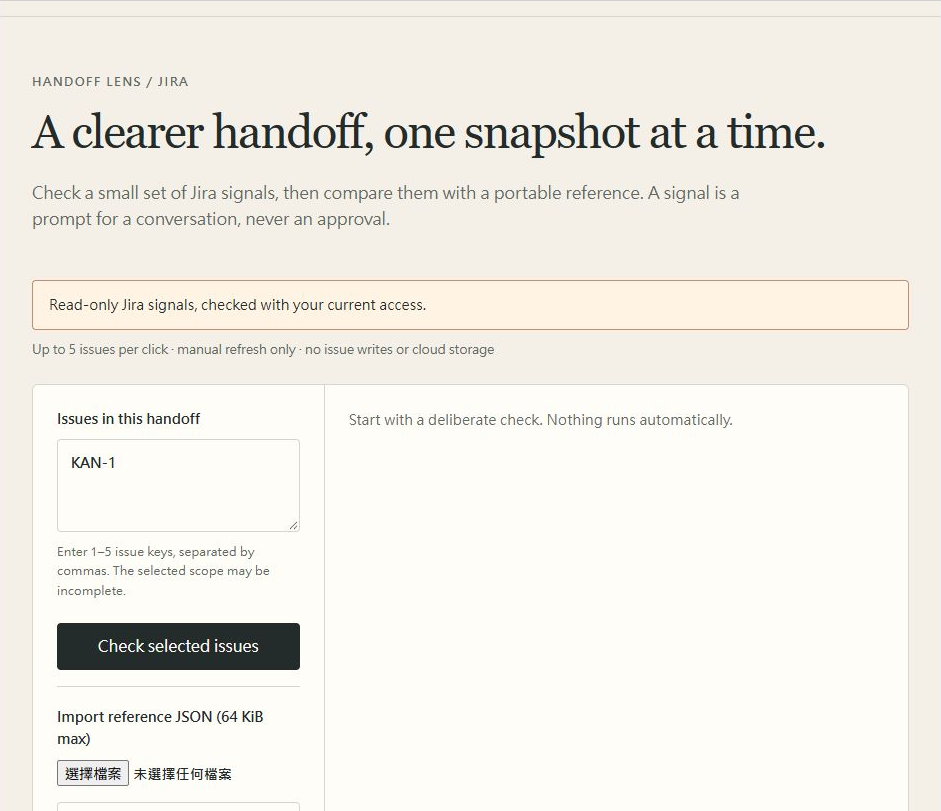
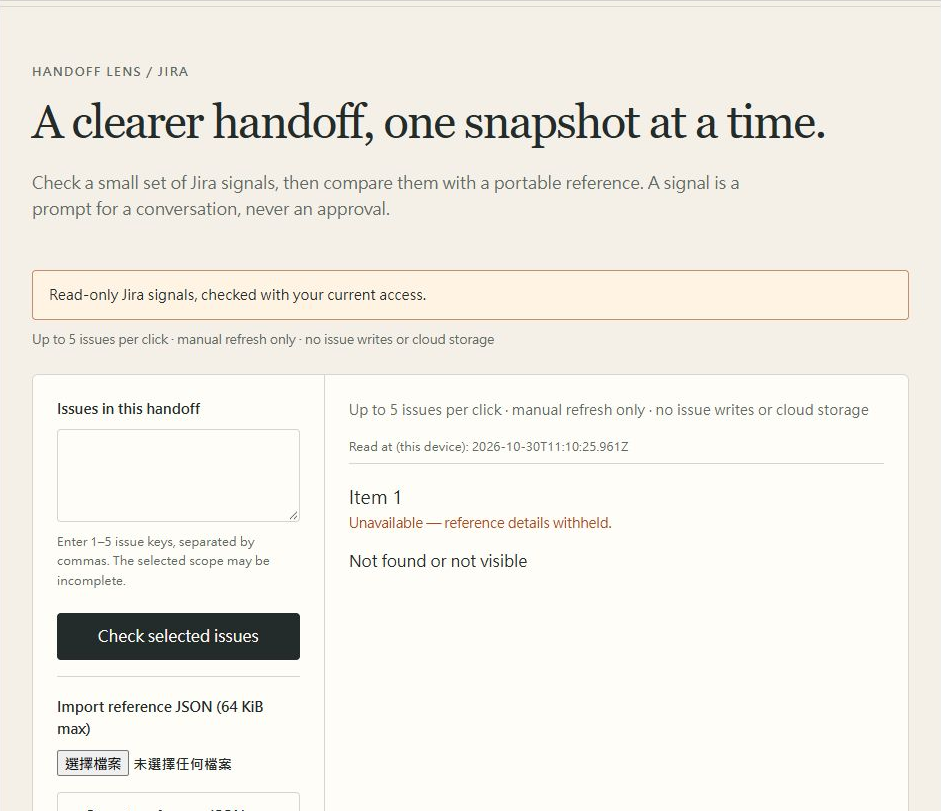
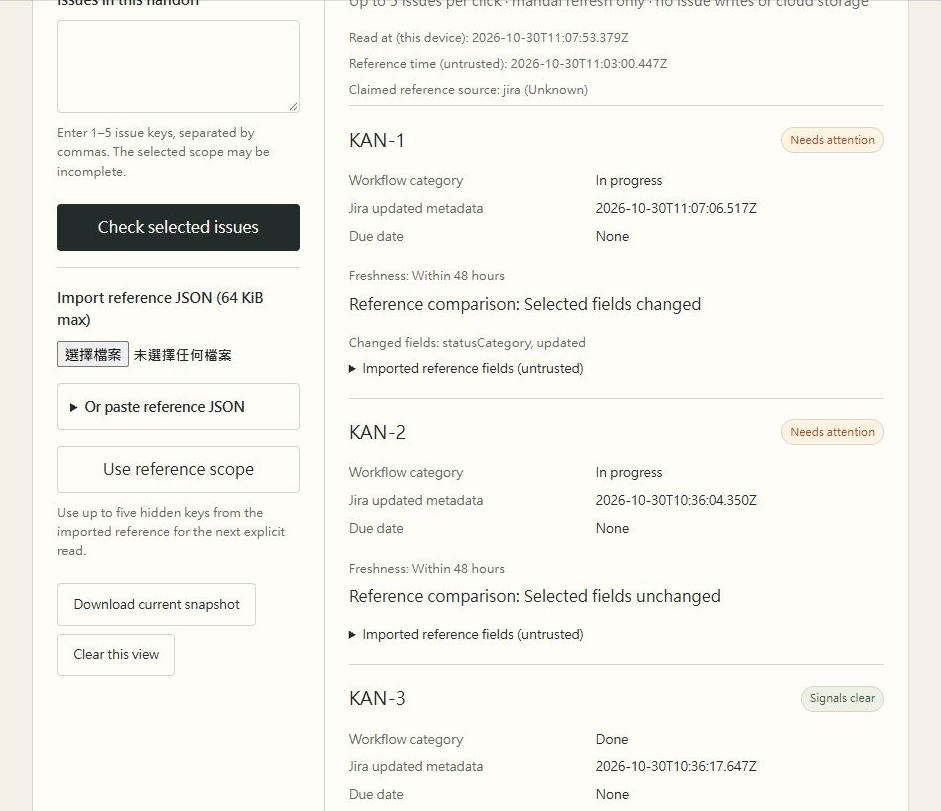
Handoff Lens is a read-only Jira issue panel for deliberately reviewing one to five issues. A person checks the current workflow category, update time and due date, then can download a compact metadata reference. Importing a reference does not make its old contents authoritative: the app checks its format and workspace, then reads each selected issue again as the current Jira user before displaying a comparison. Field drift and time-derived freshness have separate explanations. Unavailable entries withhold prior reference details, and an incomplete read cannot produce a new snapshot. The workspace supports English, Traditional Chinese and Japanese. It refreshes only on an explicit action and does not write to Jira.
How we built it
The app uses Forge Custom UI, HTML, CSS and JavaScript, bundled locally with esbuild and the public @forge/bridge entry. Direct requestJira calls use read:jira-work and the current user's access; there is no resolver, app backend, cloud database or AI service. Each explicit check accepts at most five distinct keys and uses a fixed GET field set. Working state stays in page memory. Optional JSON downloads are controlled by the user. References have a strict size and schema, a SHA-256 checksum and a workspace fingerprint. Those checks detect accidental alteration or workspace mixing; they do not establish authorship, permission or a trusted history.
Challenges
The difficult boundary is between a useful reference and stale authority. A valid file must never substitute for a fresh Jira read, and a failed read must not reveal the old reference values for that entry. Another challenge is explaining that an ageing signal is not necessarily a changed issue field. Testing also needs precise limits: the real Jira import walkthrough uses pasted JSON, while the native file chooser round-trip and cross-user revoked-access paths remain unverified. A successful development installation is separate from proving that an independent judge can install and use the production app.
Accomplishments
Real Jira development and production sessions exercised five authored synthetic issues across three workflow categories. Production verified explicit five-issue reads, an actual downloaded snapshot and an unchanged comparison after pasted import. A manual Jira status change remounted the panel and cleared its page memory; reimporting the same saved baseline and explicitly checking detected statusCategory and updated field drift, with four unchanged issues. Three language changes preserved the read timestamp. A nonexistent issue withheld its key and reference values and disabled export. Clear removed the reference and results. Development also rejected altered-checksum and different-workspace references. Independent reviewer installation remains a separate acceptance step.
What we learned
Small scope makes the meaning of a check easier to explain. Current access, file integrity, field differences and human acceptance are different questions, even when they appear on the same screen. A green signal cannot answer all of them. The useful output is a specific question for a teammate, supported by the few fields actually read, rather than a second system that claims to own the handoff. Keeping automated checks, real Jira observations and untested paths separate also makes the evidence more useful.
What's next
The production installation link is now enabled for Jira. Next, verify an independent judge installation and test native file selection, actual cross-user access withdrawal and rate-limit handling. Review keyboard, mobile and assistive-technology behavior before making broader accessibility claims. Finally, try the workflow with real software handoff groups to learn whether these small checks lead to useful conversations. Larger scopes, background synchronization and issue writes are outside the current app's design.
Built With
- atlassian-forge
- css
- esbuild
- forge-bridge
- forge-custom-ui
- html
- javascript
- jira
- jira-rest-api
- web-crypto-api

Log in or sign up for Devpost to join the conversation.