-
-
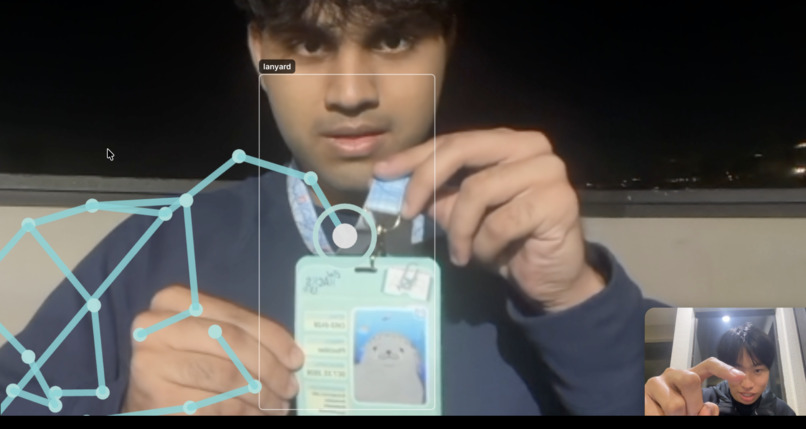
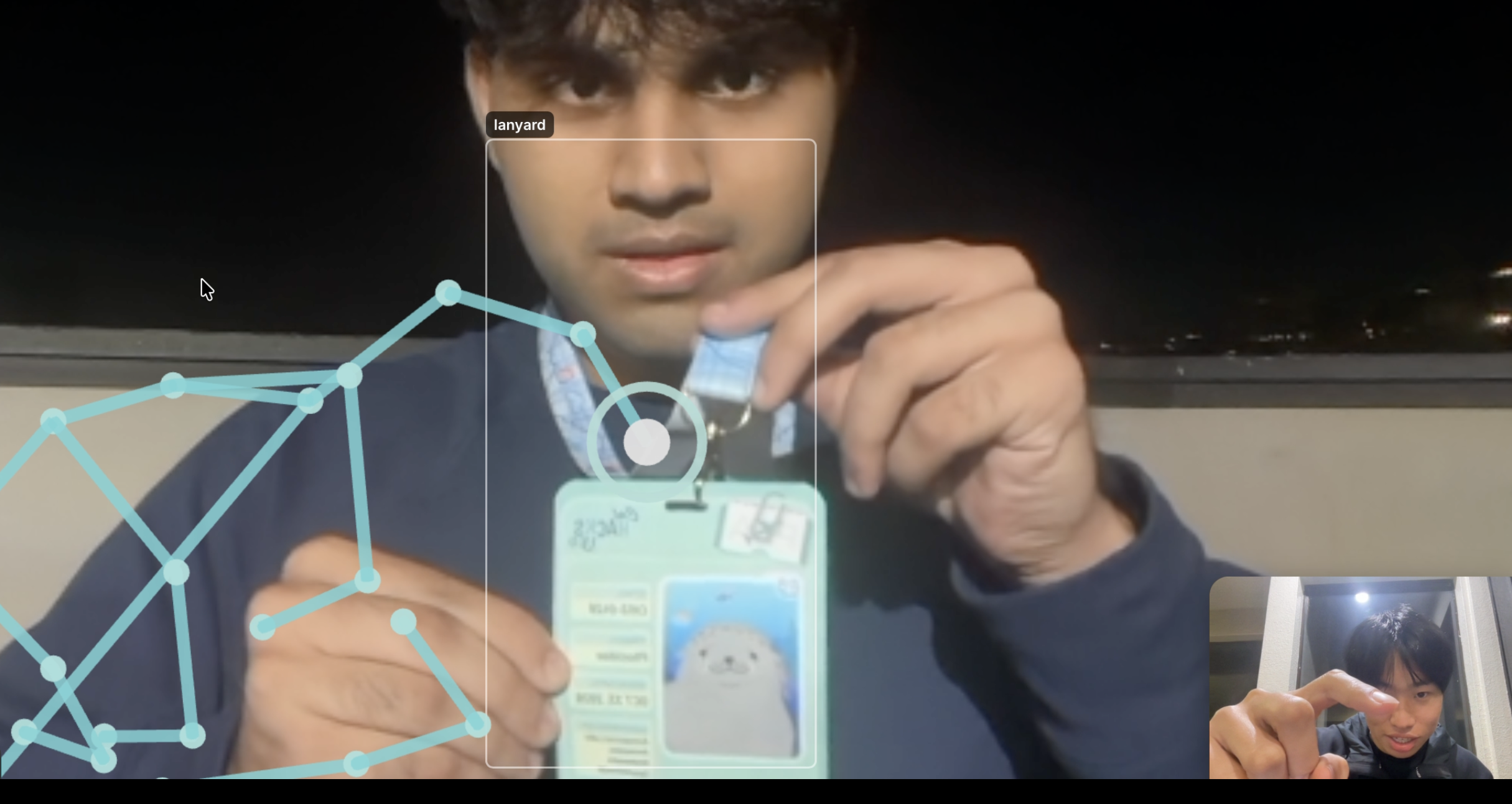
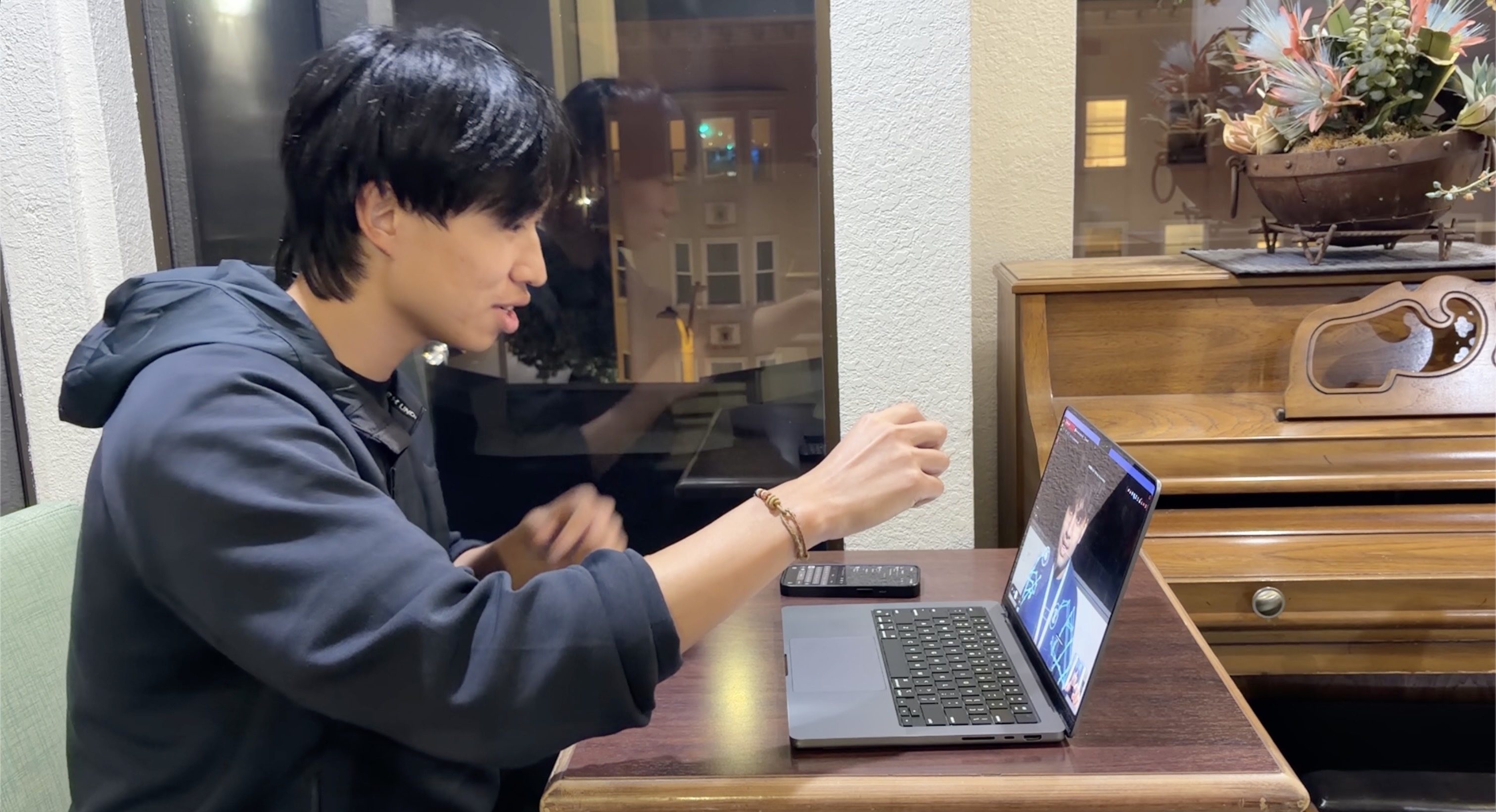
The helper's hand on my screen!
-
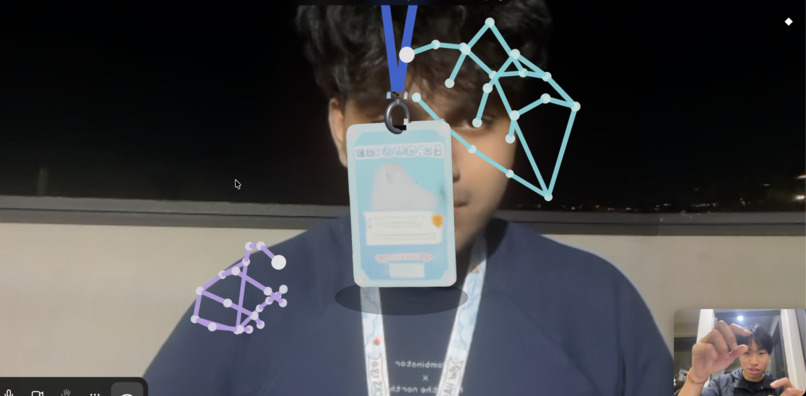
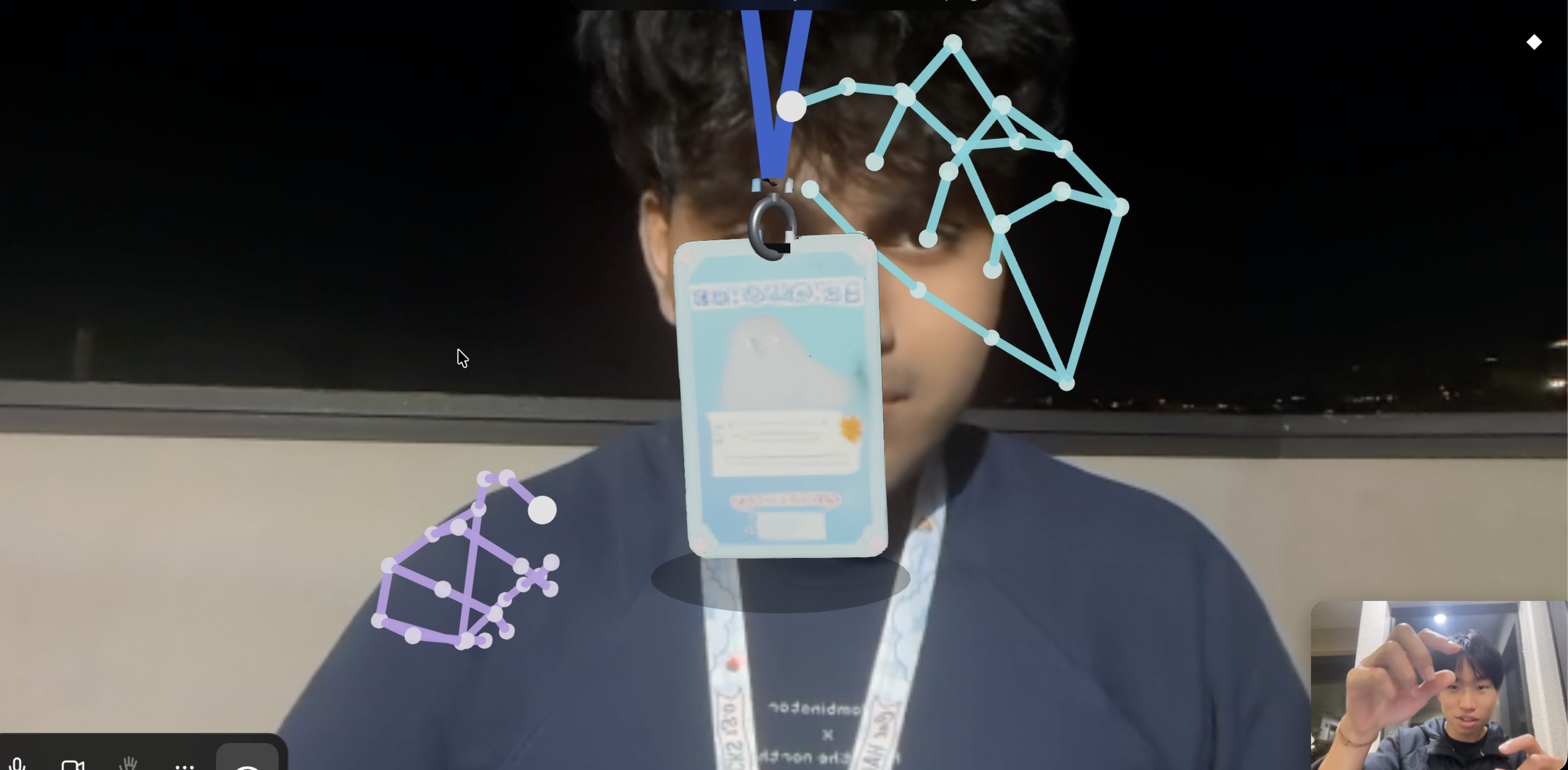
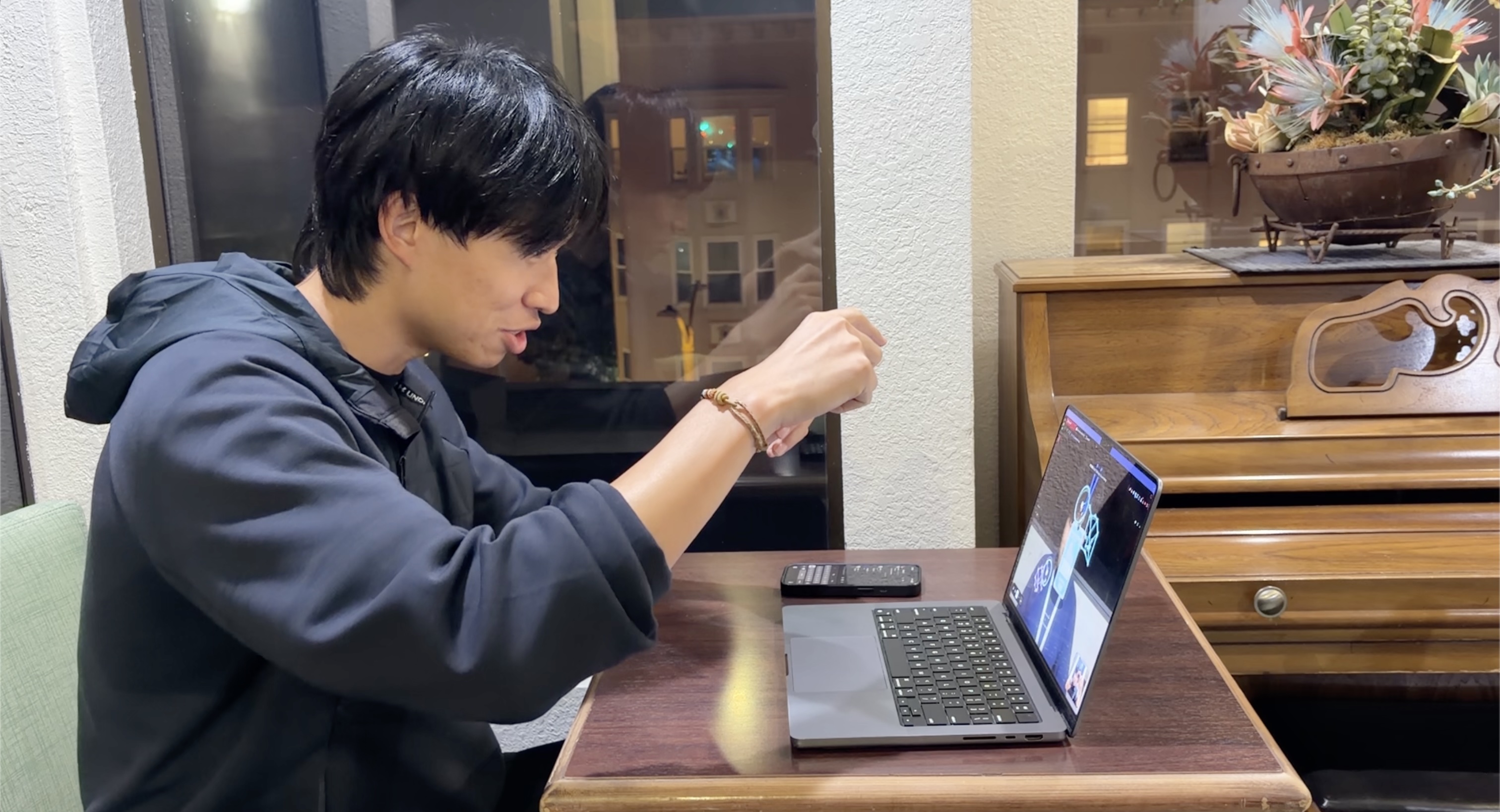
The helper being able to move around a 3D version of my object to show how to fix it!
-
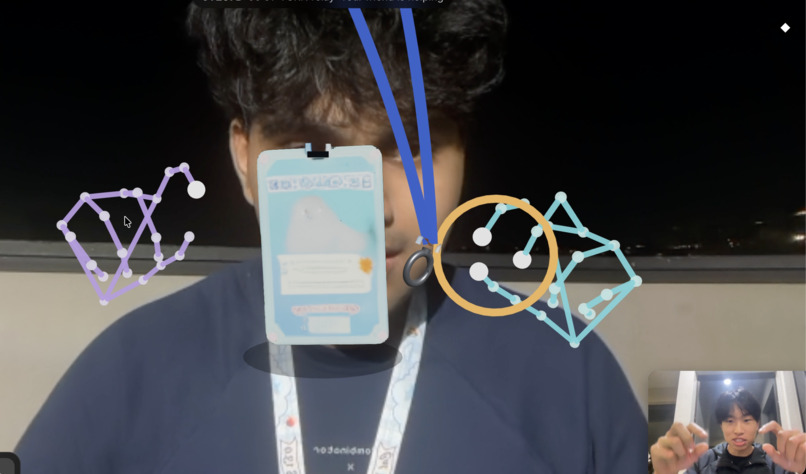
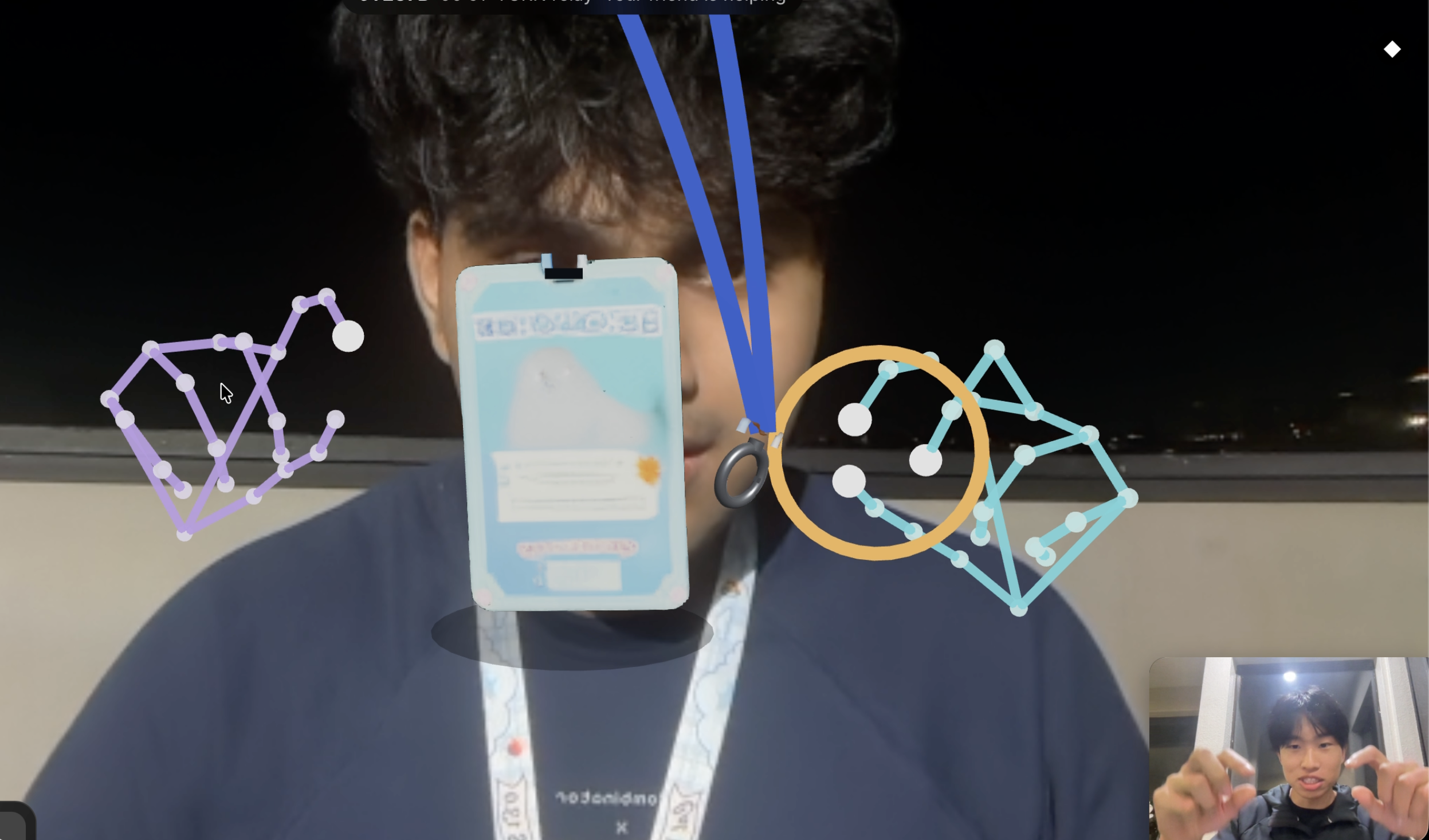
The helper can take my object apart as well to be more precise!
-
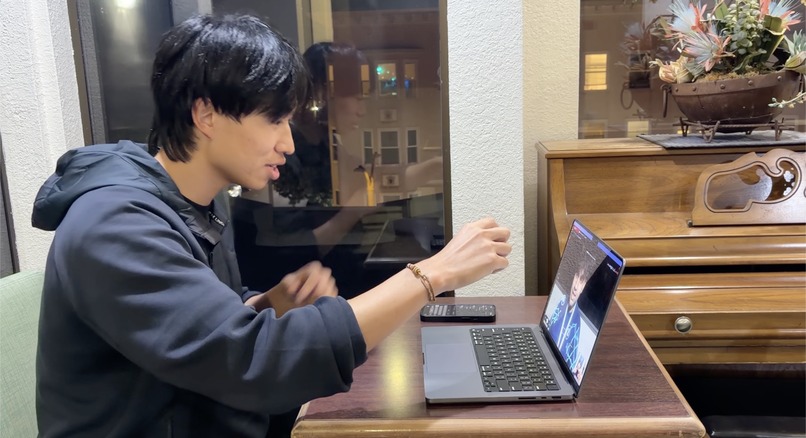
Simply show your hand to the camera to have it overlay on the other!
-
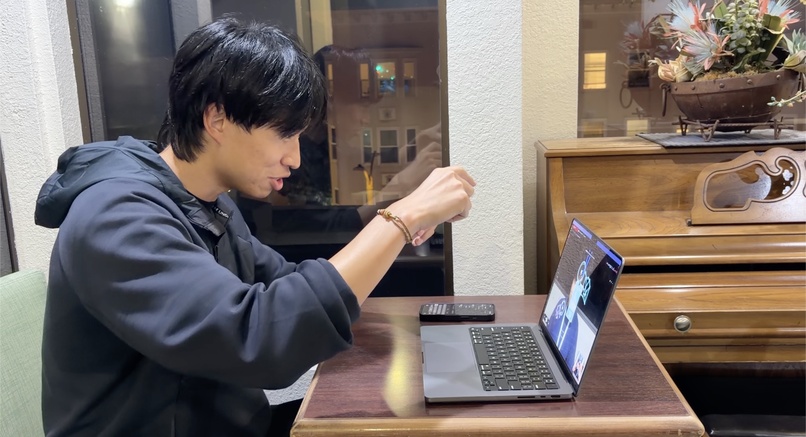
Just moving your hands can manipulate their objects at any time!
Inspiration
“Can you show me?” shouldn’t require being in the same room.
We’ve all tried helping someone over a video call: “Turn it the other way.” “Which cable?” “No, the button next to that one.” You can see each other, but explaining a physical task through a flat screen is still frustrating.
We built Handoff to make remote help feel more hands-on. It connects people who need guidance with people willing to share what they know, then gives them a shared visual space to work through the problem.
Whether you’re helping a parent troubleshoot a router, teaching a friend how to assemble furniture, or getting advice from someone across the world, the goal is the same: make distance less of a barrier to helping each other.
What it does
Handoff is a social platform where people find help, connect, and demonstrate physical tasks through live hand tracking and shared AR-style interactions.
The experience starts with the community. Post a public help request, browse available helpers, or search for a friend by username. Explore someone’s profile, expertise, ratings, and completed help sessions before connecting.
When a helper accepts a request, Handoff opens a private conversation with a call invitation. The requester decides when to accept. Friends can also message each other and send call invitations directly.
During the call, the helper points their camera at their hands. Handoff tracks their fingers, joints, and wrist movements, then overlays a live representation of those hands onto the other person’s camera view.
Instead of saying “the part on the left,” you can point into their view and demonstrate the movement. Opening your hand, pointing a finger, or turning your wrist becomes part of the explanation.
AI scanning identifies objects in the camera feed and generates simplified, interactive 3D representations. Helpers can use tracked hand gestures to grab, rotate, and manipulate these virtual objects in a shared AR-style experience, demonstrating how a part should move or be positioned. The learner then applies that guidance to the physical object.
For example, someone assembling furniture can show their parts through the camera while a helper demonstrates how a piece should turn or fit. The interaction guides the person doing the task; it does not physically move their objects remotely.
Handoff brings the whole journey together: find someone, start a conversation, and work through the problem together.
How we built it
We built Handoff around two connected layers: a real-time community powered by Convex, and a shared visual workspace where people can demonstrate tasks together.
Convex: the foundation of the community
Convex powers our entire community application backend, connecting the experience from discovering a helper to finishing a session and leaving a rating.
We use Convex Auth for account creation and sign-in, with persistent profiles that include unique usernames, photos, bios, and expertise. Those profiles become the foundation for finding people, building friendships, and deciding who to ask for help.
Help requests, friend invitations, private messages, notifications, reviews, and session history all live in Convex’s database. Its reactive queries keep the interface synchronized across users: a new request appears, an incoming friend invitation reaches the recipient’s inbox, and a message arrives without either person refreshing the page.
We use Convex’s presence component to identify online helpers. Transactional mutations coordinate actions that must stay consistent. So for example, ensuring two helpers cannot claim the same request, reserving participants for a session, and updating both sides when a call invitation is accepted or declined.
Authorization is enforced inside backend functions. Users can only read conversations they belong to, access their assigned community calls, and rate help sessions they actually requested and completed. Ratings and help statistics update transactionally, so duplicate submissions and canceled invitations do not inflate someone’s profile.
Convex gave us one coherent backend for identity, data, real-time synchronization, and community workflows, letting us focus on how people connect and help each other.
The shared visual workspace
We built the browser interface with React, TypeScript, and Vite, and used Three.js with React Three Fiber for interactive 3D rendering.
MediaPipe Hand Landmarker captures 21 landmarks across the fingers, joints, and wrist. We transform the webcam’s coordinate estimates into a 3D hand skeleton, apply lightweight smoothing, and update the visualization directly for responsive movement.
WebRTC carries audio, video, hand landmarks, and shared object interactions between participants. A separate signaling server coordinates connections, with TURN support for restrictive networks. High-frequency hand and media data travel through WebRTC, while Convex manages the persistent social and session state around the call.
Our current scanning service uses Claude to analyze camera snapshots and return structured object descriptions for simplified, interactive 3D representations.
For richer object understanding, our documented next-stage pipeline centers on Meta’s SAM 3 for segmentation and SAM 3D for reconstruction. These models really bring our objects to life to make the experience as immersive as possible to real life.
Together, these systems connect the complete experience: Convex helps you find and connect with the right person; the visual workspace helps you understand what they’re showing you.
Challenges we ran into
The biggest challenge was making several real-time systems feel like one natural interaction.
Hand tracking needed to be responsive without constantly jittering. We had to transform camera coordinates into useful 3D geometry, preserve finger proportions, and account for mirrored camera views so gestures appeared where people expected them.
Shared interactions introduced another layer of complexity: both participants needed to agree on object state, hand placement, and what was happening during the call.
Networking also proved challenging. Camera permissions, restrictive event Wi-Fi, connection failures, and reconnect behavior all affected the experience.
The social flow mattered just as much as the technical work. Accepting a help request should open a conversation, not unexpectedly activate someone’s camera. We separated help acceptance, messaging, and call consent while keeping both people synchronized.
We also made trust part of the implementation. Ratings require a completed help call, canceled invitations do not count as completed sessions, and private data is protected by backend authorization.
Accomplishments that we're proud of
- Built a connected flow from public help request → private conversation → accepted call → shared visual guidance.
- Made actual finger and wrist movements drive hand overlays and interactive demonstrations virtually across environments.
- Combined object scanning, simplified 3D models, and gesture-based interaction with live conversation.
- Used Convex to make the community experience persistent, reactive, and permission-aware.
What we learned
A video feed creates a connection, but shared understanding takes more.
People need context, trust, control over when they connect, and a clear way to demonstrate what they mean. Small decisions like opening a DM before a call or showing guidance directly alongside an object can make the experience much more approachable.
We also learned where AI can contribute most: helping people explain things to each other. Identifying an object or turning it into something interactive becomes valuable when it makes someone else’s knowledge easier to share.
Convex helped us connect the social experience around the real-time interaction, so Handoff could become more than a standalone technical demo.
What's next for Handoff
We also plan to improve hand placement, object alignment, mobile performance, and connection resilience across difficult networks. Completing the public deployment will bring the community backend, calling infrastructure, and AI service together for people on different devices.
Beyond the technology, we want to grow a community where everyday skills are worth sharing: repairing something, setting up a device, learning a craft, or helping someone through a task for the first time.
Handoff makes someone else’s experience accessible when you need it! Whether it's a friend, a family member, or someone you haven’t met yet, one handoff away.


Log in or sign up for Devpost to join the conversation.