-
-
 GIF
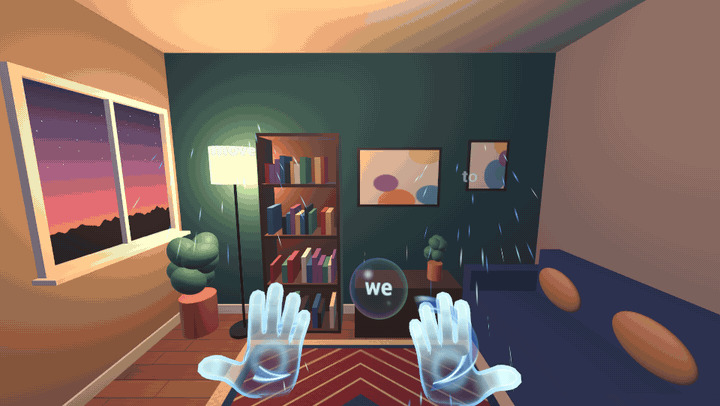
Earth and water: water streams around your bare hands. Clench your fists and rocks rise out of your floor instead.
-
 GIF
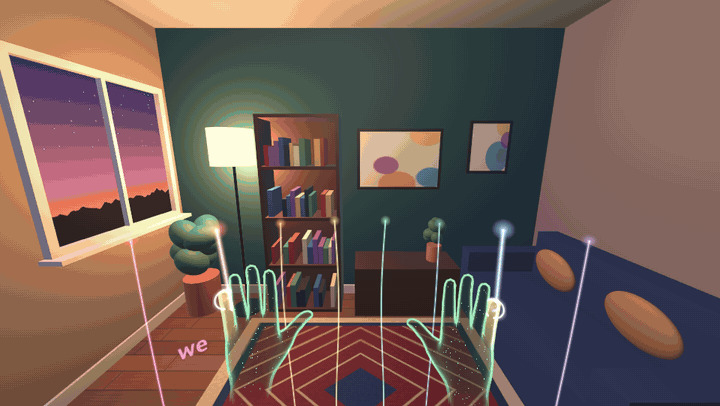
Air strings: brush a harp of light that retunes itself to the notes being sung, so whatever you play fits the song.
-
 GIF
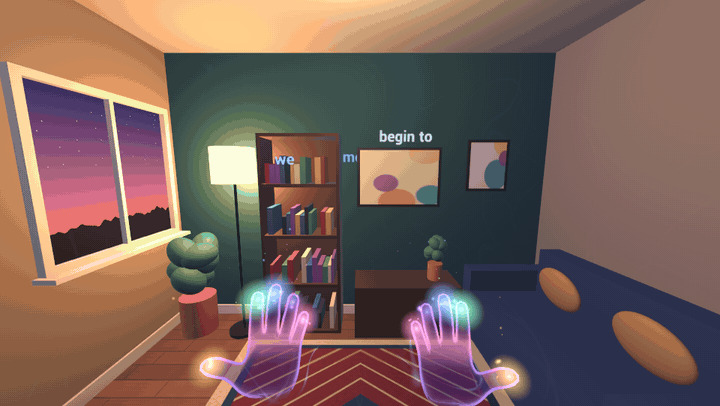
Living skin: your hands are made of the music, and every sung word flies from your palm onto your real wall.
-
 GIF
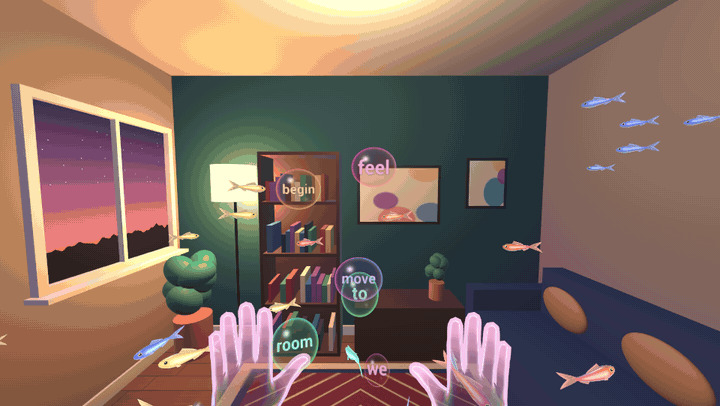
Bubble notes: every sung note rises as a bubble to pop with a fingertip, and fish gather around your open palm.
-
 GIF
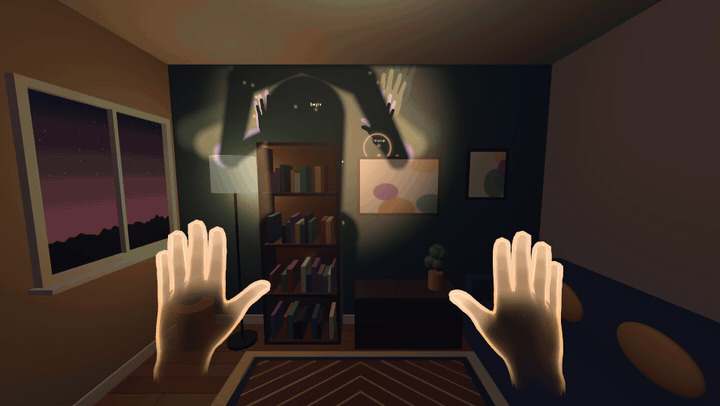
Shadow play: your whole body casts its shadow on your wall, and your hands' shadows ring the lights that carry the lyrics.
-
 GIF
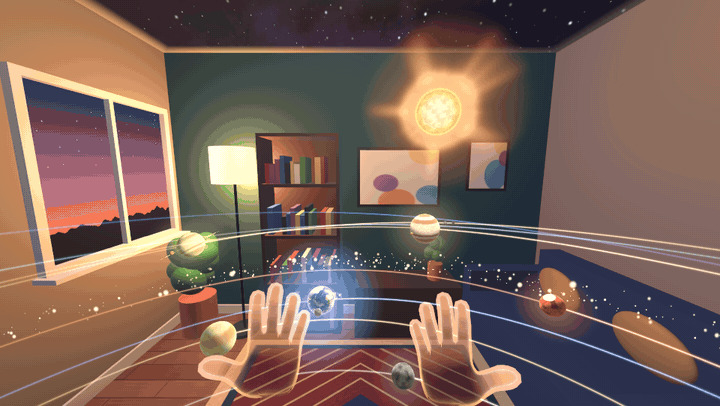
Solar system: planets orbit you at the size of your room. Pinch one and carry it to a new orbit.
-
 GIF
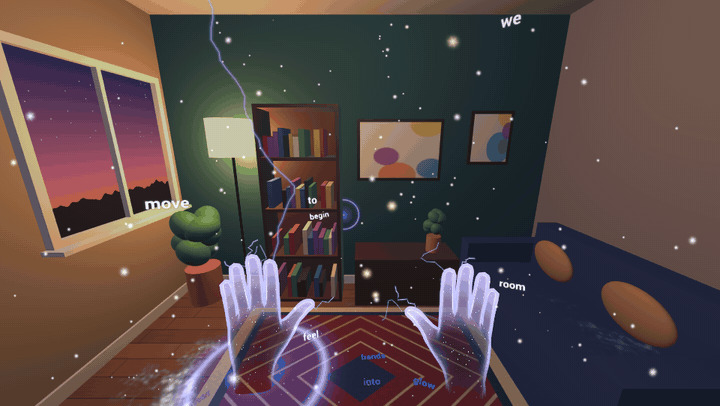
Lightning: snow falls in your room and builds up on your furniture. Catch flakes on your palm while lightning strikes on the beat.
-
 GIF
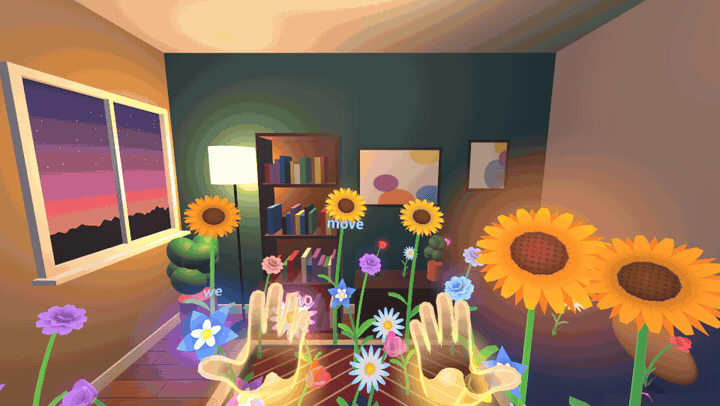
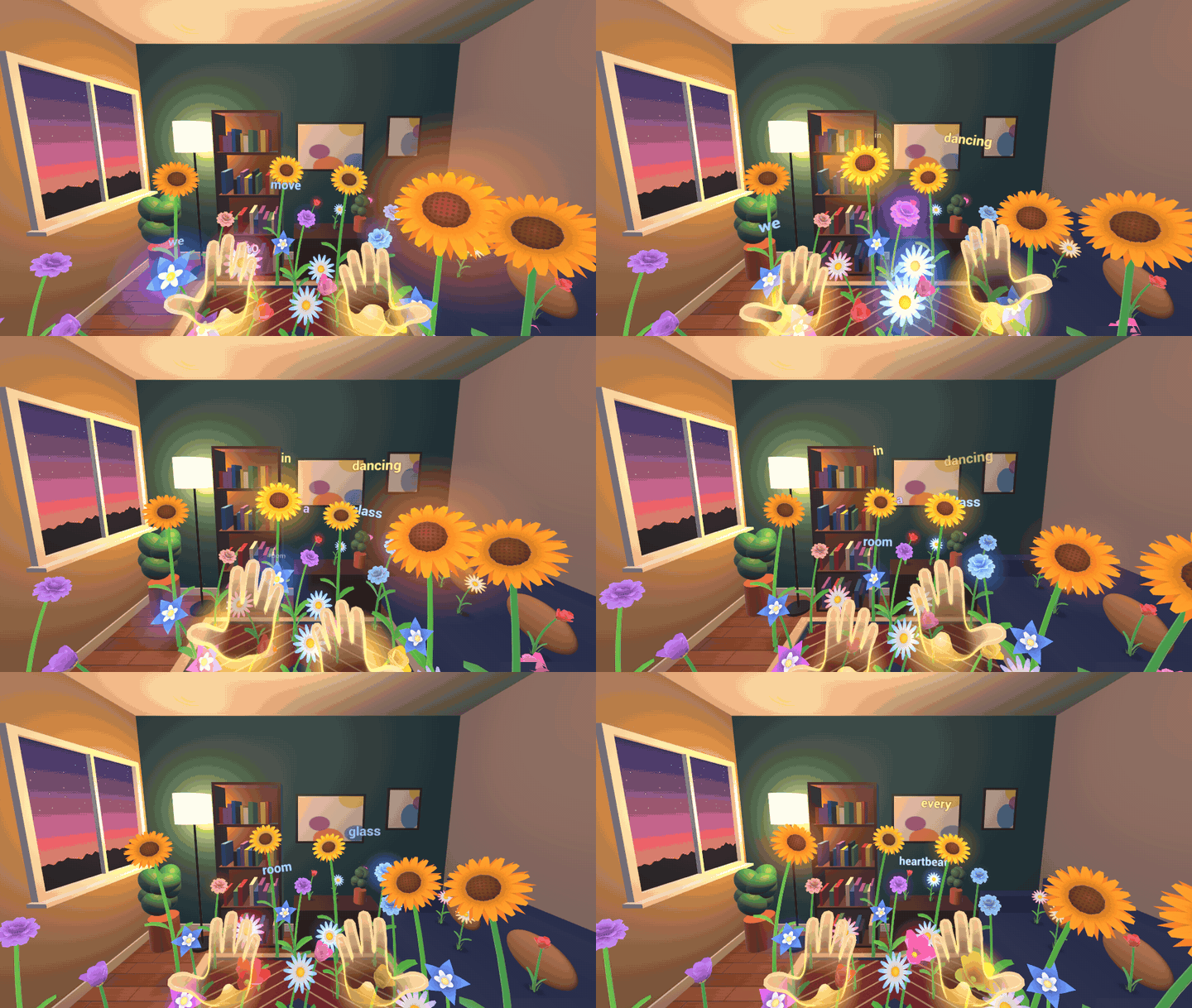
Flower dance: a garden grows from your floor and furniture, dances on the beat, and leans after your hand as if it were the sun.
-
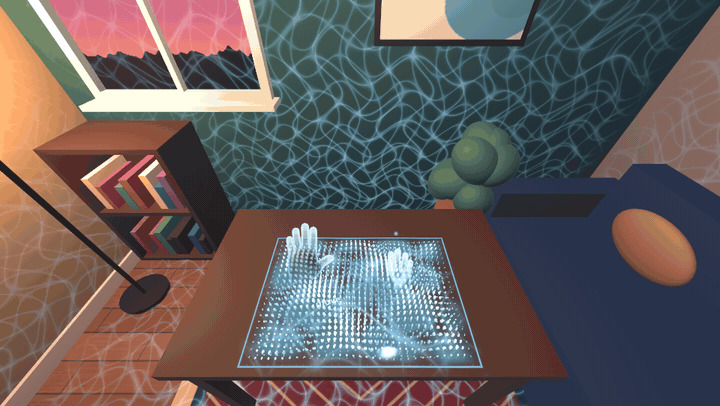 GIF
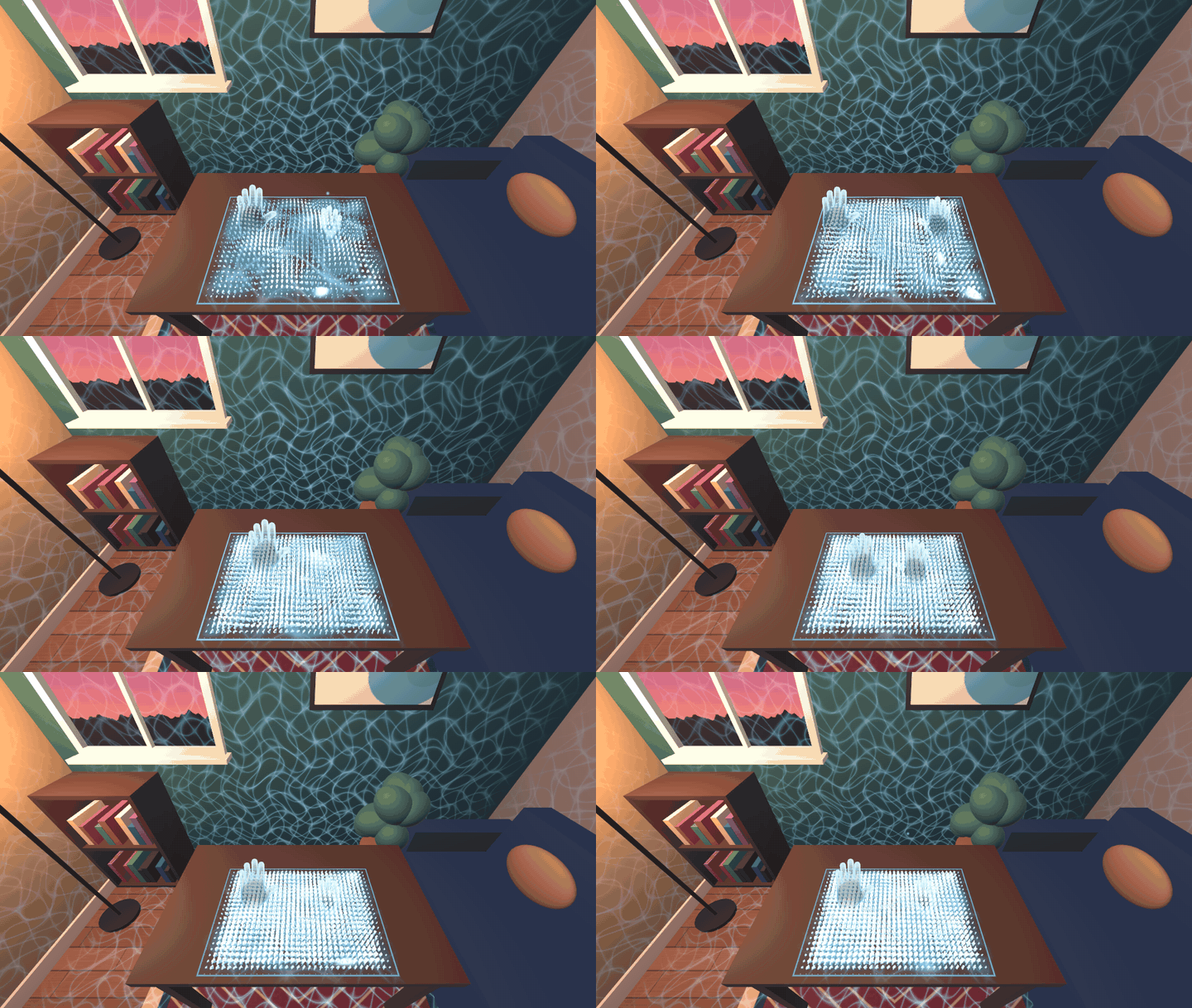
Sound pool: every sung note falls into a pool of light on your table, and waves spill out over your walls.
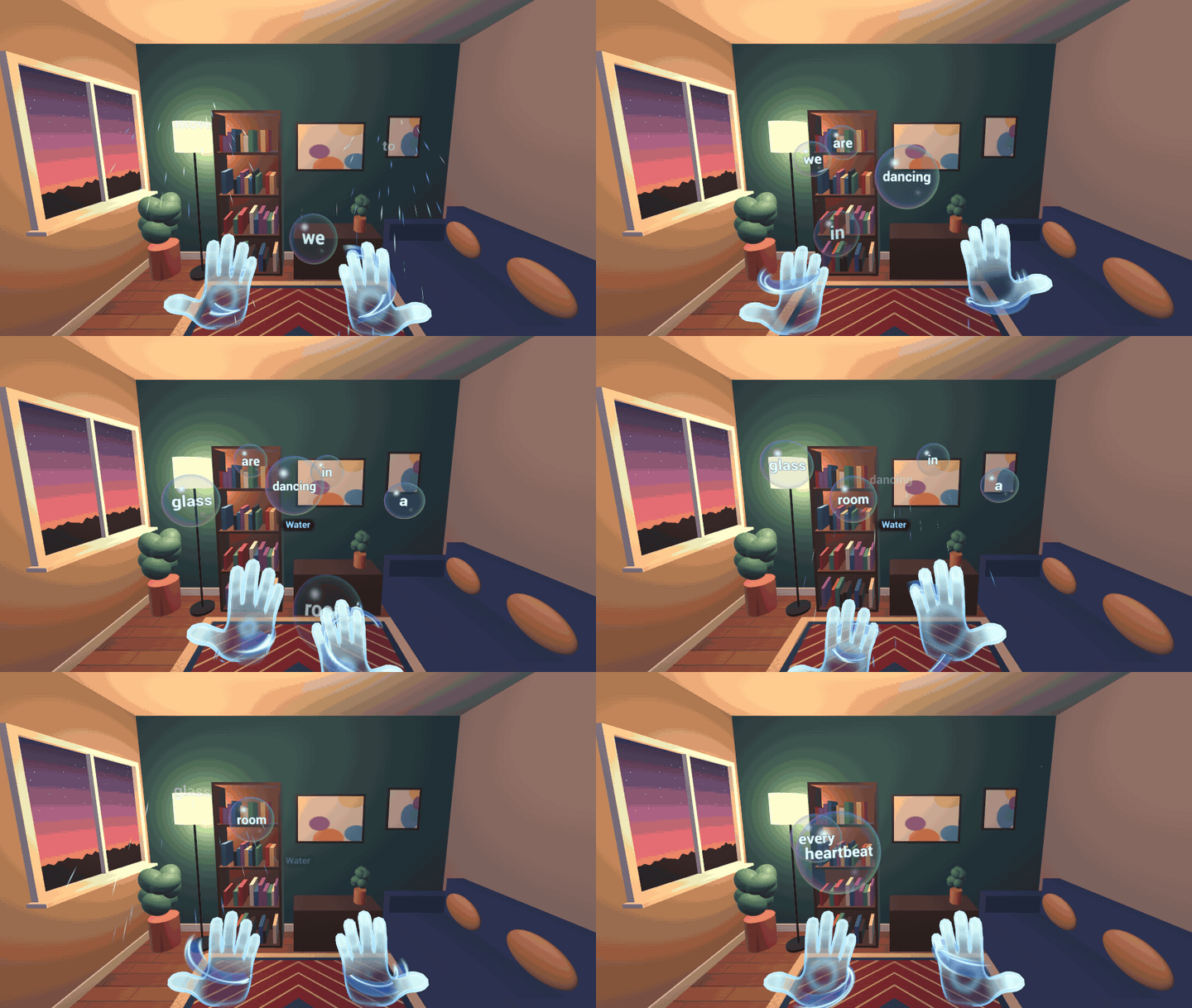
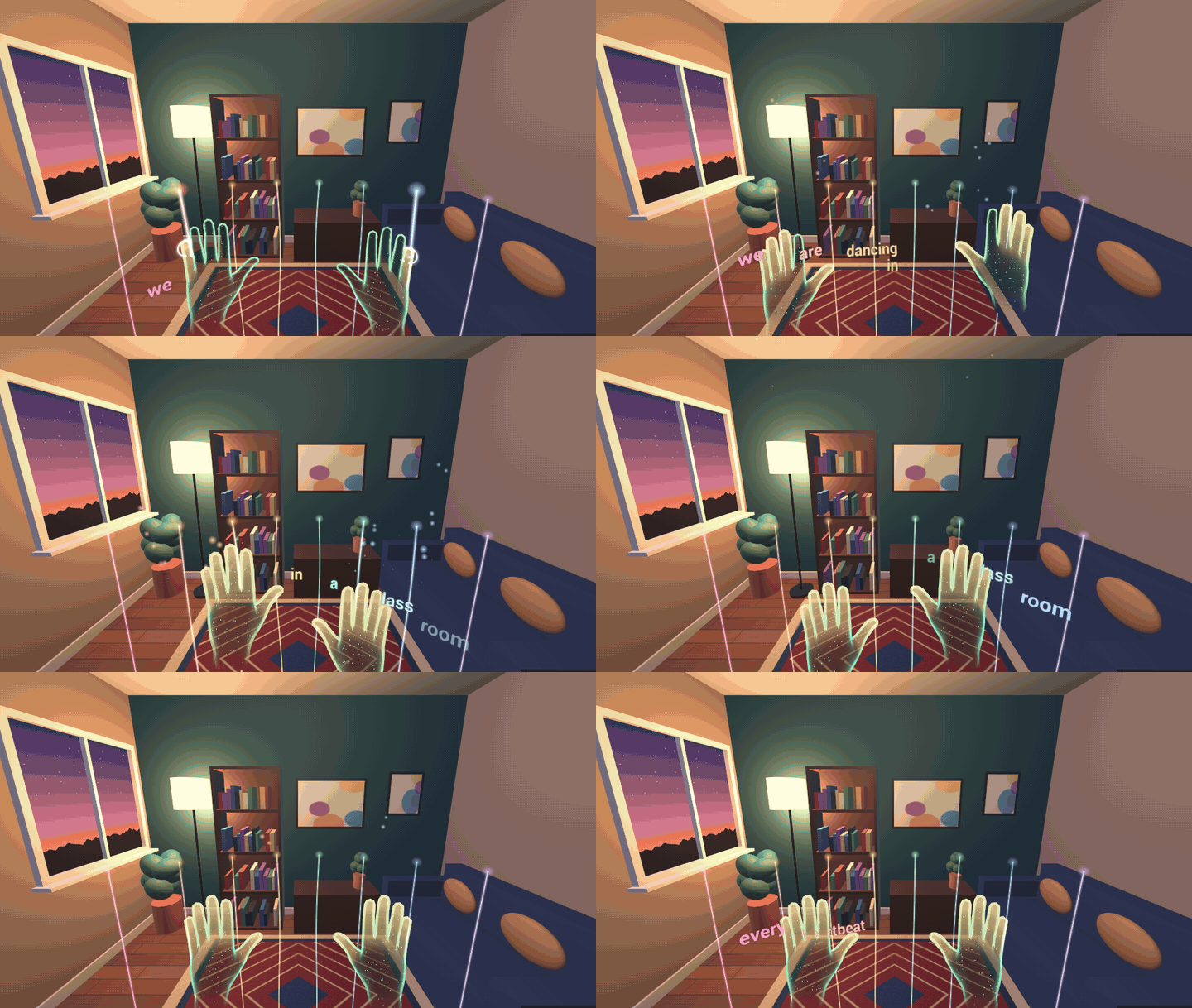
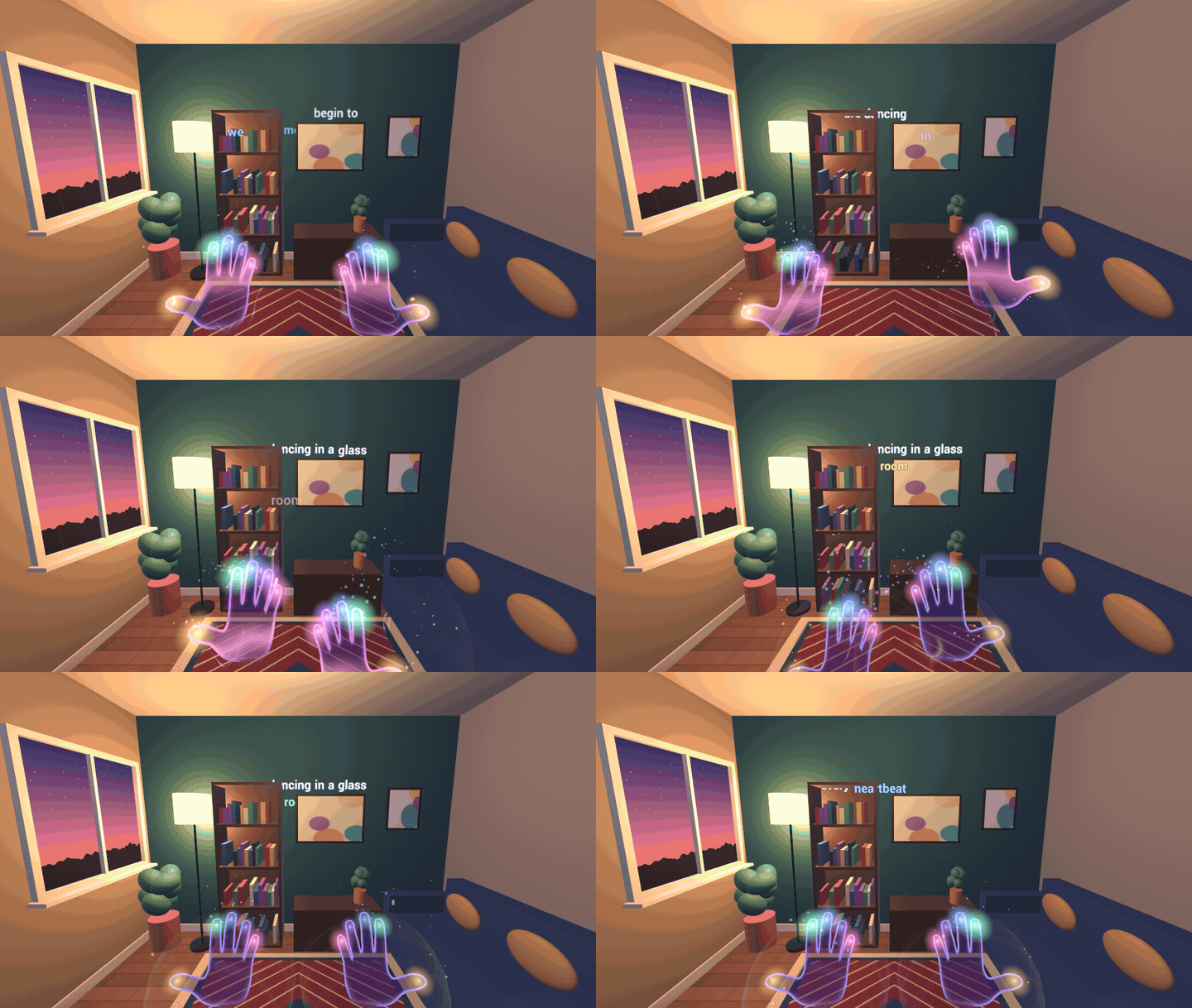
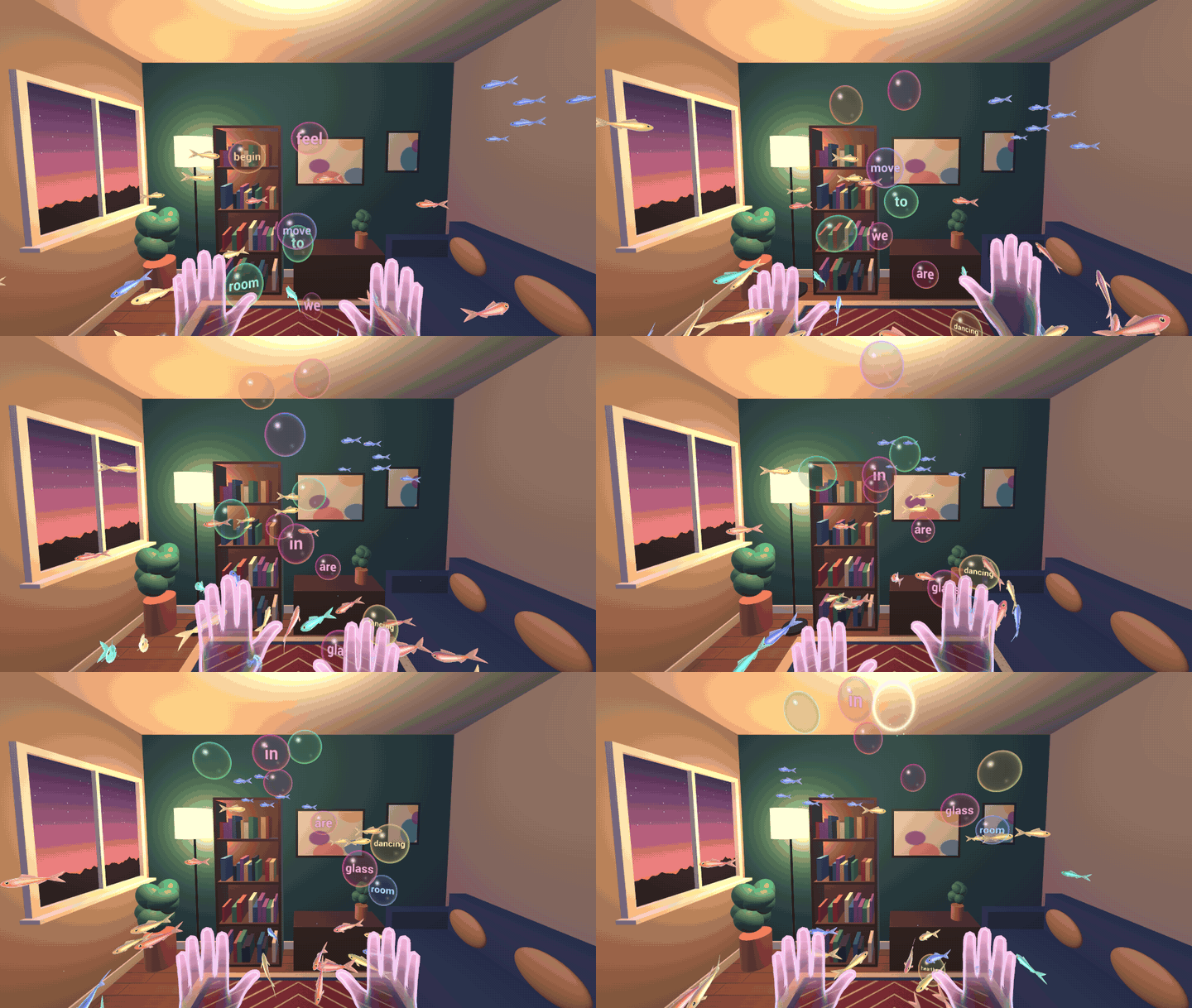
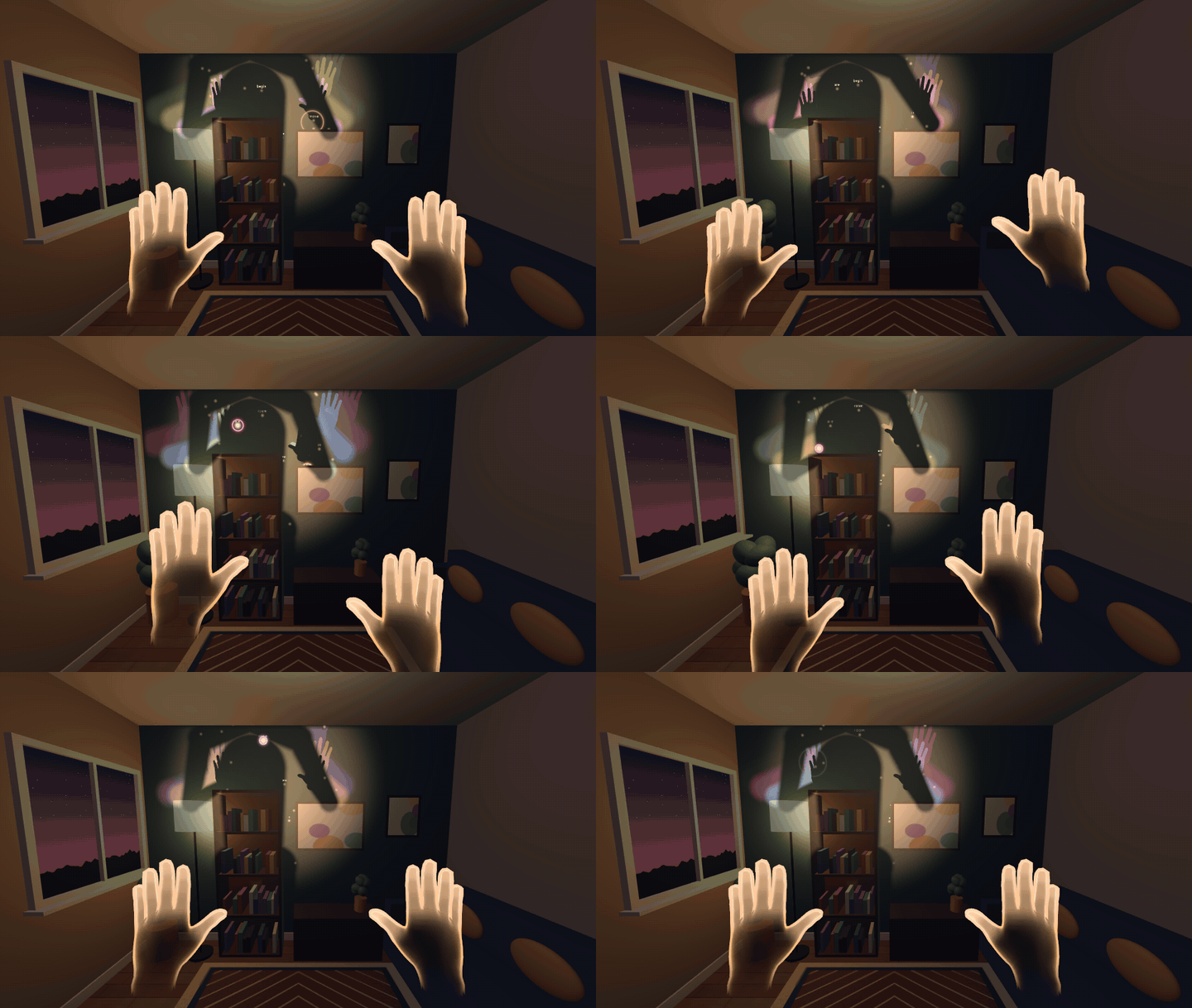
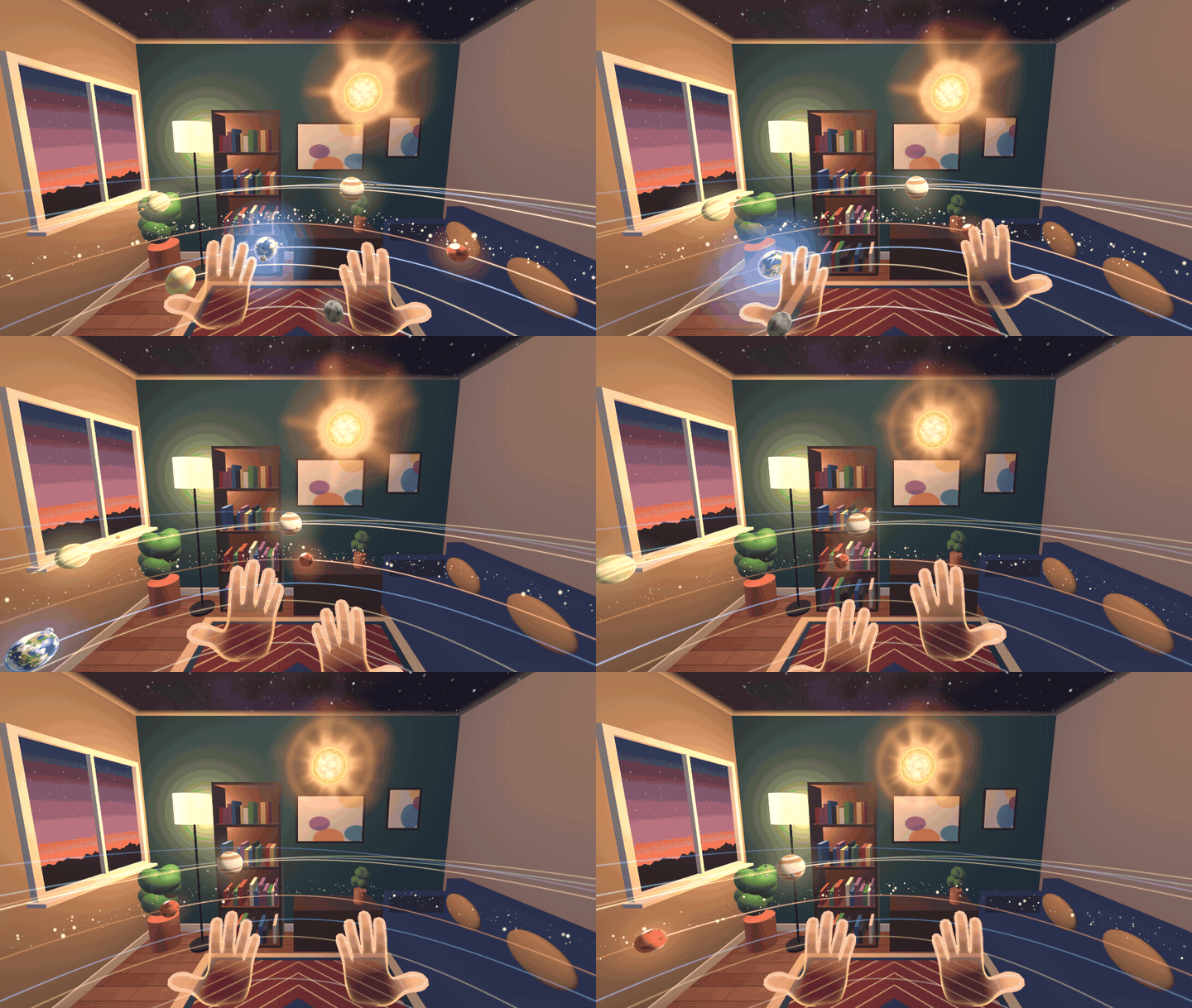
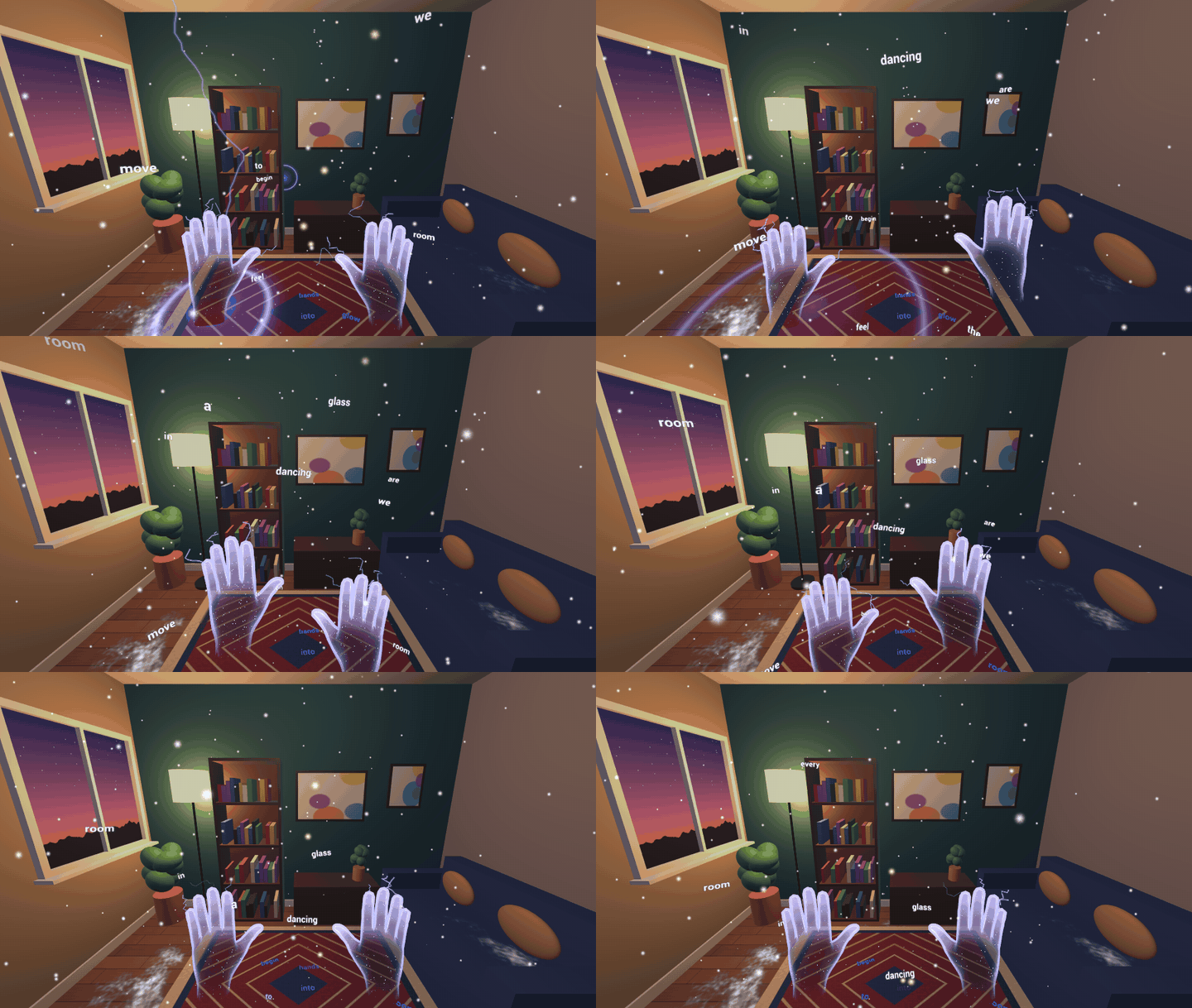
A music visualizer you play with your bare hands, in your own room.
Inspiration
Music visualizers have always lived on a flat screen you watch. We wanted one you play: the song should land on your own skin, push back against your fingers and spill into the room you are sitting in. Hand tracking has no vibration, so we asked how far light, sound and timing can go to make the music feel physical, and mixed reality let us use the player's own walls, floor and table as the stage.
What it does
Put on the headset, and the song you are listening to turns your room into a show you can touch.
- Journey mode. Every song is cut into its sections, and each section brings a different world: calm ones that show off your room for the verses, big ones for the choruses, a contrast for the bridge and a golden finale. The world changes exactly on the downbeat, under a ring of light that spreads from your feet across the floor and up your walls. A sung song is a complete journey of about two and a half minutes, seated or standing, with an end card for another song or free exploring.
- 16 worlds, all played with bare hands. Your hand is the sun and the flowers lean after it. Your shadow falls on your real wall and touches the lights. Fish gather around your open palm while you pop the song's notes as bubbles. Frame your room with both hands and see it through a filter. Pluck strings of light that retune to the sung notes, raise rocks out of your real floor, carry the planets of a solar system around you, or hold the heartbeat of the song between your palms.
- The lyrics live in your room. Every sung word appears as it is sung: growing out of your floor, drifting through your room until you touch it, flying from your palm onto your wall, or lighting up as a star on your ceiling, where each line of the song becomes a constellation. Point at a star and its word floats down for you to read.
- Make a song. Pick a theme and a genre from two rows of emojis, and the headset composes a brand-new sung song with ElevenLabs, using your own account. It writes the lyrics, times every sung word, and the new song plays in every world like any other. It tells you what it will cost first, and keeps working while you play.
- Your music, your room. In Listen mode the headset hears music playing near you, from a phone, a speaker or a live instrument, and every world follows it. You can also copy your own songs to the headset, with lyrics if you have them.
- A cassette deck to choose songs by hand. A small table rises in front of you; spin the turntable of cassettes, pick one up and drop it into the radio.
- Controls you never have to look for. Tap your thumb on your index finger to play or pause, swipe it left or right to change songs, swipe forward to open the menu. Every gesture lights the fingers that made it, throws a few sparks and plays a soft sound, because hands have no haptics.
The first launch teaches by doing, with no wall of text: a song starts and your hand is already moving the flowers, then a translucent ghost hand shows each gesture once, beside your real hand, until you have done it. A "?" bubble in the menu replays the lessons.
How we built it
- Unity 6 with URP and OpenXR, the Meta XR Core SDK and the Mixed Reality Utility Kit, developed and tested on Quest 3.
- Hand tracking feeds one hand rig that every world shares: palm, fingertips, pinch, fist and palm direction. Thumb microgestures give song controls that work with either hand, and every core action has a one-handed way.
- Passthrough with scene understanding (MRUK). Worlds build on your scanned walls, floor, ceiling and furniture: flowers grow on your table and sofa, rocks push up out of your floor, waves light veins in your walls, and your ceiling opens onto a night sky.
- Passthrough Camera Access lets Finger frame filter the real room inside the frame your hands make.
- Body tracking gives Shadow play real arms, so your shadow on the wall moves from the shoulder.
- Meta XR Audio: sounds play from where they happen, at your fingertip, a string or a planet, and the reverb is shaped like your scanned room. Listen mode records through Android's unprocessed microphone input, because the voice input most apps use hears speech but leaves music in the room almost silent.
- ElevenLabs for Make a song: a composition plan writes the sections and lyrics, the music model composes the song, and forced alignment times every sung word. The player's key is stored only on the headset and sent only to ElevenLabs. The emoji choices are drawn by Android's own emoji font.
- Designed for a narrow field of view. The menu is one honeycomb of 66 mm bubbles at half a metre that stays inside Meta's 58° × 54° design area (46.8° across), so it also fits the narrower 70° view of Meta VR Glasses. It follows your head lazily, and every caption is at least 1° tall. The cassette table adjusts its height for sitting or standing.
- Comfort: no world flashes more than three times a second, and a Less flashing option shows every flash at a quarter and turns lightning into a gentle glow. Nothing in the solar system comes at your face.
- Original music: four songs composed in code with our own small Python synthesizer, and three sung songs made with ElevenLabs Music from lyrics we wrote, with every sung word timed by forced alignment. Each song has a sections file that Journey mode follows.
- Models for the cassette deck are generated by a Blender script, and the shaders for the lettering, glass bubbles, glowing hands, water and weather are our own HLSL.
- Automated checks: an editor check suite drives every world with scripted hands, measures the menu, the cassette deck and every caption from the player's eyes, and confirms the flash limit, the onboarding, Journey mode, Make a song's requests and word timing, and that steady frames allocate no memory. An on-device frame meter logs the frame rate per world; on Quest 3 the worlds we measured hold 72 fps, with 1% lows at 72 fps.
Challenges we ran into
- Music in the room was nearly silent. Unity's microphone uses the voice input, which filters out exactly what we needed, so we wrote a small Android plugin that records the unprocessed input instead.
- No haptics. We built a gesture feedback system that lights only the fingers you used, from the knuckle to a bright tip, with a burst and a sound matched to the song's key.
- Fitting a narrow field of view. Our first menu spread to about ±40°. We rebuilt it as one centred honeycomb and added checks that measure it from the player's eyes, so it stays inside Meta's design area as worlds come and go.
- Fewer, better worlds. We built more worlds than we kept. We cut three that crowded the menu or repeated an idea, so every world left has its own reason to exist.
- Shaders that work in the editor but not on the headset. The editor renders with Direct3D and Quest uses Vulkan, so we learned to build and check on the device after every shader change.
- Changing worlds without breaking the music. Journey mode switches worlds on the song's downbeat and waits while the menu or cassette deck is open, so the show never cuts in the middle of a choice.
Accomplishments that we're proud of
- A complete, controller-free experience, designed so a first-time player gets a payoff and the core gestures within the first minute.
- Seven songs we wrote or composed ourselves, so every song in the app is ours to show, and a way for players to make their own.
- A real room that matters: your walls, floor, ceiling, table and even your own shadow are part of the show.
- An automated check suite that holds every world to the same comfort, readability and field-of-view rules.
What we learned
Light on your own hands reads as touch. Timing every contact to the beat makes the rhythm feel as if it arrives through your palm, and a soft sound at your fingertip does more than any visual effect. Fewer, larger controls inside a narrow field of view beat clever menus, and teaching one gesture at the moment it is useful beats any tutorial screen.
What's next for Music In Your Hands
- Depth occlusion: worlds already hide behind your real furniture in our development branch; next is bringing it to every world.
- Gaze selection with the Interaction SDK, so you can look at a world and pinch to enter it.
- Persistent spatial anchors, so your favourite worlds remember where your table and walls are.
- Sung versions of our synthesized demos, and loudness matched across every track, including the songs players make.
- Playing together: two headsets in one room sharing the same world.
- Meta VR Glasses: the hands-only controls and the narrow-view menu already suit them; next is declaring and testing them, with a fallback for Finger frame's camera filter, which needs a Quest 3 or 3S.
Testing instructions for judges
- Hands only, no controllers. Sitting is fine. A room scan (Space Setup) makes the worlds use your walls, floor and ceiling, but the app also works without one.
- The headset may ask for the microphone (Listen mode), the cameras (Finger frame) and your space.
- On first launch a song starts; follow the ghost hand until the lessons finish.
- To open the menu: turn your left palm towards you and pinch, or swipe your thumb forward along your index finger. Touch a bubble with your fingertip, or point at it from farther away and pinch. The Journey bubble turns the song-by-song journey on and off; "?" replays the lessons.
- Thumb tap on the side of your index finger: play or pause. Thumb swipe left or right: previous or next song.
- The cassette bubble opens the cassette deck: pinch a cassette and drop it into the radio.
- The microphone bubble starts Listen mode: play music from your phone and the room follows it.
- Optional: Make a song (on the song page) needs your own ElevenLabs API key and uses your ElevenLabs credits. Everything else works without it.
