-
-
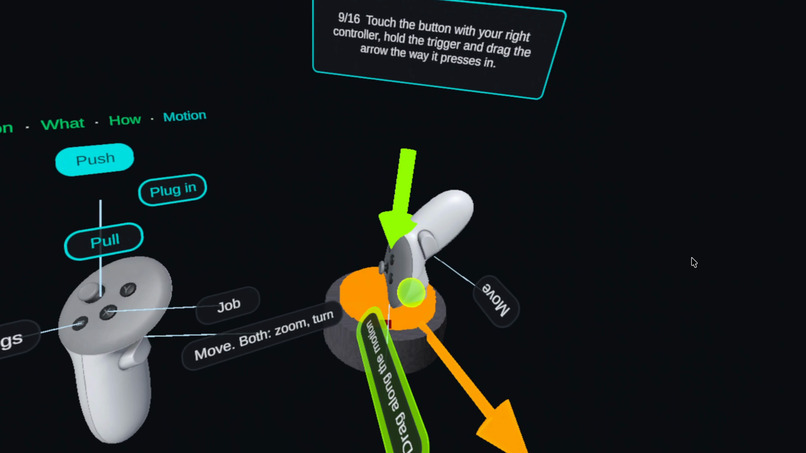
Tutorial snapshot
-
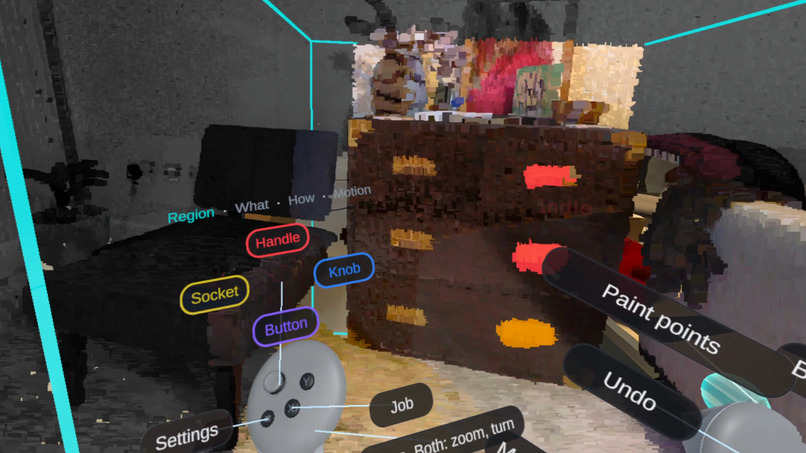
Annotating a holder
-
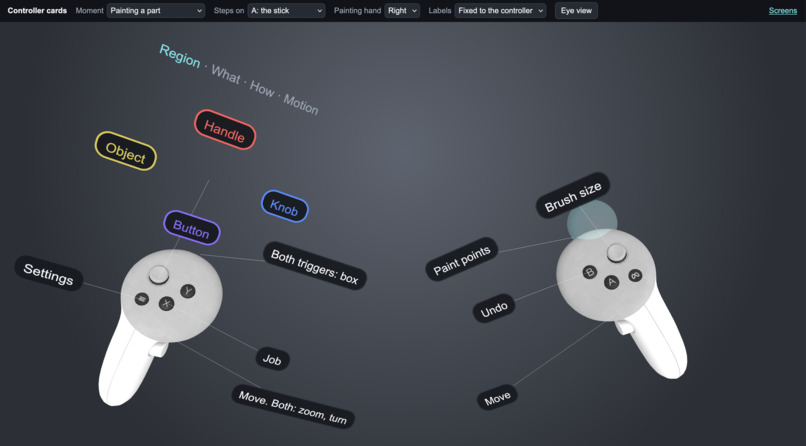
Controller Dashboard
-
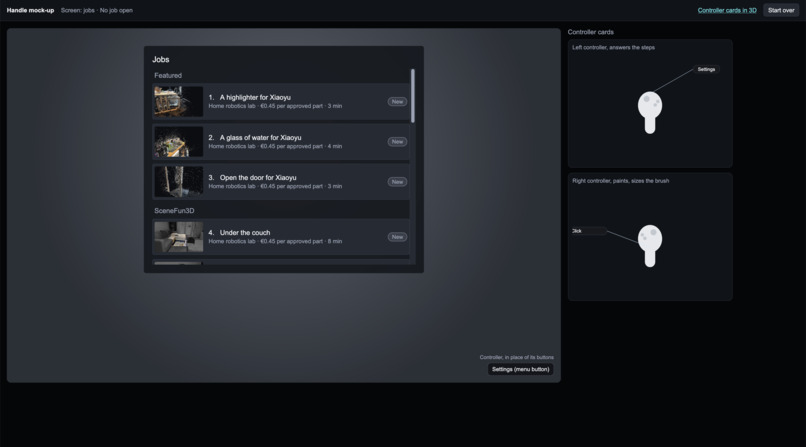
UI Wireframe
Inspiration
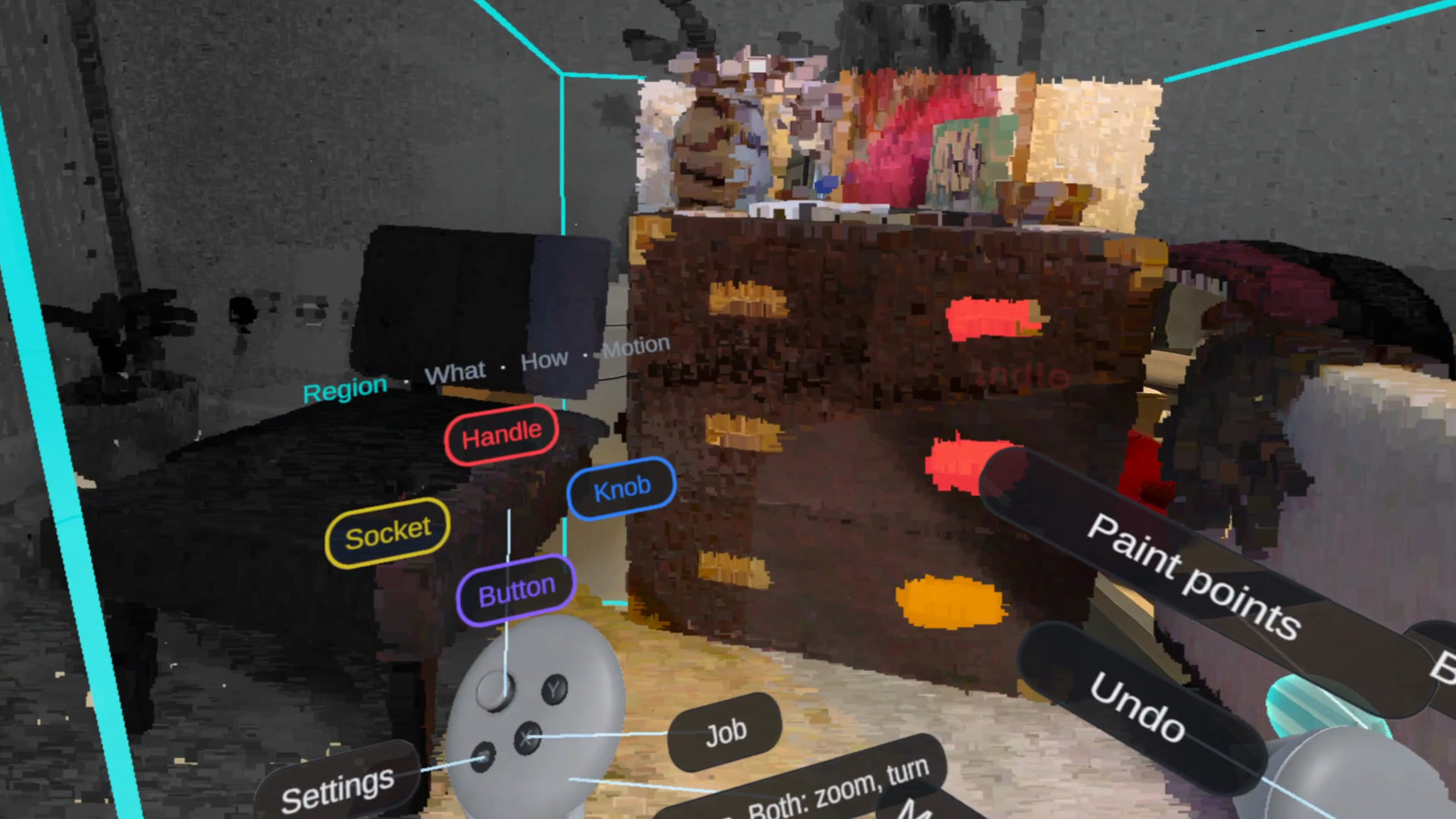
Imagine asking a robot to open a kitchen drawer. A 3D scan tells it where the drawer is, but not where to grip or which way to pull. That knowledge comes from people who label scans by hand, and datasets like SceneFun3D show how valuable those labels are. On a flat screen, though, the work is slow: a handle tucked under a counter, or the direction a drawer slides, means turning the camera again and again. We wanted to know whether stepping inside the scan in VR would make that work faster and easier to learn.
What it does
Handle connects the two sides of 3D data labelling. Requestors, such as robotics teams, need scans labelled. Annotators, anyone with a Meta Quest, do the labelling as paid work.
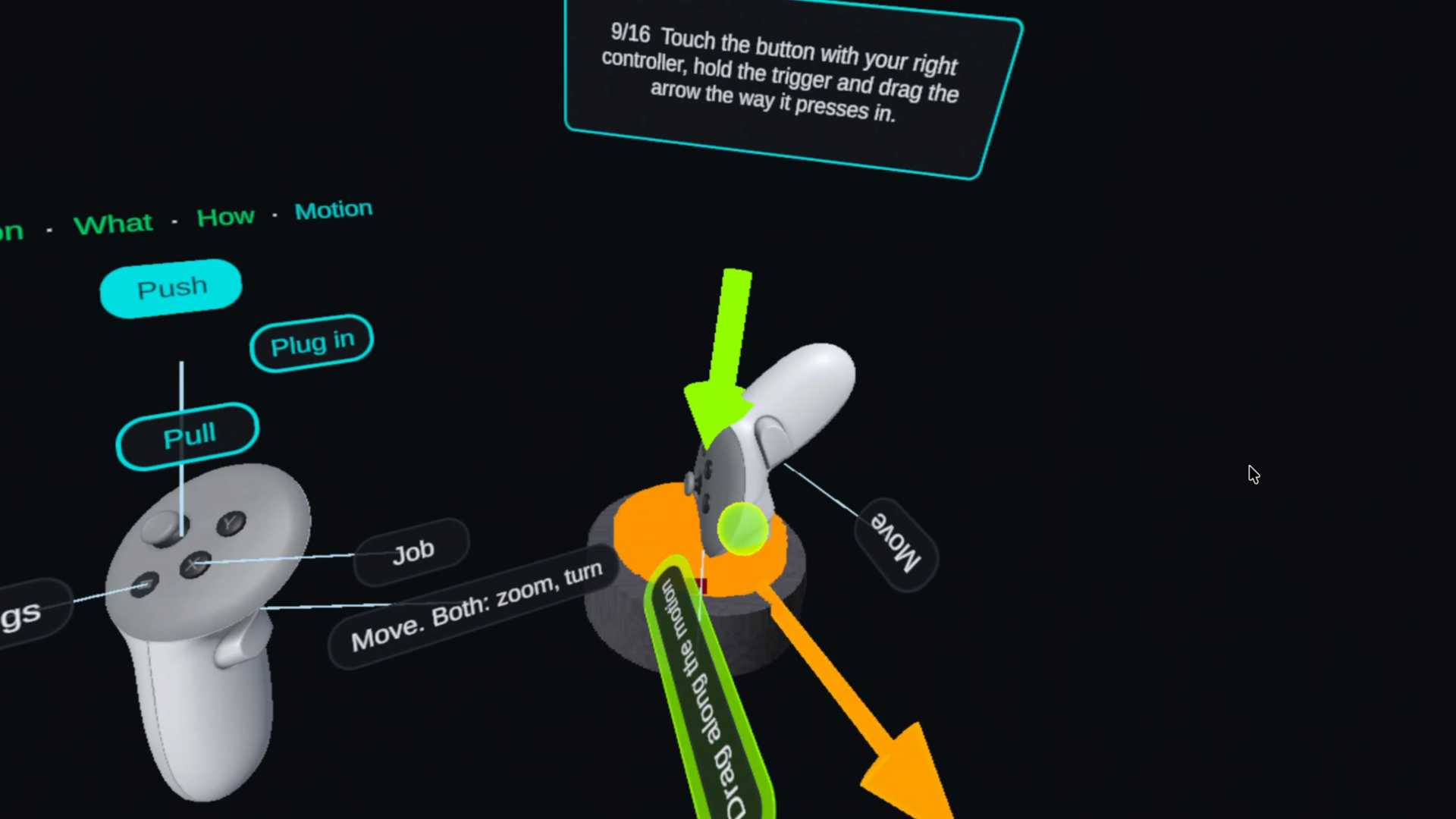
Handle Workbench is the VR app. An Annotator opens a scanned room, walks up to a part and paints it with a virtual brush, picks what it is (a handle, knob or button) and how it is used (push, pull, turn or drag), then shows the motion with the controller: an arrow for a drawer, an axis for a knob, a recorded path for anything that slides. For a drawer that takes seconds: paint the handle, flick to Handle and Pull, point the way it slides, confirm. A guided practice teaches the controls, and the labels export in SceneFun3D's format.
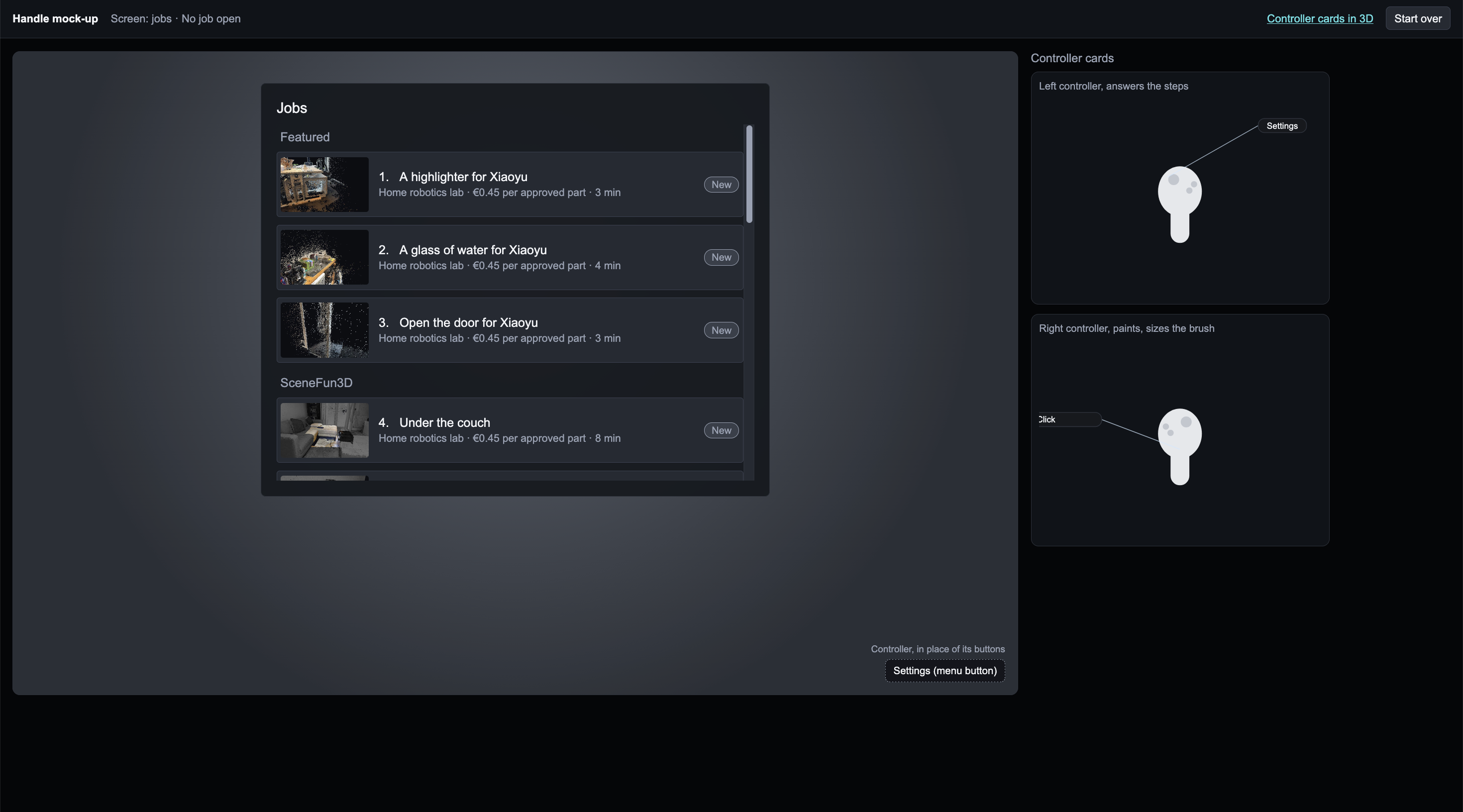
Handle Hub is the website around it, where Requestors post jobs, Annotators take paid tasks, and every labelled part is checked before payment. For now it is a Wizard of Oz prototype: it looks automated, but a teammate runs it by hand from a hidden console, so we could test the concept before building a backend.
How we built it
We started by mapping the Annotator's workflow step by step, then built Handle Workbench in Unity 6 with OpenXR and the XR Interaction Toolkit, running standalone on Meta Quest 3. A Python pipeline turns SceneFun3D scans and rooms we scanned ourselves into point clouds the app can open. The same app also runs on a computer with mouse and keyboard, which gave us a fair desktop baseline to compare against. Handle Hub is a small Node website. We used Claude heavily as a coding assistant throughout.
Every headset session was recorded with the tester thinking aloud. We transcribed the recordings with timestamps, pulled stills from the moments where someone got stuck, and turned each one into a concrete ticket. A developer reviewed every change before it went in, and the next build went straight back into the headset.
Challenges we ran into
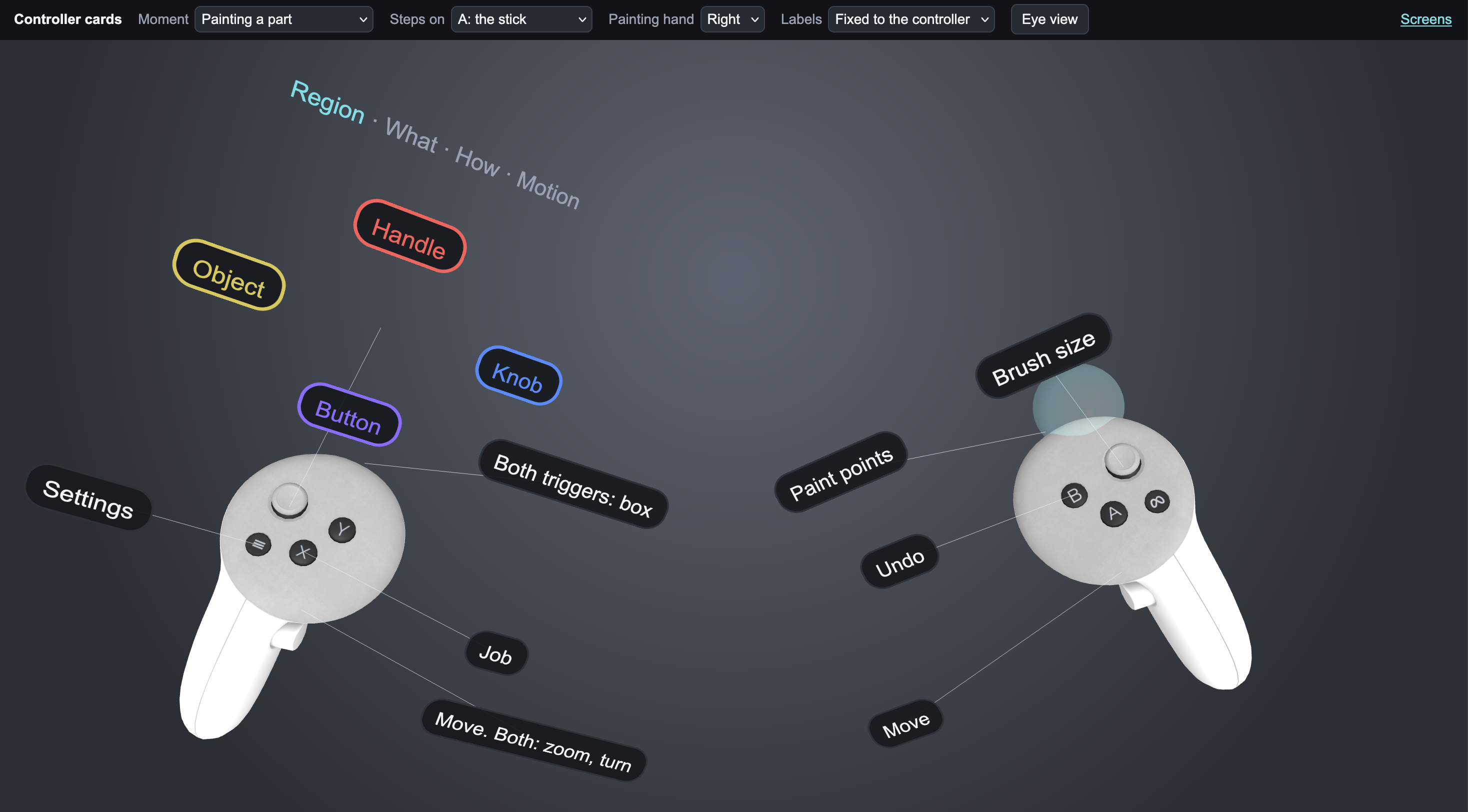
Movement was the hardest part for first-time VR users. Before anyone could paint a small handle, they had to work out how to get there, get close enough and find a good angle. A step-by-step flow on two controllers also meant a lot of buttons to remember, so we added cards on the controllers that show only what each button does right now, plus the guided practice.
Accomplishments that we're proud of
The full labelling loop runs on a standalone headset: open a real room, paint a part, say what it is and how it moves, export. In a pilot with four participants, each labelled one six-part job on desktop and one in VR. VR was 1.4× faster (122 s against 171 s), the drawn motion was off by 18° instead of 34°, usability scored 84 against 62 on the System Usability Scale, and all four preferred VR. We are also proud of the feedback loop: a tester's comment in the headset became a fix in the next build.
What we learned
The drawer example did most of our explaining: once people outside XR and robotics saw where to grip it and which way it moves, they understood the idea. Mapping the whole workflow first gave us a baseline, so we could see how one small change affected the rest. VR helped most where depth matters, such as showing which way a part moves.
What's next for Handle
Run a larger study that compares how well parts are painted as well as speed and direction, with harder cases such as hidden parts. Make movement easier for first-time users. Turn Handle Hub into a working platform with automatic quality checks and payouts.
