-
-
-
-
-
-
-
-
-
-
-
-

App icon, 1024 x 1024
-
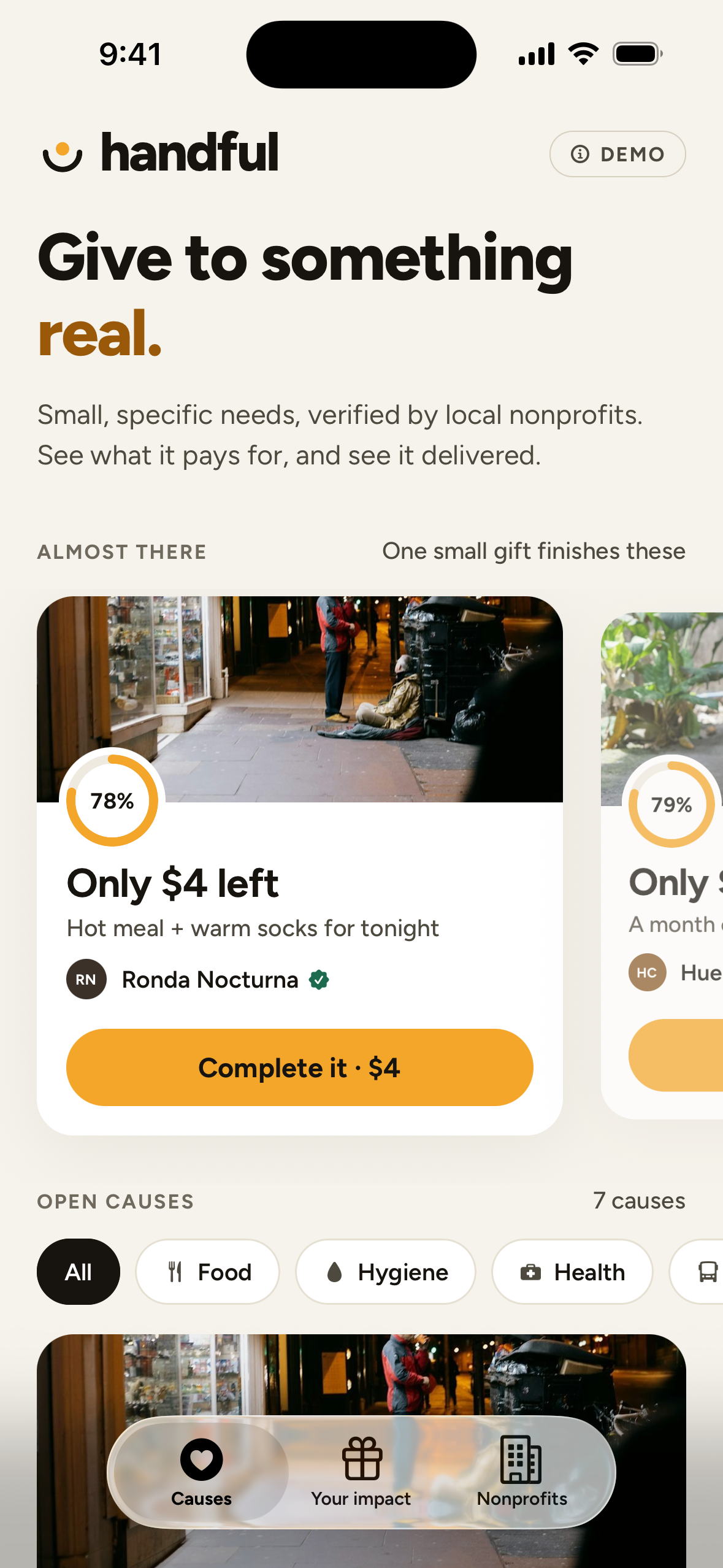
Screenshot, 1179 x 2556, no device frame

Inspiration
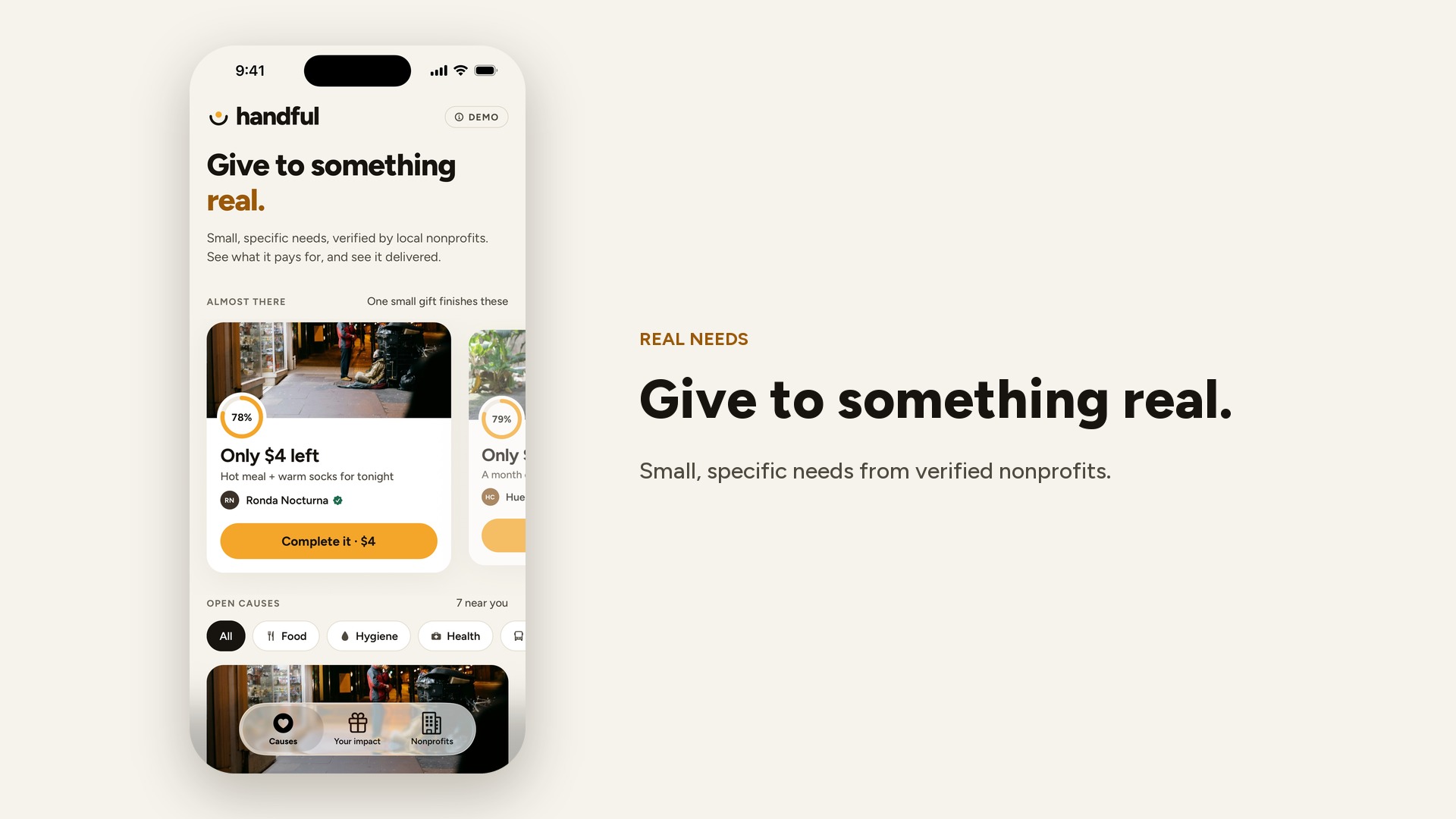
A lot of people who want to help stop giving because “you never know where it goes.” Meanwhile, small outreach teams — in Santiago, where I live, and everywhere else — know exactly what someone needs tonight: a meal, a coat, a pharmacy run. What they don’t have is a simple way to ask a few neighbors for $18 and show them it happened.
When organizations do try to show impact, it often goes wrong in the other direction: photos of people at their lowest, faces, recognizable places. I wanted transparency that points at the help, not at the person.
What it does
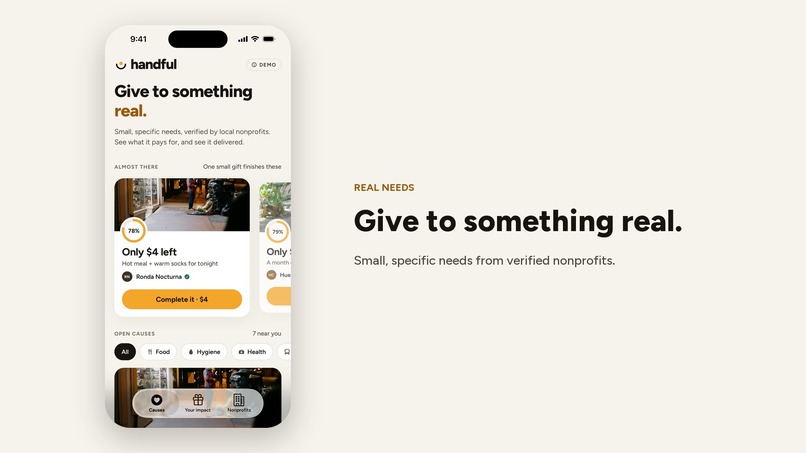
- Causes, not campaigns. A verified nonprofit posts a need as items with prices (“Hot meal $6, hygiene essentials $5, warm socks $4, water $3”), a short story and a general area. Only nonprofits can post — never anonymous individuals.
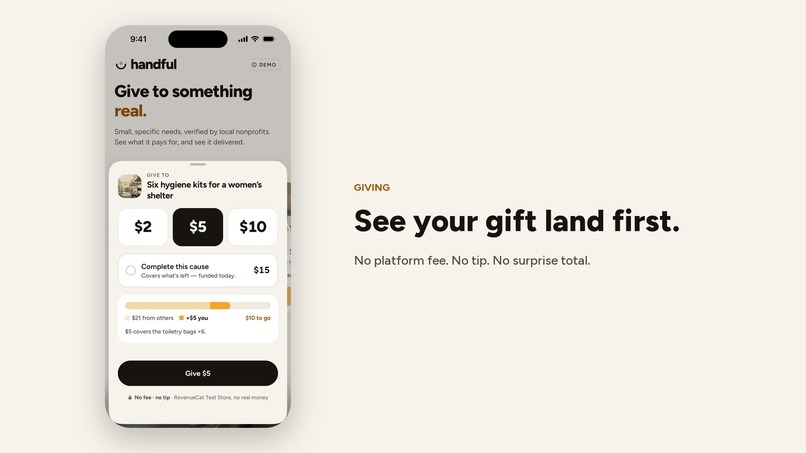
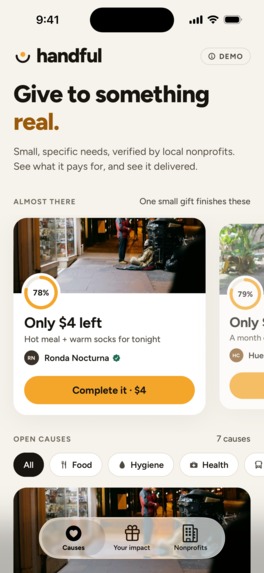
- Complete it. When a cause is close, Handful shows exactly what’s left and lets you finish it with one tap. “Only $4 left” is the whole interaction.
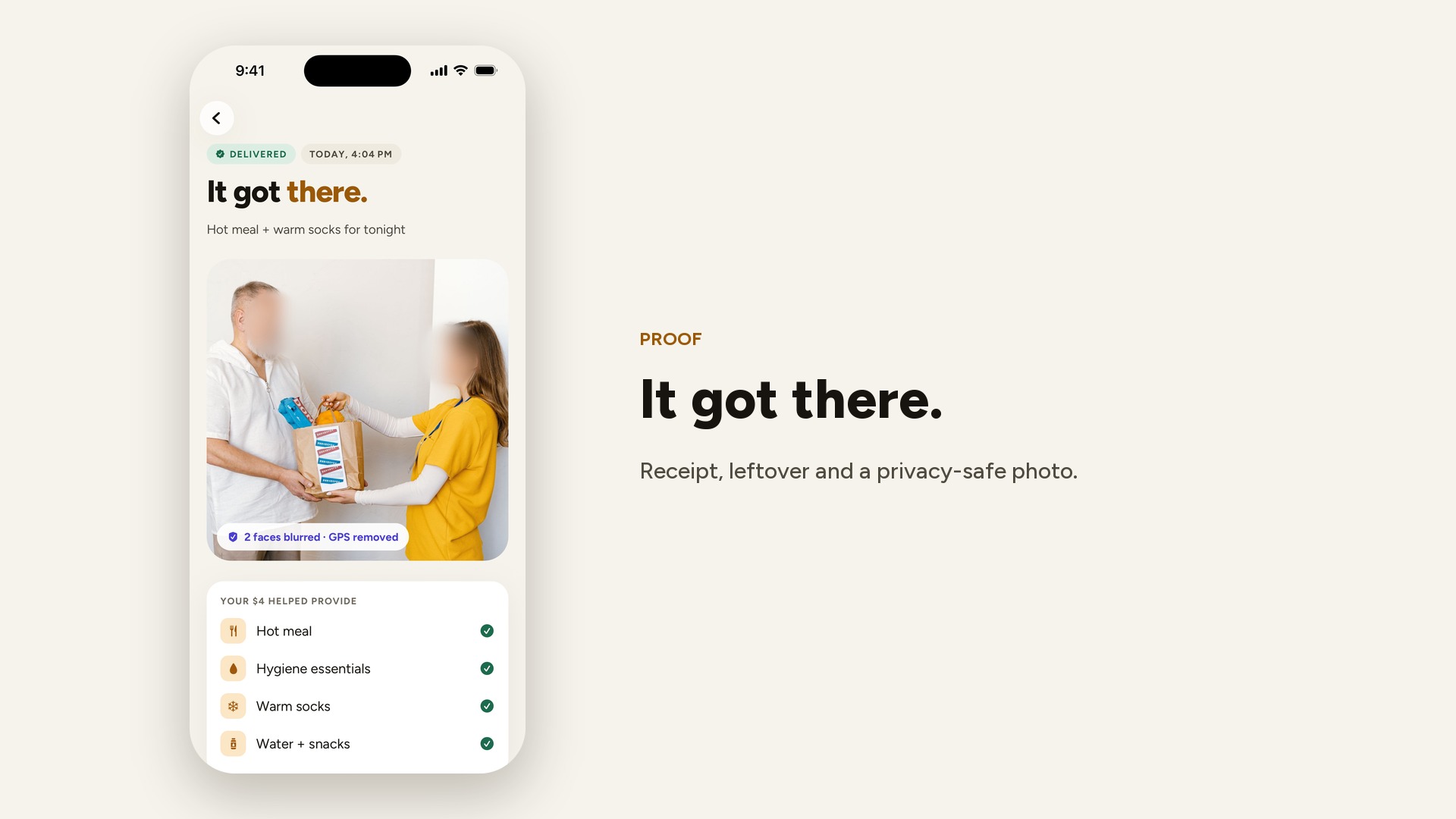
- Follow the money. Every cause has the same four-step timeline: verified & published → fully funded → items purchased (receipt, with any leftover moved to the next cause) → delivered with proof.
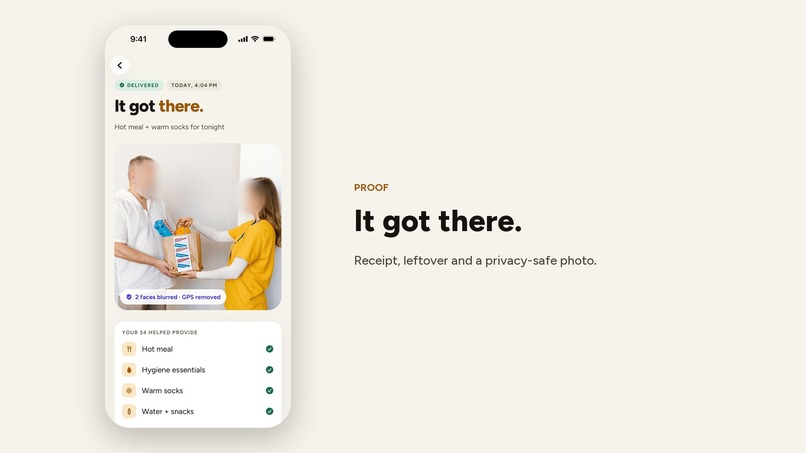
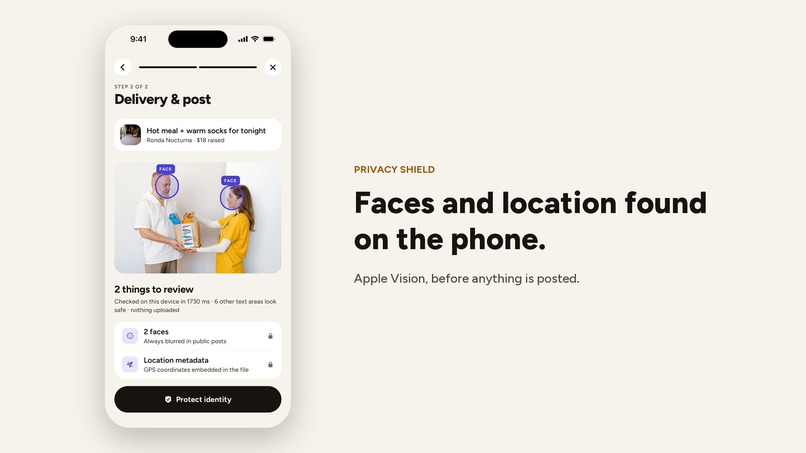
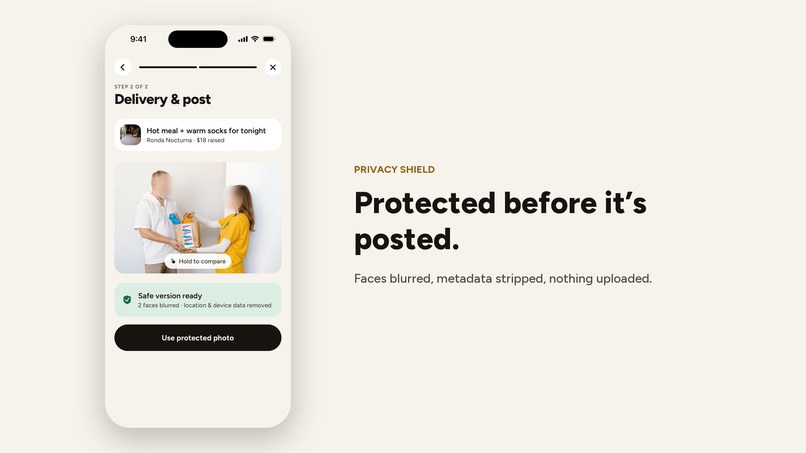
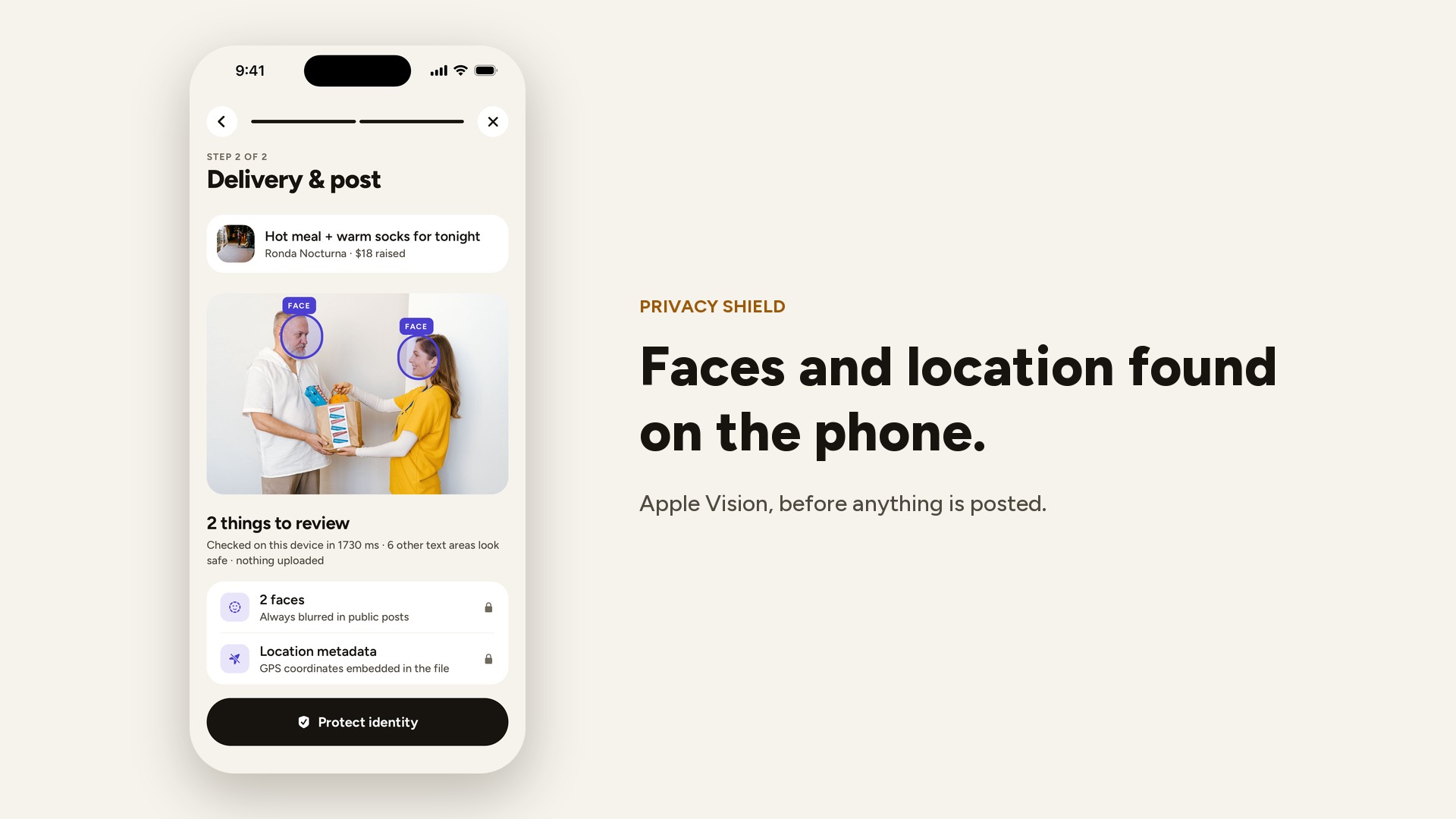
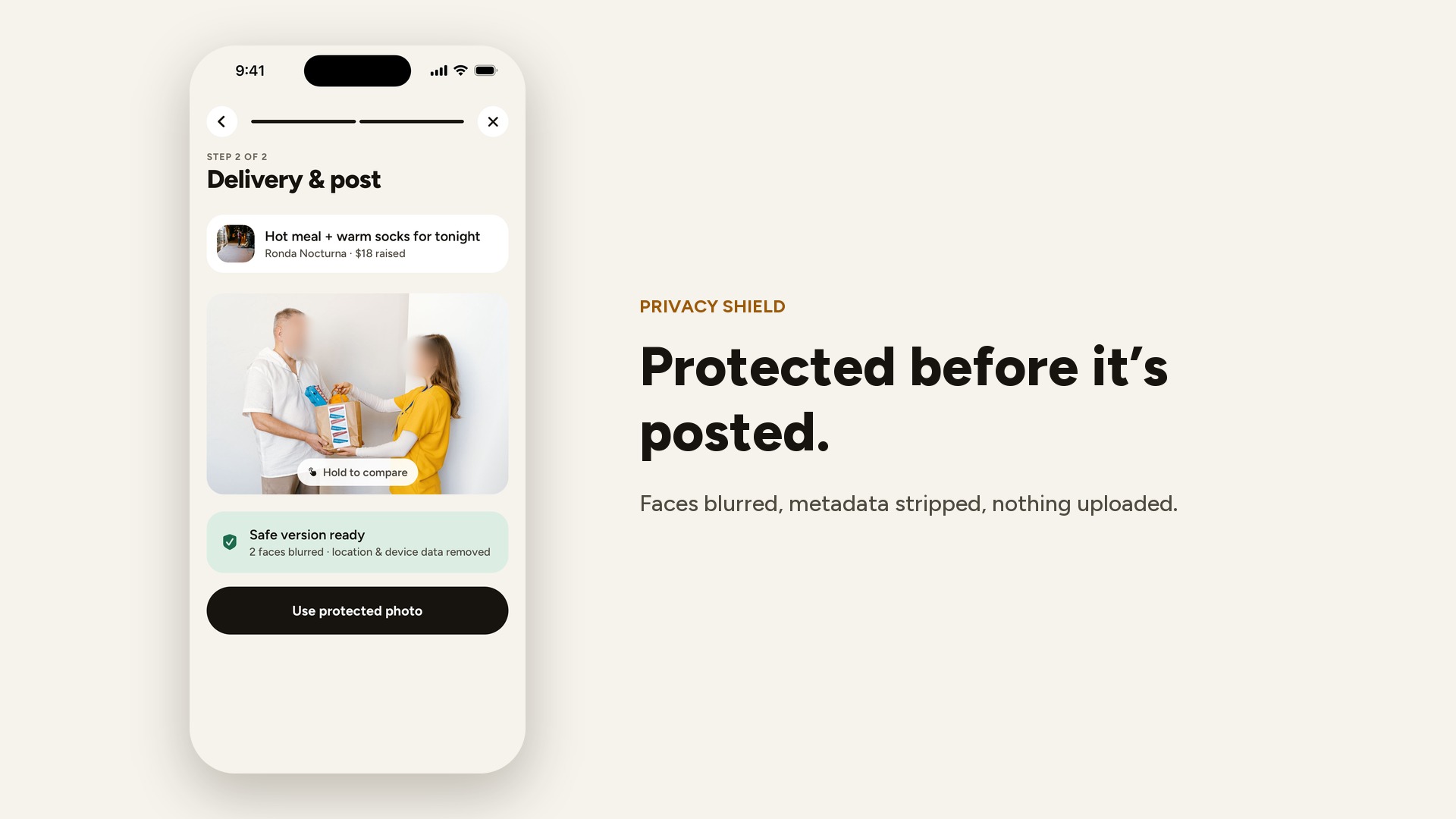
- Privacy Shield. When the nonprofit attaches a delivery photo, an on-device Swift module using Apple Vision finds faces, text (plates, ID numbers, addresses, phone numbers) and documents, and reads GPS metadata. It blurs what it found, lets staff compare with the original, and re-encodes a fresh JPEG without GPS, camera or capture metadata. Faces are always blurred in public posts — that isn’t a setting. The same idea applies to text: a story check blocks exact addresses, where someone sleeps, diagnoses, children’s ages and full names before a cause can be published.
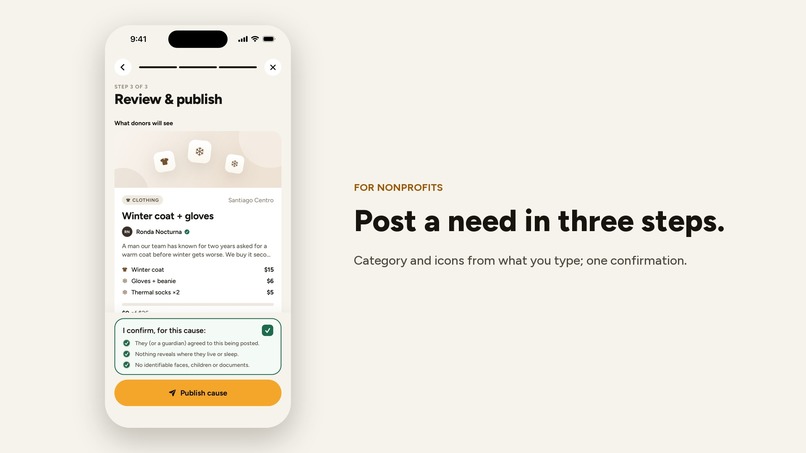
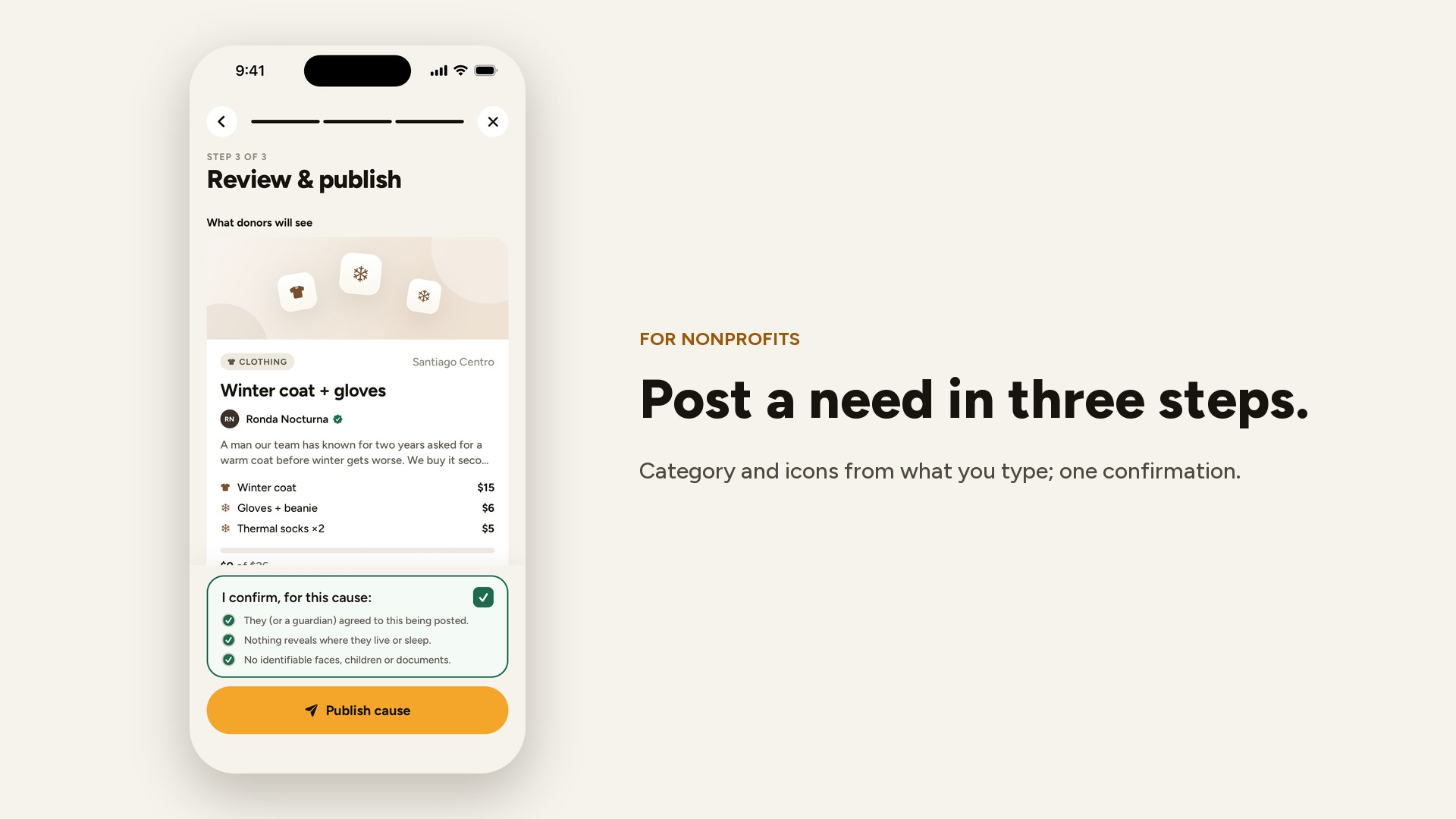
- Easy for nonprofits. Posting a cause takes three steps: the need and its budget (start from a common need in one tap, or type — category and item icons are guessed from the words), a short story with an optional photo, then a preview exactly as donors will see it and one confirmation of consent and privacy. Posting proof is two steps: receipt, then photo + note.
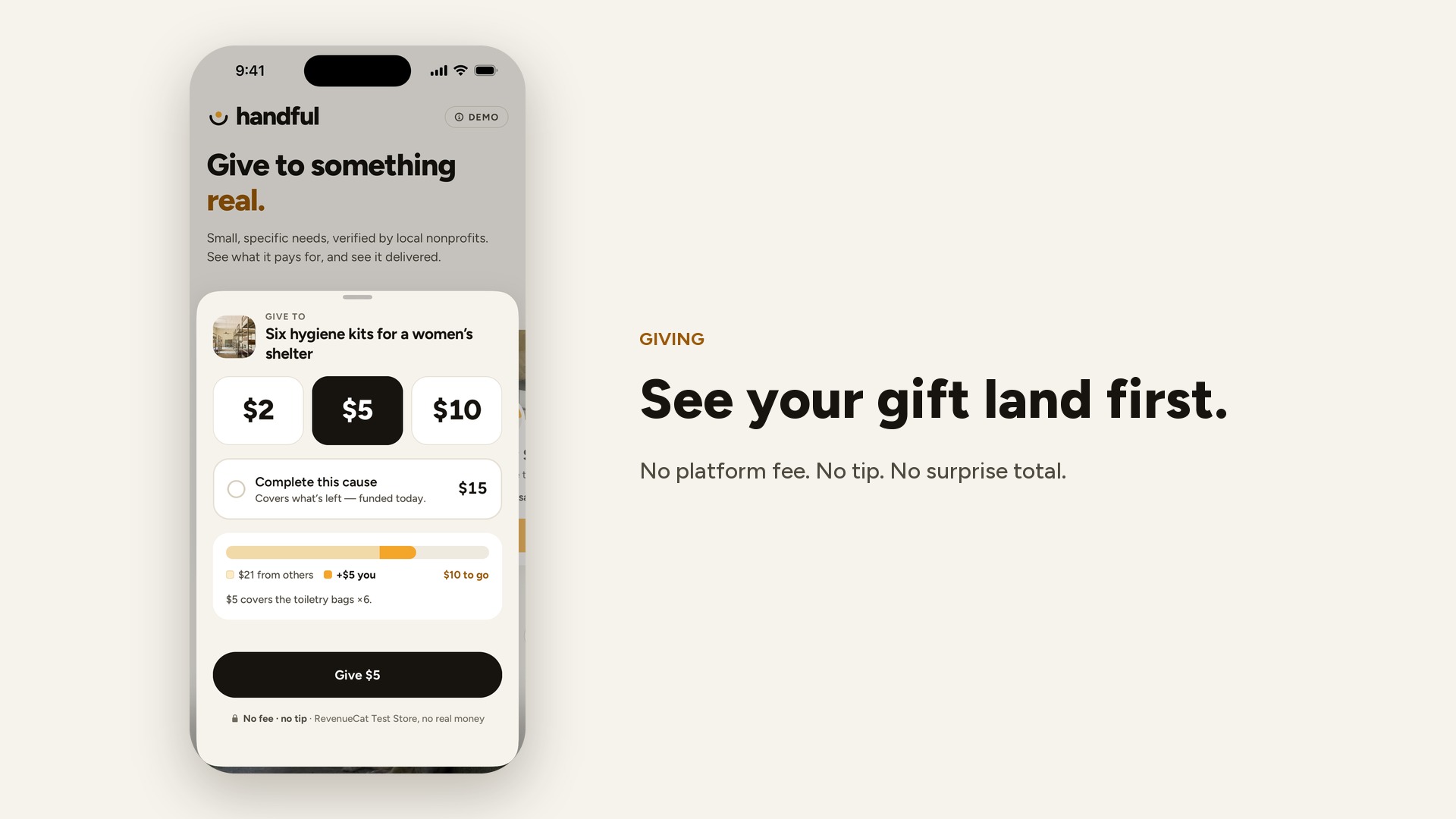
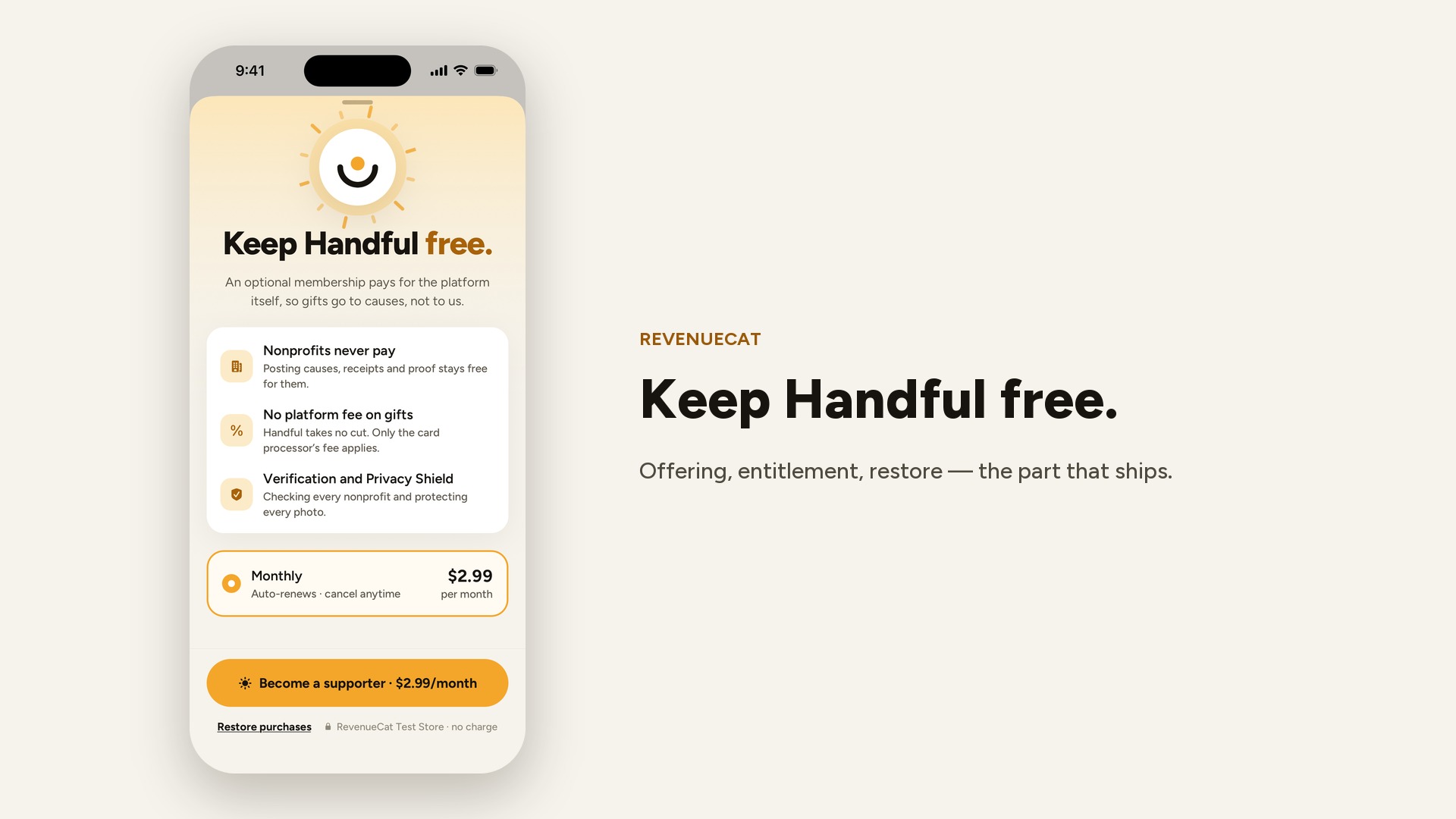
- Learned from the market, minus the parts that cost dignity. Like GoFundMe, a cause shows its progress next to the last few gifts (their tests: removing the activity feed cost 9% of conversions) — but donors are anonymous by default. Like GoFundMe, we ask for one share right after you give — the message names the need, never a person. Unlike GoFundMe, checkout ends with “Total $5 · No platform fee · no tip, ever”: the optional Supporter membership pays for the platform, charity: water–style.
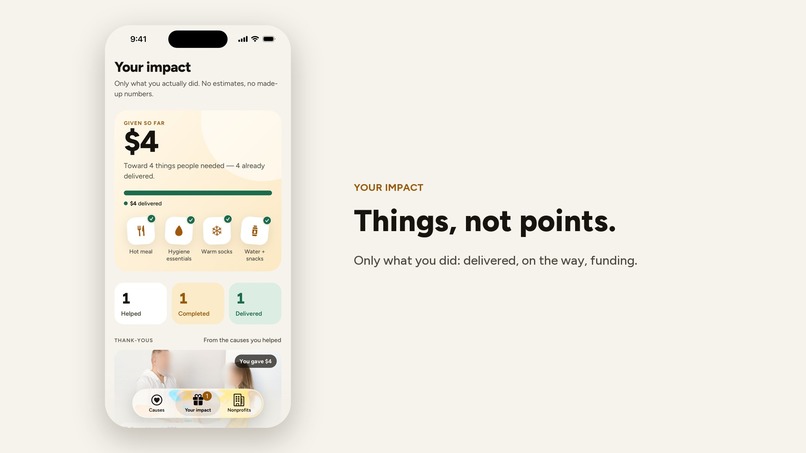
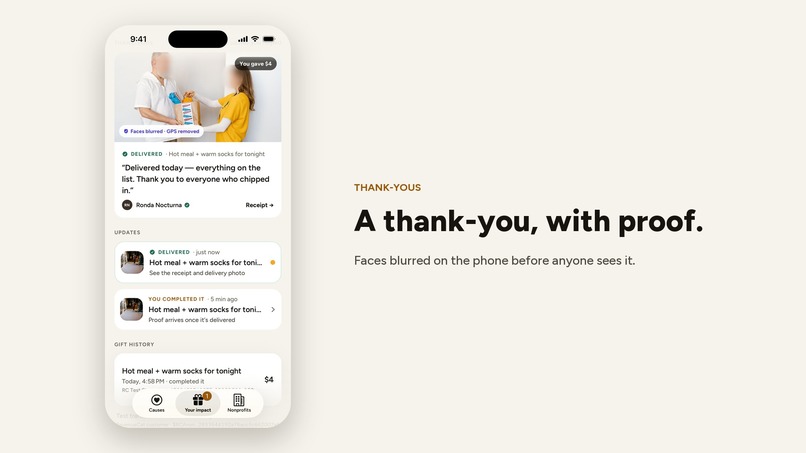
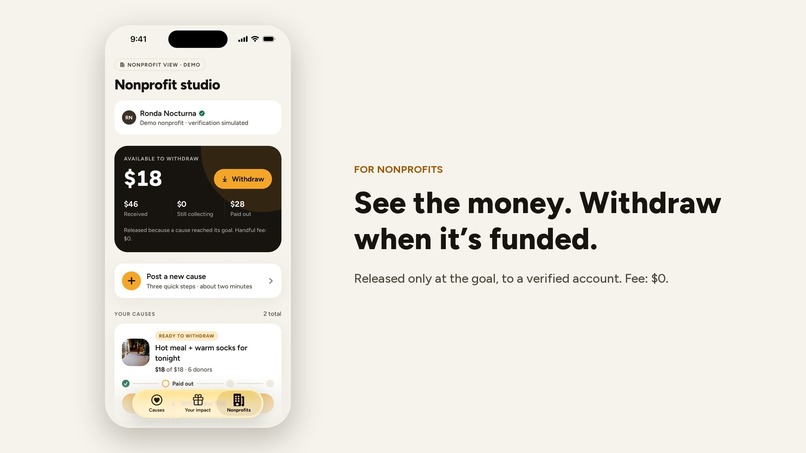
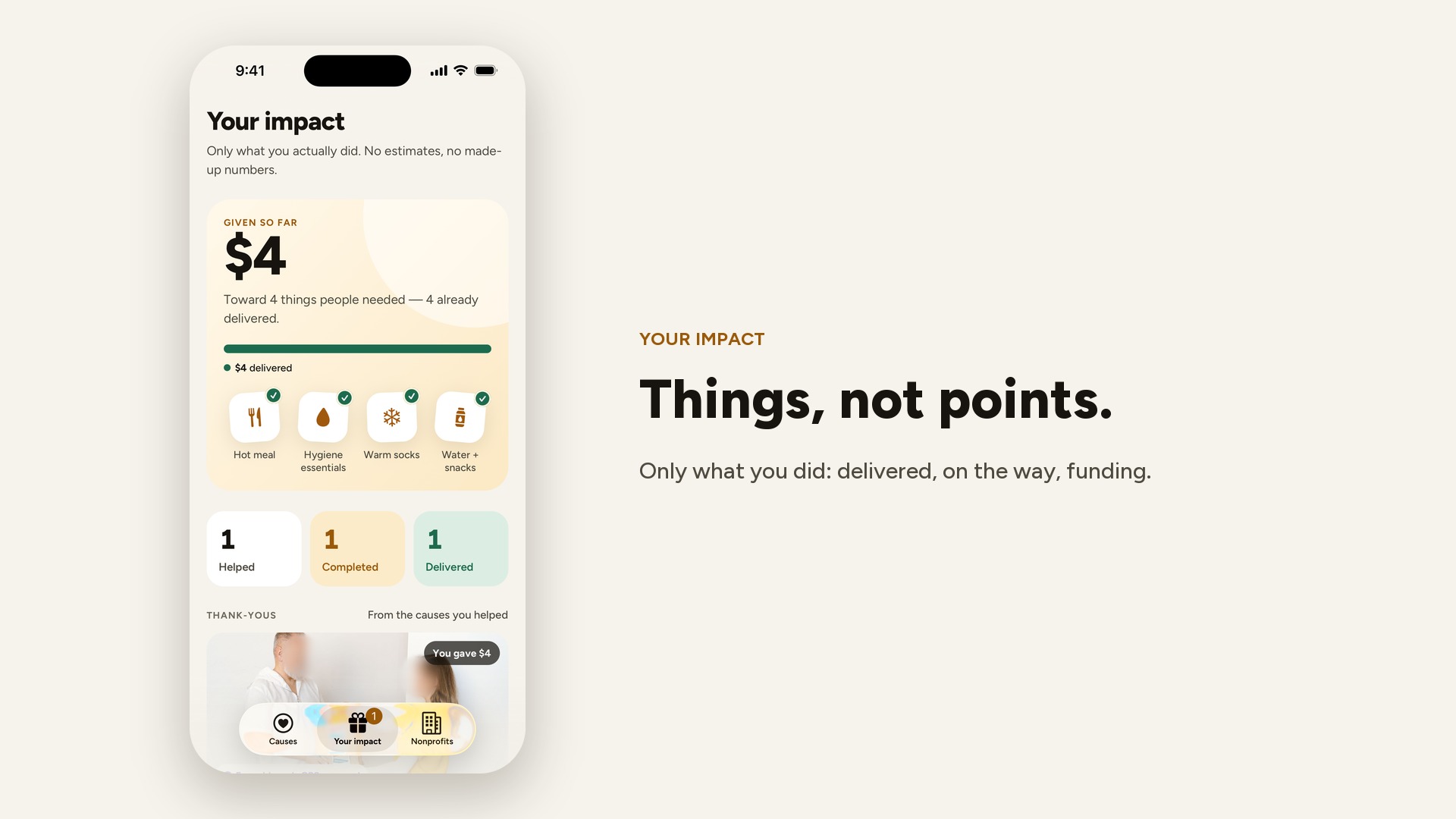
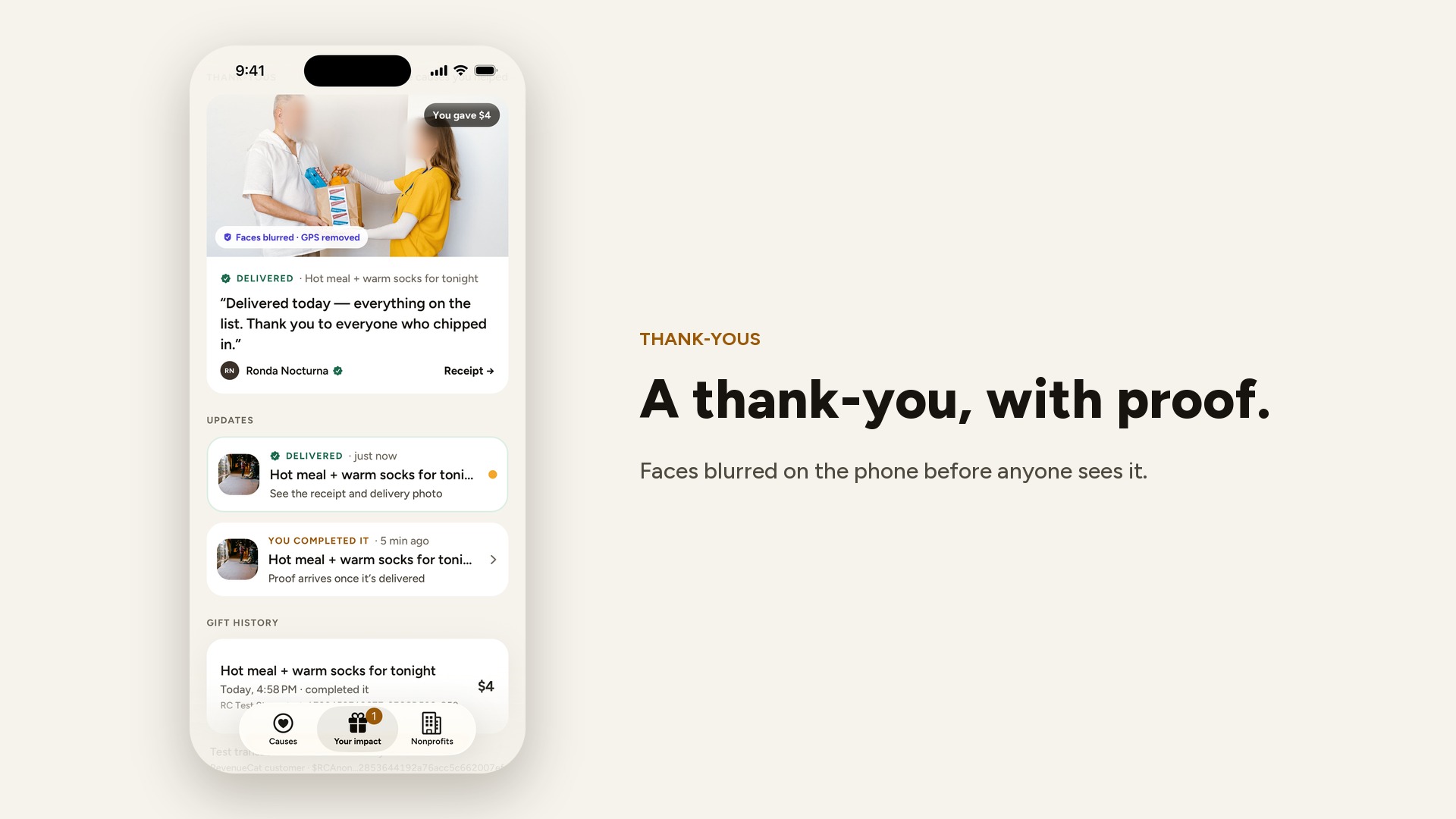
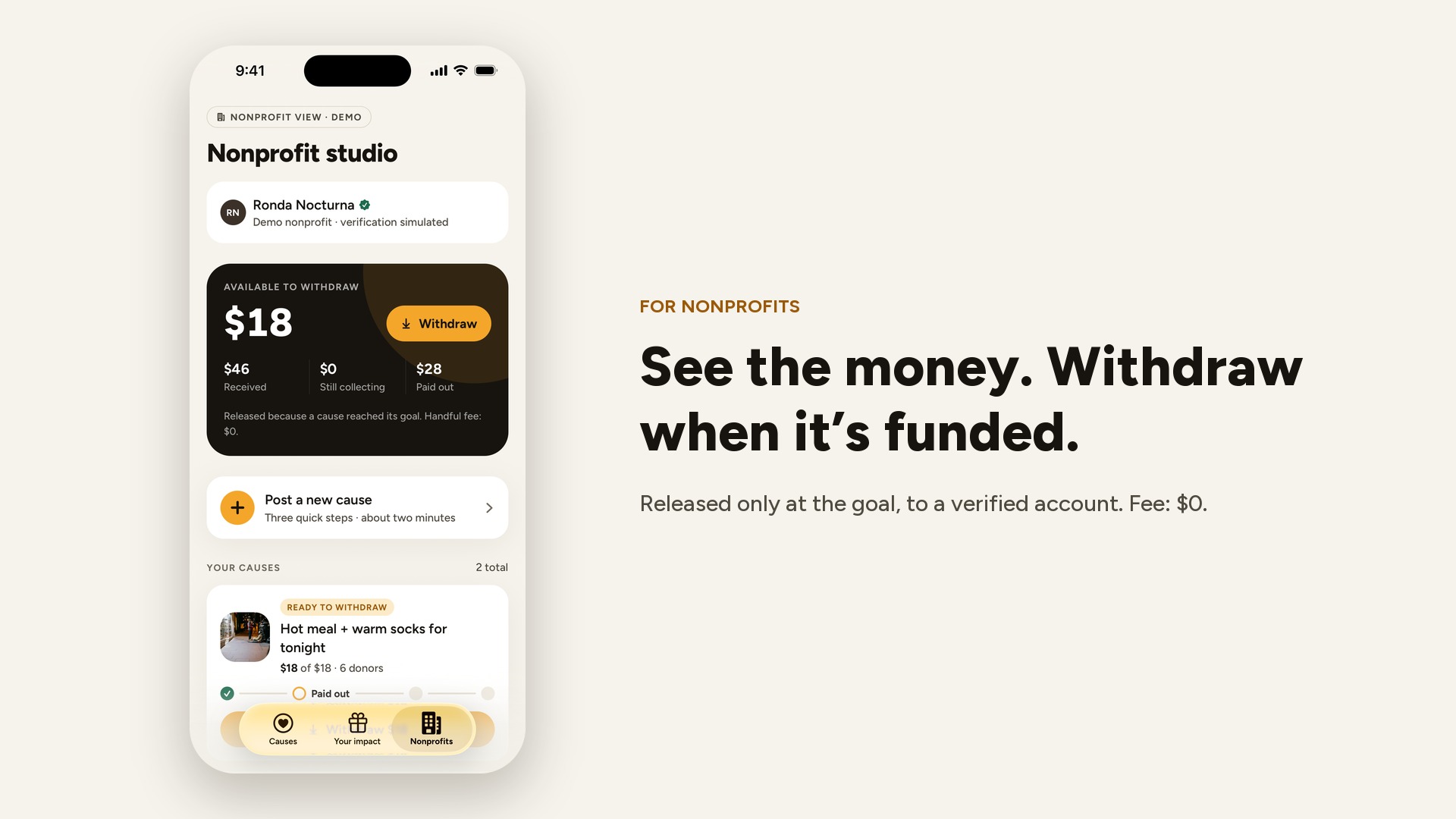
- Money the nonprofit can see — and a thank-you the donor can see. The nonprofit studio shows what each cause received, what’s still collecting, what’s ready to withdraw and what was paid out (Handful fee: $0). Money unlocks only when a cause reaches its goal, goes to the nonprofit’s verified account (simulated in the demo; Stripe Connect in production), and the receipt is due within 7 days. The nonprofit then posts a thank-you photo of the delivery — faces blurred by Privacy Shield — and it lands in each donor’s “Your impact”, next to a bar showing where every dollar they gave is now: delivered, on the way, or still funding.
- Proof for donors. When proof is posted, donors get a “Delivered ✓” update with the receipt and the protected photo.
- An honest impact screen. It starts at zero and only counts what you actually did.
How we built it
- App: Expo SDK 57 dev build, React Native 0.86 (New Architecture), Expo Router with native tabs, TypeScript, Reanimated 4 for motion, react-native-svg for the progress rings, SF Symbols, expo-haptics, Zustand + AsyncStorage for local state. No backend and no login — scope discipline.
- RevenueCat:
react-native-purchases10 with RevenueCat’s Test Store.- Every gift is a consumable (
handful_gift_1…handful_gift_20, whole-dollar tiers so “Complete it” always matches the exact remainder), bought withgetProducts+purchaseStoreProduct. The transaction ID is stored with the gift and shown in the donor’s history. - Handful Supporter is an auto-renewing subscription with an offering (
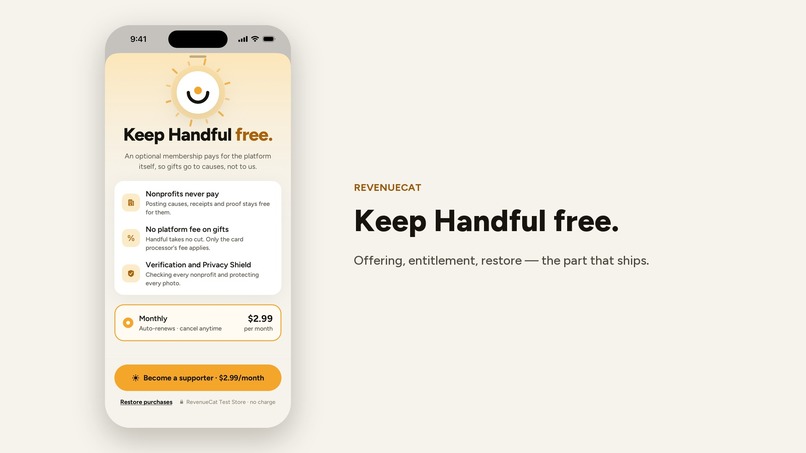
supporter), a$rc_monthlypackage and asupporterentitlement read fromCustomerInfo, with a live update listener. The paywall takes its price from the offering’s package and has Restore purchases (restorePurchases).
- Every gift is a consumable (
- Privacy Shield: a local Expo module in Swift:
VNDetectFaceRectanglesRequest,VNRecognizeTextRequest,VNDetectDocumentSegmentationRequest, ImageIO for metadata, Core Image (pixellate + Gaussian blur through a feathered mask) for redaction. Text classification (plates incl. Chilean formats, RUT and other ID numbers, addresses, phones, emails) happens in TypeScript. - Design: paper, ink and one warm accent. One type family (Figtree) for words and numbers, with a single warm accent word in headlines. Cover photos show the situation — a night street, a bus stop, a shelter, a street dog — with people only from behind or far away, never an identifiable face of someone being helped; they’re labelled “Illustrative photo” (Unsplash, credited in the README). A cause without a photo gets an illustration built from its budget. Color carries meaning everywhere: sun is action and progress, green is trust and delivery, violet is privacy.
- Motion with a job: every animation explains something. The gift meter shows your share landing before you pay; covers’ items float gently; the cause cover stretches and parallaxes; the step that’s happening now pulses; a small burst of warm sparks marks a completed cause; “Your impact” is a shelf of the actual things you funded, each marked delivered, on the way or funding. Onboarding pages move in layers. Everything respects Reduce Motion.
Challenges we ran into
- Donations and in-app purchase don’t mix — on purpose. App Store Guideline 3.2.2(iv) doesn’t allow collecting charitable donations through IAP; only Apple-approved nonprofits can fundraise, with Apple Pay (3.2.1(vi)). I didn’t want to hand-wave that. So I split the roles: in this prototype, gifts run through RevenueCat’s Test Store (real SDK, zero real money, labeled everywhere); in production, gifts go through Apple Pay / Stripe to approved nonprofits, and RevenueCat powers the Supporter membership that keeps the platform fee-free — which the guidelines explicitly allow.
- Vision in the Simulator. Some Vision requests can’t use the Neural Engine in the Simulator, so the module falls back to CPU compute devices there.
- Making redaction actually irreversible. A light blur can be partially undone. Handful pixellates first, then blurs heavily through a feathered mask, and re-encodes from scratch so no GPS, camera or capture metadata survives.
- Copy. Writing about need without pity or guilt took more rewrites than any screen. I ended up describing needs in terms of what the person asked for and what will be bought.
Accomplishments that we’re proud of
- A privacy feature that runs fully on the device and changes what gets published, not just a policy page.
- “Complete it”: finishing a cause is one decision, one tap and a ring that closes.
- Being precise about what’s real (the SDK, the transactions, the on-device ML) and what’s simulated (the nonprofits, the causes, the money) — in the app, not just in the README.
What we learned
- Transparency and dignity pull in opposite directions unless you design for both from the start; the timeline and Privacy Shield were designed together.
- RevenueCat’s Test Store makes it possible to build and demo a complete purchase flow without App Store Connect — but the payment rail has to match what’s being bought.
- Small, whole numbers are a product decision: fixed gift tiers made the “exact remainder” interaction possible.
What’s next for Handful
- Pilot with two or three outreach nonprofits in Santiago (manual onboarding, real verification visit).
- Apple Pay / Stripe Connect payouts to Apple-approved nonprofits; tax receipts where required.
- Receipt photos with automated checks; payouts held until proof is posted.
- A server-side second pass of Privacy Shield plus human review for flagged posts.
- Android, with ML Kit for the on-device checks.
Next Gen — why this project
- Clear, useful idea: small, specific, verified needs with proof — solving the “where does my money go?” problem for donors and the “how do we ask for $18?” problem for small nonprofits.
- Working app: a real iOS build with the full loop — browse, complete a cause, Test Store purchase, impact, nonprofit posting, Privacy Shield, proof, donor update.
- Thoughtful RevenueCat use: consumables for the prototype’s gift flow, and a subscription + entitlement + offering for the part RevenueCat should power in production, with the reasoning written down.
- Care in the build: native Swift module, design system, motion and haptics, accessibility labels, 50 unit tests on the privacy rules, the money flow and the gift/proof state machine (one caught a real bug in address detection), strict TypeScript, ESLint with React Compiler rules, CI, honest demo labeling, and a README that says what isn’t built yet.
Privacy approach
- Money goes to verified nonprofits, never to individuals.
- No full names, exact locations, diagnoses or identifiable children — enforced by the story check.
- Photos pass through Privacy Shield on the device; faces are always blurred, location and device metadata always stripped; only the protected version is ever attached.
- This prototype does not claim a complete legal framework. Production needs written consent flows, a strict policy for minors, data-retention rules and local legal review.
Demo & production disclaimer
All nonprofits, causes, donor counts and amounts in the app are fictional demo data. Gifts are RevenueCat Test Store purchases: no real money moves and nothing is delivered. Verification, consent and receipts are simulated and labeled as such in the app.
Built With
- apple-vision
- core-image
- expo.io
- ios
- react-native
- reanimated
- revenuecat
- swift
- typescript
- zustand


Log in or sign up for Devpost to join the conversation.