-
-
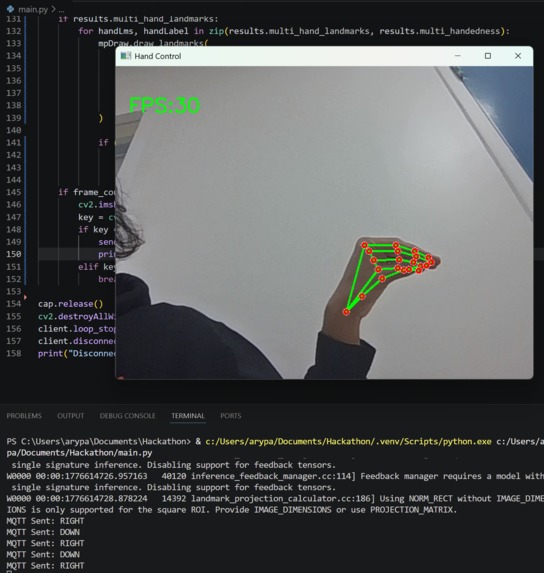
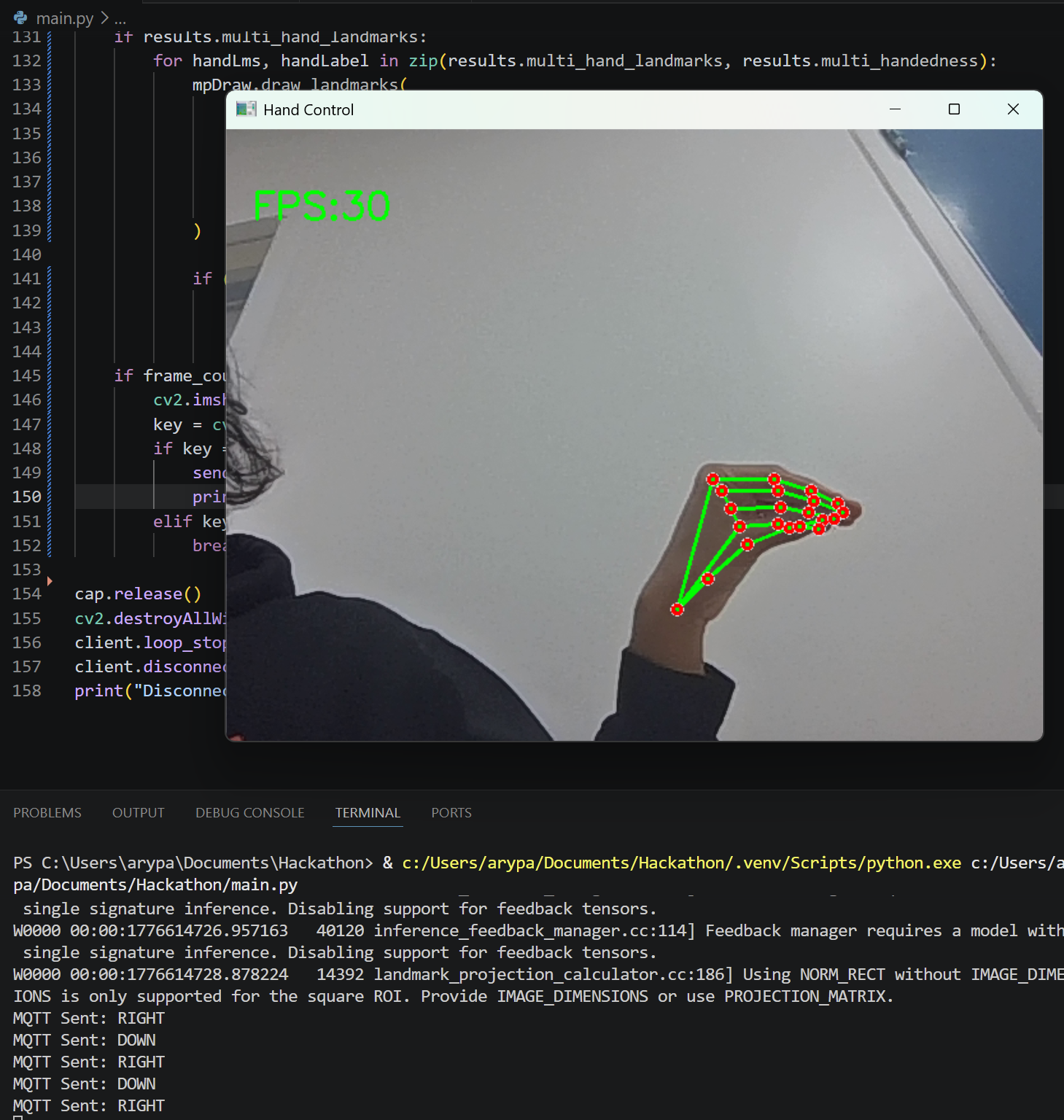
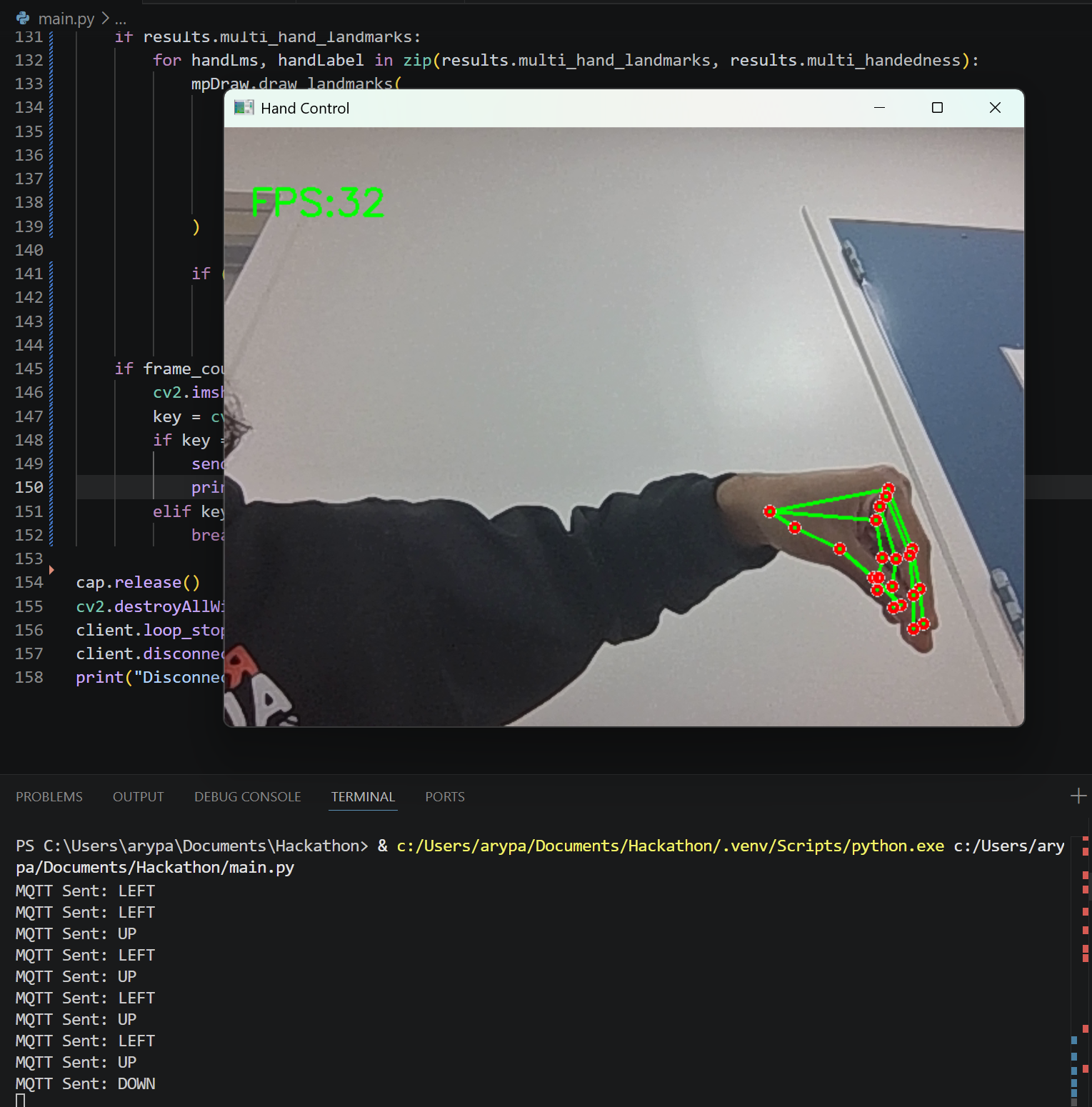
Right movement. Only triggers if hand is closed like this.
-
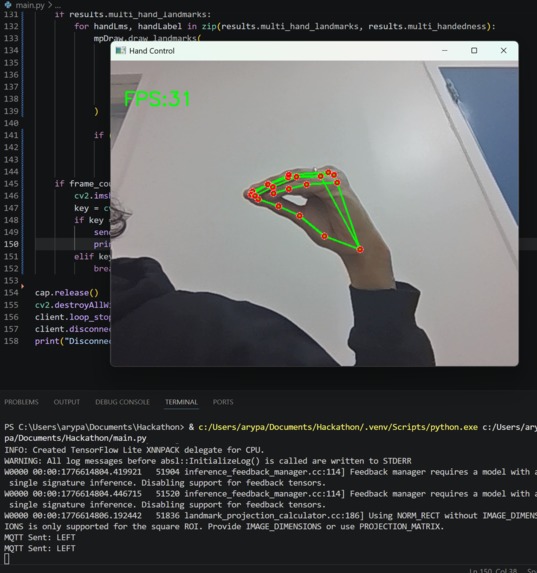
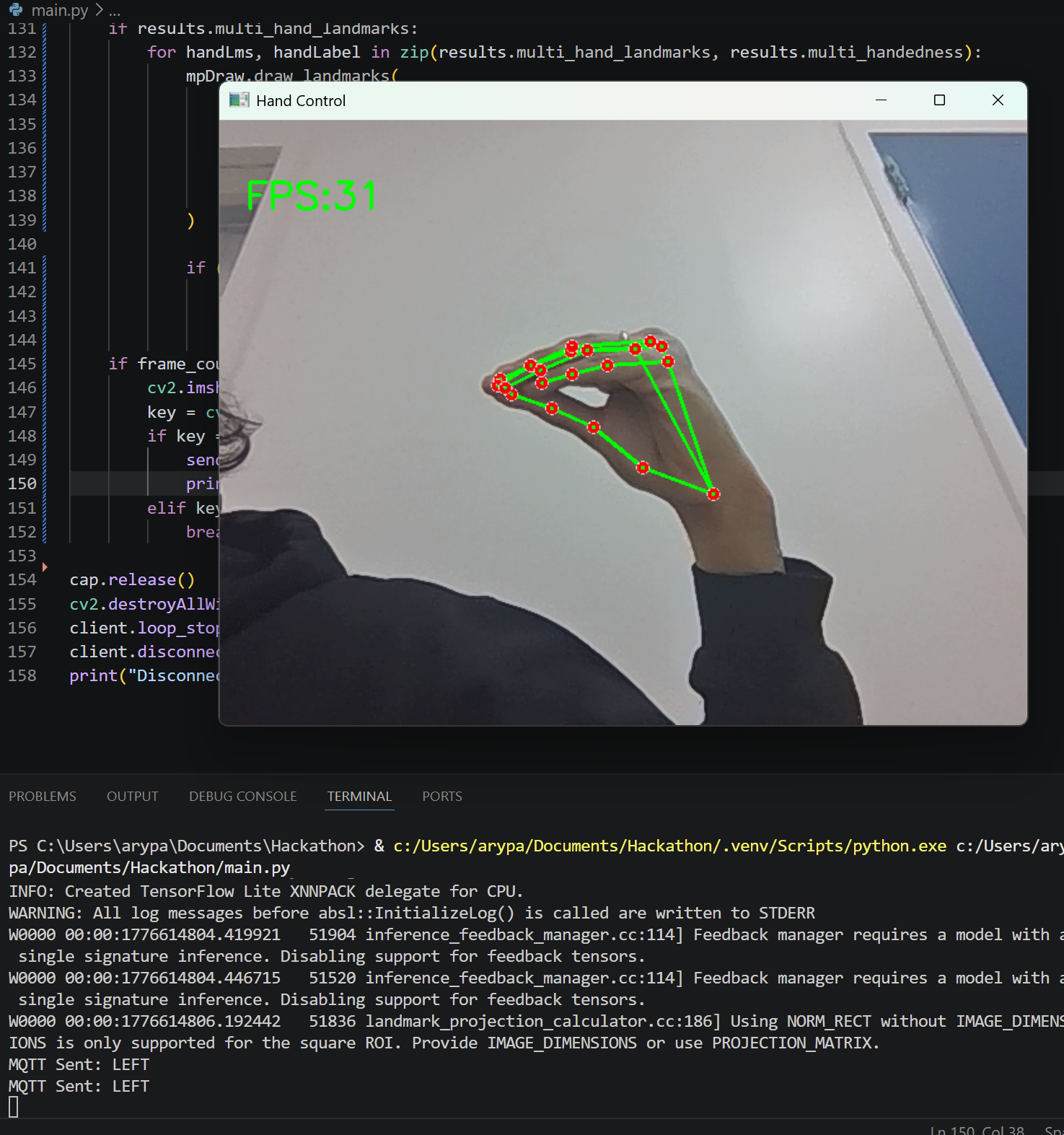
Left movement. Only tiggers if hand is closed like this.
-
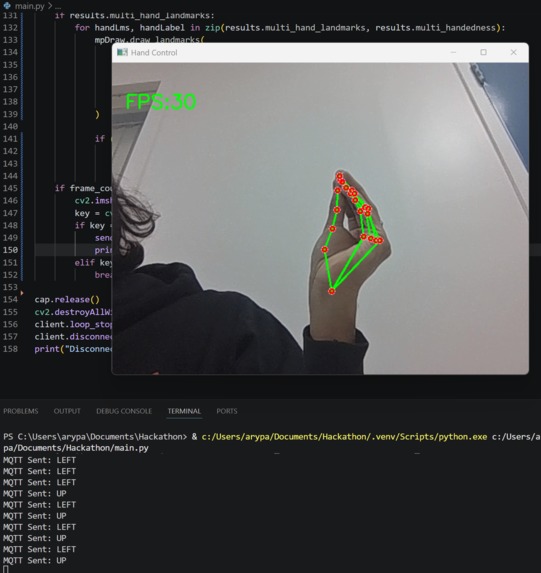
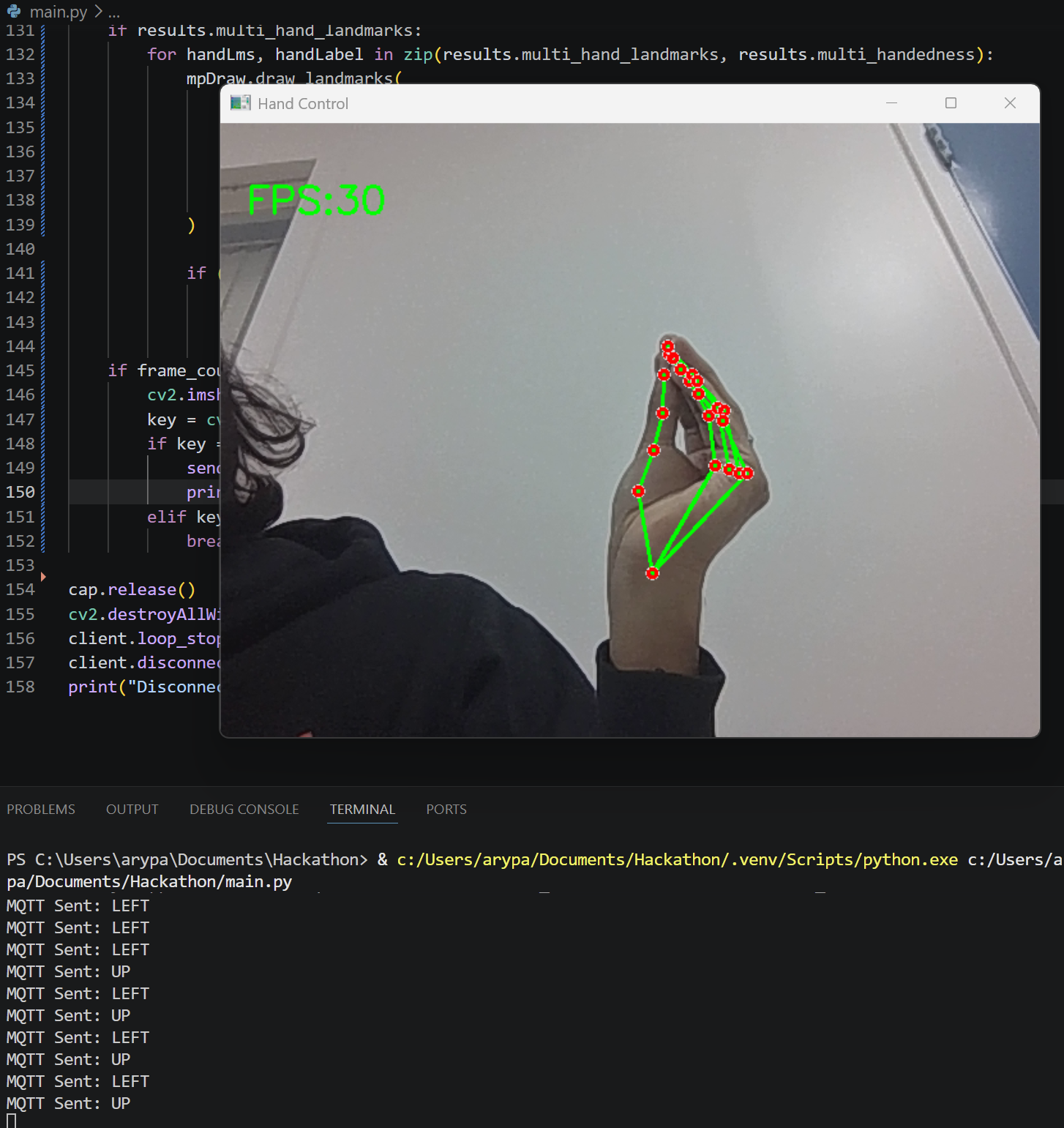
Up movement. Only triggers if hand is closed like this.
-
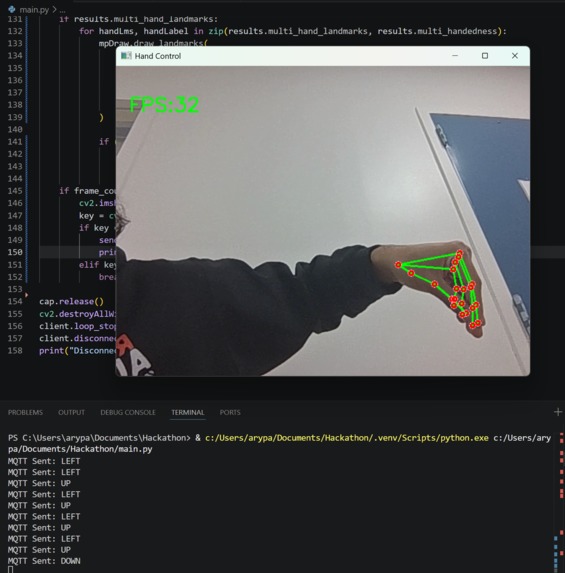
Down movement. Only triggers if hand is closed like this.
-
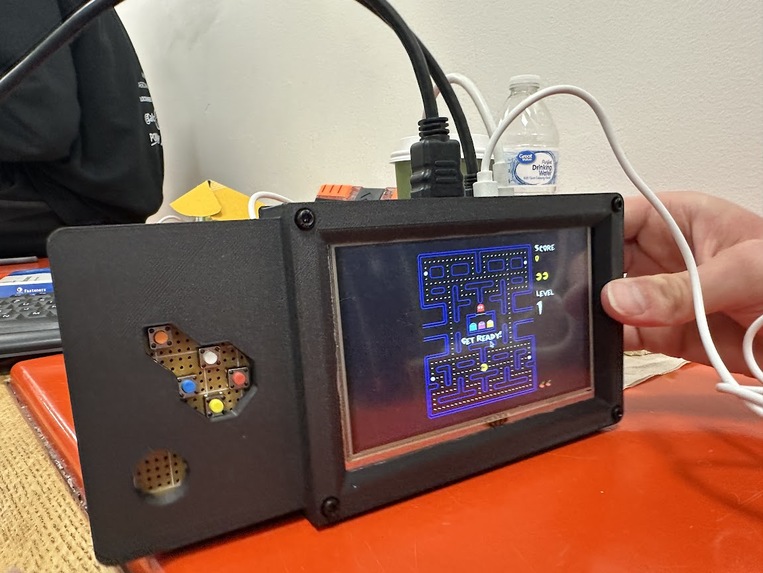
Console Prototype
Inspiration
Ever since I was a kid, I have always wanted to be Pac-Man. Not just to be a big yellow circle like him, but to actually chomp on power pellets and slay ghouls. As I grew up, I learned that engineering is the next best thing. By using the power of code, I can become Pac-man with my Pac-hands. Using computer vision, my hands can become a digital signal. This can turn me into Pac-Man, like I have always wanted. With my brilliant team of top minds, I can finally achieve my lifelong goals.
What it does
Pac-Man is a game where the user can control a sphere to avoid ghosts and collect power pellets to win. This version of the game isn't controlled by a joystick, but with the player's hand. By making a chomping motion in a certain direction, a computer vision model directs Pac-Man in the desired direction. This makes the game more interactive, and allows users to test their physical skills to try and beat their friends.
How we built it
We began by setting up a computer vision model to detect the hand and finger placements of one hand. Using that, we mapped the results as arrow key directions on a Raspberry Pi. The process from CV to serial communication was completed in Python. For this project, we chose to play Pac-Man online using C++. The computer vision model allows users to choose: they can chomp like Pac-Man or point. The chomping motion is harder and requires specific motor skills but can be fun as a challenge. For those that lack fine motor skills or have accessibility issues, both a D-pad and point controls exist. That way, the game can still be accessible to all in the same interface.
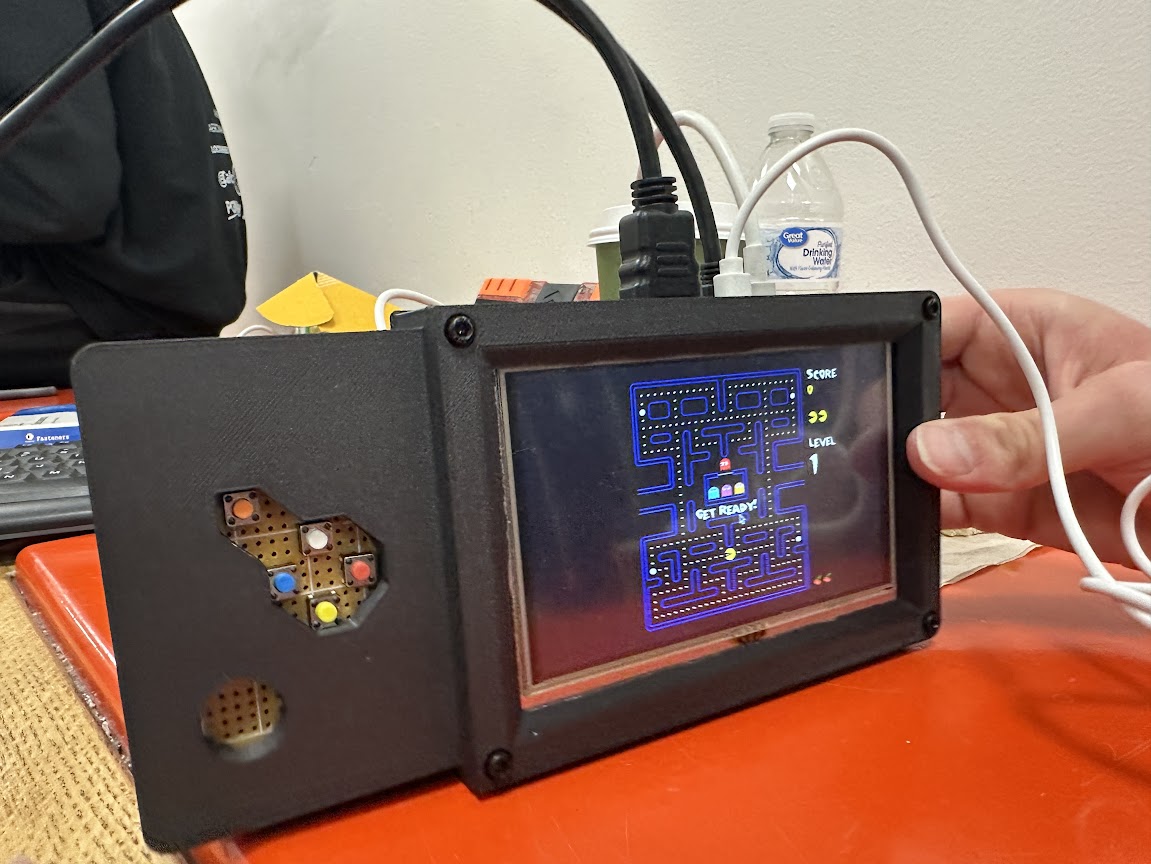
This system exists in an exciting packaging. Although the Raspberry Pi 4 cannot run computer vision alone, an AI-hat and camera would allow the game to be an independent system. To allow this without that hardware, a laptop camera ran the CV model instead. This can still be connected via Bluetooth, so the system can move if the player is in view of the laptop's camera. This packaging can be completely independent, and a select button exists along with the D-pad. A 3D printed casing holds everything together securely and allows the device to be handheld. It can be held in one hand so the other is free to make the hand motions. This makes it great for children to have fun, or for some people with mobility issues to play certain games they previously couldn't.
Challenges we ran into
No team members had prior experience using a Pi in Python, which made learning a very dedicated process. We were also very limited by our printing process, which made it more difficult to assemble the electronics in a short amount of time.
Accomplishments that we're proud of
We all learned programming principles on a Raspberry Pi without prior experience. We had a chance to collaborate using computer vision and connecting the two mentioned systems.
What we learned
We learned how to set up and use the Raspberry Pi interface. We learned how different games are controlled in Python and C++, and advantages to each of them.
What's next for Hand Chomper
This method of control can be extended to other games, both built-in Pi games and others. This would make some games more fun, challenging, or more accessible to certain groups.

Log in or sign up for Devpost to join the conversation.