-
-
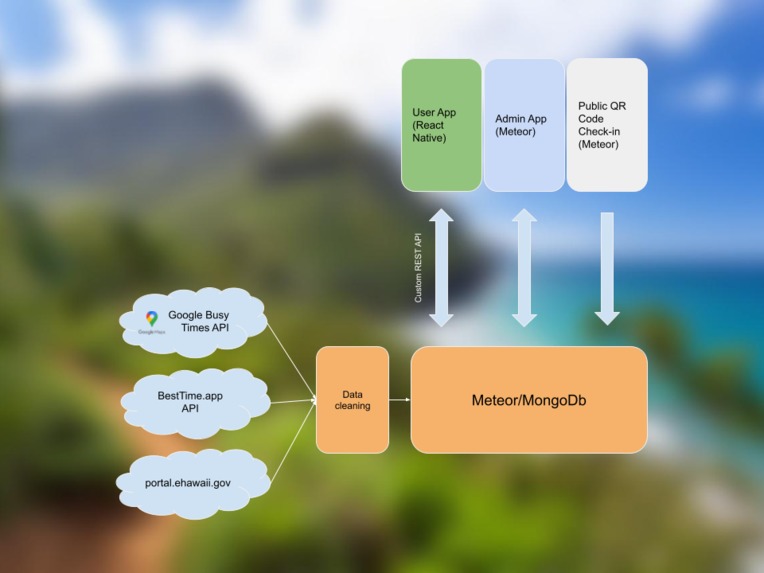
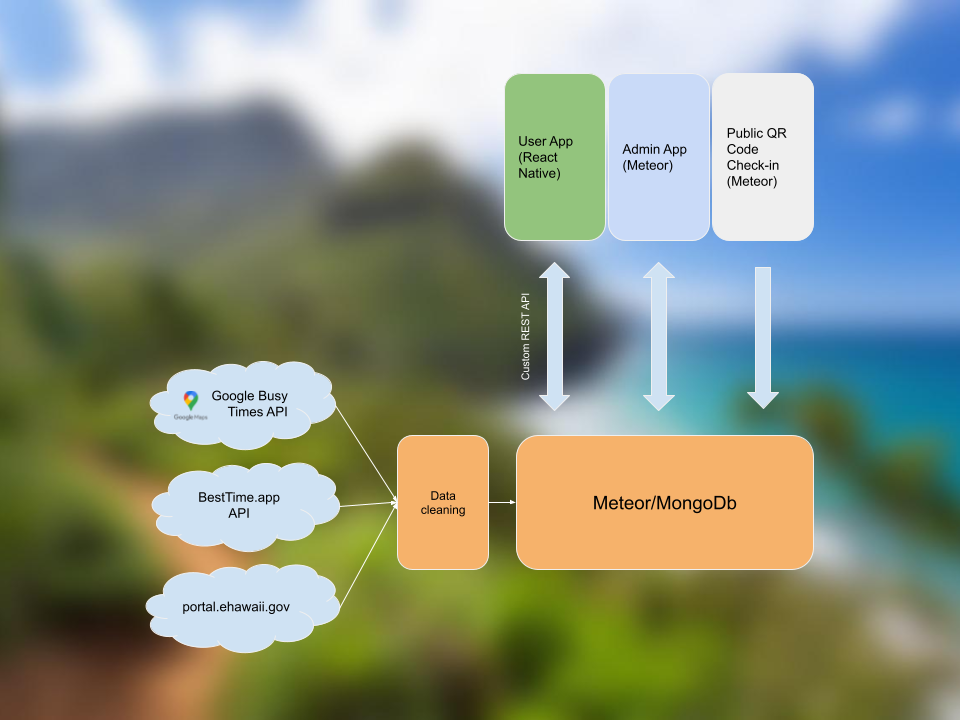
App architecture
-
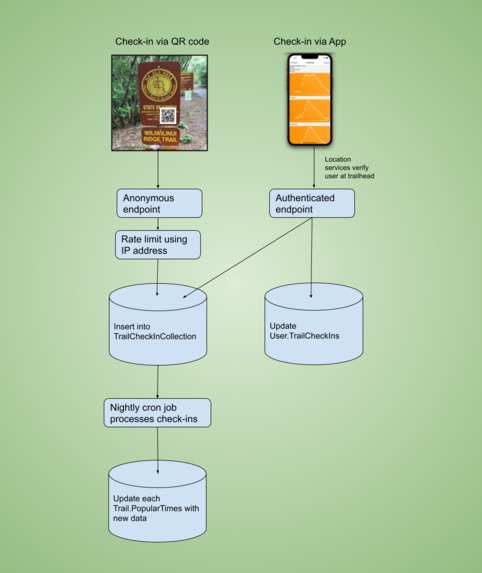
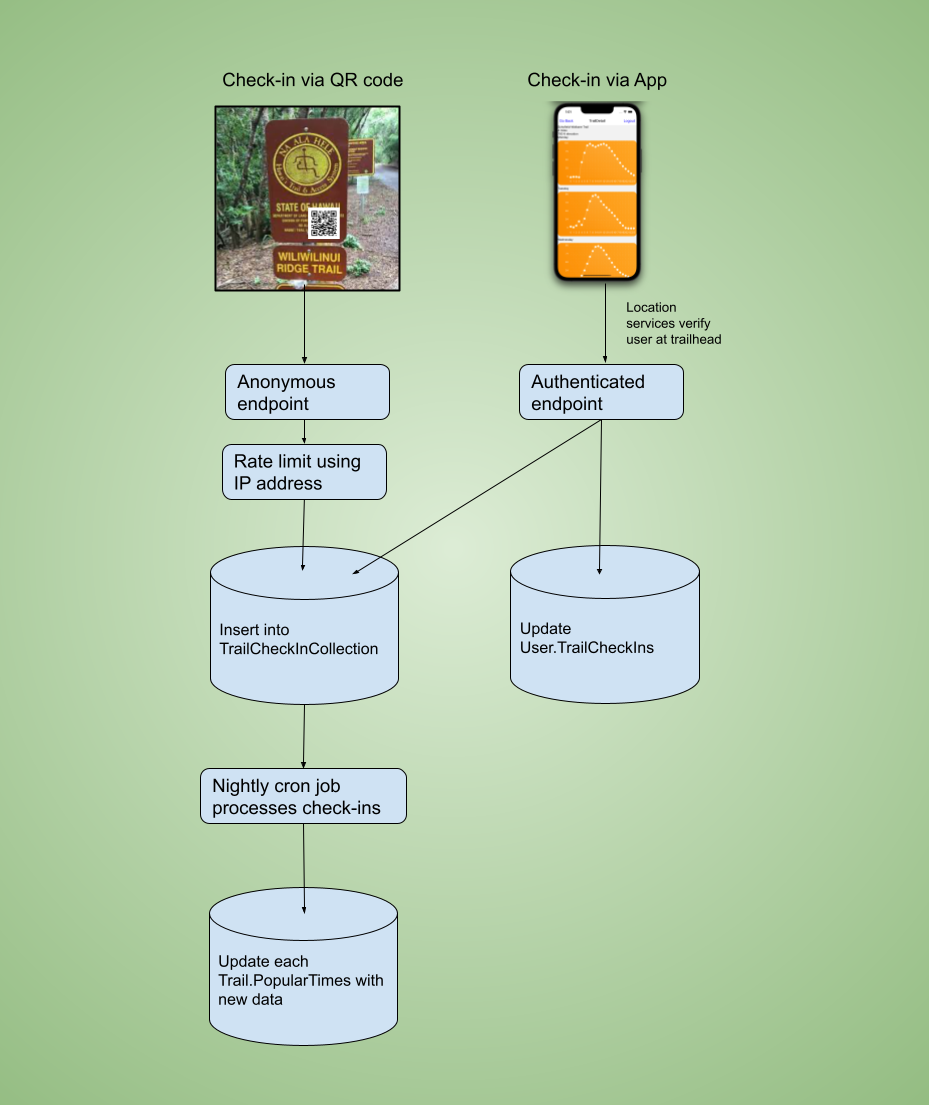
Check-in flow for tracking hikers
-
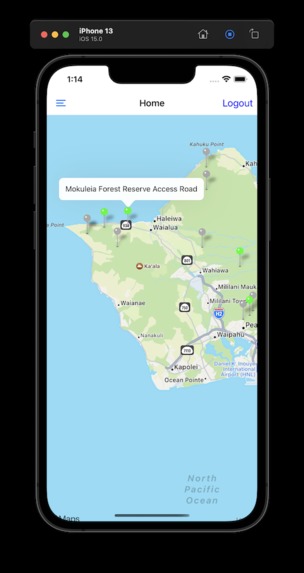
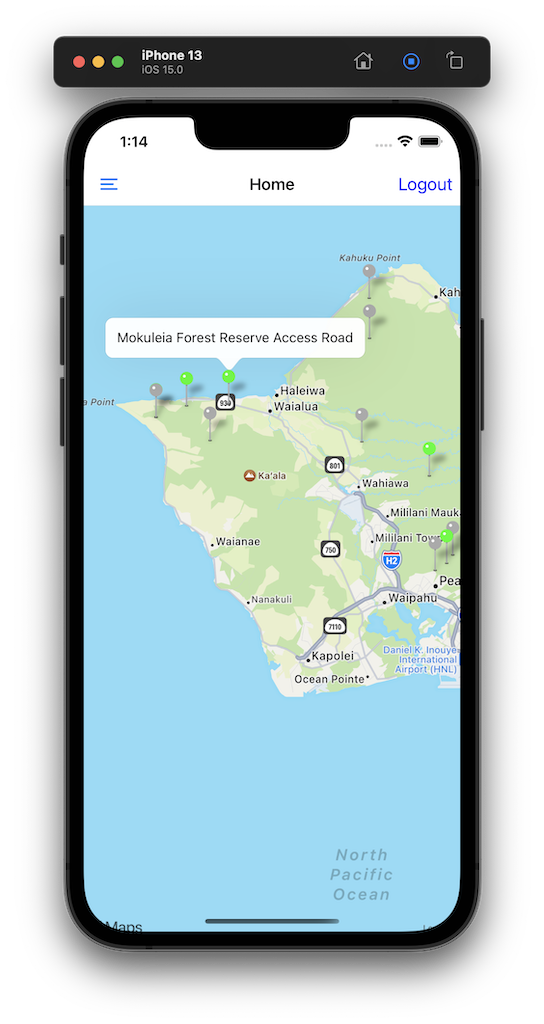
Maps view with color indicating current busyness level
-
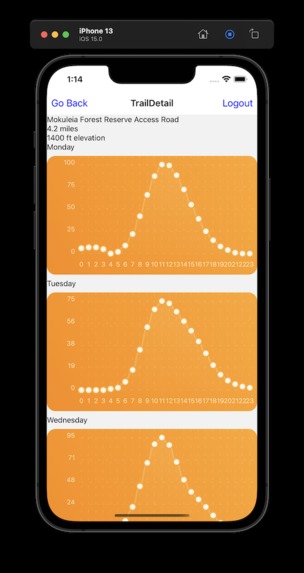
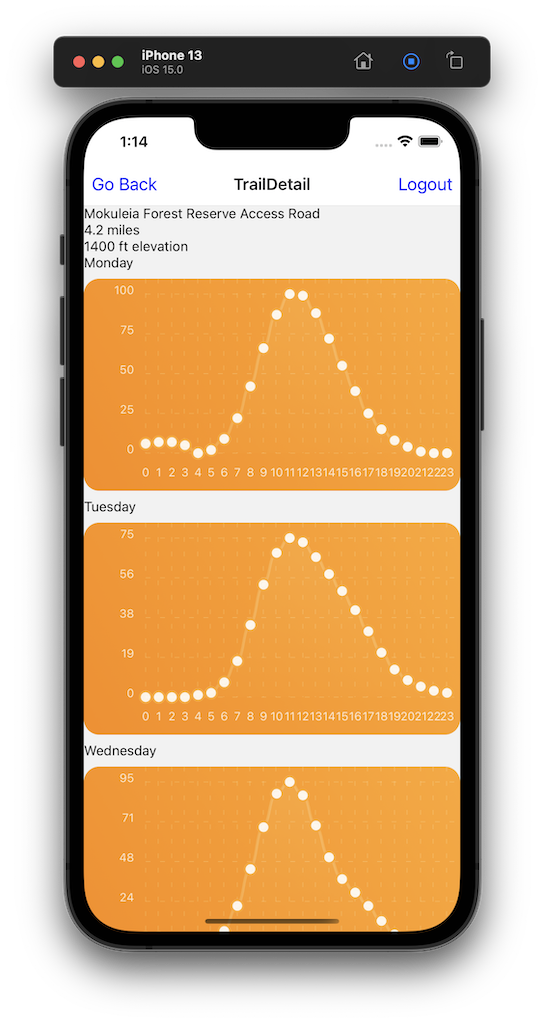
Predicted busyness level based on Google data
-
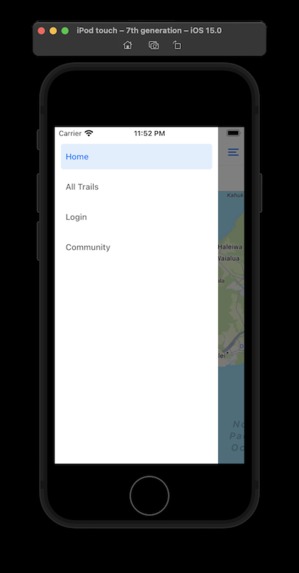
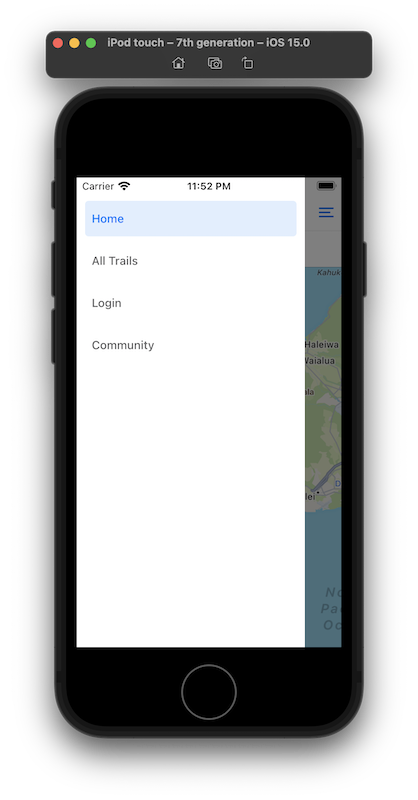
main app menu
Inspiration
This project is designed to solve the following problems:
To allow users to see how busy trails are at each time of the day and encourage them to discover less popular trails
To track the number of users at each trail using our own native algorithm
What it does
This project has three components: a backend Meteor/MongoDB server, a React Native app for users, and a Meteor admin dashboard to facilitate management of the data.
The React Native app allows users to see available DLNR trails on a map interface. The icon displayed on the map will indicate how busy the trail is. Users can also select a trail on the map to see detailed data such as when the trail is less likely to be busy. Users will also have the ability to manually check in to a trail and log the hike to their profile. Eventually, performing a check in will award the user points. Users will receive more points for being the first few people to check in. This will encourage users to visit trails which have not had any check-ins for the day.
The Meteor admin app will allow DLNR employees to manage data on the site and make adjustments as necessary (add/edit/remove trails).
How we built it
The server and admin app are written using the Meteor framework. The user app is written using React Native, and will be compatible with both iOS and Android devices.
The list of hikes was retrieved from the eHawaii.trails.gov API as a JSON file. This data was then stored in our server. Next, we found data for busy times for the hikes through two sources: Google Maps and BestTime.app. This data is collected using anonymized cell phone data.
For more details about our implementation, please see the attached image, or our complete source code on Github: https://github.com/HACC2021/Hanabata-Code
Security/Privacy Proposal
The project is secured using industry-standard NodeJS packages for authentication and storing any sensitive data. HTTPS communication is enforced between the app and the server.
When users first log in, The user id and password should transfer through HTTPS which enforces encryption on data transfer. Then, users will receive an Authentication token that will be saved in the users' device local storage to keep users logged in. We are using authentication tokens to prevent exposing users' IDs which potentially could leak personal information from the database. However, there is one concern with token-based authentication. Someone could have the access to the users' devices and steal their authentication tokens and use it from different devices. The solution for this problem is we could embed the mac address of the user's device with the token and alert the user if other devices try to authenticate with an existing token in the server.
All the credentials will be securely saved in the server's memory when the server's initial deployment proceeded. if credentials have changed, re-deployment must be initiated.
Administrative actions such as adding, editing, deleting information must be performed within the Meteor web application. there are no such functionalities on the native phone app. Therefore the phone app is secure
For the Meteor web app, only one "super admin" account will be registered when the deployment is initiated. There is no registration option for "super admin". The "super admin" can assign "admin" roles to users who have registered an account through the Meteor web app. "admin" roles cannot assign "admin" roles to users. "super admin" and "admin" are the only users who can perform administrative action from the Meteor web app and the changes they make will reflect on the native phone app.
Both of the apps, phone app and web app, will use the central meteor database server which automatically encrypts users' passwords.
All the data manipulation that requires credentials will be performed on the server and sent it down to clients.
Challenges we ran into
Getting existing data for busy times for the hikes was difficult. Our first approach was to try and retrieve the data from Google, but they don't offer it under a public API. We ended up using a Python package which is designed to scrape this data in an unofficial way.
We also were able to get additional data from a third-party service called BestTime.app.
In both cases, we had to link each of our existing trail entries to the corresponding entries in Google and BestTime. In other words, we had to connect our trail data to a specific Google_ID and BestTime_ID so that we could retrieve the busy time data. We did this using a script which performed API requests on both services using the name of the trail and its rough location. Both Google and BestTime provided an API which returned a list of potential matching IDs. We then stored these IDs on each of our saved trails and used the IDs to query for busy times.
Accomplishments that we're proud of
We have several accomplishments that we're proud of:
- Copied trail data from eHawaii.trails.gov website
- Retrieved busy time data from two API sources: Google Maps and BestTime.app
- Developed two frontend applications: a React Native user app, and a Meteor admin app
- Developed a RESTful server to communicate with the React Native app which supports user login and authentication
What we learned
We learned a lot about using the Meteor stack in combination with React Native. This was our first experience with React Native.
What's next for Hanabata Code
- Collect additional busy time data by allowing users to check in at trailheads, either through geolocation or by scanning a QR code installed at the trailhead
- Allow users to collect rewards/points by being the first to check in, or by checking in at less-busy trails
- Polishing the UI of the React Native app

Log in or sign up for Devpost to join the conversation.