-
-
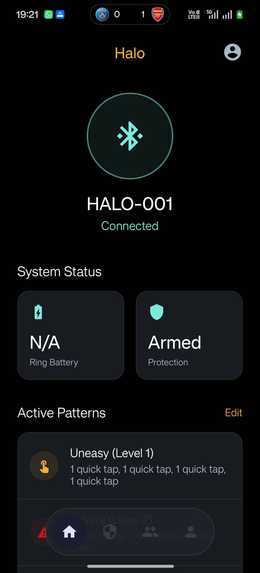
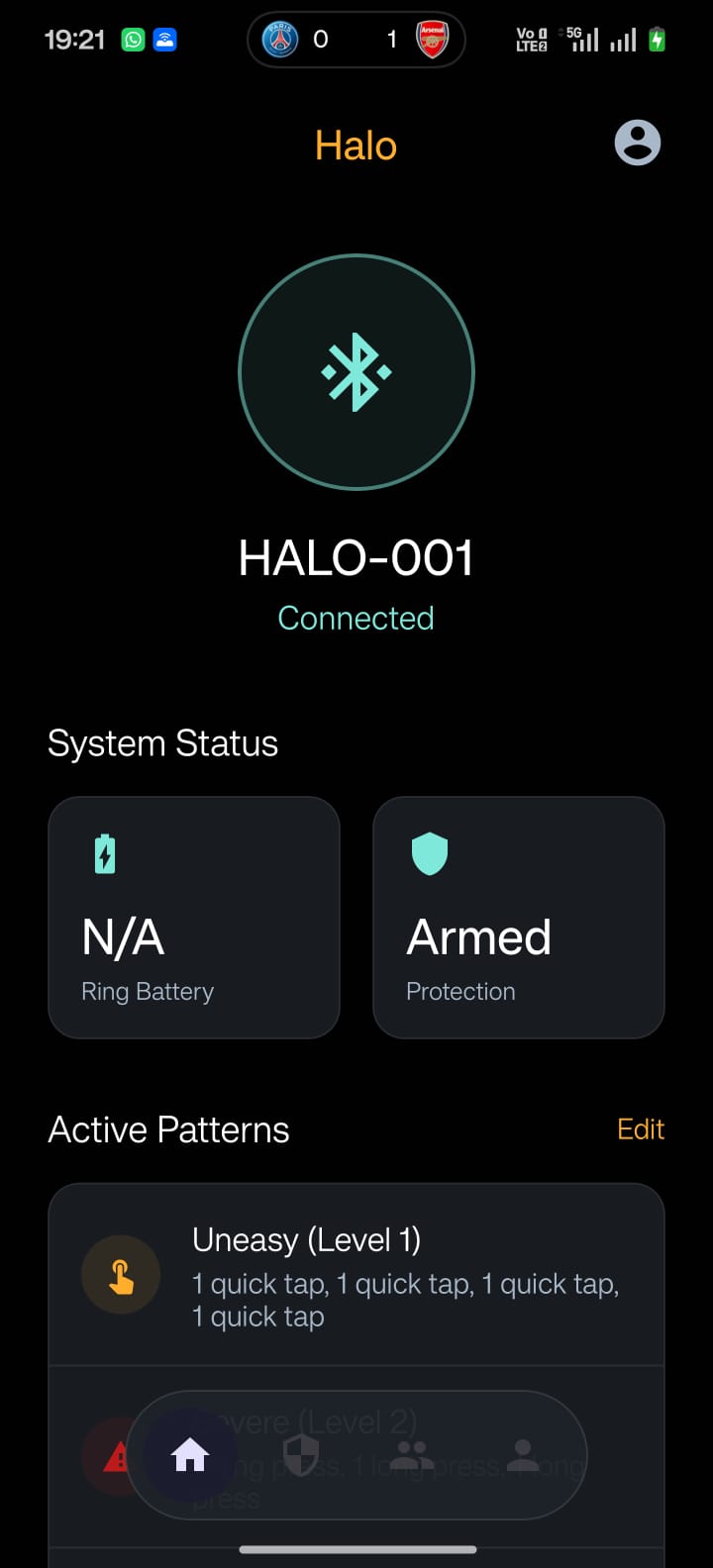
Wearable device connection page
-
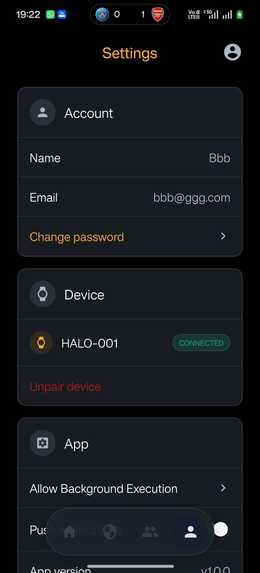
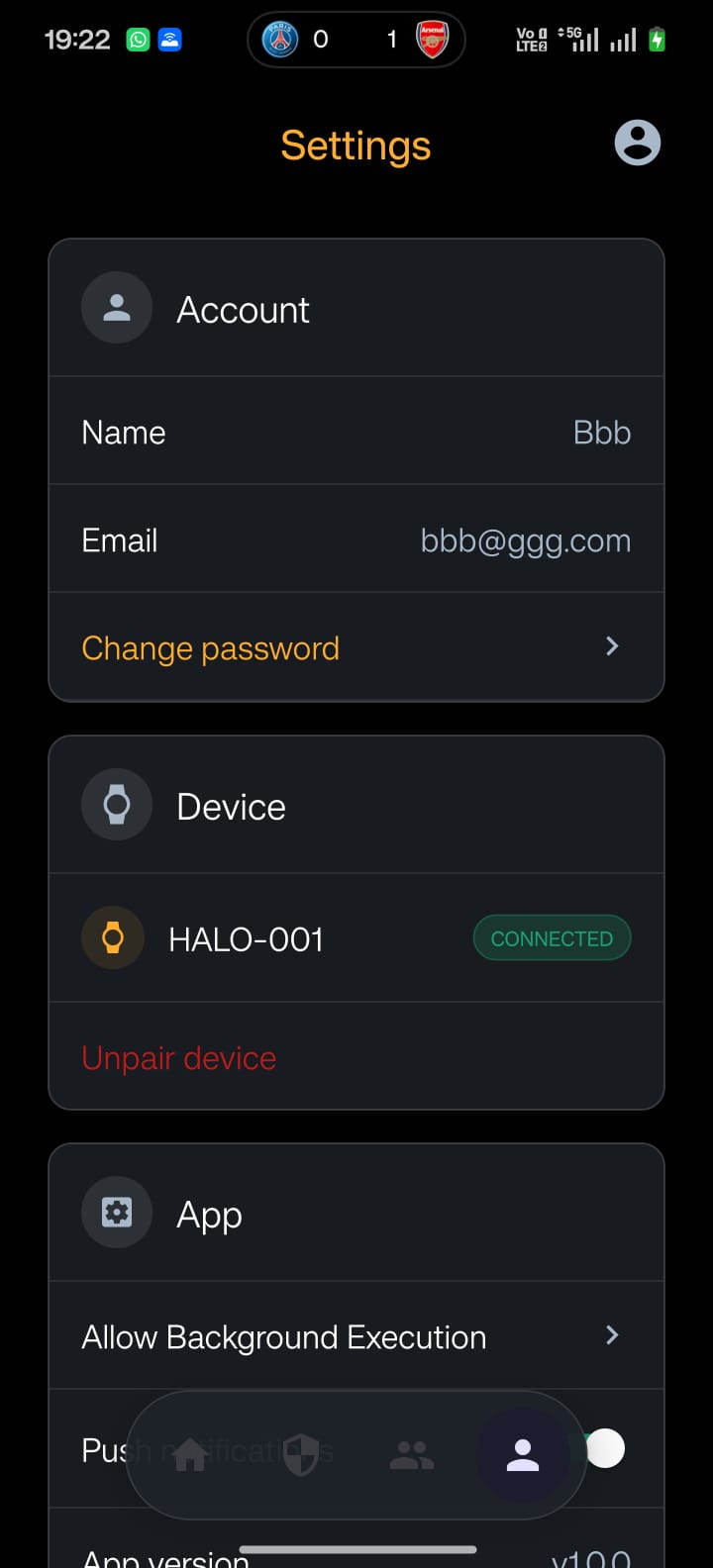
Account settings page
-
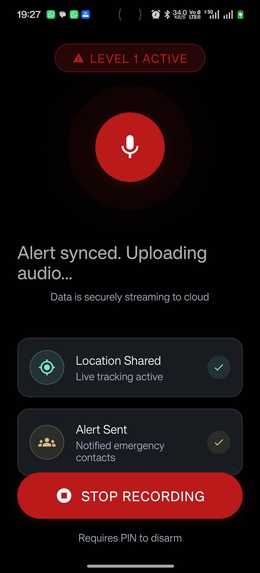
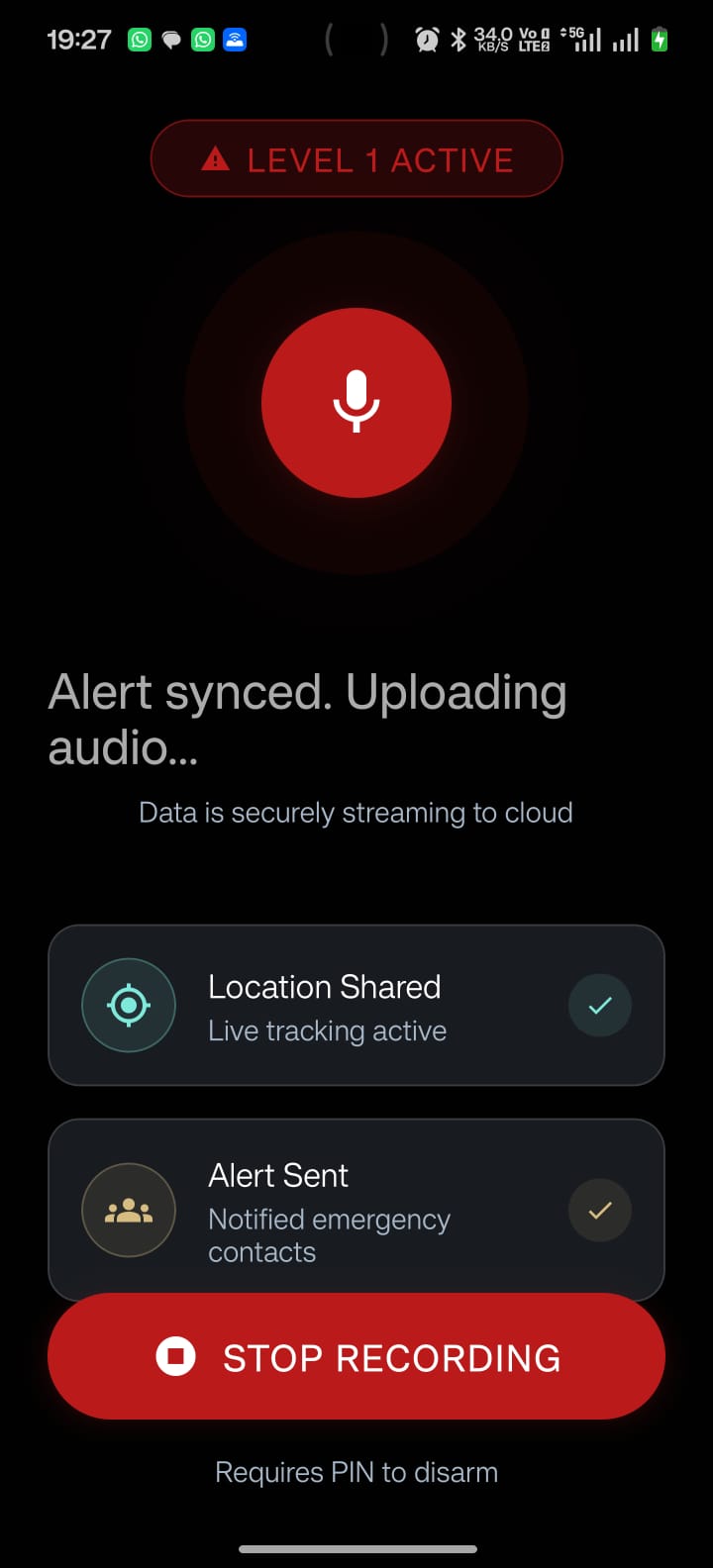
Audio upload workflow during an event
-
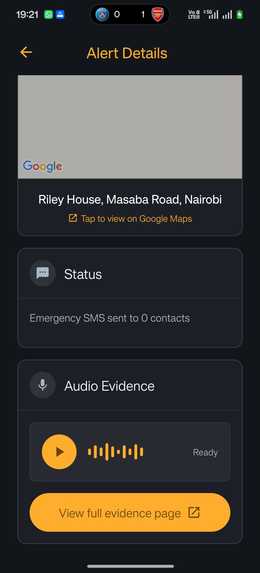
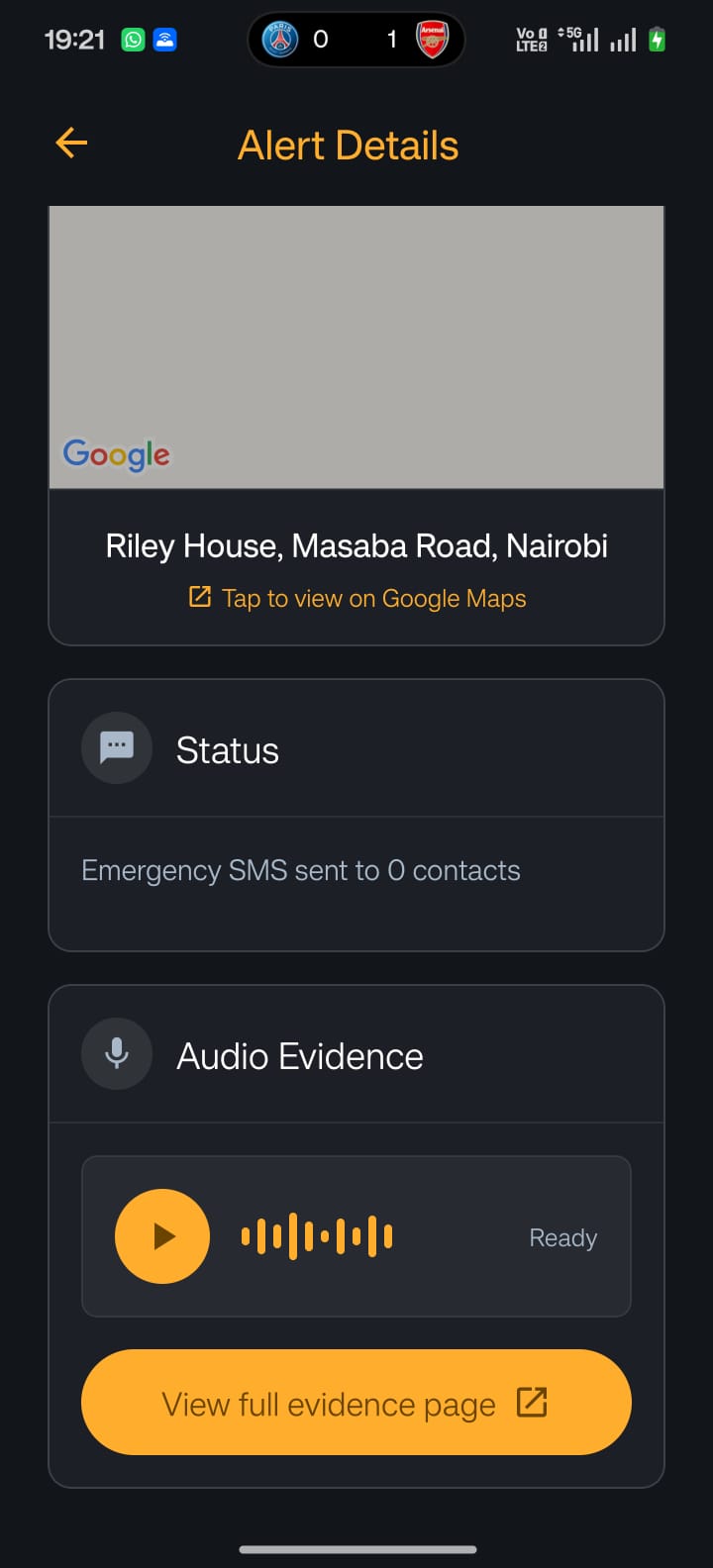
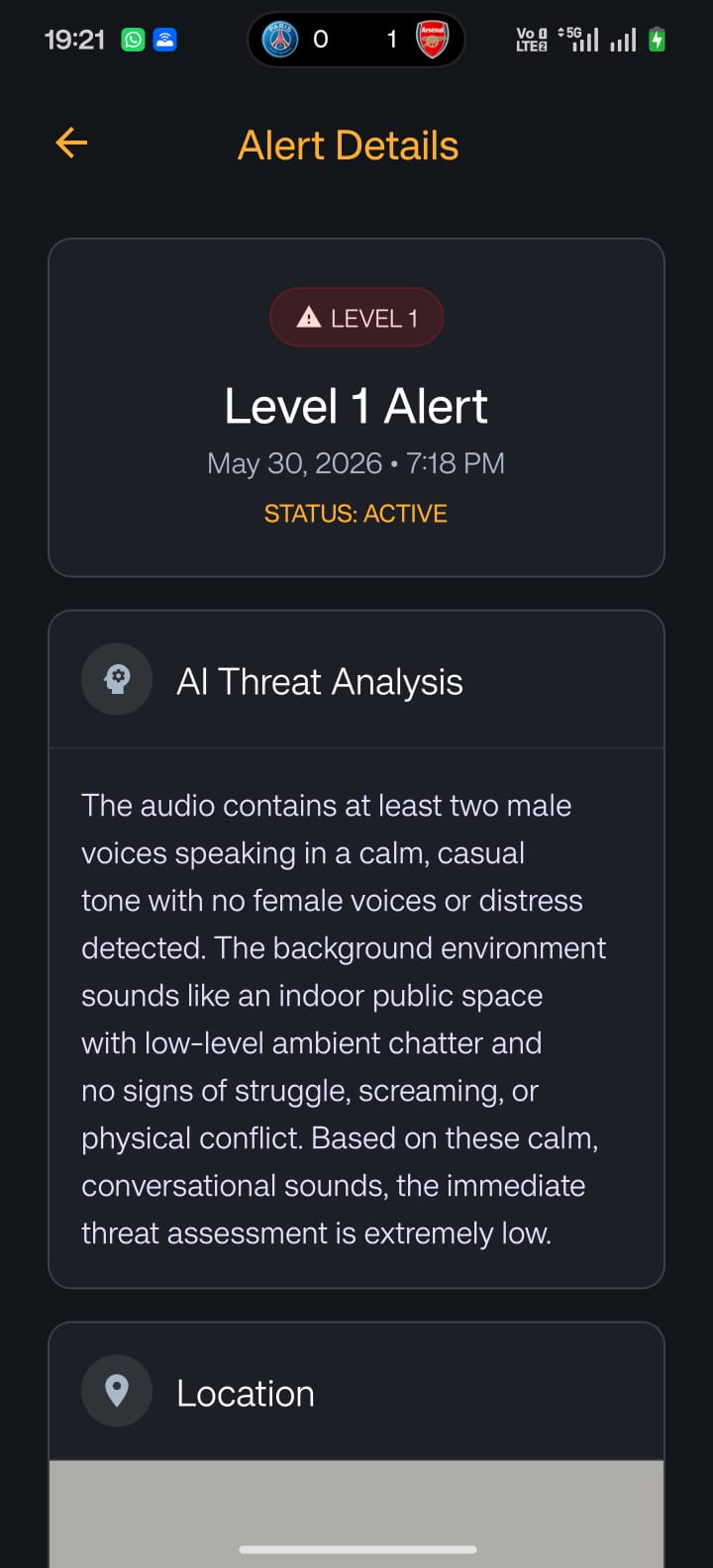
Alert details page
-
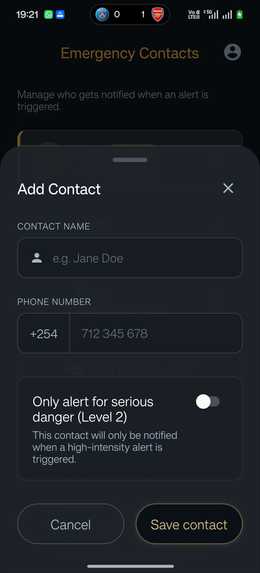
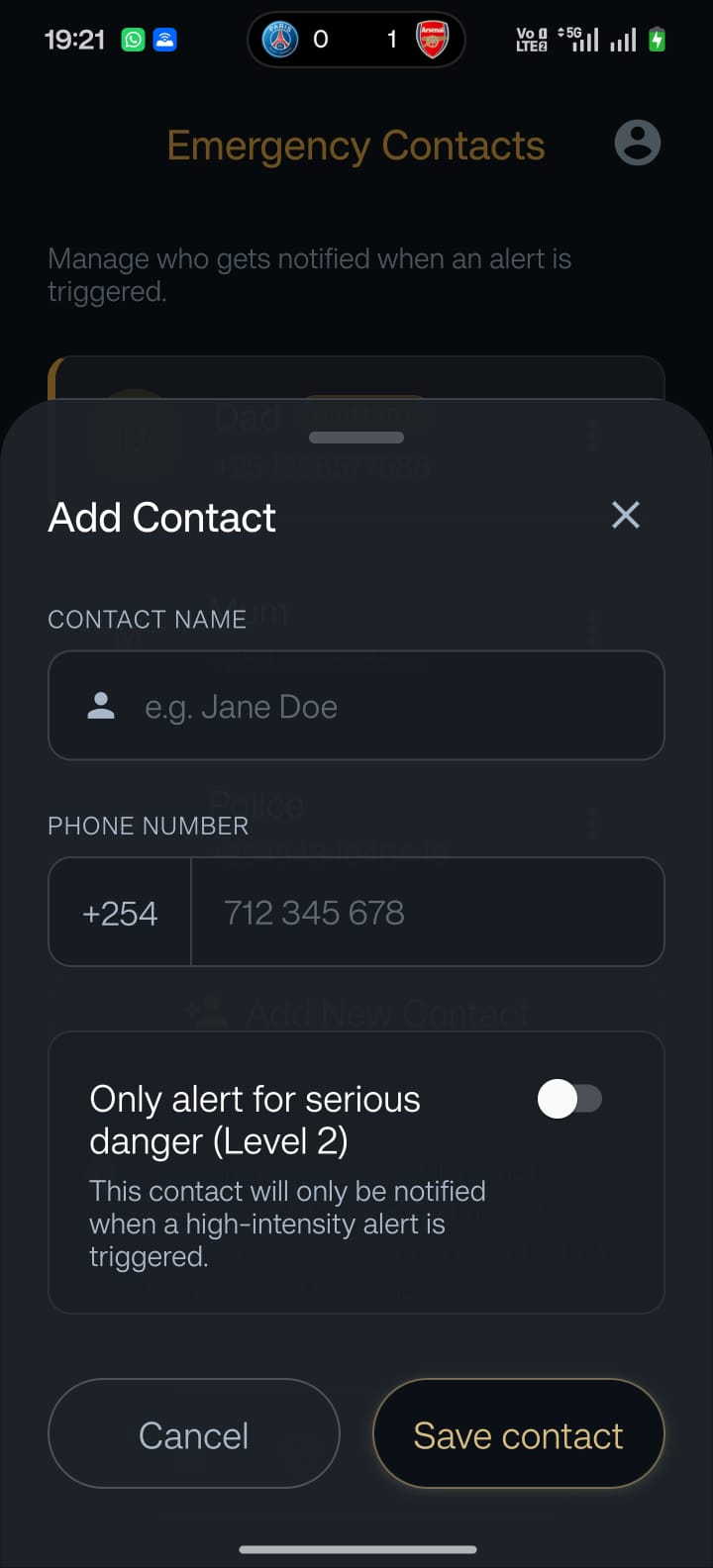
Add an emergency contact
-
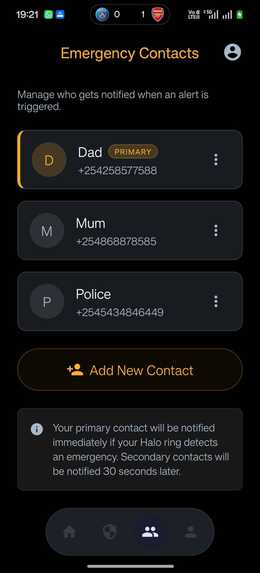
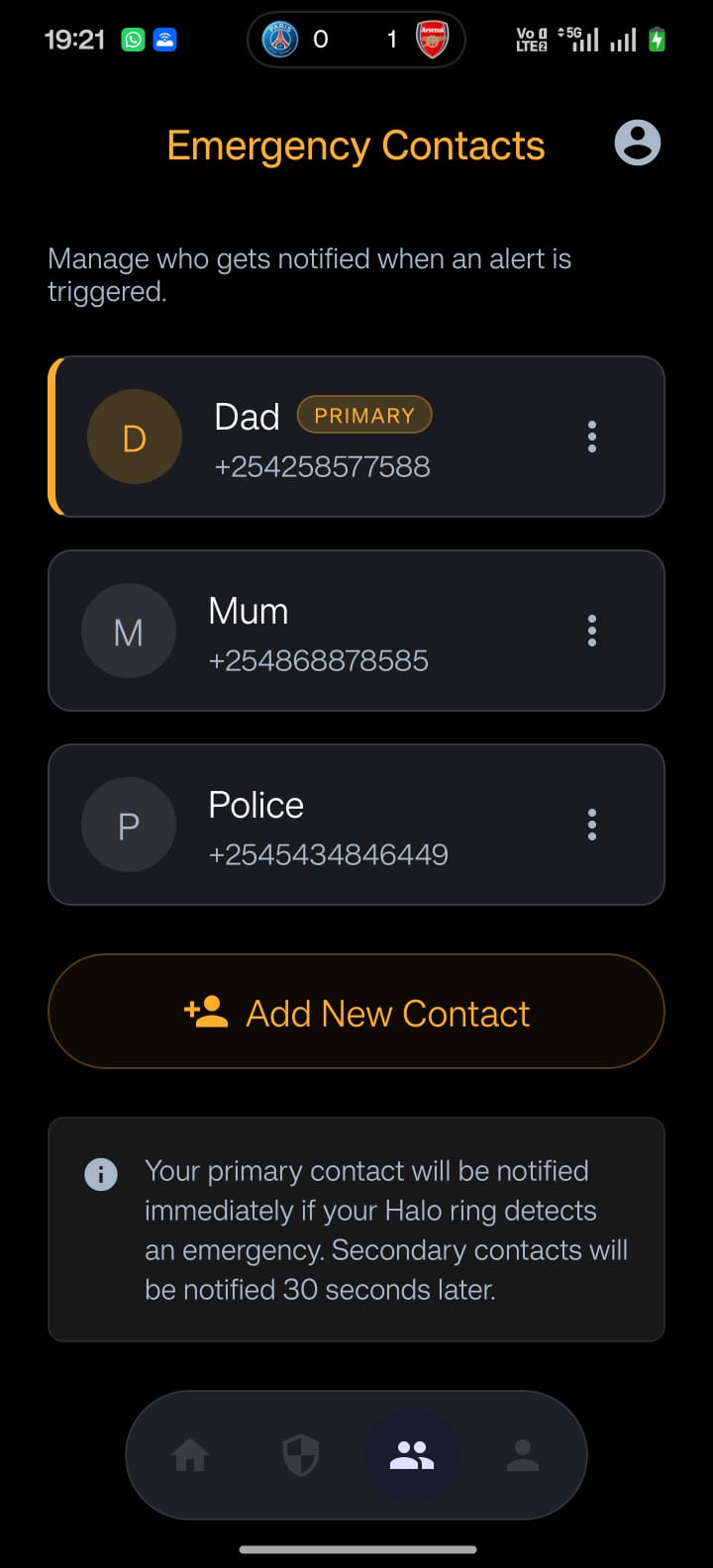
View the emergency contacts
-
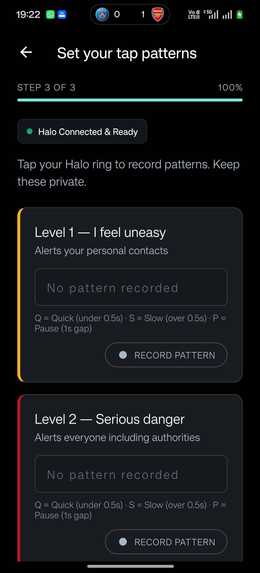
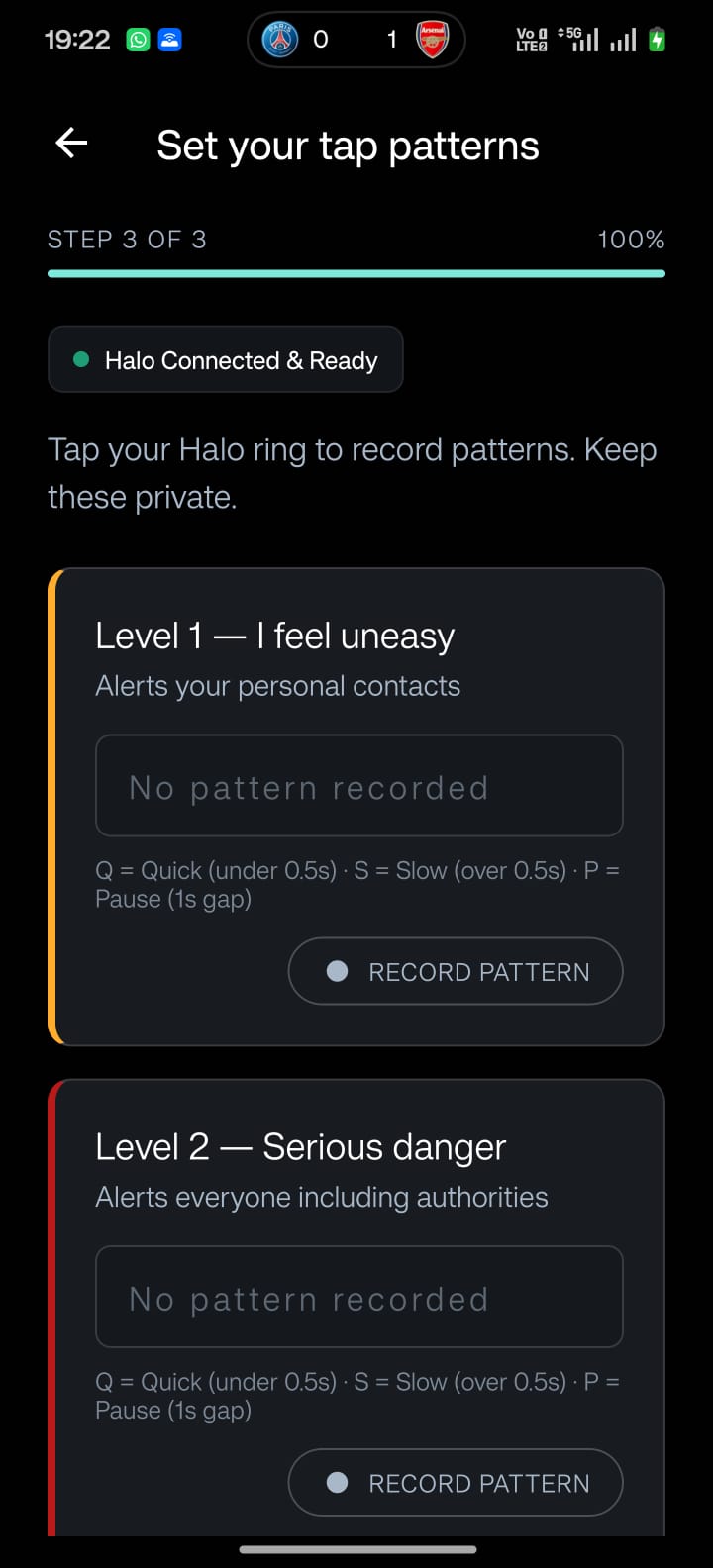
Pattern description to users
-
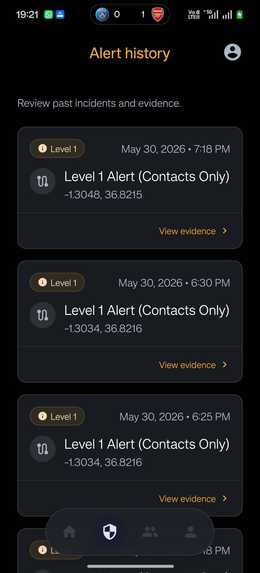
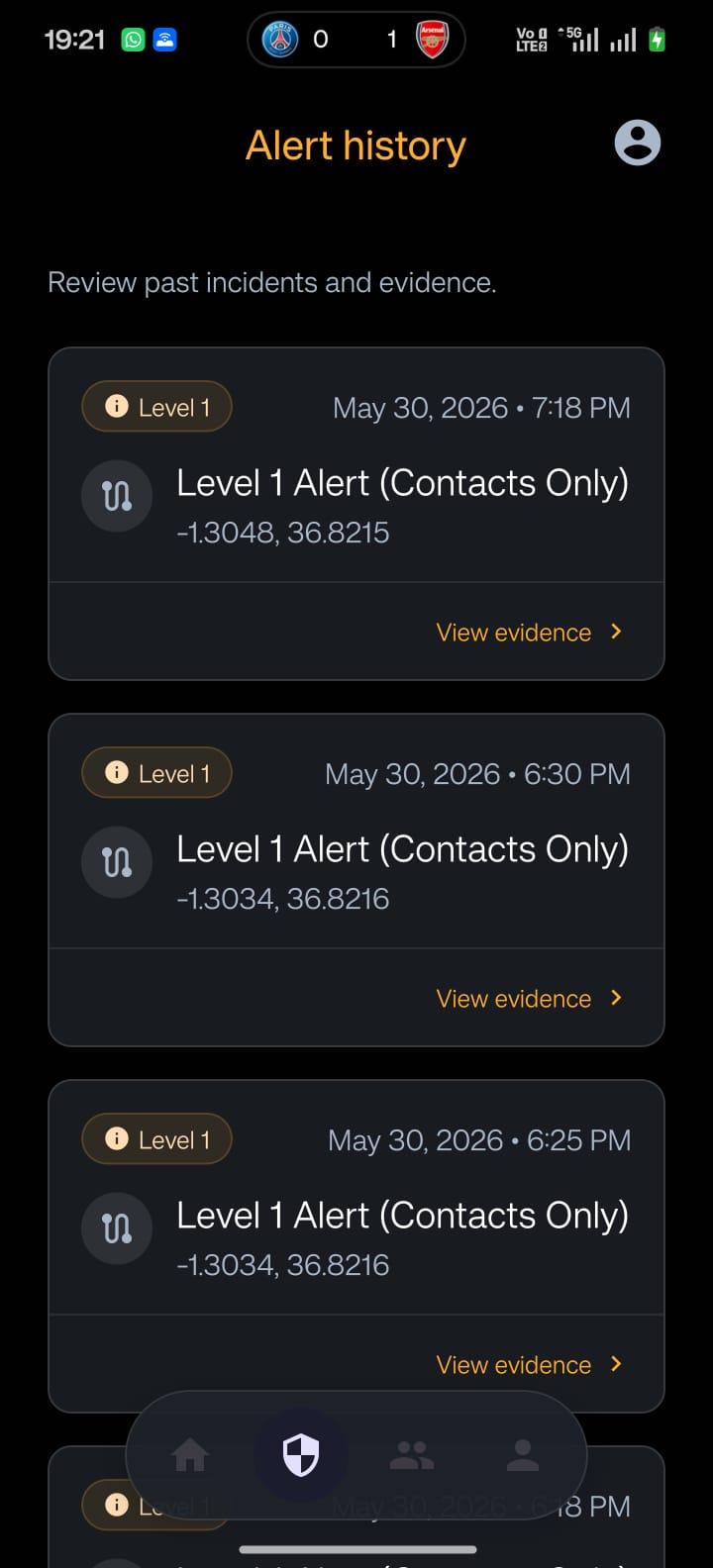
Alert Histroy page
-
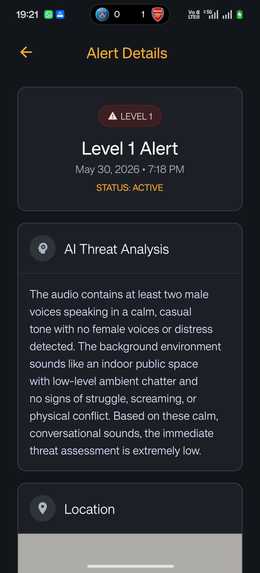
AI threat analysis page
-
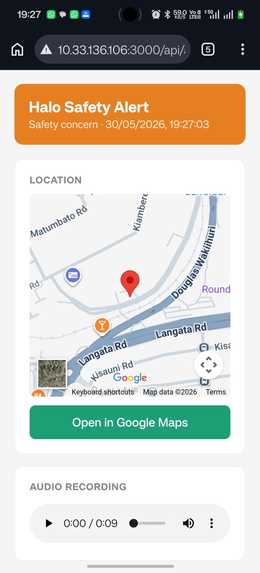
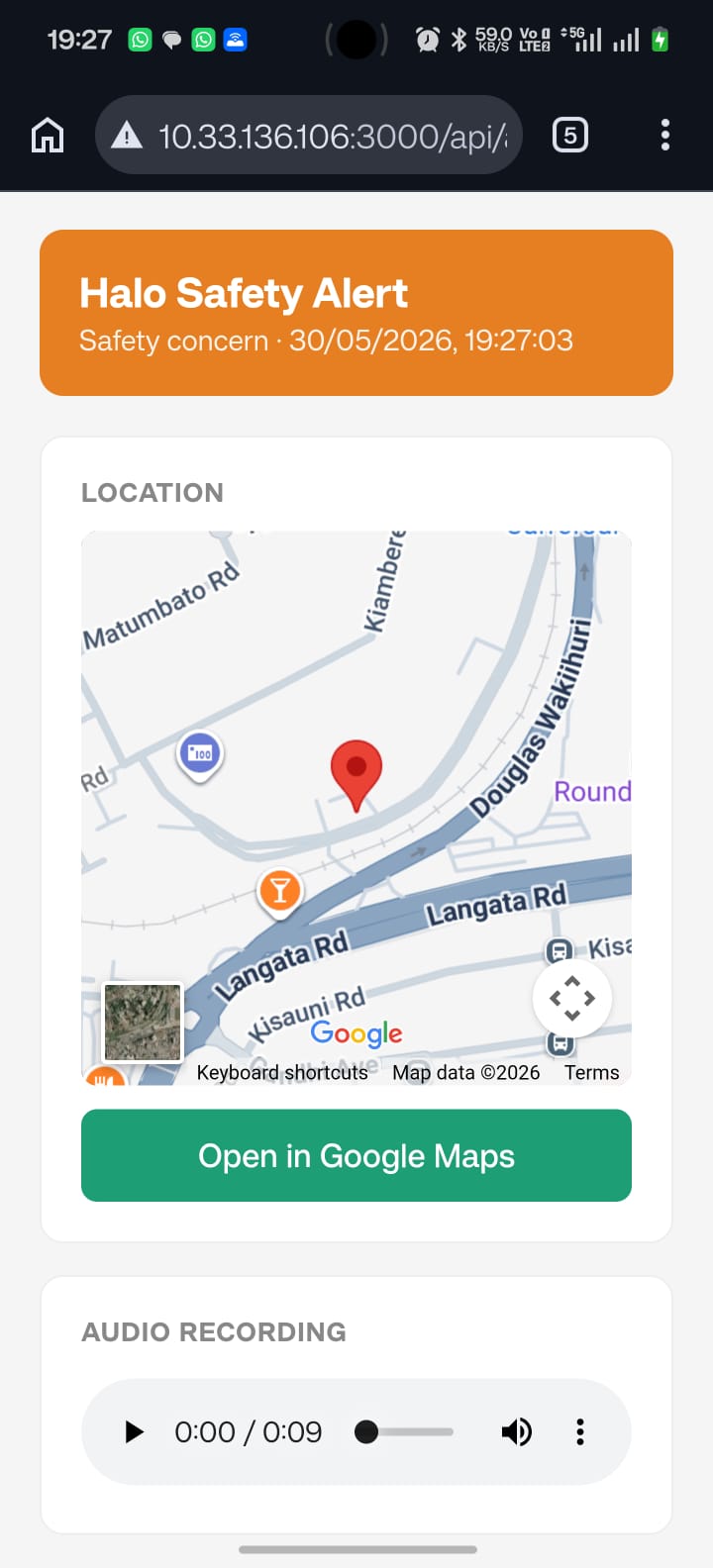
Page opening the link to the emergency contact with location details
-
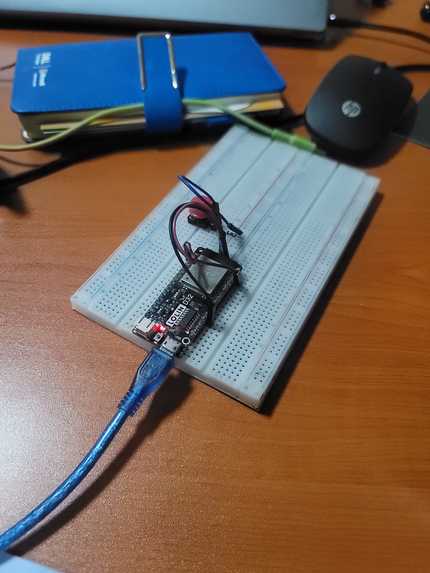
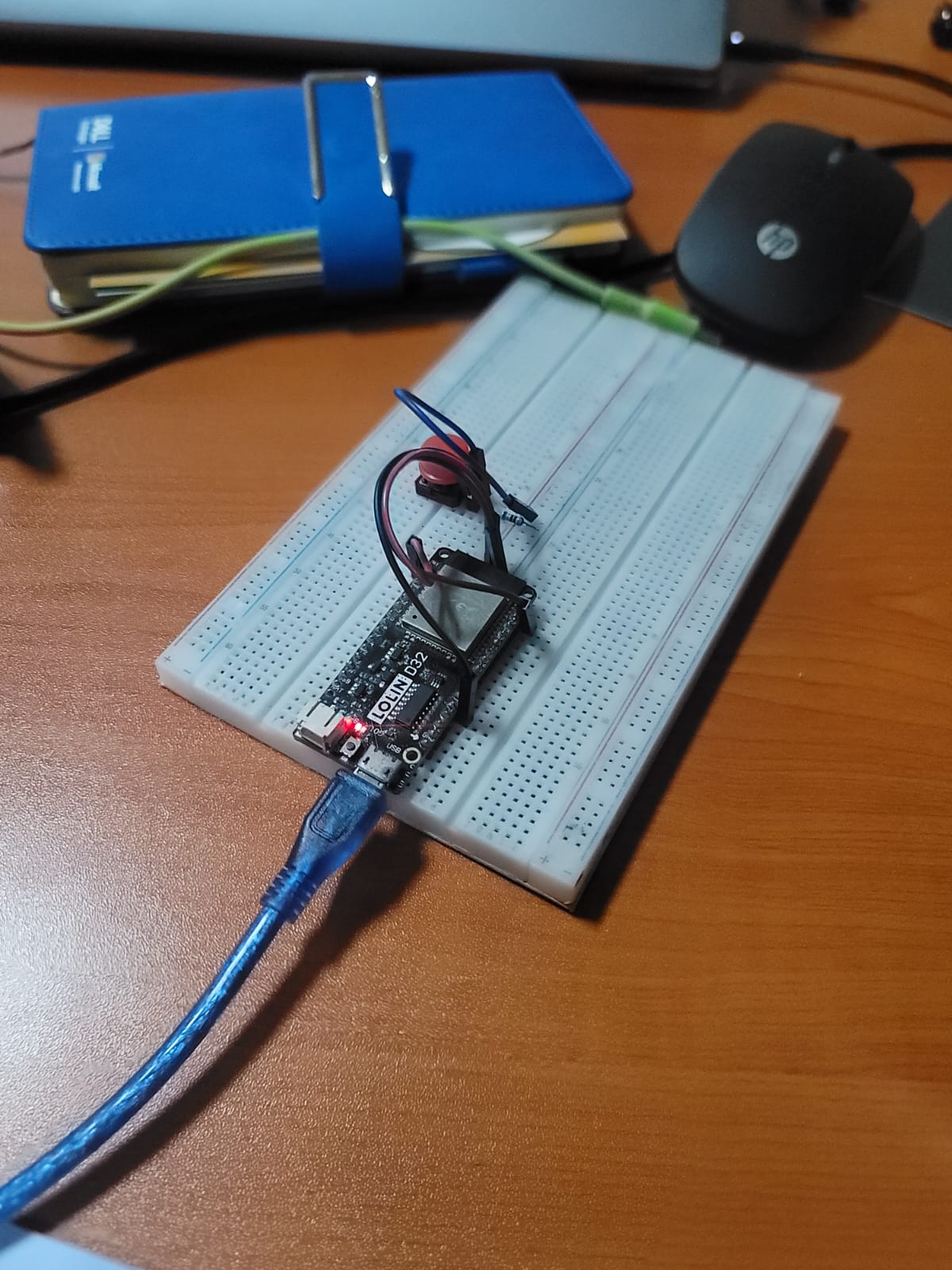
Our Arduino Protoype which simulates the wearable device
Inspiration
In an emergency, people panic. They cannot unlock their phone, explain what is happening, share their location, or call the right person fast enough. By the time help is contacted, critical minutes are already lost.
We saw this play out in everyday situations around us — a student walking home at night, a boda passenger in an unsafe ride, an elderly person with a health risk, someone witnessing an accident. The common thread: when danger happens, help is delayed because the victim cannot communicate clearly or fast enough.
We asked one question: what if you did not have to communicate at all?
What it does
Halo Safety turns a silent panic button into a live emergency response system.
When a user presses their physical button, Halo Safety automatically:
- Captures their GPS location — no typing, no unlocking
- Sends an SOS alert to trusted contacts with a live maps link
- Creates an emergency case with a full incident timeline
- Generates an AI emergency summary so responders arrive informed, not blind
- Opens a live responder dashboard where contacts can accept, track, and resolve the case
- Streams audio evidence from the scene for the duration of the incident
- Allows cancellation if the trigger was a false alarm
The hardware is only the trigger. The real product is the AI emergency operating system behind it.
How we built it
RescueAI has three layers working together:
- Hardware — an ESP32 microcontroller acts as a BLE panic button, sending press events to the phone over a custom GATT characteristic. No internet required on the device itself.
- Mobile app — built with Expo and React Native, the app runs in the background, listens for the button press over BLE, acquires GPS, triggers the backend alert, and begins streaming 5-second audio chunks to the cloud — all without the user touching their phone.
- Backend — a Node/Express API on MongoDB handles emergency case creation, SMS dispatch via Africa's Talking, audio assembly with ffmpeg, AI incident summary generation with Google Gemini, and speech transcription with OpenAI Whisper. Responders get a live dashboard and a no-login evidence page with map, audio, and AI summary.
Challenges we ran into
Background execution is the hardest unsolved problem in wearable safety apps. iOS suspends JavaScript timers when the screen locks. Android OEM task-killers silently terminate background processes. A panic button that stops working when your phone locks is worse than no panic button at all. We mapped the full solution — iOS Core Bluetooth state restoration, Android foreground service with battery-optimization exemption — and it is the first thing shipping after the hackathon.
BLE reliability across reconnect cycles was also deceptively complex — stale subscriptions stacking, false triggers firing, intentional disconnects being mistaken for signal drops. Each failure mode had a real consequence in a safety-critical system, so every edge case had to be handled explicitly.
Accomplishments we're proud of
- A complete end-to-end emergency system: hardware trigger → mobile app → cloud API → AI pipeline → responder dashboard — all working in a live demo.
- An AI-generated evidence and case page that any contact or responder can open from an SMS link with no account and no app install.
- A system that gives responders context, not just a ping — they know the location, hear the audio, and read an AI threat assessment before they even respond.
What we learned
The most important design insight was this: in a crisis, people do not need to explain. They need help to start moving immediately.
Every technical decision flowed from that. Why BLE and not a phone call? Because a call requires attention and makes noise. Why AI summary instead of raw audio? Because a responder needs to act in seconds, not scrub through a recording. Why a public evidence page? Because a contact should not need an app account to help someone in danger.
We also learned that building for safety-critical use means treating every failure mode as a product decision, not an edge case.
What's next for Halo Safety
- Background operation — iOS state restoration + Android foreground service for true locked-screen reliability
- Live location updates — continuous GPS pinging during an active case, not just at trigger time
- Responder dashboard — accept / en-route / arrived / resolved status timeline visible to all parties
- Multiple emergency types — medical, assault, accident — each with a tailored AI prompt and responder routing
- Miniaturized hardware — move from DevKit to a custom PCB small enough to wear as a ring, pendant, or bag clip
- SMS fallback — trigger the full alert flow even when the app has no data connection
Built With
- africas-talking
- arduino
- ble
- esp32
- expo.io
- express.js
- ffmpeg
- gemini
- google-maps
- javascript
- jwt
- mongodb
- mongoose
- native
- node.js
- react
- render
- typescript
- whisper


Log in or sign up for Devpost to join the conversation.