-
-
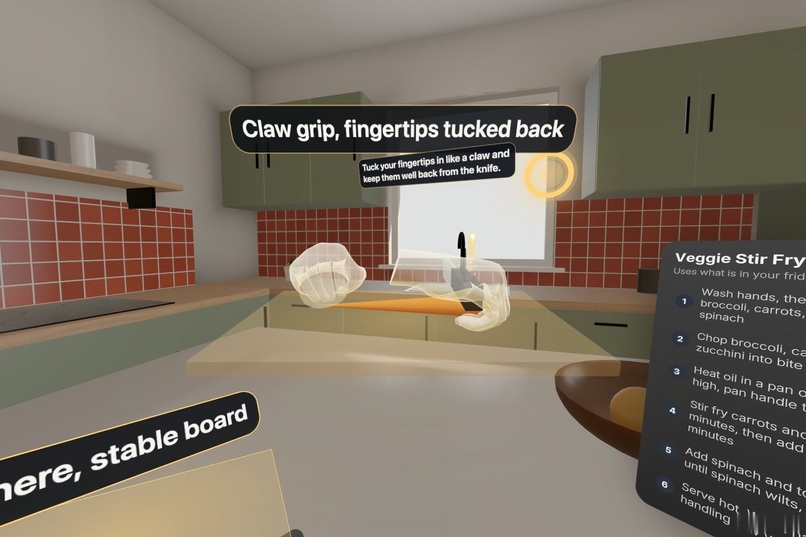
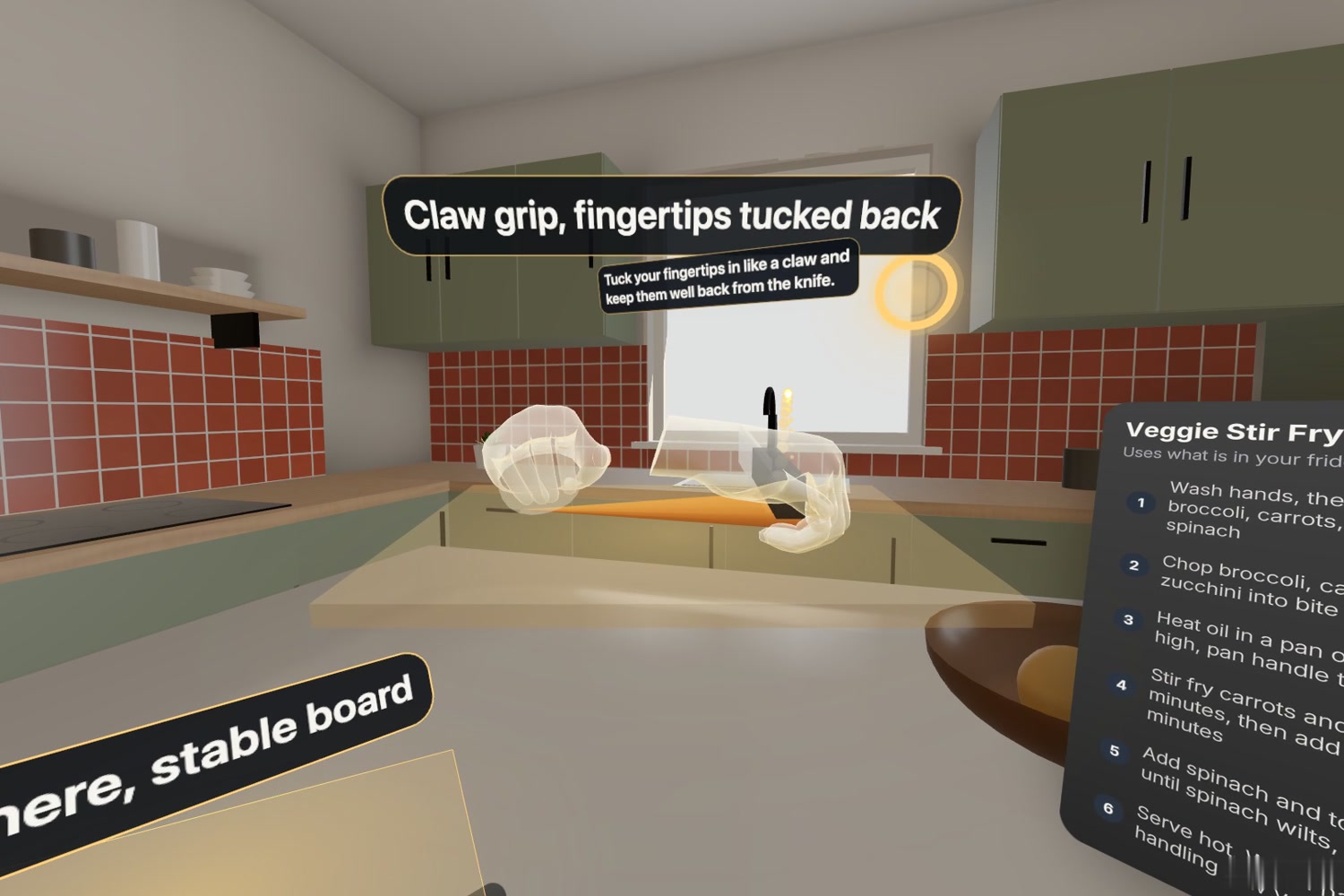
Halo demonstrates the claw grip with life-size glowing hands, next to the chop zone it marked on the counter
-
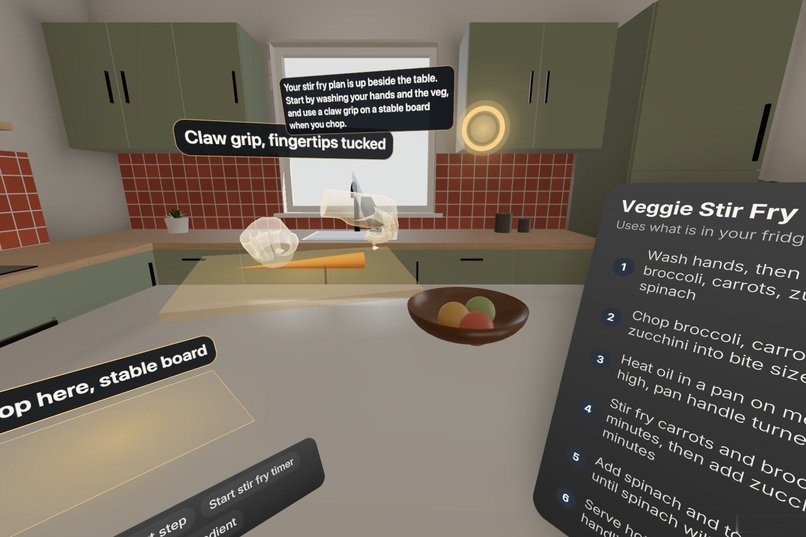
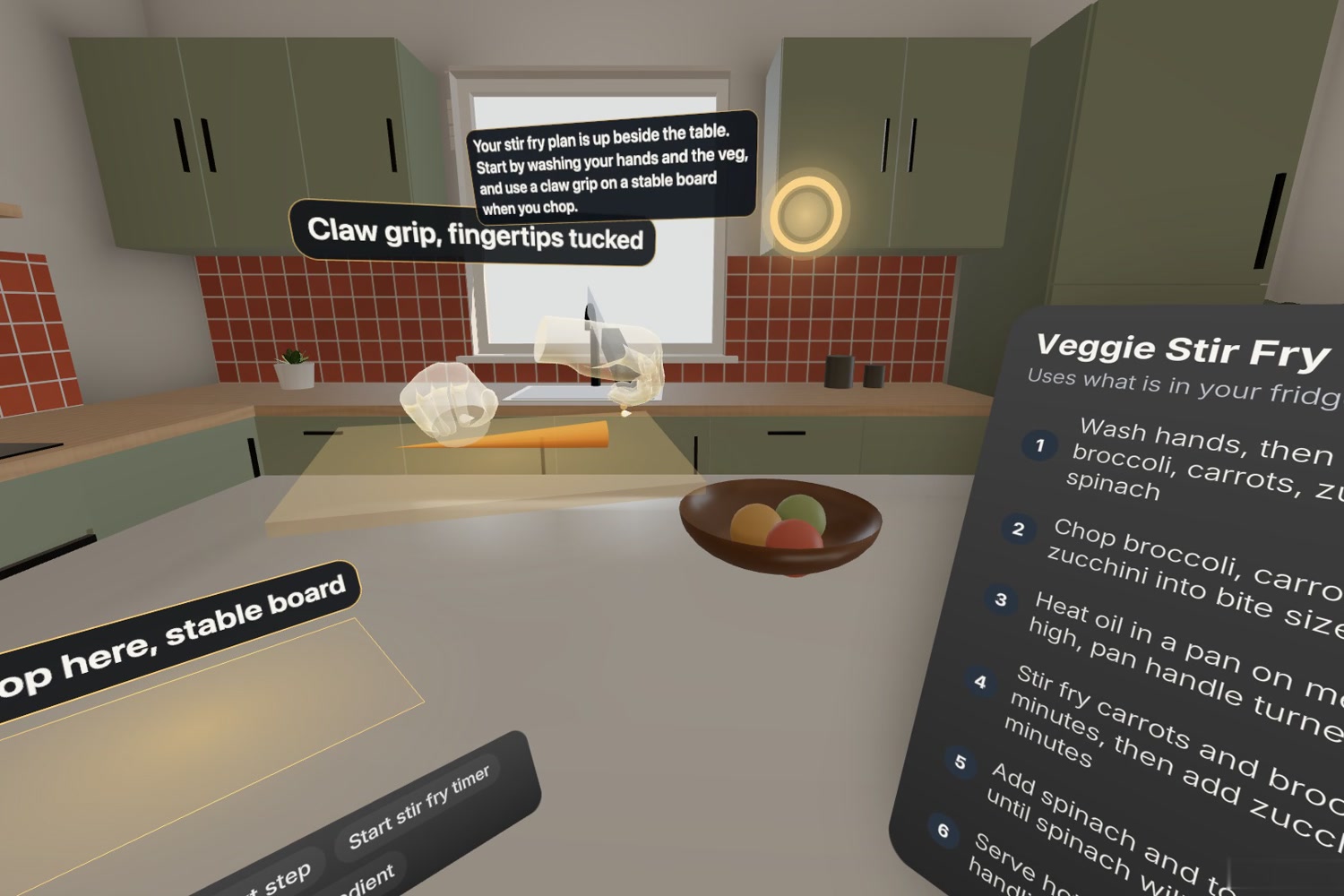
The recipe card Halo designed after looking in the fridge, with the chop zone and demo hands
-
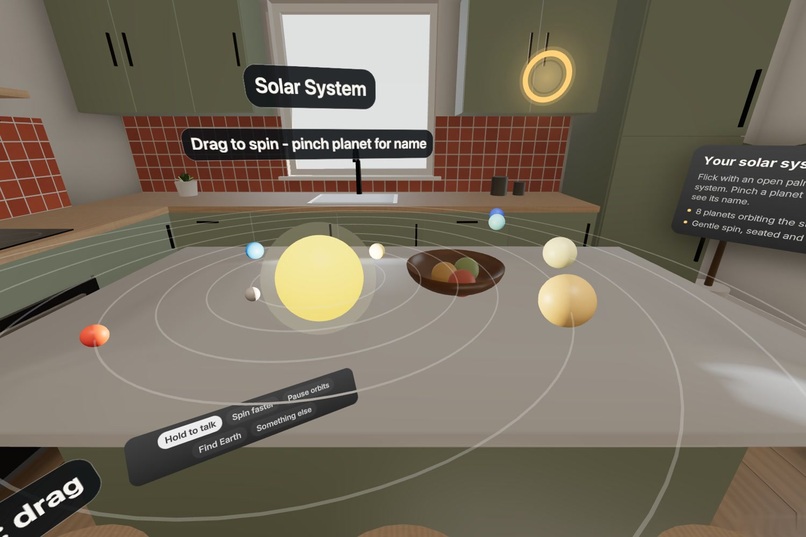
Unscripted request: Halo wrote this spinnable solar system itself and placed it on the table
-
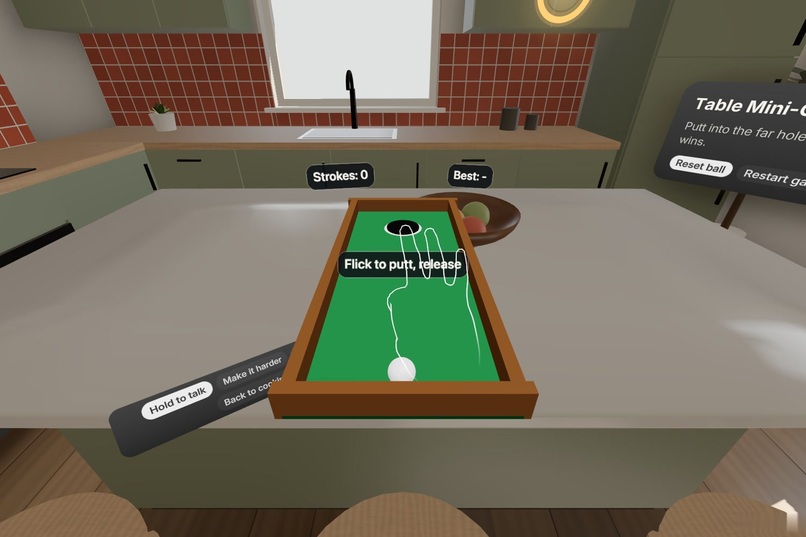
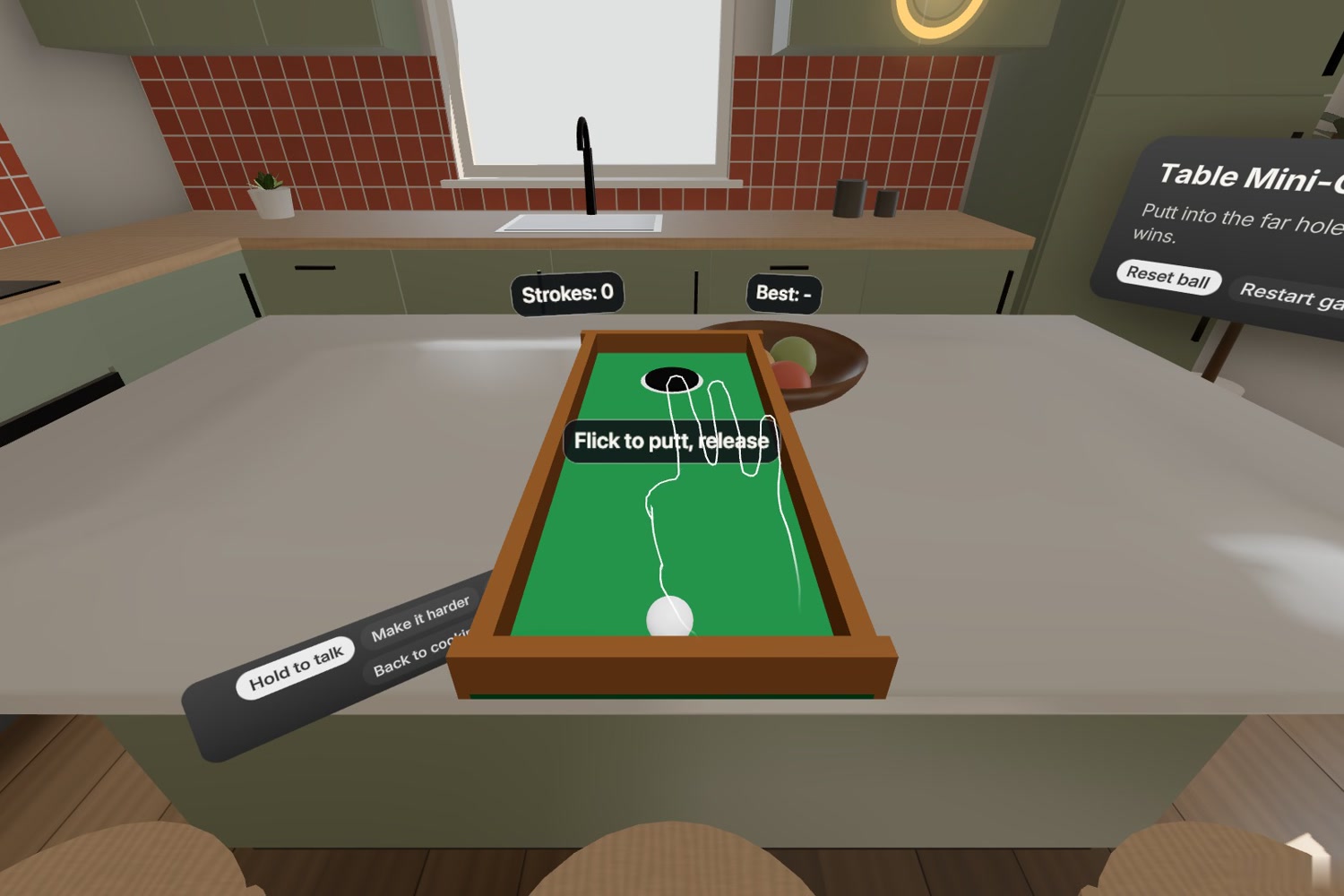
A table golf game Halo wrote on the spot: flick the ball to putt
-
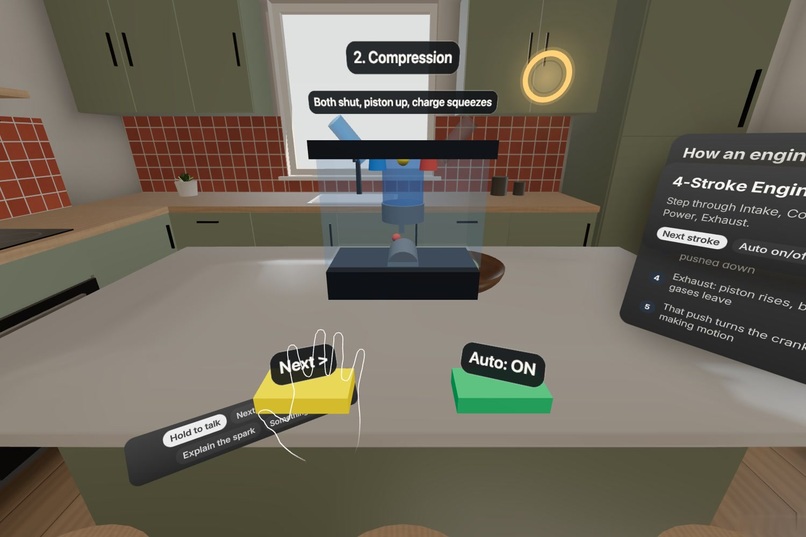
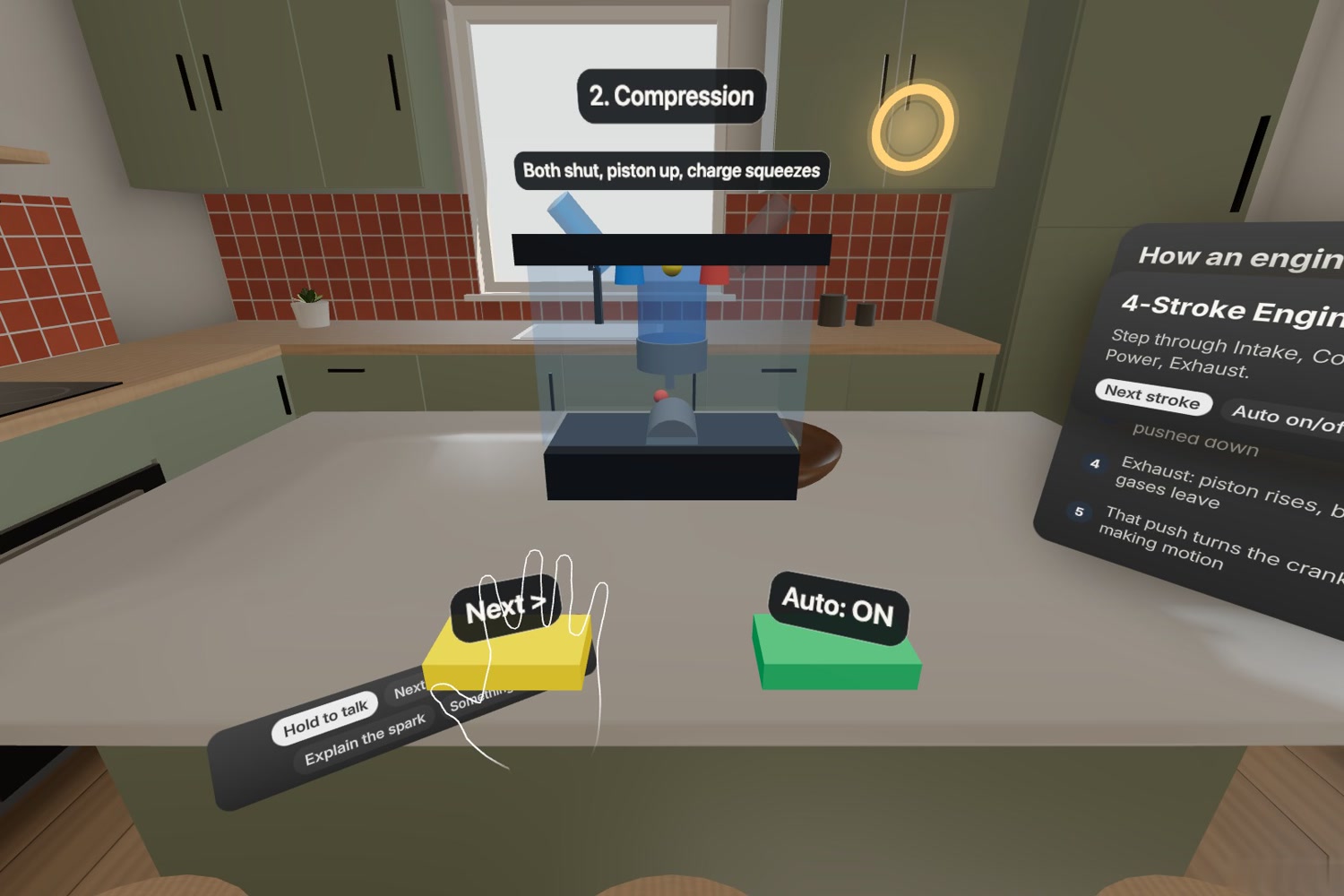
A four-stroke engine Halo built to explain how engines work, stepped through by poking
-
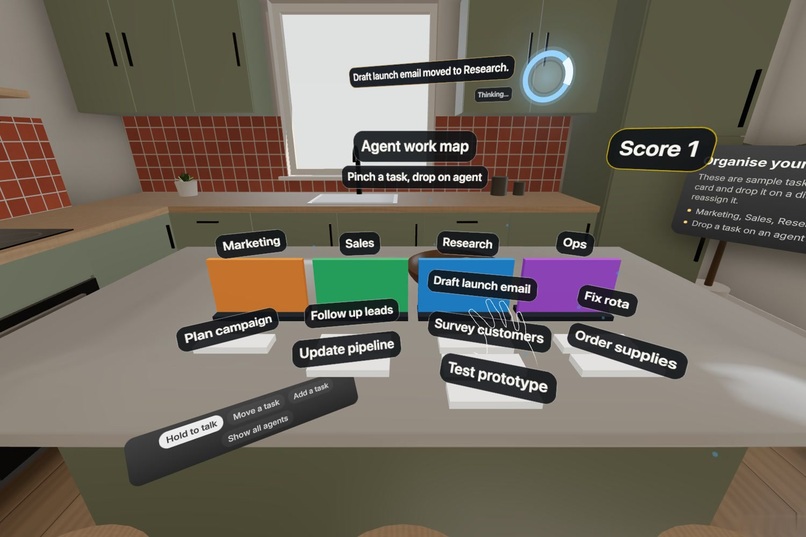
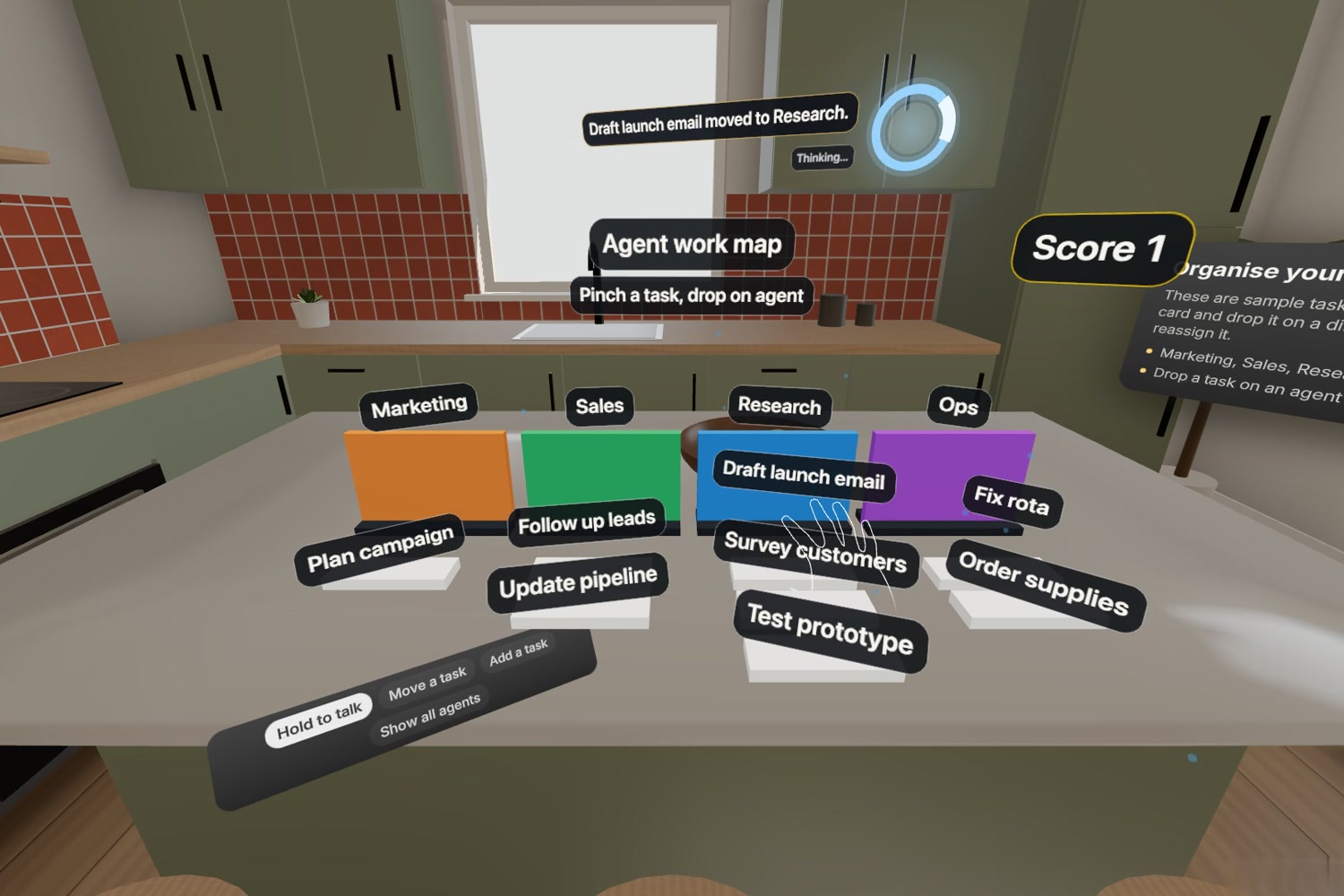
A task map on the table: drag a task card onto another agent to hand it over
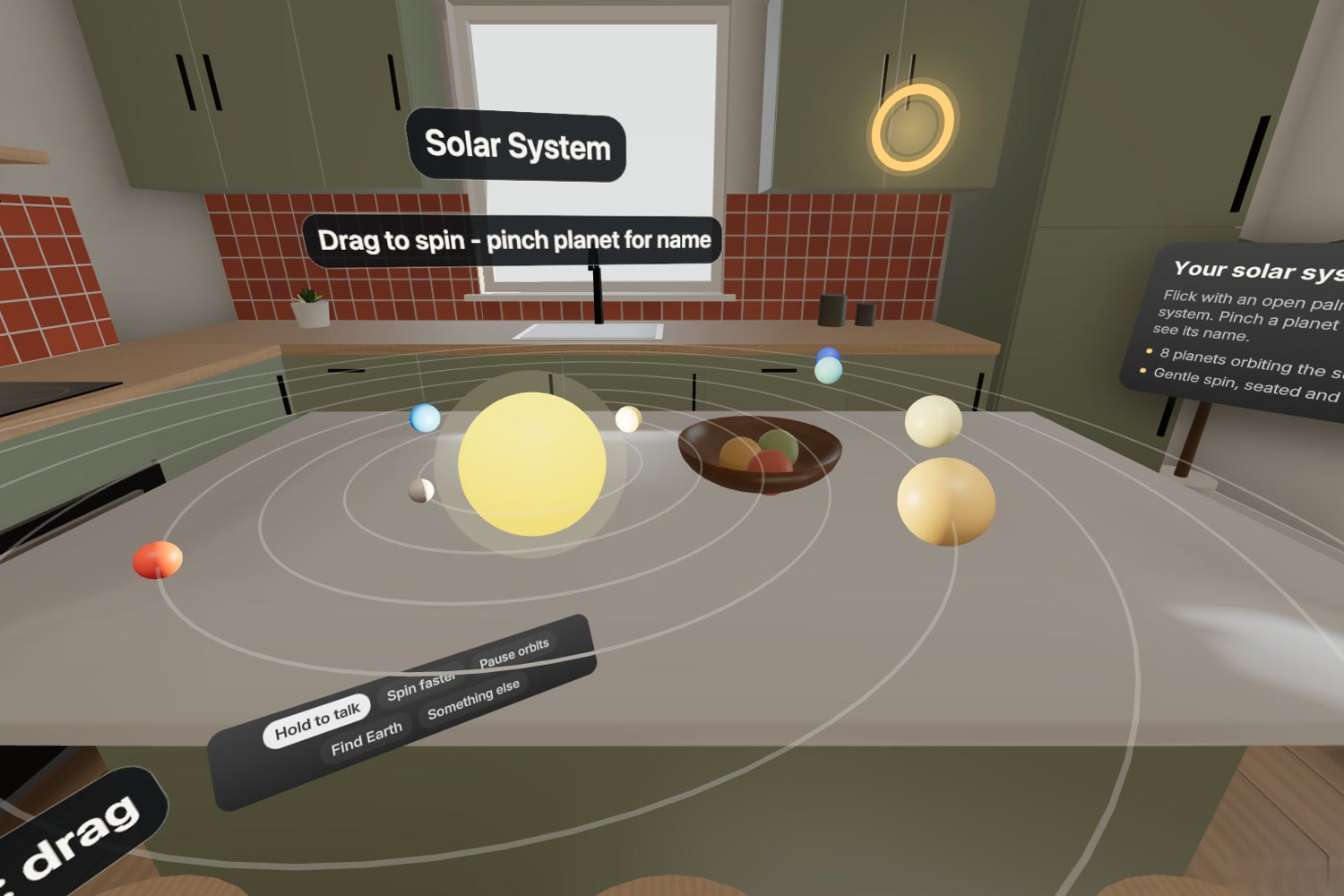
Inspiration
Most mixed reality apps are fixed: someone designed every screen months ago, and they only help with the one job they were built for. We wanted the opposite: an assistant that lives in the headset, sees what you see, understands your room, and builds whatever interface the moment needs, the way a capable friend standing next to you would.
What it does
Halo is a hands-first agent for Meta Quest 3. You talk to it (pinch and hold to speak) or poke the suggestions it writes for you, and it decides what to show:
- Cooking: it looks through the passthrough camera at your fridge, names what it sees, designs a recipe card, marks where to chop on your real counter, shows the cut with life-size glowing demonstration hands, and anchors timers by the stove.
- Games on demand: ask for a game and Halo writes one on the spot, running on your real table with physics, played with your hands.
- 3D explanations: ask how something works and it builds a model you pull apart by pinching.
- Work: your AI agents laid out as a map on your desk; grab a task and drop it on another agent to hand it over. Nothing is scripted: each session's flow is the agent's own choice. It remembers what you liked (a game, a diet) for next time.
How we built it
- WebXR with Meta's Immersive Web SDK (IWSDK) in Quest Browser: immersive-ar passthrough, hand tracking (pinch, poke, grab, 25 joints per hand), plane and mesh detection with semantic labels, hit test and anchors.
- Passthrough camera via Quest Browser's headset camera access, captured only when the agent decides to look.
- Agent loop on Meta's own models (Meta Model API): Muse Ember sees and decides through tool calls (look, show_panel, highlight, ghost_hands, timer, run_code, remember); Muse Spark writes code for games and explanations; Muse Voice Transcribe turns speech into text.
- A sandboxed runtime for agent-written code: generated JavaScript is validated on the server, then runs in the headset against a small safe API (hands, physics, surfaces, labels, sounds), with a frame-time budget and a kill switch.
- UI built from the agent's specs: 3D panels with a layout solver so cards never overlap and stay readable, highlights on real surfaces, demonstration hands driven by keyframes on the WebXR hand model.
- Cost and safety guards for a public link; one Node server on Cloud Run serves the app and the agent.
Hand interactions
Everything is hands only: pinch and hold on a wrist button to talk, poke suggestion chips and panel buttons, pinch and pull to putt, pinch and drag to move task cards, pinch parts to expand explanations. No controller is ever required, and every flow works seated.
Challenges
Seeing and building at once in the browser: camera frames must be requested before entering XR, plain HTML is not drawn in XR (all UI is 3D), and agent-written code has to be safe and fast. Placement had to work in rooms we never tested, with a tap-to-place fallback.
What's next
Pointing at real objects (circling the carrot, not just naming it), shared sessions, a richer runtime for generated tools, and a library of skills the agent learns from each user over time.
Try it
Open https://halo-955819688070.us-central1.run.app in Meta Quest Browser on a Quest 3. Turn on Settings > Privacy & safety > Browser > Headset cameras first, tap Start, allow camera and microphone. Pinch and hold "Hold to talk", or poke a suggestion. Every reply and generated program in the demo video is live from the agent.
Built With
- google-cloud-run
- immersive-web-sdk
- javascript
- llm-agents
- meta-muse
- meta-quest
- node.js
- three.js
- typescript
- webxr
