-
-
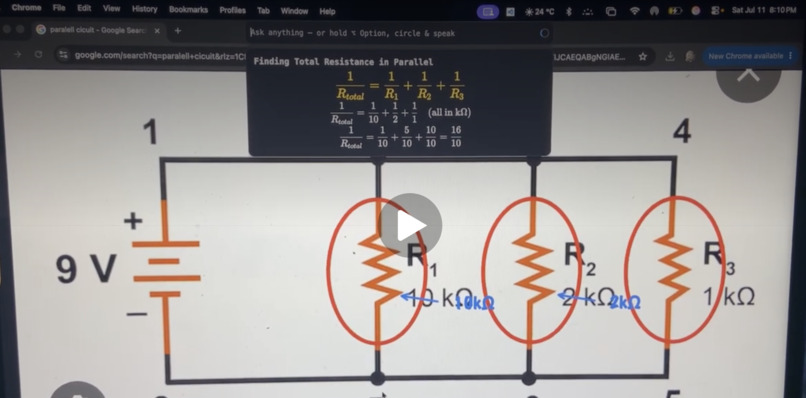
Halo solving a circuit
Inspiration
This project is inspired by a famous AI app by Farza called Clicky, which is an AI agent manager for teaching software workflows. We decided to recreate the concept for students, being able to explain equations, diagrams, circuits, etc. by drawing and interaction on your screen.
What it does
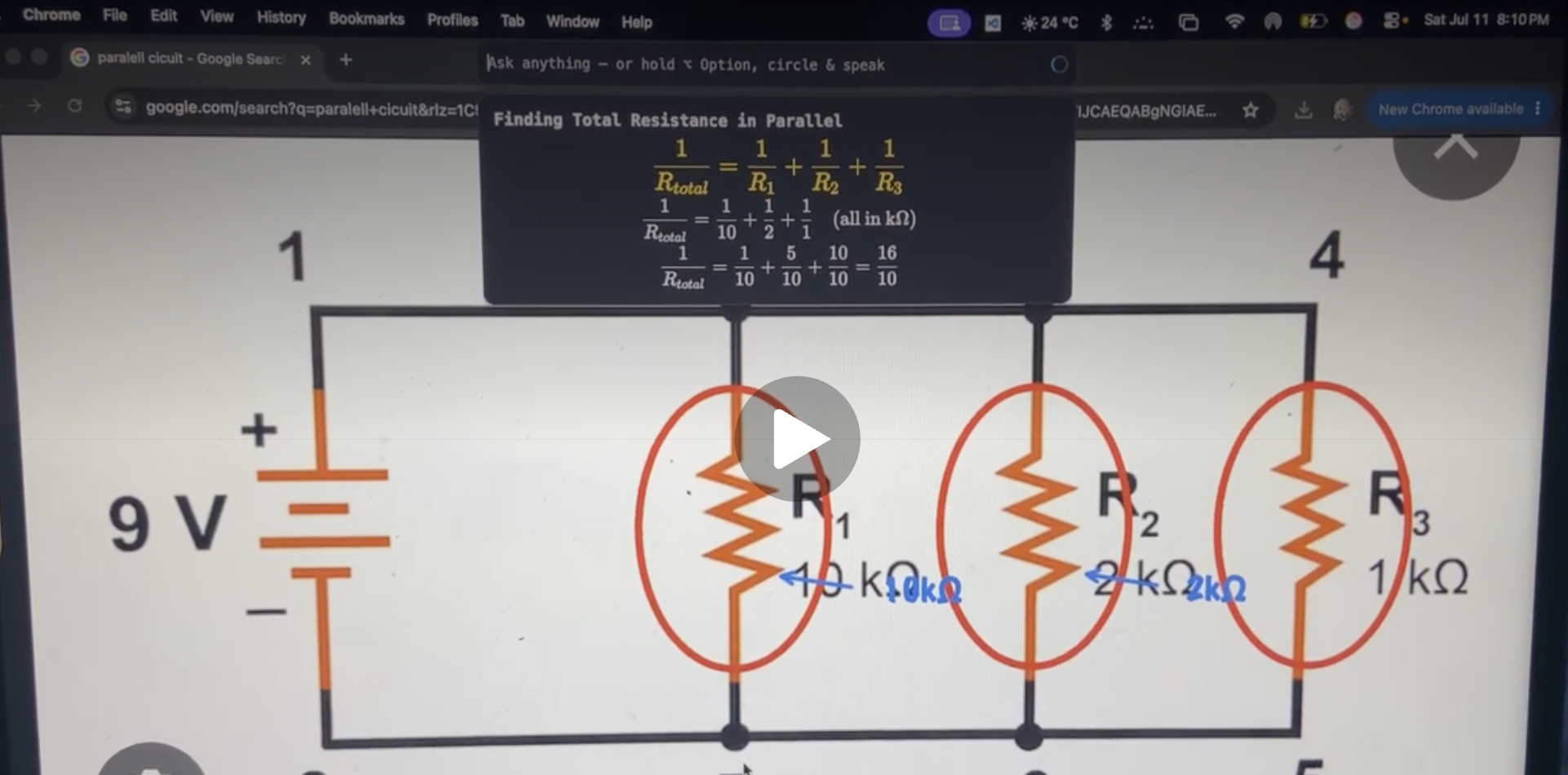
Our project takes in voice or text inputs, and is able to see your screen. You can even highlight things by moving your cursor around it. Then, it explains to you the concept of the prompt by drawing diagrams, making arrows, circling key variables, and even controlling your screen to, for example, type in equations in desmos.
How we built it
The core app is build in electronjs, and uses API keys from: elevenLabs & Anthropic. Electron runs two essential windows, one window inputs pixel accurate images that give the model information about the screen, and the other window updates the screen with drawings at 60fps, able to draw lines, shapes, letters, and numbers.
Challenges we ran into
- Drawings would often be off target, too low or too big. Took a lot of callibration with the model to generate useful and meaningful drawings that made sense on the screen (eg, to circle a variable it would make a circle the whole screen wide!)
- Elevenlabs has a difficult time dealing with symbols (like the ohm symbol in our video)
- The model initially had a hard time figuring out the order of steps for operating the cursor (screen control). It would move to the wrong spot, click the wrong things, and then get confused in loops (click didnt work, so it moved, and repeat). We had to calibrate its targets and set a specific order of events to ensure it was able to complete tasks well.
- initially, it was hard for us to make the overlay appear ontop of other windows, it would often just disappear and stay on the desktop
Accomplishments that we're proud of
- we were able to calibrate the model to the point where it is useful in explaining equations and circling variables.
- it is genuently helpful with the diagrams and visual help, and can do operations like "Draw a flower" in Desmos, and explain how things work very intuitivly
What we learned
- We learned how to use electronjs and make desktop applications with react
- We learned how to use vision models, how to work with APIs, and make overlays over other windows
What's next for Halo
- We plan to ask students over the school year to use Halo and tell us what was useful, and what we could improve on.
- We plan to add more student-focused features like connecting to curriculums, being able to hear lectures and make notes, keep track of students specific strengths and weaknesses
NOTES:
- tested on mac
- api keys will be reset (are hardcoded for now)
Built With
- anthropicapi
- claudevision
- css
- electronjs
- elevenlabsapi
- html
- javascript


Log in or sign up for Devpost to join the conversation.