Inspiration
Magda Makram is a second-year biology student. Her Thursday is ordinary and still too full: a lab report, a missed-quiz email, a group chat waiting on one answer, a 7am lab to pack for, and an evening shift. A normal list puts all of that on screen at once. Choosing becomes the work. A high-energy assignment crowds out the ten-minute thing that is due now. She loses the start, closes the app, and does none of it. Taskforge asked for one person, one barrier, and a change you can see. Ours is next-step freeze: the list is so long that picking is harder than doing.
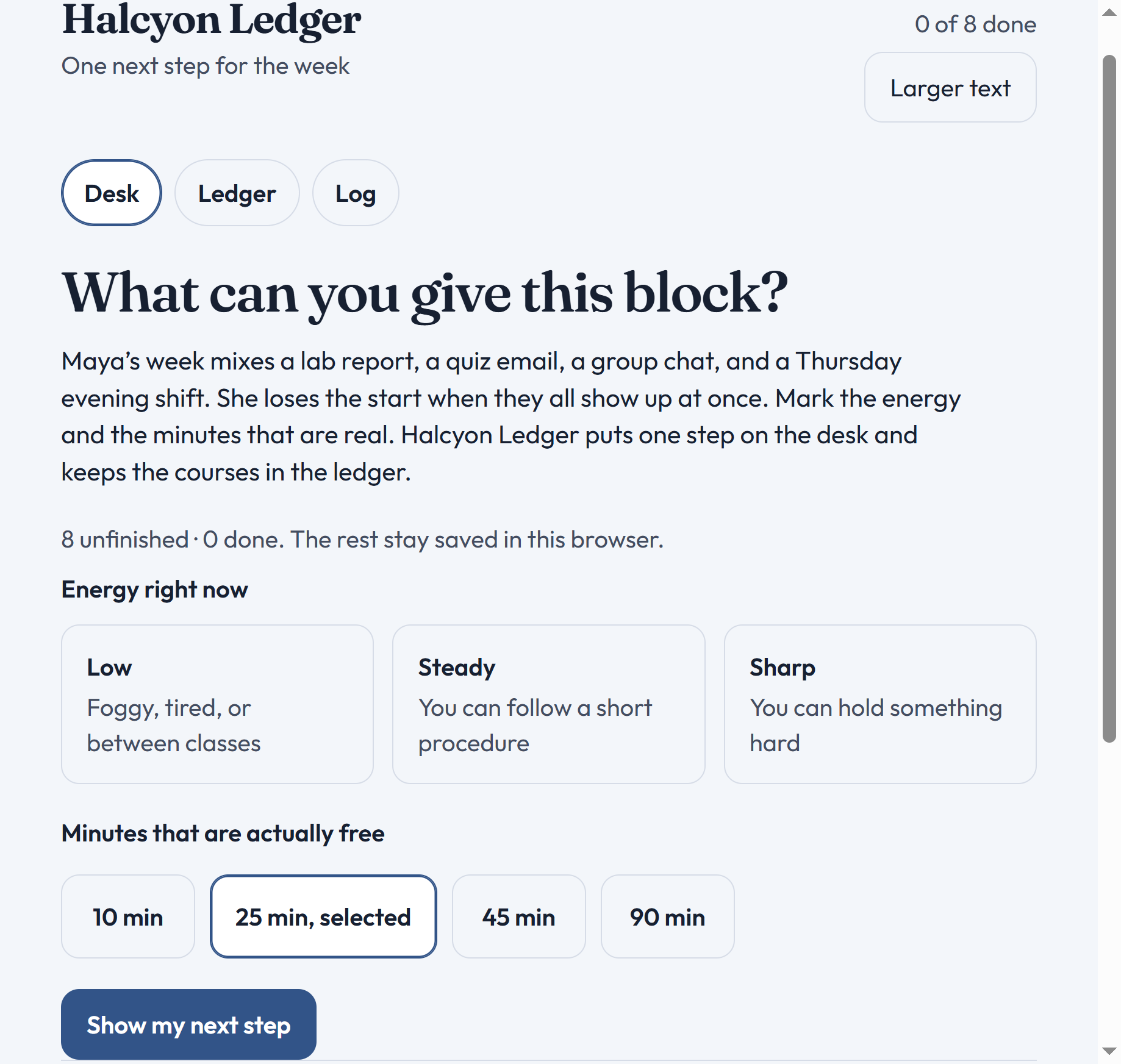
We wanted a desk that asks how she actually feels and how many minutes she has, then puts a single opening move in front of her. The week can wait in a ledger. The clock should match the block she named, not the size of the whole assignment.
What it does
Halcyon Ledger is a small, local web app with four surfaces:
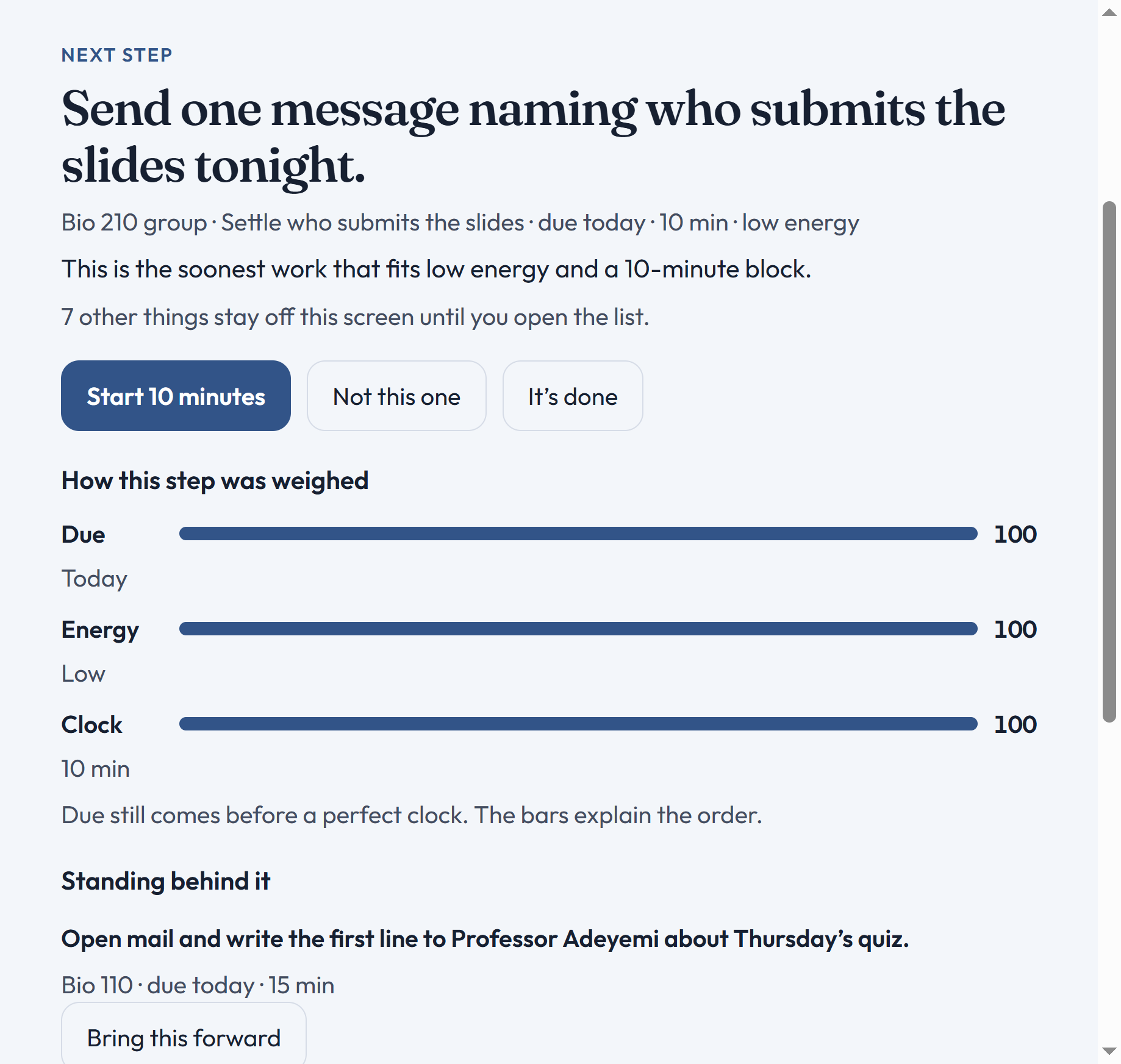
- Desk. Two questions: energy (Low / Steady / Sharp) and free minutes (10 / 25 / 45 / 90). Then one next step, with weights for due date, energy, and clock fit. The next two pieces stand behind it. Everything else stays off the screen.
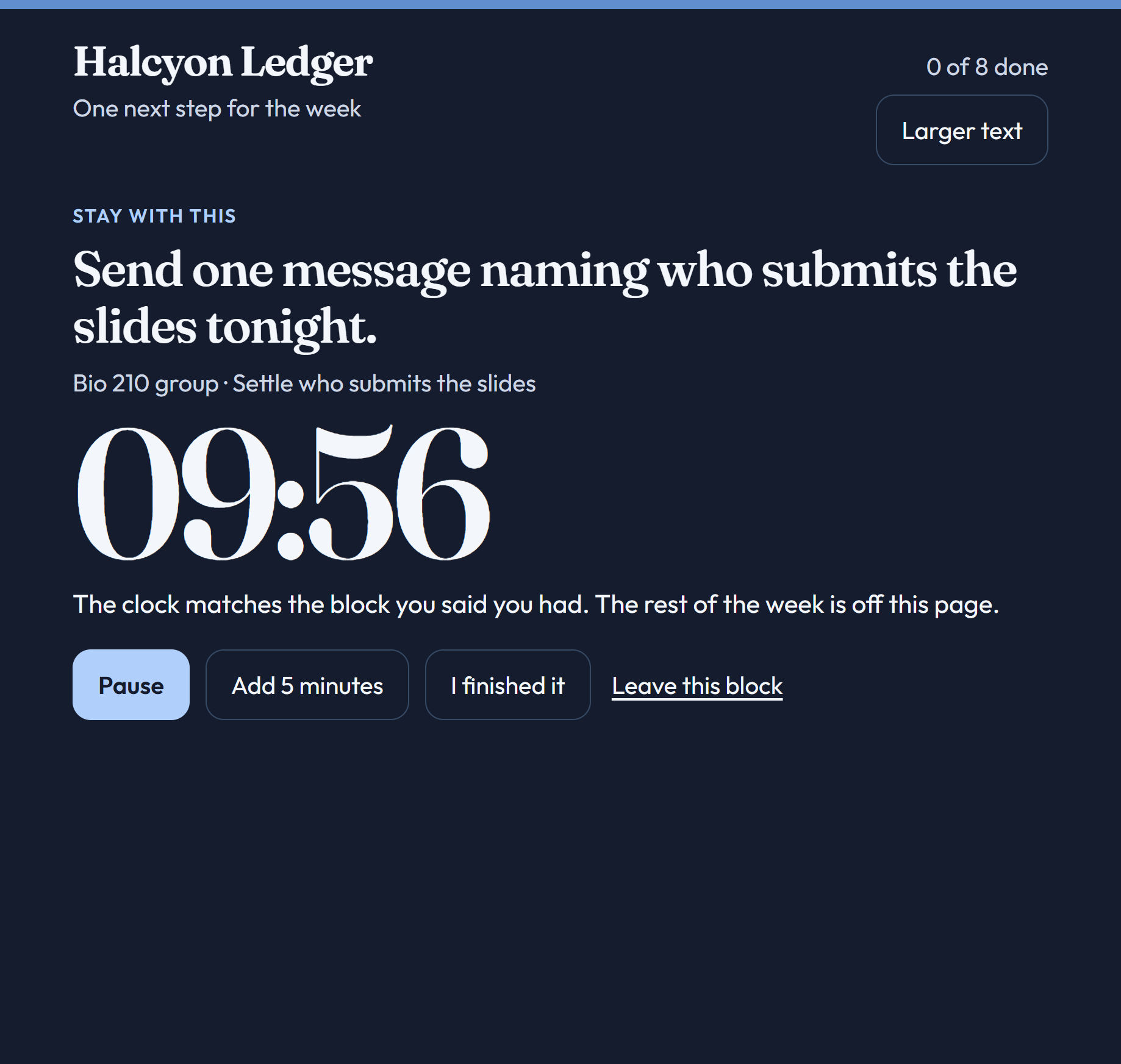
- Focus. A timer cut to the smaller of the task length and the minutes she said she had. Pause, add five minutes, or mark it done. Screen readers hear start, pause, each minute, and time-up; the ticking digits stay decorative.
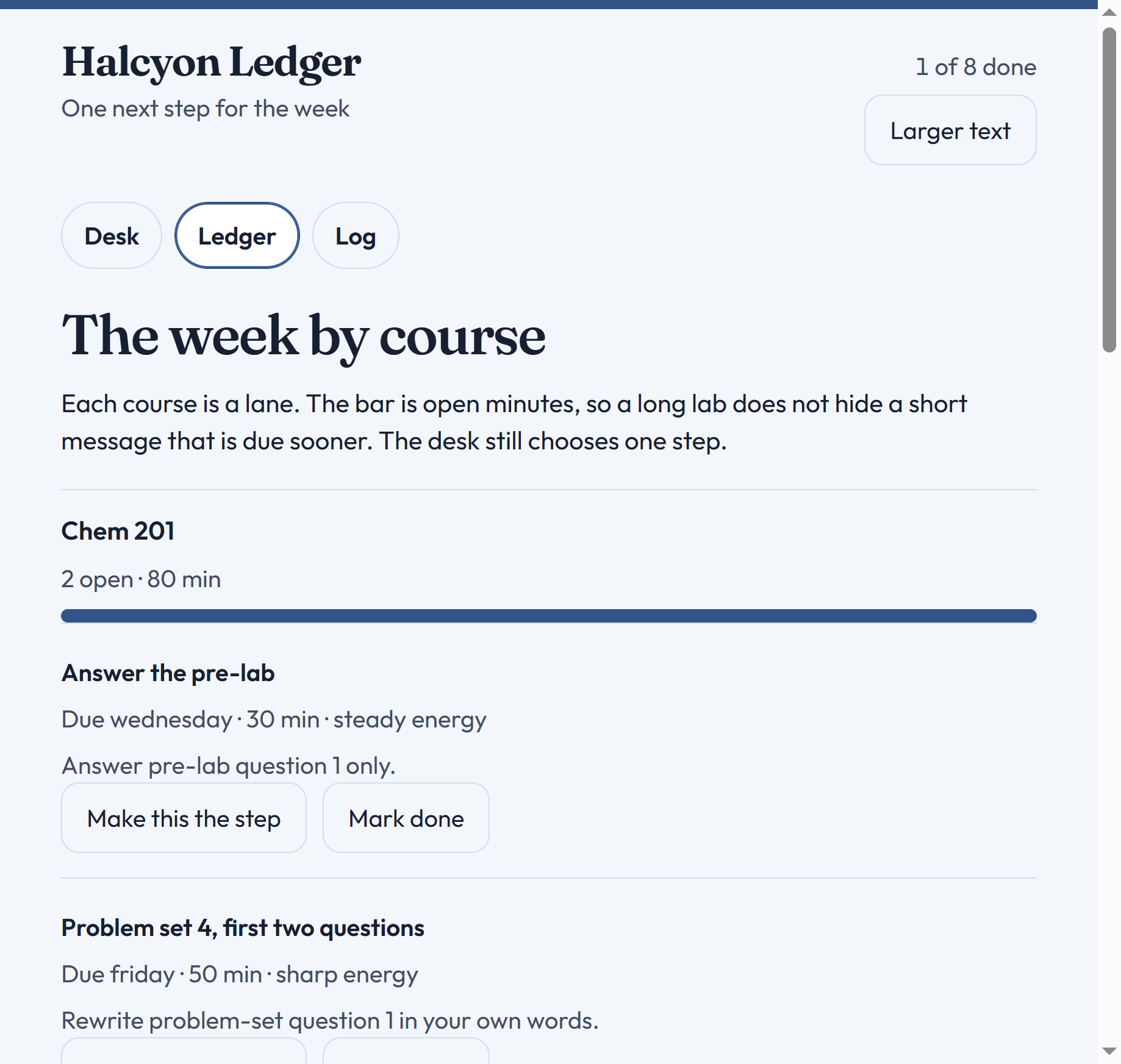
- Ledger. Open work grouped by course, sorted by remaining minutes, so the week is a map instead of a pile.
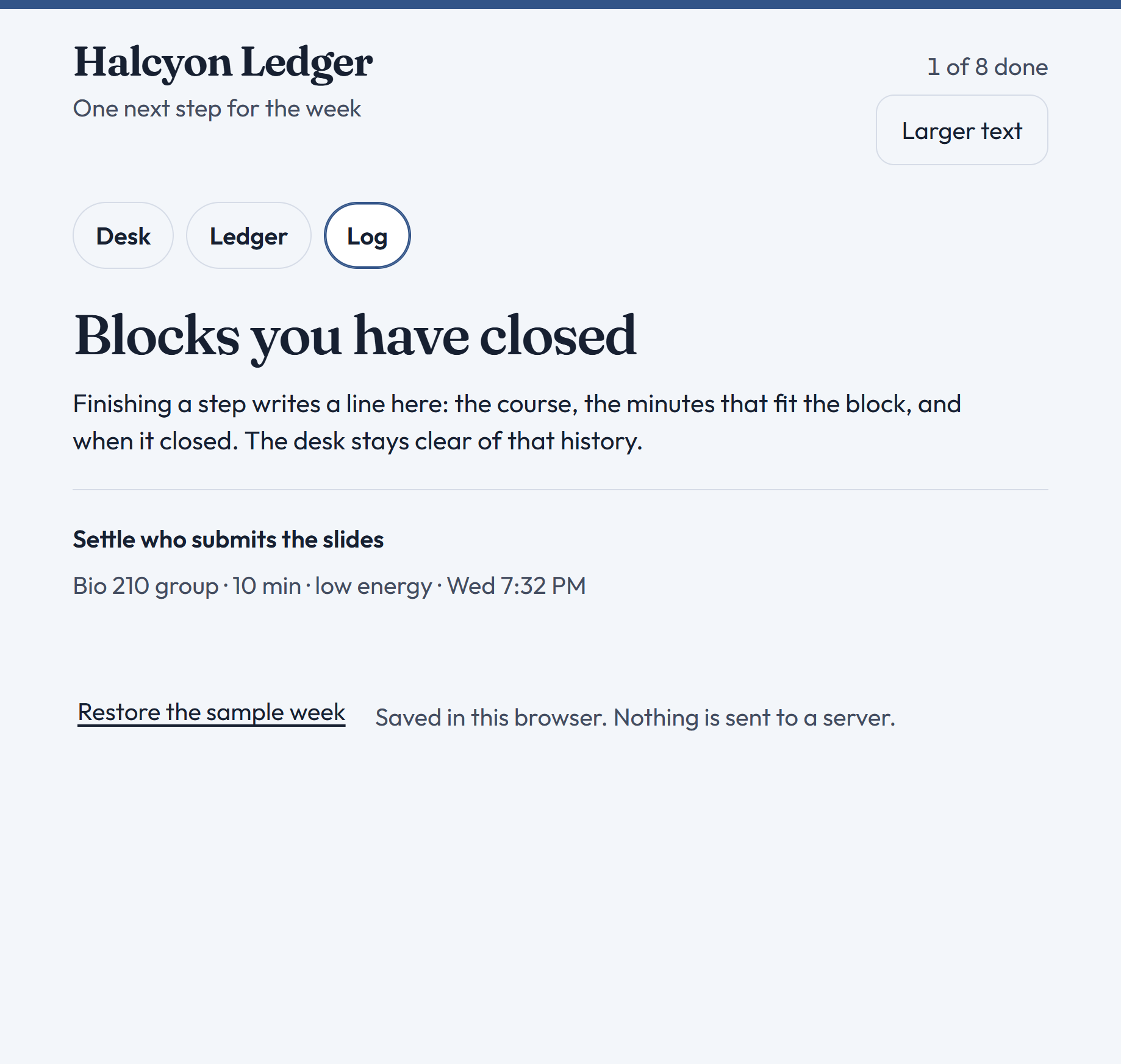
- Log. Blocks she has already closed.
She can skip a suggestion, set a row as the step for this block, add her own tasks, restore the sample week, or bump the type size. There is no account and no network. The list lives in
localStorageon this machine. How a step is chosen (among unfinished tasks that were not set aside): - Prefer work at or below the energy she marked. If nothing qualifies, offer the soonest remaining task as an opening move and tell her to stop when the timer ends.
- The soonest due date wins.
- If two tasks share that due date, one that fits the clock wins over a longer one. If neither fits, the shorter one wins.
- The timer is the smaller of the task length and the minutes she said she has. That last rule is the point of the prototype: a ten-minute reply due today stays in front of a fifty-minute problem set. Short minutes slice the due-today task; they do not swap in easier work that is due later. --- ## How we built it The prototype is a React 18 + Vite app. No UI kit, no backend, no accounts.
- Choice, weights, course lanes, and copy live in
src/model.jsso the ranking can be read without digging through the UI. src/App.jsxholds Desk, Ledger, Log, Focus, persistence, and accessibility behavior (heading focus,aria-pressed, a polite live region, larger text, reduced motion, forced colors).- Tasks and the text-size preference persist in
localStorage. Energy, minutes, and “set aside” last for this visit only, so a refresh is a new check-in. The sample week is Maya’s: Bio 210 group chat, Bio 110 quiz email, 7am lab pack, lab discussion, Chem pre-lab, ecology reading before the Thursday shift, Chem problem set, Writing 105 outline. Run it with Node 18+:bash npm install npm run dev--- ## Challenges we ran into Ranking vs. “whatever fits.” An early instinct was to always pick a task that fits the clock. That would let a later, easier item jump the line. We had to encode the opposite: due date first, then fit, then length—and if the minutes are short, start the first slice of the urgent task. Energy as a filter, not a vibe. “Low” should not hide work that is due today. If nothing matches the marked energy, the desk still offers an opening move and is honest that she should stop when the timer ends. Focus without a second job. The clock had to feel like part of the same desk, stay usable with a keyboard, and stay quiet for assistive tech. Hiding the live ticking numbers and announcing state changes was more work than drawing a countdown. Scope. Sync, calendars, and estimates would have turned this into a generic planner. We kept due dates as labels (“Today”, “Tonight”) and let Maya type the minutes. --- ## Accomplishments that we're proud of - A demo path you can walk in a few minutes: Low + 10 min → group-chat message; skip → quiz email sliced to 10; start focus; Ledger / Log; Change → Sharp + 45 min → lab discussion, then the problem set.
- Weights on the desk (Due, Energy, Clock) that make the choice visible instead of magical.
- Accessibility as part of the product: 44px targets, visible focus, high contrast in paper and dark focus views, larger text,
prefers-reduced-motion, Windows forced colors, no mouse required.
- A ranking file you can argue with. If the next step is wrong, the bug is in pickNext, not in a pile of UI conditionals.
What we learned
Protecting the soonest fitting step matters more than showing every priority. Lists fail Maya because they treat attention as infinite and energy as uniform. We also learned that “one next action” is not the same as “hide the week.” She still needs the Ledger when she is planning, and the Log when she needs proof she closed something before the shift. On the build side: small state and a readable model beat a framework-heavy stack for a hackathon prototype. Accessibility is easier when it is designed with the desk (real buttons, a real heading, a live region) than bolted on later. AI assistance. This prototype was implemented with Cursor Grok, an AI coding assistant. We reviewed the choice logic, copy, and sample week before submitting.
Pre-existing work. None. This repository started from the Taskforge brief.
What's next for Halcyon Ledger
- Roll due labels with the calendar so “Today” is still true tomorrow morning.
- Keep a gentle streak of energy and minutes across a visit without making refresh feel like a reset you cannot recover from.
- Optional course calendars and a print-friendly Ledger for the week before exams.
- A real-device persistence story if Maya ever wants the same desk on her phone and laptop—still without an account if we can help it.
- Test the ranking with a few more students whose weeks look less like biology labs and more like studio critiques or night shifts. For now, the job is the same as the first screen: one opening move, then stop when the clock says stop.

Log in or sign up for Devpost to join the conversation.