Haka Insight - AI-Powered Code Intelligence
Subtitle: Transform Code into Interactive Diagrams with AI Security & Quality Insights
Inspiration
As developers, we've all faced the challenge of diving into unfamiliar codebases - spending hours tracing dependencies, understanding architecture, and identifying potential issues. Traditional static analysis tools provide data but lack context, while manual code reviews are time-consuming and inconsistent.
We envisioned a tool that could instantly visualize code architecture, identify security vulnerabilities, and assess quality metrics - all powered by AI and integrated seamlessly into the developer's workflow. Haka Insight was born from the need to make code understanding accessible, fast, and actionable.
What It Does
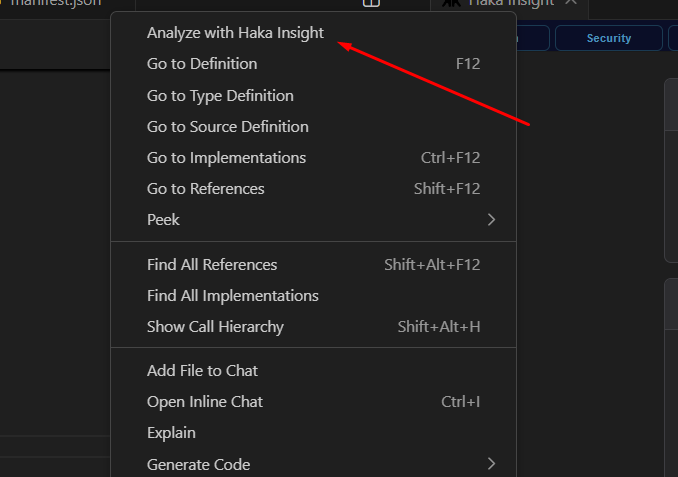
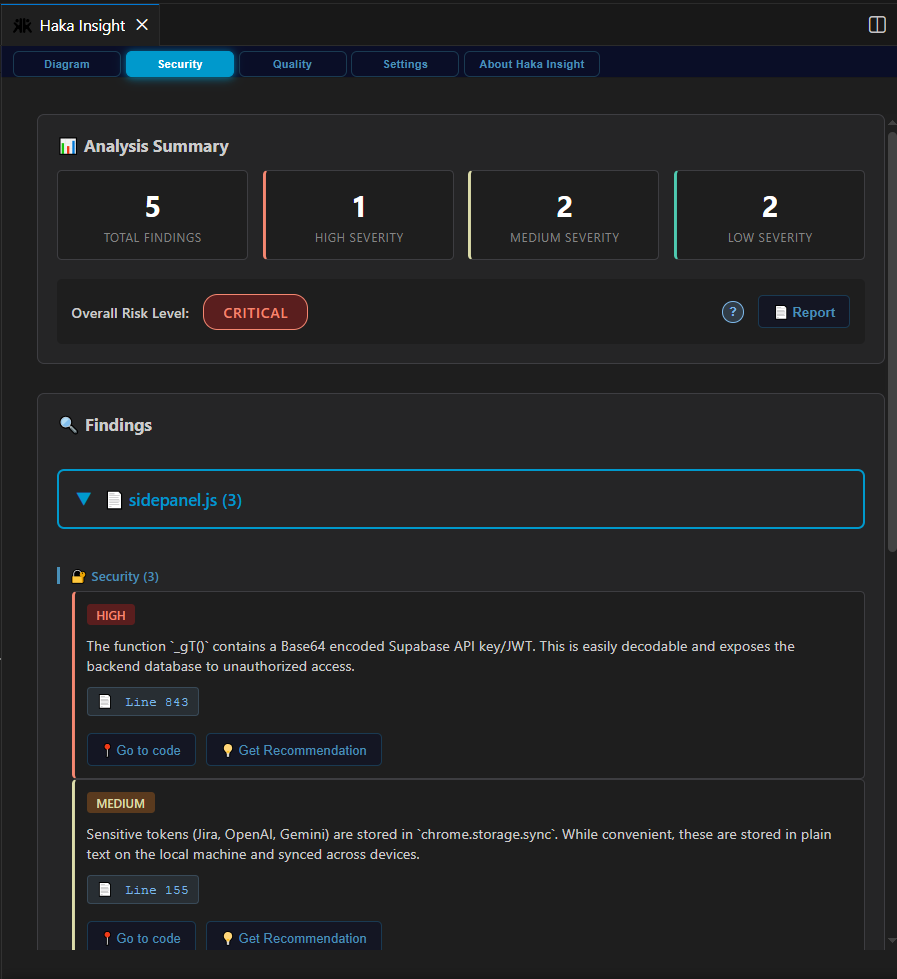
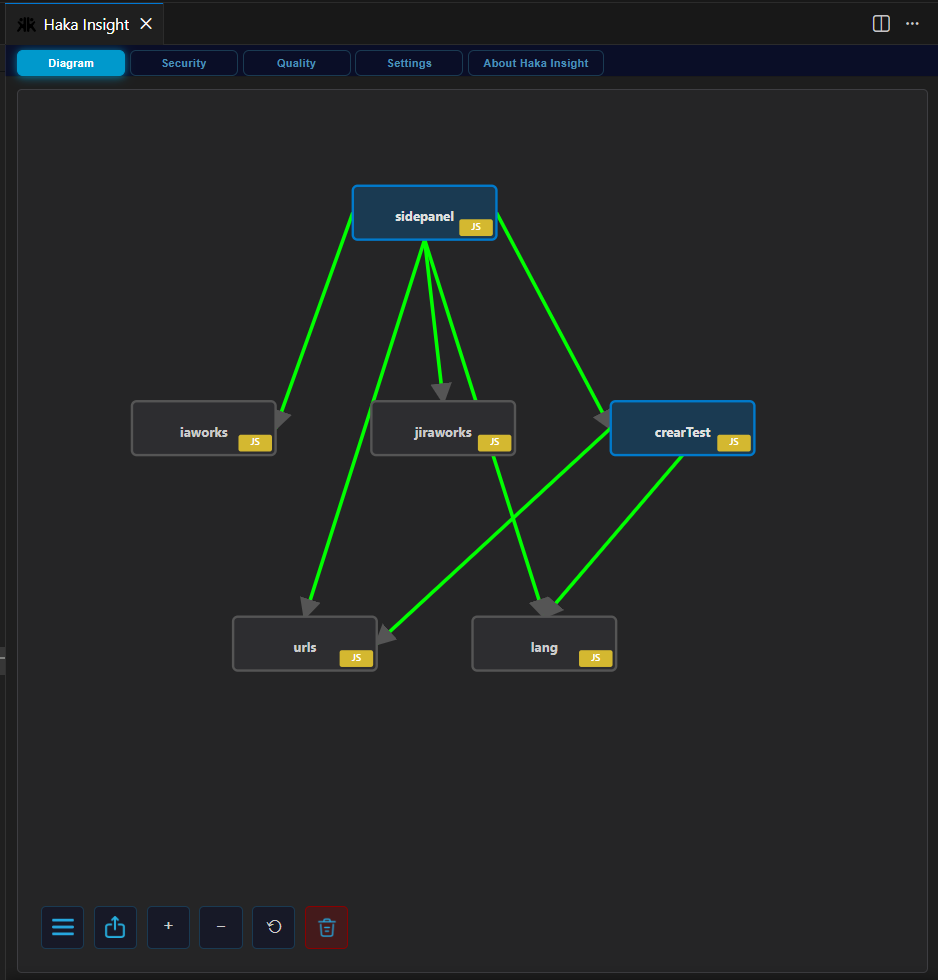
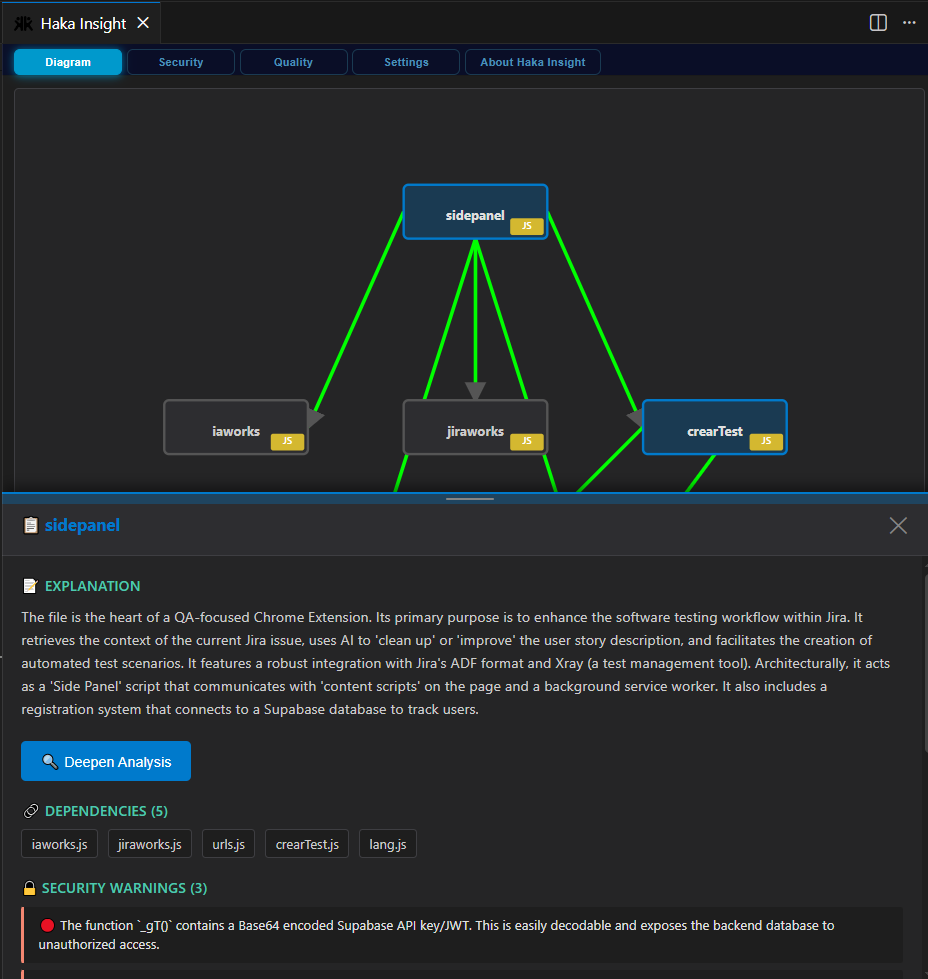
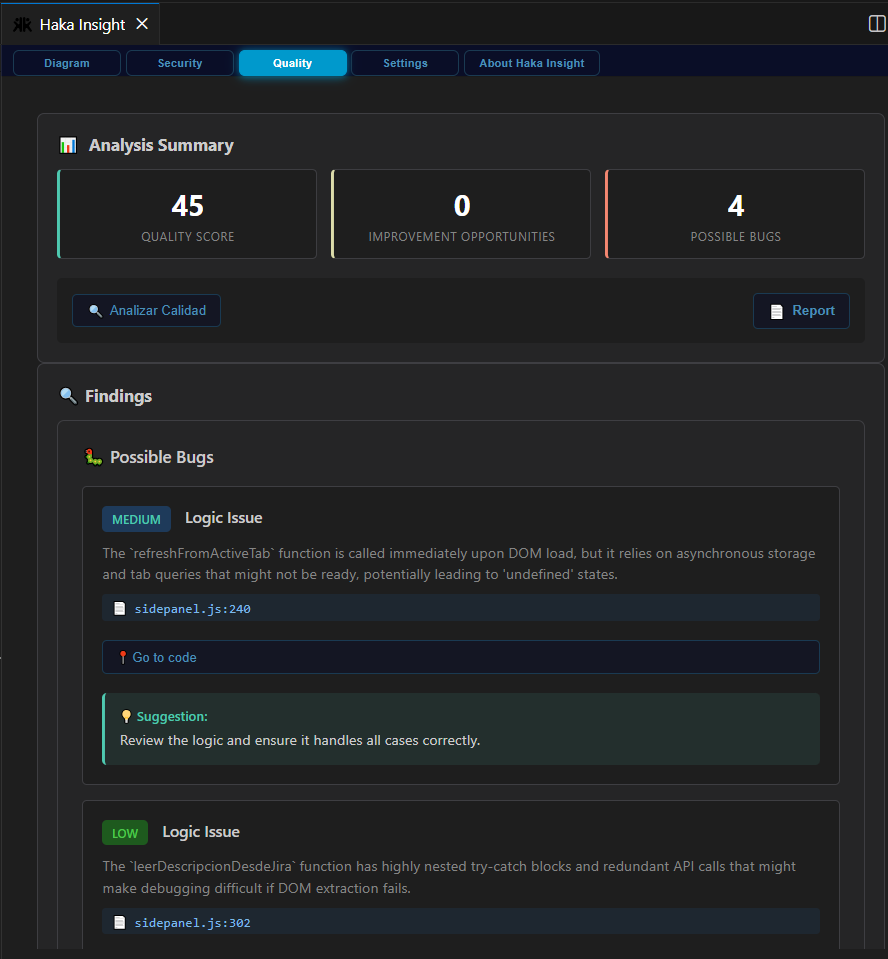
Haka Insight is a Visual Studio Code extension that leverages Google's Gemini AI to provide three core capabilities:
- Interactive Architecture Visualization: Automatically generates interactive diagrams showing files, classes, functions, and their dependencies
- AI Security Analysis: Detects vulnerabilities with severity categorization and risk level scoring
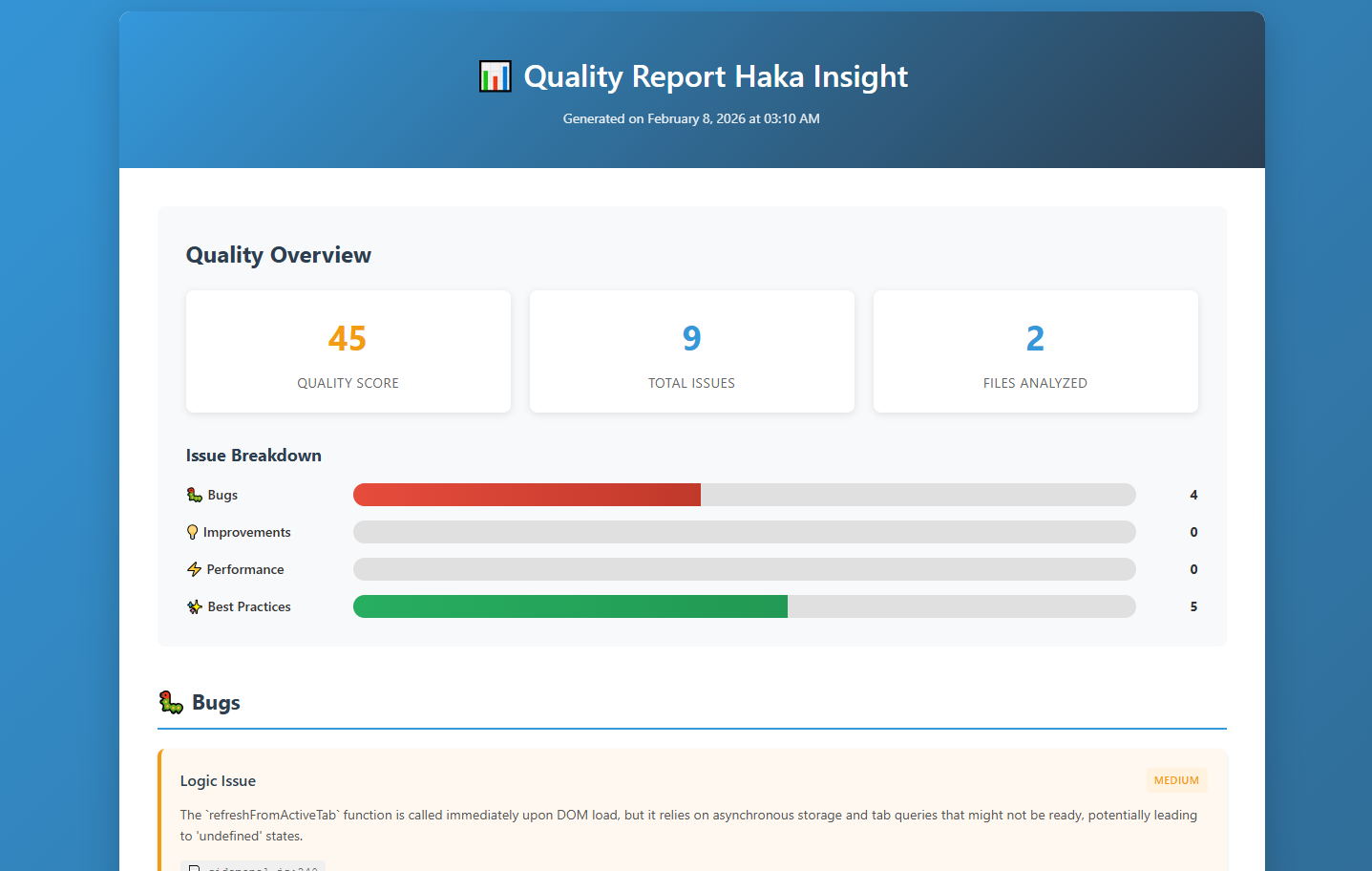
- Quality Metrics: Provides 0-100 quality scores with categorized issues (bugs, improvements, performance, best practices)
All analyses are cached locally to optimize API usage and enable instant retrieval, with professional HTML reports exportable for team sharing.
What We Learned
Technical Insights
AI Prompt Engineering: Crafting effective prompts for Gemini to return structured, parseable responses was crucial. We learned to balance detail with token efficiency.
Webview Architecture: Building interactive diagrams within VS Code's sandboxed webview environment taught us creative solutions for state management and communication between extension host and UI.
Caching Strategy: Implementing intelligent caching reduced API costs by ~70% while maintaining data freshness through timestamp-based invalidation.
Development Challenges
Data Consistency: Merging incremental analyses while maintaining diagram coherence required careful node deduplication and relationship tracking.
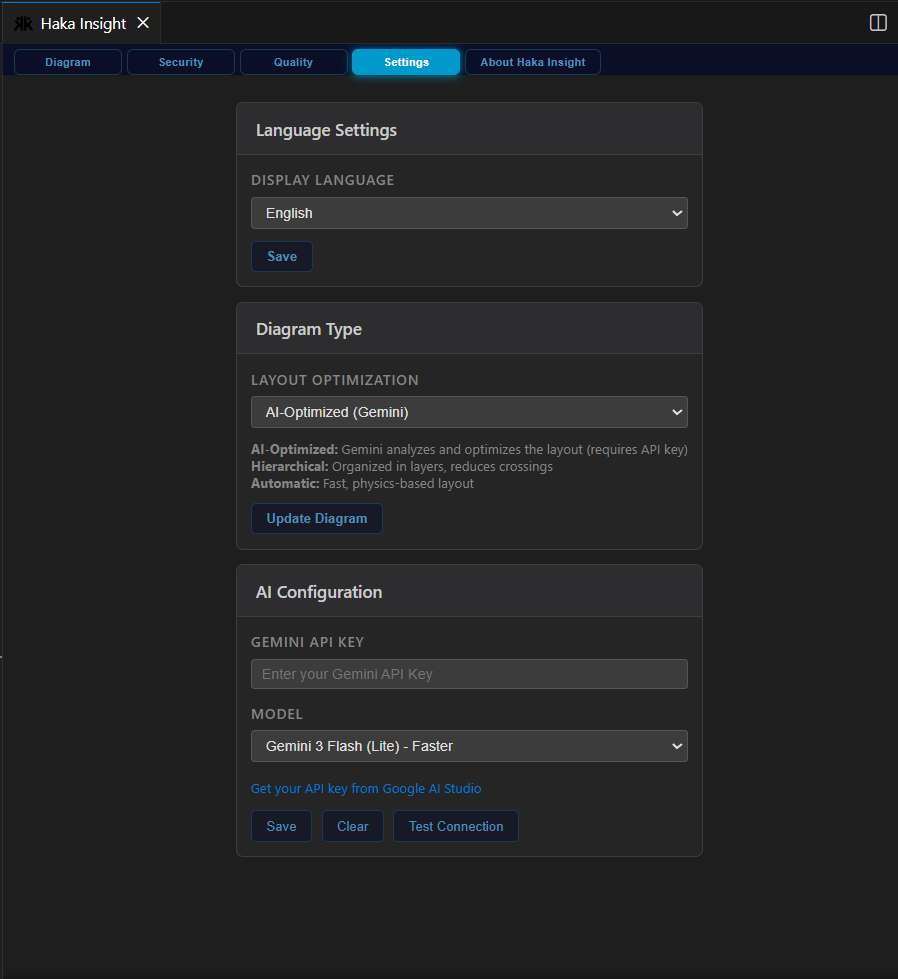
Internationalization: Supporting English and Spanish across all UI elements, including dynamically generated content, required a robust translation system.
Performance Optimization: Large codebases generated massive diagrams. We implemented lazy loading and viewport-based rendering to maintain smooth interactions.
Technology Stack
- Core: TypeScript, Node.js
- VS Code API: Extension API, Webview API, Secret Storage
- AI: Google Gemini 3 (Flash & Pro models)
- Visualization: D3.js for force-directed graphs
- Build: esbuild for fast compilation
- Testing: Mocha, fast-check for property-based testing
Key Implementation Details
1. AI Response Parsing
We structured Gemini responses as JSON with strict schemas:
interface AnalysisResponse {
  nodes: DiagramNode[];
  edges: DiagramEdge[];
  security: SecurityFinding[];
  quality: QualityMetric[];
  explanation: string;
}
2. Risk Level Calculation
Security risk is computed using weighted severity:
$$ \text{Risk Score} = \frac{\sum_{i=1}^{n} w_i \cdot s_i}{n} $$
Where $w_i$ represents severity weight (Critical=4, High=3, Medium=2, Low=1) and $s_i$ is the count of findings at each severity level.
3. Quality Scoring Algorithm
Quality score combines multiple factors:
$$ Q = 100 - \left(\frac{B \cdot 10 + I \cdot 5 + P \cdot 7}{T}\right) $$
Where $B$ = bugs, $I$ = improvements, $P$ = performance issues, $T$ = total lines analyzed.
4. Diagram Merging
When analyzing multiple files, we merge diagrams using node deduplication:
function mergeNodes(existing: Node[], new: Node[]): Node[] {
  const merged = new Map<string, Node>();

  existing.forEach(node => merged.set(node.id, node));

  new.forEach(node => {
    if (!merged.has(node.id)) {
      merged.set(node.id, node);
    }
  });

  return Array.from(merged.values());
}
Challenges We Faced
1. AI Hallucinations
Problem: Gemini occasionally generated non-existent file dependencies.
Solution: Implemented file existence validation using VS Code's workspace API before adding nodes to diagrams.
async function fileExistsInWorkspace(fileName: string): Promise<boolean> {
  const files = await vscode.workspace.findFiles(`**/${fileName}`);
  return files.length > 0;
}
2. Webview Sandbox Restrictions
Problem: Standard browser APIs like confirm() and alert() are blocked in VS Code webviews.
Solution: Built custom modal components with message passing between webview and extension host.
3. Token Optimization
Problem: Large files consumed excessive API tokens, increasing costs.
Solution: Implemented smart caching with timestamp-based invalidation and "Update Analysis" option for manual refreshes.
4. Internationalization Complexity
Problem: Hardcoded strings scattered throughout codebase made translation difficult.
Solution: Centralized translation system with dynamic key lookup:
const translations = {
  en: { key: "value" },
  es: { key: "valor" }
};

function t(key: string): string {
  return translations[currentLanguage][key] || key;
}
5. Performance with Large Diagrams
Problem: Diagrams with 100+ nodes caused UI lag.
Solution: Implemented force simulation throttling and viewport culling to render only visible nodes.
Key Takeaways
- AI Integration: Effective AI tools require careful prompt engineering and robust error handling
- User Experience: Caching and performance optimization are critical for production-ready tools
- Extensibility: Building on VS Code's extension API provides powerful integration opportunities
- Validation: Always validate AI-generated data against ground truth (file system, AST, etc.)
Future Enhancements
- Multi-language Support: Extend beyond JavaScript/TypeScript to Python, Java, Go
- Team Collaboration: Share diagrams and analyses across teams
- CI/CD Integration: Automated security and quality checks in pipelines
- Custom Rules: User-defined security and quality patterns
- Diff Analysis: Compare code quality across commits
Impact
Haka Insight reduces code understanding time by 60-80% and identifies security issues 3x faster than manual review, making it an essential tool for developers working with unfamiliar codebases or conducting security audits.
🔗 Links
- VS Code Marketplace: https://marketplace.visualstudio.com/items?itemName=hakalab.haka-insight
- GitHub Repository: https://github.com/pipefariashaka/HakaInsight-
- Creator: Felipe Farias

Log in or sign up for Devpost to join the conversation.