-
-
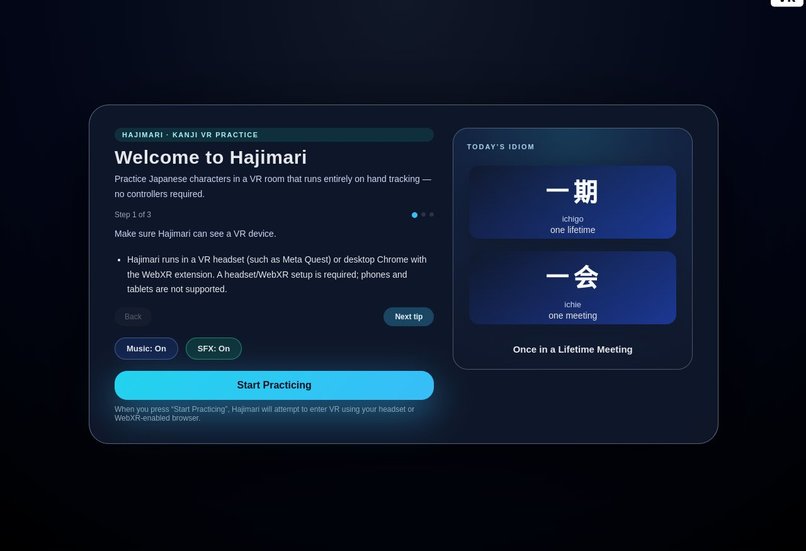
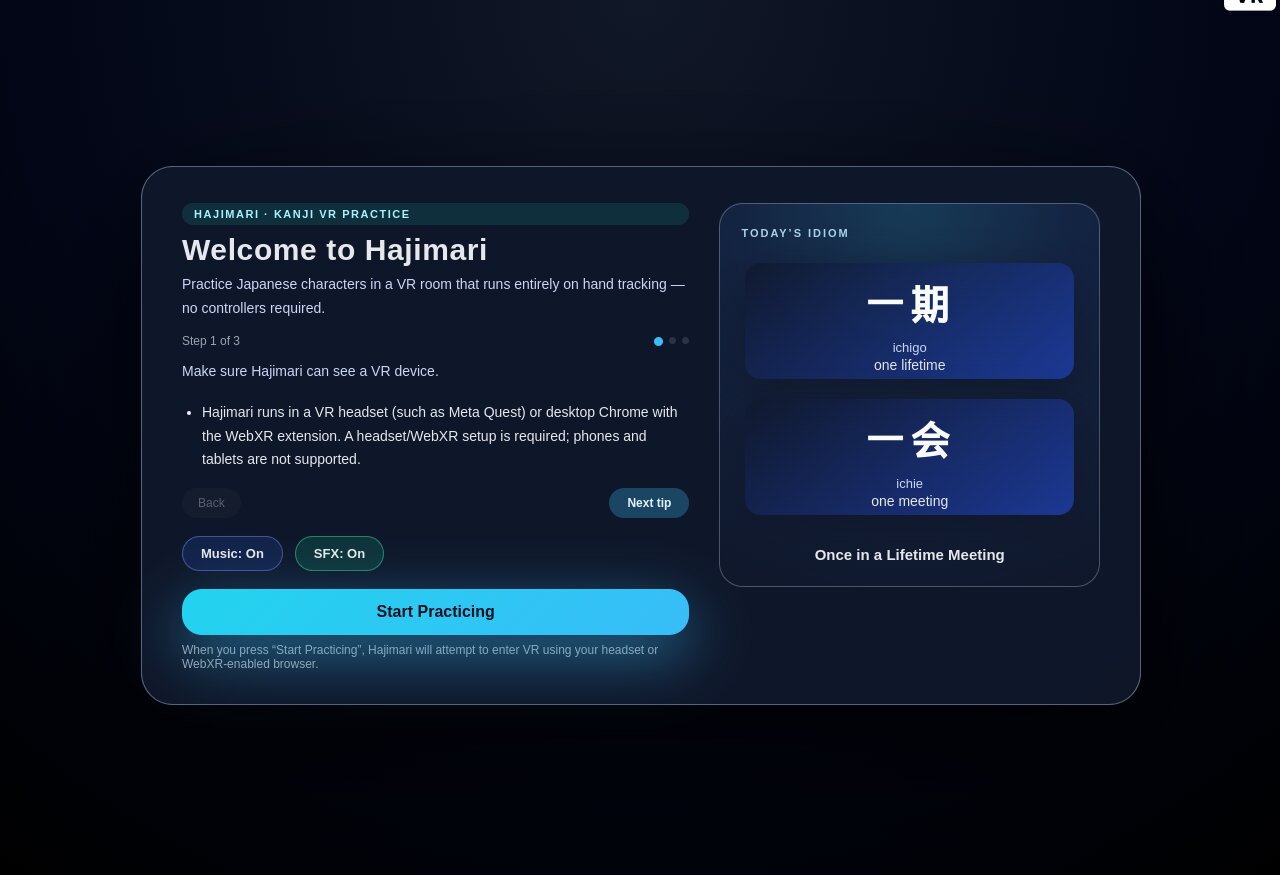
Welcome screen with a new daily Japanese idiom
-
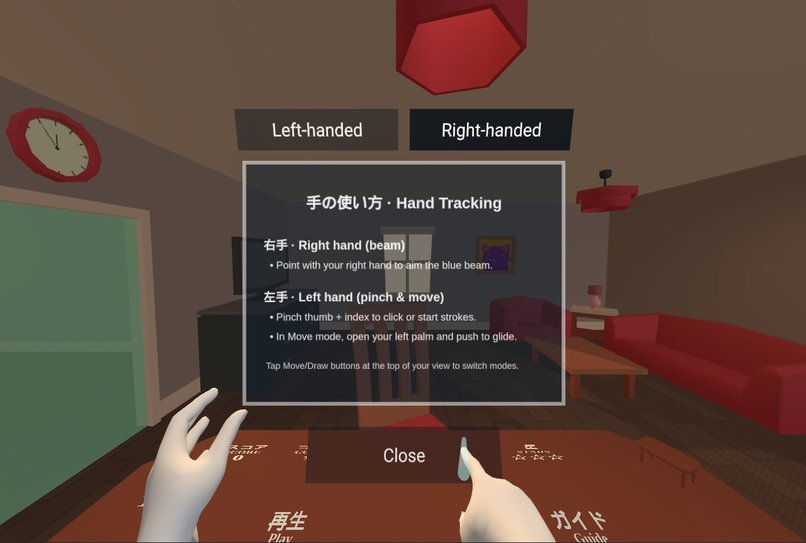
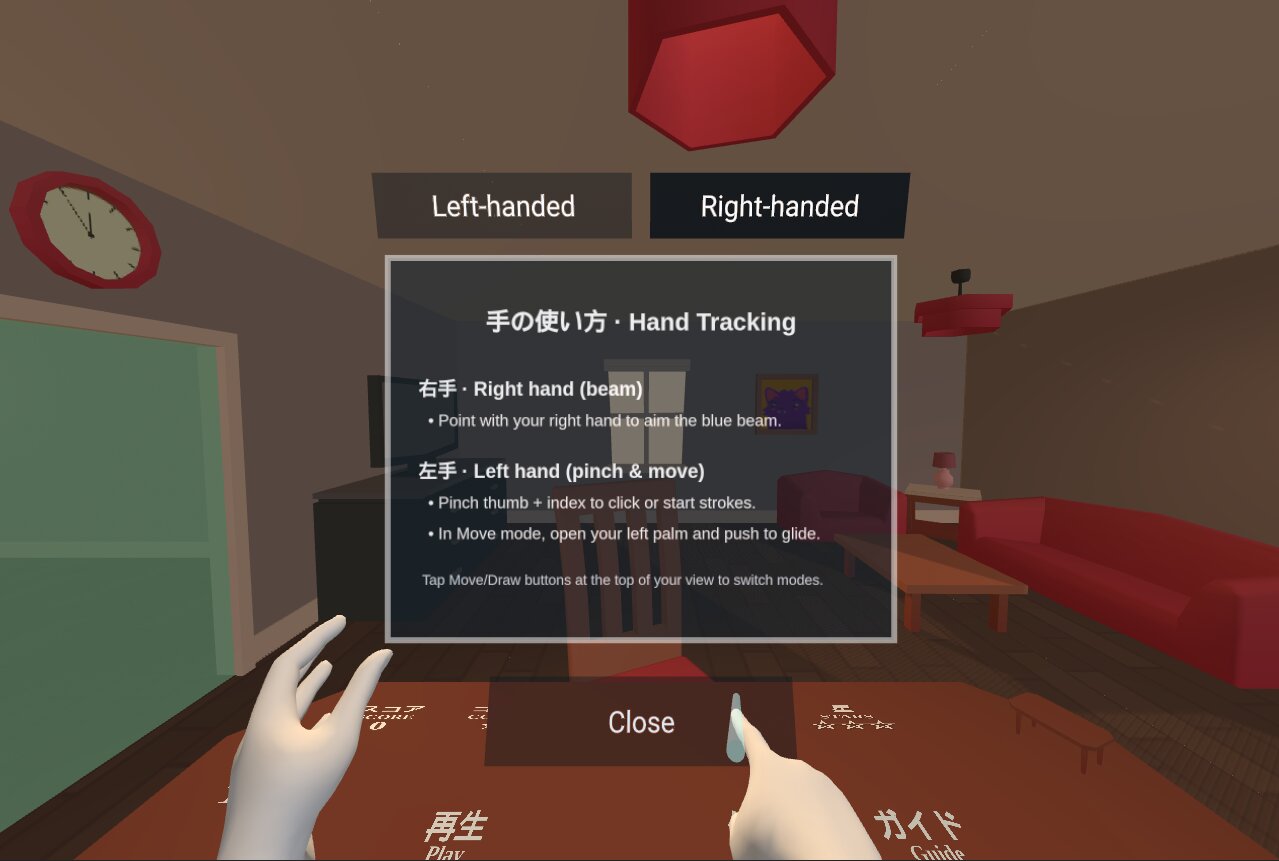
Easily switch between right and left handed dominant controls
-
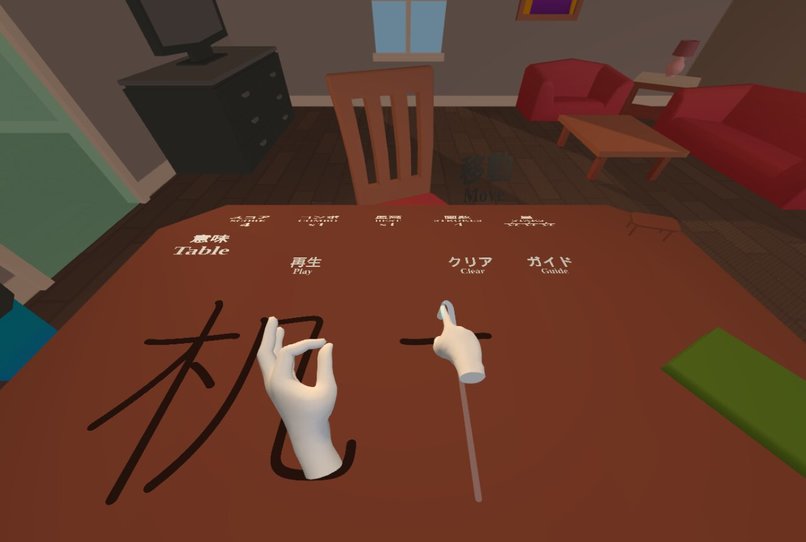
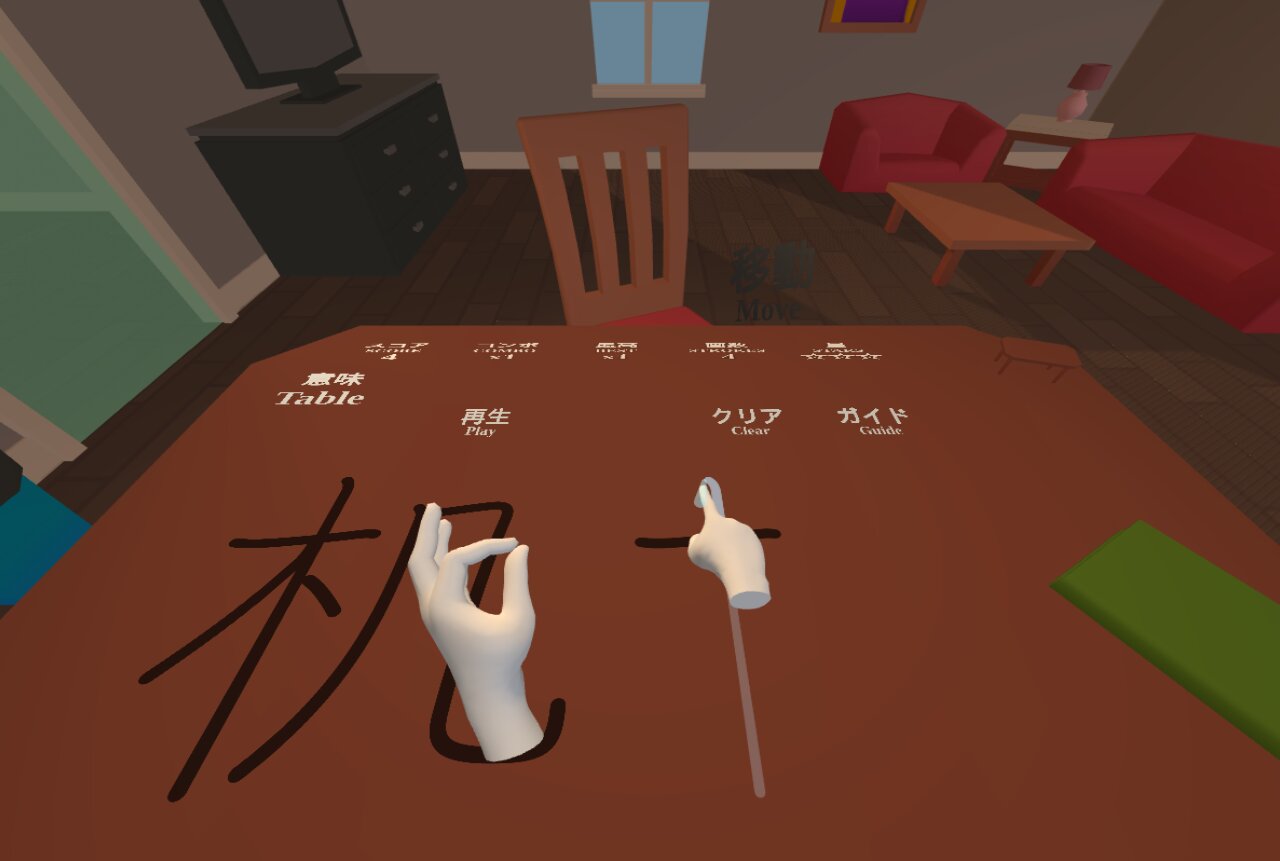
Practice drawing in a static position on the table
-
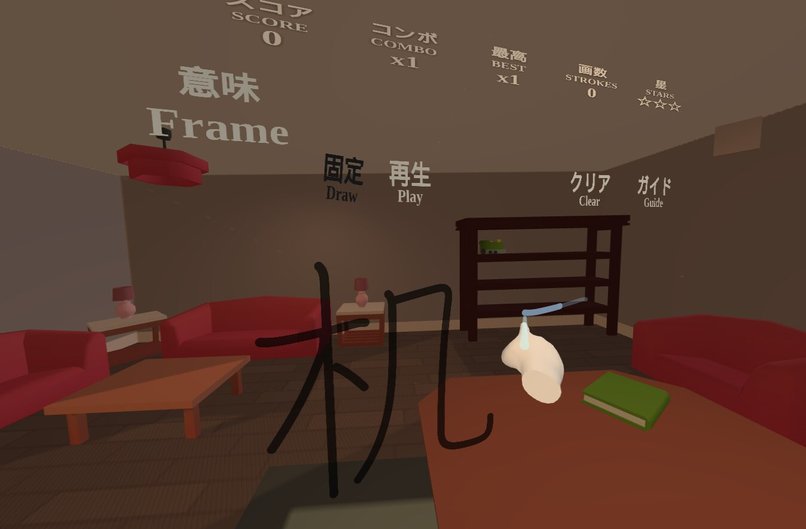
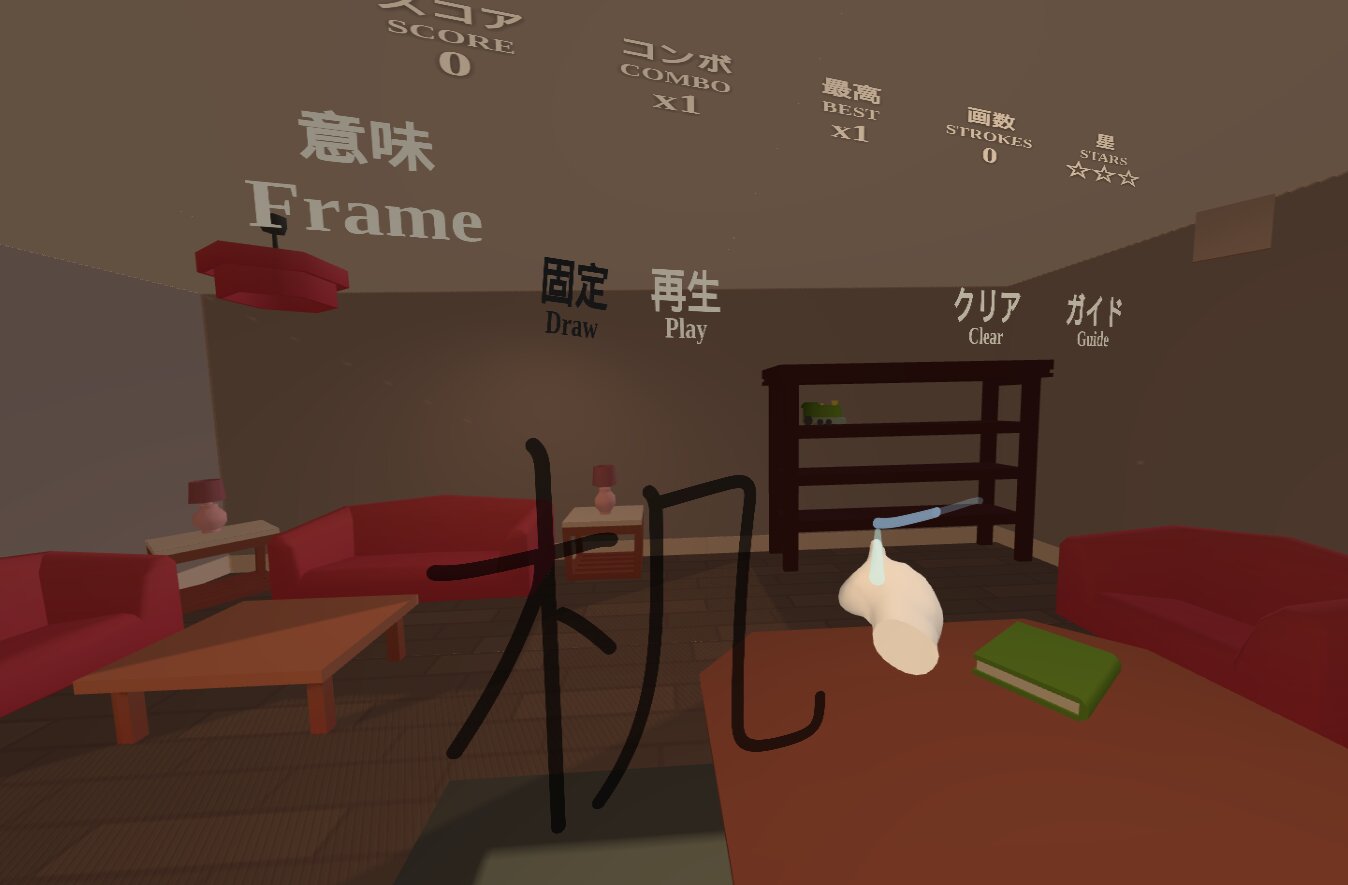
Spawn a drawing panel anywhere in move mode
Inspiration
We are building Hajimari, a Japanese learning platform. Writing kanji correctly from memory is still the hardest part of the JLPT N4 journey. We wanted a WebXR experience that forces proper stroke order, ties each character to a physical object in a 3D room, and works on a Quest headset without installing native apps.
What it does
- Puts learners in a living-room scene built in Blender and exported to glTF. Each object (wall, window, table, etc.) is mapped to a kanji/meaning pair so vocabulary stays spatially anchored.
- Runs fully in WebXR (A-Frame 1.7.1) with hand tracking only. A custom eye anchor→fingertip pointer traces a smoothed ray and fires pinch events to interact with UI panels and the writing surface.
- A floating practice board renders high-res kanji stroke guides from KanjiVG SVGs. Learners pinch-draw on the surface, see stroke-by-stroke playback, and hear per-stroke and success sounds.
- Gamified HUD on VR panels: combo, streak, stars, XP, and per-kanji stats persist in
localStorageso progress survives sessions. A welcome wizard teaches controls before entering VR. - Ambient music + SFX are preloaded with a WebAudio gain pipeline so audio feels immediate once the headset allows playback.
How we built it
- WebXR stack: A-Frame 1.7.1 with custom components for hand rays, locomotion (left-hand open-palm gliding), collision-aware UI placement, and panel clusters. UI is rendered with a lightweight component framework and injected into the A-Frame scene.
- Stroke rendering pipeline: KanjiVG SVGs are stylized, rasterized to 2K–4K canvases, and pushed to A-Frame materials on draw/playback panels and HUD surfaces. The same SVG powers the guide, playback, and the “translation” text canvas.
- Input + feedback: Pinch gestures from hand tracking drive drawing, playback controls, and mode toggles. A smoothing filter on the ray direction reduces jitter. Stroke + success audio is managed via a pooled set of
<audio>elements with a shared gain node for consistent volume. - 3D scene + performance: Furniture was arranged in Blender; positions are exported and converted to A-Frame coordinates. Collision proxies and a material helper keep the environment performant and artifact-free. Assets are monitored at runtime so the welcome overlay only lets you start once everything is loaded.
- Retention mechanics: XP, level curve, streak, combo, best score, and per-kanji attempts/completions are persisted locally.
Challenges we ran into
- Hand-tracking rays from the default palm origin jittered. We built a custom eye anchor→index-tip ray with smoothing and a short anchor offset to make writing feel pen-like.
- We planned to run the passthrough camera through the Segment Anything model to live-label real-world objects, but Quest WebXR does not expose the passthrough feed for custom processing, so we kept this build fully virtual.
- Asset loading inside
a-assetscan silently fail. We added an asset monitor with success/error accounting and block VR start until everything is ready. - Autoplay policies block audio until user gesture; we wired a resumable AudioContext and multiple source fallbacks so SFX/Music come alive right after the first interaction.
Accomplishments that we're proud of
- A headset-ready, controller-free kanji trainer that runs in the Quest browser with no install.
- High-fidelity stroke guides and HUD text rendered to canvases so kanji stay crisp at VR panel distances.
- A spatially anchored vocabulary system: every mesh in the room maps to a kanji/meaning pair, reinforcing memory by location.
- Lightweight locomotion that works with open-hand gestures and keeps the player grounded inside the training space.
What we learned
- Hand-tracked WebXR needs aggressive smoothing and short ray offsets to feel like a pen instead of a laser pointer.
- Rendering SVGs to canvases at adaptive resolutions (2K–4K) is a good balance between clarity and GPU memory in WebXR.
- Progress persistence (XP/combos/stars) makes short VR practice sessions more rewarding and keeps learners returning.
What's next for Hajimari - Kanji Writing Practice
- Ship a passthrough-capable build using a native Quest shell to unlock object-aware vocabulary prompts when WebXR allows it.
- Expand the kanji/object library and auto-generate room layouts from user vocab lists stored in the main Hajimari app.
- Add spaced-repetition scheduling to the VR selector so learners get the right kanji at the right time, not just a static list.
Built With
- aframe
- amazon-web-services
- blender
- coffeescript
- dilithium.js
- three.js


Log in or sign up for Devpost to join the conversation.