-
-
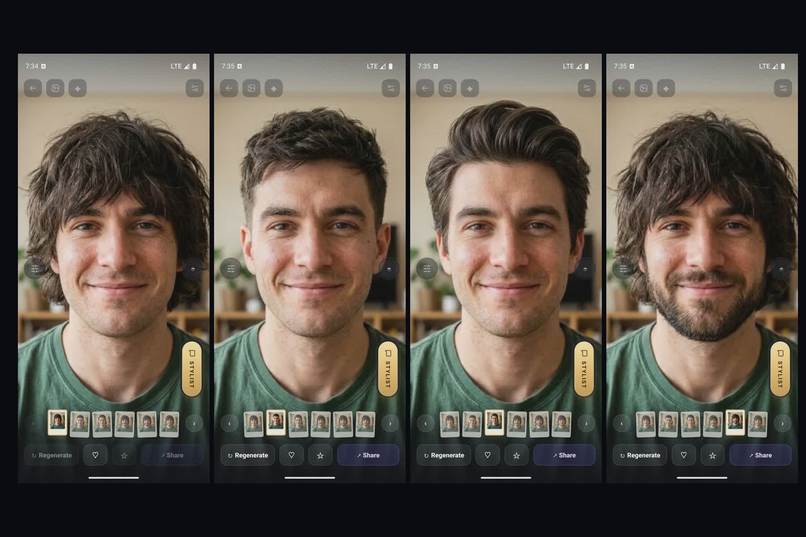
Same face, four looks: original, Textured Crop, Quiff, full beard
-
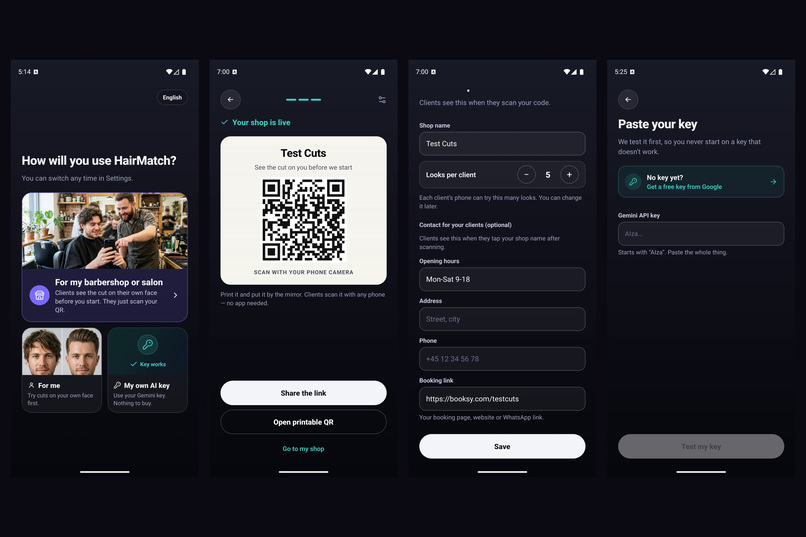
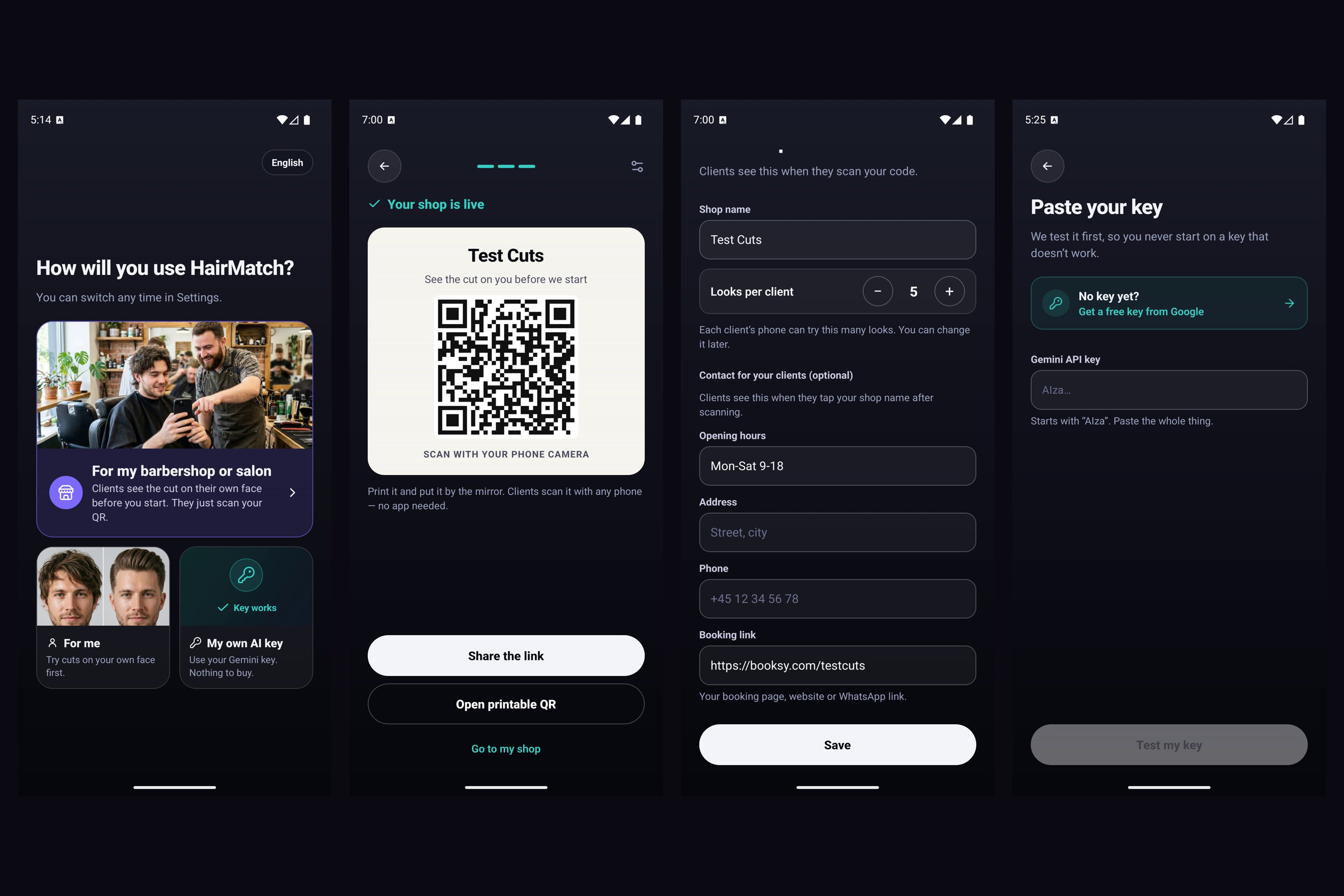
Three ways in: a barbershop or salon, the shop QR code and contact card, or your own AI key
-
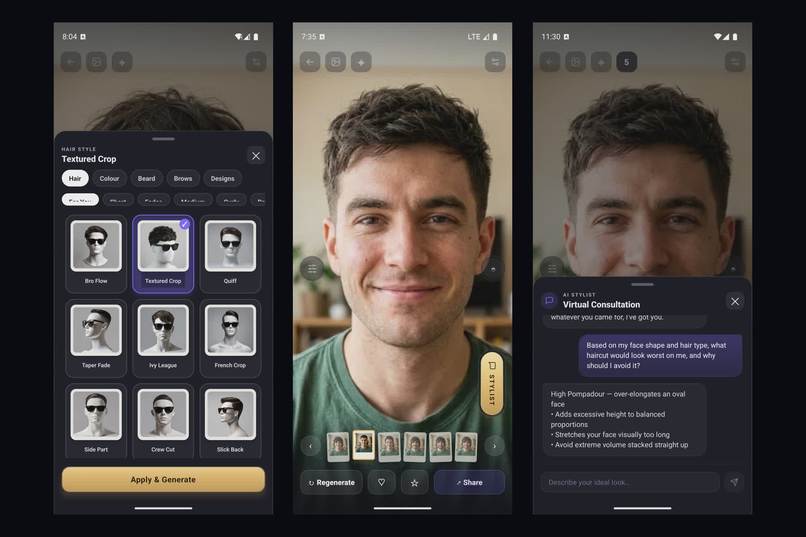
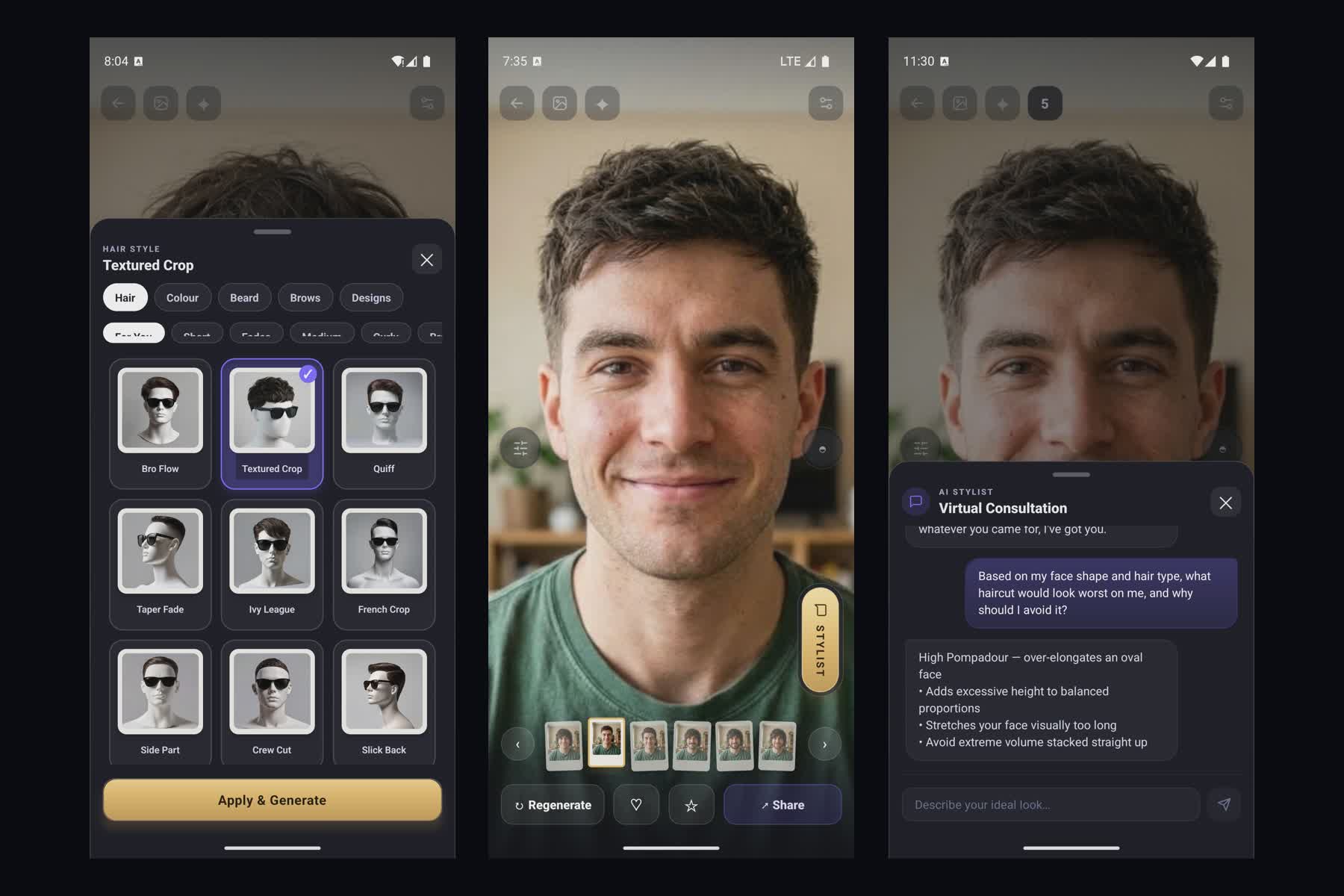
Style picker, the render, and the AI stylist
-
App icon
-
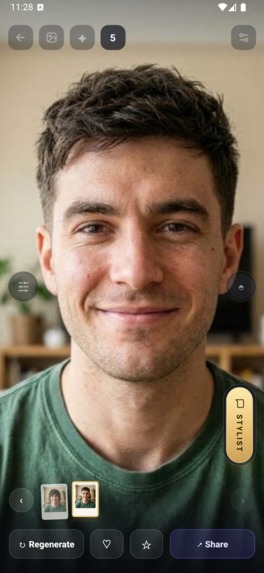
The studio: your new look, full screen
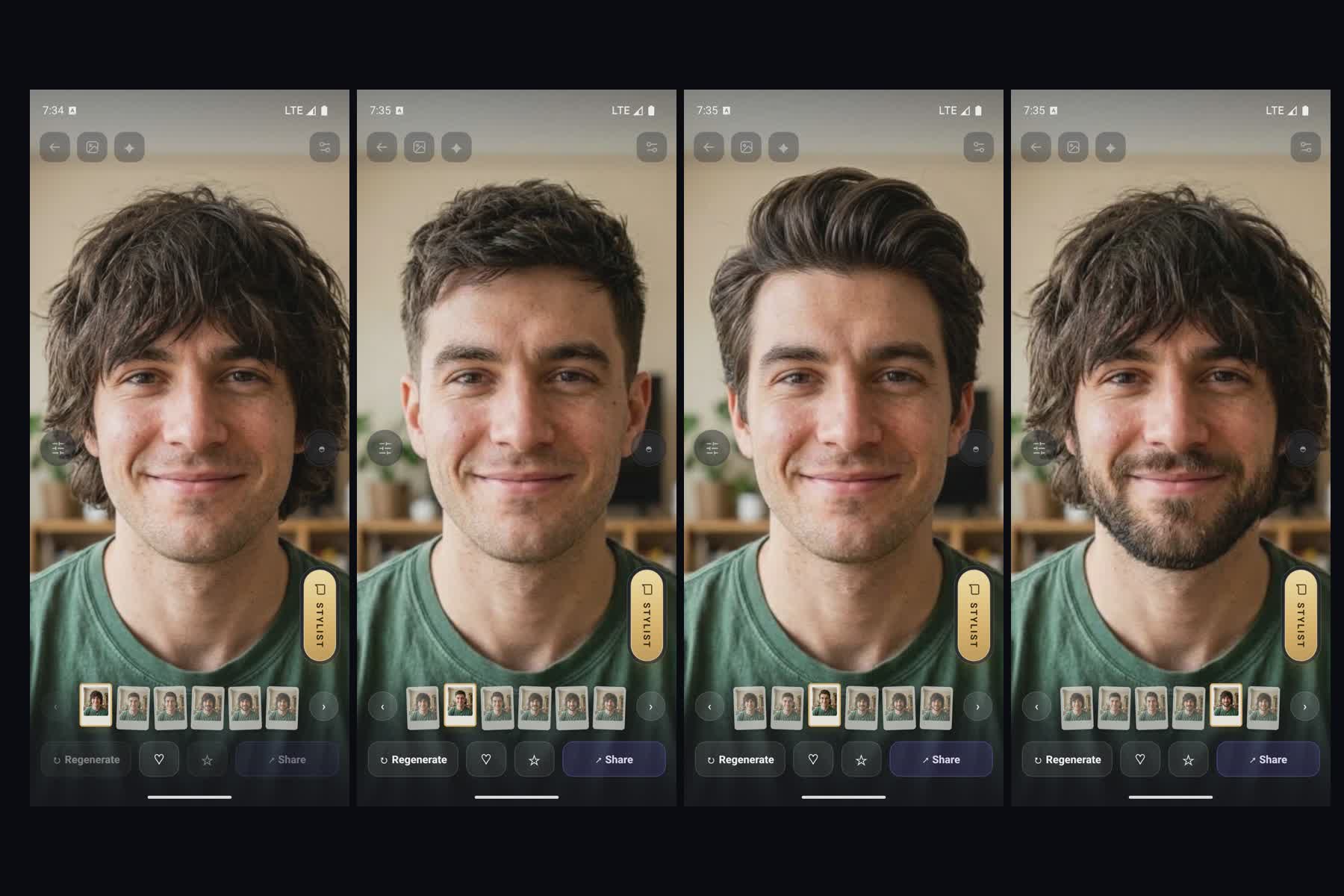
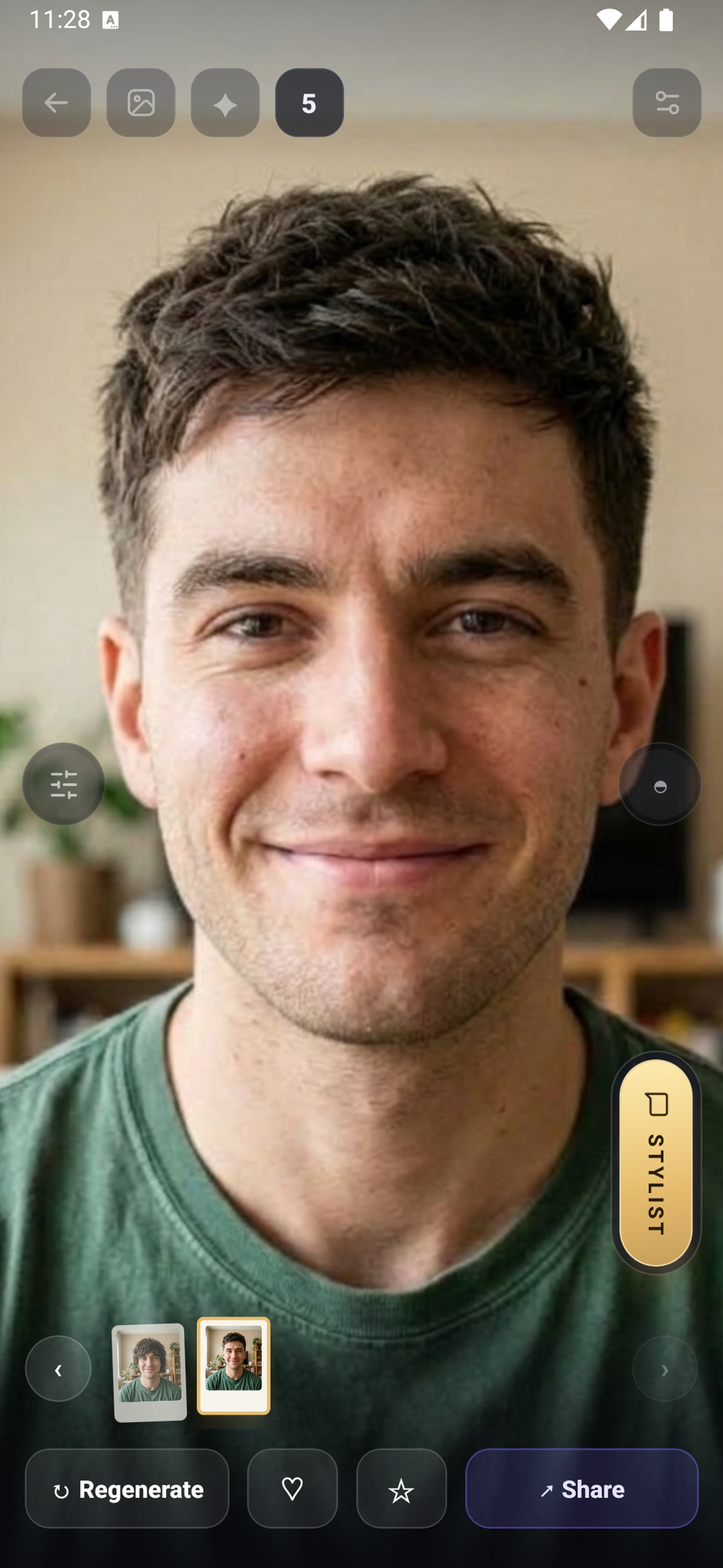
HairMatch AI shows you a haircut on your own face before the barber cuts it, so you know it suits you, your barber or stylist knows exactly what you want, and you walk out with the cut you asked for.
It is for everyone: men, women and kids, young or old, with long hair, short hair or almost none. Men's cuts, women's cuts, kids' cuts, beards, colours and brows are all in the app.
The problem
You sit in the chair and your stylist asks: "What do you want?" You either don't know, you show a picture of someone else from the internet, or you explain it and the barber gets it wrong. That's frustrating for the client and for the stylist.
What it does
Take a photo of yourself, pick a haircut, and a few seconds later you see that haircut on your own face, from the front, the sides and the back. Try as many cuts, colours, beards and brows as you like until you find the one you love.
Then you show that picture to your barber or stylist. No more explaining, no more photos of strangers. They see exactly what you want, on you, and you walk out with exactly the cut you wanted.
On top of that you get a personal AI consultation. The AI stylist looks at your face, hair and skin, tells you which cuts suit you best, how to ask for them at the salon, and how to keep your hair looking its best at home. Every cut goes into your Hair Diary, so next time you know exactly what to ask for.
Three ways to use it:
- Barbershops and salons. The shop gets HairMatch under its own name. Clients scan the shop's QR code, try cuts paid for by the shop, and see the shop's name, hours and booking link, so it feels like it came from their barber.
- Anyone who wants a new look. Download the app or open it on the web and try cuts on yourself.
- Your own AI key. Paste a free Gemini key and use the app for free, up to 5 looks a day.
How it makes money (RevenueCat)
Looks are sold in packs as one-time in-app purchases through RevenueCat. A shop can buy looks and share them with its clients, or anyone can buy looks for themselves. Each new look uses one. RevenueCat's webhook confirms every purchase before looks are added to the user's account or the shop's pool.
Our first barbershop paid us to load looks for its clients before the in-app shop flow existed. That is why we built it.
How we built it
React Native with Expo for the app, React for the web, a Node backend on Vercel, Google Gemini for the renders. The hardest part was keeping your face yours: only the hair may change.
Challenges
- Keeping your face yours. Early renders gave you a better-looking stranger. Now side views edit your real side photo, and eyes, brows and face shape are locked.
- Camera in social apps. Facebook and Instagram's in-app browsers often fail to open the camera, so people left. Now the web app falls back to another camera or the photo picker.
- Store review. Google Play rejected a release for photo permissions we didn't need. We removed them and use the system photo picker.
- The paywall. We tried several layouts and watched real sessions to see where people dropped off.
What's next
- A full 360° view. Today you turn your head by dragging between front, side and back photos. Next is a smooth 360° or 3D view of your head, so you can check the cut from every angle.
- A community for every barber. Each barbershop gets its own page. Users can join it, see which barbers are available, send their AI-designed haircut straight to that barber, and book an appointment to get it.
- Bookings and messages inside the app, so the whole trip from idea to chair happens in one place.
- Getting the iPhone app through review and bringing on more barbershops.



Log in or sign up for Devpost to join the conversation.