
HackThis - Book Stop
Finding the best book for your buck
This is our submission for the HackThis hackathon organized by HackIllinois. The app can be found here.
About The Project
Problem Statement
We believe that education is a fundamental human right of every child in the world. Every individual, regardless of income and family background should have the access to quality education. However, students from impoverished backgrounds often find it difficult to learn at the same pace as their peers due to a lack of learning resources, resulting in many of them falling significantly behind in studies. Textbooks are one search learning resource.
It is hence our goal to aid these students in searching for textbooks that are the most affordable. Any student with an interest in any subject should be able to find a good and affordable textbook pertaining to their interest.
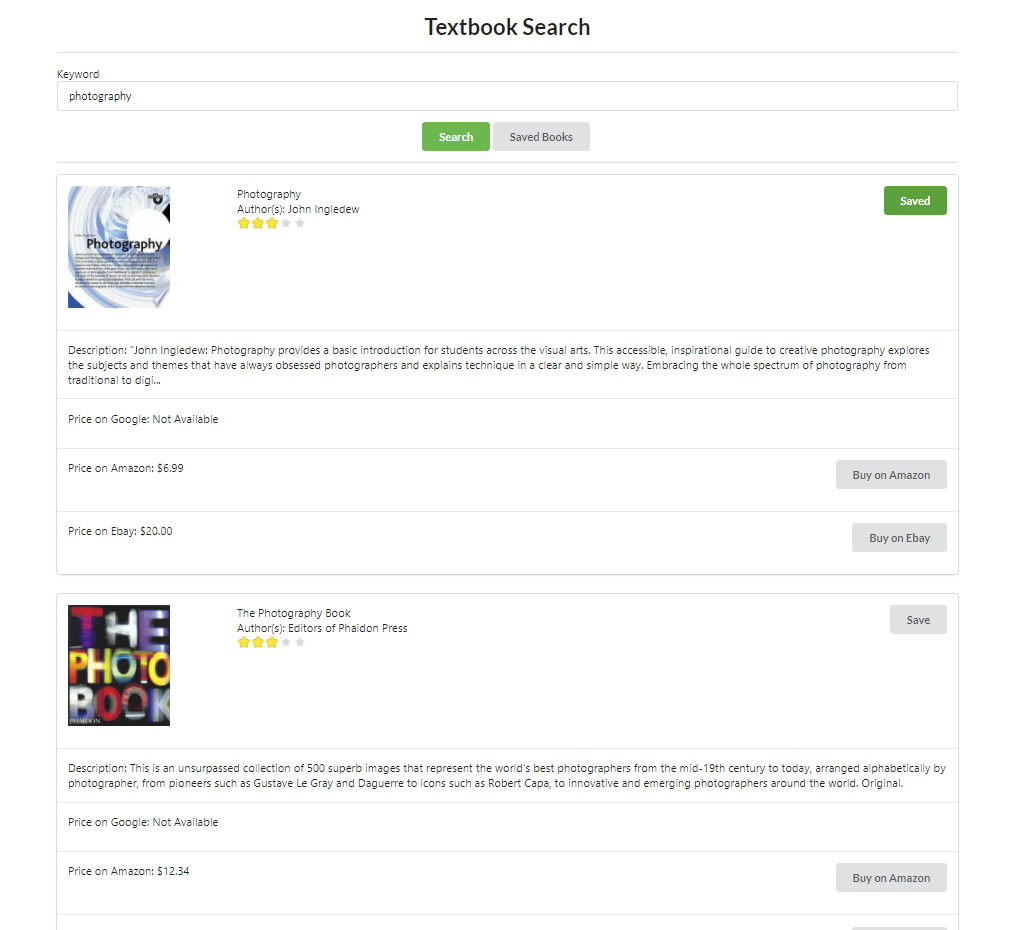
Book Stop is a web application that allows anyone to search up a particular topic and find the highest rated book for the lowest price. Book Stop will search for the book with the best "bang for your buck", finding a balance between the cost of the book, and the ratings it receives from other readers.
We hope that you can contribute to this project, and join us in utilizing technology as a social leveller!
Technical Details
We have designed the project as two de-coupled services - a frontend service built with React, as well as a backend API built with Express.
The backend is responsible for searching common e-commerce sites for book prices and links. Currently, the backend is searching through Google Books, Amazon, as well as Ebay. We plan to add more sites in the future. The backend also gets the book ratings from Goodreads, before doing weighing both the price and the book ratings to find the best valued book. Lastly, the backend also accesses and updates a collection of saved user books via a database served by a MongoDB instance.
The frontend make calls to the backend, turning data into attractive graphical representations for the end-user.
Getting Started
These instructions will get you a copy of the project up and running on your local machine for development purposes.
Prerequisites
Before we begin, install the following:
- node and npm
- git
Project structure
The backend portion of the project is stored in the root directory. The frontend of the project is in the ./frontend folder
Installing
Naviate to the root folder (or ./frontend if you want to start the frontend) and run:
npm install
Running the app
To start the frontend, navigate to ./frontend and run:
npm start
To start the backend, navigate to root diretory and run:
npm start
Setting environment variables
For local development, set your environment variables as follow:
For the backend service, set .env in the root directory to the following:
CLIENT_ID = <Client ID for the Google API>
CLIENT_SECRET = <Client secret for the Google API>

GOOGLE_BOOKS_API_KEY = <Google Books API key>
GOODREADS_KEY = <Goodreads API key>
EBAY_CLIENT_ID = <Ebay API cilent ID>
EBAY_CLIENT_SECRET= <Ebay API client secret>

MONGO_URI = <URI of the mongo instance>
BACKEND_URL= <URL of the backend service>
DB = <DB name>
Likewise, for the frontend service, set .env in the root directory to the following:
REACT_APP_CLIENT_ID = <<Client ID for the Google API>>
REACT_APP_BACKEND_URL = <URL of the backend service>
Continuous integration
CI/CD has been set up with the frontend being delpoyed via Netlify, and the backend being deployed via Heroku.
Built With
- React
- Express
- MongoDB
License

Written with Love by:
Yong Zhi Tan - Backend
Yi Shian Ho - Frontend


Log in or sign up for Devpost to join the conversation.