-
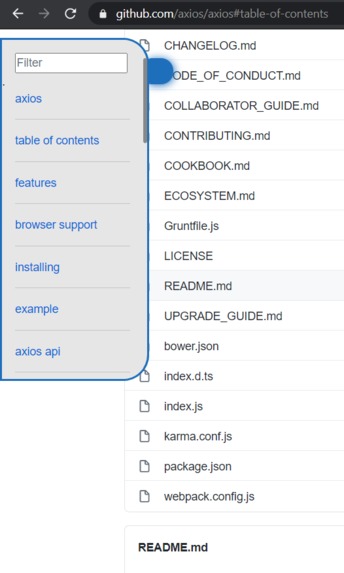
How it looks!

"# HackTheNorthProject"
Github Documentation Parser
This Chrome extension gets all the headers of the documentation of a Github repository and conveniently puts them in a side menu for you!
User Guide
process to start
- Clone this repo
- Enter chrome://extensions/ in your browser, open developer mode in the upper right corner
- Click the loading button in the upper left corner, select the path of src folder
- Pin this chrome extension to your browser
- Open any git document, click the extension icon
Features of extension
As soon as you start the extension, first thing you will notice is, on the right hand side, there will be a small menu, which can be collapsed or not. However, within it, you will be able to use the links to each part of the document. Sort of like a table of content, this is intented to make it easier to navigate through the documentation of github repos.
Authors
Joel Liju-Jacob, Rodrigo Vega, Yilu Liang, Samuel Ogunleye


Log in or sign up for Devpost to join the conversation.