-
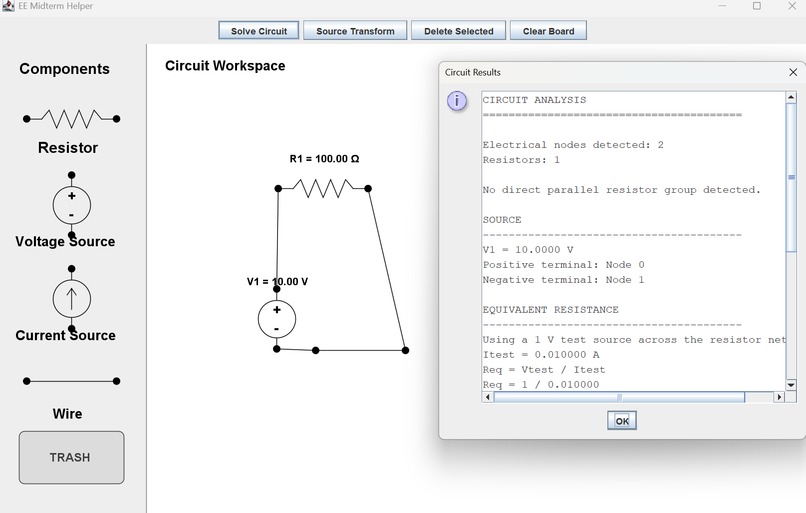
working initial version
-
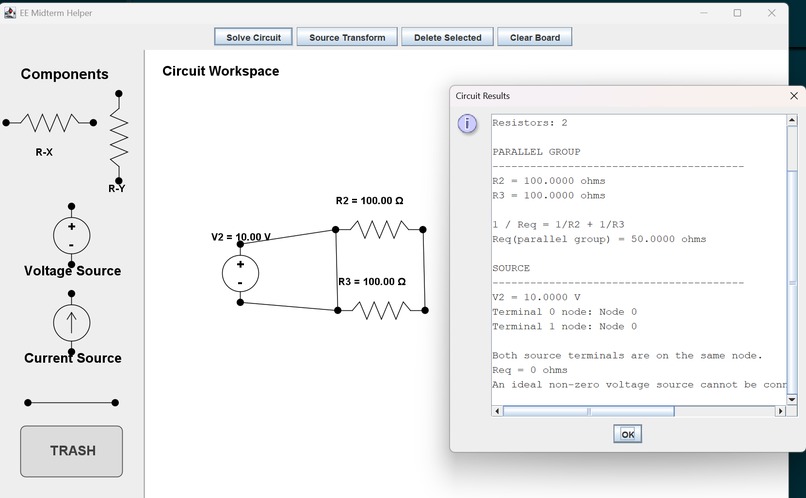
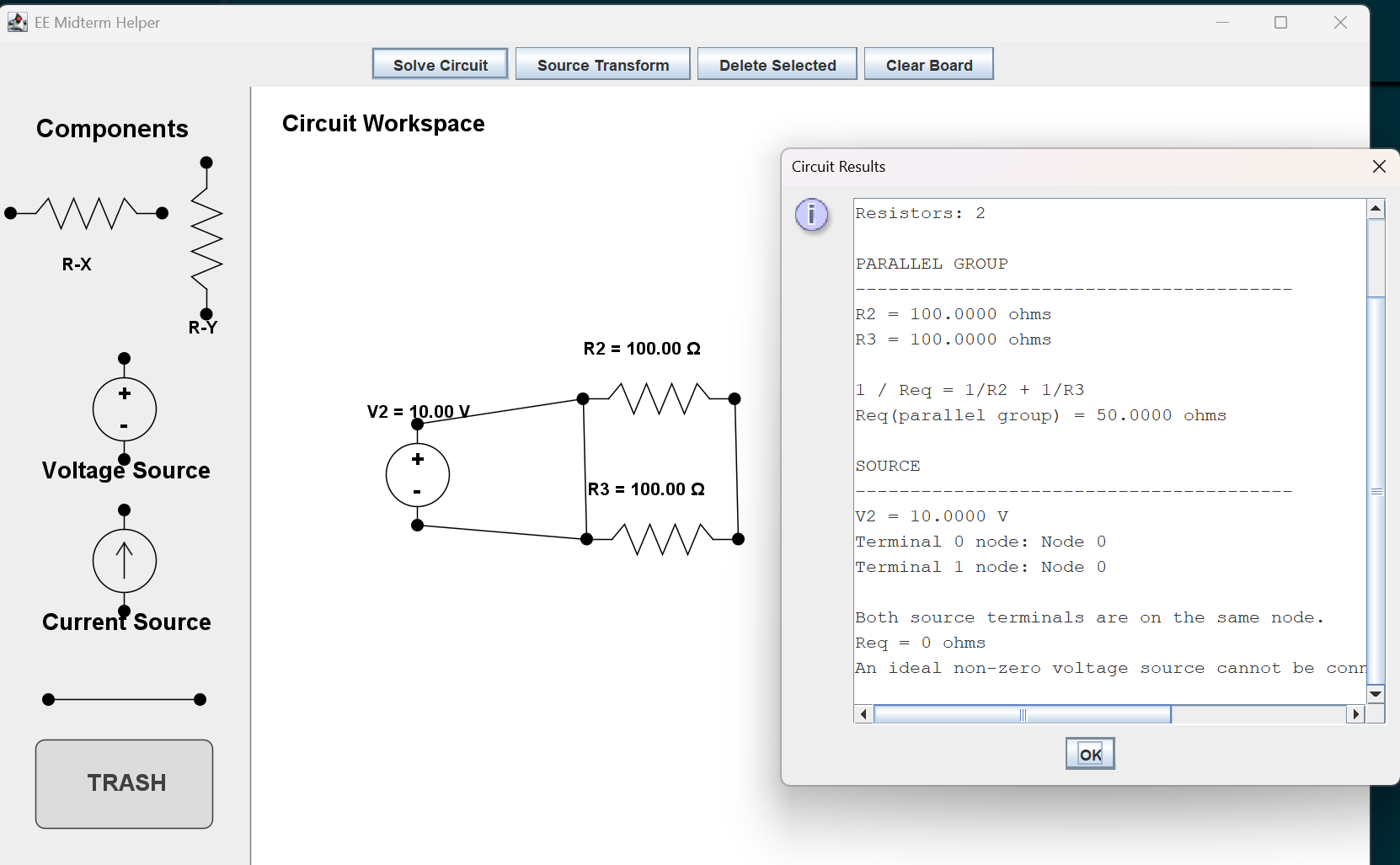
error messages
-
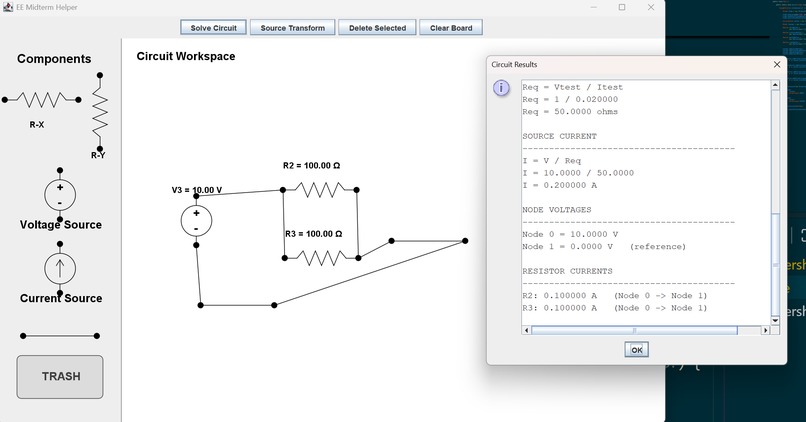
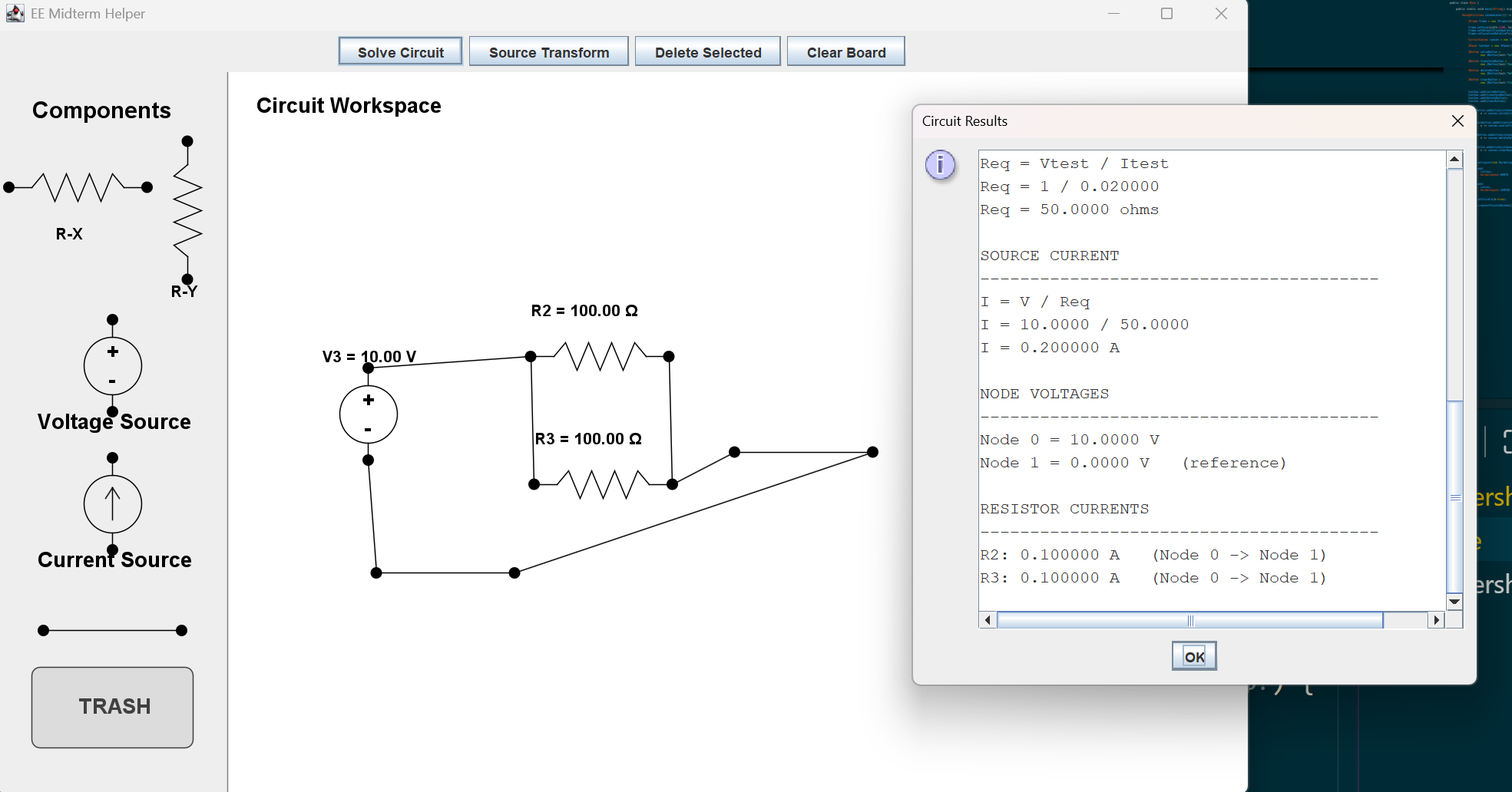
final version
Inspiration
Since HackNite did not have a specific theme and we had limited time, I thought there was no better way to prepare for my upcoming circuits midterm than to build something related to what I was studying. I wanted to create a simple circuit tool that could help visualize and solve basic circuit problems.
What it does
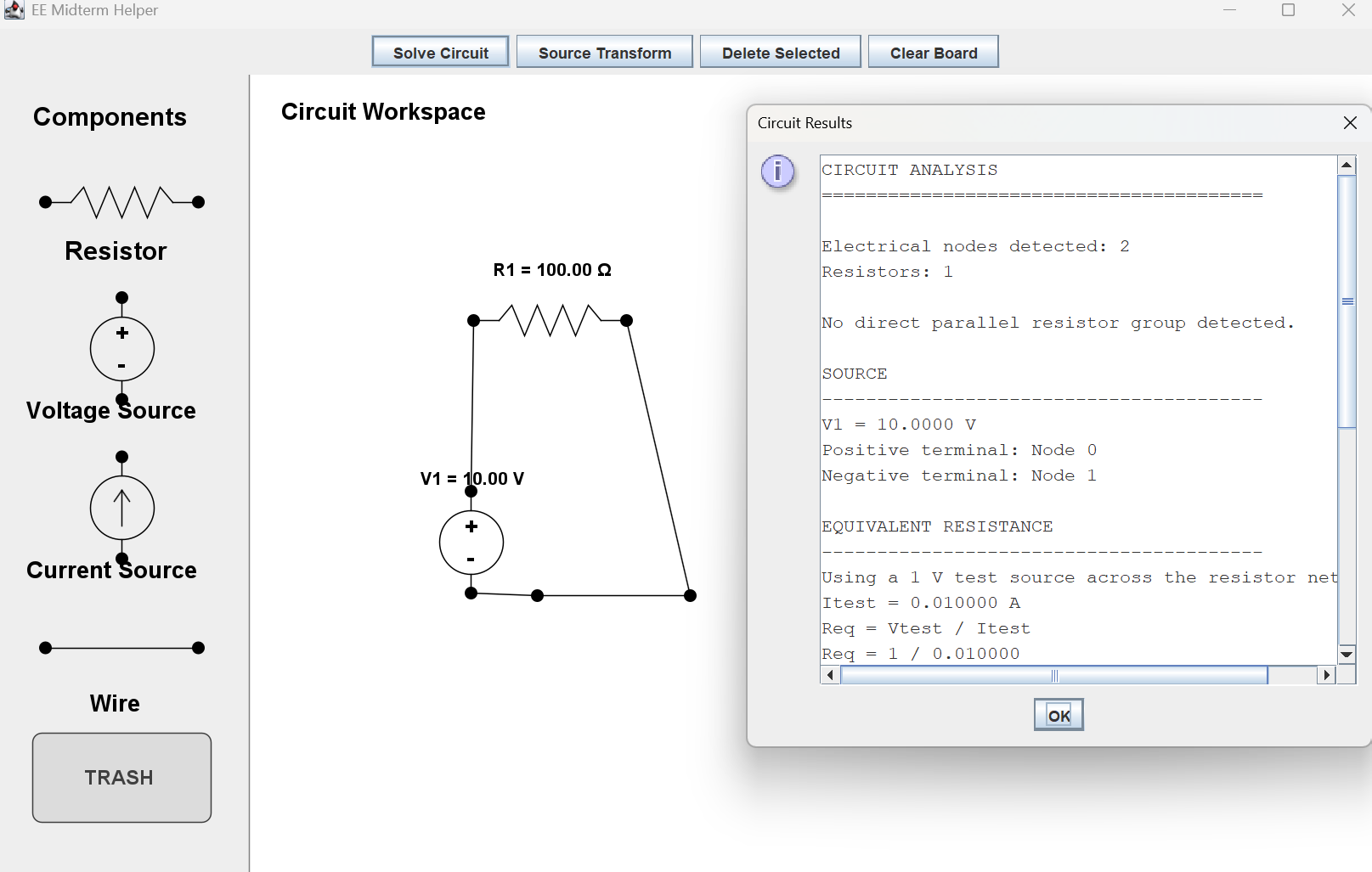
The program lets users place circuit components, connect them with wires, and enter component values. It can calculate equivalent resistance and use Ohm's law to solve for current or voltage depending on the source. It also supports basic source transformation between voltage-source and current-source equivalents.
How we built it
I built the project in Java using Swing for the graphical interface. Each circuit component is represented as its own class, while wires and terminals are used to determine how components are electrically connected. The solver analyzes these connections as electrical nodes and performs calculations on the resistor network.
Challenges we ran into
The biggest challenge was making the program understand the circuit based on electrical connections instead of just where components were drawn on the screen. I also had difficulties implementing component rotation and source transformation while keeping the wires and terminals connected correctly. Because of the limited time, I simplified some features and focused on getting the core circuit calculations working. Also I was thinking of Adding nodal analysis to it so you can see how each node calculates current and mesh analysis to check but with limited time I scratched that idea.
Accomplishments that we're proud of
I am proud that I was able to build a working graphical circuit editor from scratch during the hackathon. The program can recognize connected resistor networks, calculate equivalent resistance, find current from a voltage source, find voltage from a current source, and perform basic source transformations.
What we learned
This project gave me a chance to practice circuit design while also learning more about how software logic connects to a graphical user interface. One of the biggest things I learned from using AI during development is that it will do exactly what you tell it to do—nothing less and nothing more—so clearly defining the problem is extremely important.
At first, I tested larger sections of AI-generated code, but when something went wrong it became difficult to understand where the problem was coming from. I eventually separated the program into different classes for components, the circuit solver, the GUI, wires, and terminals. This made debugging much easier because I could focus on one problem at a time.
That process taught me a practical version of divide and conquer: break a complicated system into smaller pieces, make sure each part works, and then connect everything together.
What's next for Hacknite-czr
Next, I can develop the project further so I can use it to practice Digital Design as well. I could add logic gates, allow users to connect them into digital circuits, and automatically generate or display truth tables for the resulting logic.

Log in or sign up for Devpost to join the conversation.