-
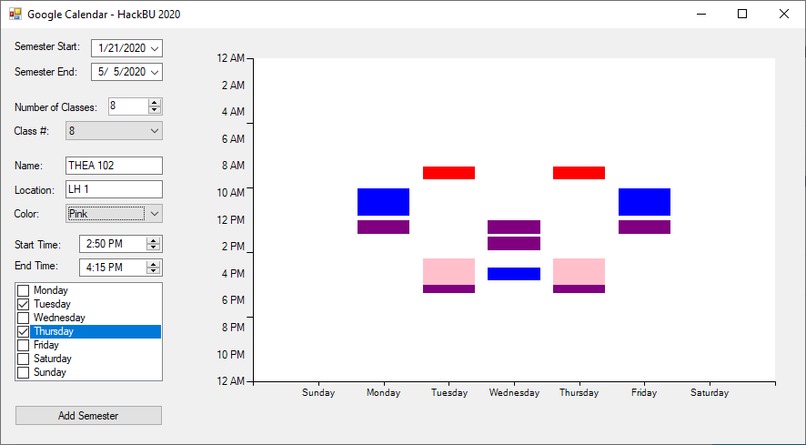
Semester Schedule Example
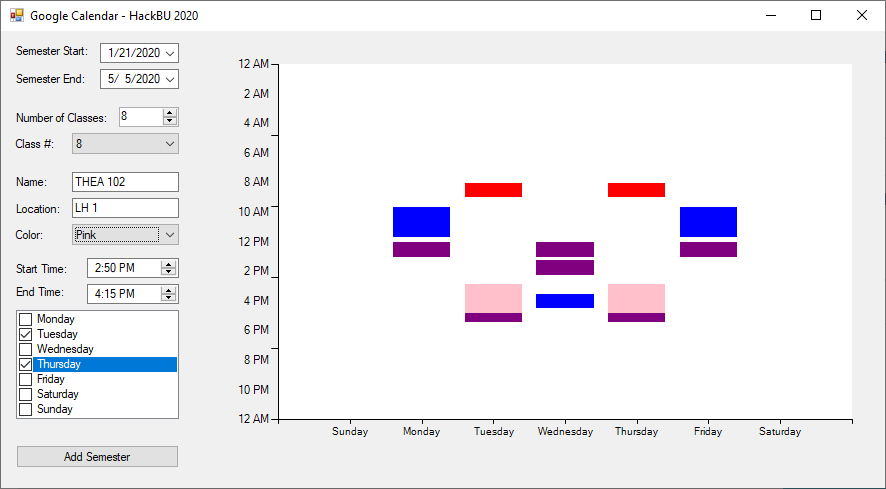
Google Calendar Application for HackBU 2020
I found adding individual classes tedious and time consuming, so I have made an application to make it a little simpler and more automated. It has a few instructions: Semester Start/End: Input the start date and end date of the semester Number of Classes: Input the amount of classes you have for the semester. Changing this amount resets the schedule, so be careful. Class #: Select the class you wish to edit. Name and Location: Pretty self-explanatory, input the name and location of the class (Ex. for PHYS 131 in Science Library 313, the name would be PHYS 131 and the location is Science Library 313. Color: Select the color of the event in the calendar. Start/End Time: Input the start and end time of the class. Day Checkboxes: Check off the days of the week you have the class. Once you do this, the chart to the right will show a preview of the schedule. Add Semester Button: Once all of the classes have been inputted, click this button. It will call the Google Calendar API and add all of the events you wrote.
This is our first ever hackathon entry, and the first time I was put on a real time constraint to write an application. This definitely made me more familiar with C# and Visual Studio.


Log in or sign up for Devpost to join the conversation.