-
-
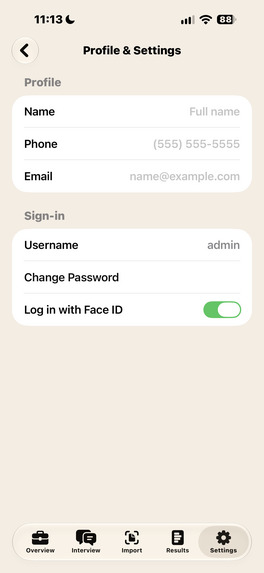
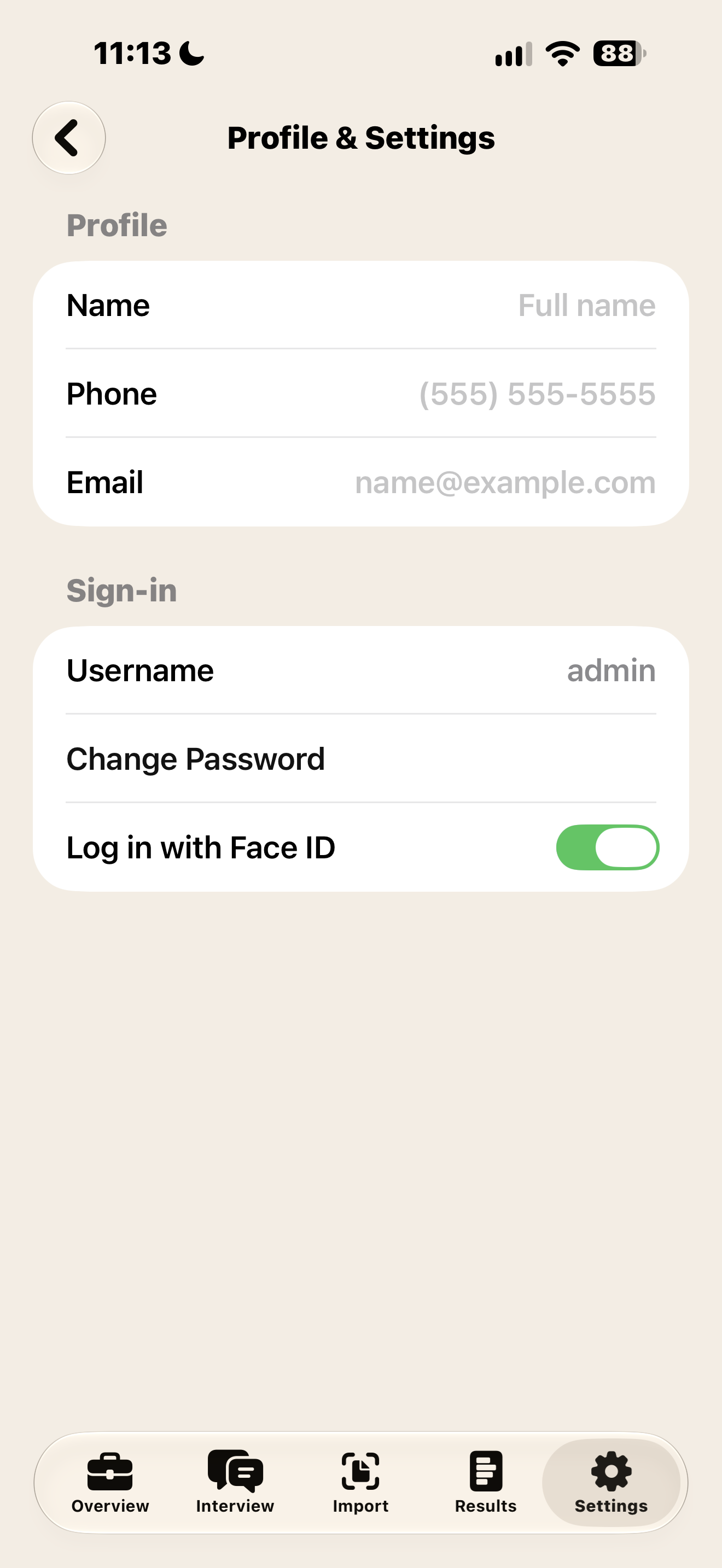
User can change username, password and turn on FaceID to login to app easier.
-
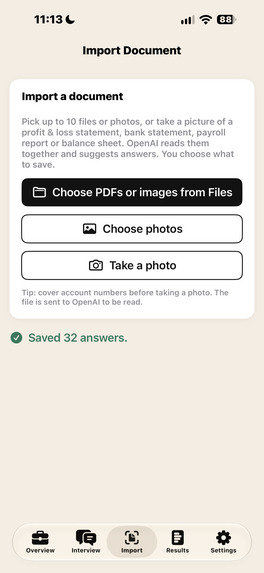
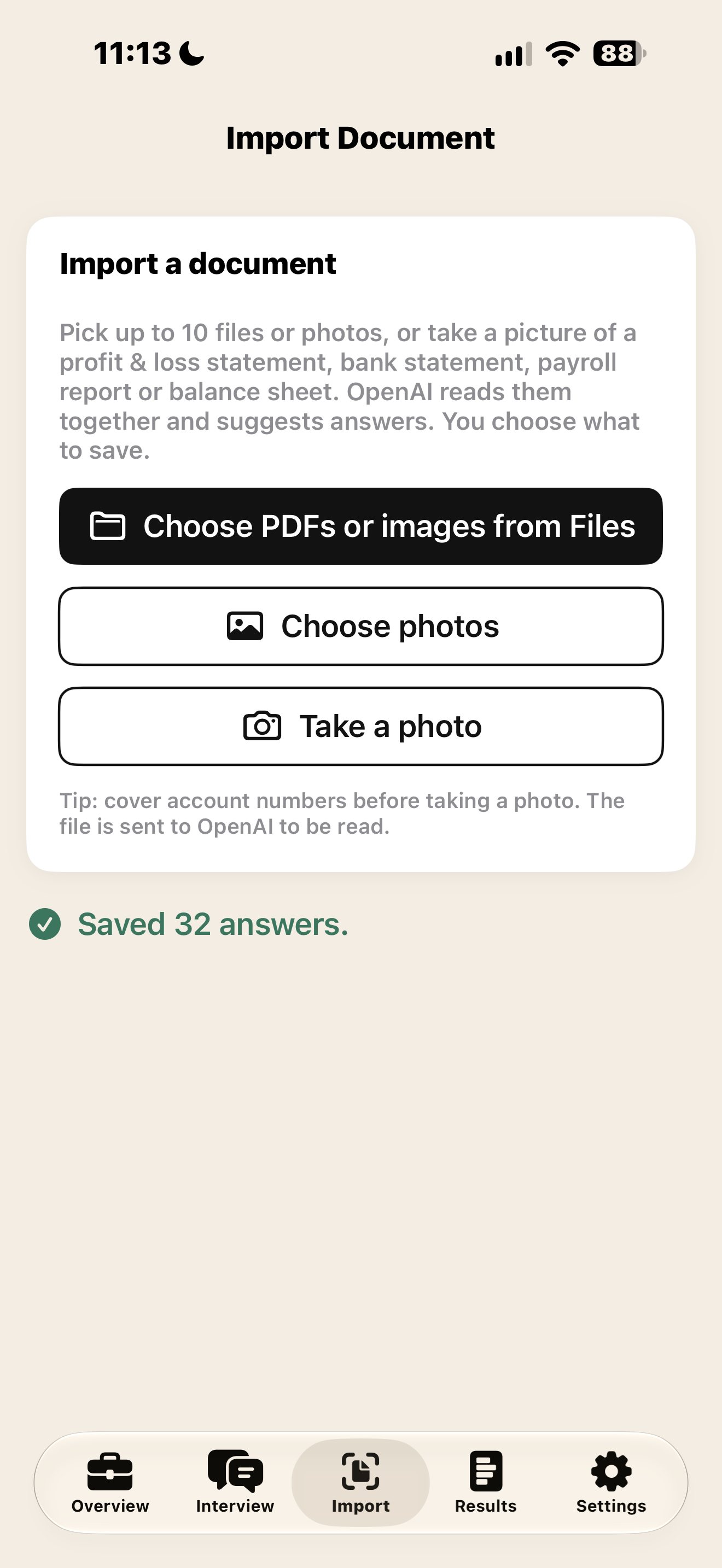
Import Documentation, User has ability to upload PDF files for business. User can also take a photo of documentation or upload from gallery.
-
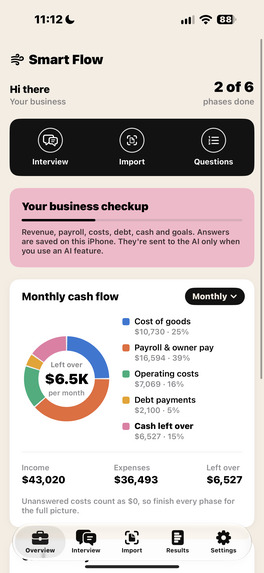
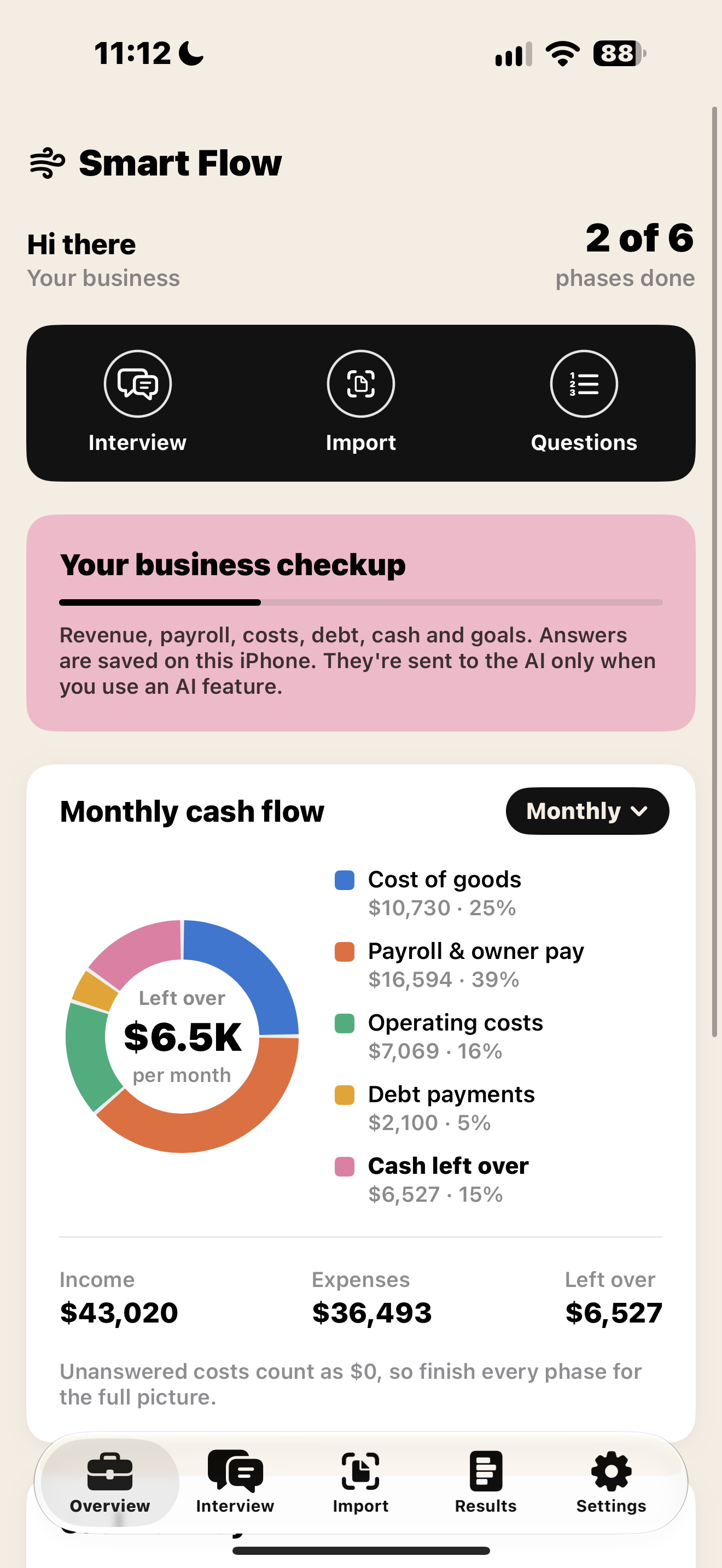
Home Screen displaying User Financial Breakdown. Able to categorize via monthly, daily or annual graph!
-
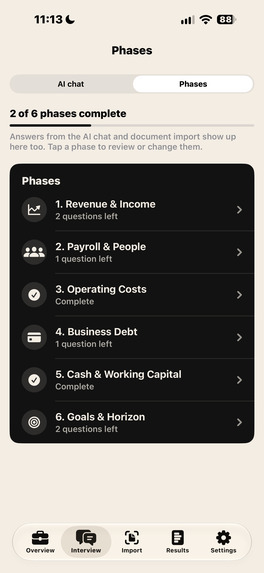
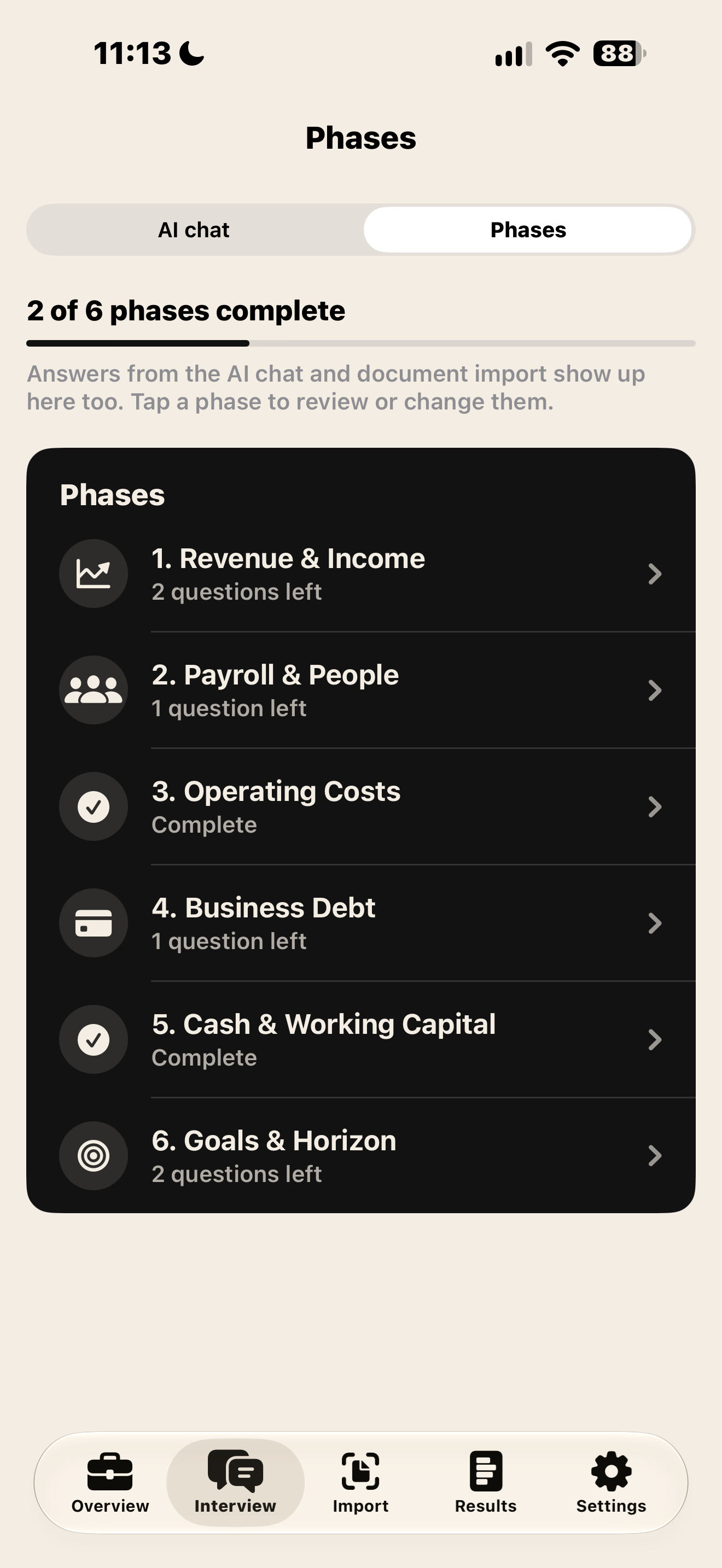
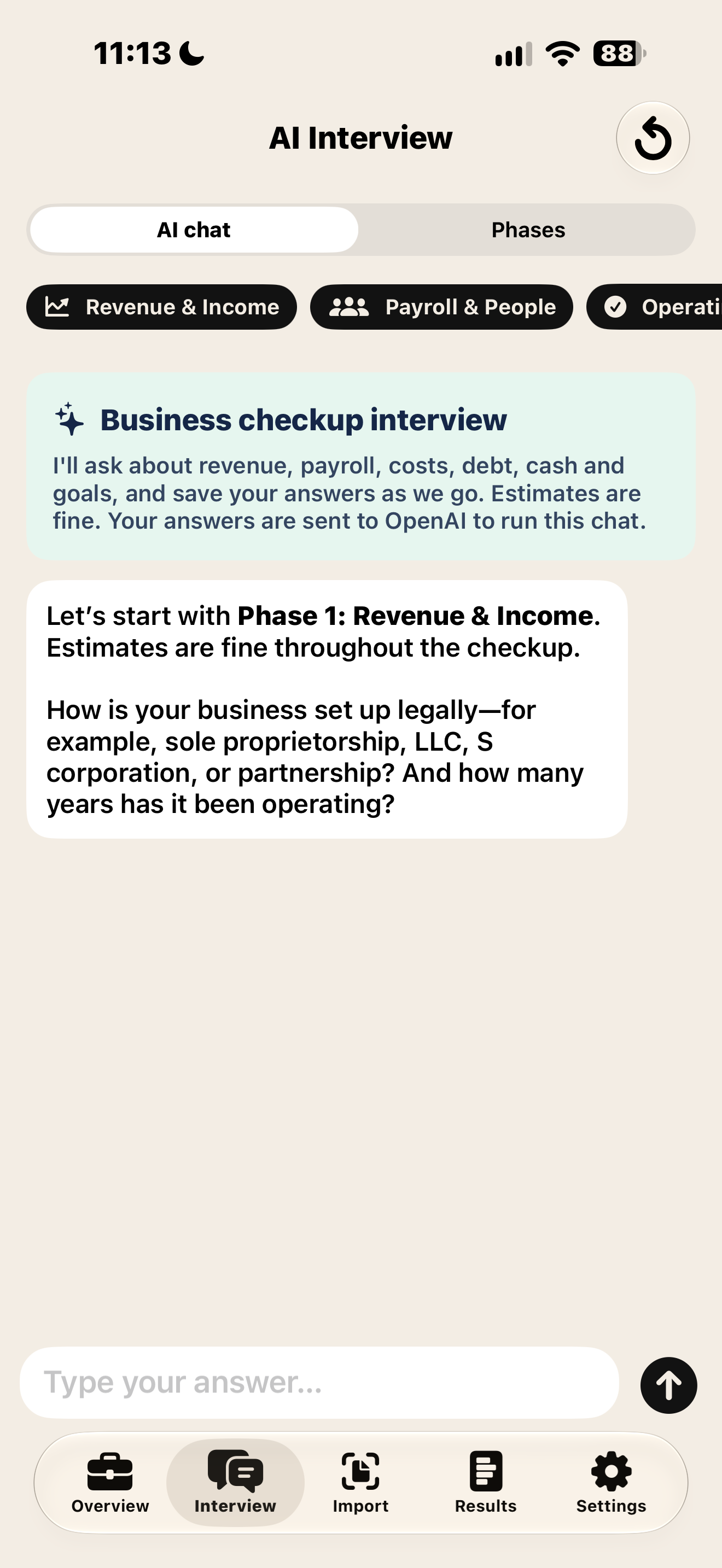
Phases of Interview process via AI agent, or user input to get business breakdown for financial reports, what if calculator, etc.
-
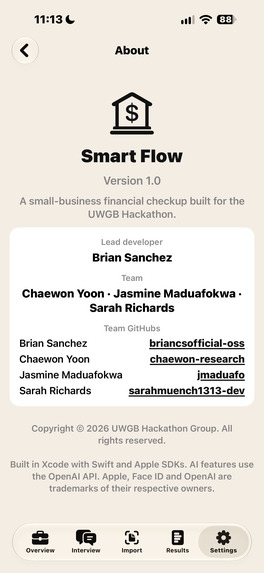
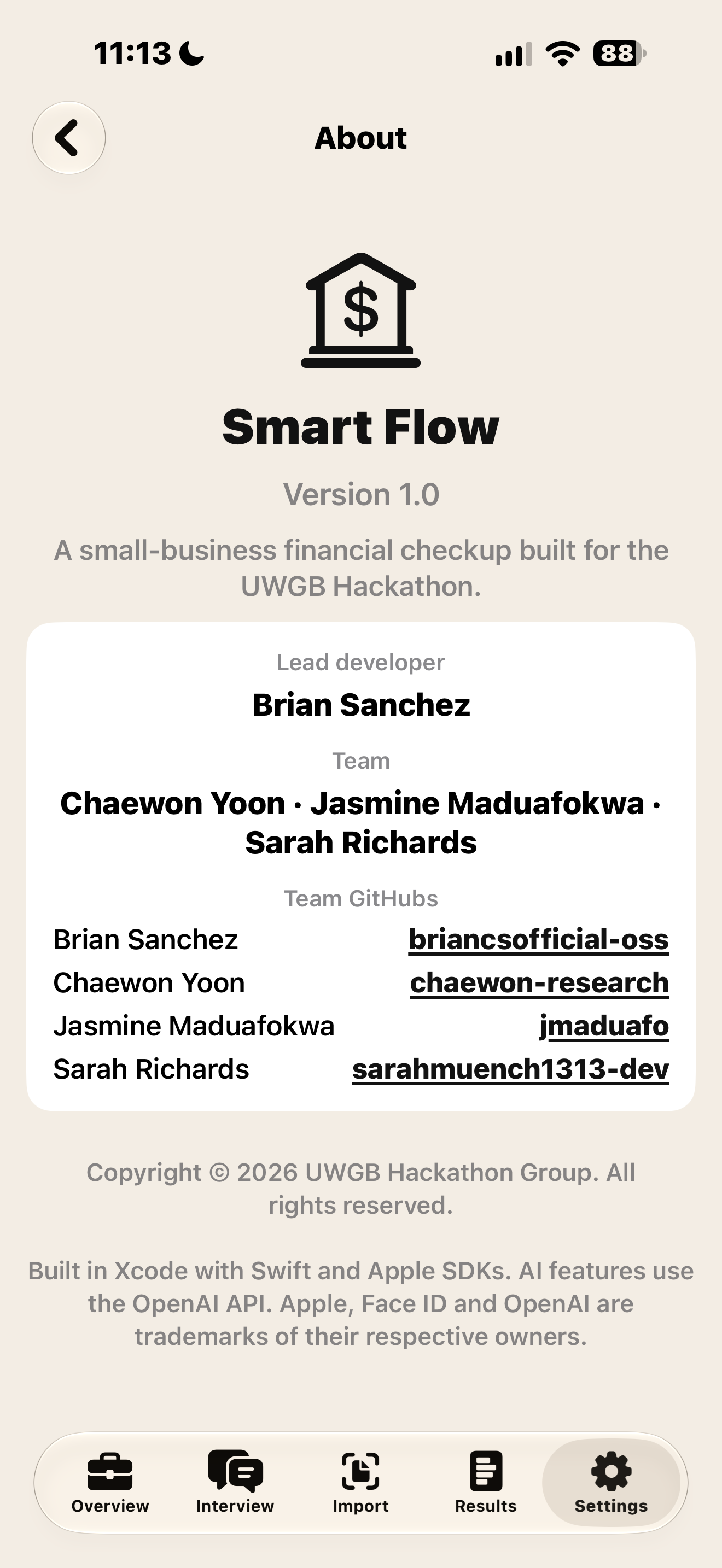
About section showing Developers who contributed towards app!
-
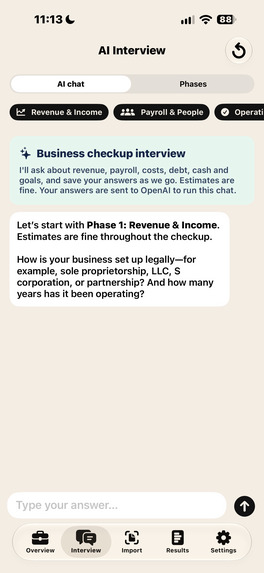
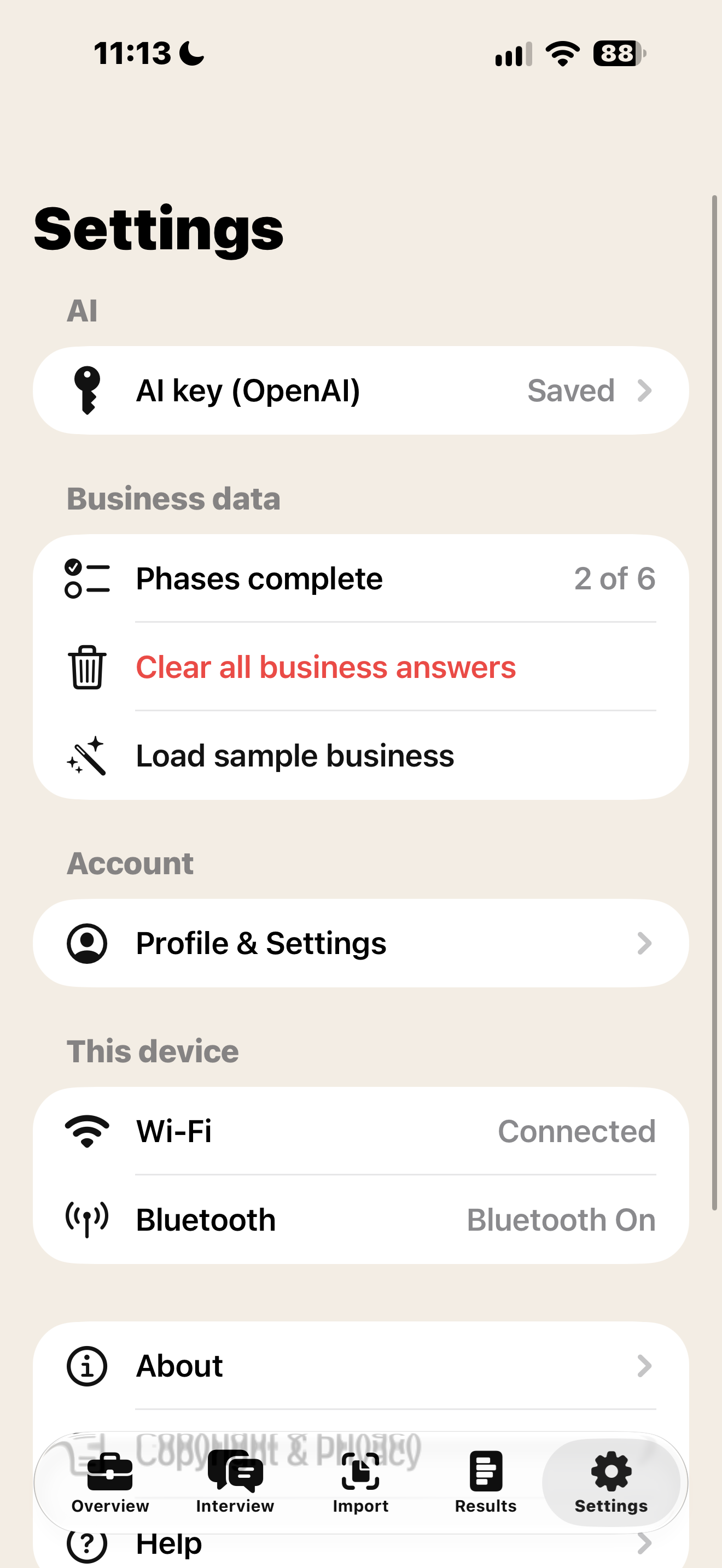
AI Agent connected via OpenAIAPI.
-
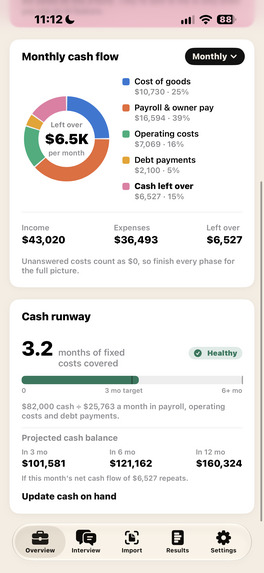
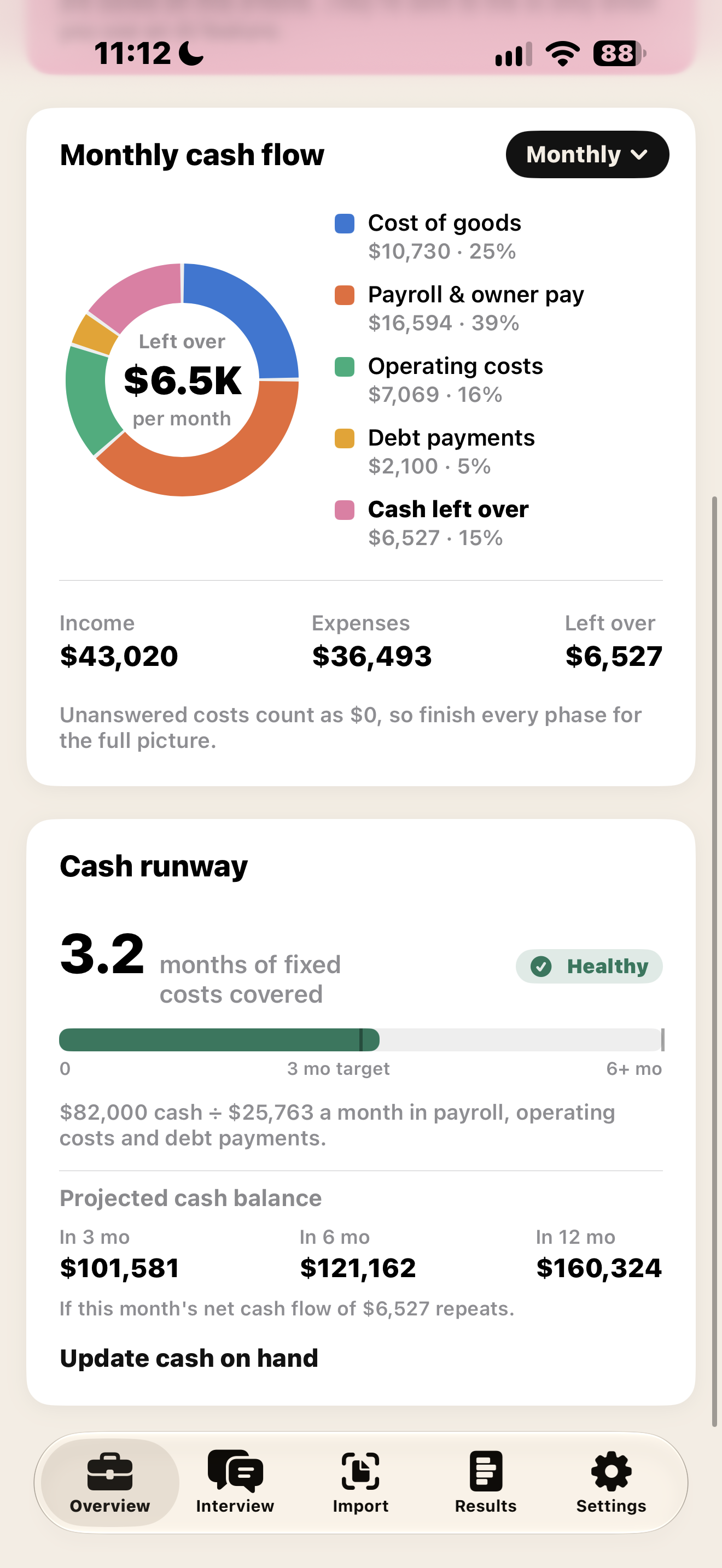
Cash Runway, Takes into consideration Payroll, operating costs and debt payments. How long can your business run with current cash?.
-
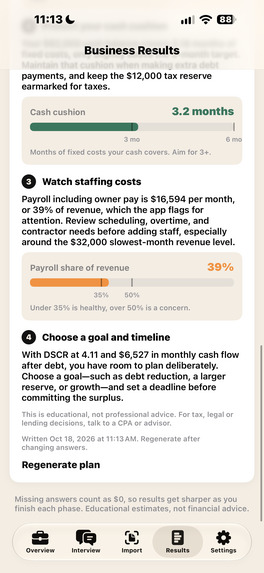
-
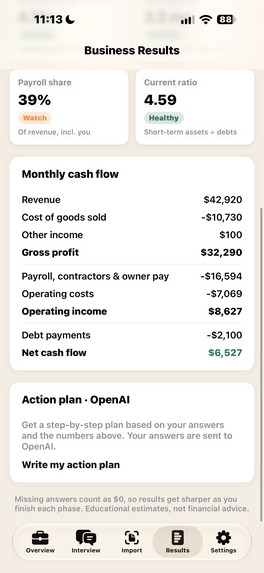
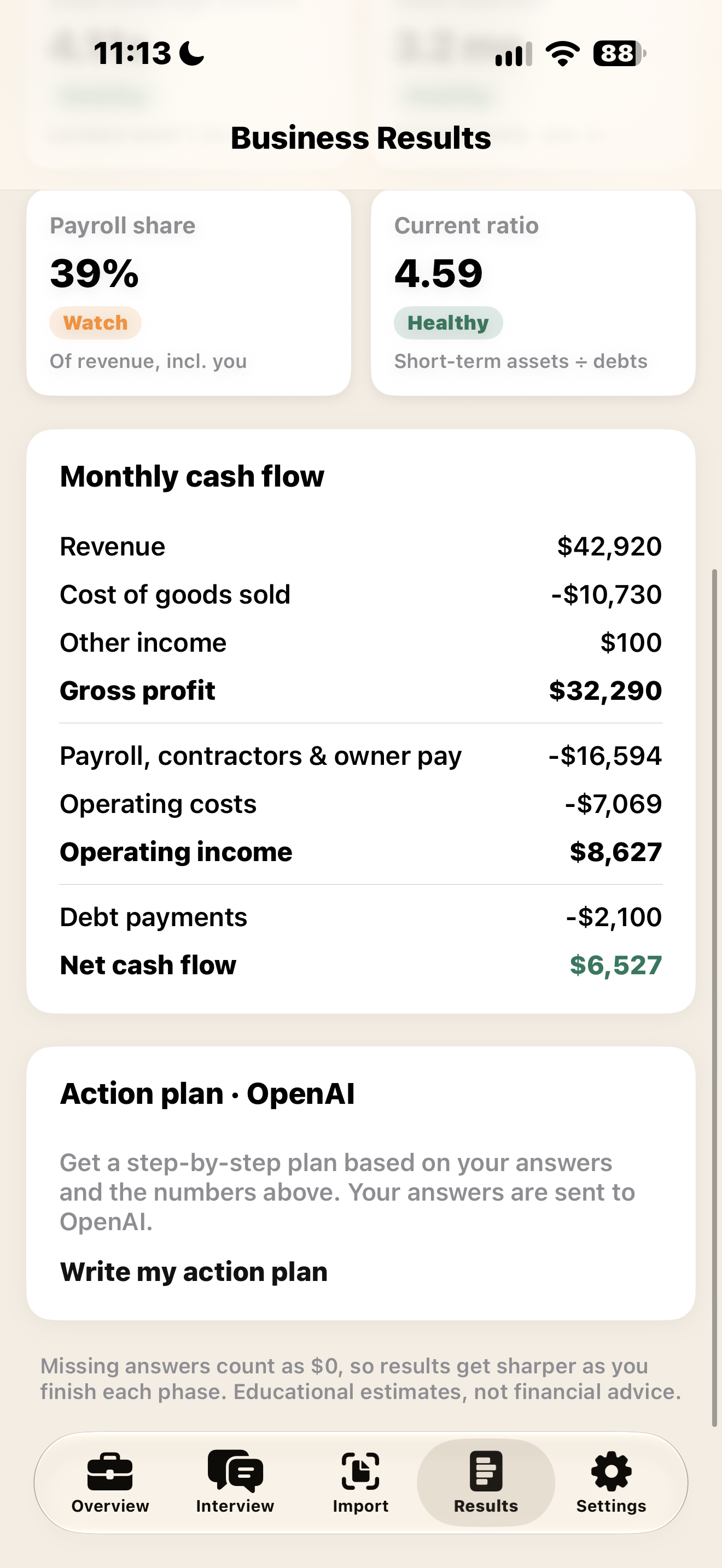
Monthly Cash flow vs cost of goods, other income, payroll, contractors, operating costs and and debt payments.
-
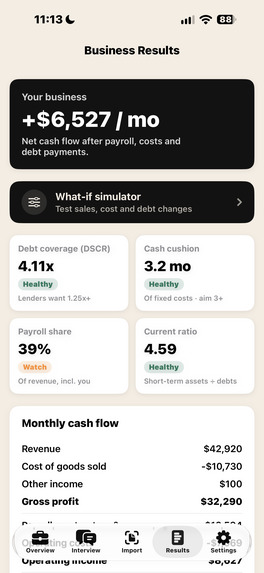
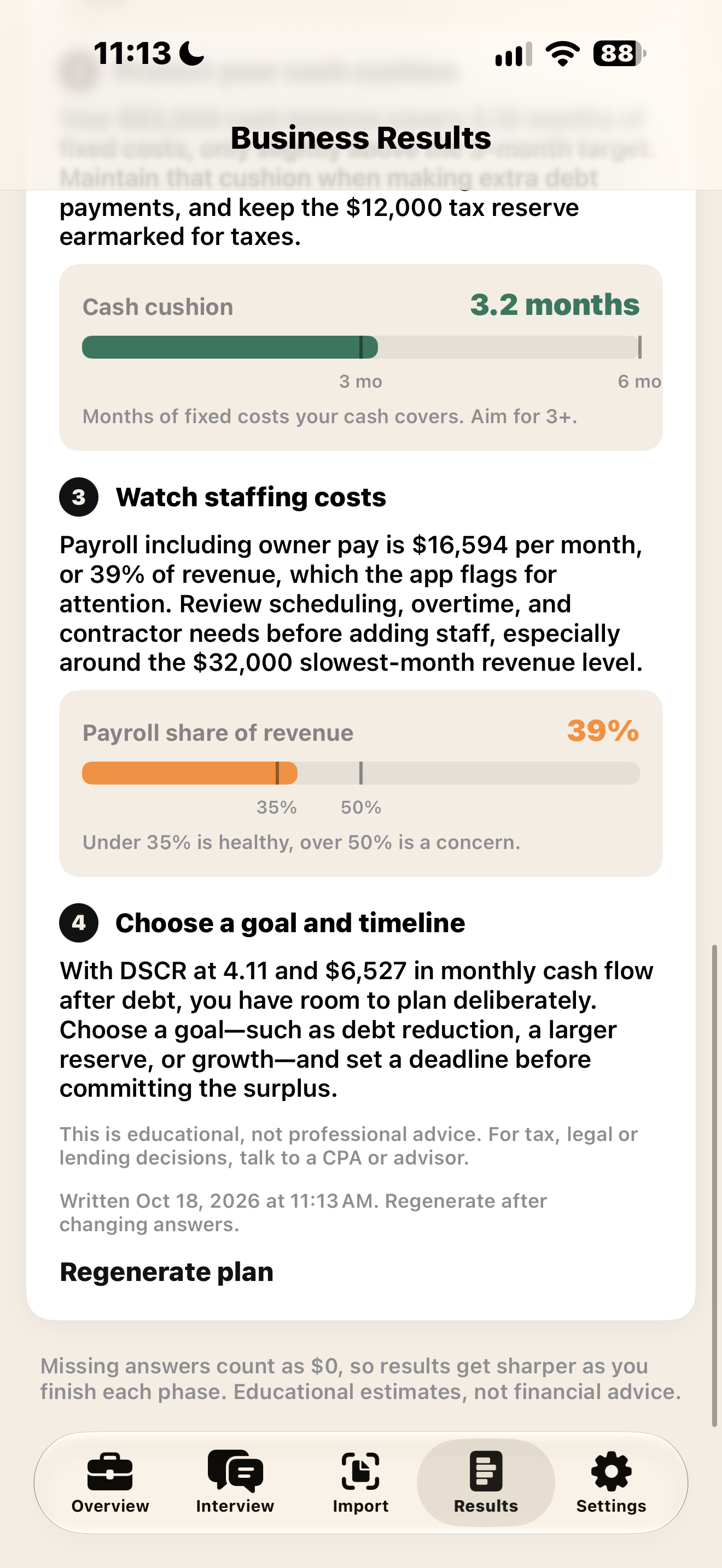
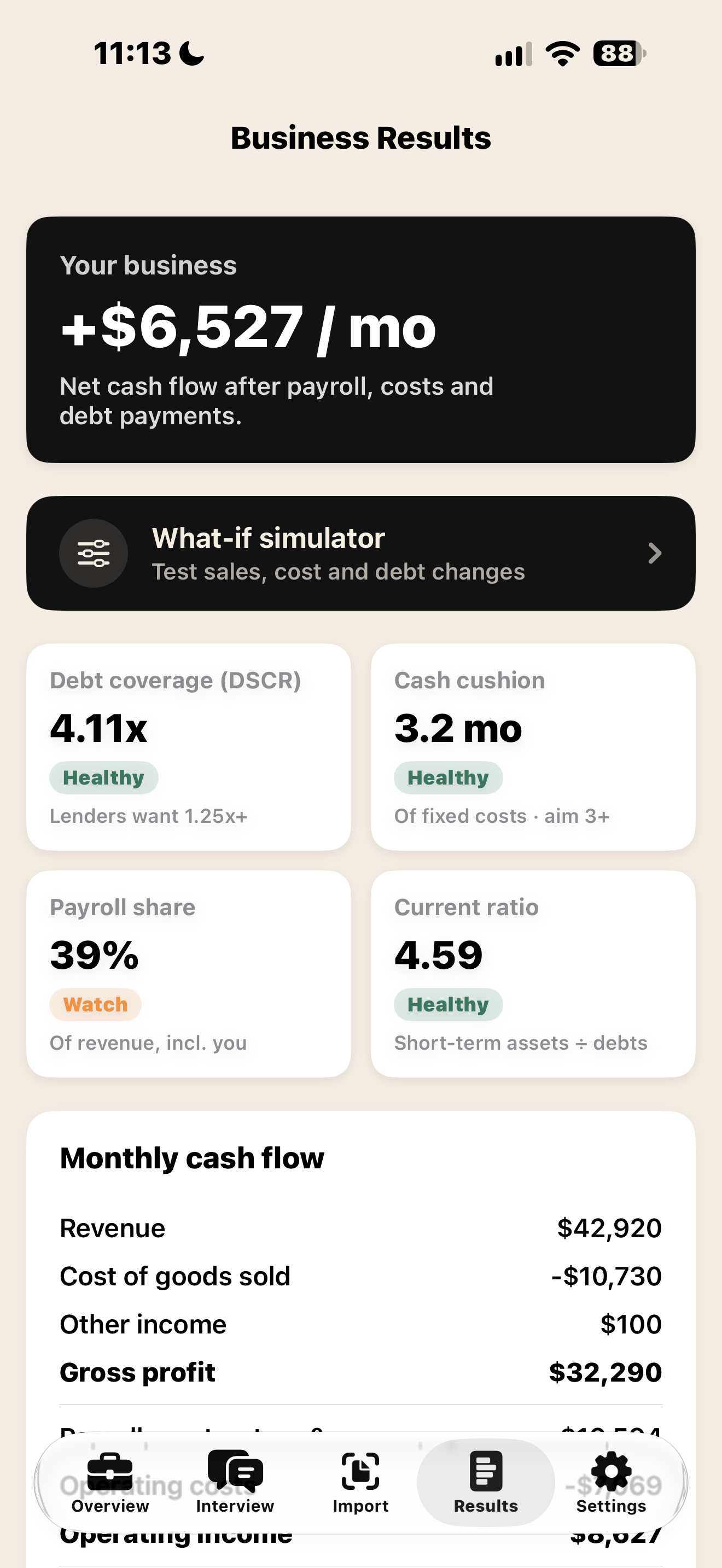
Business results, Measuring Net Cash Flow/mo. What if simulator for changes in business costs. DSCR, Cash Cushion, Payroll share for review.
-
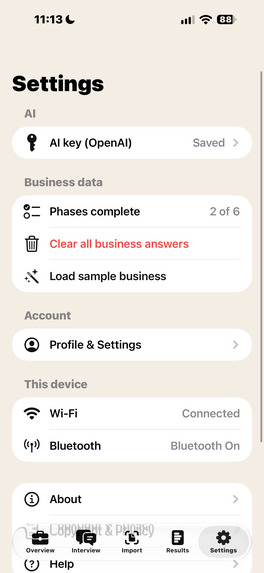
Settings Page
-
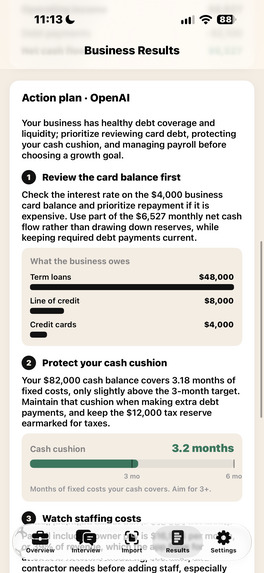
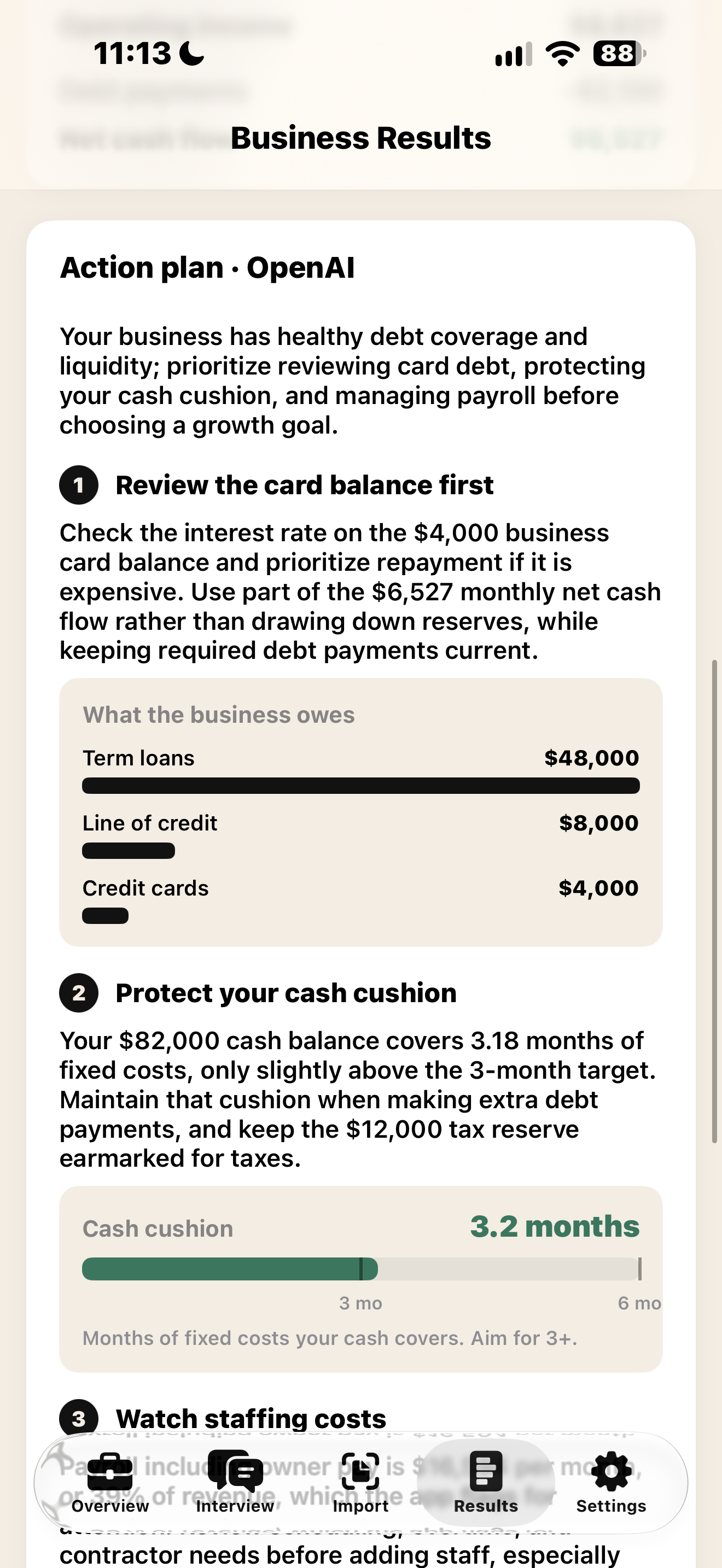
Action Plan: Open AI. Open AI agent reviews current business financial health and gives user an idea of how they can improve key areas.
Inspiration
Small businesses rarely fail for lack of ideas. They fail because they run out of cash, often without seeing it coming. That's especially true for small manufacturers here in Northeast Wisconsin, where raw-material prices, equipment loans, and uneven customer payments can swing a month from profit to loss. Most owners don't have a CFO, and spreadsheets don't tell you what happens if materials go up 20% next quarter. We wanted to give any owner a financial checkup they could do on their phone in minutes, in plain language.
What it does
Smart Flow is an iPhone app that gives a small business a full financial checkup:
- AI interview: a chat that walks the owner through revenue, costs, payroll, debt, and assets in plain English, across 6 short phases.
- Document import: upload or photograph up to 10 financial documents at once (P&Ls, bank statements, loan papers), and AI reads the numbers in.
- Live dashboard: net cash flow (daily, monthly, or yearly), cash runway, and the projected cash balance 3, 6, and 12 months out.
- Health scores lenders use: debt coverage (DSCR), cash cushion, payroll share, and current ratio, each rated healthy, watch, or at risk.
- What-if simulator: sliders for material costs, revenue, a surprise expense, and debt payments, showing before vs. after side by side, with break-even thresholds and which factor hurts most.
- AI action plan: step-by-step recommendations, with charts generated only where they help.
How we built it
We built Smart Flow natively in SwiftUI (iOS 17) with no third-party packages. AI features call the OpenAI Responses API. Document reading uses vision input, and the action plan uses a strict JSON schema so the AI picks which chart to show while the app draws it.
The key design rule: the AI never does the math. All financial calculations live in one tested Swift module and are passed to the AI as verified numbers. For example:
$$ \text{Net cash flow} = \text{Income} - \text{COGS} - \text{Payroll} - \text{Operating costs} - \text{Debt payments} $$
$$ \text{DSCR} = \frac{\text{Net operating income}}{\text{Debt service}} \qquad \text{Runway} = \frac{\text{Cash on hand}}{|\text{Net cash flow}|} $$
The what-if simulator finds break-even points exactly, without searching for them. The largest material-cost increase the business can absorb is
$$ \Delta_{\text{materials}} = \frac{\text{Net cash flow}}{\text{Monthly COGS}} \times 100\% $$
and the largest revenue drop it can absorb is
$$ \Delta_{\text{revenue}} = \frac{\text{Net cash flow}}{\text{Revenue} - \text{COGS}} \times 100\% $$
These are covered by XCTest unit tests. Sign-in uses a Keychain-hashed password with Face ID, and the user's API key stays in the iOS Keychain. We used Claude Code as an AI pair programmer and kept decisions and plans in the repo so the whole team could follow along.
Challenges we ran into
- Keeping AI honest with money. Early on, language models would "helpfully" recompute figures and get them wrong. We moved every calculation into deterministic code and made the AI explain numbers, not produce them.
- Getting charts out of an LLM. Free-form text never produced visuals, so we redesigned the action plan around a strict JSON schema with a fixed set of chart types.
- Scope changes. We planned bank linking through Plaid but replaced it with multi-file and camera document import, which was faster to build and needs no bank credentials.
- Real-device and tooling issues. Code signing, Developer Mode, certificate trust, an iOS deployment-target mismatch, deprecated APIs, and merge conflicts from building features in parallel.
Accomplishments that we're proud of
- A complete, working native app: interview → dashboard → what-if → action plan.
- Financial math that's transparent, deterministic, and unit-tested, with AI layered on top, not trusted blindly.
- A what-if simulator that shows owners their exact break-even points, not just a guess.
- A clean, approachable design that a non-finance owner can use without training.
- Privacy by default: business data stays on the phone.
What we learned
- LLMs are great at conversation, reading documents, and explaining. They are not a calculator. The best results came from pairing AI with verified, testable code.
- Structured outputs (JSON schemas) turn an AI from a text generator into a reliable app component.
- SwiftUI, Keychain, Face ID, PhotosPicker, and on-device testing.
- Small, focused commits and a shared plan in the repo made it possible for a team to move fast without stepping on each other.
What's next for Hackathon Smart Flow 2026
- Bank connections (Plaid) so numbers stay up to date automatically.
- ** Sign up Page** users currently have to use provided username and password. Will be adding ability to sign up new account instead.
- ** App Store Upload ** once we're able to cross validate all KPI's for our project are met, with user data security being a top priority.
- Manufacturing unit economics: cost per unit, contribution margin, and break-even volume.
- A secure backend so users don't need their own API key, plus a TestFlight beta with local businesses.
- Multi-scenario comparisons (save and compare plans) and exportable PDF reports for lenders.
- Pilot testing with small manufacturers in the Green Bay area.
Built With
- claudecode
- html
- nextjs
- openaiapi
- swift
- swiftui
- tailwind
- typescript
- xcode
- xctest

Log in or sign up for Devpost to join the conversation.