-
-
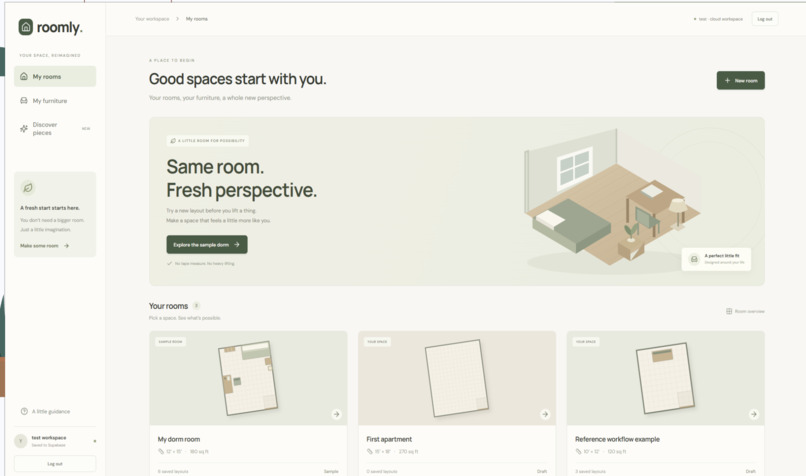
Home Page
-
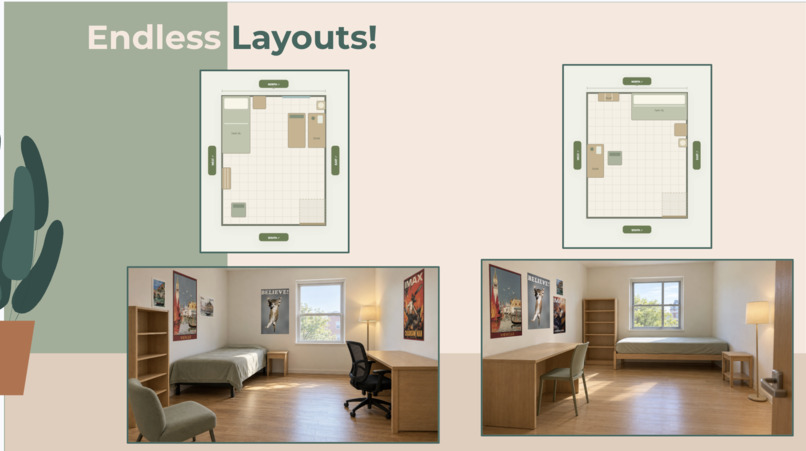
Imagine Layouts
-
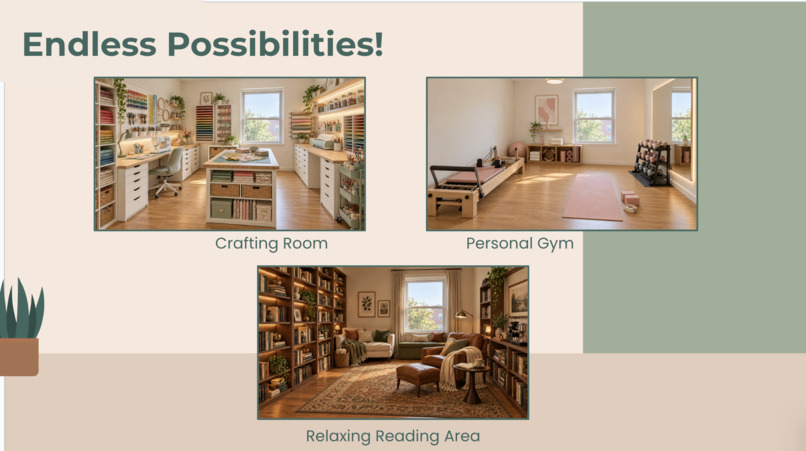
Imagine Possibilities
-
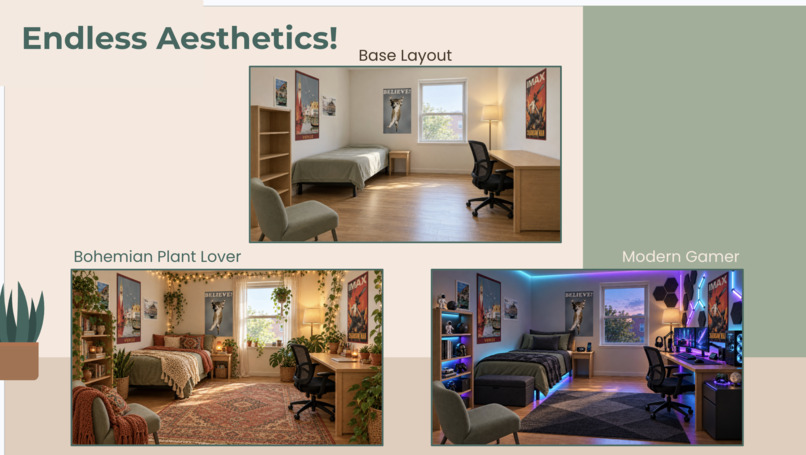
Imagine Aesthetics
Inspiration
A tape measure can tell you whether furniture fits, but it cannot tell you whether a room will feel like home. We wanted to help people explore their space without repeatedly moving heavy furniture or getting stuck searching for the perfect setup. Roomly grew from that idea: reimagine your room virtually before changing it physically. We designed it for students, movers, and anyone furnishing a space, with a future opportunity for colleges and landlords to prepare rooms for incoming residents.
What it does
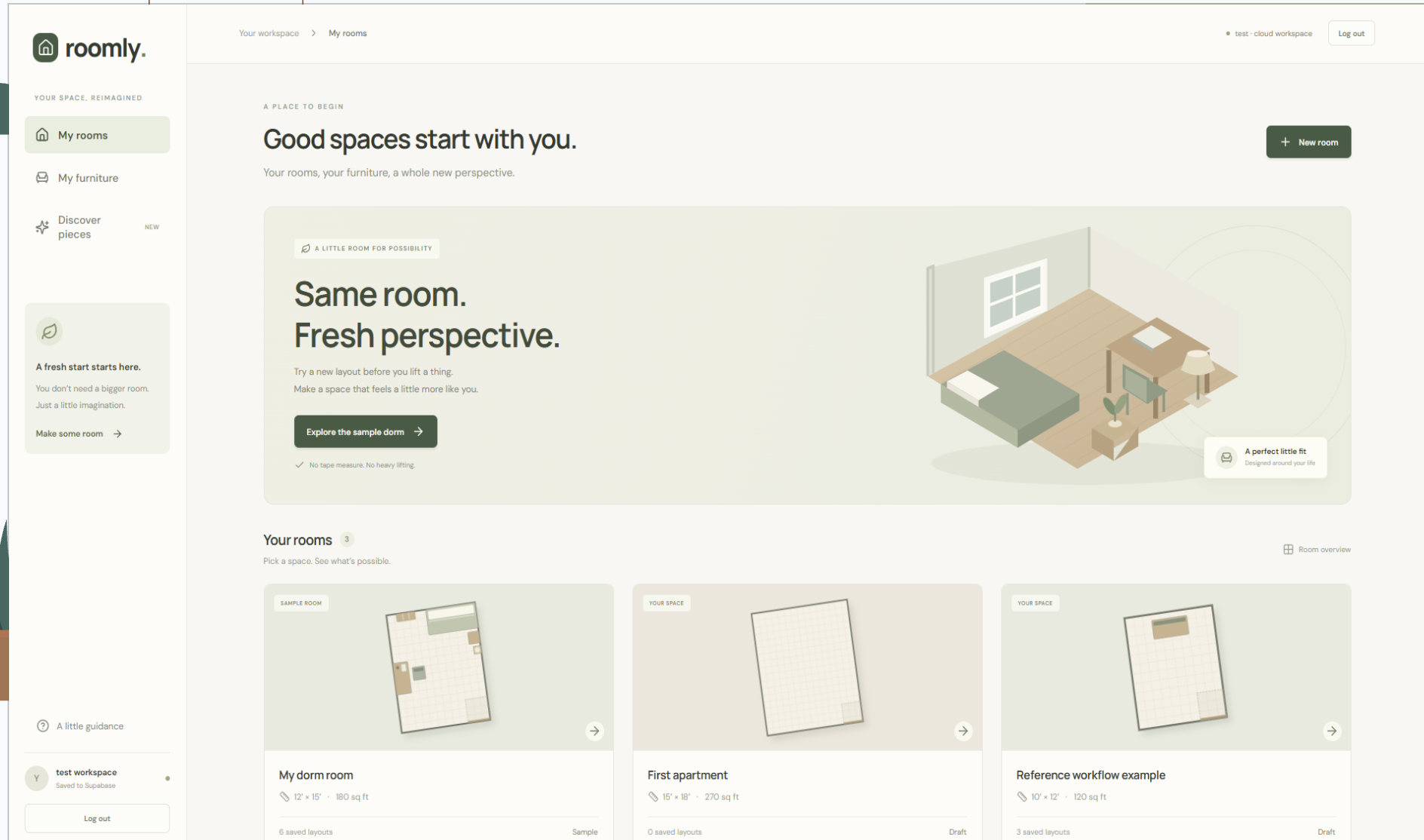
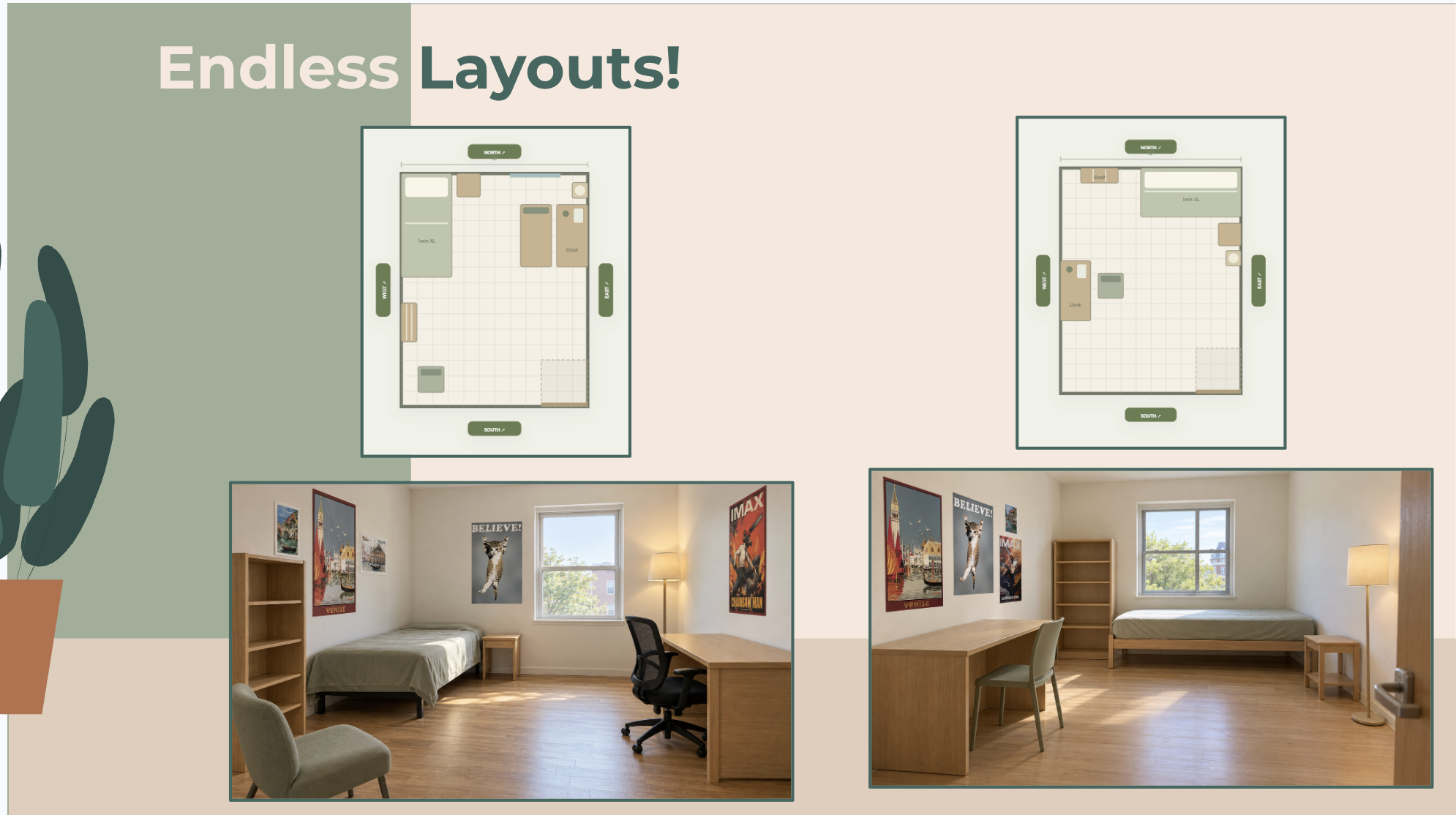
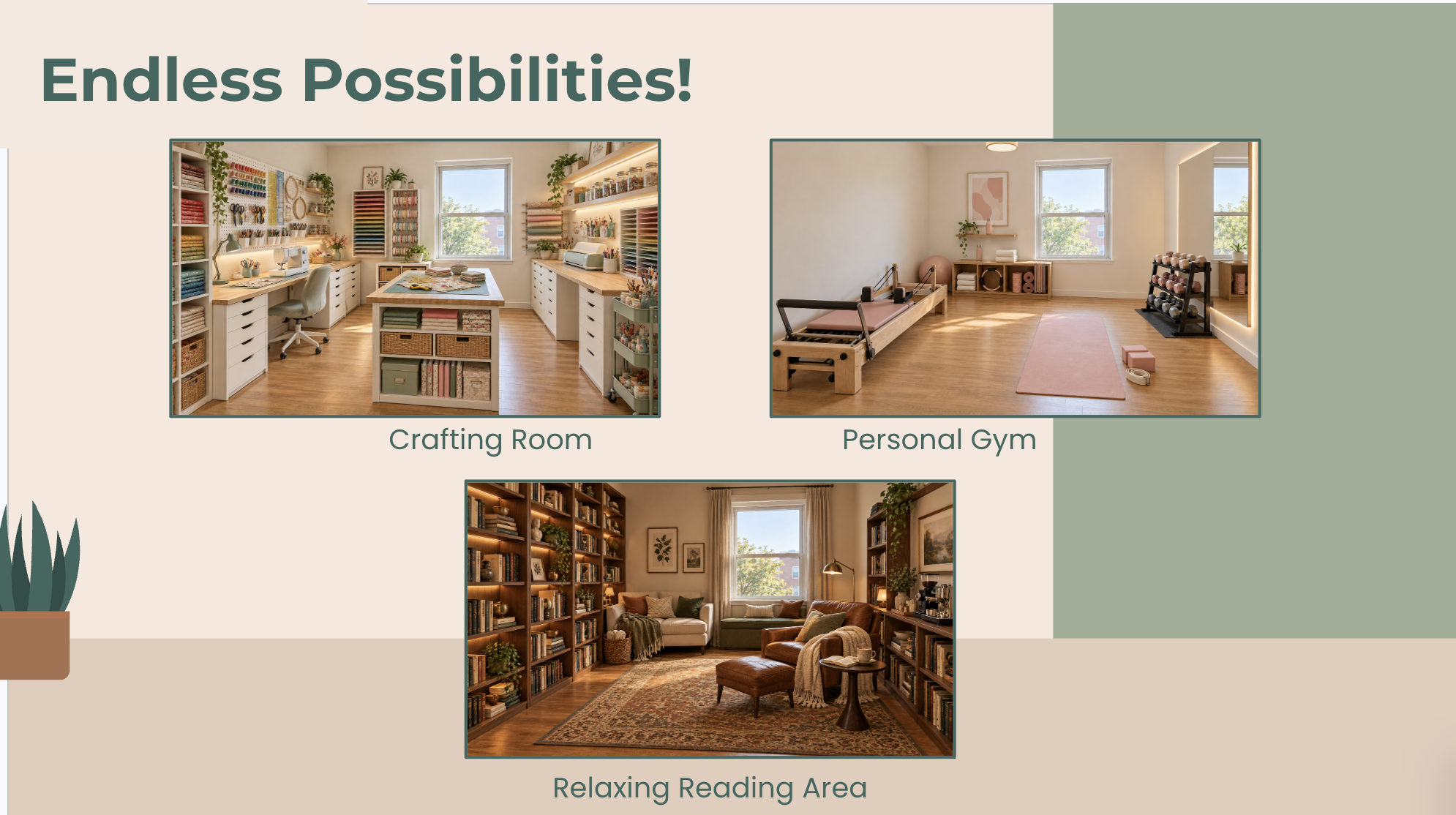
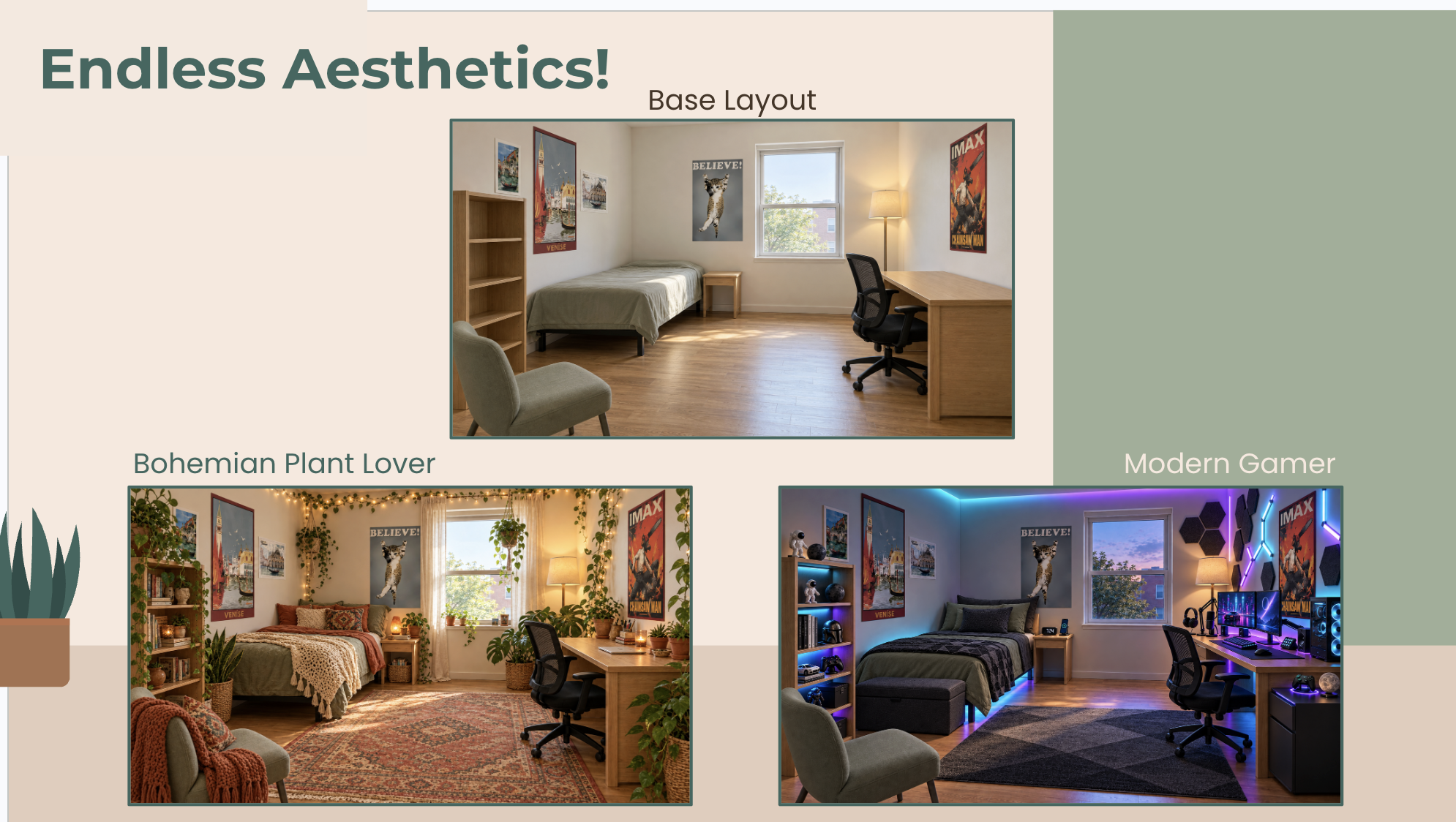
Roomly lets users create rectangular rooms with editable dimensions, build a reusable furniture inventory, and experiment with arrangements in a top-down editor. Users can move and rotate furniture, check placement warnings, and plan individual walls around doors, windows, and wall decor. Furniture can include photos, multiple reference views, and PDF attachments. Users can save several layouts per room and explore different aesthetics through a visualization flow. Our demo uses prepared images matched to selected themes, including cozy boho, gamer, reading library, crafting, and pilates. These illustrate the experience while live image generation remains a future integration.
How we built it
We built the frontend with React, TypeScript, and Vite, using SVG for the interactive floor and wall planners. Supabase stores rooms, furniture, attachments, saved layouts, and visualization history. Private storage buckets hold uploaded references and prepared room images, while server-side functions manage workspace access and persistence. PDF.js creates poster cover images from uploaded PDFs. We also built an image-analysis workflow using Amazon Bedrock to describe uploaded furniture and save those descriptions for future visualization prompts. Kiro and Codex supported our planning, implementation, and debugging.
Challenges we ran into
One challenge was keeping floor and wall views consistent. Moving furniture needed to affect both views, while wall decor, doors, and windows required their own placement rules. Another challenge was connecting the visual references to the planning experience. Uploaded PDFs needed image previews, furniture needed editable dimensions, and saved layouts needed to preserve their original state.
AWS model availability and permissions also complicated image generation. We adapted by building a prepared-image demo that let us demonstrate the intended interaction without claiming a live generator was connected.
Accomplishments that we're proud of
We built a working planning experience that combines room dimensions, personal furniture, visual references, floor layouts, and individual wall views.
We’re especially proud of making the data persist: users can return to their furniture, correct measurements, reopen saved arrangements, and keep multiple themed previews under the same layout. We also kept the product focused. Manual planning delivers value on its own, while AI supports visualization and inspiration where it can add the most.
What we learned
We learned that room planning requires two kinds of information: precise geometry for fit and visual context for appearance. Neither is sufficient alone.
We also learned the importance of testing cloud permissions and model capabilities early, agreeing on shared data structures, and keeping a reliable demo path separate from unfinished integrations.
Most importantly, we learned to treat generated imagery as inspiration. The measured layout should remain the source of truth.

Log in or sign up for Devpost to join the conversation.