-
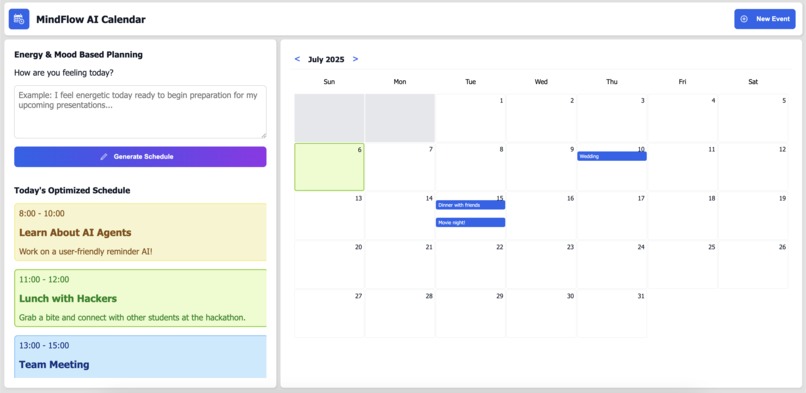
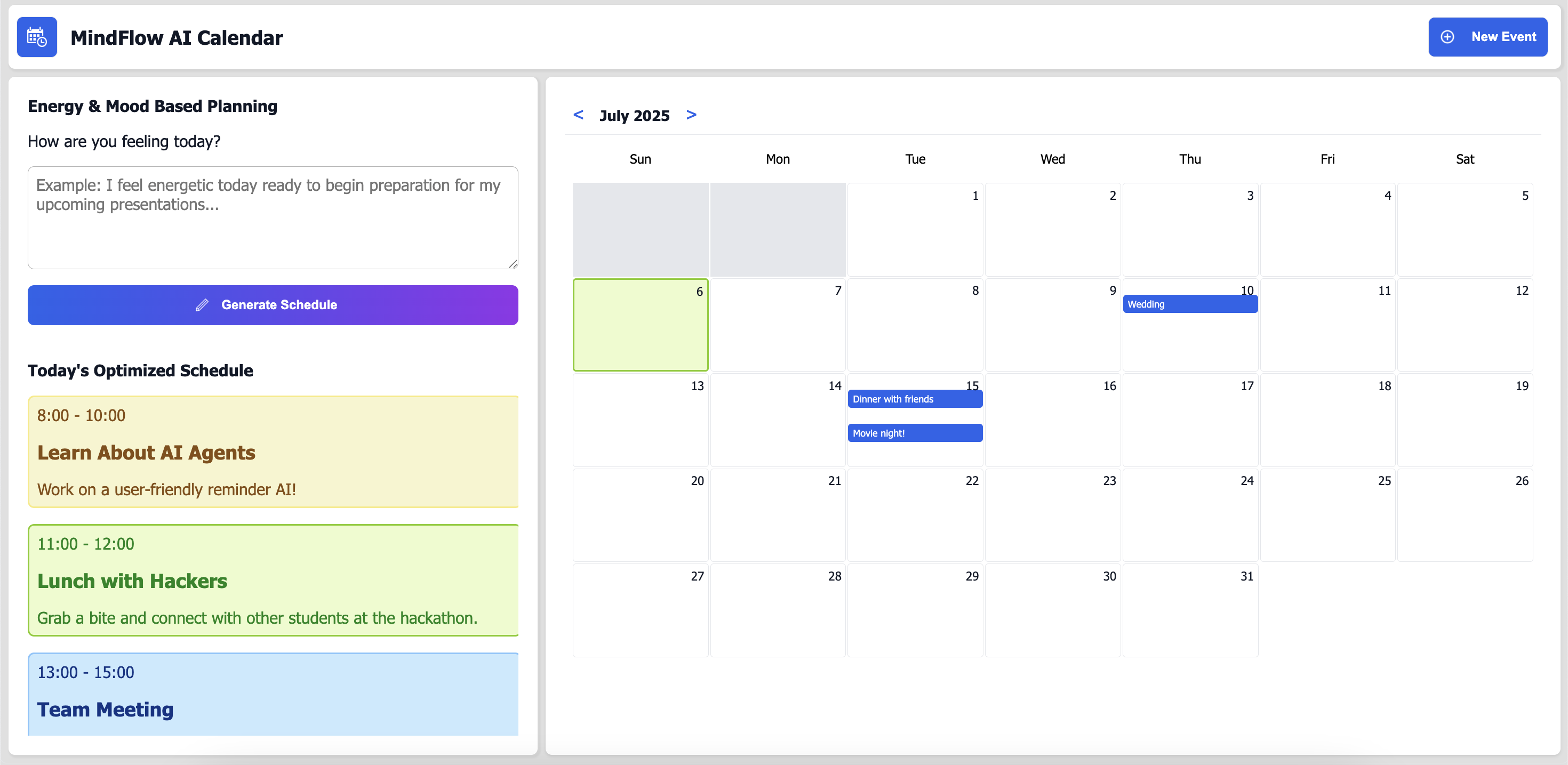
1) MindFlow AI Calendar: Energy planning daily schedule maker and calendar.
-
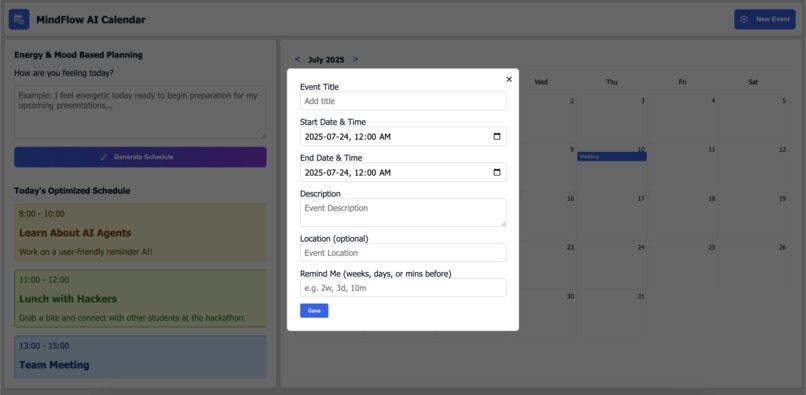
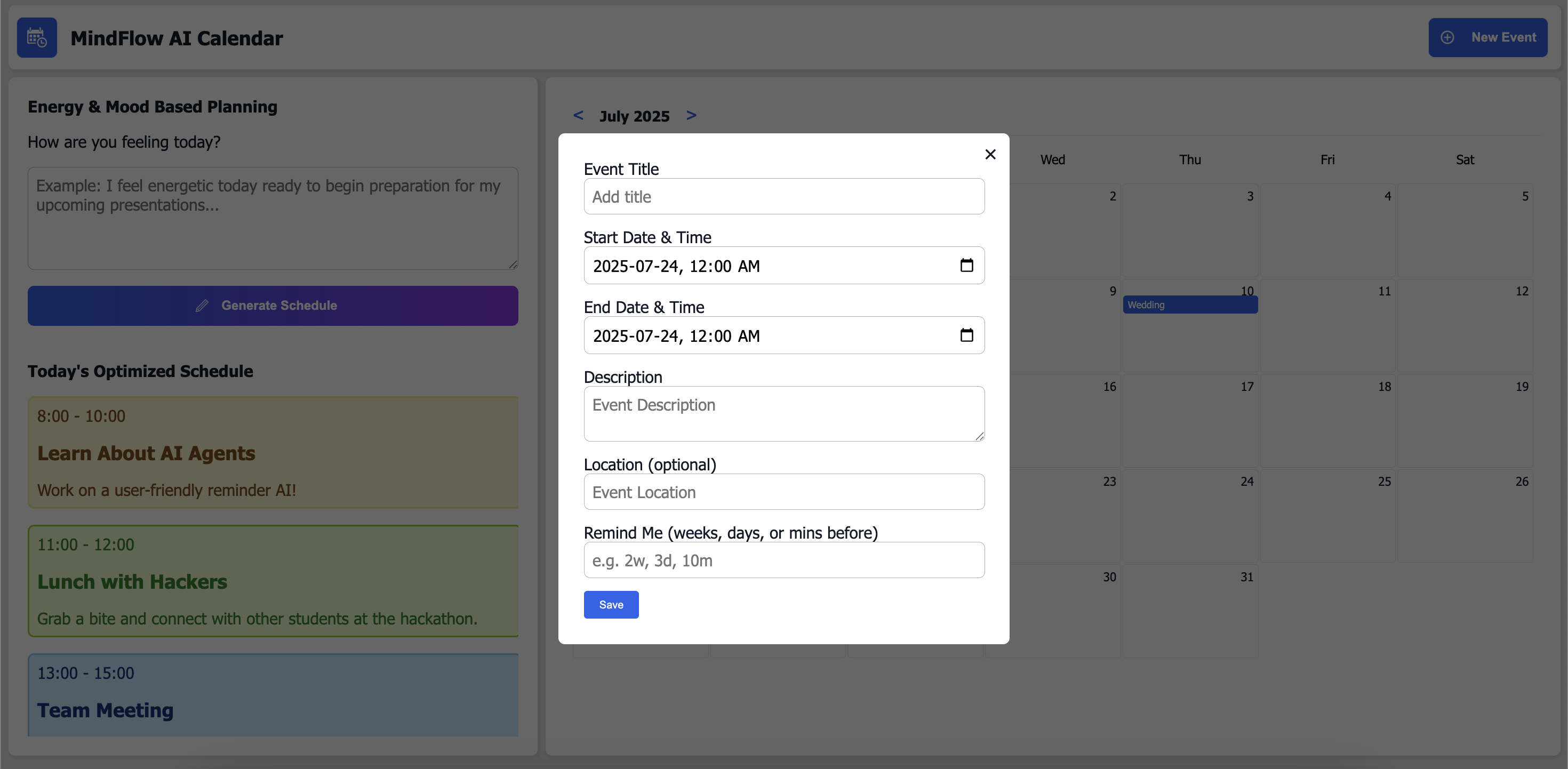
1) MindFlow AI Calendar: Modal to create events on the calendar.
-
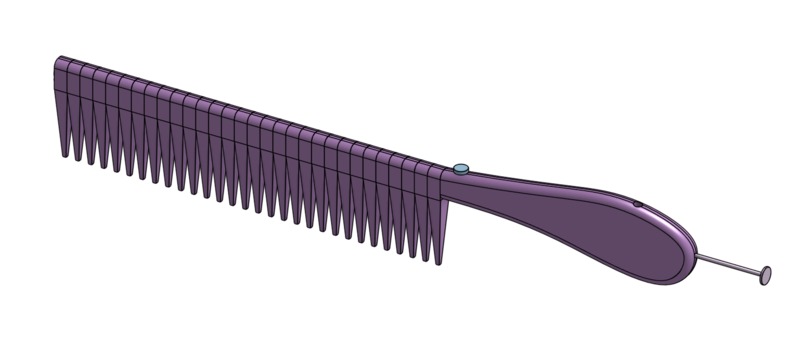
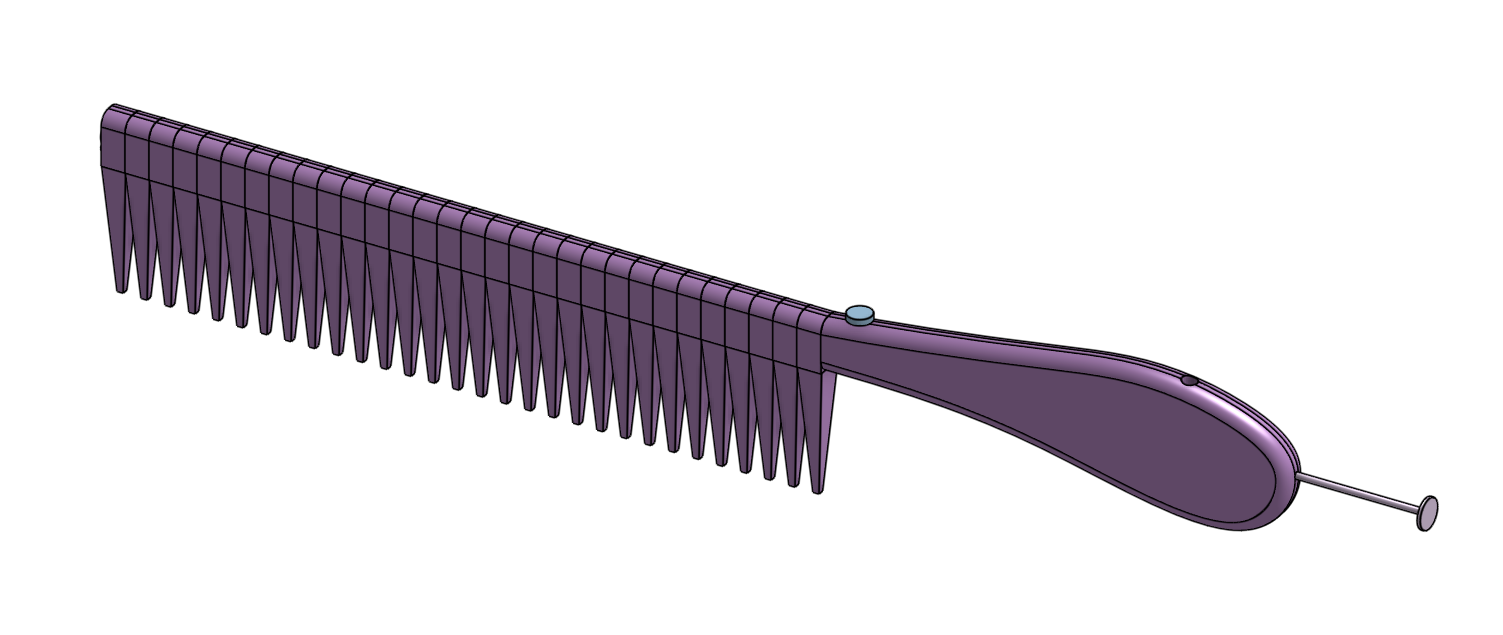
2) Shampoo Dispensing Comb: Isometric View
-

2) Shampoo Dispensing Comb: Cross-Sectional View
-
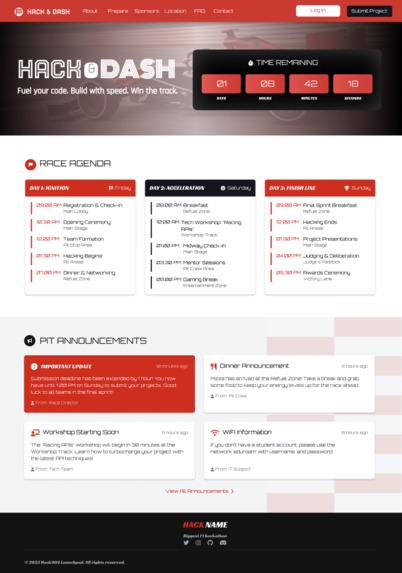
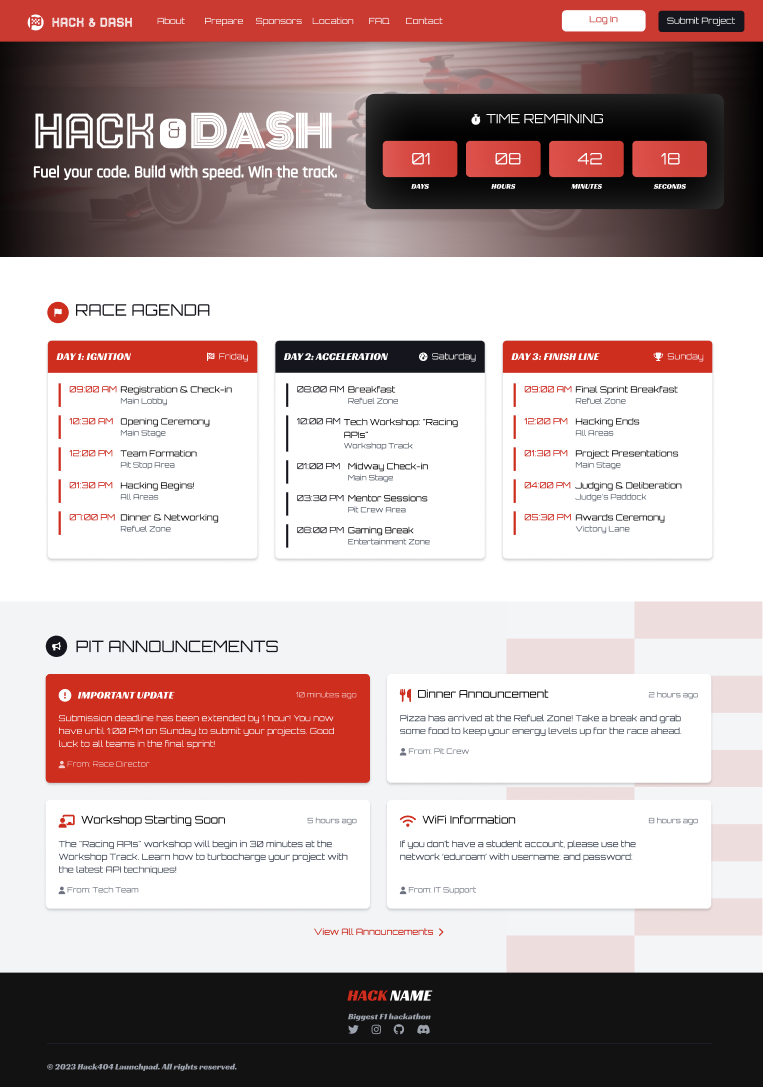
2) Hack & Dash: Launchpad
-
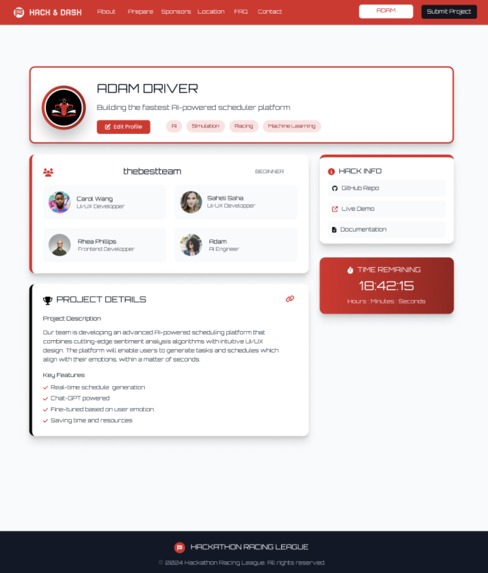
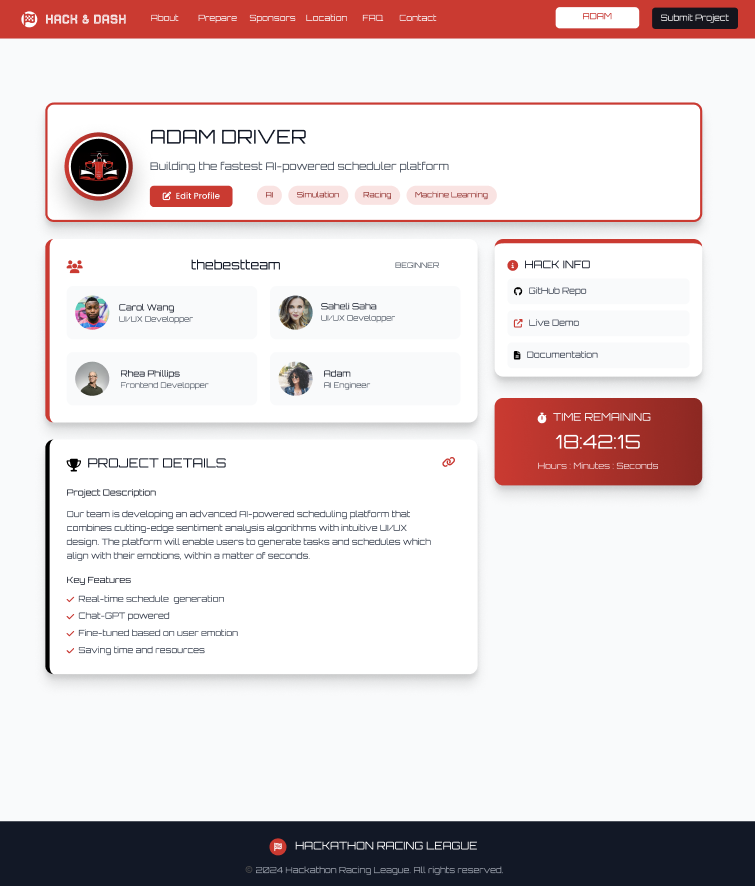
2) Hack & Dash: Profile

Inspiration
We wanted to explore multiple areas of tech in a fun, hands-on way; Hack & Dash login, profile and launched designs, inspired by our combined interest in race cars using Figma, MoodFlow AI Calendar, that integrates a calendar and events tracker with a customized and energy-based daily schedule planner that utilizes ChatGPT4, and a Shampoo-Dispensing Comb that . Each mini project in our submission tackled a different skill set, allowing us to learn rapidly and collaborate creatively. The goal was to create something small but meaningful in each domain.
What it does
We built three mini-projects:
- UI/UX Microhack: Hack & Dash
A high-energy landing page prototype designed in Figma to capture the excitement of a race-themed hackathon. We applied core UI/UX principles to make the design both engaging and functional:
- Hierarchy: Key info like the event name and "Register" button are large and bold, drawing the user's attention immediately and reducing cognitive load.
- Spacing: Consistent margin and padding give the layout breathing room, separating sections clearly and creating a clean, orderly flow.
- Color: A bold palette of reds, blacks, and whites reinforces the racing theme, with green/red used for success and error cues. Clean accents highlight important elements without clutter.
- Typography: A modern sans-serif font supports a sleek, techy feel. Size and weight variations establish visual hierarchy and easy readability.
AI Agents Microhack: MoodFlow AI Calendar
A ChatGPT-4-powered chatbot and calendar app that helps users plan their day based on two inputs: scheduled events and a short description of how they're feeling. The AI generates a personalized, energy-optimized daily plan to improve focus and well-being.The backend is built with Python using Flask, which serves an API that processes user inputs. The frontend, built with HTML, CSS, and JavaScript, communicates with the API and displays the generated schedule in a clean, user-friendly interface.3D Modeling Microhack: Shampoo-Dispensing Comb
A hardware concept designed in Onshape CAD — a comb that dispenses shampoo directly onto the scalp, making hair washing more efficient and accessible. Key features:
- The teeth of the comb are fit in place using press fit pins to ensure the holes within the teeth have access to the shampoo manifold. This implementation considered the limitations of small drill sizes and their propensity to break when undertaking large cuts, by splitting the comb section into a design requiring many small holes rather than a long continuous one.
- Consists of a spring loaded plunger which creates pressure on the shampoo contained in the comb's handle, forcing the shampoo out of the holes on the teeth.
- When the plunger is fully extended, a hole is revealed enabling users to refill the shampoo.
- A small ball valve controls the flow of the shampoo to the teeth so that users can turn the shampoo on or off as per their needs.
How we built it
- Hack & Dash: Designed using Figma for layout, color scheme, and interactivity concepts.
- AI Energy Planner:
- Backend: Python with Flask API.
- Frontend: HTML, CSS, and JavaScript for user interface and generating the calendar as per the user's current date.
- Backend: Python with Flask API.
- Shampoo Comb: Modeled using Onshape CAD with functional components like a refillable chamber in the comb's handle, a dispensing mechanism with a plunger and holes in the teeth, and a turning on and off mechanism using a ball valve.
Challenges we ran into
- Integrating the Python API with the JavaScript powered UI was challenging due to our previously unfamiliarity with Flask. We had issues with CORS blocking the requests to the API and as a result we had to implement the entire application to use the same Flask server
- As the first hackathon for half of our team, we were taken by surprise by the short development time frame and how to collaborate seamlessly on one coding project since many team members were unfamiliar with GitHub.
Accomplishments that we're proud of
- Built a functional full-stack AI planner with an intuitive and aesthetic UI in just a few hours.
- Created a sleek, themed Figma Hackathon login, profile and dashboard prototype from scratch.
- Designing a CAD model that takes assembly and manufacturing constraints into consideration.
What we learned
- How to build a basic Flask API and connect it to a web-based frontend.
- How to translate user emotion and events into a structured daily plan using basic AI logic.
- The fundamentals of parametric modeling in Onshape.
- Effective teamwork while juggling multiple small projects under time pressure.
What's next for Hack404 Beginner MicroHacks: Team Loose Screews
- Race-Car Website: Implement the Figma design as a real site using React or Svelte.
- AI Planner: Add emotion detection via NLP, and integrate Google Calendar support.
- Shampoo Comb: Prototype the design using 3D printing and test ergonomic features.
We're excited to keep exploring these ideas and push each of them further!
Built With
- css
- figma
- flask
- html
- javascript
- onshape
- python

Log in or sign up for Devpost to join the conversation.