-
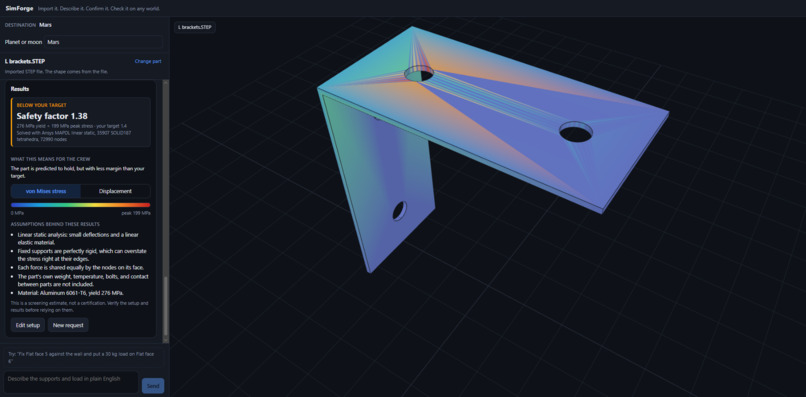
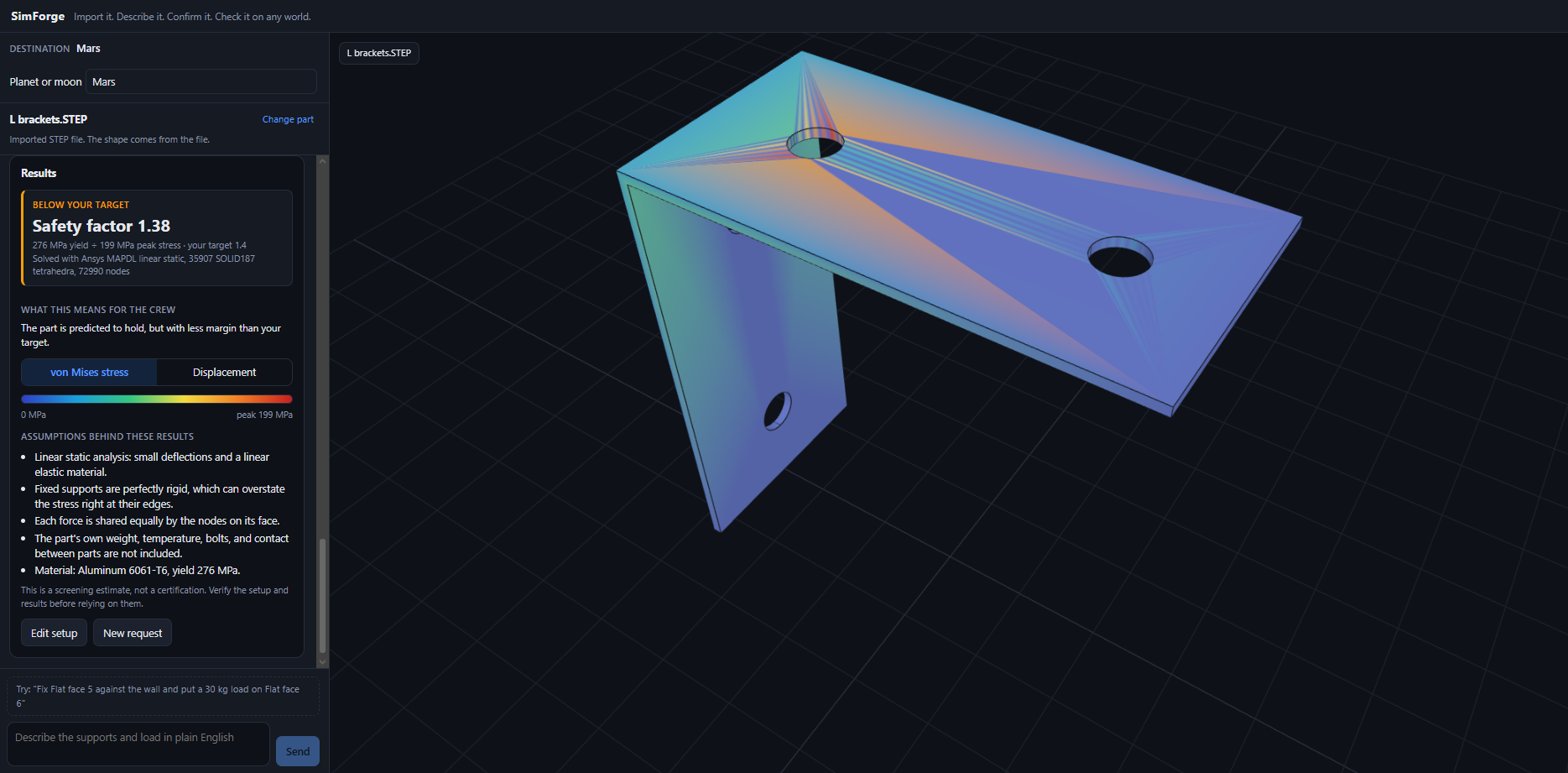
Same bracket on Mars: 199 MPa, safety factor 1.38. Stress scales with gravity, so the part is barely adequate.
-
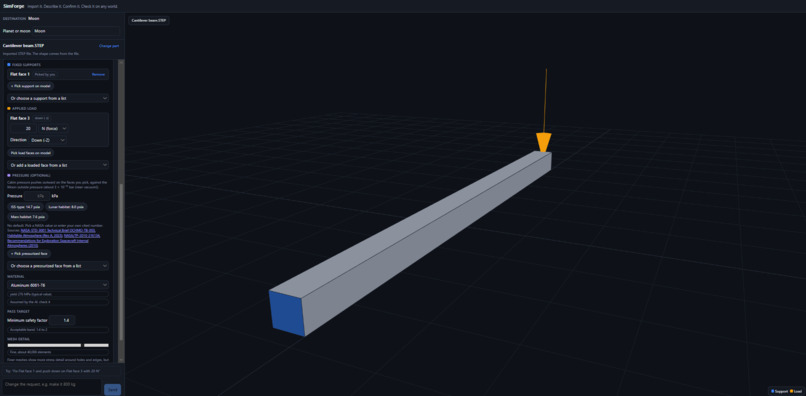
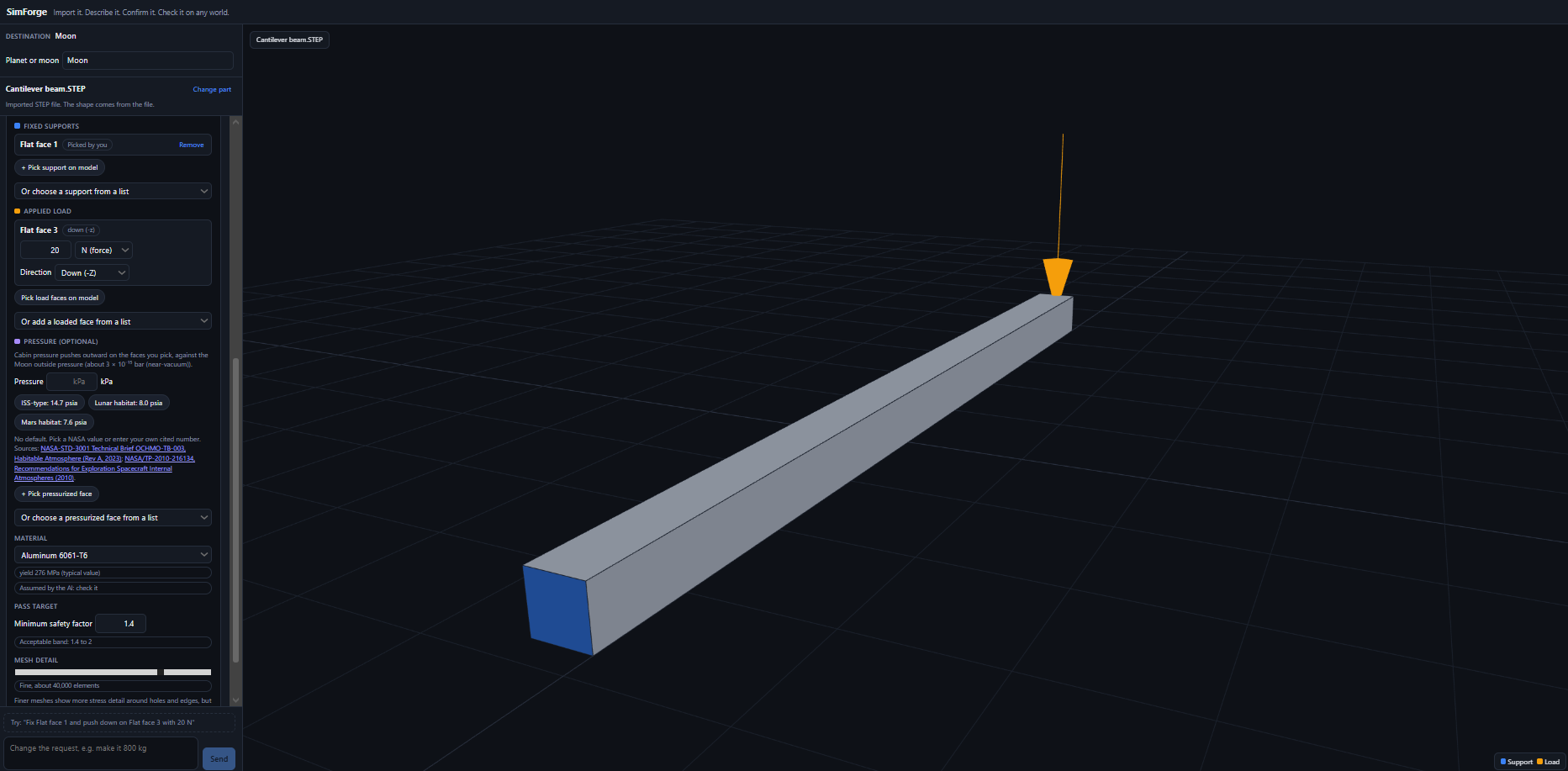
Confirm step: Gemini proposes the fixed face (blue) and load (orange). You check or change them on the 3D model before anything runs.
-
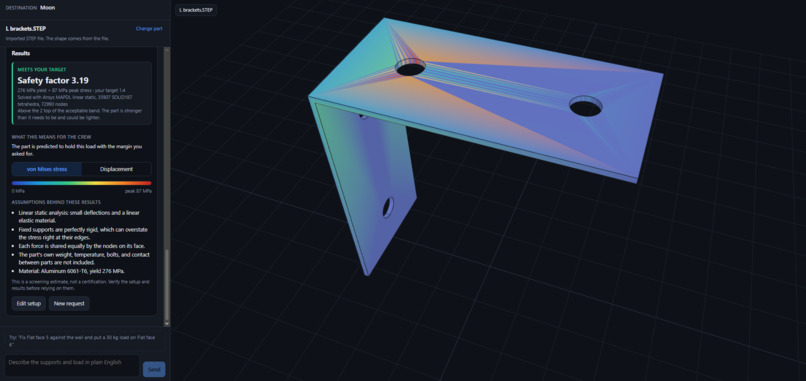
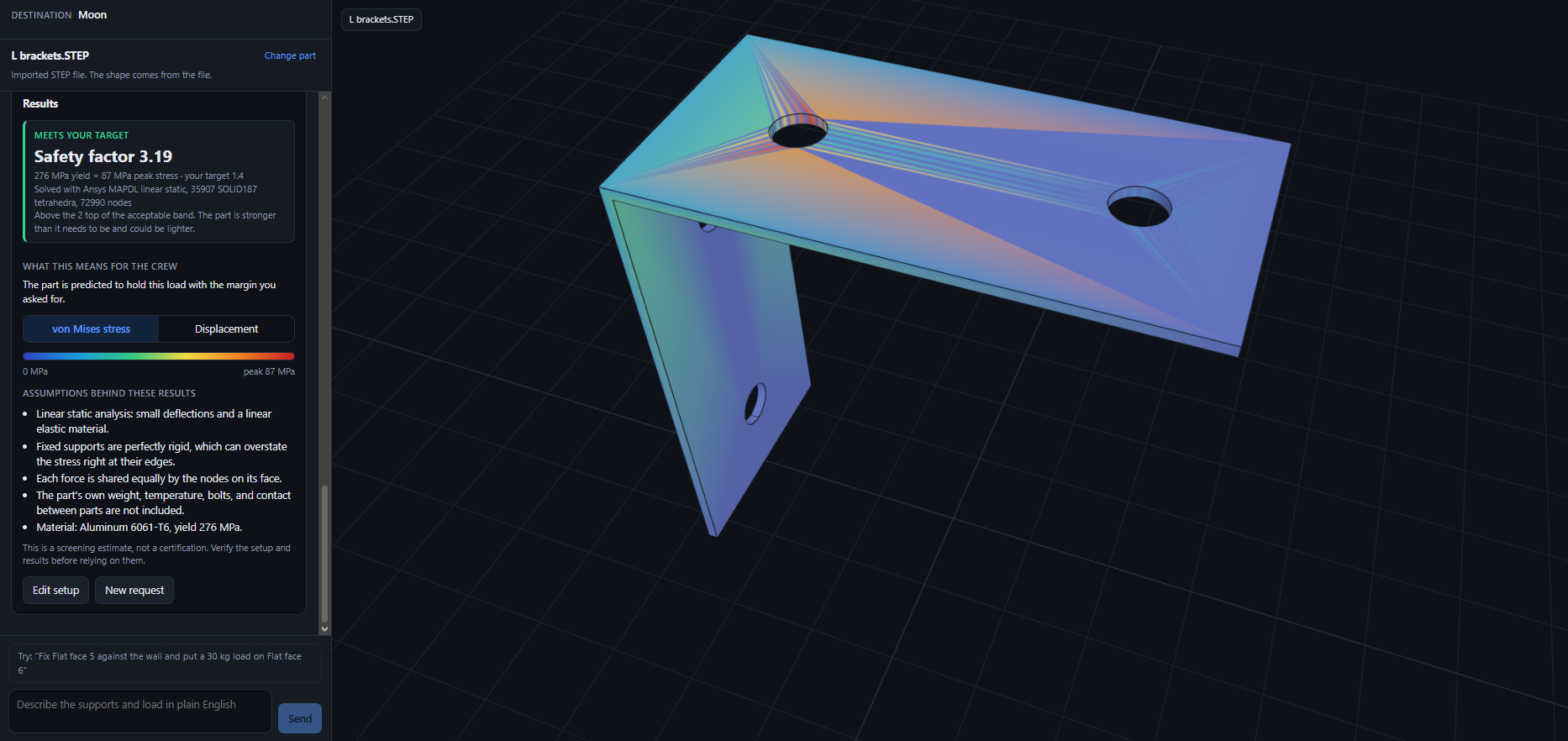
The same 30 kg bracket on the Moon: 87 MPa, safety factor 3.19. Plenty of margin.
-
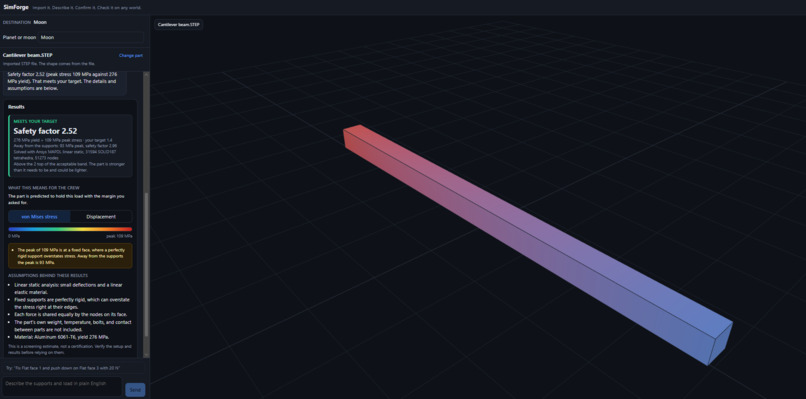
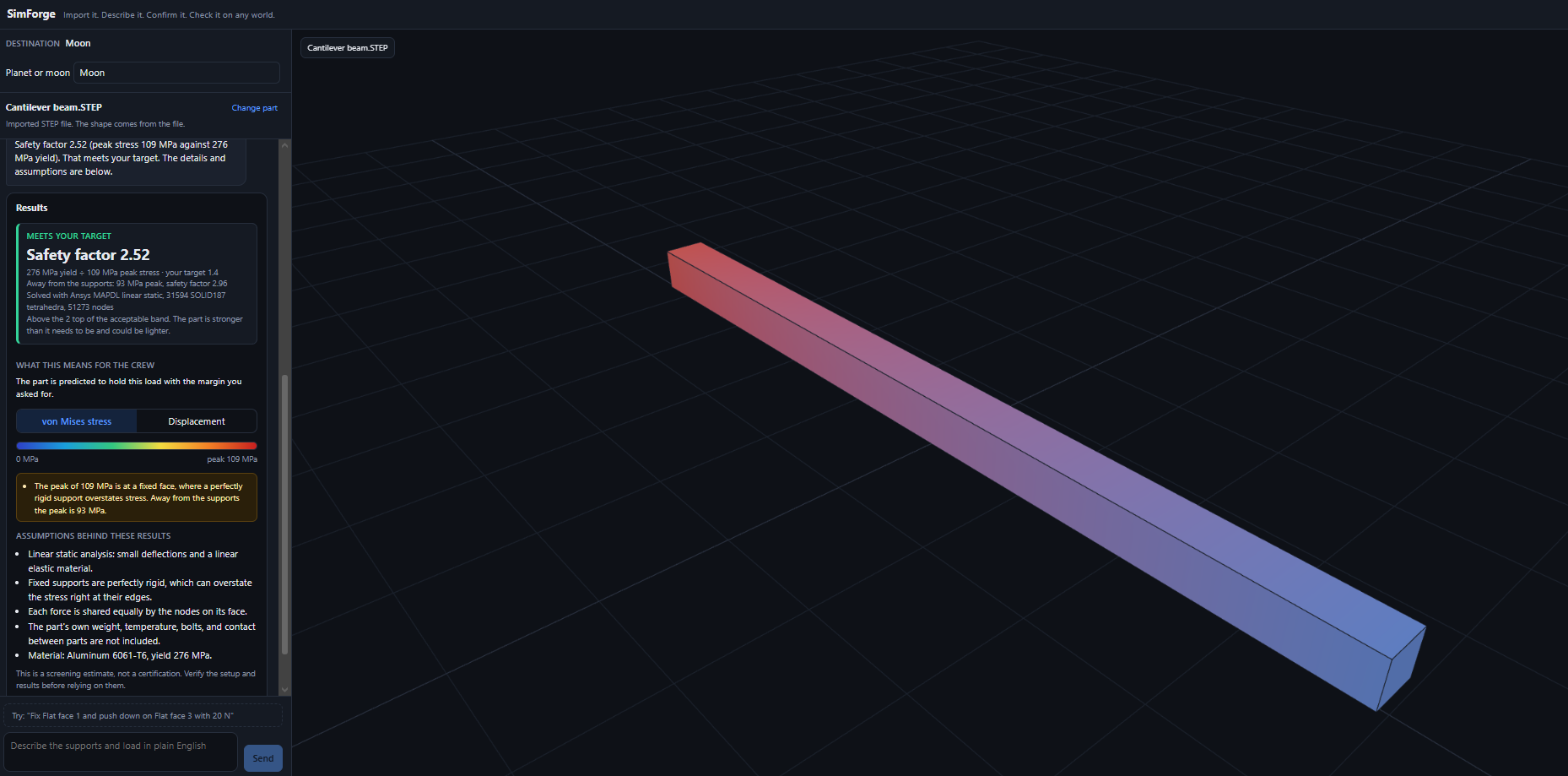
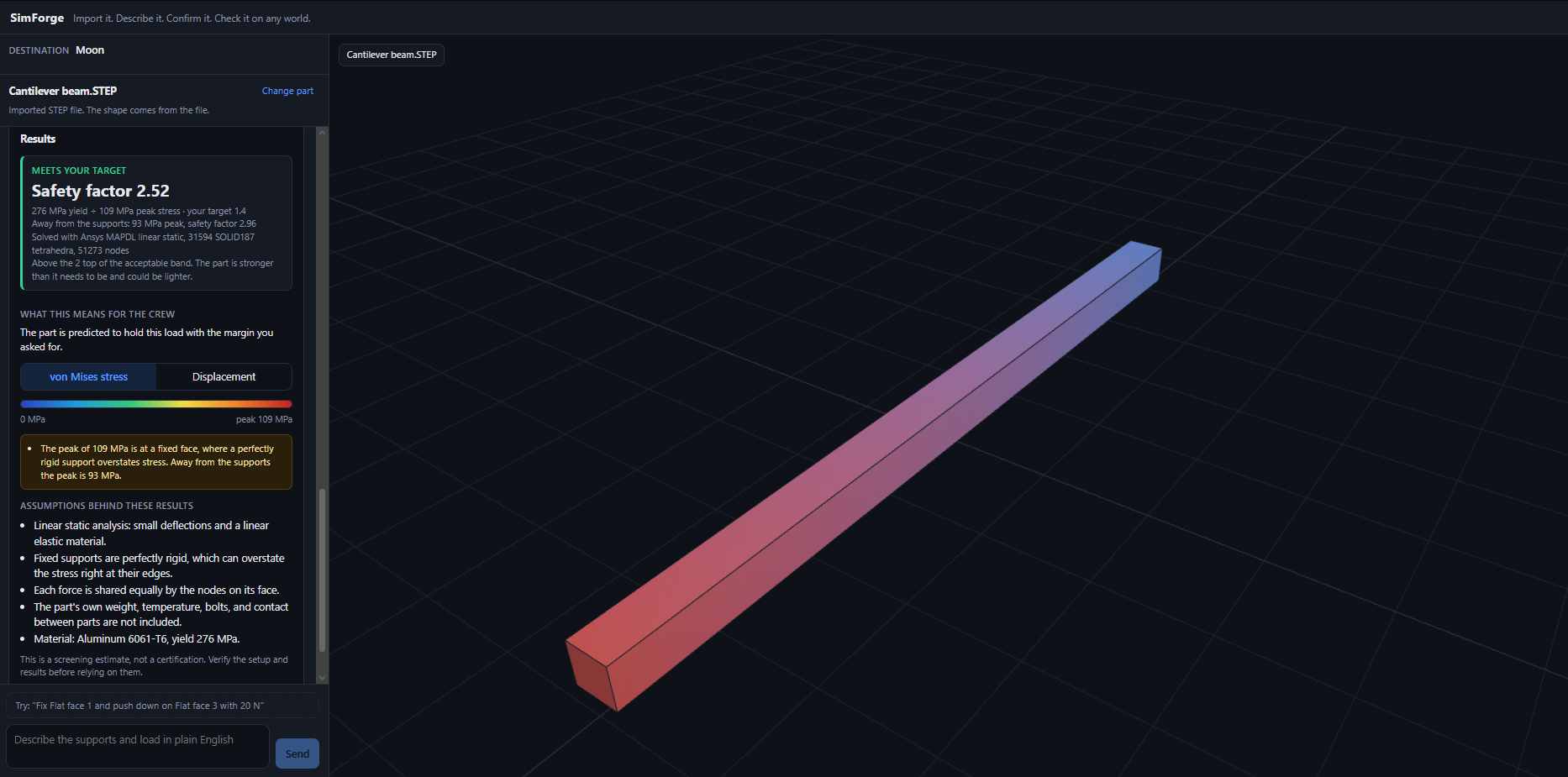
SimForge result for an aluminum 6061-T6 beam: Ansys stress map, safety factor, and deflection that matches hand calculation.
-
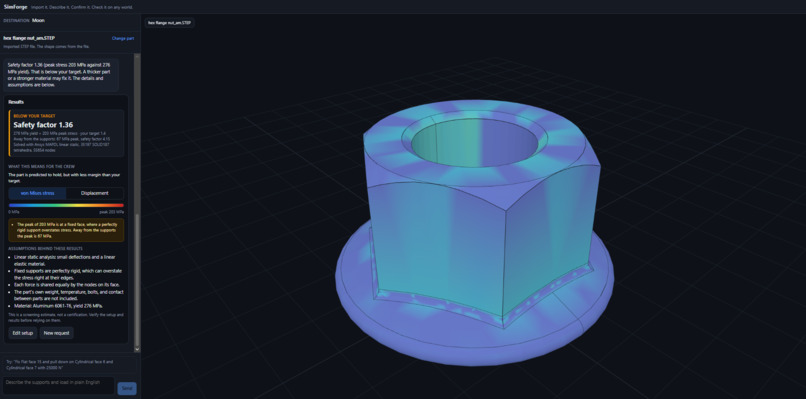
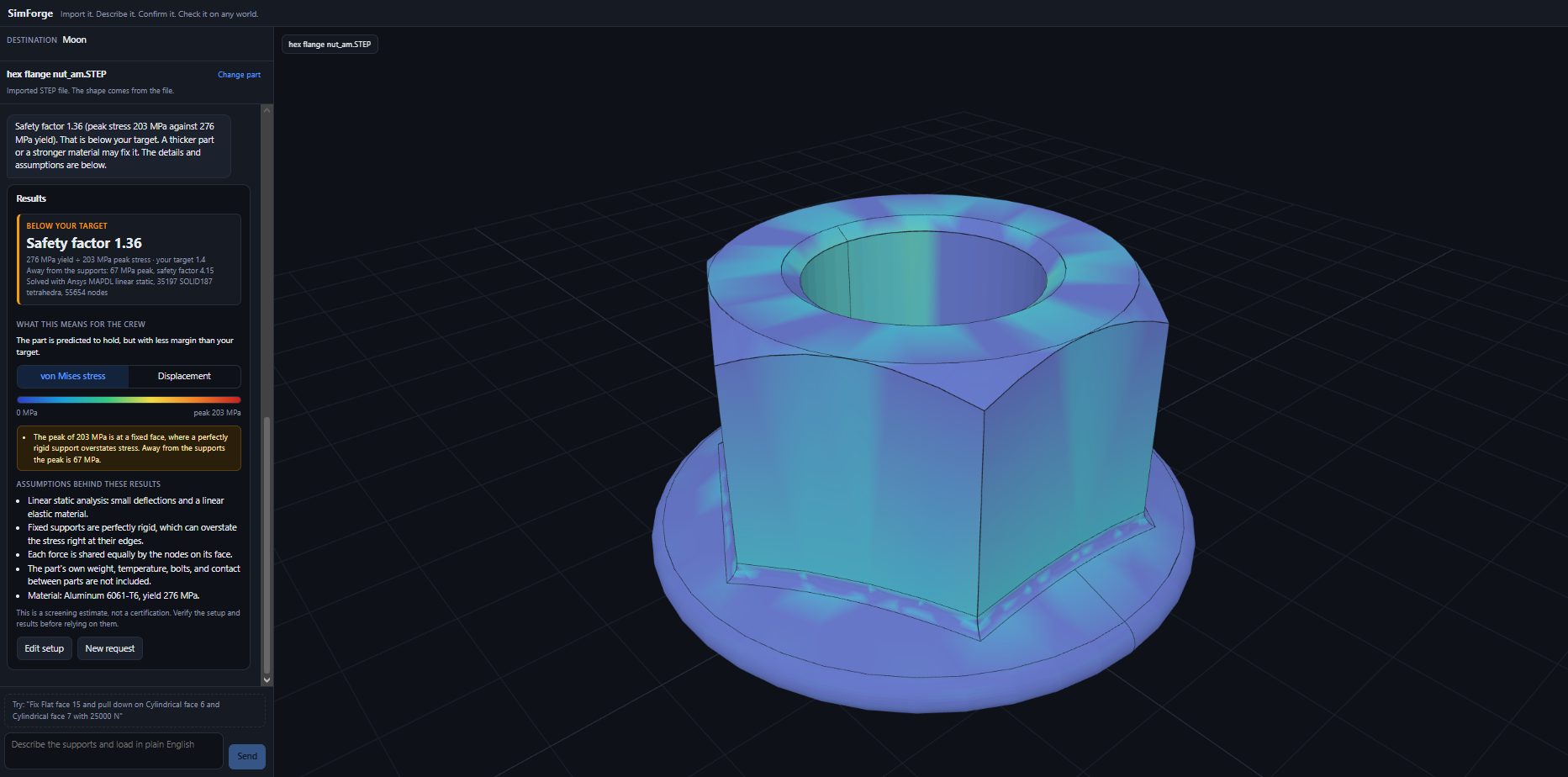
One sentence, one result. SimForge analyzes a nut with a 25,000 N load and returns stress plus a safety factor in minutes.
-
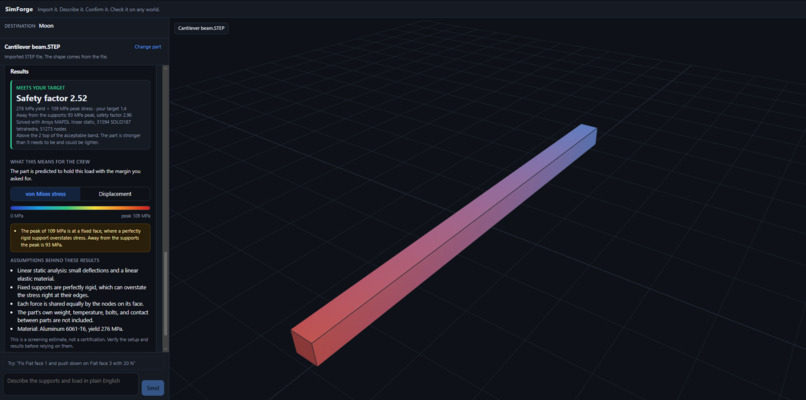
Proof it works: Ansys gives 1.85 mm deflection and 93 MPa vs. 1.86 mm and 96 MPa from the textbook beam formula.
-
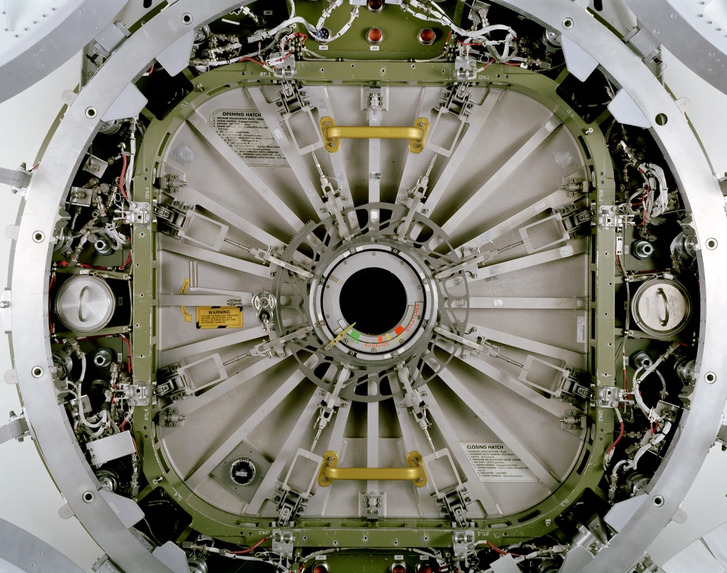
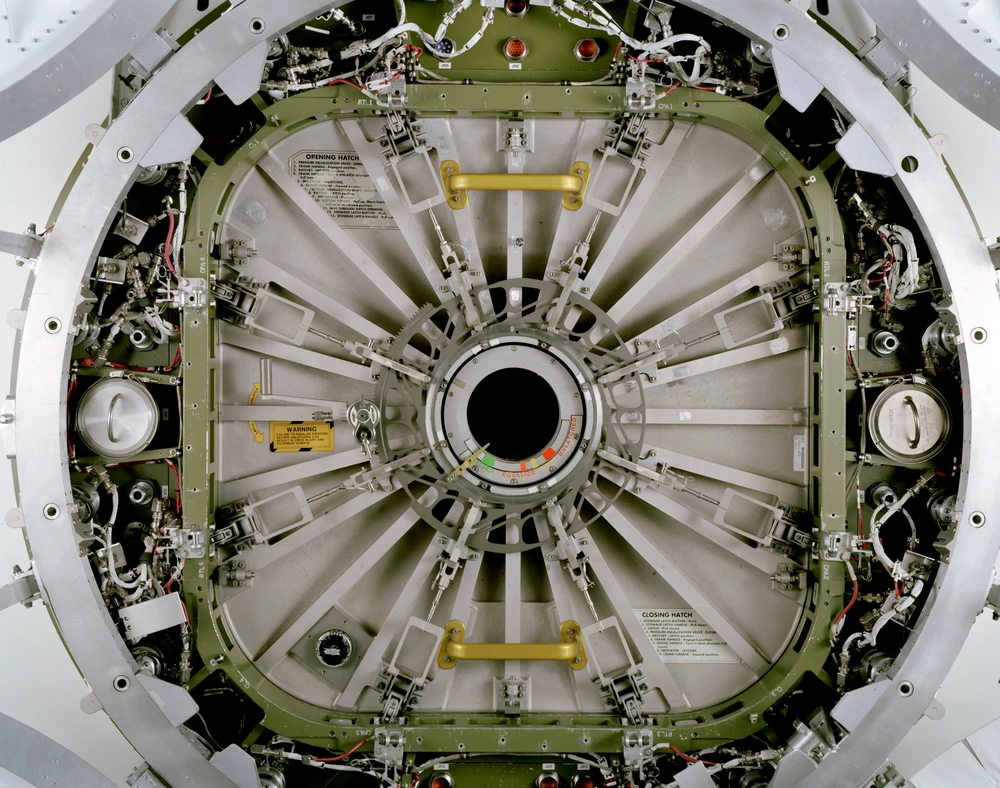
A NASA station hatch. A weak part here means cabin pressure loss, and checking designs takes engineers days.
-
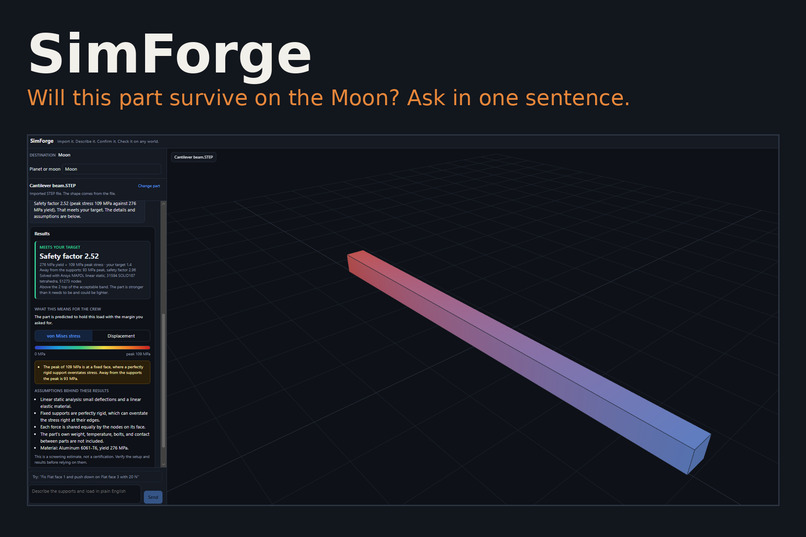
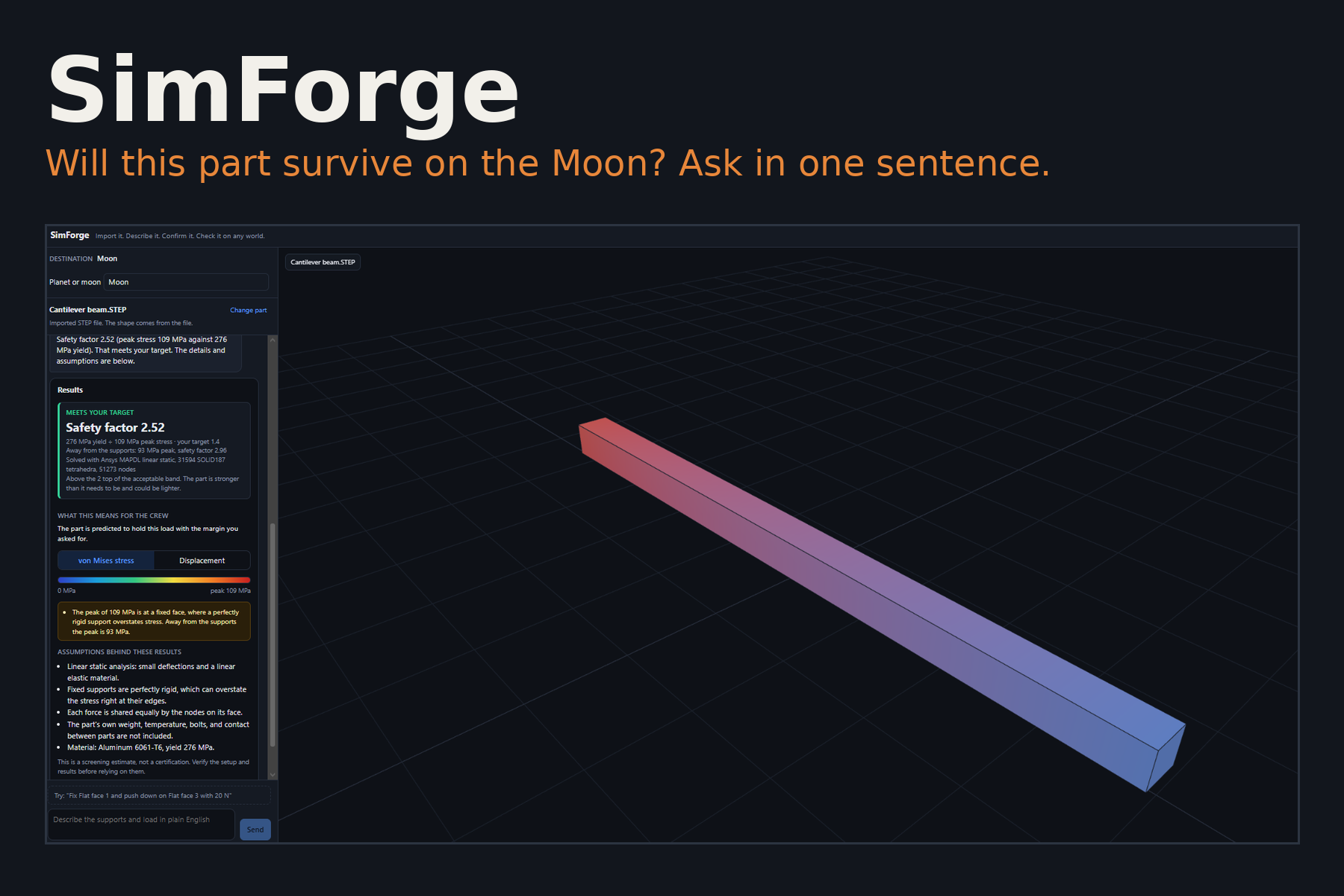
SimForge: describe a stress test in plain English and get a real Ansys safety factor for the Moon, Mars, or any world.
Inspiration
A habitat only keeps people alive if its structure holds. Racks hang from brackets, hatches carry cabin air pressing out against almost nothing, and every one of those parts weighs a different amount on the Moon, on Mars, and in orbit. Checking a part like that takes a finite element analysis, and setting one up is slow and easy to get wrong. You have to decide which faces are fixed, where the load acts, which way it points, and what the local gravity is. We wanted anyone designing for "Life in Space" to ask the question in one sentence and get a real answer.
What it does
- Import a STEP file and type where the part will be used (Moon, Mars, orbit, or any world you can give gravity and pressure for).
- Describe the test in plain English, for example: "Fix the bottom face and hang a 500 kg rack from the top."
- SimForge proposes the fixed faces, loads, direction, and material, and lights them up on a 3D model. You check every choice, fix mistakes, and confirm.
- Ansys solves it. You get the stress on the model and a safety factor:
$$\text{SF} = \frac{\sigma_{yield}}{\sigma_{von\ Mises,\ peak}}$$
Below 1 the part fails. From 1 to 1.4 it holds with too little margin. 1.4 to 2 is our target band (our own requirement, not a building code). Above 2 it passes but is heavier than it needs to be. The results also say what the verdict means for the crew.
How we built it
- Frontend: React, TypeScript, Vite, and three.js for the 3D view.
- Backend: FastAPI. Open CASCADE (
cadquery-ocp) reads the STEP file, and gmsh fills it with 10-node tetrahedra (Ansys SOLID187). - Solver: PyMAPDL drives Ansys Mechanical APDL (Student 2025 R2) for a linear static analysis. Stress and displacement from every node are painted back onto the model.
- AI: one Gemini call reads the request and proposes the setup, with a second Gemini model as a backup and plain rules as a last resort. The AI only picks faces and reads numbers the user wrote. Gravity and pressure come from NASA fact sheets, material values from datasheets, and the safety factor from the solver. The AI never sets any of them.
- Mesh detail dial: users can trade speed for accuracy, from about 5,000 to 65,000 elements.
Does it get the right answer?
We checked it against a textbook case: a 100 × 5 × 5 mm aluminum 6061-T6 cantilever beam with 20 N at the free end. Beam theory gives
$$\sigma = \frac{6FL}{bh^2} = 96\ \text{MPa}, \qquad \delta = \frac{FL^3}{3EI} = 1.86\ \text{mm}$$
SimForge with Ansys gave a tip deflection of 1.85 mm and a peak stress of 93 MPa away from the support, within about 3%.
Challenges
- Ansys Student limits. It allows one session at a time and 128,000 nodes. A leftover session made Ansys silently start a product with no solver, which crashed at the solve step. We now detect that, end the stale processes, and retry on its own, so nobody has to run a cleanup command.
- Bad elements on curved parts. Ansys rejected a few tetrahedra with negative Jacobians on the kettle bell and the nut. We turned on gmsh's high-order optimizer and wrote a repair step that checks every element and straightens the badly curved ones.
- Rigid supports overstate stress. The peak at a fixed face keeps growing as the mesh gets finer, while the peak away from it settles. So the app reports both and says which is which.
- No made-up numbers. Early on, the interface showed a default load and a confidence percentage that came from nowhere. We removed all of it. A load with no number stays empty until the user types one.
- Gemini was sometimes unavailable. We added a timeout, a backup model, and a rules-based fallback so the demo never hangs.
What we learned
Meshing matters as much as the physics. The same nut gave a safety factor of 0.82 on a standard mesh and 1.36 on a fine one, because the support edge was the peak. A fast answer is only useful if the tool tells you how far to trust it.
What's next
Contact between parts, bolts, thermal loads, and buckling, and support for more materials. SimForge is a screening estimate, not a certification, and the app says so.
AI disclosure
Most of the code, comments, and READMEs were written with AI assistance from Claude, Anthropic's assistant. The Gemini interpreter call (interpret_with_gemini, its prompt, and its response format) was written by a teammate without AI assistance. Claude helped add the backup model, the timeout, and the removal of invented default numbers. No image or video assets were made with AI.

Log in or sign up for Devpost to join the conversation.