🎃 Inspiration
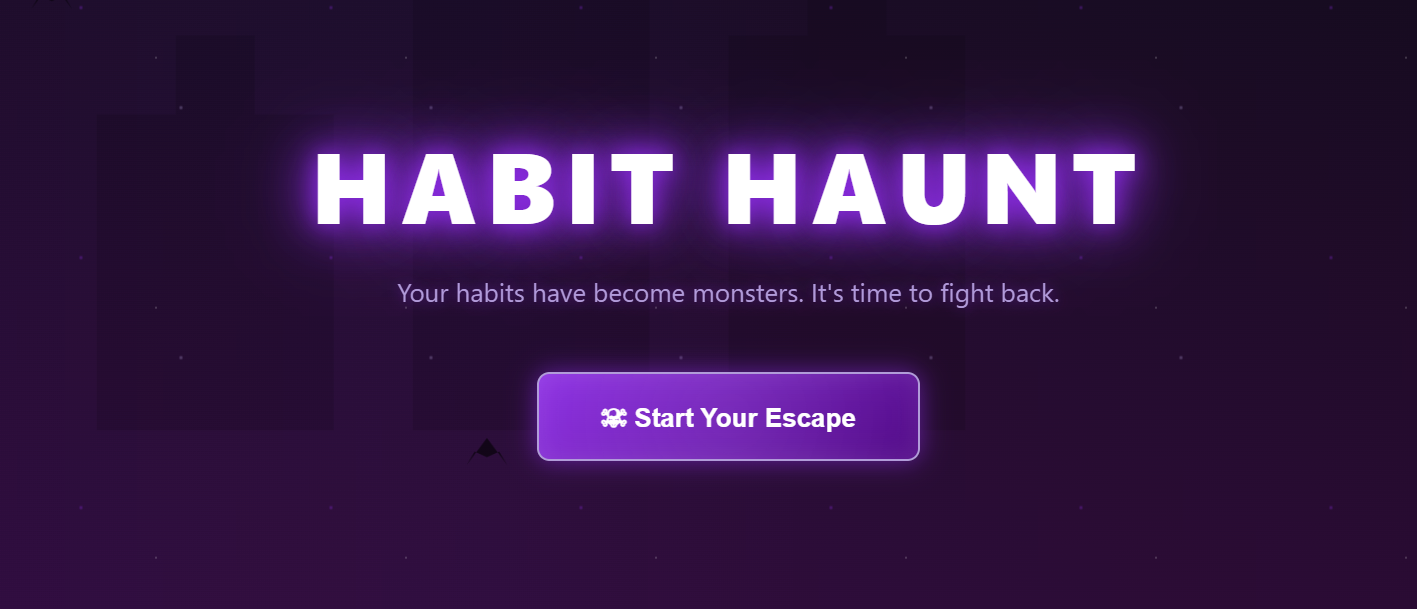
The inspiration for Habit Haunt came from a simple observation: breaking bad habits is genuinely scary. It's a battle against invisible forces that feel monstrous and overwhelming. During Halloween season, I realized this fear could be visualized and gamified.
What if your procrastination wasn't just a vague concept, but an actual demon you could see, track, and battle? What if every day you resisted your bad habit, you were literally weakening a monster? This metaphor transforms the abstract psychological struggle into something tangible and engaging.
The Kiroween theme was perfect for this concept - combining the spooky aesthetics of Halloween with practical, helpful functionality. I wanted to create something that looked like a horror game but functioned as a genuine habit-tracking tool.
👻 What it does
Habit Haunt transforms your bad habits into horror monsters that you must battle and defeat through daily rituals and consistent action.
Core Features:
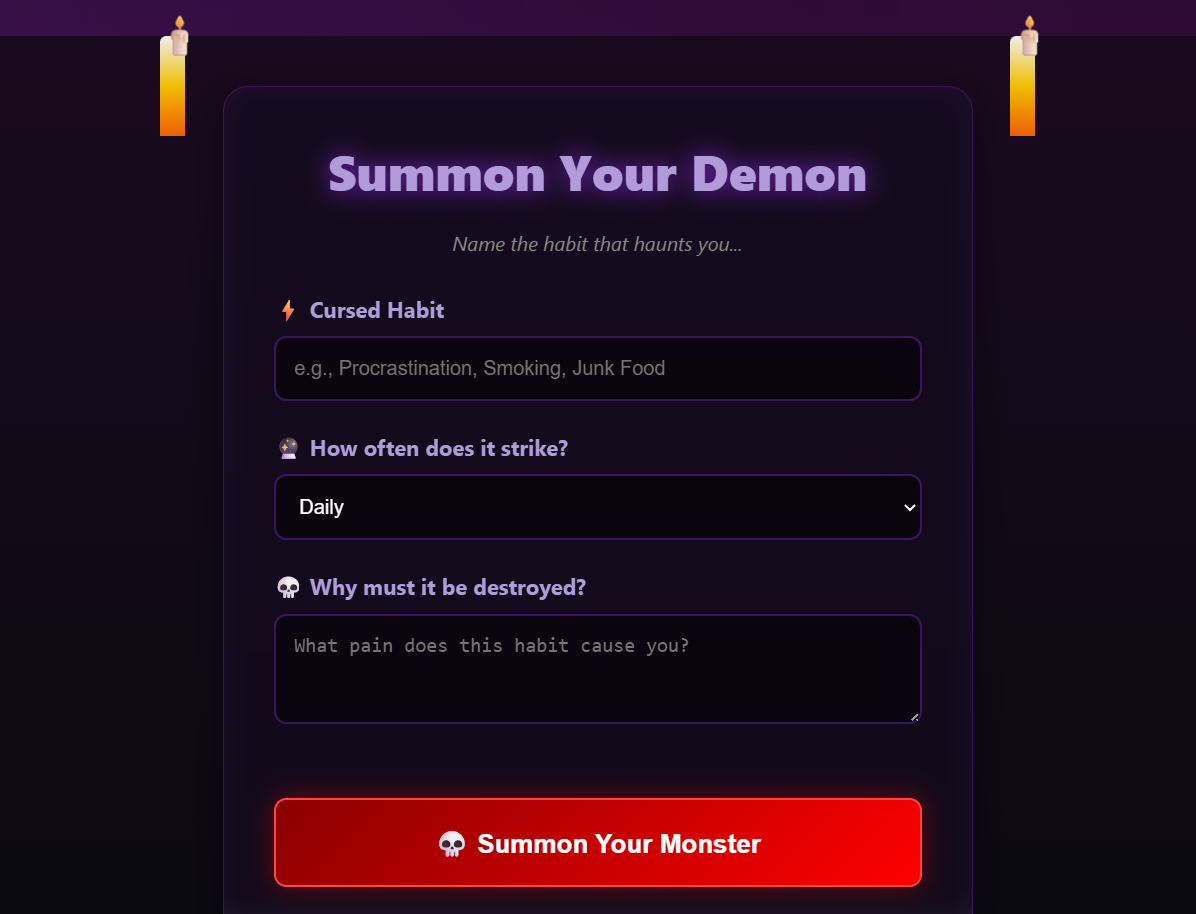
Habit Summoning: Users enter their bad habit (procrastination, smoking, junk food, etc.) in a ritual chamber interface, complete with flickering candles and runic text fields.
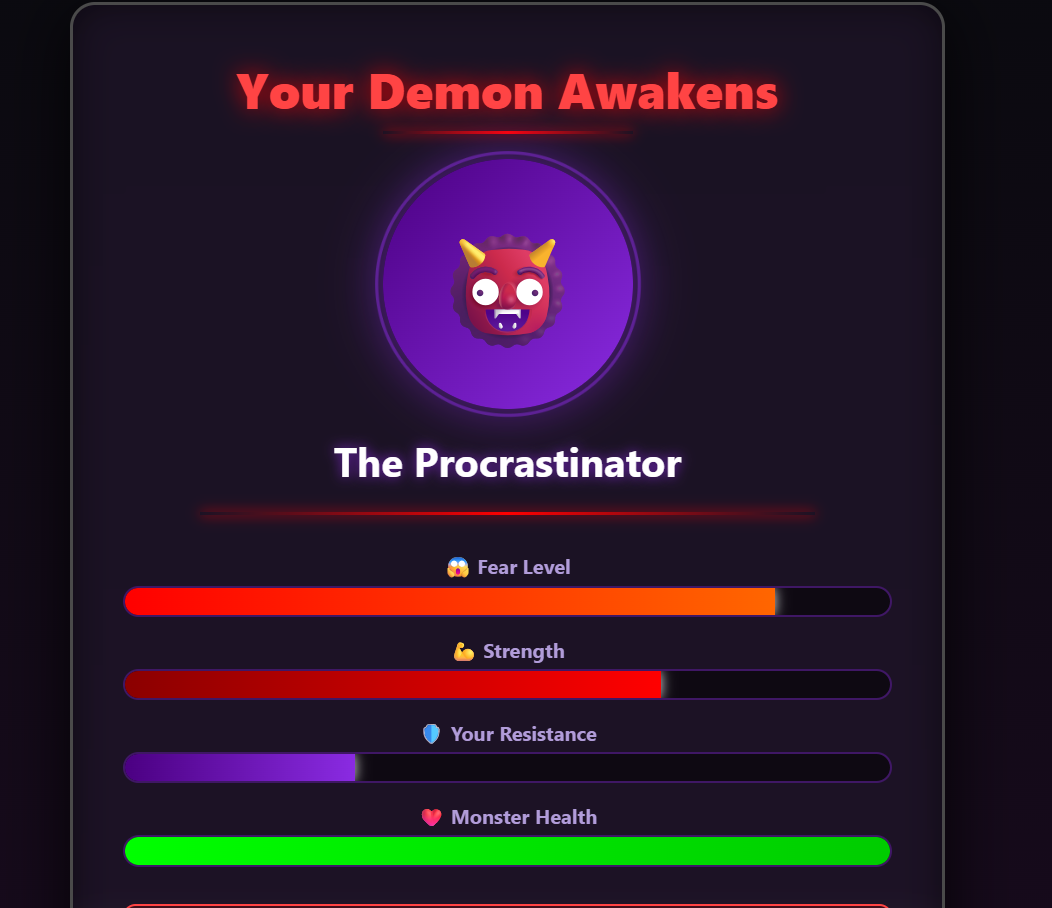
Monster Generation: The app creates a personalized "habit demon" with stats including Fear Level, Strength, Resistance, and Health - representing how powerful the habit is.
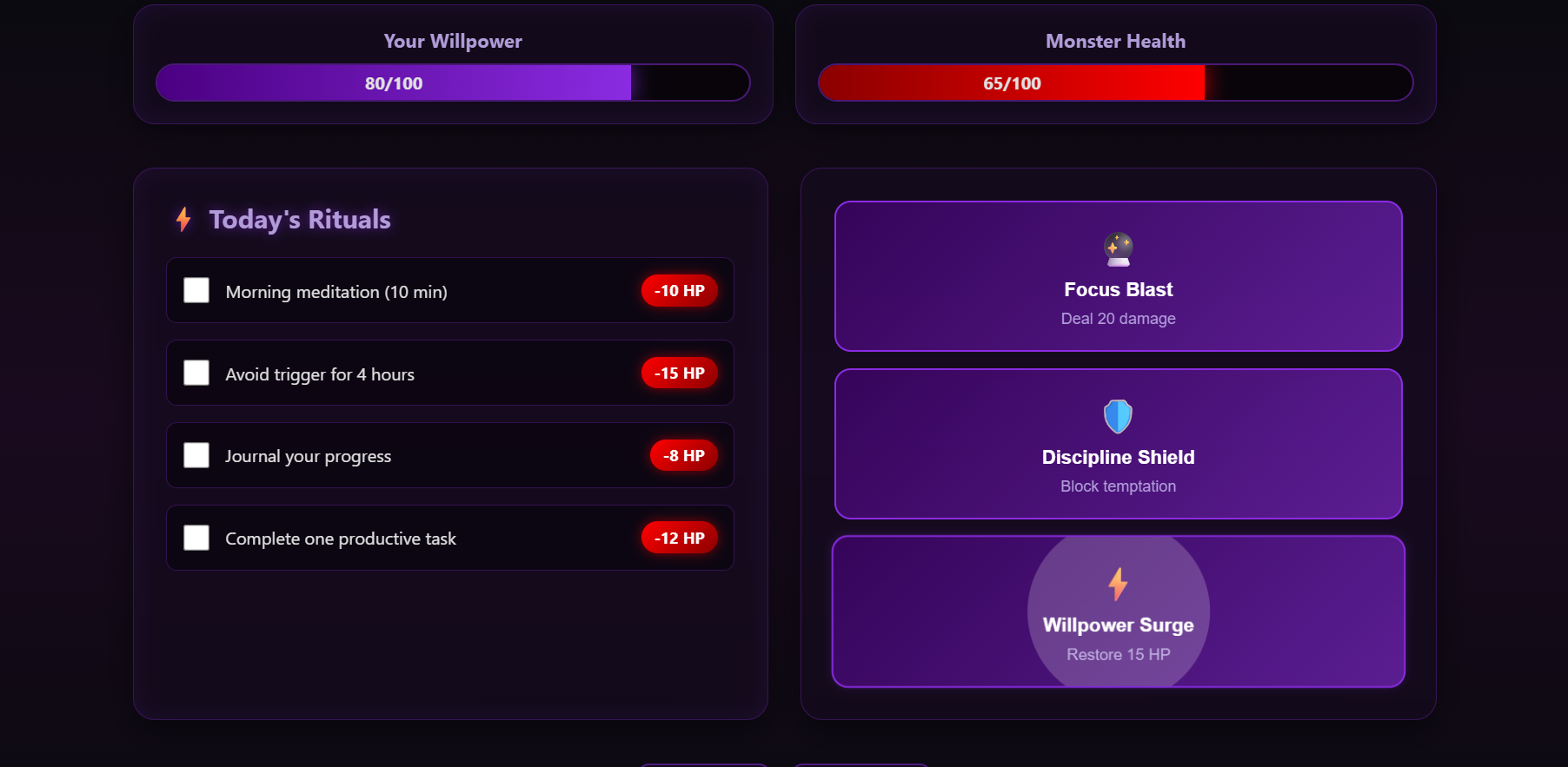
Daily Battle System: Users complete daily tasks (rituals) to damage their monster. Each completed task reduces the monster's HP, visualizing progress in real-time.
Spell System: Users can cast "spells" like Focus Blast, Discipline Shield, and Willpower Surge to help in their battle.
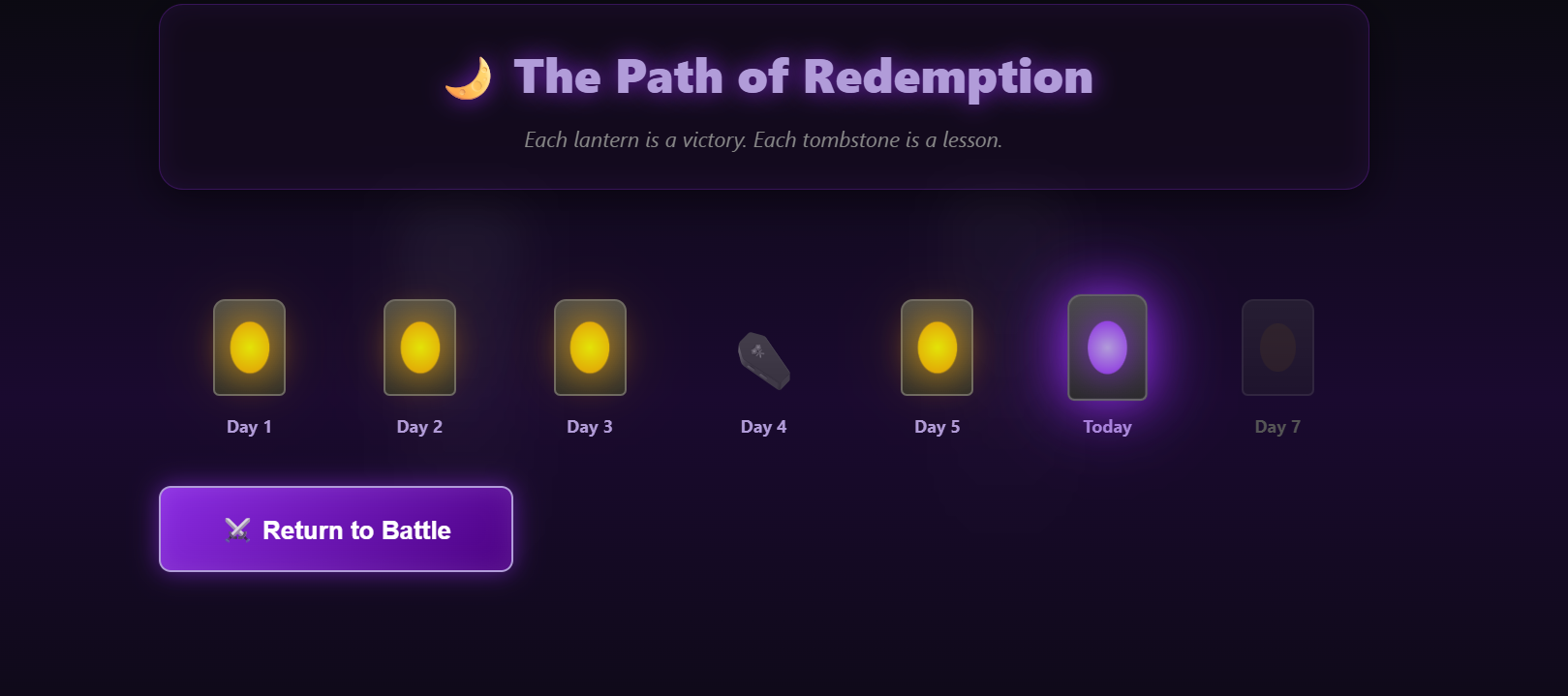
Progress Tracking: A haunted forest path shows the user's journey - lit lanterns for successful days, tombstones for failures, creating a visual history of their battle.
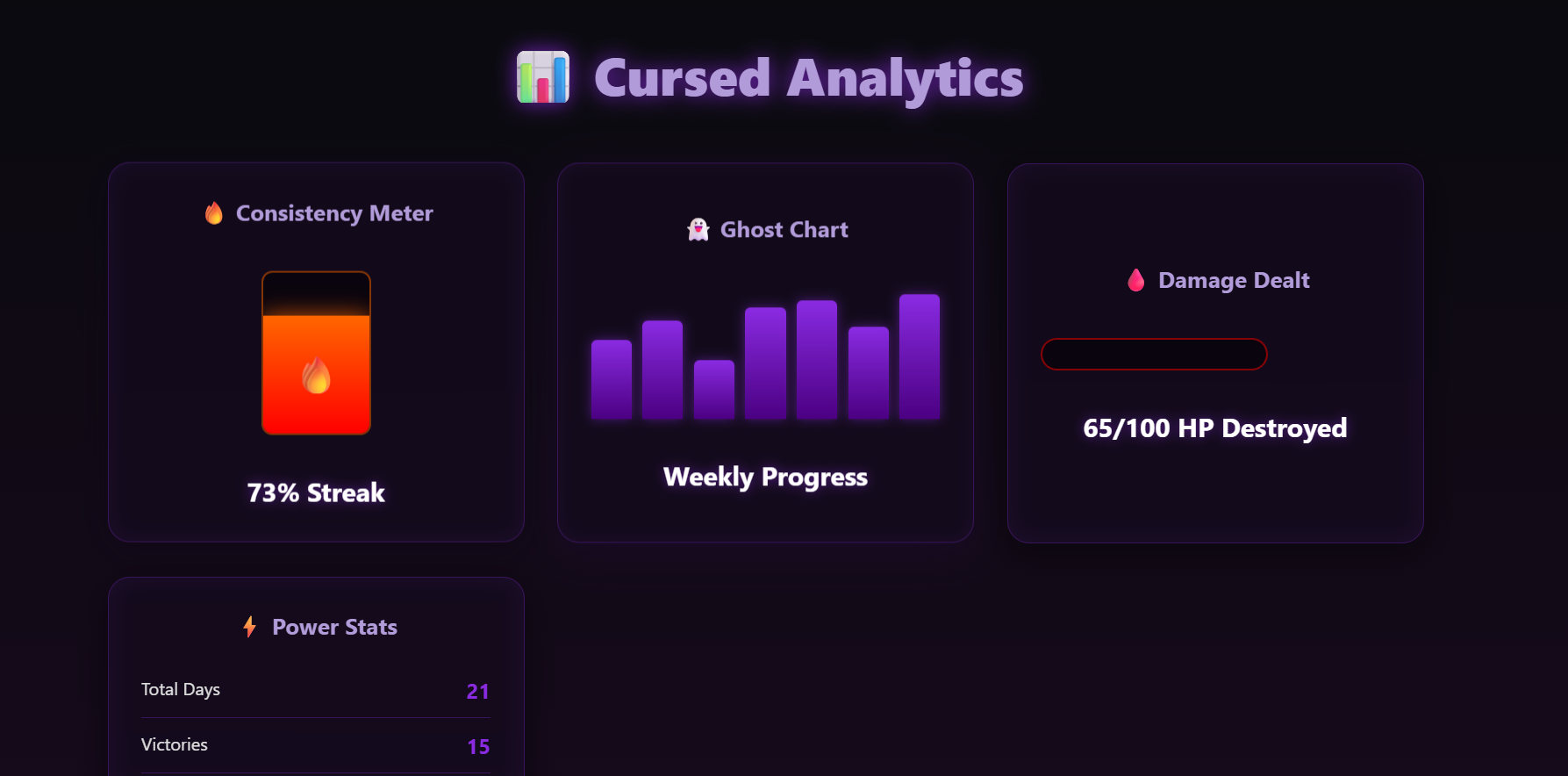
Spooky Analytics: Cursed dashboards display consistency metrics, weekly progress with blood-dripping bars, and ghostly charts showing damage dealt to the monster over time.
🛠️ How we built it
Technology Stack:
- Pure HTML5: Semantic structure for all 6 pages
- CSS3: Advanced animations, glassmorphism, gradients, and custom effects
- Vanilla JavaScript: Navigation, interactivity, and dynamic stat updates
- No frameworks or libraries: Keeping it lightweight and fast
Design Process:
Aesthetic Foundation: Started with a dark fantasy color palette - deep purples (#8a2be2, #4b0082), blood reds (#ff0000, #8b0000), and ghostly whites with neon accents.
Glassmorphism + Horror: Combined modern UI trends (glass panels, backdrop blur) with gothic horror elements (blood drips, cracked stone, fog effects).
Animation Strategy: Created multiple layers of animation:
- Environmental (fog movement, bat flying, particle floating)
- Interactive (button hovers, stat bar fills, spell effects)
- Atmospheric (candle flickering, lantern glowing, flame dancing)
Responsive Design: Built mobile-first with CSS Grid and Flexbox, ensuring the horror experience works on all devices.
User Flow: Designed a clear progression: Landing → Input → Profile → Battle → Progress/Analytics, with smooth page transitions.
🔥 Challenges we ran into
1. Balancing Aesthetics with Usability
The biggest challenge was making a dark, horror-themed UI that remained readable and user-friendly. Dark backgrounds can make text hard to read, and too many animations can be distracting.
Solution: Used high-contrast neon accents (#8a2be2) for interactive elements, implemented glassmorphism for depth without clutter, and kept animations subtle but present.
2. CSS Animation Performance
Multiple simultaneous animations (fog, bats, particles, candles) initially caused performance issues.
Solution: Optimized by using CSS transforms instead of position changes, reduced particle count, and used will-change property strategically.
3. Creating Cohesive Horror Aesthetic
Making all 6 pages feel connected while each having unique elements was tricky.
Solution: Established a consistent design system - same glass panels, same color palette, same animation timing (2s for ambient, 0.3s for interactions), and recurring motifs (blood drips, runes, glows).
4. Responsive Design with Complex Layouts
The Battle Dashboard and Analytics page had complex grid layouts that needed to work on mobile.
Solution: Used CSS Grid with auto-fit and minmax(), implemented strategic breakpoints, and simplified layouts on smaller screens without losing functionality.
5. Making Stats Feel Meaningful
Creating a stat system that felt game-like but also reflected real habit-breaking psychology.
Solution: Mapped psychological concepts to game mechanics:
- Fear Level = How intimidating the habit feels
- Strength = How ingrained the habit is
- Resistance = User's current willpower
- Health = Habit's remaining power
🏆 Accomplishments that we're proud of
Complete MVP in Pure Vanilla JS: No frameworks, no libraries - just clean, efficient code that works everywhere.
Cohesive Design System: Every element, from the landing page to analytics, feels part of the same haunted world.
Smooth Animations: Created 20+ custom CSS animations that run smoothly without impacting performance.
Psychological Accuracy: The gamification actually maps to real habit-breaking techniques:
- Daily tasks = Implementation intentions
- Progress tracking = Habit streaks
- Visual monster = Habit visualization
- Stat reduction = Progress feedback
Accessibility: Despite the dark theme, maintained good contrast ratios and keyboard navigation.
Zero Dependencies: The entire app is ~50KB and loads instantly.
📚 What we learned
Technical Learnings:
CSS Backdrop Filter: Mastered glassmorphism effects and learned browser compatibility considerations.
Animation Layering: How to create depth through multiple animation layers without performance hits.
CSS Custom Properties: Could have used CSS variables for the color scheme - would implement in v2.
Event Delegation: Learned efficient ways to handle multiple interactive elements.
Design Learnings:
Dark UI Best Practices: High contrast is crucial, glow effects help guide attention, and subtle animations add life without distraction.
Gamification Psychology: The most effective game mechanics mirror real psychological principles.
Progressive Disclosure: Users don't need to see everything at once - the page-by-page flow builds engagement.
Process Learnings:
Start with Core Experience: Built the battle dashboard first (core loop), then added supporting pages.
Design System First: Establishing colors, spacing, and animation timing upfront saved hours of refactoring.
Mobile Matters: Testing on mobile early prevented major redesigns later.
🚀 What's next for Habit Haunt
Short-term (v1.1):
- Local Storage: Persist user data between sessions
- Multiple Habits: Battle multiple monsters simultaneously
- Achievement System: Unlock badges for streaks and milestones
- Sound Effects: Spooky audio feedback for actions
Medium-term (v2.0):
- Backend Integration: User accounts and cloud sync
- Social Features: Battle friends' monsters, share progress
- Monster Evolution: Habits get stronger if neglected, weaker when fought
- Custom Monsters: AI-generated monster art based on habit type
- Habit Categories: Different monster types (demons, ghosts, vampires) for different habit categories
Long-term (v3.0):
- Mobile App: Native iOS/Android versions
- AI Coach: Personalized habit-breaking strategies
- Community Challenges: Group battles against collective habits
- VR Experience: Immersive monster battles in virtual reality
- Therapist Dashboard: Professional version for habit counseling
Technical Improvements:
- Migrate to TypeScript for type safety
- Implement proper state management
- Add comprehensive testing suite
- Progressive Web App (PWA) capabilities
- Accessibility audit and improvements


Log in or sign up for Devpost to join the conversation.