-
-
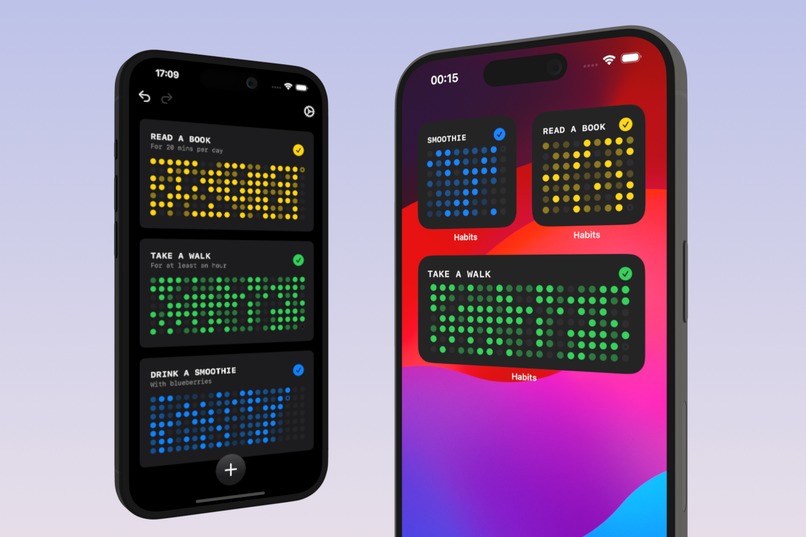
App & WIdgets
-
App Icon 1024px
-
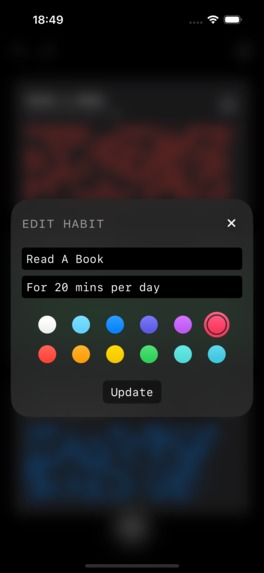
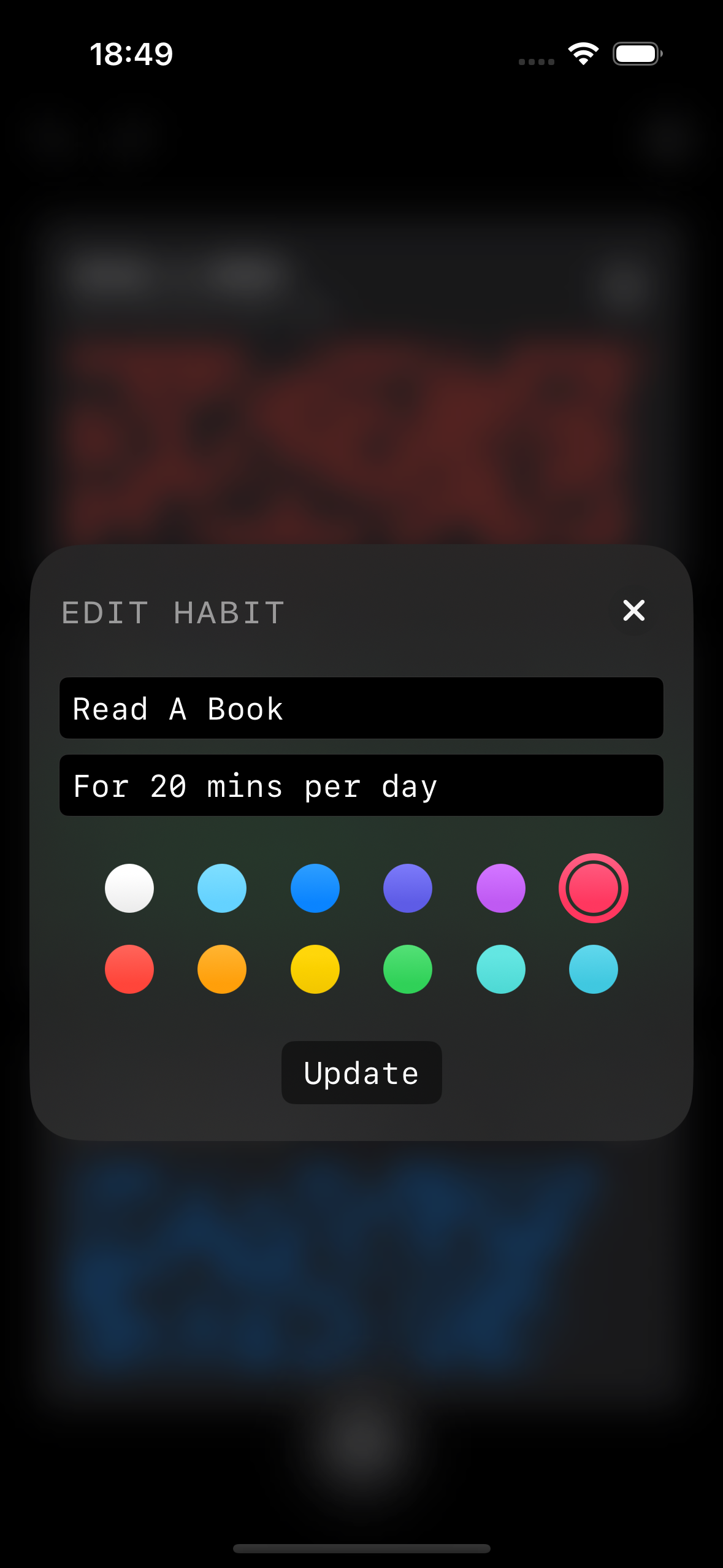
Add/Edit Habit Form (no device frame)
-
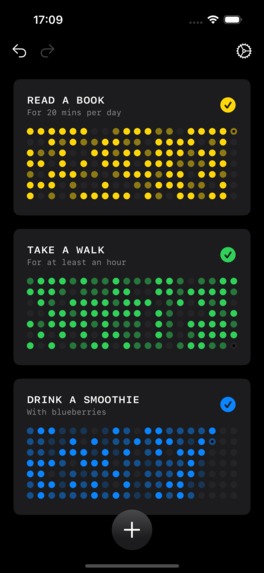
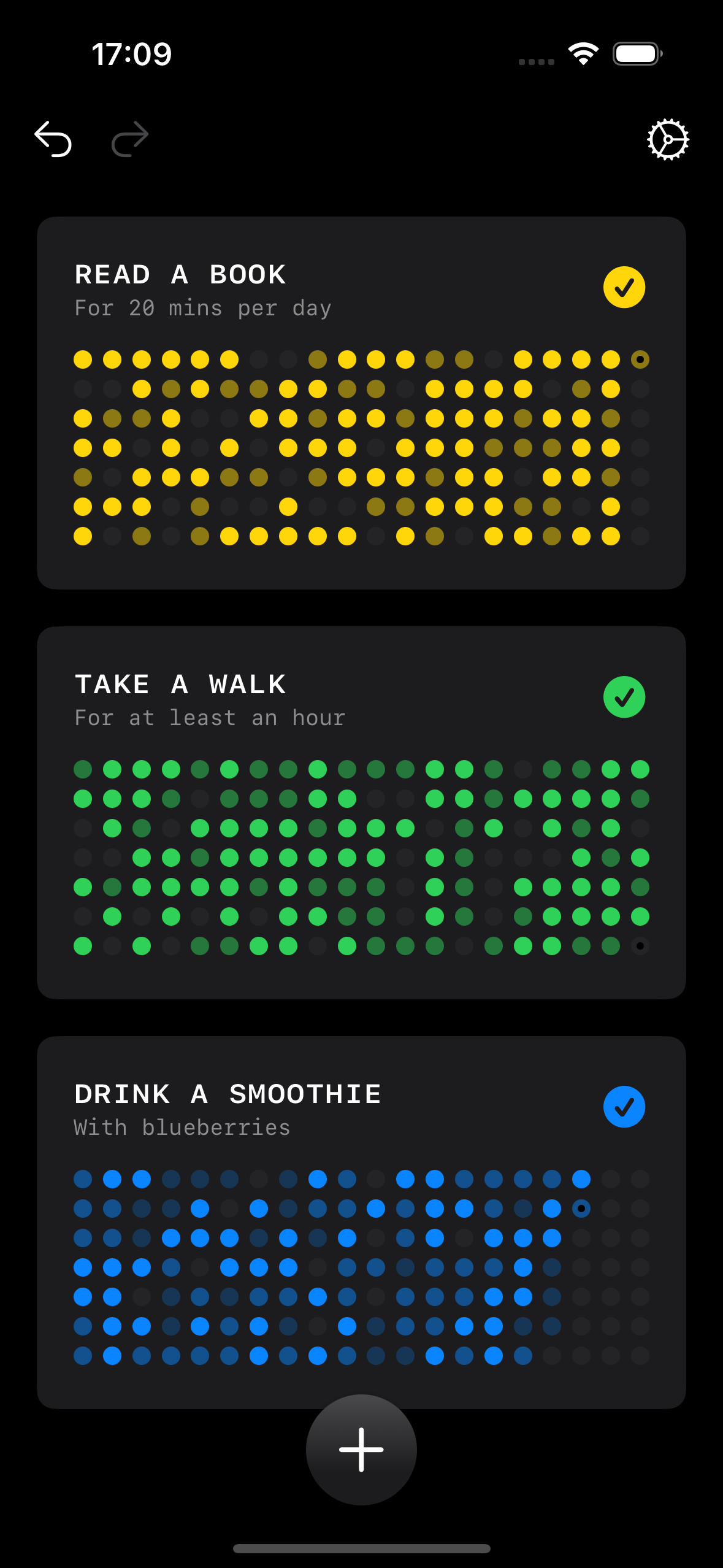
Main App Interface (no device frame)
-
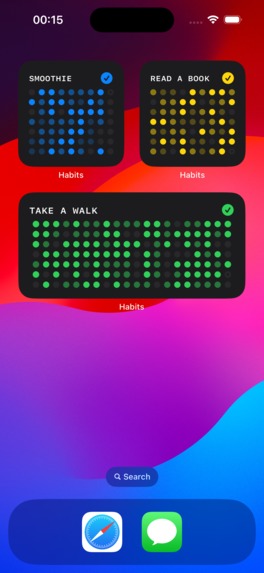
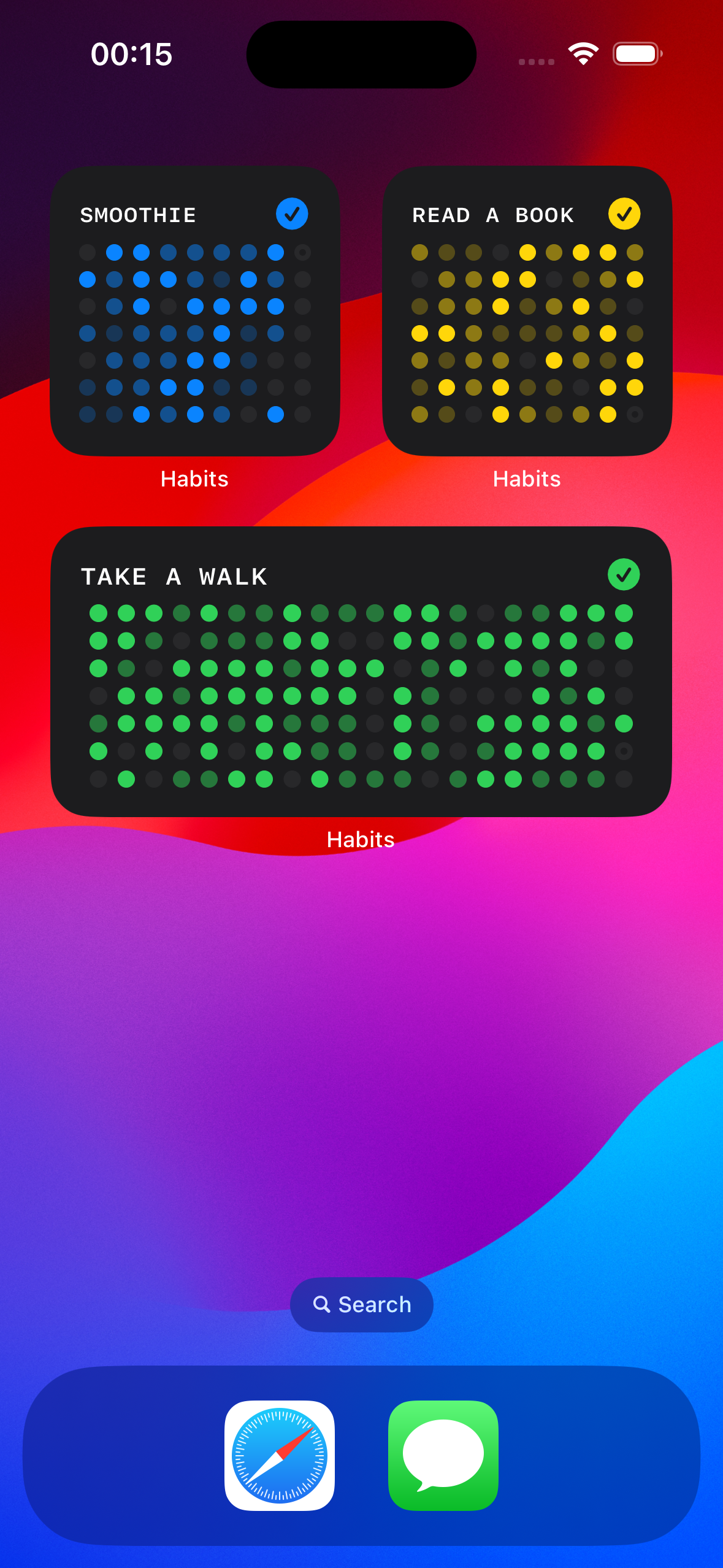
Home Screen Widgets (no device frame)
Inspiration
New habits can be extremely difficult to maintain. Habits Scorecard was created to help keep folks motivated when starting out and trying to form those new habits. Whether it’s reading a book for 20 minutes every day or exercising more regularly, the app provides visualizations using colorful progress grids so they can take effective action if they’re skipping too many days or missing their goals.
What it does
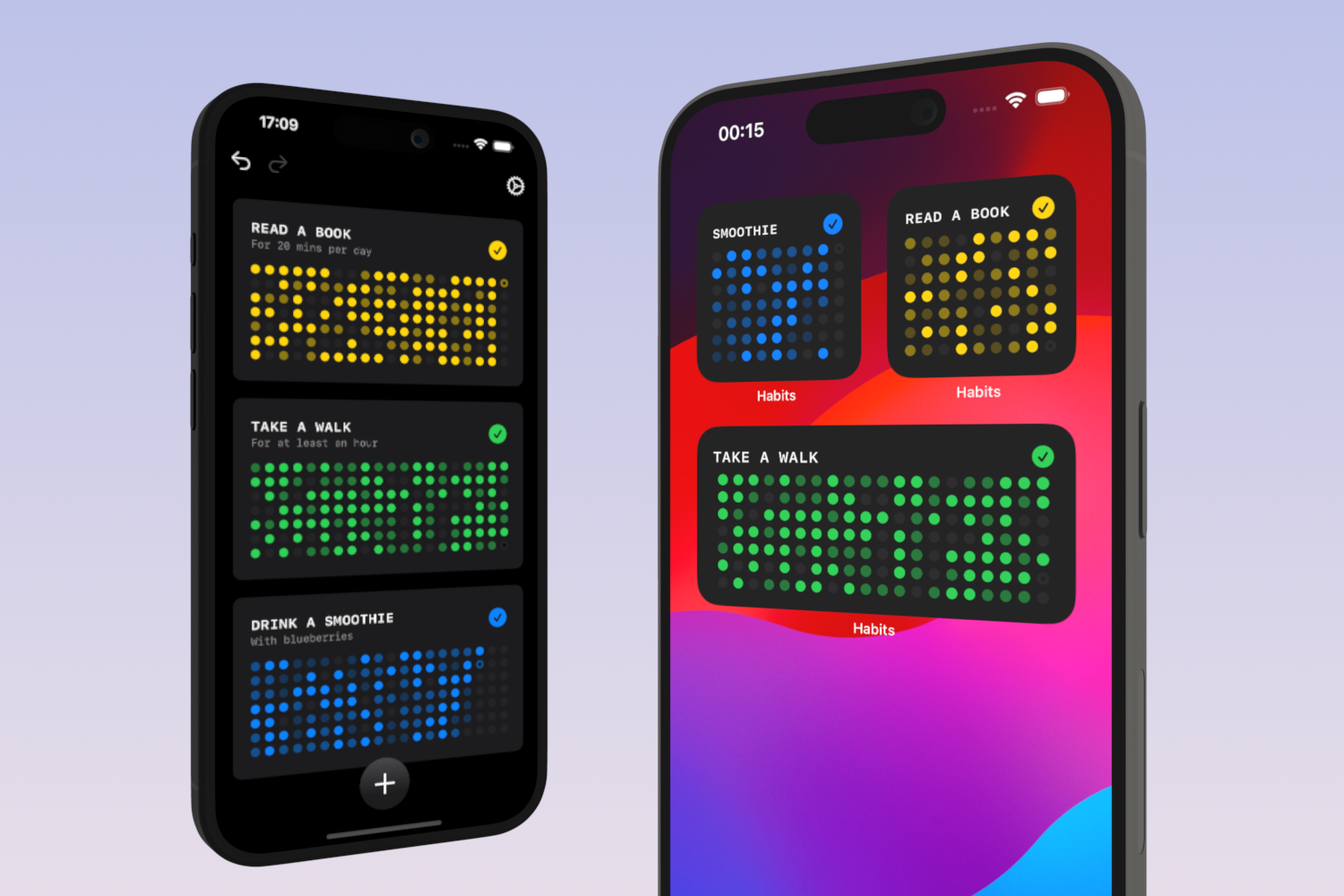
The user first creates a new habit; giving it a name and description. A grid is created for each habit, where each circle represents a day. Tapping the checkmark (tick) button above a grid logs an entry for that habit, which represents the fulfillment of performing a habit within the current day. The button can be tapped multiple times per day, and the color/shade of the circle indicates how many times the habit was fulfilled relative to the other days – think GitHub contributions for habits!
The current day is indicated on the grid via a dot that’s overlayed on the relevant circle, making it easy to identify a series of inactivity. Moreover, once the grid is filled, it will be offset by one week, giving a new empty column of circles, so the grid essentially continues forever.
How we built it
The app uses SwiftData to store all habits in the cloud and sync across devices. The app was built with Xcode using Swift, and the views were created with SwiftUI. Widgets were added with WidgetKit.
Challenges we ran into
Anyone who has used SwiftData knows that it can still be rather challenging at times! I hit a hurdle making sure that only the required number of habit entry logs are pulled in from the database for best performance. While this is certainly achievable with CoreData or SwiftData, the predicates in SwiftData have limitations; for example, you cannot use optional values inside predicates, while at the same time syncing the data in iCloud requires optional data relationships. So, it was a challenge getting data fetches up and running as originally planned, but I found a satisfactory solution in the end.
Accomplishments that we're proud of
For the animations, such as the wobbly “jelly” effect used when the new/edit habit form is presented, and when the habit button jumps up and wiggles side to side, I used keyframe animations; this was modified from code I used in this post on X.
What we learned
- Building in public is not only enjoyable but very useful also – the feedback is definitely worth it.
- That next time, to submit an MVP with the in-app purchases as early as possible to get the IAP through review! Although I submitted the app with IAP one week before the deadline, it only just made it through app review on time because of issues reviewing the subscriptions.
What's next for Habits Scorecard
So, so many things! I’m very motivated to continue working on this app and take it to the next level, including:
- Next, I want to improve the onboarding experience and give a brief explanation with diagrams about what the app does and how to use it (i.e., what the circles and color shades represent)
- Add statistics that customers can view for each habit: By tapping on one of the habit cells, a modal view will open displaying long term data such as all-time contributions, month-by-month or week-by-week progress charts using native Swift Charts.
- Large widgets that display progress for a given habit by calendar year would be a nice addition.
- Siri Shortcuts, so the user can say things like “add an event to habit Take A Walk”
- Goals: The user can add a percentage goal to each habit, and they will be told whether or not they’re hitting that goal. For example, you might set a goal to go jogging on 20% of days, and the app will tell you via a symbol if that goal is being achieved.
- Icons: Add icons to the habit cells to personalize them further.
- I also want to create a dedicated iPad app: This will use a Split View with the list of habits on the leading side and all the stats & charts in the detail view for the selected habit.
Built With
- cloudkit
- swift
- swiftdata
- swiftui
- widgetkit

Log in or sign up for Devpost to join the conversation.