Inspiration
I have been using hledger for plain-text accounting for a few years now. I like the simplicity it's power and that it lives in my terminal as a developer. But every time I need to share financials with someone who doesn't live in a terminal (e.g my spouse), I hit the same wall: copy-paste into a spreadsheet, manually format tables, export to PDF, repeat. I wanted a single command that could go from .journal file to a polished, professional PDF — no spreadsheets, no manual formatting, no friction.
What it does
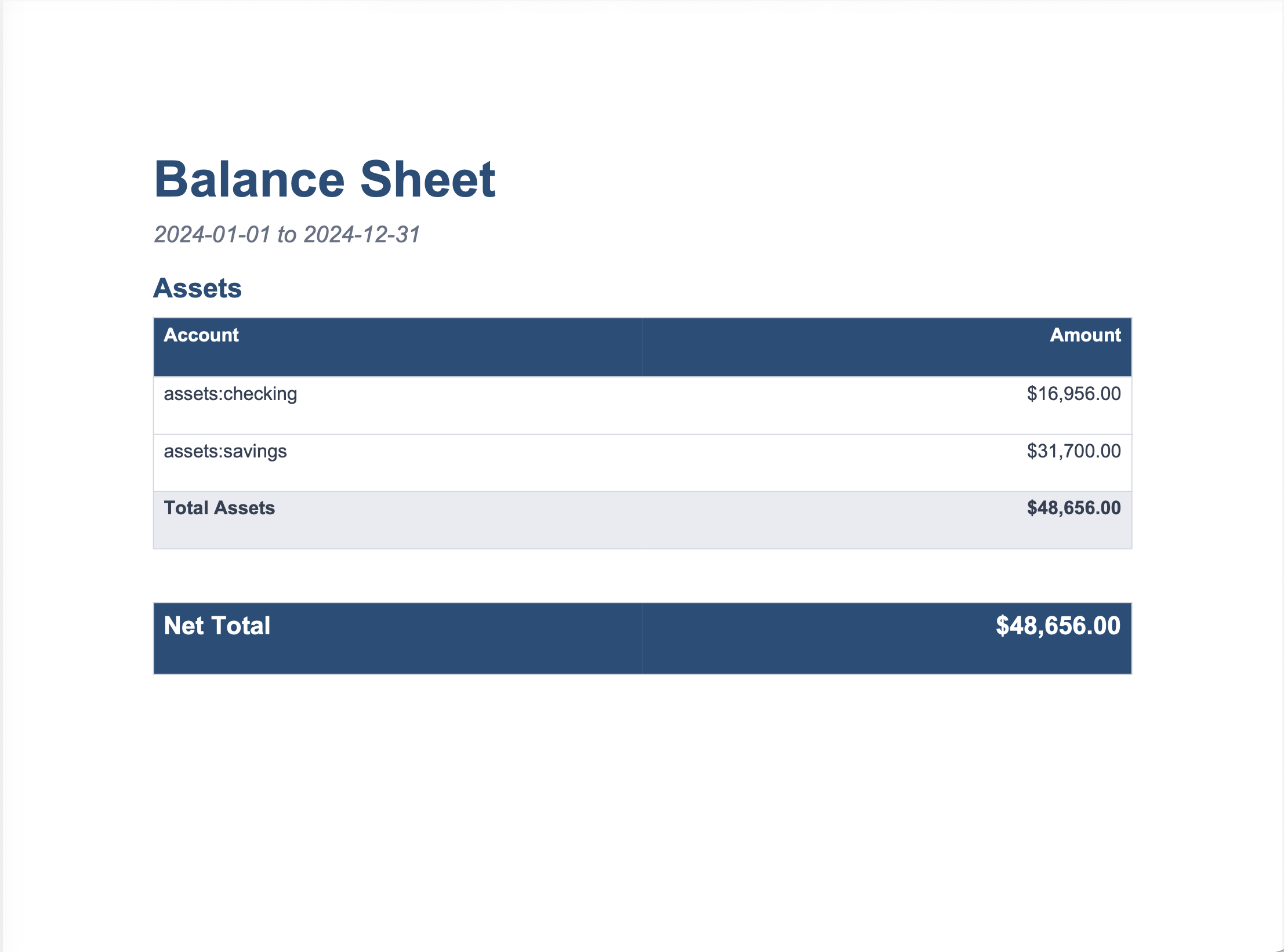
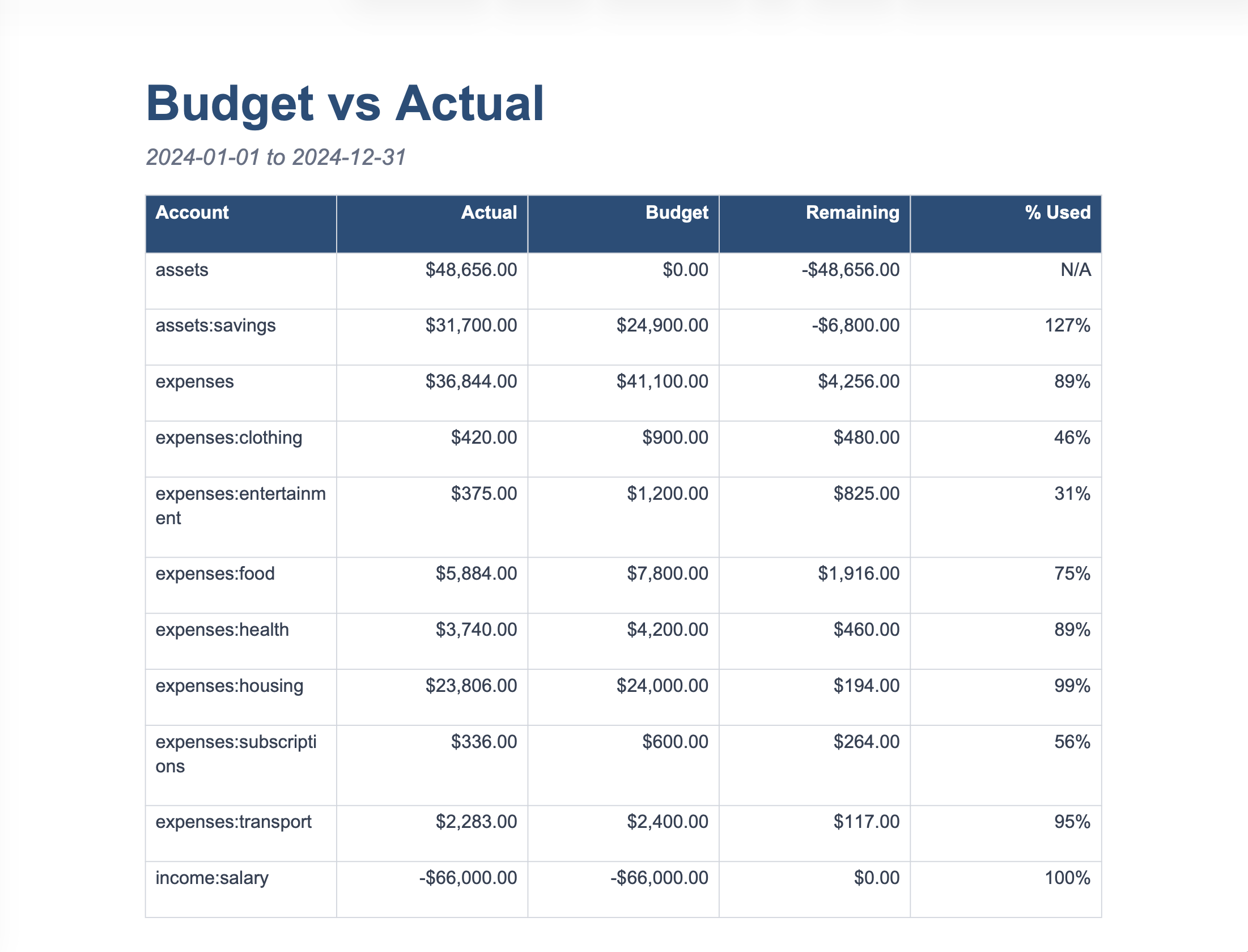
hport is a CLI tool that generates publication-quality PDF financial reports directly from hledger journal files. It supports four report types for now:
- Balance Sheet
- Income Statement
- Cash Flow Statement, and -Budget vs. Actual
It can produce them individually or merged into a single combined document. The output PDFs are compressed for easy sharing and can be password-protected. It also supports optional company branding with a logo or name.
How we built it
The pipeline has four stages, all orchestrated from a single Python CLI:
- Data extraction: We shell out to hledger with JSON output and parse the results into typed Python data models.
- Template generation: Using python-docx, we programmatically build Word documents with Foxit DocGen template tags ({{TableStart:rows}}, {{amount}}, etc. Templates are generated dynamically so the number of sections matches the actual data.
- PDF rendering: The .docx template and structured data are sent to the Foxit Document Generation API, which performs the tag substitution and returns a rendered PDF.
- Post-processing: The Foxit PDF Services API handles merging multiple reports into one file, compressing the result, and applying password protection if requested.
The whole stack is Python 3.12 with Click, python-docx, Requests, and Rich for terminal output.
Challenges we ran into
Foxit DocGen doesn't scope template tag names within separate table loops, so if two sections both use {{account}} and {{amount}}, the engine can't distinguish between them. We solved this by generating unique prefixed tag names per section (s1account, s2account, etc.) and dynamically adjusting both the template and the data payload to match.
Getting the async task workflow right for PDF Services also took iteration. Operations like combine and compress return a task ID that needs to be polled until completion before downloading the result, and chaining multiple operations (upload → combine → compress → protect) meant carefully threading document IDs through each step.
Accomplishments that we're proud of
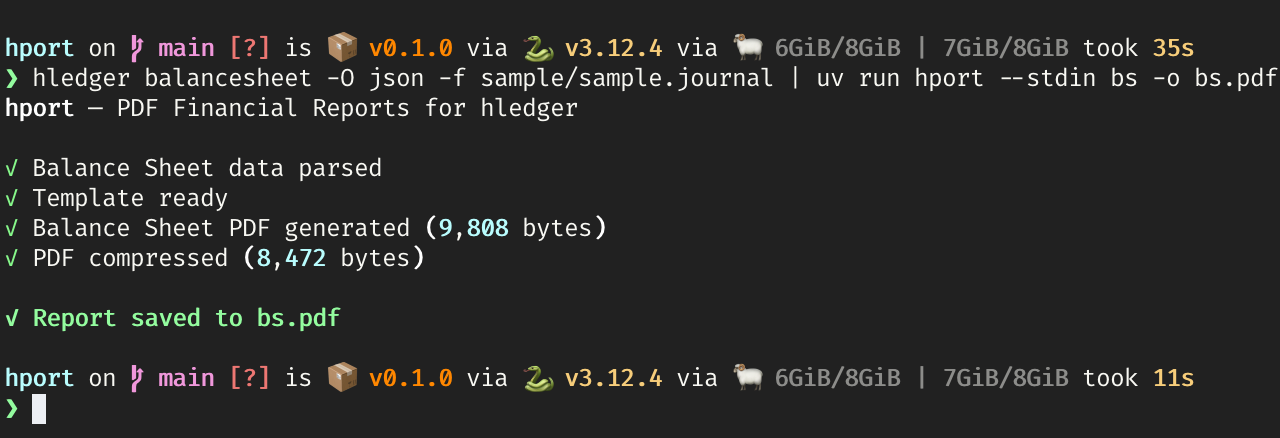
- The entire pipeline, from raw journal to finished PDF, runs with a single command and zero manual steps.
- Templates are fully dynamic. A balance sheet with two sections and one with five sections both just work, because the .docx is built at runtime to match the data.
- The stdin mode lets you pipe hledger output directly into hport, making it composable with existing hledger workflows.
What we learned
- Foxit's DocGen tag system is surprisingly flexible once you understand its constraints, generating templates that play to its strengths rather than fighting its scoping model.
- Building Word documents programmatically with python-docx is more capable than expected you get full control over styles, tables, and layout without touching XML directly.
- Plain-text accounting tools like hledger have rich, well-structured JSON output that's underutilized. There's a lot of potential in building tooling on top of it.
What's next for H-Port
- More output formats: HTML reports for web dashboards, Excel exports for teams that need editable data.
- Chart support: Embedding bar charts, trend lines, and pie charts into the PDF reports using hledger's time-series data.
- Multi-period comparisons: Side-by-side columns for year-over-year or quarter-over-quarter analysis.
- Custom templates: Let users supply their own branded .docx templates instead of generating them from scratch.
- Scheduled reports: A lightweight daemon or cron integration that auto-generates and emails reports on a schedule.
Built With
- click
- foxit
- python
- rich

Log in or sign up for Devpost to join the conversation.